
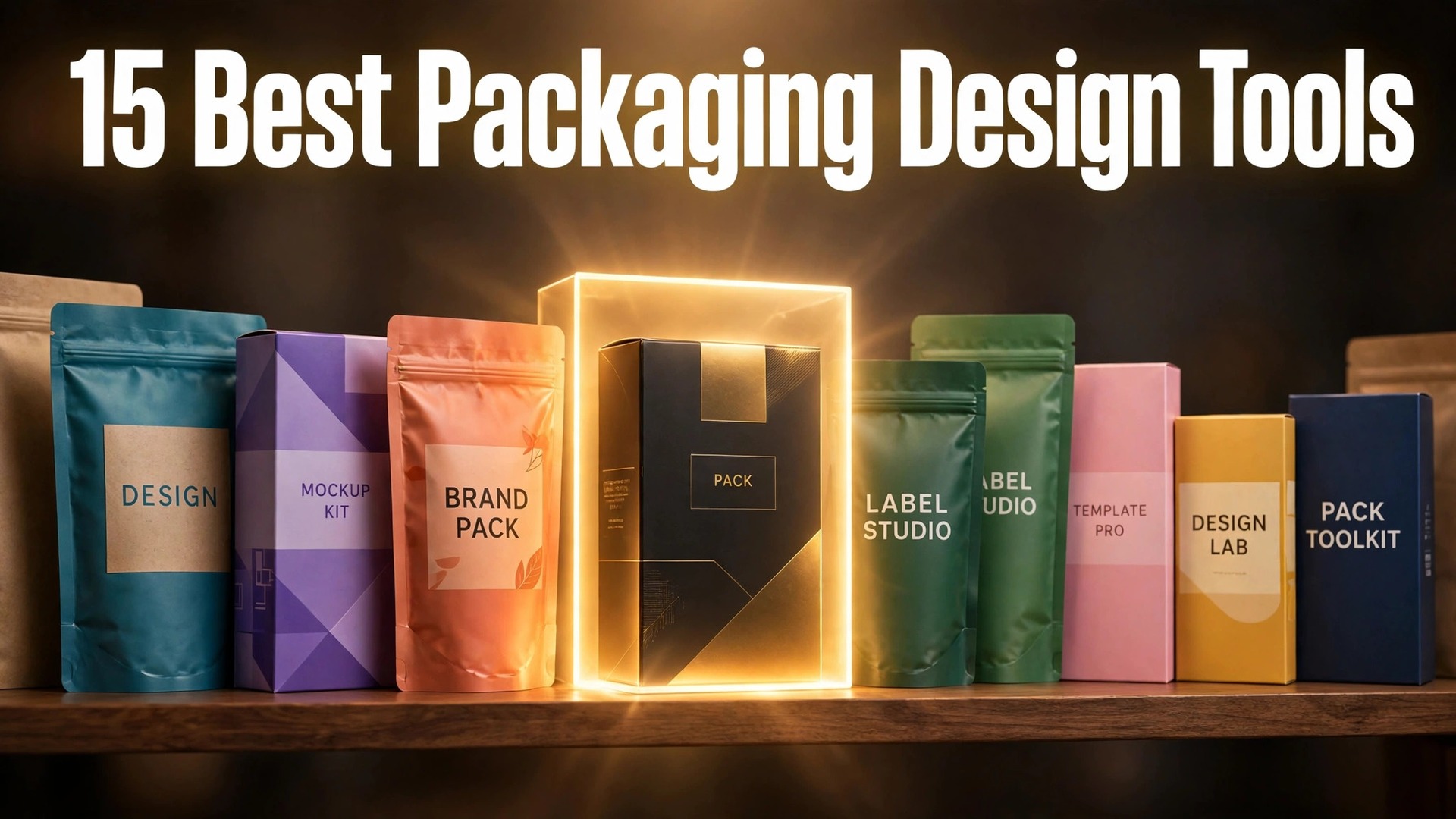
Packaging is judged in seconds on a shelf, and the tools behind it carry libraries that run into the thousands. Pacdora alone lists more than 3000 dieline templates, and the gap between a tool with a deep library and one with a thin one shows up on every job. A team that designs a new pack every week needs that depth. A team that designs one pack a year does not. That is the question this guide answers for best packaging design tools, with every tool tested against real work rather than a sales page.
Volume turns small differences into real money. A saving of a few dollars per order, per user, or per project adds up across a year of steady work. The same is true of wasted time. A tool that adds five minutes to a routine task will cost a full working week by the end of the year for a busy team.
This guide puts those numbers in context. Every tool below is judged on the size and quality of what it offers, the price for real use, and the fit for a specific kind of team. The rankings favor tools that hold up at volume, not tools that only look good in a short trial.
The best pick by job
Start here if you are short on time. The table below matches the most common jobs to the tool that handles each one best, so you can find your fit without reading every entry. The best packaging design tools in this table were ranked on the core job first, then on price and ease of use.
| Job | Best tool |
|---|---|
| 3D packaging mockups and dielines in the browser | Pacdora |
| Industry standard packaging artwork | Adobe Illustrator |
| Quick packaging concepts for small brands | Canva |
| Design on a dieline and order printed samples | Packly |
| Dielines, design on the die, 3D and print files | Drint |
| A large dieline library with 3D mockups | Die Cut Templates |
| Free 3D box mockups with a real dieline | 3D Box Studio |
| Free dieline generation with no account | Templatemaker |
If your job is not in the table, read the full entries for the two tools closest to your situation. The comparison table later in this guide covers price and best fit for every tool, so a quick scan there will narrow the list to two or three names.
What the best packaging design tools do differently
Packaging work splits into two jobs, and most tools only do one of them well. The first job is the structure, which means the dieline, the folds, the bleed and the cut lines. The second job is the artwork, which means the colors, type and images that sell the product. A tool that does both is rare, so plan for a pair rather than a single perfect app.
Start with the pack shape and the printer. Ask the printer which file formats they accept, what bleed they need, and whether they supply their own dieline. That answer narrows the tool list fast. A beautiful design in the wrong format is a delay, not a result.
Test the 3D preview before you trust it. A render that looks good on screen can hide a fold that covers the product name or a panel that wraps awkwardly. Rotate the pack, check every face, and print a paper mockup at full size before you approve the artwork.
Count the real cost per pack, not the monthly subscription alone. A cheap tool that needs a separate dieline service and a separate render app can cost more than one pricier platform. Add the printing, the samples and the time spent moving files between tools before you compare prices.
The best packaging design tools in this guide were judged on real daily work, not on a demo. Price, fit, and the quality of the core job mattered more than the length of the feature list.
Side by side comparison
The table below puts price and best fit side by side, so the trade offs are easy to see. The best packaging design tools that look cheapest on the first line are not always cheapest in real use, since shipment caps, per user fees and add ons change the total. Read the price column together with the best fit column before you rank the tools.
| Tool | Starting price | Best for |
|---|---|---|
| Pacdora | Free, Lite 14 dollars per month | Mockups and dielines |
| Adobe Illustrator | From 22.99 dollars per month | Packaging artwork |
| Canva | Free, Pro 144 dollars per year | Quick concepts |
| Packly | Varies by order | Design plus printed samples |
| Drint | Free, Pro 19 dollars per month | Dielines and print files |
| Templatemaker | Free | Free dielines |
| Boxshot | 192 dollars per user per year | 3D renders |
| Blender | Free | Custom 3D visuals |
| Approval Studio | From 60 dollars per month | Proofing and sign off |
The tools in detail
1. Pacdora
Pacdora is built for 3D packaging mockups and dielines in the browser. More than 3000 dieline templates and thousands of mockup templates cover boxes, pouches, bottles and cartons. AI design tools build a first version from a short brief, which speeds up early concepts.
3D renders show the pack from every angle before a physical sample exists. Pricing is Free, Lite from 14 dollars per month, dieline export from Pro at 29 dollars per seat per month. Pacdora fits 3D packaging mockups and dielines in the browser best. Commercial use needs the Business plan at 99 dollars per seat per month, so client work costs more than the entry price suggests.
2. Adobe Illustrator
Adobe Illustrator is built for industry standard packaging artwork. Vector artwork stays sharp at any size, which matters for print. Precise control over type, layers, color modes and bleeds fits prepress work.
The file formats printers expect are native here, so handover is smooth. Pricing is From 22.99 dollars per month. Adobe Illustrator fits industry standard packaging artwork best. There is no built in dieline library or 3D mockup, so structural work needs another tool beside it.
3. Canva
Canva is built for quick packaging concepts for small brands. Thousands of packaging templates cover food, cosmetics, beauty and ecommerce. Drag and drop editing lets a non designer build a presentable concept in an afternoon.
Brand Kits keep the logo and colors consistent across every pack. Pricing is Free, Pro at 144 dollars per year per person. Canva fits quick packaging concepts for small brands best. There is no dedicated dieline tool, so the design still needs a structural file before it can be printed.
4. Packly
Packly is built for design on a dieline and order printed samples. Choose a box or pouch style, get the correct dieline, and design directly on it. Printed samples can be ordered from the same platform, which closes the gap between design and production.
The workflow suits small runs and testing a new pack before a large order. Pricing is Pricing varies by order, with design tools free to start. Packly fits design on a dieline and order printed samples best. Costs run higher than a pure digital tool once printing is included, so compare the full order price before committing.
5. Drint
Drint is built for dielines, design on the die, 3D and print files. Dieline generation, design on the die, 3D preview and print files live in one browser tool. Pro exports AI, PDF, DXF, SVG and CF2 files for production.
The free plan allows a small number of SVG exports per month, which suits occasional work. Pricing is Free, Pro at 19 dollars per month or 144 dollars per year. Drint fits dielines, design on the die, 3D and print files best. The template library is smaller than Pacdora, so unusual pack shapes may need a custom dieline.
6. Die Cut Templates
Die Cut Templates is built for a large dieline library with 3D mockups. A deep library of dieline templates covers many standard pack shapes. The 3D mockup editor shows the finished pack before printing.
Nesting tools help plan how many packs fit on a sheet, which saves material. Pricing is Starter from 29.90 dollars per month or 299 dollars per year. Die Cut Templates fits a large dieline library with 3D mockups best. Plan formats for export are not clearly stated, so confirm PDF, DXF and SVG support before paying.
7. 3D Box Studio
3D Box Studio is built for free 3D box mockups with a real dieline. A 1 to 1 PDF dieline carries your artwork and bleed, with SVG and DXF export too. The 3D simulator shows the box from any angle in the browser.
Client work is allowed under the FAQ, which makes it useful for small studios. Pricing is Free with a free account. 3D Box Studio fits free 3D box mockups with a real dieline best. It focuses on boxes, so pouches, bottles and flexible packs need a different tool.
8. Templatemaker
Templatemaker is built for free dieline generation with no account. Dieline files export as PDF, DXF, SVG, PNG and SignCut formats. No sign up means a dieline is ready in minutes for a quick job.
Packaging and printing use is allowed, which covers most small brand work. Pricing is Free, no account needed. Templatemaker fits free dieline generation with no account best. There is no design editor or 3D preview, so artwork must be built in another tool.
9. Boxshot
Boxshot is built for high quality 3D box renders on desktop. Renders look close to photography, which suits listings and presentations. A wide template set covers boxes, books, bags and displays.
The desktop app works offline once installed. Pricing is 192 dollars per user per year, or 499 dollars for a permanent licence with a year of updates. Boxshot fits high quality 3D box renders on desktop best. It renders packs rather than designing them, so artwork and dielines come from elsewhere.
10. Kittl
Kittl is built for illustrative packaging artwork with a modern feel. A large library of fonts, textures and illustrations suits craft and premium brands. AI tools help generate patterns and original artwork fast.
Print ready export keeps the artwork usable for production. Pricing is Free to start, paid plans up to about 25 dollars per month. Kittl fits illustrative packaging artwork with a modern feel best. Structural and dieline work is outside its scope, so pair it with a dieline tool for real packs.
11. CorelDRAW
CorelDRAW is built for a full vector suite as an Illustrator alternative. Vector design, typography and layout tools cover the full artwork job. A perpetual licence option suits teams that prefer to own the software.
Prepress tools handle bleeds, color modes and separations. Pricing is From 249 dollars per year. CorelDRAW fits a full vector suite as an Illustrator alternative best. The packaging specific templates are thinner than a specialist tool, so dielines still come from another source.
12. Adobe Substance 3D
Adobe Substance 3D is built for photorealistic materials and pack renders. Realistic material and texture creation makes renders look like a finished product. Lighting and surface controls show how a pack reads on a shelf.
Integration with the Adobe workflow keeps files moving between apps. Pricing is From 59.99 dollars per month. Adobe Substance 3D fits photorealistic materials and pack renders best. The monthly price is high for a team that only needs an occasional render, and the learning curve is steep.
13. Blender
Blender is built for free open source 3D for custom pack visuals. Full 3D modeling and rendering at no cost, with a large community behind it. Custom pack shapes and scenes are possible when templates fall short.
The render quality can match paid tools with the right setup. Pricing is Free, open source. Blender fits free open source 3D for custom pack visuals best. The learning curve is long, and there is no packaging template library built in.
14. Approval Studio
Approval Studio is built for packaging proofing and sign off. Purpose built proofing supports the file formats packaging teams use. Side by side compare shows old and new artwork clearly.
Version management and approval control keep sign off tidy across a team. Pricing is From 60 dollars per month. Approval Studio fits packaging proofing and sign off best. It is a proofing tool rather than a design tool, so artwork must be finished elsewhere first.
15. Smartmockups
Smartmockups is built for product photo mockups for listings. Hundreds of mockup scenes place a pack photo into a realistic setting fast. The tool suits marketplace listings and social posts more than print production.
Integration with Canva keeps the workflow short for small teams. Pricing is Free to start, paid plans up to about 25 dollars per month. Smartmockups fits product photo mockups for listings best. It produces photos only, with no dieline, artwork or print ready output.
Mistakes to avoid
Most buyers in this category make the same few mistakes, and the tools that look best on paper are often the ones that punish those mistakes most. A short list of the common errors will save more money than a long feature comparison.
The most common mistake is designing the artwork before the dieline is final. When the structure changes, the artwork has to move with it, and text that sat safely inside the panel can end up on a fold. Lock the dieline first, then design on it.
Another mistake is trusting a screen render as the final check. Colors shift between screen and print, and small text that reads fine at full size can vanish on a shelf. Print a real proof at full size and look at it from a few steps back.
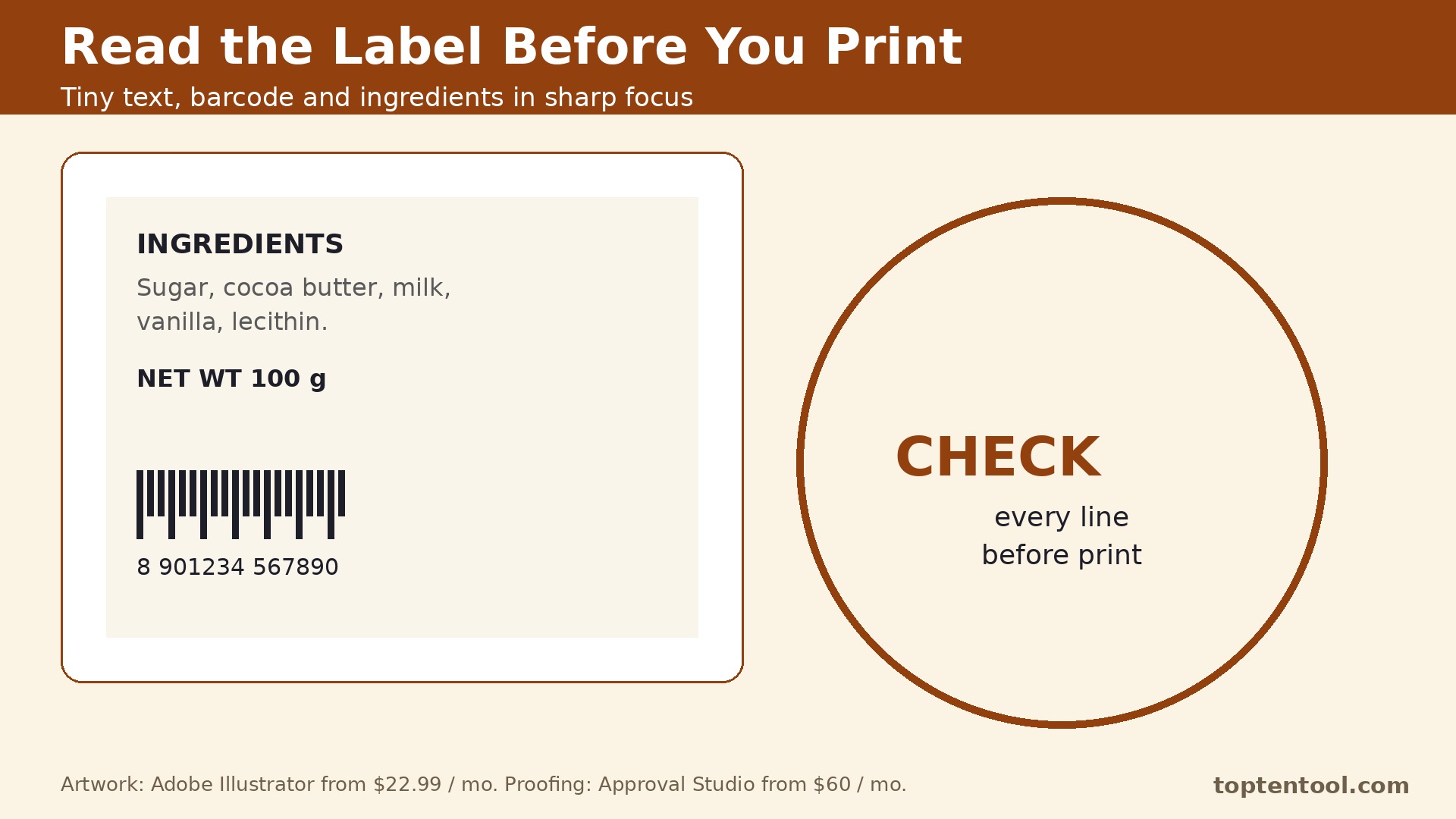
The third mistake is forgetting the barcode, the ingredients and the legal text until the end. Those blocks need space, and squeezing them in late breaks the layout. Place them in the first draft, even as placeholders, so the design grows around them.
A simple decision checklist
Use this checklist before you pay for any of the best packaging design tools above. It takes ten minutes and it catches the errors that turn a good tool into a bad purchase.
- Write down the one job the tool must do well every day, and test that job first.
- Count the real users, locations or volume the plan must cover, including the busy season.
- Check the price of the tier that includes the features you need, not the cheapest tier on the page.
- Test the tool with a real task from your own work, not the sample data in the demo.
- Read the contract terms, the renewal rules and the cancellation process before you sign.
Frequently asked questions
These are the questions buyers ask most often about best packaging design tools. The answers are short, and each one points back to the comparison above so you can check the detail for yourself.
What is a dieline and why does it matter?
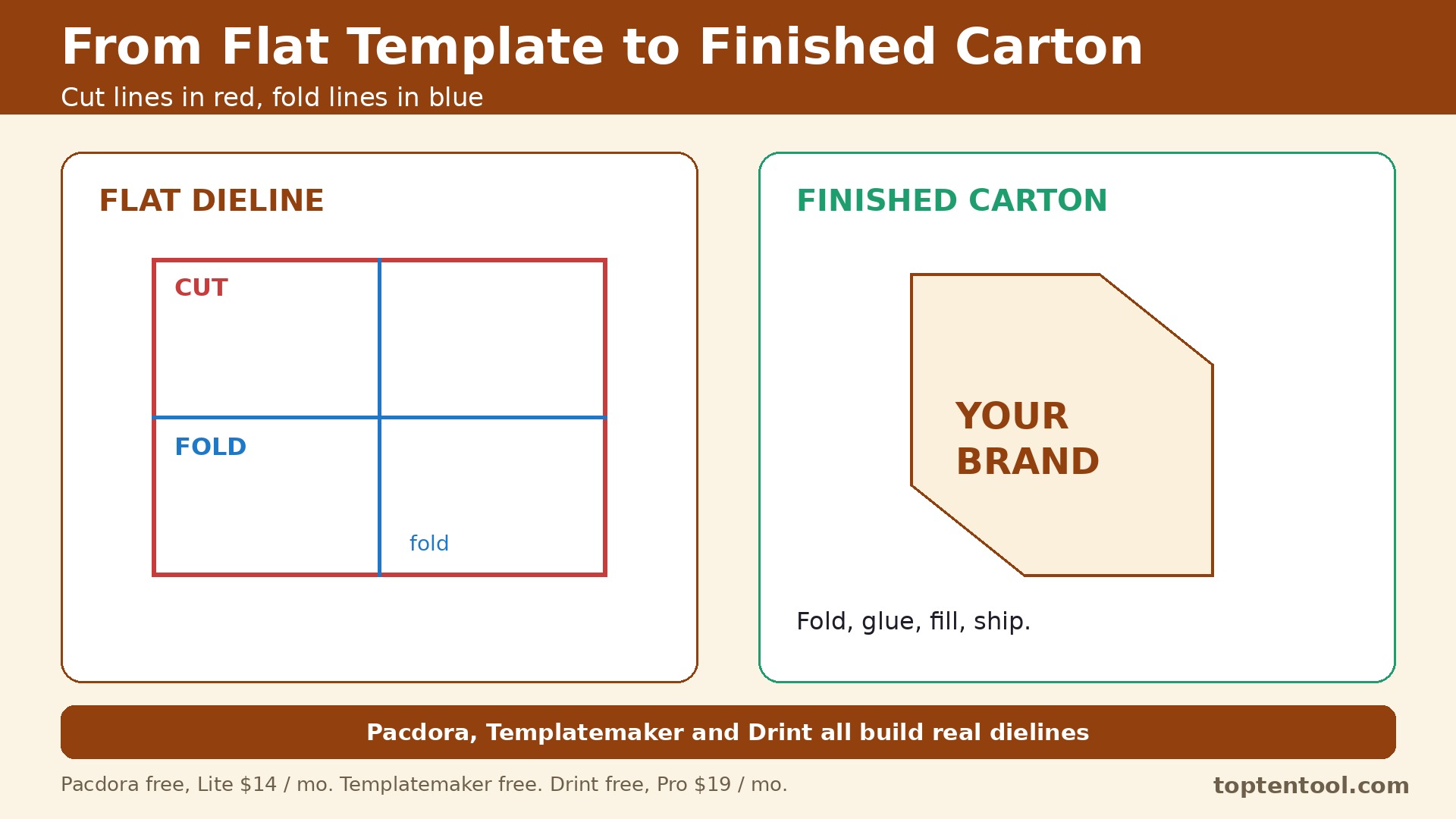
A dieline is the flat template that shows where a pack is cut, folded and glued. It sets the exact size of every panel, so artwork placed on it lands in the right place when the pack is folded up. Without a correct dieline, even a lovely design will print in the wrong place.
Can I design packaging in Canva?
Yes, for concepts and simple packs. Canva has templates and an easy editor, but it has no dedicated dieline tool. For a pack that will actually be printed, build the artwork on a real dieline from a tool like Pacdora, Drint or Templatemaker.
How much does packaging design software cost?
A small brand can start free with Templatemaker, 3D Box Studio or Blender, then add Pacdora or Drint for dielines and mockups at under 30 dollars a month. Professional artwork in Illustrator starts at 22.99 dollars a month, and proofing adds about 60 dollars a month.
Do I need 3D mockups before printing?
A 3D mockup is not required, but it catches mistakes that a flat file hides, like a fold covering the product name. A paper mockup at full size is even better. Use both before a large print run.
What file format should I send to the printer?
Most printers want a print ready PDF with bleed, cut marks and CMYK color, plus the dieline file in AI, PDF or DXF. Ask your printer for their exact list before you export, since the requirements vary by printer and pack type.
One more point deserves attention before you choose. Pacdora leads this list for a reason, but the lead is narrow, and the second and third tools each win on a specific job. A buyer who reads only the ranking will miss those wins. Read the best fit column again with your own job in mind, and let that decide the shortlist rather than the order of the entries.
Support quality is easy to overlook until something breaks. Adobe Illustrator and Pacdora both have a reputation for answering quickly, while some of the cheaper tools in this list rely on email support with slower replies. If your team depends on the tool every day, the speed of support is worth real money, and it should count in the decision alongside price.
Training time is a real cost too. A tool that takes a week to learn will cost more than a tool with a slightly higher monthly price that the team learns in a day. Ask each vendor for a short trial with your own data, and watch how long it takes a new user to finish a routine task without help. That test tells you more than any feature list.
Integration with the tools you already use matters more as the stack grows. A platform that connects cleanly to your current system will save hours of manual copying, while a tool that needs workarounds will add a weekly chore. Check the integration list for the two or three apps your team opens every day, and confirm the connection works on the plan you would actually buy.
Finally, remember that the best tool is the one the team will keep using. A powerful platform that sits unused is worse than a simple tool that everyone opens daily. Involve the people who will use it in the trial, listen to what frustrates them, and choose the tool they reach for without being told. That habit is what turns a purchase into a result.
Think about the second year, not just the first month. A tool with a low entry price and a steep renewal can cost more over two years than a pricier tool with stable pricing. Ask about renewal rates, price changes on higher tiers, and what happens when the team grows past the current plan. A vendor that answers those questions plainly is easier to trust with a long term commitment.
Data export is a quiet test of a good vendor. Before you commit, check how your work leaves the platform if you ever decide to move. A tool that exports cleanly to standard formats respects your business, while a tool that locks data inside is betting that you will never leave. The export test takes five minutes and it is worth doing on every shortlisted tool.
Seasonal peaks deserve a specific check. A tool that handles a normal week well can still struggle in the busiest month of the year, when volume doubles and the team is under pressure. Ask the vendor how the plan behaves at peak volume, whether limits can be raised temporarily, and what the cost of that extra capacity looks like. The answer will tell you whether the tool is built for real business cycles.
Security and privacy checks belong on the shortlist too. Ask where data is stored, who can access it, and how the vendor handles a request to delete it. A tool that handles customer or employee data should answer those questions without hesitation. If the answers are vague, treat that as a warning sign rather than a detail to check later.
Start small even when the plan allows a big rollout. Pick one team, one project or one location, run the tool there for a month, and measure the result before you roll it out everywhere. A pilot catches the problems that a demo hides, and it gives the team a success story to share when the wider rollout begins. That careful start is how a good tool becomes part of the daily routine instead of another unused subscription.
Measure the result after the first month with numbers you already track. Time saved per order, per call or per project is the clearest test, followed by the cost per order and the number of errors or rework. If the tool has not moved at least one of those numbers in thirty days, the problem is either the tool or the way the team uses it, and both are worth a frank review before the next payment.
Keep the decision record simple. Write down why you chose the tool, what it must do in the first ninety days, and what would make you switch. That short note stops the team from drifting into a tool that no longer fits, and it makes the next review a fact based conversation instead of a debate about feelings. A good purchase is one you can explain a year later.
Talk to a current user before you buy, not just to the sales team. A short call with a business of a similar size will reveal the daily friction that a demo never shows, like a slow mobile app, a confusing setting, or a support queue that only answers quickly before the sale. Most vendors will arrange a reference call if you ask, and the ones that refuse are telling you something.
Check what happens when the team changes. A tool that is easy to join should also be easy to leave, with clear steps for removing a user, moving their work, and keeping the history. Staff turnover is normal, and a platform that makes offboarding painful will cost time on every departure. Ask about that process during the trial, while you still have a choice.
Look at the roadmap with a skeptical eye. A vendor that promises every feature on your wish list is selling a future, not a product. Buy the tool for what it does today, and treat the roadmap as a bonus. If the core job is not covered now, no promised update should change the decision.
The verdict
For most small brands, Pacdora is the strongest single start, since it covers dielines, mockups and AI concepts in one place. Pair it with Illustrator for finished artwork and Templatemaker for a free dieline check. Larger teams should add Approval Studio for proofing, and any brand that needs photorealistic shelf renders should look at Boxshot or Substance 3D. The right stack is the one that gets a correct dieline, a tested design and a clean proof before the print run.
Order a physical proof before the full print run, even when the digital mockup looks perfect. Paper stock, ink coverage, and the fold itself change how a design reads in the hand, and none of those show up on a screen. Check the proof under shop lighting, not just office lighting, and look at it from the distance a shopper would stand. A proof that costs a few dollars can save a print run worth hundreds, and it is the cheapest insurance in this whole process.
Talk to the printer early, before the artwork is finished. Every printer has its own limits on bleed, minimum text size, and the file types it accepts, and learning those limits after the design is done means rework. Send the printer a draft of the dieline and ask what would cause a delay or an extra charge. That one conversation usually catches the problems that turn a smooth job into a rush job, and printers are happy to answer it because it saves them trouble too. Keep the printer’s answers in writing with the project file, so the next reprint starts from the same rules.
That is the honest summary for best packaging design tools in 2026. Start with the tool that matches your situation, use the free trial or free plan to test it on real work, and only then commit to a paid plan. A tool that fits the job will feel obvious within a week, and a tool that does not will show its gaps just as fast.