
The short answer is that there is no single best tool for every team, but there is a clear best pick for most teams, and this guide names it early so you can stop guessing. The rest of the list exists because the best pick for most teams is not the best pick for yours, and the differences matter once the work starts. That is the question this guide answers for best payment processing tools for small business, with every tool tested against real work rather than a sales page.
What follows is a full comparison, with every tool judged on the same points. Price, features, fit and drawbacks are stated plainly, so you can see why the top pick leads and when a lower ranked tool is actually the smarter buy for your situation.
Read the best pick table first if you are short on time. It matches each common job to the tool that handles it best. Then read the full entries for the two or three tools that fit your situation, and skip the rest. A good shortlist saves more time than a long review.
The best pick by job
Start here if you are short on time. The table below matches the most common jobs to the tool that handles each one best, so you can find your fit without reading every entry. The best payment processing tools for small business in this table were ranked on the core job first, then on price and ease of use.
| Job | Best tool |
|---|---|
| Online businesses and marketplaces that need developer friendly payments | Stripe |
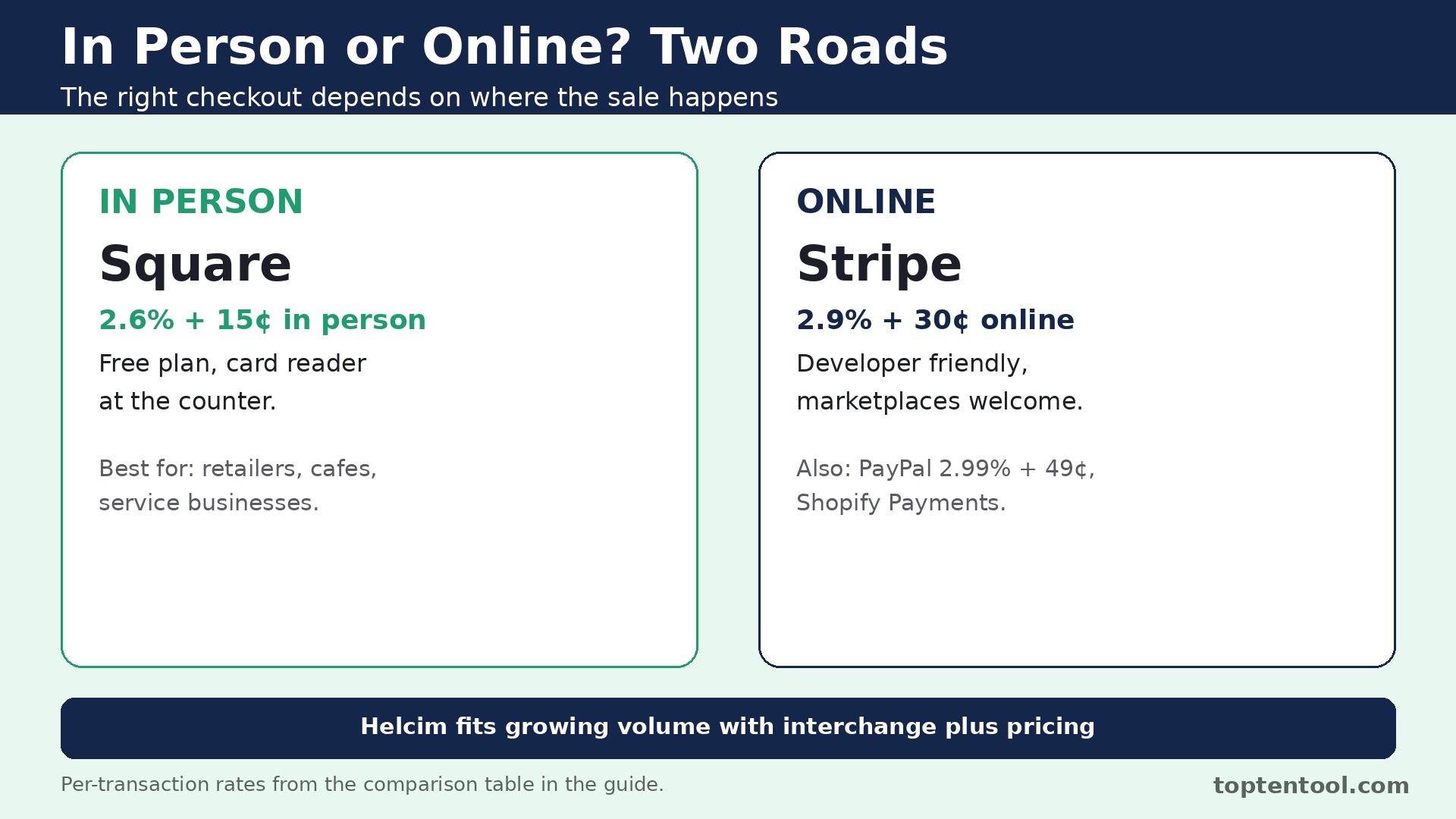
| Retailers, cafes and service businesses that take most payments in person | Square |
| Businesses that want a checkout button customers already trust | PayPal |
| Growing businesses that want interchange plus pricing without negotiating | Helcim |
| Ecommerce businesses already selling on Shopify | Shopify Payments |
If your job is not in the table, read the full entries for the two tools closest to your situation. The comparison table later in this guide covers price and best fit for every tool, so a quick scan there will narrow the list to two or three names.
What the best payment processing tools for small business do differently
Payment processing looks simple until the fees add up. The headline rate is only part of the cost, and the rest hides in the per transaction cent fee, the monthly plan, international surcharges and chargeback fees. Run your real numbers before you choose, using your average order value and your monthly volume.
Start with how you sell. A cafe that mostly takes cards at the counter needs a low in person rate and good hardware. An online store needs a low online rate and a smooth checkout. A service business that invoices clients needs payment links and recurring billing. The mix decides the winner.
Work out the fee on a typical order. On a 50 dollar sale, Stripe takes 1.75 dollars, Square takes 1.95 dollars online or 1.45 dollars in person on the free plan, and PayPal takes 1.99 dollars on a standard card payment. Small differences per order become hundreds of dollars a month at volume.
Check the payout speed and the chargeback policy. Next day payouts are standard, while instant transfer usually costs extra. Some processors charge no fee for a chargeback, while others charge 15 dollars or more per dispute. Read those lines before you sign, not after the first dispute.
The best payment processing tools for small business in this guide were judged on real daily work, not on a demo. Price, fit, and the quality of the core job mattered more than the length of the feature list.
Side by side comparison
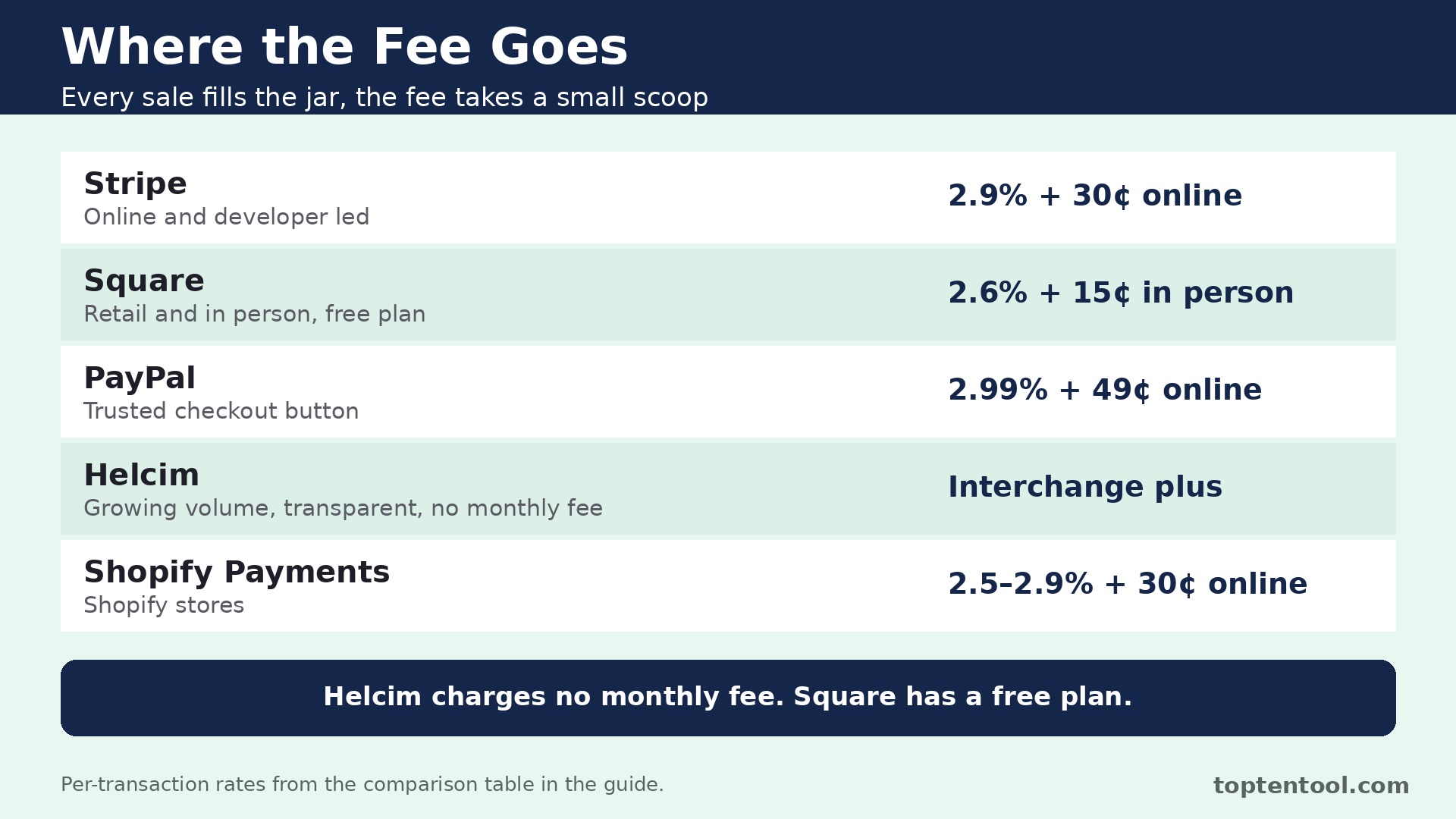
The table below puts price and best fit side by side, so the trade offs are easy to see. The best payment processing tools for small business that look cheapest on the first line are not always cheapest in real use, since shipment caps, per user fees and add ons change the total. Read the price column together with the best fit column before you rank the tools.
| Tool | Starting price | Best for |
|---|---|---|
| Stripe | 2.9 percent plus 30 cents online | Online and developer led businesses |
| Square | 2.6 percent plus 15 cents in person, free plan | Retail and in person sales |
| PayPal | 2.99 percent plus 49 cents online | Trusted checkout button |
| Helcim | Interchange plus, no monthly fee | Growing volume, transparent pricing |
| Shopify Payments | 2.5 to 2.9 percent plus 30 cents online | Shopify stores |
The tools in detail
1. Stripe
Stripe is built for online businesses and marketplaces that need developer friendly payments. The API and documentation are the deepest in the industry, so developers can build almost any checkout flow. The tool earns its place on this list because it handles the core job well on a normal working day, not just in a demo. Teams that use it daily tend to praise the same things, which are the reliability of the basics and the clarity of the workflow.
Billing, Connect for marketplaces, Radar for fraud and Terminal for in person payments share one platform. Payouts are predictable and the dashboard shows every fee clearly. Those two strengths work together, since the first makes the daily job faster and the second makes the result easier to share or hand over. A tool that only does one of those well will slow a team down in the other half of the work.
Pricing is 2.9 percent plus 30 cents per online transaction in the US, 2.7 percent plus 5 cents in person, no monthly fee. That figure is the starting point, so check what sits behind it before you commit. Some plans cap the features that matter most, while others add fees for extra users, locations or volume. The cheapest plan on the page is worth little if it leaves out the feature your team uses every day.
Stripe fits online businesses and marketplaces that need developer friendly payments best. There is no free point of sale hardware bundle, and the platform assumes some technical comfort. That drawback matters more for some teams than others, so weigh it against your own situation. If the drawback touches the job you do most often, look at the next tool on the list. If it touches a job you rarely do, the strengths may outweigh it.
2. Square
Square is built for retailers, cafes and service businesses that take most payments in person. The free point of sale app handles inventory, employees and sales reports without a monthly fee. The tool earns its place on this list because it handles the core job well on a normal working day, not just in a demo. Teams that use it daily tend to praise the same things, which are the reliability of the basics and the clarity of the workflow.
Hardware is simple to set up, from a free reader to a full counter terminal. Invoices, payment links and appointments sit beside the till in one system. Those two strengths work together, since the first makes the daily job faster and the second makes the result easier to share or hand over. A tool that only does one of those well will slow a team down in the other half of the work.
Pricing is Free plan with 2.6 percent plus 15 cents in person and 3.3 percent plus 30 cents online, Plus from 49 dollars a month per location. That figure is the starting point, so check what sits behind it before you commit. Some plans cap the features that matter most, while others add fees for extra users, locations or volume. The cheapest plan on the page is worth little if it leaves out the feature your team uses every day.
Square fits retailers, cafes and service businesses that take most payments in person best. Online rates are higher than Stripe on the free plan, and keyed entry costs 3.5 percent plus 15 cents on every plan. That drawback matters more for some teams than others, so weigh it against your own situation. If the drawback touches the job you do most often, look at the next tool on the list. If it touches a job you rarely do, the strengths may outweigh it.
3. PayPal
PayPal is built for businesses that want a checkout button customers already trust. Millions of shoppers already have an account, which can lift checkout conversion. The tool earns its place on this list because it handles the core job well on a normal working day, not just in a demo. Teams that use it daily tend to praise the same things, which are the reliability of the basics and the clarity of the workflow.
No monthly fee to open a business account, and the first card reader costs 29 dollars. In person rates through the point of sale are among the cheapest on this list. Those two strengths work together, since the first makes the daily job faster and the second makes the result easier to share or hand over. A tool that only does one of those well will slow a team down in the other half of the work.
Pricing is 2.99 percent plus 49 cents for standard online card payments, 3.49 percent plus 49 cents for PayPal Checkout and Venmo, 2.29 percent plus 9 cents in person. That figure is the starting point, so check what sits behind it before you commit. Some plans cap the features that matter most, while others add fees for extra users, locations or volume. The cheapest plan on the page is worth little if it leaves out the feature your team uses every day.
PayPal fits businesses that want a checkout button customers already trust best. Online fees run higher than Stripe, and the per transaction cent fee is the highest here at 49 cents. That drawback matters more for some teams than others, so weigh it against your own situation. If the drawback touches the job you do most often, look at the next tool on the list. If it touches a job you rarely do, the strengths may outweigh it.
4. Helcim
Helcim is built for growing businesses that want interchange plus pricing without negotiating. Interchange plus means you pay the card network cost plus a transparent markup, with no hidden margin. The tool earns its place on this list because it handles the core job well on a normal working day, not just in a demo. Teams that use it daily tend to praise the same things, which are the reliability of the basics and the clarity of the workflow.
No monthly fee and no long contract, which suits a business that wants to test the model. Volume discounts apply automatically, so the rate improves as the business grows. Those two strengths work together, since the first makes the daily job faster and the second makes the result easier to share or hand over. A tool that only does one of those well will slow a team down in the other half of the work.
Pricing is Interchange plus pricing with no monthly fee, and the markup shrinks automatically as volume grows. That figure is the starting point, so check what sits behind it before you commit. Some plans cap the features that matter most, while others add fees for extra users, locations or volume. The cheapest plan on the page is worth little if it leaves out the feature your team uses every day.
Helcim fits growing businesses that want interchange plus pricing without negotiating best. The interface and integrations are lighter than Stripe or Square, so developer heavy teams may want more. That drawback matters more for some teams than others, so weigh it against your own situation. If the drawback touches the job you do most often, look at the next tool on the list. If it touches a job you rarely do, the strengths may outweigh it.
5. Shopify Payments
Shopify Payments is built for ecommerce businesses already selling on Shopify. Payments are built into the store, so there is no separate gateway to connect. The tool earns its place on this list because it handles the core job well on a normal working day, not just in a demo. Teams that use it daily tend to praise the same things, which are the reliability of the basics and the clarity of the workflow.
Payouts, refunds and chargebacks sit inside the same dashboard as orders. The rate improves on higher Shopify plans, which rewards a growing store. Those two strengths work together, since the first makes the daily job faster and the second makes the result easier to share or hand over. A tool that only does one of those well will slow a team down in the other half of the work.
Pricing is 2.5 percent to 2.9 percent plus 30 cents online and 2.4 percent to 2.6 percent plus 10 cents in person, included with a Shopify subscription. That figure is the starting point, so check what sits behind it before you commit. Some plans cap the features that matter most, while others add fees for extra users, locations or volume. The cheapest plan on the page is worth little if it leaves out the feature your team uses every day.
Shopify Payments fits ecommerce businesses already selling on Shopify best. It only makes sense inside Shopify, so sellers on other platforms need a different processor. That drawback matters more for some teams than others, so weigh it against your own situation. If the drawback touches the job you do most often, look at the next tool on the list. If it touches a job you rarely do, the strengths may outweigh it.
Mistakes to avoid
Most buyers in this category make the same few mistakes, and the tools that look best on paper are often the ones that punish those mistakes most. A short list of the common errors will save more money than a long feature comparison.
The most common mistake is choosing on the headline rate alone. A processor with a low percentage and a high cent fee can cost more on small orders, while a processor with a monthly fee can be cheaper at high volume. Do the math on your own average order before you decide.
Another mistake is ignoring the in person versus online split. Many businesses sell both ways, and the rate that looks best for one channel can be the worst for the other. Price both channels separately, then add them together.
The third mistake is forgetting about chargebacks and international cards. A dispute fee of 15 dollars and an international surcharge of 1.5 percent can wipe out the saving from a lower headline rate. Read the full fee schedule, including the lines in small print.
A simple decision checklist
Use this checklist before you pay for any of the best payment processing tools for small business above. It takes ten minutes and it catches the errors that turn a good tool into a bad purchase.
- Write down the one job the tool must do well every day, and test that job first.
- Count the real users, locations or volume the plan must cover, including the busy season.
- Check the price of the tier that includes the features you need, not the cheapest tier on the page.
- Test the tool with a real task from your own work, not the sample data in the demo.
- Read the contract terms, the renewal rules and the cancellation process before you sign.
Frequently asked questions
These are the questions buyers ask most often about best payment processing tools for small business. The answers are short, and each one points back to the comparison above so you can check the detail for yourself.
What is the cheapest payment processor for a small business?
It depends on how you sell. Square is cheapest for in person sales on the free plan at 2.6 percent plus 15 cents, Stripe is cheapest for most online sales at 2.9 percent plus 30 cents, and Helcim can be cheapest at higher volume with interchange plus pricing.
How much does Stripe charge per transaction?
Stripe charges 2.9 percent plus 30 cents per online transaction in the US, and 2.7 percent plus 5 cents for in person payments through Terminal. There is no monthly fee on a standard account, and ACH debit costs 0.8 percent capped at 5 dollars.
Does Square charge a monthly fee?
No, on the Free plan. The point of sale app is free and you pay only per transaction. Plus costs 49 dollars a month per location and lowers the rates, while Premium costs 149 dollars a month per location and lowers them further.
Is PayPal good for small business payments?
Yes, when checkout trust matters. Millions of shoppers already have PayPal, which can lift conversion, and the in person rate of 2.29 percent plus 9 cents is low. The online card rate is higher than Stripe, so run the numbers on your average order first.
What is interchange plus pricing?
Interchange plus means you pay the card network interchange cost plus a fixed markup from the processor, with the markup shown openly. It is usually cheaper at higher volume than flat rate pricing, and Helcim is the simplest way for a small business to get it without negotiating.
One more point deserves attention before you choose. Stripe leads this list for a reason, but the lead is narrow, and the second and third tools each win on a specific job. A buyer who reads only the ranking will miss those wins. Read the best fit column again with your own job in mind, and let that decide the shortlist rather than the order of the entries.
Support quality is easy to overlook until something breaks. Square and Stripe both have a reputation for answering quickly, while some of the cheaper tools in this list rely on email support with slower replies. If your team depends on the tool every day, the speed of support is worth real money, and it should count in the decision alongside price.
Training time is a real cost too. A tool that takes a week to learn will cost more than a tool with a slightly higher monthly price that the team learns in a day. Ask each vendor for a short trial with your own data, and watch how long it takes a new user to finish a routine task without help. That test tells you more than any feature list.
Integration with the tools you already use matters more as the stack grows. A platform that connects cleanly to your current system will save hours of manual copying, while a tool that needs workarounds will add a weekly chore. Check the integration list for the two or three apps your team opens every day, and confirm the connection works on the plan you would actually buy.
Finally, remember that the best tool is the one the team will keep using. A powerful platform that sits unused is worse than a simple tool that everyone opens daily. Involve the people who will use it in the trial, listen to what frustrates them, and choose the tool they reach for without being told. That habit is what turns a purchase into a result.
Think about the second year, not just the first month. A tool with a low entry price and a steep renewal can cost more over two years than a pricier tool with stable pricing. Ask about renewal rates, price changes on higher tiers, and what happens when the team grows past the current plan. A vendor that answers those questions plainly is easier to trust with a long term commitment.
Data export is a quiet test of a good vendor. Before you commit, check how your work leaves the platform if you ever decide to move. A tool that exports cleanly to standard formats respects your business, while a tool that locks data inside is betting that you will never leave. The export test takes five minutes and it is worth doing on every shortlisted tool.
Seasonal peaks deserve a specific check. A tool that handles a normal week well can still struggle in the busiest month of the year, when volume doubles and the team is under pressure. Ask the vendor how the plan behaves at peak volume, whether limits can be raised temporarily, and what the cost of that extra capacity looks like. The answer will tell you whether the tool is built for real business cycles.
Security and privacy checks belong on the shortlist too. Ask where data is stored, who can access it, and how the vendor handles a request to delete it. A tool that handles customer or employee data should answer those questions without hesitation. If the answers are vague, treat that as a warning sign rather than a detail to check later.
Start small even when the plan allows a big rollout. Pick one team, one project or one location, run the tool there for a month, and measure the result before you roll it out everywhere. A pilot catches the problems that a demo hides, and it gives the team a success story to share when the wider rollout begins. That careful start is how a good tool becomes part of the daily routine instead of another unused subscription.
Measure the result after the first month with numbers you already track. Time saved per order, per call or per project is the clearest test, followed by the cost per order and the number of errors or rework. If the tool has not moved at least one of those numbers in thirty days, the problem is either the tool or the way the team uses it, and both are worth a frank review before the next payment.
Keep the decision record simple. Write down why you chose the tool, what it must do in the first ninety days, and what would make you switch. That short note stops the team from drifting into a tool that no longer fits, and it makes the next review a fact based conversation instead of a debate about feelings. A good purchase is one you can explain a year later.
Talk to a current user before you buy, not just to the sales team. A short call with a business of a similar size will reveal the daily friction that a demo never shows, like a slow mobile app, a confusing setting, or a support queue that only answers quickly before the sale. Most vendors will arrange a reference call if you ask, and the ones that refuse are telling you something.
The verdict
For most small businesses, the answer follows the sales channel. Stripe is the best pick for online first businesses, Square is the best pick for in person sales, and PayPal is the best pick when checkout trust matters most. Helcim is the pick to revisit once monthly volume grows, since interchange plus pricing rewards scale. Shopify sellers should simply use Shopify Payments. Pick the processor that matches how your customers actually pay, then check the fee on your real average order before you commit.
Run your real numbers before you trust any headline rate. A processor that quotes 2.9 percent plus 30 cents looks cheap until you apply it to a shop whose average order is 8 dollars, where the fixed 30 cents eats the margin. Work out the fee on your actual average order, your actual monthly volume, and your actual mix of card present and online sales. The cheapest headline rate is rarely the cheapest bill, and the maths takes ten minutes with a calculator.
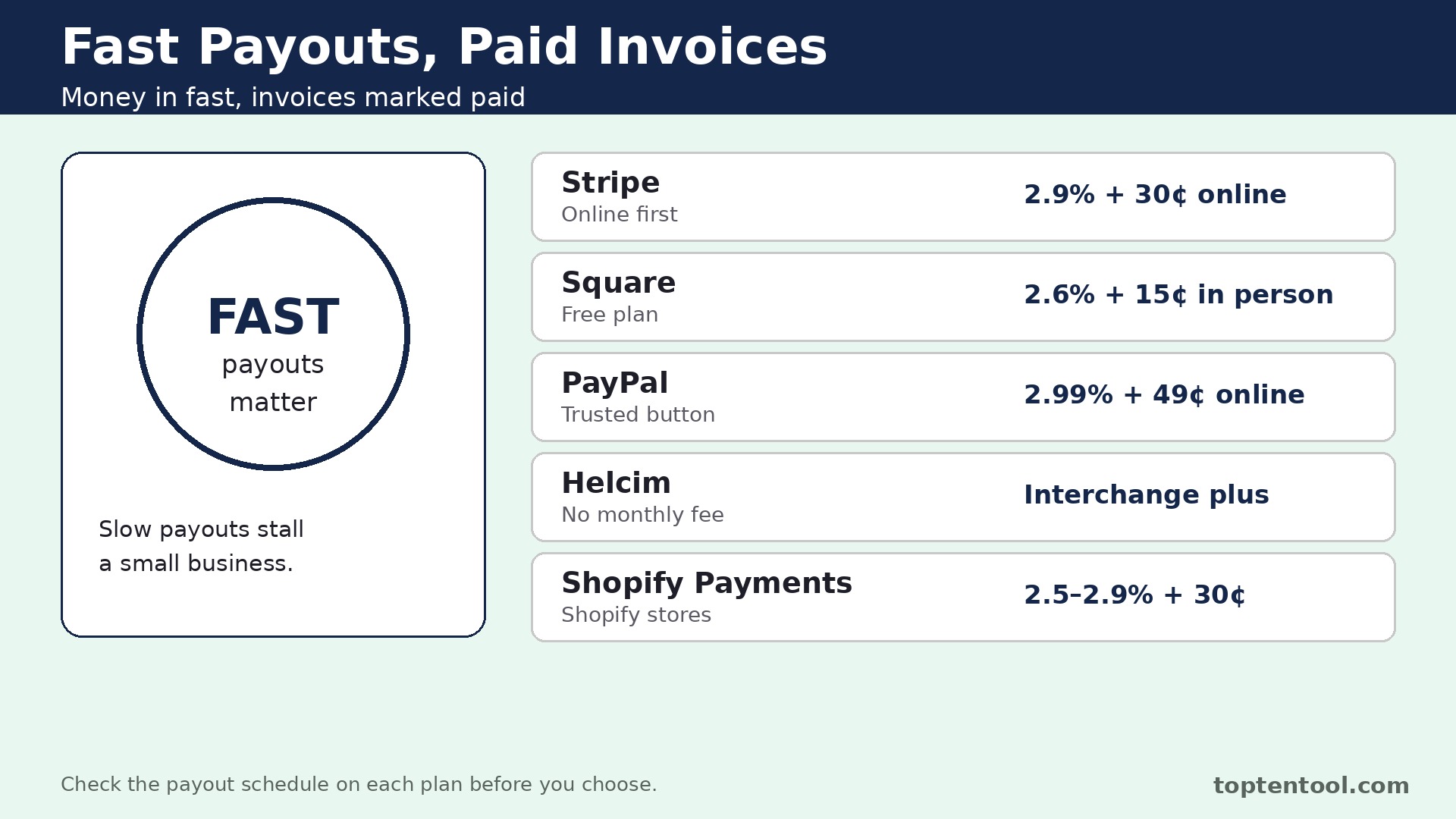
Read the payout timing as carefully as the fee. A processor that holds funds for a week can strain a small business that pays suppliers on delivery, while next day payouts keep cash moving. Ask when money lands in the bank, what triggers a hold, and how disputes affect the payout. Fast payouts are worth a slightly higher fee when cash flow is tight, and slow payouts can cost more than they save.
That is the honest summary for best payment processing tools for small business in 2026. Start with the tool that matches your situation, use the free trial or free plan to test it on real work, and only then commit to a paid plan. A tool that fits the job will feel obvious within a week, and a tool that does not will show its gaps just as fast.