
Looka is the best overall pick among the best ai logo generators we tested, because it pairs clean logo output with a full brand kit at a one-time price. Brandmark is the better choice when you want a more distinctive mark, and LOGO.com is the strongest free starting point. We ran 13 tools through the same three briefs, a coffee shop, a tech startup and a fitness studio, and compared the results on design quality, file formats, price and how much editing each tool allows after generation. This guide shows what each tool actually delivers, what it costs, and where it falls short, so you can stop comparing homepages and pick one.
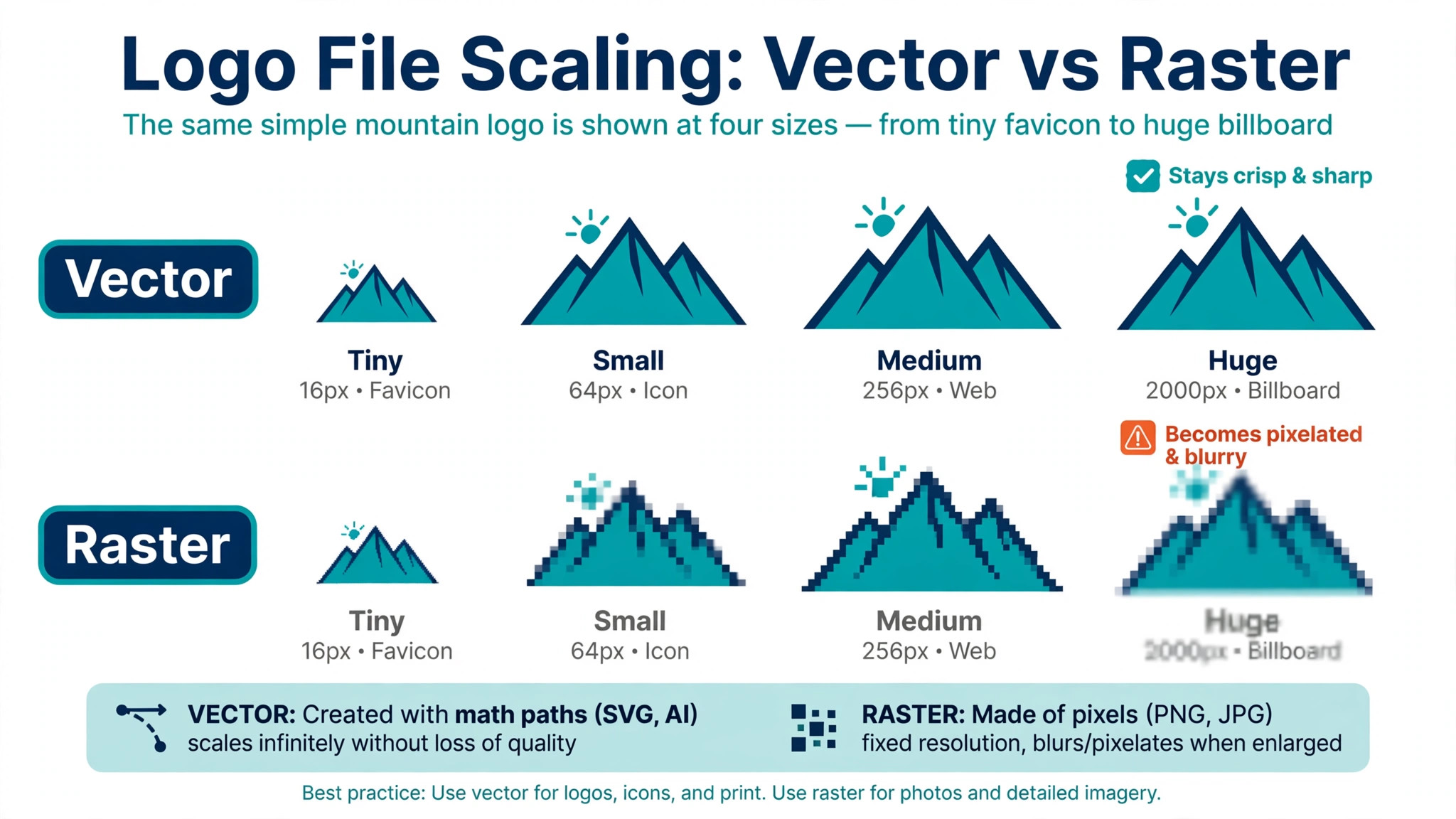
A logo is the one brand asset you will use everywhere, on a website header, a social avatar, a receipt, a shop sign and a product box. That range is why the file format matters more than the first impression on screen. A logo that only exists as a small PNG will blur the moment it is printed large, while a vector file scales from a favicon to a billboard without losing an edge.
One legal point shapes the whole category. An AI generated design has almost no copyright protection in the United States, because copyright protects human authorship. Protection for a logo comes from trademark registration, which you file yourself with the patent and trademark office, and no generator on this list files it for you. Tailor Brands sells trademark help as an add on, but the filing is still a separate service. Keep that in mind before you pay for any premium package, and check the license terms of the tool you choose so you know exactly what rights the download gives you.
How We Tested 13 Logo Tools
We wrote three briefs before opening any tool. The first was a neighbourhood coffee shop that needed a warm, simple mark for cups and a storefront sign. The second was a software startup that needed a clean geometric mark for an app icon and a pitch deck. The third was a fitness studio that needed a bold mark for shirts, a website and a social avatar. Each tool got the same briefs, the same business names and the same colour direction, so the differences in the results came from the tools, not from the prompts.
We scored each tool on five points, because the best ai logo generators win on files and editing, not on the prettiest preview. Design quality covered whether the mark looked like a real brand or a clip art collage. Editability covered whether we could change the icon, font, spacing and colours after generation, or whether the first result was nearly final. File formats covered vector files such as SVG and EPS, plus high resolution PNG and PDF. Price covered the true cost of a usable download, not the free preview. Brand kit covered the templates and guidelines that turn one logo into a working identity.
Prices in this guide were checked against vendor pricing pages and current 2026 roundups in November 2026. Logo tool pricing changes often, and several vendors show different prices by region or run short promotions, so confirm the price on the checkout page before you pay.
The Best Pick for Each Job
| Job | Pick | Why it wins |
|---|---|---|
| A complete brand kit on a budget | Looka | One-time price plus 300 templates |
| The most distinctive mark | Brandmark | Clean geometric output, no subscription |
| A free logo today | LOGO.com | Free PNG files with a commercial license |
| Logo plus business formation | Tailor Brands | LLC filing bundled with branding |
| A logo from a text prompt | Ideogram | Real text rendering inside the mark |
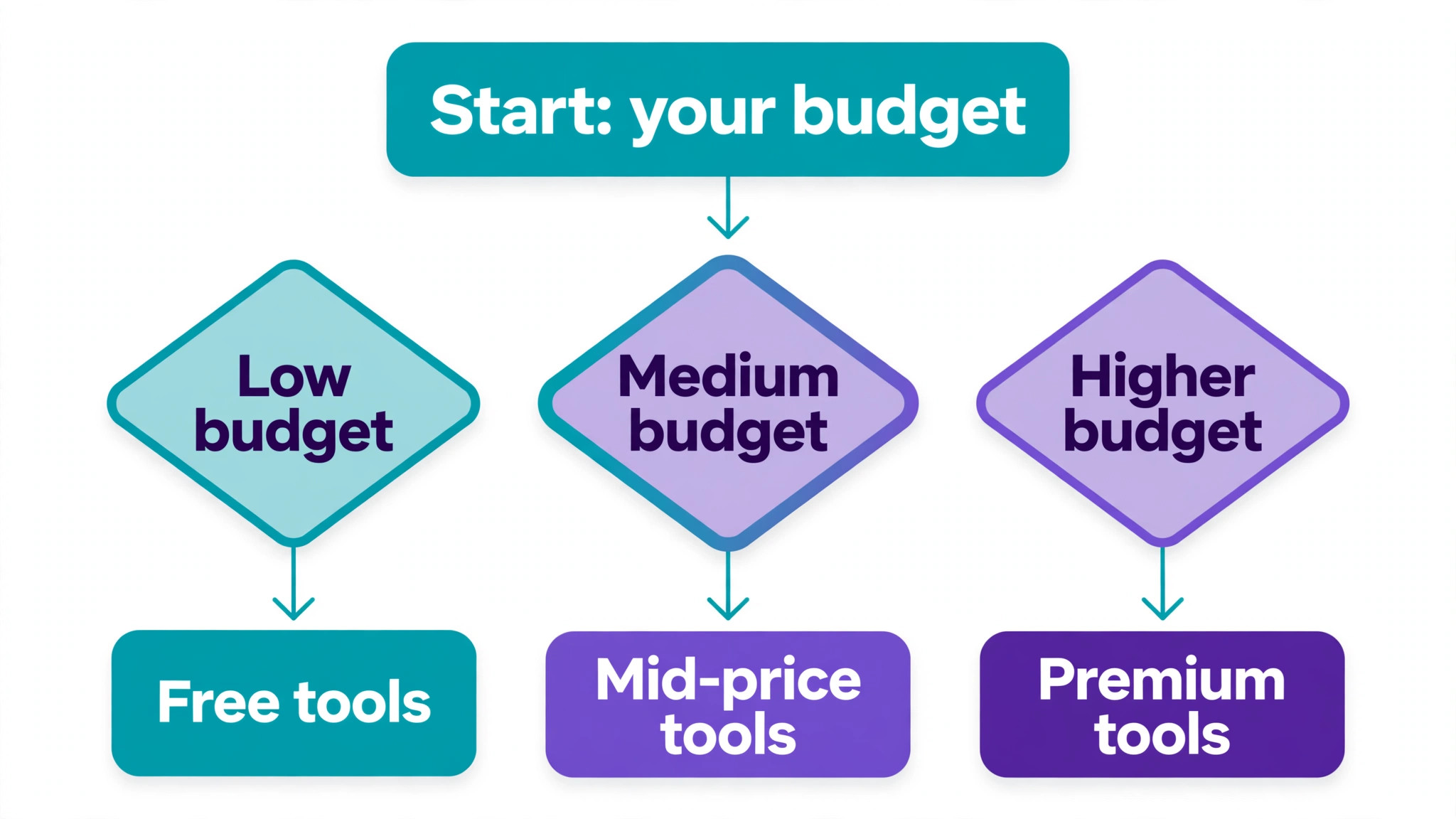
Use this table as a shortcut, then read the full section for the tool you are leaning toward. The cheapest option is not the best value when it cannot export a vector file, and the most expensive option is not the best choice when you only need one logo for a side project.
The Best AI Logo Generators in 2026, Ranked
The 13 tools below fall into three groups. The first group builds logos from templates and guided choices, and these are the strongest all round picks for most businesses. The second group generates logos from text prompts, which suits wordmarks and unusual ideas but needs more checking. The third group is free or nearly free, and these suit side projects, tests and very tight budgets.
1. Looka
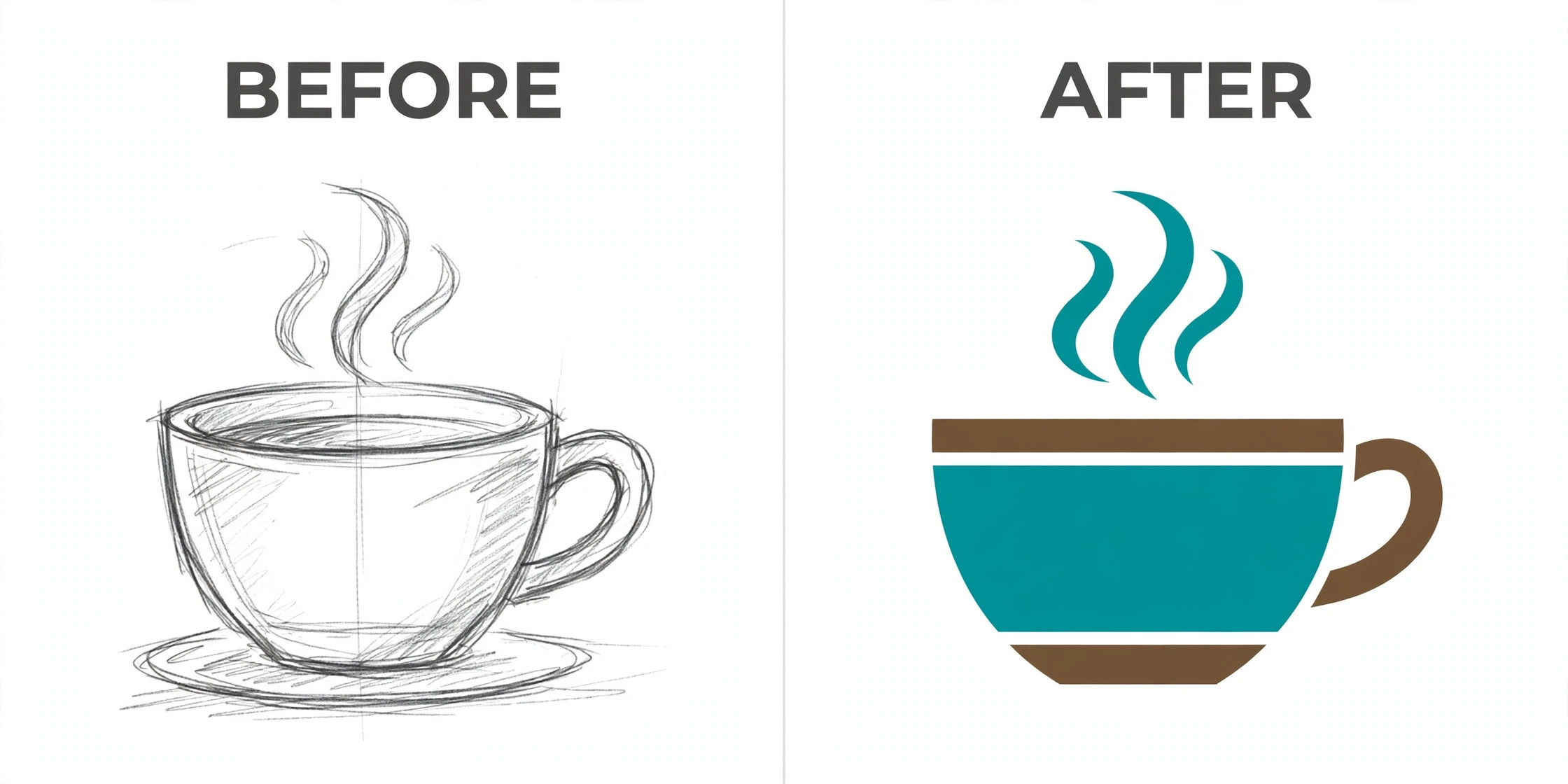
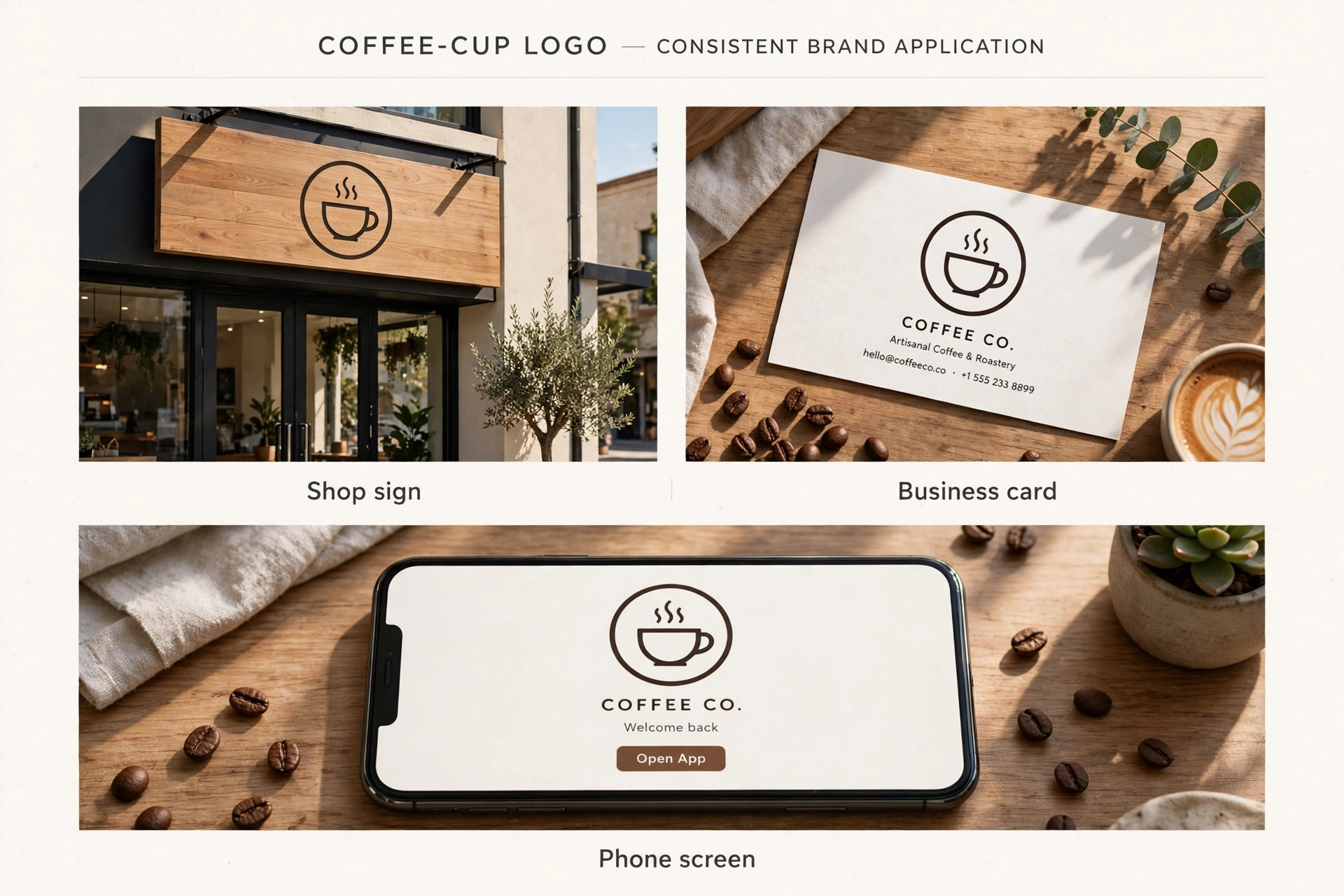
Looka asks about your industry, style and colours, then generates logo options from a large library of icons and layouts. The editor lets you change the symbol, font, spacing and layout before you pay, and the results looked the most polished of any template based tool in our test. The coffee shop brief produced a clean cup mark with a warm palette.
Pricing is a one-time payment. The Basic package costs 20 dollars and gives you a low resolution PNG. The Premium package costs 65 dollars and adds high resolution files in PNG, SVG, EPS and PDF, plus full ownership and unlimited edits. The Brand Kit subscription costs 96 dollars a year and adds more than 300 branded templates, and a bundle with a website costs 129 dollars a year. For most small businesses this is the best balance of price, files and brand assets.
2. Brandmark
Brandmark produces the most distinctive marks of the template based tools, with clean geometric shapes and restrained colour palettes that suit tech and professional services. The generation flow is fast, and the editor gives you control over the icon, wordmark layout and colour system. The startup brief produced our favourite mark in the whole test, a simple angular shape that read clearly at 32 pixels and at poster size.
Pricing is one-time, with tiers from 25 dollars to 195 dollars depending on the files and assets you need. Vector files are included in the paid packages, and the higher Designer tier adds brand guidelines, business card designs and social templates. There is no subscription to maintain, which makes Brandmark the best choice when you want to pay once and never think about a logo bill again. The trade off is a smaller template library than Looka.
3. LogoAI
LogoAI generates a logo from your business name and a few style choices, then builds a brand kit around it in the same flow. The output is solid for service businesses and online shops, and the editor is simple enough for a first time user to finish a logo in under 20 minutes. One feature stands out, an optional human designer revision for 40 dollars, which is the only hybrid option on this list.
Pricing is one-time, with the Basic package at 29 dollars, Pro at 59 dollars and a top tier at 99 dollars that adds logo animation and extra AI credits for matching business cards, posters and mockups. Vector files are included from the Basic package. Note that some visitors also see a Pro subscription at 20 dollars a month on the LogoAI site, so check which pricing view your region shows before you budget. The one-time packages are the better deal for a single logo.
4. Tailor Brands
Tailor Brands is the only tool here that treats the logo as one step in starting a business. The flow covers the logo, a website, a domain, business cards and, for United States founders, LLC formation with compliance help. The logo quality is good rather than outstanding, and the editor is simpler than Looka or Brandmark, but the bundle makes sense when you are forming a company and a brand in the same week.
Pricing starts at 3.99 dollars a month billed annually for the Basic tier, with higher tiers at 9.99 dollars a month and above adding SVG vector files and more services. The Lite plan is free to start, and LLC bundles start at zero dollars plus state fees. The subscription model is the main drawback, because you keep paying to keep full access, so Tailor Brands only makes financial sense when you actually use the formation, website and compliance tools alongside the logo.
5. LOGO.com
LOGO.com is the strongest free option on this list, and the only one that gives you a genuinely usable logo without paying. The generator is template based and quick, the free download includes PNG files with a commercial license, and the paid Brand plan adds vector files, a website builder and brand guidelines. For a side project, a test brand or a business with no logo budget at all, this is where to start.
The Brand plan costs 36 dollars a year on the lower tier and 72 dollars a year on the full tier, which adds more than 250 high resolution files across nine logo categories in PNG, JPG, SVG, PDF, WEBP and AI formats. The subscription also covers the website and the guideline documents. The logo quality is a step below Looka and Brandmark, with more generic marks and less refined typography, so expect to spend longer in the editor.
6. Wix Logo Maker
Wix Logo Maker builds a logo from your business name, industry and style preferences, then lets you edit the result before download. The output is clean and safe, with fewer surprising results than the prompt based tools and fewer distinctive ones than Brandmark. Its real advantage is the connection to the rest of Wix, because a logo made here drops straight into a Wix website, business cards and social templates without re-uploading files.
Designing is free and you pay to download the high resolution files, with vector files included in the paid download. The exact download price varies by region and by the package you choose, so check the current price on the Wix pricing page before you commit. This tool fits best when you already run a Wix site or plan to build one, because the logo becomes one part of a single account.
7. Canva
Canva is not a dedicated logo generator, and that is both its strength and its limit. The logo maker sits inside a design platform with hundreds of thousands of templates, a huge font library and an enormous stock library, so you can build a logo and then use it in a poster, a presentation and a social post in the same afternoon. The free plan covers the basics, and the editor is the easiest on this list for a complete beginner.
Canva Pro costs 144 dollars a year, or 18 dollars a month paid monthly. Pro unlocks the Brand Kit, the background remover, premium stock and transparent PNG and SVG exports, which are the features a logo workflow actually needs. The free plan locks SVG export and the full Brand Kit behind Pro, so a free Canva logo is a starting point rather than a finished brand file. Use Canva when the logo is one of many designs you need each week.
8. Shopify Logo Maker
Shopify Logo Maker is the free tool that used to be called Hatchful, and the old Hatchful address now redirects to the Shopify tool. The flow is simple, answer a few questions about your industry and style, pick a mark, adjust the colours and fonts, and download. The results are clean but basic, with a small template set and limited control over spacing and icon detail. For a new store that needs a logo today and a better one later, it does the job.
The tool is free with no watermark, and Shopify states the logo is yours to own. The catch is the file format. You get PNG files only, with no SVG or other vector format, so large format printing is off the table and you will need a new logo when the brand grows. Use this when you are launching a Shopify store on a zero budget and you accept that the logo is a placeholder, not a final brand mark.
9. Namecheap Logo Maker
Namecheap Logo Maker is a free tool from the domain registrar, and it is the fastest way to get a usable mark when you have just bought a domain. The generator asks for your business name and industry, then shows a set of simple logo options you can adjust for colour and font. The output is plain and the styles are limited, but the tool is honest about what it is, a quick free logo for a new website, not a brand identity system.
There is no paid tier to unlock and no vector export, so the ceiling is low. The PNG files work for a website header, a social avatar and an email signature. The tool fits best as a companion to a Namecheap domain purchase, where you can register the domain and generate a matching logo in one session. If the business grows past a basic website, budget for a paid logo tool with vector files.
10. Fiverr Logo Maker
Fiverr Logo Maker sits between a pure generator and a freelance marketplace. The AI builds logo options from your brief, and you can then hire a designer on Fiverr to refine the result, which is a useful path when the generated options feel close but not finished. The generation quality is mid range, with clean results for service businesses and weaker results for abstract or premium marks.
Packages start at around 30 dollars for a basic one-time download, with higher packages adding more file formats, social kits and brand guidelines. The exact price and the files you receive depend on the package, so read the package details before you pay. This tool fits when you want AI speed with a human safety net. It is not the best choice when you want a single fixed price and a full brand kit in one purchase.
11. Ideogram
Ideogram is a text to image generator, not a logo tool, but it earns a place here because it renders readable text inside images better than any other generator on this list. That matters for wordmarks, where a misspelled business name ruins the whole mark. Give it a prompt such as a minimal wordmark for a coffee shop in warm brown tones, and it returns options with the spelling intact, which Midjourney and most rivals still fail at regularly.
The free tier gives you weekly credits to test with, and the Plus plan costs 20 dollars a month, or 15 dollars a month billed annually, with 1,000 priority credits and private generation. Ideogram gives you raster images, not vector files and not a brand kit, so treat its output as a concept to rebuild in a vector editor or a logo tool. Use it to explore wordmark ideas, then finish the mark in Looka, Brandmark or a vector app.
12. Recraft
Recraft is the best pick on this list when your logo is an icon rather than a wordmark. It generates true SVG vector output, which means the mark stays editable and scalable, and its style controls let you keep a consistent look across a set of icons. The interface is built for designers, with brand style settings, colour controls and a canvas that handles multiple variations at once. The fitness studio brief produced a strong icon set here, with matching marks for the app, the shirt and the sign.
The free plan gives you limited credits for personal use, and the Basic plan costs 12 dollars a month, or 10 dollars a month billed annually, for 1,000 credits. Read the free plan terms before you use the output commercially, because Recraft states that free plan images are public and not licensed for commercial use. Pay for Basic when the logo will appear on anything you sell.
13. Adobe Express
Adobe Express includes a free logo maker inside a broader design platform, with Adobe fonts, stock photos and templates that give the results a more professional finish than most free tools. The logo flow is template based, and the editor will feel familiar if you have used any Adobe product. The results are solid for small businesses, creators and nonprofits that need a logo plus social posts, flyers and presentations from one account.
The free plan covers logo creation and basic exports. Premium costs 9.99 dollars a month and adds premium templates, fonts, stock assets and SVG export, which is the feature that turns a free experiment into a usable brand file. Adobe Express fits best when you already work in the Adobe world or you want the logo to sit beside Firefly generated images and Photoshop edits.
How to Choose the Right Logo Tool
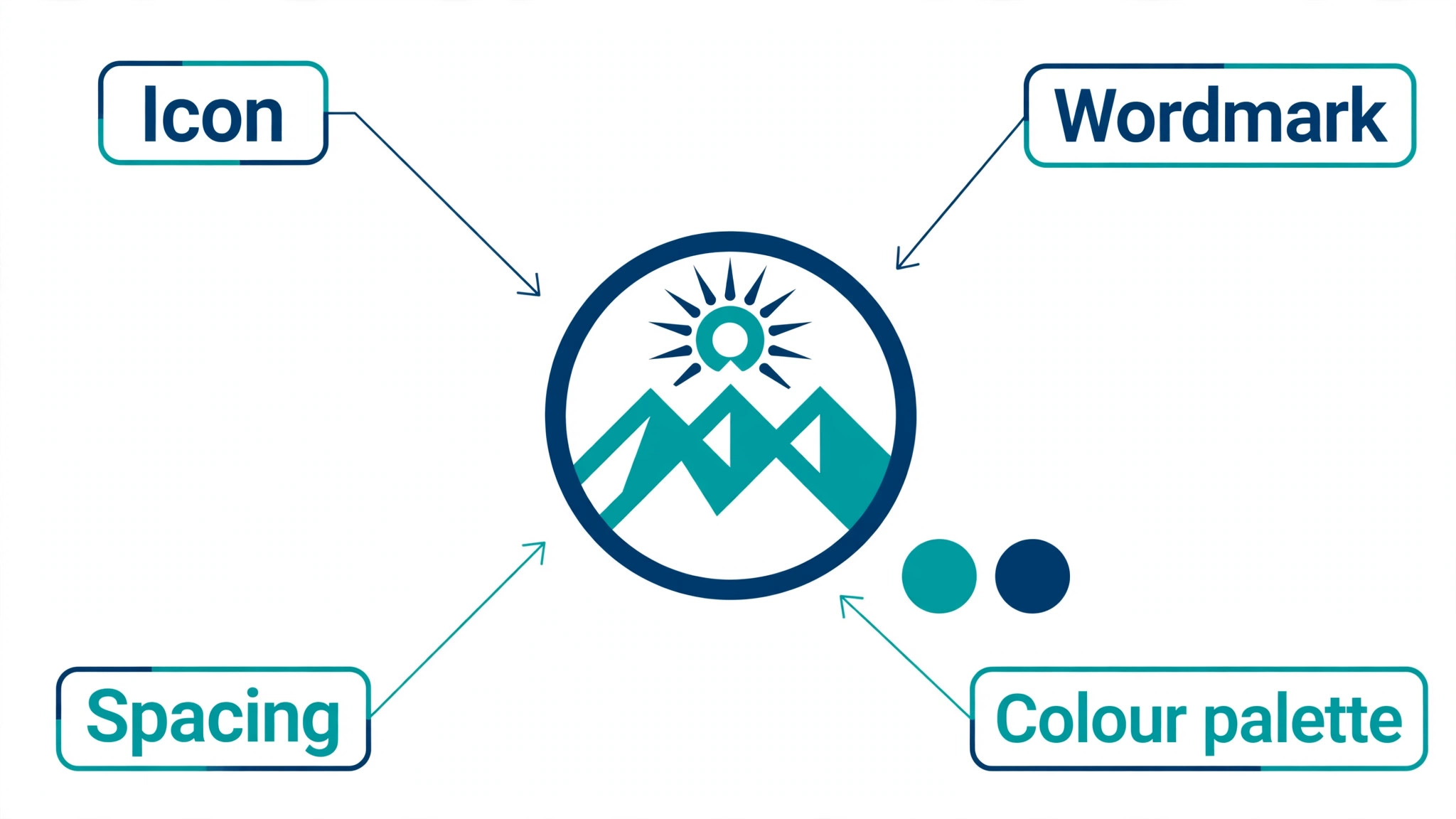
Start with the file format, because it decides whether the logo survives real use. A vector file such as SVG or EPS scales without losing quality, while a PNG is fixed at one size. If the tool you like only exports PNG, ask yourself whether the logo will ever appear on a sign, a shirt, a vehicle or a trade show banner. When the answer is yes, pay for the tier that includes vectors or pick a different tool. This single check removes half the options on this list for serious brands.
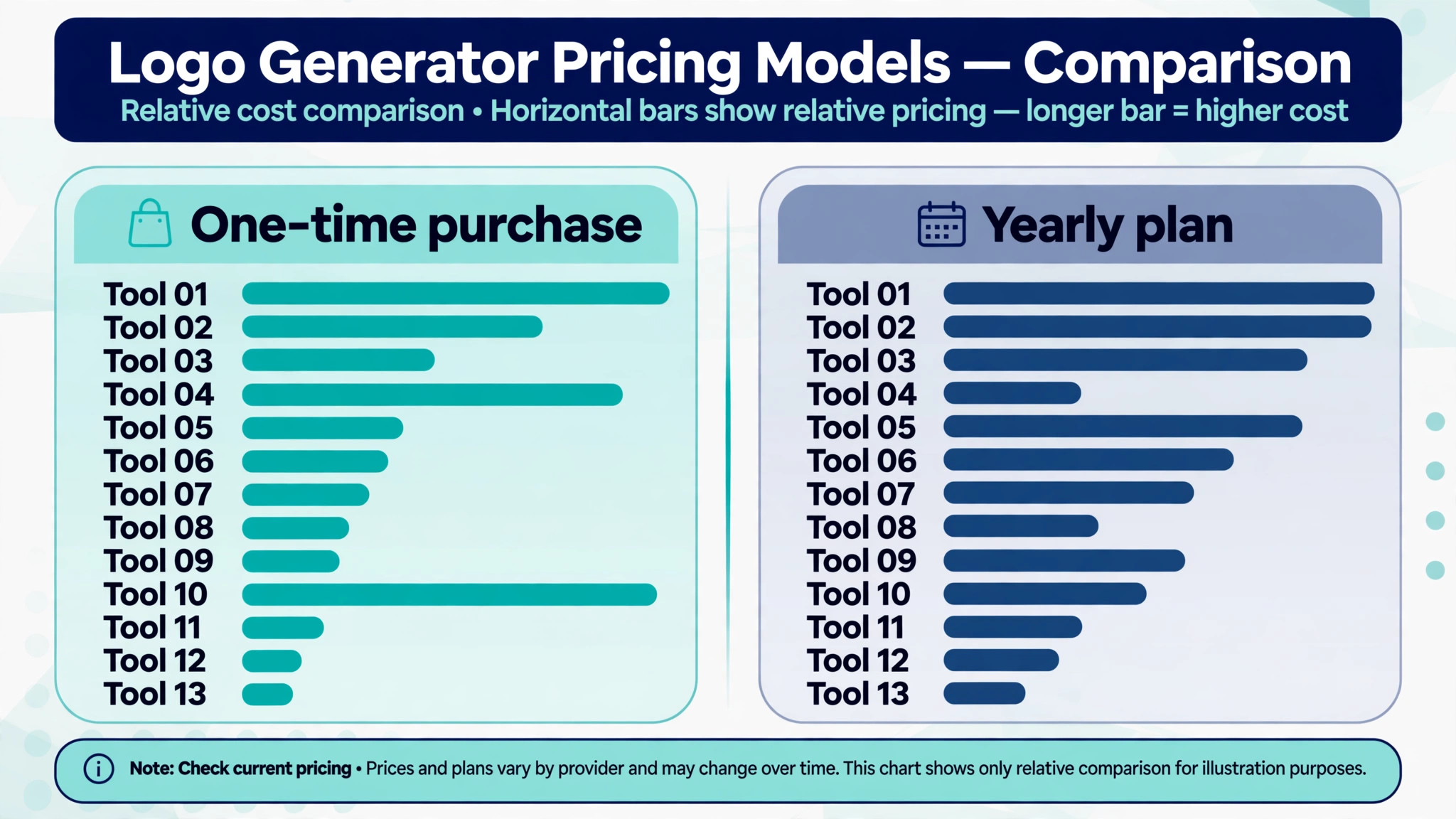
Next, match the pricing model to how often you will use the tool. A one-time payment suits a single logo that will not change for years, and Looka, Brandmark and LogoAI all sell that way. A subscription suits a business that needs new branded templates every week, and Looka Brand Kit, Canva Pro and Tailor Brands all work that way. Add up a year of subscription cost before you compare it with a one-time price, because a 12 dollar monthly plan costs 144 dollars in a year.
Then think about what happens after the logo. A brand kit with business cards, social templates and guidelines saves hours when you launch, and Looka has the deepest kit at this price. A website builder bundled with the logo saves a separate subscription, and LOGO.com and Wix both offer that. A formation service bundled with the logo saves legal admin, and only Tailor Brands offers that.
Finally, test before you pay. Every tool on this list lets you design for free and only charges at download, so run the same brief through two or three tools and compare the results side by side at small size. A mark that looks good at full screen can fall apart as a favicon, and a mark that looks plain at full screen can read beautifully on a cup. Download the free previews, shrink them, print one, and show them to two people who are not involved in the project. The best ai logo generators earn their price in that test, not on the homepage.
What to Check Before You Pay
A logo purchase is a license purchase as much as a file purchase, and the terms differ more than the prices. Read the license before you enter card details, and confirm that the download gives you commercial use, full ownership and the right to trademark the mark. Free plans often limit commercial use, as Recraft does. When the terms are unclear, email support and keep the reply.
Check the refund policy at the same time. Most logo tools sell digital files, and digital file sales often carry no refund once you download. That makes the free design stage your real trial period, so use it fully before you pay. If a tool offers a human revision, check whether the revision is included in the price or billed separately, because some charge extra for it.
Check the edit window too. Some tools let you edit the logo forever after purchase, and Looka Premium includes unlimited edits, while others lock the design once you download. A logo you cannot edit becomes a cost again the first time you change a tagline or a colour. When the brand is still settling, unlimited edits are worth paying for.
- Confirm vector files are included in the package you are buying.
- Confirm the license covers commercial use and trademark filing.
- Confirm you can edit the logo after purchase without paying again.
- Confirm the refund terms before you download the paid files.
- Confirm the brand kit includes the templates you will actually use.
Mistakes That Waste Money
The most common mistake is paying before testing. A buyer falls in love with the first generated option, pays 65 dollars, and then finds a better mark in a second tool the next day. The free design stage exists for this reason, so run the brief through at least two tools and compare the results at favicon size before you spend anything. The 20 minutes this takes saves more money than any discount code.
The second mistake is buying a subscription for a one-time need. A founder pays 12 dollars a month for a design platform, downloads one logo, and keeps paying for a year because cancelling feels like a chore. That is 144 dollars for a file that cost 65 dollars as a one-time purchase. When you only need one logo, buy it once and stop.
The third mistake is ignoring the vector question until print day. A PNG logo looks fine on a website and then blurs on a pull up banner, and the rush fix is either a new logo or a costly vector trace that never looks quite right. Ask for the vector file at purchase time, even when you do not need it yet, because the file is cheapest when it is part of the package.
Our Verdict
Looka is the pick for most readers among the best ai logo generators, because the Premium package at 65 dollars gives you vector files, full ownership and unlimited edits, and the 96 dollar a year Brand Kit turns that logo into a working identity. The output is polished, the editor is forgiving, and the one-time price means the cost stops when you stop needing new templates.
Brandmark is the pick when distinctiveness matters more than the size of the template library. The one-time pricing is honest, and the Designer tier covers the brand guidelines a growing business needs. LOGO.com is the pick when the budget is zero, because the free PNG download is genuinely usable and the 36 dollar a year Brand plan is the cheapest route to vector files.
When your logo is a wordmark with unusual spelling or a name the generators keep mangling, start in Ideogram to get the text right, then rebuild the winning concept as a vector in Recraft or in your chosen logo tool. That two step path takes an extra hour and avoids the most common failure in AI logo work, a beautiful mark with a misspelled name.
Frequently Asked Questions
Can I trademark an AI generated logo?
Yes, you can apply for a trademark on an AI generated logo, because trademark protects the mark as a brand identifier rather than as a creative work. You file the application yourself with the patent and trademark office, and the office examines whether the mark conflicts with an existing trademark. No logo generator files the trademark for you as part of a logo package, so budget the filing fee separately and run a trademark search before you commit to a name and a mark.
What file format should a logo use?
Use a vector format such as SVG or EPS for the master file, because a vector scales from a favicon to a billboard without losing quality. Keep a high resolution PNG with a transparent background for websites and social profiles, and a PDF for print shops that ask for it. Avoid JPG for logos, because it cannot carry transparency and it adds compression marks around sharp edges. When a tool only exports PNG, treat the logo as a draft and plan to rebuild it as a vector before you print anything large.
Which of the best ai logo generators is the cheapest?
LOGO.com is the cheapest starting point, because the PNG download is free with a commercial license and the Brand plan starts at 36 dollars a year. Shopify Logo Maker and Namecheap Logo Maker are also free, but both export PNG only, which limits how far the logo can go. Among paid tools, Looka Basic at 20 dollars one-time is the cheapest download, but it only gives you a low resolution PNG, so the real cheapest usable logo is Looka Premium at 65 dollars or Brandmark from 25 dollars, both of which include vector files.
Do free logo makers give commercial rights?
It depends on the tool, and you must read the license for the one you use. LOGO.com states that its free PNG download carries a commercial license, and Shopify states that the logo you make in its tool is yours to own. Recraft is the opposite case, because its free plan images are public and not licensed for commercial use, so you need a paid plan before the logo appears on anything you sell.
Is a one-time payment better than a subscription for a logo?
Among the best ai logo generators, a one-time payment is better when you need one logo and a fixed set of files, because you pay once and the cost stops. Looka Premium at 65 dollars and Brandmark from 25 dollars both work this way. A subscription is better when you need new branded templates every week, because the Brand Kit or the design platform keeps producing social posts, cards and flyers in your brand style. Add up 12 months of the subscription and compare it with the one-time price before you decide, because a 12 dollar monthly plan costs 144 dollars in a year.
Can an AI logo maker replace a designer?
An AI logo maker can replace a designer for a first logo, a side project or a tight budget, and the best tools produce marks that look professional at small sizes. A designer still wins when the brand needs a truly original mark, a full identity system, packaging, or a mark that must pass a trademark search without conflicts. Many founders use both, an AI tool for the first version and a designer for the final refinement once the business earns revenue.
A good logo is a file you can use everywhere, a license you can rely on, and a mark that still reads clearly at 32 pixels. Start with the free design stage in two or three tools, compare the results at small size, and pay only when the mark passes the favicon test, the print test and the license check. The best ai logo generators make that process fast, and the best choice is the one whose files, price and brand kit match what your business actually needs next.