
Gamma leads the best AI presentation makers for most people in 2026. It turns a short prompt into a clean, modern deck in under a minute, its free tier gives you 400 credits to start, and its paid plans start lower than most rivals. That verdict holds for solo creators, marketers and small teams who need a finished deck fast. It does not hold for everyone. A corporate team that needs strict brand control will get more from Beautiful.ai, a team that lives inside PowerPoint should look at Plus AI first, and anyone who already pays for Canva may never need a second tool at all.
The best ai presentation makers differ less on whether they can generate slides and more on what happens after generation, when you edit, brand, export and present the deck.
This guide compares eight tools that are actually available now, with prices checked against vendor pages and independent comparisons published in October and November 2026. One famous name is missing on purpose. Tome, which appeared on nearly every list like this one for two years, has stopped selling its presentation product and now focuses on sales work, so it is covered in a short note rather than ranked as a tool you can buy. Every price below is given with its billing basis, because a monthly price and an annual price for the same plan can differ by a third, and several tools in this category change prices without much notice. Check the vendor page before you pay.
How the Best AI Presentation Makers Were Tested
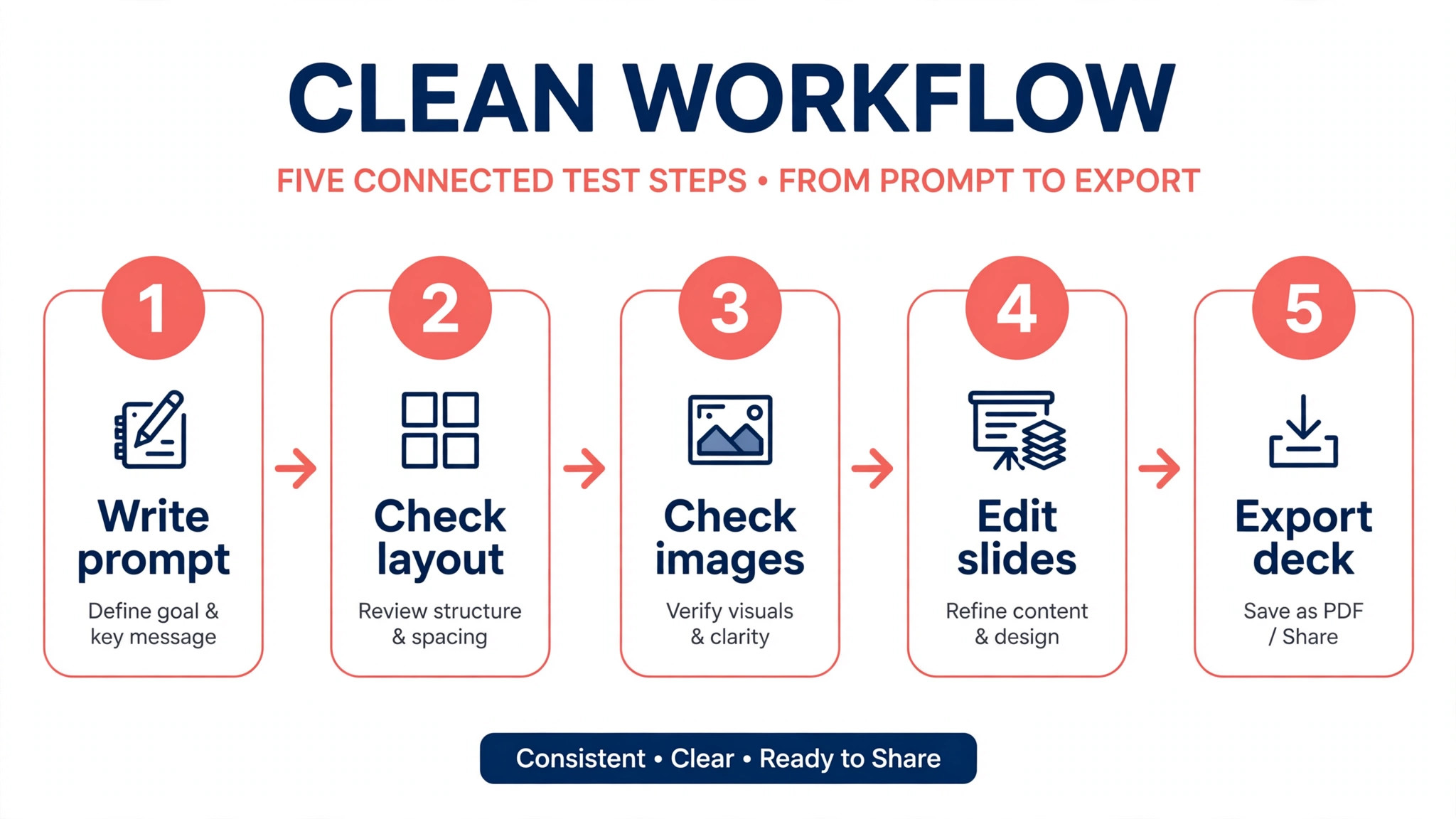
Each tool in this guide was judged on the same five questions. First, how good is the first draft that comes out of a single prompt, before any editing. Second, how much control do you keep over the design once the AI has finished, including fonts, colours and layout. Third, what can you export, because a deck that cannot leave its own app is a problem the day a client asks for a PowerPoint file. Fourth, what the free tier genuinely allows, since several tools advertise a free plan that stops being useful after one or two decks. Fifth, what the tool costs over a full year at the plan most people actually need.
No tool scored perfectly on all five. Gamma wins on speed and first draft quality but meters its AI work with credits. Beautiful.ai wins on consistency but has no free plan at all. Canva wins on value for existing subscribers but its AI decks need more editing than a dedicated tool.
The rest of this guide gives each tool a fair hearing on those five questions, so you can match the tool to the job instead of buying the one with the loudest marketing. Prices are quoted as published in late 2026, and any figure that differs between sources is flagged in the text. Check the date on any price before you quote it to a client.
Best Pick by Job
| Job | Best pick | Why it wins |
|---|---|---|
| Fastest first draft | Gamma | Best looking output from one prompt |
| Corporate brand control | Beautiful.ai | Layouts stay on brand as teams edit |
| Already pay for Canva | Canva Magic Design | No extra subscription needed |
| Must stay in PowerPoint | Plus AI | Generates inside the real file |
| Data heavy reports | Visme | Charts and infographics built in |
| Cheapest branded decks | Presentations.ai | Free Starter plan with 100 credits |
All 8 Tools at a Glance
| Tool | Best for | Free plan | Paid from | PPTX export |
|---|---|---|---|---|
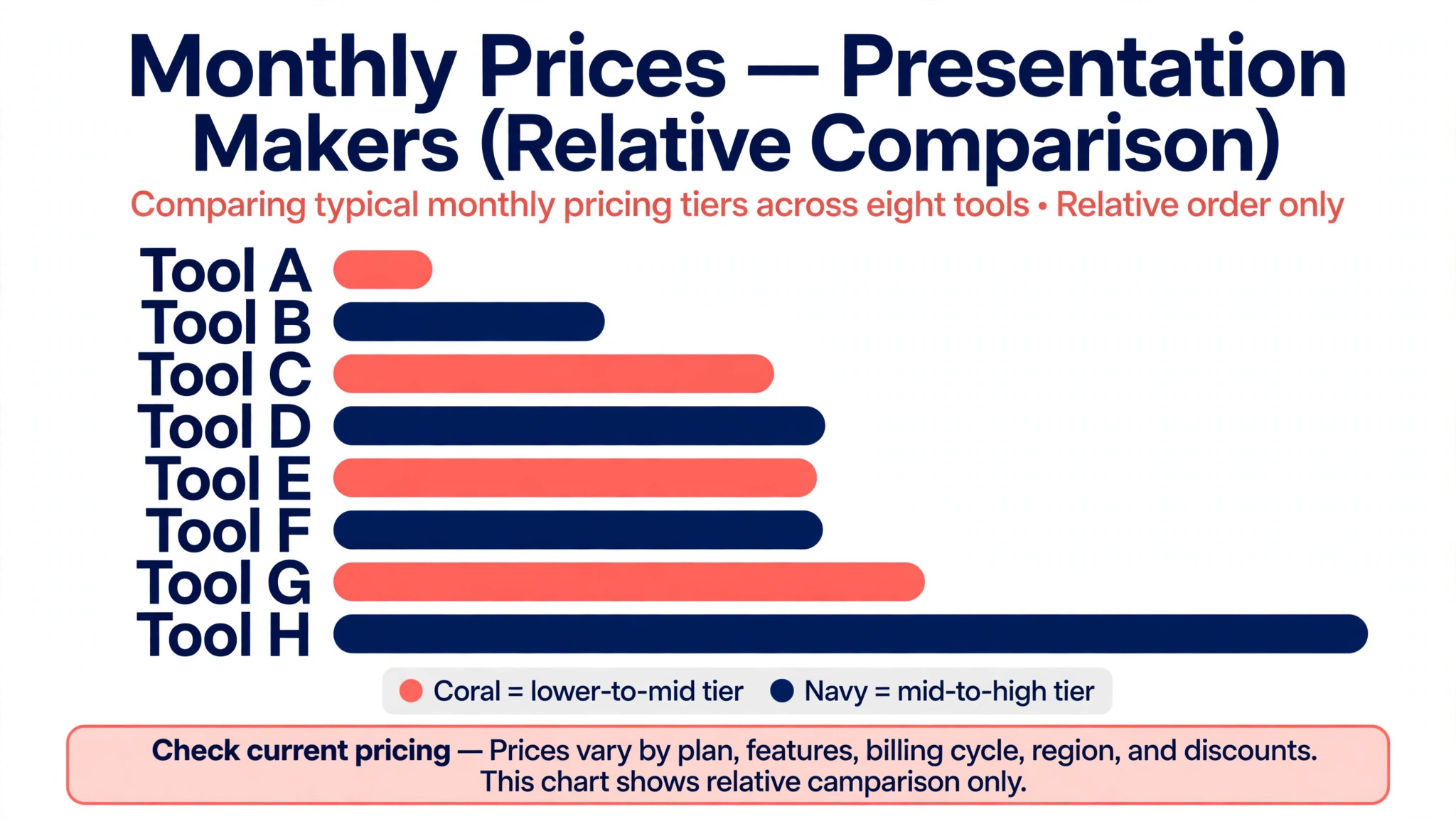
| Gamma | Overall speed | 400 credits | $9 a month | Yes |
| Beautiful.ai | Brand consistency | Trial only | $12 a month | Yes |
| Canva Magic Design | All round value | Yes | $144 a year | Yes |
| Pitch | Team collaboration | Limited | $10 a user a month | Yes |
| Plus AI | PowerPoint users | Trial only | $10 a user a month | Native |
| Visme | Data decks | Basic free | $12.25 a month | Pro plan |
| Presentations.ai | Budget branding | 100 credits | $20 a month | Yes |
| Microsoft Copilot | 365 users | No | $20 a month | Native |
The Eight Tools in Detail
1. Gamma
Gamma is the tool most people should try first. Type a prompt, or paste a document, and Gamma returns a full deck in about a minute, with layouts, images and a structure that usually needs only light editing. The decks look modern without the boxy feel that older slide tools produce, and the card based format lets you embed live content like videos and web pages directly in a slide. Sharing is simple too. You can send a web link, export a PDF, or export a PowerPoint file on paid plans, and the free plan already exports to PDF, PowerPoint, PNG and Google Slides, which is more generous than most rivals.
The catch is the credit system. The free plan gives you 400 credits once, and they do not refresh each month. Once they are gone, AI generation stops until you upgrade.
Paid plans change the picture. Plus costs $9 per seat a month on annual billing and includes 1,000 credits a month, while Pro costs $18 per seat a month on annual billing with 4,000 credits.
Some comparison sites still list Plus at $10 and Pro at $20 a month, which appears to be the monthly billing price, so check the billing toggle before you judge the cost. Gamma also raised a large funding round in late 2025 and reports more than 70 million users, which makes it the safest bet in this category for long term availability. The main weakness is export fidelity. A Gamma deck exported to PowerPoint can need cleanup, because the design lives in Gamma’s own format first and PowerPoint second.
2. Beautiful.ai
Beautiful.ai is the corporate pick. Its SmartSlide templates adjust the layout automatically as you add content, so a deck stays tidy even when five people edit it. That sounds like a small thing until you have watched a sales deck fall apart because someone dragged a text box two inches to the left. Beautiful.ai prevents that class of problem by design, which is why teams with strict brand rules keep choosing it. The AI generation is solid rather than spectacular. It produces clean, professional decks quickly, and the template library is stronger for business content like quarterly reviews, board updates and investor decks than for creative pitches.
The pricing is the main drawback. There is no permanent free plan, only a 14 day trial, and the Pro plan costs $12 a month on annual billing according to most sources, though at least one 2026 comparison lists $14.50 a month, so verify the current figure on the pricing page. Team plans cost $40 a user a month. That makes Beautiful.ai the most expensive option here for a solo user who only makes a few decks a month, and the value only becomes clear when a whole team shares the cost. Export covers PowerPoint and PDF, and the PowerPoint files are cleaner than Gamma’s because the templates were built with export in mind from the start.
3. Canva Magic Design
Canva Magic Design is the best value in this guide for anyone who already pays for Canva Pro. You describe the deck you want, and Canva generates slide layouts from its template library, with your brand kit applied automatically if you have set one up. The output is less polished than a dedicated AI deck tool on the first try, and you will spend more time editing, but the trade off buys you something no rival offers. The same subscription covers social posts, documents, print, video and presentations, with one brand kit across all of them. For a small business that makes many kinds of content, that breadth matters more than the quality of a single deck.
Canva Pro costs $144 a year for one person, which works out to $12 a month, and the free Canva plan already includes basic Magic Design use. That makes the effective cost of AI decks zero for existing subscribers. The free plan is genuinely usable for occasional decks, which is rare in this category. The weakness is depth. Canva’s AI does not write or structure content as well as Gamma, and the decks can feel template bound if you accept the first draft without editing. If you already live in Canva, start here and only pay for a dedicated tool if the decks keep disappointing you.
4. Pitch
Pitch is the team collaboration pick. It was built for groups that make decks together, with real time co-editing, comments, version history and sharing analytics that show who opened a deck and which slides they spent time on. The AI features generate decks from prompts and help rewrite and restyle slides, but the real reason to choose Pitch is the workflow around the deck rather than the generation itself. A sales team that needs to know whether a prospect read slide seven will find that analytics view worth more than a slightly prettier first draft.
Pricing starts from around $10 a user a month on the Pro plan according to several 2026 comparisons, though at least one lists $13 a seat a month on annual billing, so the exact figure needs a check on the pricing page before you commit. The free plan is limited but usable for trying the product, and Business plans add deeper brand controls and analytics.
Pitch exports to PowerPoint and PDF, and the exported files hold up well because the editor is closer to a traditional slide tool than Gamma’s card format. The weakness is AI depth. Pitch generates competent decks, but it does not match Gamma on first draft quality, and its AI credit pool on lower plans is smaller than Gamma’s Pro allowance.
5. Plus AI
Plus AI is the pragmatic pick for teams that cannot leave PowerPoint or Google Slides. It works as an add in inside the file your colleagues already open, so you generate, rewrite and restyle slides without exporting between tools. That matters more than it sounds. Every export between formats loses something, whether it is a font, an animation or a layout, and Plus AI avoids the whole problem by never leaving the native file. It also handles document to deck conversion well, turning a report or a brief into a slide outline with speaker notes.
Pricing is transparent and published on the vendor site. Basic costs $10 per user a month on annual billing, or $15 on monthly billing, and includes 1,500 AI credits a month. Pro costs $20 a user a month on annual billing with 3,000 credits, document uploads and AI images. Team costs $30 a user a month with 6,000 credits and brand features.
There is no free plan, only a 7 day free trial on paid plans, which is a real limitation for casual users. The trade off is clear. You pay for the convenience of staying in PowerPoint, and you get a tool that respects the format instead of fighting it. If your organisation standardises on Microsoft or Google files, trial Plus AI before anything else on this list.
6. Visme
Visme is the pick for decks where data does the talking. It covers presentations, documents, charts, maps and infographics in one tool, and its AI presentation maker sits on top of a data visualisation library that no other tool here matches. A quarterly business review with six charts, a funding proposal with a pricing table, or a research summary with a map all come out better in Visme than in a pure slide generator. The AI helps with design and content, but the real strength is the widget library that turns numbers into readable visuals without a separate chart tool.
Pricing is published clearly. The Basic plan is free and includes unlimited projects, though exports carry a watermark and AI use is limited to 10 credits a month. Starter costs $12.25 per person a month on annual billing, or $147 a year, with 200 AI credits a month. Pro costs $24.75 per person a month on annual billing, or $297 a year, with 500 credits a month.
One caution is that some older reviews list Starter at $29 and Pro at $59 a month, which is more than double the real price, so ignore any source that still shows those figures. Visme exports to PowerPoint on the Pro plan, and the free plan watermark means you should not present from a free account to a client.
7. Presentations.ai
Presentations.ai is the budget pick for branded decks. It generates decks from a prompt or a document, applies your brand colours and fonts, and exports to PowerPoint and PDF with public links and embedding for sharing. The free Starter plan includes 100 credits and up to 20 slides, which is enough to test the product on a real deck rather than a demo. The interface is simpler than Gamma or Visme, and the learning curve is shorter, which suits people who make decks occasionally and do not want to learn a complex editor.
Paid pricing starts at $20 a month on annual billing for Pro, with 5,000 credits, advanced AI, high quality PowerPoint export and tracking analytics. Gold costs $100 a month with 50,000 credits and advanced branding features, which is aimed at agencies rather than individuals. The $20 entry price is higher than Gamma’s Plus plan, so Presentations.ai is not the cheapest paid option despite the strong free tier. Its advantage is the balance of a usable free plan, real branding controls and clean export. If you need branded decks on a tight budget and you do not want to pay for Gamma, this is the best free starting point on the list.
8. Microsoft Copilot
Microsoft Copilot is the pick for organisations already paying for Microsoft 365. It works inside PowerPoint itself, turning a Word document or a short prompt into a full deck with speaker notes, and it can rewrite, summarise and redesign existing slides without leaving the app. For a company that already runs on Microsoft tools, the integration is the feature. There is no new app to learn, no export step to manage, and the deck stays in the format every colleague already uses.
The cost is the catch. Copilot is not sold as a standalone presentation tool. Business users need a Microsoft 365 Copilot licence, which is priced as an add on per user per month on top of a Microsoft 365 plan, while personal users can buy Copilot Pro at $20 a month. That makes it the most expensive option here for anyone who is not already a Microsoft 365 customer, and the deck generation itself is less creative than Gamma’s. But for a team that already pays for the Microsoft stack, the marginal cost buys AI across Word, Excel, Outlook and PowerPoint at once, and the presentation features come as part of that package.
A Note on Tome
Tome deserves a short note because it appeared on almost every best presentation tool list for two years. The company has stopped selling its presentation product and has moved toward sales work, so it no longer belongs in a ranked list of tools you can buy today. If you have old Tome decks, export them to PDF while you still can, and do not build a new workflow around it. The lesson is worth remembering. AI tools in this category change direction fast, and a tool that leads the best ai presentation makers one year can leave the market the next. Prefer tools with a large user base and a clear business model, and keep your decks exportable.
Pricing Reality Check
The cheapest way to make AI decks in 2026 is to use the free tier of the tool you already pay for. Canva Pro subscribers pay nothing extra, Microsoft 365 Copilot users get presentation AI inside a licence they already hold, and Gamma’s free 400 credits cover several real decks before you spend anything.
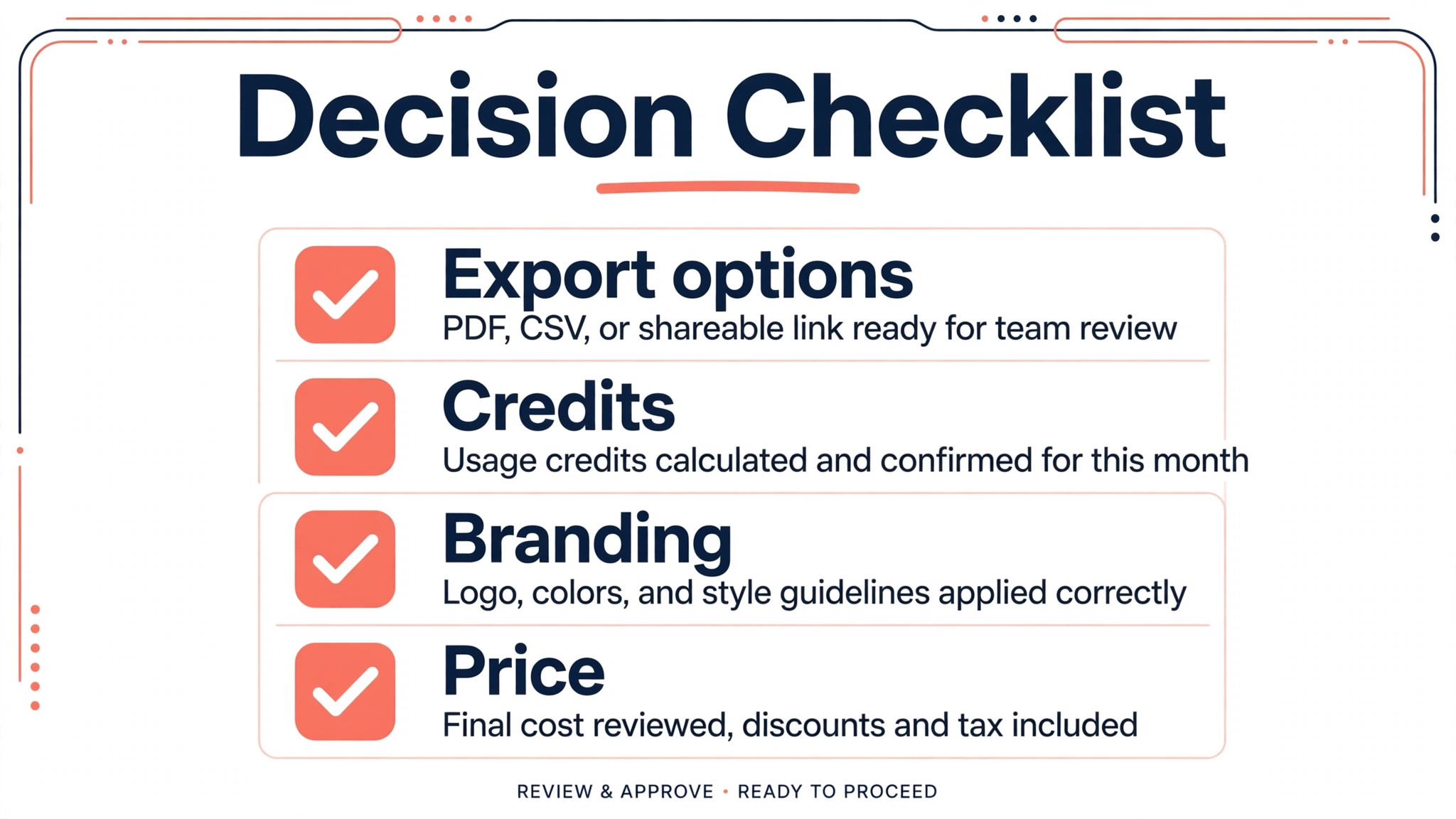
That is the first question to ask when you compare the best ai presentation makers, because the tool you already own is usually the cheapest one that works. The most expensive mistake is the opposite. It is paying for a tool whose free tier looked generous and then discovering that the feature you actually need, like PowerPoint export without a watermark or custom branding, sits on a higher plan.
Credits deserve a second look before you buy. Gamma, Visme and Presentations.ai all meter AI work with credits, and the allowance varies widely by plan. A 400 credit free tier sounds large until you learn that a single deck can cost dozens of credits. Check how many credits a typical deck uses on the plan you are considering, and compare that with how many decks you make in a month. A plan that looks cheap per month can become expensive if you run out of credits halfway through a busy week. Annual billing saves roughly a fifth on most tools here, but only commit to a year after a month of real use.
Mistakes to Avoid When Choosing
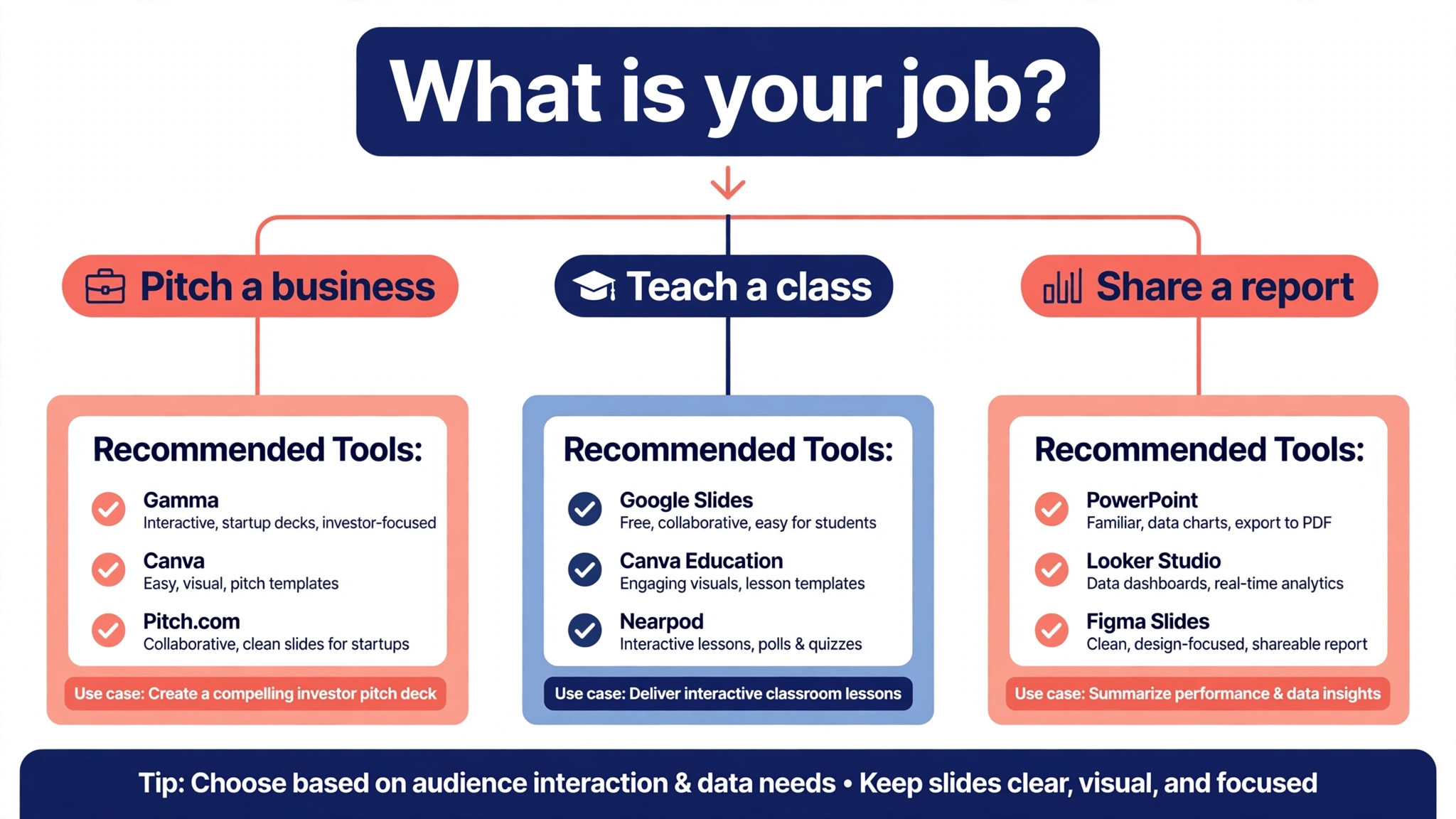
The first mistake is judging a tool by its best demo deck. Every vendor shows a polished example. Generate the same test deck in two or three tools, using your own content and your own brand colours, and compare the results side by side. The second mistake is ignoring export. A deck that looks perfect in the app and broken in PowerPoint will embarrass you in front of a client, so export your test deck and open it in PowerPoint before you pay. The third mistake is forgetting the audience. A creative pitch deck and a board report need different tools, and the best ai presentation makers for one job can be the wrong choice for the other.
A fourth mistake is buying a team plan for one person. Team plans add collaboration and brand controls that a solo user will never touch, and the per user price multiplies fast. Start on an individual plan, and upgrade only when a second person actually needs to edit your decks. A fifth mistake is trusting a price from a review article. Prices in this category change often, and several 2026 comparisons disagree with each other by a few dollars a month on the same plan. The vendor pricing page is the only source that matters at the moment you pay.
How to Get a Better First Draft from Any Tool
The prompt you write decides the quality of the deck you get, and most weak results come from a weak prompt rather than a weak tool. The best ai presentation makers all respond better to a prompt that states the audience, the purpose and the length before it mentions the topic. Write your prompt in that order. Name who will watch the deck, say what you want them to do after watching it, and state how many slides you need. A prompt that says the deck is a ten slide investor update for a seed round will produce a sharper result than a prompt that only names the company.
Give the tool real material to work with. Pasting a one page brief, a set of bullet points or a short document produces a far better deck than a single sentence, because the AI can structure your content instead of inventing its own. Upload your brand colours and fonts before you generate, not after, so the first draft already looks like your company.
Then edit in passes. Fix the structure first, then the wording on each slide, and only then the images and design details. Editing in that order stops you from polishing a slide that you later delete. Finally, read the deck out loud as if you were presenting it. Any slide that sounds wrong when spoken will feel wrong to the audience, and that test catches more problems than staring at the screen ever will.
Keep a note of the prompt that worked. Once you find a prompt structure that produces good decks for your kind of content, save it as a template and reuse it with small changes for each new deck. That habit turns a one off success into a repeatable process, and it saves more time over a year than any single feature in these tools.
Frequently Asked Questions
What is the best AI presentation maker for free?
Gamma has the most useful free tier, with 400 credits that cover several real decks and exports to PDF, PowerPoint and Google Slides. Presentations.ai is the next best free option, with a Starter plan of 100 credits and up to 20 slides. Canva’s free plan also includes basic AI deck generation, which is enough for occasional use. No free tier in this category is unlimited, so expect to upgrade if you make decks every week.
Can AI presentation makers export to PowerPoint?
Yes, with limits that vary by tool. Gamma, Beautiful.ai, Pitch, Visme on Pro, Presentations.ai and Canva all export to PowerPoint, and Plus AI and Microsoft Copilot work inside PowerPoint natively, so there is no export step at all. Export fidelity is the real question. A deck built in a web native format can lose fonts, spacing or animations when it becomes a PowerPoint file, so always export a test deck and open it in PowerPoint before you rely on it for a client meeting.
Is Tome still available as a presentation tool?
No. Tome has stopped selling its presentation product and has moved toward sales work. It appears in older articles because it was a leading tool for two years, but you cannot buy it as a presentation maker today. If you have existing Tome decks, export them to PDF, and choose Gamma for narrative decks or Beautiful.ai for corporate decks as a replacement.
Which AI presentation maker is best for business decks?
Beautiful.ai is the strongest choice for business decks because its SmartSlide templates keep layouts on brand while many people edit, and its PowerPoint export is clean. Pitch is the best alternative when a team needs collaboration and sharing analytics as well as design control. Gamma works for business decks too, but its free flowing card format suits narrative decks better than rigid corporate templates.
Do I need to pay for an AI presentation maker?
Not at first. Gamma, Presentations.ai, Canva and Visme all offer free tiers that cover occasional decks, and a 7 or 14 day trial covers the paid tools. Pay when you hit a real limit, such as running out of credits, needing watermark free export, or wanting custom branding. A solo user making two decks a month can often stay free indefinitely, while a team making decks weekly should budget $10 to $20 per user a month.
How much does Gamma cost?
Gamma’s free plan costs nothing and includes 400 credits once. Plus costs $9 per seat a month on annual billing with 1,000 credits a month, and Pro costs $18 per seat a month on annual billing with 4,000 credits. Some sources list $10 and $20 a month, which appears to be the monthly billing price. Check the billing toggle on the pricing page before you subscribe.
Final Verdict
Start with Gamma if you want the best first draft for the least money, and only move on if it fails a specific test. Pick Beautiful.ai when brand consistency across a team matters more than speed. Pick Plus AI when your work has to live in PowerPoint, and pick Canva when you already pay for it. Visme wins for data heavy decks, Presentations.ai wins for free branded decks, Pitch wins for team workflows, and Microsoft Copilot wins for organisations already inside the Microsoft stack.
The best ai presentation makers all generate slides in under a minute now, so the decision is no longer about generation speed. It is about editing, branding, export and cost over a year, and those four factors point to different tools for different jobs. Run the same test deck through your top two choices, export both to PowerPoint, and let the results decide.