
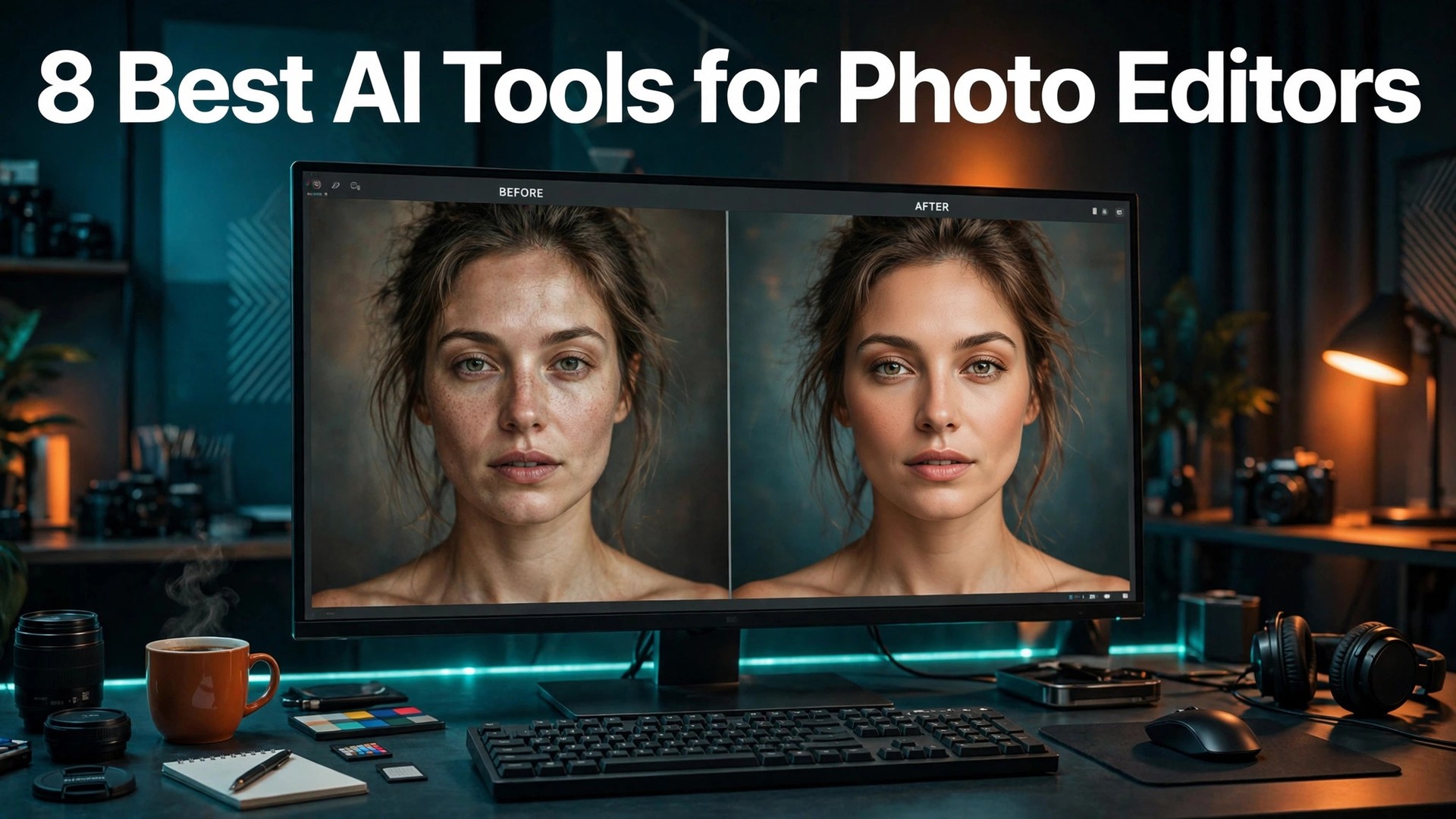
A wedding photographer who delivers 800 images cannot retouch each one by hand, and a product studio that shoots 200 items a week cannot mask each one by hand either. The work still has to look hand-finished, and that tension is exactly where AI editing earns its keep. The best ai tools for photo editors take the repetitive half of the job, culling, masking, denoising and grading, and leave the creative decisions to the person holding the mouse.
This guide compares eight editors on published prices, the editing job each one does best and the catch that only shows up after the trial ends. All photo editing work prices below are published starting prices as of late 2026, and annual billing is noted where it changes the number. Where a vendor sells a one-time license instead of a subscription, this guide says so, because owning the software changes the five-year cost completely.
An editor does not need eight tools. One raw workflow app plus one pixel editor covers most professional work, and a third tool only earns its place when it fixes a specific weekly pain, such as batch retouching or tethered studio shooting. The reviews below say plainly which job each editor does, so you can pick two and stop shopping.
Every Tool, One Row Each
The table below matches each common photo editing job type to the single tool that handles it best. Use it to narrow the best ai tools for photo editors to two or three candidates before you read the full reviews. Monthly list prices apply unless noted, and annual billing usually beats monthly billing for photo editing teams.
| Job | Best tool | Why it wins |
|---|---|---|
| Retouching and compositing | Adobe Photoshop | The strength is depth. Layers, masks, smart objects and compositing give a… |
| Organizing and developing large libraries | Adobe Lightroom | The strength is the catalog. A library of fifty thousand images stays… |
| Tethered studio shooting and color work | Capture One | The strength is color science. The profiles and the color editor let… |
| Fast AI-assisted edits | Luminar Neo | The strength is the AI toolset. A sky swap that would take… |
| Raw quality and denoise | DxO PhotoLab | The strength is DeepPRIME denoise. A file shot at ISO 6400 comes… |
| A Lightroom plus Photoshop combo without a subscription | ON1 Photo RAW | The strength is the combination. A photographer can organize, develop, mask and… |
| Pixel editing without a subscription | Affinity Photo | The strength is value. A full pixel editor for less than four… |
| Quick edits and AI background removal | Pixlr | The strength is speed and access. There is nothing to install, and… |

How We Chose the 8 Best AI Tools for Photo Editors
An editor earned a place here only if it does a real editing job in 2026, not if it added an AI label to an old filter set. The best ai tools for photo editors were judged on five things that decide whether a photographer keeps paying after the first year.
The job came first, since one photo editing key task done well beats five done poorly for photo editing teams. Published pricing and scaling came second, with per-seat charges that move the real bill for photo editing teams as the team grows. Output quality came third, because a wrong photo editing work detail costs more in lost trust than the subscription saves.
Fourth came ease of use, since photo editors abandon a photo editing tool option that needs a week of training before its first result. Fifth came the catch, from free plans that limit the core feature to quote-only pricing that hides the real photo editing work cost until the sales call.
| Check before you buy | What to ask | Why it matters |
|---|---|---|
| Raw quality | How clean the raw conversion and denoise look at full size | Noise and color errors show up in print first |
| Masking speed | How fast AI selects subject, sky and background | Good masks save minutes on every image |
| Batch power | How well it applies one edit across hundreds of shots | Wedding and product work live or die here |
| Library handling | How it organizes large catalogs across devices | Search beats folders once the count passes ten thousand |
| Total cost | Subscription against one-time license over five years | Ownership changes the real price completely |
Every Tool in Detail
1. Adobe Photoshop
Starting price From 22.99 dollars a month. Best for Retouching and compositing. Watch out The single-app price is high for a tool used only occasionally. Photoshop remains the most capable pixel editor, and its AI tools now handle the jobs that used to take a retoucher an hour. Generative Fill rebuilds missing background, the remove tool cleans distractions, and AI selection cuts a subject out in seconds. For work that goes beyond raw development, nothing else on this list matches it.
The strength is depth. Layers, masks, smart objects and compositing give a retoucher control no raw app offers, and the AI tools sit inside that control rather than replacing it. A complex composite that once took a day now takes an afternoon, with the same quality. Photoshop also pairs with Lightroom in the Photography plan at 19.99 dollars a month, which undercuts the single-app price and adds the catalog. That bundle is the better buy for most photographers, because the two apps cover the full job together.
Pick Photoshop when the edit goes beyond raw adjustments into pixels, layers and composites. Trial the Photography plan first, because it is cheaper than the single app and adds Lightroom.
Before the first payment, check how long the photo editing trial run runs and how cancellation works, since a hard-to-cancel tool costs more than its monthly price.
2. Adobe Lightroom
Starting price From 11.99 dollars a month. Best for Organizing and developing large libraries. Watch out No pixel-level compositing, so a second app is needed for heavy retouching. Lightroom is the default raw workflow for most photographers, with a catalog, AI masks and cloud sync in one app. Denoise cleans high ISO files, lens blur adds depth, and the masks select subject, sky and background with one click. For a photographer who edits across phone, tablet and desktop, that sync is the whole value.
The strength is the catalog. A library of fifty thousand images stays searchable, and presets apply a look across a whole shoot in seconds. The AI masks mean a sky adjustment no longer needs a manual brush pass, which saves minutes on every image. Lightroom also syncs edits to mobile, so a photographer can cull on the phone and finish on the desktop without exporting anything. That handoff is the reason many photographers never leave the ecosystem, even when a rival raw engine looks better.
Pick Lightroom when the library matters as much as the edit. Start with the 1TB plan at 11.99 dollars a month, and check the Photography plan if Photoshop is also needed.
Before the first payment, check how long the photo editing trial period runs and how cancellation works, since a hard-to-cancel tool costs more than its monthly price.
3. Capture One
Starting price From 18 dollars a month. Best for Tethered studio shooting and color work. Watch out Costs more than Lightroom while covering fewer bases. Capture One is the studio pick, with tethered capture for hundreds of cameras and color profiles that hold up in print. Its raw conversion renders skin tones and product colors with a precision that working photographers notice on the first job. For color-critical work, that rendering is the whole value.
The strength is color science. The profiles and the color editor let a studio match a product color to the real item, which matters when the client checks the image against the shelf. Tethered shooting shows each frame on the big screen as it is taken, so problems are caught during the shoot. Capture One also sells a perpetual license at 349 dollars for buyers who want to own the software. That option softens the subscription cost for a studio with a settled workflow, and it is a real choice no Adobe app offers.
Pick Capture One when the shoot is tethered and the color must be exact. Trial it on a real studio job, because the color difference shows up fastest on skin and product shots.
Before the first payment, check how long the photo editing trial itself runs and how cancellation works, since a hard-to-cancel tool costs more than its monthly price.
4. Luminar Neo
Starting price From 129 dollars one-time. Best for Fast AI-assisted edits. Watch out Fewer catalog tools than Lightroom for large libraries. Luminar Neo is the fast AI editor for photographers who want strong results without a Photoshop-level learning curve. Sky replacement, portrait retouching and relighting happen with sliders, not with layers, and the results look finished in minutes. For enthusiasts and busy pros, that speed is the whole value.
The strength is the AI toolset. A sky swap that would take twenty minutes of masking in Photoshop takes one click here, and the portrait tools smooth skin without the plastic look that cheap filters produce. The edits are strong enough for client work when the source file is good. Luminar also sells as a one-time license from 129 dollars, with higher tiers adding mobile apps and presets. That ownership model suits photographers who refuse subscriptions, and the price undercuts five years of any monthly plan on this list.
Pick Luminar Neo when speed matters more than catalog depth. Buy the desktop tier first, and add mobile only if the phone workflow is actually used.
Before the first payment, check how long the photo editing free trial runs and how cancellation works, since a hard-to-cancel tool costs more than its monthly price.
5. DxO PhotoLab
Starting price From 149 dollars one-time. Best for Raw quality and denoise. Watch out The interface is slower to learn than Lightroom. DxO PhotoLab is the raw quality pick, with a denoise engine that rescues high ISO files other apps cannot save. Its lens corrections are built from lab measurements of real camera and lens combinations, so the geometry and sharpness corrections are precise. For photographers who shoot in hard light, that quality is the whole value.
The strength is DeepPRIME denoise. A file shot at ISO 6400 comes back clean enough to print, with detail intact instead of smeared. That single feature has saved shoots that would otherwise be unusable, and it is the reason many pros keep PhotoLab in the stack. PhotoLab also sells as a one-time license, with the Essential edition from 149 dollars and the Elite edition higher. That ownership suits photographers who want to pay once and keep the tool for years, without a monthly bill.
Pick DxO PhotoLab when raw quality and denoise are the priority. Trial it on your noisiest files first, because the denoise difference is the whole argument.
Before the first payment, check how long the photo editing trial window runs and how cancellation works, since a hard-to-cancel tool costs more than its monthly price.
6. ON1 Photo RAW
Starting price 99.99 dollars one-time. Best for A Lightroom plus Photoshop combo without a subscription. Watch out Smaller community, so fewer presets and tutorials. ON1 Photo RAW combines a raw workflow, layers and effects in one app, without a subscription. It suits photographers who want Lightroom-style organization plus Photoshop-style layers in a single purchase. The 2027 version includes the 2026 version in the same license, which softens the upgrade question.
The strength is the combination. A photographer can organize, develop, mask and composite without switching apps or paying monthly. The AI masking and the effects stack cover most of what a working photographer needs, and the one-time price is easy to justify. ON1 also includes portrait tools, sky replacement and focus stacking, which are paid extras in other ecosystems. That breadth means the app can be the only editor for many photographers, not just a second tool.
Pick ON1 Photo RAW when the goal is one app and one payment. Trial it for thirty days on real shoots, because the workflow feel matters more than the feature list.
Before the first payment, check how long the photo editing trial run runs and how cancellation works, since a hard-to-cancel tool costs more than its monthly price.
7. Affinity Photo
Starting price 69.99 dollars one-time. Best for Pixel editing without a subscription. Watch out No catalog, so a second app handles the library. Affinity Photo is the one-time pixel editor, with layers, retouching and compositing for a single payment of 69.99 dollars. It suits photographers who need Photoshop-style control without a monthly bill. The tools are deep enough for professional retouching, and the price is a fraction of five years of Photoshop.
The strength is value. A full pixel editor for less than four months of Photoshop is a clear win for a photographer whose retouching needs are real but occasional. The layer and mask tools behave the way a Photoshop user expects, so the learning curve is short. Affinity also opens PSD files and exports them, which matters when clients send layered files. That compatibility keeps the app usable in mixed teams, where one Photoshop seat and one Affinity seat share the same files.
Pick Affinity Photo when pixel editing is needed but the subscription is not. Pair it with a raw app for the catalog, and the pair costs less than one Adobe subscription over five years.
Before the first payment, check how long the photo editing trial period runs and how cancellation works, since a hard-to-cancel tool costs more than its monthly price.
8. Pixlr
Starting price From 7.99 dollars a month. Best for Quick edits and AI background removal. Watch out Thinner than desktop editors for deep retouching. Pixlr is the quick web editor on this list, with AI background removal, object removal and one-click fixes in a browser. It suits editors who need a fast result on a laptop that is not their main workstation, or a team that edits in the browser by habit. The free tier is enough to test the core tools.
The strength is speed and access. There is nothing to install, and a background removal that takes minutes in a desktop app takes seconds here. For social crops, quick product cleans and fast turnarounds, that speed is the whole value. Pixlr also includes AI generative tools for extending backgrounds and swapping elements, which cover the common quick jobs without opening a heavy app. The subscription from 7.99 dollars a month is the cheapest paid plan on this list.
Pick Pixlr when the edit is quick and the deadline is today. Keep the desktop editor for deep work, and use Pixlr for the fast jobs that should not wait for a full session.
Before the first payment, check how long the photo editing trial itself runs and how cancellation works, since a hard-to-cancel tool costs more than its monthly price.
Side by Side on Price and Fit
The table below puts the best ai tools for photo editors side by side on price, best job and free plan, so you can compare the published prices against the per-seat tools at a glance.
Read the table by job, not price, for photo editors. A 5-dollar tool that fails the main photo editing task costs more than a 20-dollar tool that does it well, since rework eats an hour on every job. Check the best-for column first, then the price, and the right photo editing tool option for photo editing teams is usually clear in under a minute.
| Tool | Starting price | Best for | Free plan |
|---|---|---|---|
| Adobe Photoshop | From 22.99 dollars a month | Retouching and compositing | No |
| Adobe Lightroom | From 11.99 dollars a month | Organizing and developing large libraries | No |
| Capture One | From 18 dollars a month | Tethered studio shooting and color work | No |
| Luminar Neo | From 129 dollars one-time | Fast AI-assisted edits | No |
| DxO PhotoLab | From 149 dollars one-time | Raw quality and denoise | No |
| ON1 Photo RAW | 99.99 dollars one-time | A Lightroom plus Photoshop combo without a subscription | No |
| Affinity Photo | 69.99 dollars one-time | Pixel editing without a subscription | No |
| Pixlr | From 7.99 dollars a month | Quick edits and AI background removal | No |
Best Pick by Job
The table below is the fastest way to use this photo editing work guide. Match the photo editing work job to its named tool and trial that one first, for photo editors. The best ai tools for photo editors are not ranked by price here, they are matched by fit, because the cheapest tool that cannot do your job is the most expensive mistake on this list.
| Job | Best tool | Why it wins |
|---|---|---|
| Retouching and compositing | Adobe Photoshop | The strength is depth. Layers, masks, smart objects and compositing give a… |
| Organizing and developing large libraries | Adobe Lightroom | The strength is the catalog. A library of fifty thousand images stays… |
| Tethered studio shooting and color work | Capture One | The strength is color science. The profiles and the color editor let… |
| Fast AI-assisted edits | Luminar Neo | The strength is the AI toolset. A sky swap that would take… |
| Raw quality and denoise | DxO PhotoLab | The strength is DeepPRIME denoise. A file shot at ISO 6400 comes… |
| A Lightroom plus Photoshop combo without a subscription | ON1 Photo RAW | The strength is the combination. A photographer can organize, develop, mask and… |
| Pixel editing without a subscription | Affinity Photo | The strength is value. A full pixel editor for less than four… |
| Quick edits and AI background removal | Pixlr | The strength is speed and access. There is nothing to install, and… |
What to Verify Before Paying
Before the trial converts, photo editors should read the contract, since the pricing page rarely shows the whole photo editing work bill. Check per-user, per-seat or per-action billing for photo editing teams, and whether the annual price locks for one year or two. Ask what five more people do to the bill, because a per-seat tool cheap for three users can double before the year ends for photo editing teams. Vendors that answer in writing earn the photo editing work subscription.
Trial on real photo editing work for photo editors, never on vendor demo data. Load the team’s own files, clients and questions, and time the core photo editing standard task from start to finish. Fast on demo data and slow on real photo editing work means the fit is wrong. Note every error, slow step and call for help, because those notes are the real review for photo editing teams.
Before loading anything important, photo editors should ask how core photo editing data leaves the tool. A good tool exports the full photo editing work record in a standard format, free and without a support ticket. One that locks data in or charges to release it owns the team’s photo editing work after a month. Test the export on trial day one, while the daily photo editing data is small, so month twelve holds no surprises for photo editing teams.
Test the support before photo editing teams need it, because support quality only matters for photo editing work on the day something breaks. Send one real question during the trial and time the reply, then judge whether the answer actually solved the photo editing work problem. A vendor that replies in an hour with a fix is worth more to photo editing teams than a vendor that replies in a day with a link to a help page. Support is part of the price, even when it is not listed on the pricing page for photo editors.
Putting It Together: A One-Week Editing Workflow
A list of tools is only useful when it turns into a decision, so here is a four-week plan for testing the best ai tools for photo editors on real work before you pay for a year. The plan is deliberately slow, because a rushed photo editing free trial tells nothing and a careful one tells everything.
Day one is the import test. Bring 500 raw files from a real shoot into each trial app and time the import, the preview build and the first cull. A catalog that builds previews slowly will waste an hour on every job, and no AI feature makes up for that. Check the denoise result at full size on three images, one dark, one backlit and one high ISO, because those three cases expose weak raw engines fast.
Day two is the mask test. Select a subject, a sky and a background on ten varied images and count the clicks needed to fix the mask edges. A good AI mask needs one or two brush strokes of cleanup, and a weak one needs a full manual pass. Keep the images that fail, because they show the tool’s real limit better than the images that pass.
Day three is the batch test. Grade one image, copy the settings across fifty, and check how many need individual fixes. A batch tool that holds the look across varied light earns its place, and one that falls apart on mixed lighting is a single-image tool wearing a batch label. Export the fifty and time the export, because a slow export stalls delivery day.
Day four is the cost decision. Add up five years of the subscription against the one-time license price, then weigh the result against the batch and mask scores. A subscription that saves an hour a week pays for itself, but a one-time license that does the same job for less is the better buy when the feature gap is small. Keep the trial images and the timing notes, because they are the evidence if a second editor gets tested later.
Before You Ask
What is the cheapest good AI photo editor to start with
Pixlr is the cheapest credible start, with plans from 7.99 dollars a month, and it covers quick edits and AI background removal for a small fee. Affinity Photo costs 69.99 dollars once and never bills again, which makes it the cheapest over five years. Start with the editing job you do most each week, and add a specialist only when the general tool cannot do a job you are paid to do.
Is Lightroom or Capture One better for studio work
Capture One wins for tethered studio shooting and color-critical work, with live capture for hundreds of cameras and color profiles that hold up in print. Lightroom wins on library management and ecosystem, with cloud sync across phone, tablet and desktop. A studio that shoots tethered should trial Capture One first, and a photographer who edits everywhere should trial Lightroom first.
Can AI editing replace a retoucher
AI editing replaces the repetitive half of retouching, not the judgment half. Masks, denoise, sky swaps and batch grades are faster with AI, but skin tone, taste and client preference still need a human eye. The best ai tools for photo editors are the ones that hand back time for the creative decisions, and a retoucher who uses them delivers more finished images per week, not fewer.
Do one-time licenses still make sense in 2026
One-time licenses make sense when the feature set is already enough and the subscription adds little the editor needs. Luminar Neo from 129 dollars once, ON1 Photo RAW at 99.99 dollars once and Affinity Photo at 69.99 dollars once all beat five years of a 12 to 23 dollar monthly subscription on cost. The trade-off is slower feature updates, which matters less for a settled workflow than for a growing one.
Which editor is best for batch wedding edits
Lightroom is the strongest choice for batch wedding work, because its catalog, presets and sync handle hundreds of images as one job. Luminar Neo is the best low-cost option for fast AI-assisted batches, and ON1 Photo RAW suits editors who want batch power without a subscription. Price the combination, not one tool, and confirm the current plan limits before you sign, because batch features sit on different tiers across these tools.
How much should a photographer budget for editing software
A realistic year one budget is 12 to 23 dollars a month for one workflow app such as Lightroom or Capture One, and 70 to 130 dollars once for a one-time editor such as Affinity Photo or Luminar Neo. A studio that needs both a raw workflow app and a pixel editor should budget for two tools, and trial each one on real shoots before committing to annual billing.
Our Recommendation
If you buy one tool this quarter, buy Lightroom if you edit across devices and need a catalog that follows you, and buy Capture One if you shoot tethered in a studio and need color you can trust in print. Lightroom is the best all-round value on this list at 11.99 dollars a month, with the catalog and AI masks that save hours. Capture One is the best studio pick at 18 dollars a month, with tethering and color science that justify the higher price.
Whatever you pick, start with a real shoot, trial the masks and the batch tools, and keep a human eye on every AI edit before it goes to the client. The tools on this list all work. The difference is whether the editor matches the shoots you actually deliver, and whether you measure the return in hours saved and images finished rather than in features used. The best ai tools for photo editors are the ones still in your workflow a year from now, and that is the test every purchase on this list has to pass.
The best ai tools for photo editors that earn a permanent place are the ones that prove their value in the first month, not the ones with the longest feature list.