
An editor reads the same paragraph four times before lunch, and the fifth read still finds a misplaced comma. The manuscript, the article, the transcript and the script all need the same thing, a second pair of eyes that never tires, and the human eye is the one that tires first. The best ai tools for editors give that second pair of eyes back, catching the errors, tightening the sentences, and drafting the summary, so the editor spends the saved hours on the judgement calls a machine cannot make.
The risk is buying a grammar checker when the real problem is a transcript that needs turning into clean copy, or buying a drafting tool when the real problem is consistency across a style guide. Editors work across text, audio and video now, and the tool that fits one format rarely fits all three. This guide sorts the tools by the editing job they serve, so you buy the piece that matches the copy you actually edit.
This guide compares twelve tools on published starting prices, the editing job each one does best and the limit that only shows up after the trial ends. Prices below come from published starting rates as of late 2026; where a vendor keeps its editing work pricing unpublished, it is labelled pricing on request. Begin with the shortlist and then dig into the reviews covering the editing work that fills your week.
The Twelve at a Glance
Use it to narrow the best ai tools for editors to two or three candidates before you read the full reviews. Monthly list prices apply unless noted, and annual billing usually beats monthly billing for an editor working all year.
| Job | Best tool | Why it wins |
|---|---|---|
| Everyday editing across apps | Grammarly | Grammarly is the most widely used writing assistant, checking grammar, spelling, punctuation |
| Long-form editing with deep reports | ProWritingAid | ProWritingAid is an editing tool built for long-form writing, with reports on style, |
| Readability and tight sentences | Hemingway Editor | Hemingway Editor is a readability tool that highlights long sentences, passive voice, adverbs |
| Editing audio and video like text | Descript | Descript is an audio and video editor that lets an editor cut a recording by deleting words |
| Transcription-based editing for journalists | Trint | Trint is a transcription platform that turns audio and video into searchable, editable text, |
| Meeting notes and interview transcripts | Otter.ai | Otter.ai records meetings and interviews, transcribes them in real time and produces a summary |
| AI drafting for marketing copy | Jasper | Jasper is an AI writing platform that drafts marketing copy, articles and social posts from a |
| Rewriting sentences on the fly | Wordtune | Wordtune is a rewriting tool that takes a sentence and offers several versions, formal, |
| Multilingual editing | LanguageTool | LanguageTool is a grammar and style checker that works in more than thirty languages, catching |
| Fiction editing and manuscript analysis | AutoCrit | AutoCrit is an editing platform built for fiction writers, analysing a manuscript for pacing, |
| Creative writing and brainstorming | Sudowrite | Sudowrite is an AI writing tool for fiction and creative work, helping writers brainstorm, |
| Consistency checks for professional editors | PerfectIt | PerfectIt is a consistency checker for professional editors, scanning a document for |
How We Chose the Best AI Tools for Editors
A tool earned a place here only when it does a real editing job well in 2026, not when it added an AI label to an old product. The best ai tools for editors were judged on five things that decide whether an editor keeps paying after the first month.
Accuracy came first, because a checker that misses errors or invents them costs more to fix than the subscription. Next came the style control, since an editor needs the tool to follow a house style, not its own. Pricing and how it scales with words or seats came third, then the workflow, because a tool that cannot reach the document or the recording forces double work. The catch, from capped free tiers to per-word limits, came fifth.
| Check before you buy | What to ask | Why it matters |
|---|---|---|
| Published price | Is the rate on the pricing page | A hidden price is a hidden bill |
| Style control | Can it learn your house style guide | A tool that fights the style wastes time |
| Format support | Does it handle text, audio and video | A single-format tool leaves half the work |
| Word limits | How many words the plan covers a month | A capped plan stalls a long manuscript |
| Trial access | Can you test it on your own copy | A demo is not a trial |
| Contract terms | Monthly or annual, and what year two costs | Annual billing locks the price but not the need |
The Reviews
1. Grammarly
Starting price The free tier is available first, then Premium at 12 dollars a month. Best for Everyday editing across apps. Watch out The tone suggestions, which can flatten a writer’s voice.
Grammarly is the most widely used writing assistant, checking grammar, spelling, punctuation and clarity as an editor types, in the browser, in Word and in Google Docs. The AI features rewrite awkward sentences, adjust the tone and flag plagiarism, so the first pass of editing happens before the editor even opens the document.
At 12 dollars a month, Grammarly is priced for everyday editing across apps. The catch is the tone suggestions, which can flatten a writer’s voice, so read the plan limits before you pay for a year.
Judge the best ai tools for editors on that same week of real work: the one that saves an hour a week earns its keep, and the one that needs constant correction never pays, whatever the price on the page.
2. ProWritingAid
Starting price From 10 dollars a month. Best for Long-form editing with deep reports. Watch out The report overload, which can overwhelm a new user.
ProWritingAid is an editing tool built for long-form writing, with reports on style, structure, pacing and readability that go far beyond a grammar check. An editor can see the repeated words, the long sentences and the pacing problems in a manuscript at a glance, then fix them chapter by chapter.
The starting price of 10 dollars a month puts ProWritingAid in reach for long-form editing with deep reports, and the paid tiers mostly add volume, seats or deeper integrations. Keep an eye on the report overload, which can overwhelm a new user, since that is the limit buyers hit first.
3. Hemingway Editor
Starting price 19.99 dollars one time. Best for Readability and tight sentences. Watch out The lack of grammar checking, since it is a style tool only.
Hemingway Editor is a readability tool that highlights long sentences, passive voice, adverbs and hard-to-read passages, and scores the text by reading level. An editor can paste a draft in, see the problem sentences in colour and tighten the copy in minutes, which is the fastest way to make a piece easier to read.
Hemingway Editor starts at 19.99 dollars one time, which suits readability and tight sentences. The thing to check first is the lack of grammar checking, since it is a style tool only, because that shapes the real cost once the team grows.
4. Descript
Starting price From 16 dollars a month. Best for Editing audio and video like text. Watch out Noisy recordings lower transcription accuracy.
Descript is an audio and video editor that lets an editor cut a recording by deleting words from the transcript, with AI that removes filler words, clones a voice for fixes and generates captions. A podcast editor can turn a two-hour recording into a clean episode in an afternoon, without touching a waveform.
For editing audio and video like text, Descript at 16 dollars a month is a fair entry point, and the higher tiers add the controls a bigger team needs. The weak spot is the transcription accuracy on noisy recordings, so confirm it on a trial before signing anything annual.
5. Trint
Starting price From 48 dollars a month. Best for Transcription-based editing for journalists. Watch out The monthly price, which is high for a single-purpose tool.
Trint is a transcription platform that turns audio and video into searchable, editable text, built for journalists and editors who work with interviews. The AI features transcribe in dozens of languages, highlight the key quotes and export the text straight into the edit, which is the workflow a newsroom needs.
Starting at 48 dollars a month, Trint fits transcription-based editing for journalists without a procurement meeting. Watch for the monthly price, which is high for a single-purpose tool, which is where the bill or the workflow usually surprises buyers.
6. Otter.ai
Starting price Free tier available, then Pro from 16.99 dollars a month. Best for Meeting notes and interview transcripts. Watch out The accuracy on crosstalk and heavy accents.
Otter.ai records meetings and interviews, transcribes them in real time and produces a summary with the action items, so the editor starts from a usable text instead of a raw recording. The AI features identify speakers, highlight the decisions and search the whole archive, which is the work that used to take a junior editor a day.
Otter.ai opens at 16.99 dollars a month and is aimed squarely at meeting notes and interview transcripts. The trade-off is the accuracy on crosstalk and heavy accents, so check the tier that removes it and price that tier, not the headline.
7. Jasper
Starting price From 39 dollars a month. Best for AI drafting for marketing copy. Watch out The output quality, which needs an editor’s pass.
Jasper is an AI writing platform that drafts marketing copy, articles and social posts from a brief, with brand voice controls that keep the output on-message. An editor can generate the first draft in minutes, then spend the saved time on the facts, the structure and the lines that actually persuade.
At 39 dollars a month, Jasper is priced for AI drafting for marketing copy. The catch is the output quality, which needs an editor’s pass, so read the plan limits before you pay for a year.
8. Wordtune
Starting price Free tier available, then Plus from 13.99 dollars a month. Best for Rewriting sentences on the fly. Watch out The free tier, which caps the rewrites per day.
Wordtune is a rewriting tool that takes a sentence and offers several versions, formal, casual, shorter or longer, so an editor can find the phrasing that fits. The AI features also summarise long passages and translate, which makes it a practical daily tool for an editor who works across languages.
The starting price of 13.99 dollars a month puts Wordtune in reach for rewriting sentences on the fly, and the paid tiers mostly add volume, seats or deeper integrations. Keep an eye on the free tier, which caps the rewrites per day, since that is the limit buyers hit first.
9. LanguageTool
Starting price Free tier available, then Premium from 24.90 dollars a month. Best for Multilingual editing. Watch out The price, which is high next to the free tier.
LanguageTool is a grammar and style checker that works in more than thirty languages, catching the errors that a single-language tool misses. An editor working across English, German, French or Spanish can check the copy in the language it was written in, with style rules that match the local conventions.
LanguageTool starts at 24.90 dollars a month, which suits multilingual editing. The thing to check first is the price, which is high next to the free tier, because that shapes the real cost once the team grows.
10. AutoCrit
Starting price From 30 dollars a month. Best for Fiction editing and manuscript analysis. Watch out The niche focus, since it is built for novels.
AutoCrit is an editing platform built for fiction writers, analysing a manuscript for pacing, dialogue, repetition and readability, with comparisons against published books in the same genre. An editor can see where the story drags, where the dialogue repeats and where the pacing breaks, before the manuscript goes to a publisher.
For fiction editing and manuscript analysis, AutoCrit at 30 dollars a month is a fair entry point, and the higher tiers add the controls a bigger team needs. The weak spot is the niche focus, since it is built for novels, so confirm it on a trial before signing anything annual.
11. Sudowrite
Starting price From 10 dollars a month. Best for Creative writing and brainstorming. Watch out The output, which needs a firm editorial hand.
Sudowrite is an AI writing tool for fiction and creative work, helping writers brainstorm, expand a scene, rewrite a paragraph and find the right word. An editor can use it to unstick a draft, generate alternatives for a flat passage and keep the creative work moving when the writer is stuck.
Starting at 10 dollars a month, Sudowrite fits creative writing and brainstorming without a procurement meeting. Watch for the output, which needs a firm editorial hand, which is where the bill or the workflow usually surprises buyers.
12. PerfectIt
Starting price From 99 dollars a year. Best for Consistency checks for professional editors. Watch out The Word-only workflow, since it is an add-in.
PerfectIt is a consistency checker for professional editors, scanning a document for hyphenation, capitalisation, abbreviations and style guide compliance. An editor can check a whole manuscript against a house style in minutes, catching the inconsistencies that a grammar checker never sees.
PerfectIt opens at 99 dollars a year and is aimed squarely at consistency checks for professional editors. The trade-off is the Word-only workflow, since it is an add-in, so check the tier that removes it and price that tier, not the headline.
The Price Table, Explained
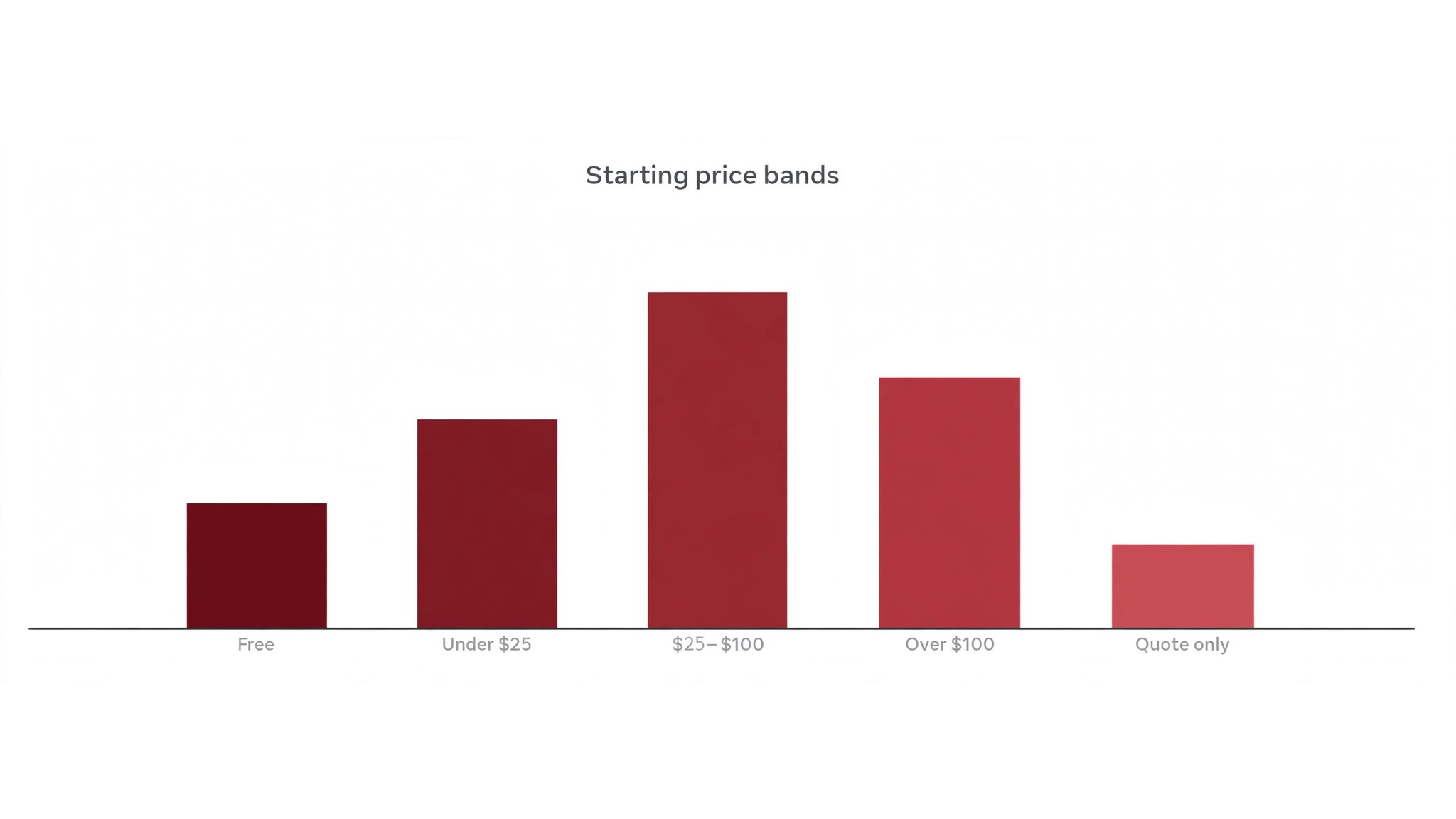
The table below puts the best ai tools for editors side by side on price, best job and free plan, so you can compare the published prices against the quote-only tools at a glance.
The fastest way through the table is by format. An editor working in text should look at the checkers and rewriters first, while one working in audio or video should look at the transcription tools, because the cheapest tool that cannot handle your format costs more than a pricier one that can.
| Tool | Starting price | Best for | Free plan |
|---|---|---|---|
| Grammarly | Free tier available, then Premium from 12 dollars a month | Everyday editing across apps | Yes |
| ProWritingAid | From 10 dollars a month | Long-form editing with deep reports | Trial |
| Hemingway Editor | 19.99 dollars one time | Readability and tight sentences | No |
| Descript | From 16 dollars a month | Editing audio and video like text | Trial |
| Trint | From 48 dollars a month | Transcription-based editing for journalists | Trial |
| Otter.ai | Free tier available, then Pro from 16.99 dollars a month | Meeting notes and interview transcripts | Yes |
| Jasper | From 39 dollars a month | AI drafting for marketing copy | Trial |
| Wordtune | Free tier available, then Plus from 13.99 dollars a month | Rewriting sentences on the fly | Yes |
| LanguageTool | Free tier available, then Premium from 24.90 dollars a month | Multilingual editing | Yes |
| AutoCrit | From 30 dollars a month | Fiction editing and manuscript analysis | Trial |
| Sudowrite | From 10 dollars a month | Creative writing and brainstorming | Trial |
| PerfectIt | From 99 dollars a year | Consistency checks for professional editors | Trial |
Building an Editing Stack That Pays
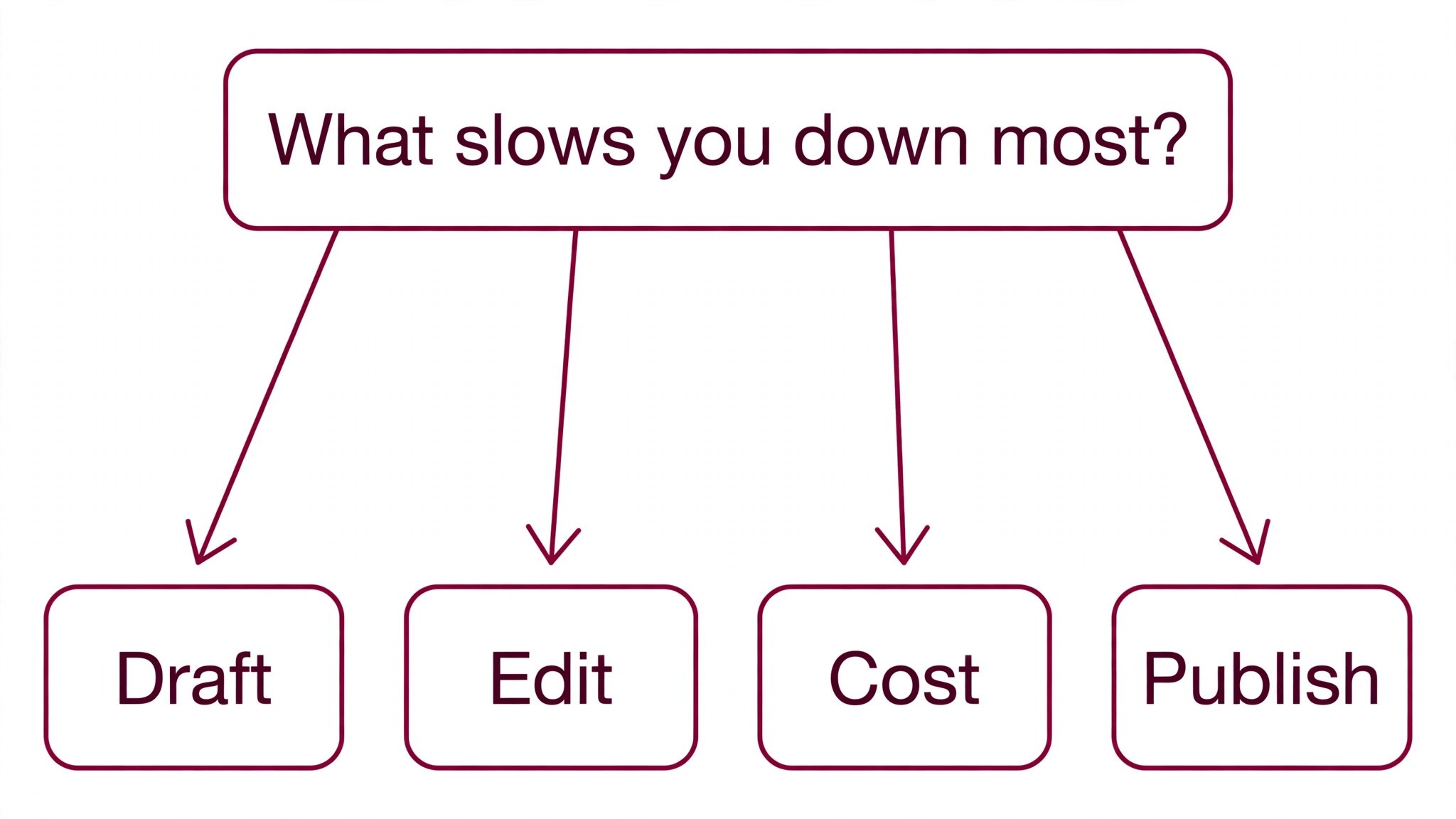
Start from the slowest part of your editing week, not from the vendor homepage. Editors buried in proofreading should buy the checker that clears that pile first, and editors losing hours to transcripts should buy the transcription tool before anything else. Start with the tool that unblocks the slowest edit task, since it pays for itself first and the rest can wait.
Add up the full editing work stack instead of the headline price. A checker plus a transcriber plus a drafting tool can cost three subscriptions, so check whether one tool already covers two of your jobs. Ask for per-word and per-seat charges in writing before signing, since those lines surprise freelancers, and annual billing usually cuts about twenty percent off the monthly rate. The best ai tools for editors on this list were priced at published starting rates, so the stack maths in the table below uses real numbers.
| Stack | Monthly cost | What it covers |
|---|---|---|
| Grammarly alone | Lowest starting price | One tool for the main job |
| Grammarly plus ProWritingAid | Mid-range | Core tool plus a second specialist |
| ProWritingAid plus Hemingway Editor | Mid-range | Specialist pair for a busy week |
| Grammarly plus Hemingway Editor | Check the pricing page | Core tool plus a workflow specialist |
Best Pick by Job
Pick from the table below by the editing job you do most each week. The best ai tools for editors are not ranked by features alone; they are ranked by which job each one actually finishes, so the pick that matches your week is the pick that will still be in your stack a year from now.
| Your job | Best pick | Why it wins |
|---|---|---|
| Everyday editing across apps | Grammarly | Grammarly is the most widely used writing assistant, checking grammar, spelling, punctuation |
| Long-form editing with deep reports | ProWritingAid | ProWritingAid is an editing tool built for long-form writing, with reports on style, |
| Readability and tight sentences | Hemingway Editor | Hemingway Editor is a readability tool that highlights long sentences, passive voice, adverbs |
| Editing audio and video like text | Descript | Descript is an audio and video editor that lets an editor cut a recording by deleting words |
| Transcription-based editing for journalists | Trint | Trint is a transcription platform that turns audio and video into searchable, editable text, |
| Meeting notes and interview transcripts | Otter.ai | Otter.ai records meetings and interviews, transcribes them in real time and produces a summary |
| AI drafting for marketing copy | Jasper | Jasper is an AI writing platform that drafts marketing copy, articles and social posts from a |
| Rewriting sentences on the fly | Wordtune | Wordtune is a rewriting tool that takes a sentence and offers several versions, formal, |
| Multilingual editing | LanguageTool | LanguageTool is a grammar and style checker that works in more than thirty languages, catching |
| Fiction editing and manuscript analysis | AutoCrit | AutoCrit is an editing platform built for fiction writers, analysing a manuscript for pacing, |
| Creative writing and brainstorming | Sudowrite | Sudowrite is an AI writing tool for fiction and creative work, helping writers brainstorm, |
| Consistency checks for professional editors | PerfectIt | PerfectIt is a consistency checker for professional editors, scanning a document for |
A Trial Week on Real Copy
A trial tells an editor more in five working days than a month of reading reviews, but only when the trial runs on real work. Pick the two tools that look closest after the shortlist, run them side by side on the same copy, and score them on errors caught, sentences improved and how the output reads to a reader. Never trial on a demo text, because a demo hides the rough edges real copy exposes. The best ai tools for editors are judged on the same five days, so the comparison stays fair.
| Day | What to test | What good looks like |
|---|---|---|
| Day 1 | Setup and first real manuscript | Working in under an hour, no IT ticket |
| Day 2 | The hardest manuscript you do | Output needs light edits, not a rewrite |
| Day 3 | Integration with your core system | Data flows without double entry |
| Day 4 | A colleague tries it cold | They finish a job without asking for help |
| Day 5 | Count the time and the cost | Hours saved beat the monthly price |
Do not rely on memory for the trial week, because every editing work tool feels good on day one. Log each day’s edit, the time it took, the corrections it needed and whether a colleague could have used the output untouched. At the end of the week the log settles it, and the winner is the tool with the best record on your editing work.
Editing Tool Mistakes to Skip
The first mistake is the cheapest plan, with the feature your edit work needs sitting two tiers higher. Check all the tiers on the pricing page and buy the tier that covers the daily edit, not the tier that merely looks cheap. Mistake two is rolling out to the whole team before one editor has tried the tool for a week, since a favourite of one and a burden to five is a cost, not a system.
The third mistake is skipping the style check. Ask for the style guide controls, read the export options and check the plagiarism policy before the first real manuscript goes through the tool, because fixing a style mismatch after the fact costs far more than checking it first. The fourth mistake is judging the tool on its best day, so trial it on the hardest copy and let the hard copy decide.
A style guide is the test most editors skip. A checker that cannot learn your house style will fight you on every page, flagging the spellings you chose on purpose and the terms you defined years ago. Load your style guide into the trial, run a chapter you already edited, and count the false flags before you pay.
Transcripts are where the time hides. An hour of audio takes four hours to clean by hand, and the tool that turns it into editable text in minutes changes the whole week. Test the transcription on your worst recording, the one with crosstalk and a bad microphone, because the clean studio recording flatters every tool.
Editor Questions, Answered
Which tool gives an editor the cheapest good start?
Grammarly is the cheapest credible start on this list with a free tier and Premium from 12 dollars a month, with ProWritingAid close behind at 10 dollars a month. Start with the job you do most each week, trial the free tier on real copy, and add a specialist only when the general tool cannot do a job you are paid to do. That is the cheapest route to an editing stack, with no payment for features never used.
Can an editor keep AI edits from flattening a writer’s voice?
It will flatten when an editor accepts every suggestion unchanged. AI tools draft a usable first pass, but the voice, the rhythm and the judgement still come from the editor doing the work. Use the AI to catch the errors, then keep the sentences that sound like the writer, change the ones that do not, so the result sounds like the author and not the tool.
For a freelance editor, which tool wins?
ProWritingAid is the pick for a freelance editor, starting at 10 dollars a month with deep reports, while Grammarly at 12 dollars a month is the strongest all-round option for daily work. Pick the tool that unblocks your slowest weekly edit first, and bring in a second tool only once a specific limit costs you time.
How much will a small editorial team spend on editing tools in year one?
Plan on 10 to 50 dollars a month in year one for a general tool such as Grammarly, rising to 100 to 200 dollars a month with a specialist such as Descript or Trint added. Multiply the headline price by seats when you pay per seat for a edit tool, since those charges surprise buyers. Price the whole stack and trial each tool on real copy before signing an annual contract.
Do these editing tools offer a trial before payment?
Most tools on this list offer a free plan or a free trial, and Grammarly, ProWritingAid and Otter.ai all let editors test on real work before paying. Use the trial on the editing job itself your team does most, not on a demo, and count the errors caught and the time each output needs. One real week of editing work in a trial beats a sales call for what it reveals.
Our Pick
If you buy one tool this quarter, pick Grammarly for everyday editing or ProWritingAid when the work is long-form. Grammarly is the easiest place to start with a free tier and Premium at 12 dollars a month, and ProWritingAid is the deepest editor for manuscripts at 10 dollars a month. The best ai tools for editors earn their keep by giving you back the hours between drafts, and both of these do that from the first week.
Whatever you pick, trial it on real copy, count the errors it catches and the sentences it improves, and keep a human eye on every AI edit before it reaches a reader. Every editor aid here can handle professional copy. The difference is whether the tool matches the copy you actually edit, and whether you measure the return in hours saved and cleaner pages rather than in features used.