
A proofreader finishes a chapter and the next one is already waiting. The grammar, the consistency, the style guide and the author’s voice all need checking before the deadline. The best ai tools for proofreaders cut the first pass down, so the proofreader spends the time on judgement calls instead of hunting commas.
Proofreading runs on a mix of manuscripts, style guides, client feedback and deadlines, and no single tool covers all four well. A grammar tool handles the errors, a style tool handles the consistency, and a drafting tool handles the queries. This guide shows which job each tool does, so a proofreader can buy the piece that fits the work they actually do most.
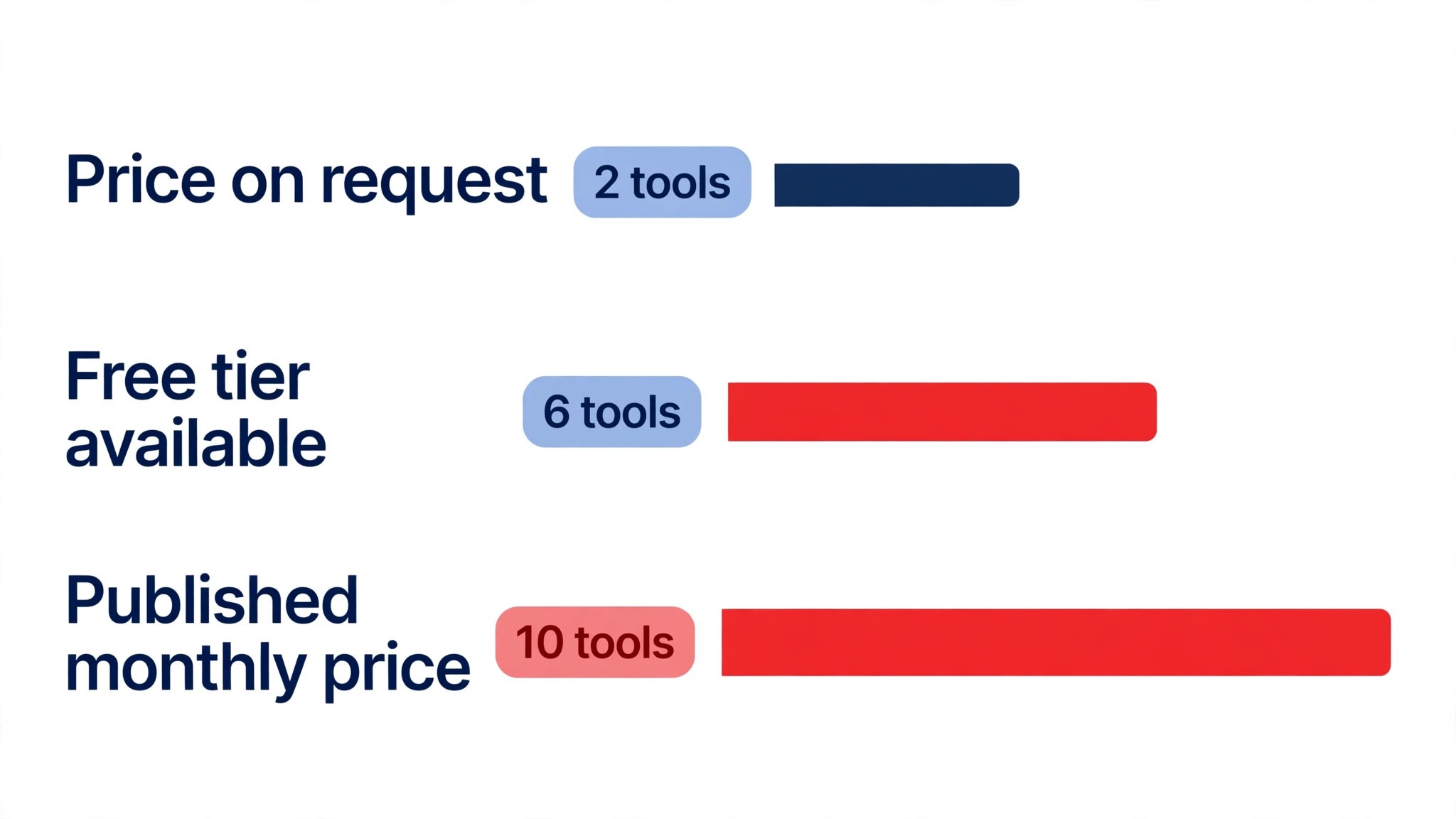
This guide compares twelve tools on published prices, the proofreading job each one does best and the catch that only shows up after the trial ends. Each price quoted for proofreading below is the published starting rate from late 2026; where a vendor publishes no rate, the guide marks it pricing on request. Start with the shortlist, then read the reviews that match the proofreading work you do most.
The Full Shortlist in One Place
Use it to narrow the best ai tools for proofreaders to two or three candidates before you read the full reviews. Monthly list prices apply unless noted, and annual billing usually beats monthly billing for proofreading teams.
| Job | Best tool | Why it wins |
|---|---|---|
| Everyday grammar and style | Grammarly | Catches errors before the client does |
| Deep editing for long manuscripts | ProWritingAid | Reports that show patterns across a whole book |
| Cutting copy to the bone | Hemingway Editor | Flags dense sentences fast |
| Style guide consistency | PerfectIt | Checks a manuscript against your style sheet |
| Multilingual grammar checks | LanguageTool | Grammar in many languages, free to start |
| Rewriting and paraphrasing | QuillBot | Quick rephrasing without changing the meaning |
| Tone and fluency rewrites | Wordtune | Rewrites that keep the author’s voice |
| Drafting and editing help | ChatGPT | Fast edits, summaries and style queries |
| Long manuscripts and analysis | Claude | Strongest on long documents and careful edits |
| Academic proofreading | Trinka | Built for academic and technical writing |
| Academic editing and checks | Paperpal | Editing plus checks for research writing |
| Quick grammar fixes | Ginger | Fast corrections inside the browser |
How We Picked the Best AI Tools for Proofreaders
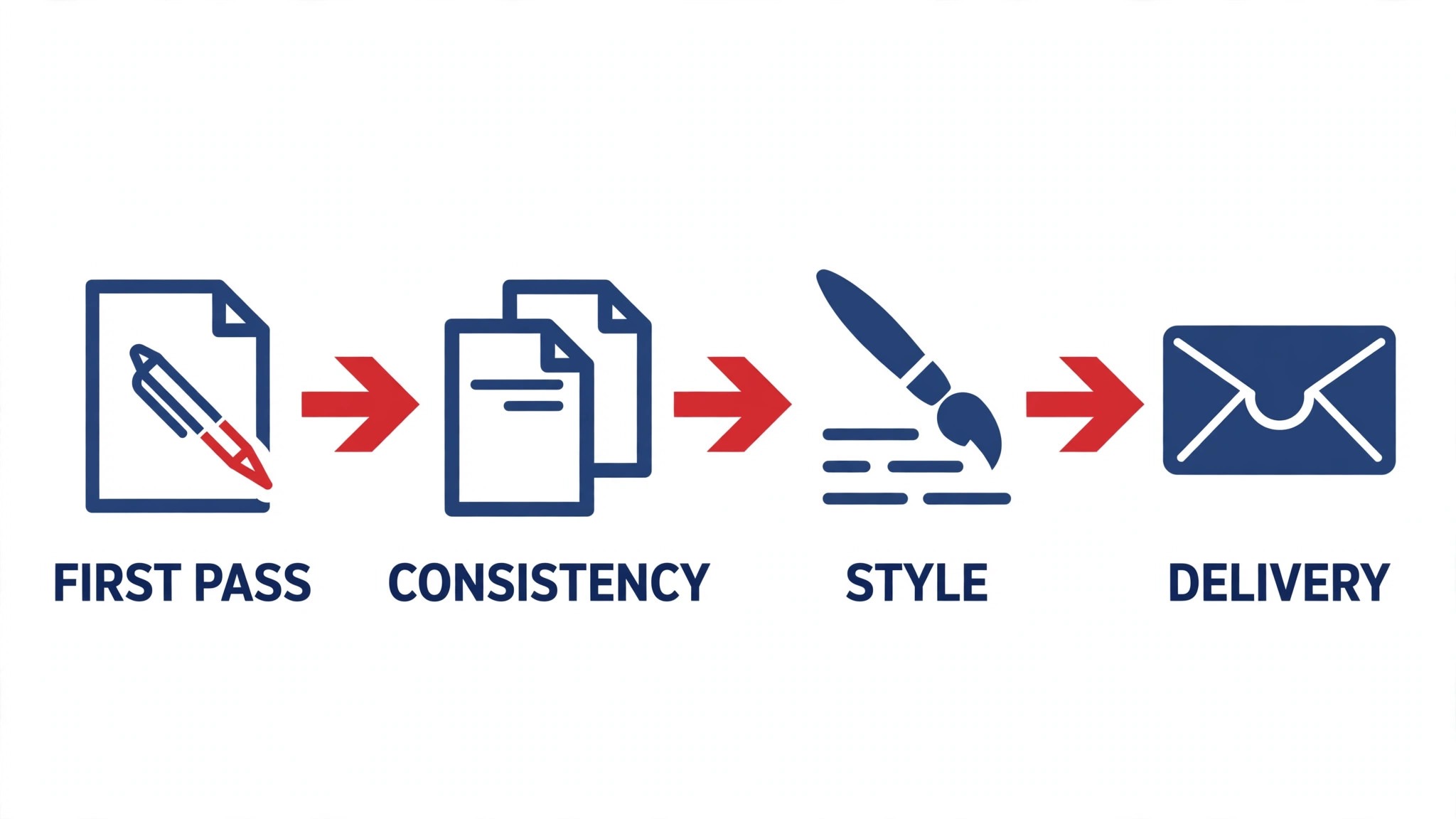
A tool earned a place here only when it does a real proofreading job well in 2026, not when it added an AI label to an old product. The best ai tools for proofreaders were judged on five things that decide whether a proofreader keeps paying after the first year.
Accuracy came first, because a missed error costs more than any subscription. Next came speed on the jobs proofreaders do daily, from first passes to consistency checks. Published pricing came third, since freelance budgets and agency budgets are very different things. Fourth, respect for the author’s voice, because a tool that flattens style into house copy is a liability. Fifth, the catch, runs from free plans with capped usage to enterprise tools for proofreading that need a sales call before the first trial.
| Check before you buy | What to ask | Why it matters |
|---|---|---|
| Published price | Is the rate on the pricing page | A hidden price is a hidden bill |
| Free plan limits | Usage caps, watermarks or seats | A capped free plan cannot run the real job |
| Style control | Can you set a house style | Clients buy consistency, not one lucky pass |
| File support | Does it handle Word and PDF | A tool that cannot open the file cannot help |
| Trial access | Can you test it on real work | A demo is not a trial |
| False positives | How often does it flag good text | Chasing false flags eats the time it saves |
Tool by Tool
1. Grammarly
Starting price Plans start from 12 dollars a month. Best for Everyday grammar and style. Watch out Style suggestions can flatten a writer’s voice
Grammarly catches grammar, spelling and clarity issues in real time, and it works inside the browser, Word and docs where proofreaders actually work. For proofreading, the Pro plan at twelve dollars a month adds tone and full-sentence rewrites, which help when a draft needs tightening under deadline pressure.
For proofreading, the risk is over-editing. For proofreading, taking every suggestion flattens a distinctive voice into house style, so treat the tool as a safety net, not an editor. For proofreaders working across many clients, it is cheap insurance against the small errors that slow delivery.
2. ProWritingAid
Starting price 10 dollars a month is the lowest paid rate. Best for Deep editing for long manuscripts. Watch out Reports take time to learn
ProWritingAid goes deeper than a grammar checker, with reports on pacing, repeated words, sentence variety and readability across a whole manuscript. For a proofreader working on books, that pattern view is the value: it shows problems a line-by-line pass misses. The ten-dollar starting price is low for the depth.
The reports take time to learn, and a new user can feel buried in data. Start with two or three reports that match the manuscript in front of you, and the tool becomes a fast second reader rather than a chore.
3. Hemingway Editor
Starting price A one-time payment of 19.99 dollars. Best for Cutting copy to the bone. Watch out It edits only and never drafts
Hemingway Editor flags long sentences, passive voice and dense phrasing, working offline in a simple desktop app for proofreading. For proofreaders who tighten copy under deadline, it is the fastest way to cut a draft. For proofreading, the nineteen-dollar-ninety-nine one-time price means no subscription to manage, which suits freelancers.
For proofreading, it does not draft or research, so it is a finisher rather than a starter. Pair it with a drafting tool and use it as the last pass before delivery, when the manuscript is written and only the fat is left to cut.
4. PerfectIt
Starting price From 79 dollars a year. Best for Style guide consistency. Watch out Works inside Word, so the setup matters
PerfectIt checks a manuscript against a style sheet, catching inconsistent spellings, hyphenation, capitalization and abbreviations that a human eye misses after hours of reading. For a proofreader working to a publisher’s house style, it is the tool that keeps the whole book consistent.
The setup matters, since PerfectIt works inside Word and needs the style sheet configured first. Spend an hour building the style once, and every manuscript after it gets faster. The seventy-nine-dollar yearly price is low for the consistency it delivers.
5. LanguageTool
Starting price Paid plans from 4.99 dollars a month. Best for Multilingual grammar checks. Watch out Premium features need the paid plan
LanguageTool checks grammar and style in more than thirty languages, with a free tier that covers basic checks and a paid plan from four dollars ninety-nine a month that adds style and tone tools. For a proofreader working across languages, it is the most flexible checker on this list.
The free tier is limited, and the best features sit behind the paywall. For a proofreader who works in two or more languages, the paid plan is a small price for a tool that covers them all.
6. QuillBot
Starting price Paid plans start at 9.95 dollars a month. Best for Rewriting and paraphrasing. Watch out A paraphrase can drift away from the original meaning
QuillBot rewrites sentences and paragraphs in different tones, which helps when a passage needs reworking without changing the meaning. The Premium plan at nine dollars ninety-five a month lifts the word limits and adds the plagiarism checker, which is useful before delivery.
In proofreading, paraphrasing can drift, especially with technical or legal language, so read every rewrite against the original before it goes out. Used carefully, it is a fast way to offer a client a cleaner version of a dense passage.
7. Wordtune
Starting price The entry paid tier costs 9.99 dollars a month. Best for Tone and fluency rewrites. Watch out Rewrites can change the author’s voice
Wordtune rewrites sentences for clarity, tone and fluency, and it works inside the browser and Word where proofreaders write. The nine-dollar-ninety-nine starting price covers the core rewriting, and the tone controls help when a passage needs to sound more formal or more casual.
The risk is voice drift. A rewrite that is clearer can also be less like the author, so use it on passages that need help and leave the strong ones alone. For client work that needs a polish pass, it is a fast second pair of eyes.
8. ChatGPT
Starting price 20 dollars a month is the lowest paid rate. Best for Drafting and editing help. Watch out Facts can be invented, so check every claim in proofreading
ChatGPT edits passages, explains style choices, summarizes long manuscripts and answers style queries in minutes. The twenty-dollar Plus plan adds the stronger model, and the free tier is enough to test whether the editing style fits your workflow.
In proofreading, the catch is accuracy. ChatGPT can produce confident-sounding corrections that are wrong, so nothing it suggests should reach a client unchecked. Treat it as a fast first reader, verify every change against the style guide, and it will save hours a week.
9. Claude
Starting price Expect to pay from 20 dollars a month. Best for Long manuscripts and analysis. Watch out No live web search comes with the basic plan
In proofreading, no other tool on this list handles long documents as strongly as Claude. It reads a whole manuscript and returns a clean summary, tightens a draft without flattening the voice, and handles careful edits better than most rivals. Proofreaders working on books and long reports get the most from it.
In proofreading, start with the Pro plan at twenty dollars a month, while the free tier covers short tasks. In proofreading, live research is the limit, so add a search tool when the job needs fresh facts or current guidance.
10. Trinka
Starting price Trinka is priced on request. Best for Academic proofreading. Watch out Niche tool, priced for institutions
Trinka is built for academic and technical writing, checking grammar, consistency and journal style in research papers. It understands the conventions of academic prose, which makes it a better fit for theses and journal articles than a general grammar checker.
The price is quoted and aimed at institutions, so a solo proofreader should ask for a number before committing. For academic work, the subject-aware checks are worth the quote.
11. Paperpal
Starting price Paperpal quotes its price on request. Best for Academic editing and checks. Watch out Academic focus limits general use
Paperpal edits research writing, checks grammar and consistency, and helps authors meet journal requirements, all in one tool. It is built for the academic workflow, from draft to submission, and the checks match what journals actually ask for.
The academic focus is both the strength and the limit. A proofreader who works mostly on general manuscripts will get less from it than from a general tool. For research clients, it is the specialist that earns its place.
12. Ginger
Starting price From 13.99 dollars a month. Best for Quick grammar fixes. Watch out Fewer deep features than the leaders
Ginger corrects grammar and spelling inside the browser and Word, with a simple interface that stays out of the way. The thirteen-dollar-ninety-nine starting price covers the core corrections, and the tool is fast enough for a proofreader who wants a quick check without a heavy app.
The feature set is lighter than Grammarly or ProWritingAid, with fewer reports and less style control. For a proofreader who wants a fast safety net and nothing more, Ginger does the job.
The Comparison Table, Explained
The table below puts the best ai tools for proofreaders side by side on price, best job and free plan, so you can compare the published prices against the quote-only tools at a glance.
| Tool | Starting price | Best for | Free plan |
|---|---|---|---|
| Grammarly | From 12 dollars a month | Everyday grammar and style | No |
| ProWritingAid | From 10 dollars a month | Deep editing for long manuscripts | No |
| Hemingway Editor | 19.99 dollars one-time | Cutting copy to the bone | No |
| PerfectIt | From 79 dollars a year | Style guide consistency | No |
| LanguageTool | Paid plans from 4.99 dollars a month | Multilingual grammar checks | No |
| QuillBot | From 9.95 dollars a month | Rewriting and paraphrasing | No |
| Wordtune | From 9.99 dollars a month | Tone and fluency rewrites | No |
| ChatGPT | From 20 dollars a month | Drafting and editing help | No |
| Claude | From 20 dollars a month | Long manuscripts and analysis | No |
| Trinka | Pricing on request | Academic proofreading | No |
| Paperpal | Pricing on request | Academic editing and checks | No |
| Ginger | From 13.99 dollars a month | Quick grammar fixes | No |
How to Choose Without Overbuying
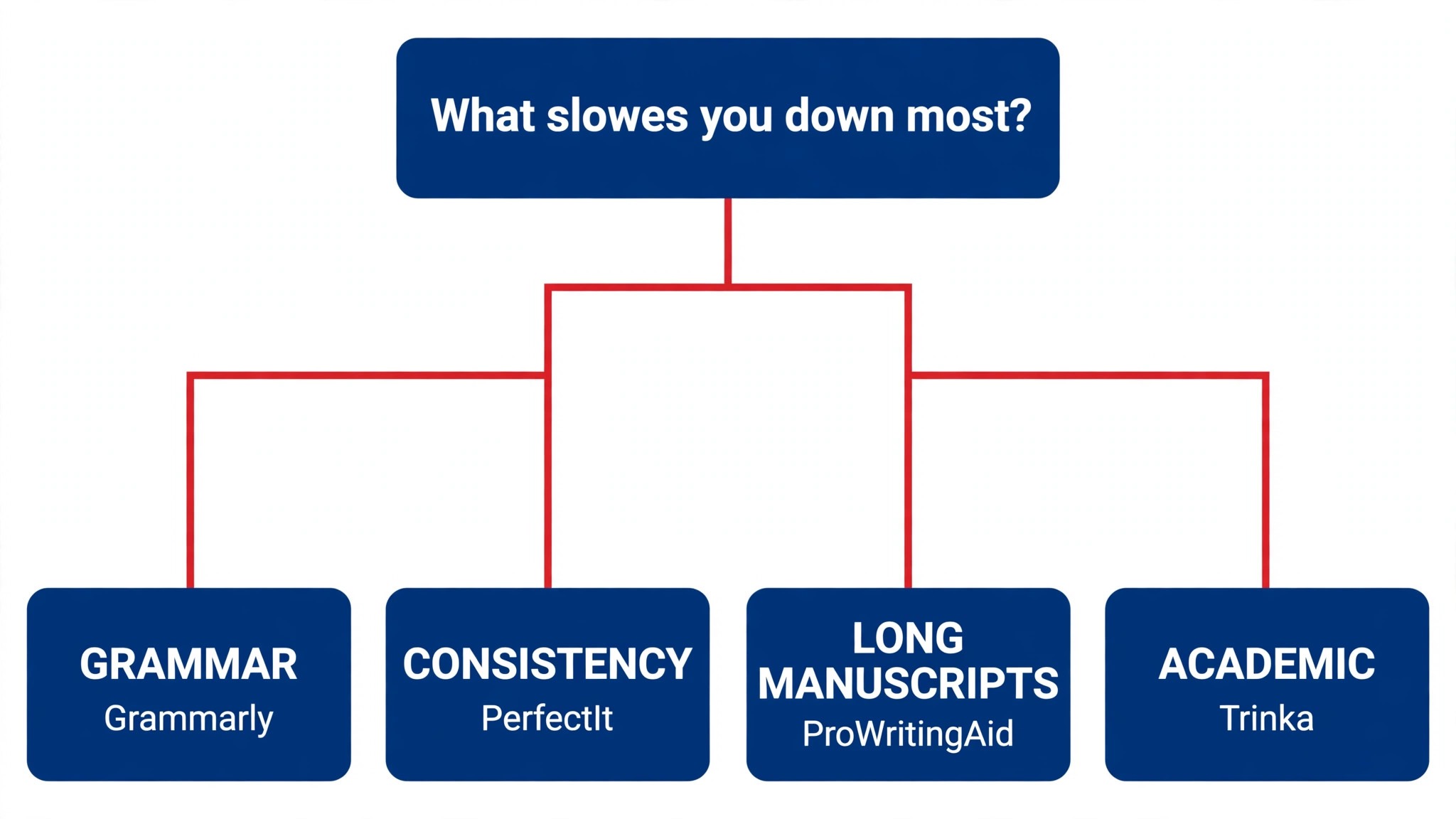
Start from the slowest part of the proofreading week, not from the vendor homepage. Proofreaders buried in consistency checks should buy the tool that clears that pile first. Proofreaders losing hours to rework should buy accuracy before features. For proofreading, the tool that unblocks the slowest task earns its keep first, and the remaining tools can wait.
Price the whole proofreading stack, not the headline number. The table below prices year one for a solo buyer and for a small team on the common proofreading combinations, at published starting prices. Ask for per-seat charges in writing before signing, since those lines surprise proofreading teams, and annual billing usually cuts about twenty percent off the monthly rate.
| Stack | Monthly cost | What it covers |
|---|---|---|
| Grammarly plus ProWritingAid | Check the pricing page | Core tool plus a second specialist |
| LanguageTool alone | Lowest starting price | One tool for the main job |
| Claude plus PerfectIt | Mid-range | Core tool plus a workflow specialist |
| Grammarly plus Hemingway Editor | Mid-range | Specialist pair for a busy week |
A freelance proofreader should start with Grammarly and PerfectIt, then add ProWritingAid once book-length manuscripts become the norm. The best ai tools for proofreaders are the ones that catch what tired eyes miss, so buy the pair that covers your busiest manuscript type and add a third only when a new client brings a new style guide.
Best Pick by Job
Pick from the table below by the proofreading job you do most each week. The best ai tools for proofreaders are not ranked by features alone; they are ranked by which job each one actually finishes, so the pick that matches your week is the pick that will still be in your stack a year from now.
| Your job | Best pick | Why it wins |
|---|---|---|
| Everyday grammar and style | Grammarly | Catches errors before the client does |
| Deep editing for long manuscripts | ProWritingAid | Reports that show patterns across a whole book |
| Cutting copy to the bone | Hemingway Editor | Flags dense sentences fast |
| Style guide consistency | PerfectIt | Checks a manuscript against your style sheet |
| Multilingual grammar checks | LanguageTool | Grammar in many languages, free to start |
| Rewriting and paraphrasing | QuillBot | Quick rephrasing without changing the meaning |
| Tone and fluency rewrites | Wordtune | Rewrites that keep the author’s voice |
| Drafting and editing help | ChatGPT | Fast edits, summaries and style queries |
| Long manuscripts and analysis | Claude | Strongest on long documents and careful edits |
| Academic proofreading | Trinka | Built for academic and technical writing |
| Academic editing and checks | Paperpal | Editing plus checks for research writing |
| Quick grammar fixes | Ginger | Fast corrections inside the browser |
Your First Manuscript With the New Tool
Start with a manuscript you have already finished, not a live client job. Run the new tool over it, compare its flags with the edits you actually made, and count how many real errors it found versus how many false flags it raised. A tool that finds your real errors is useful, and one that mostly flags good text will slow you down.
Week two is about the style sheet. Build the client’s style rules into the tool, spelling, hyphenation, capitalization, and run a chapter through it. If the tool enforces the sheet, it earns its place. If it fights the sheet, you will spend the job overriding it, and that is slower than reading without it.
Week three is about a live job. Take a real manuscript, run the first pass through the tool, then do your normal read on top of it, and time both passes. The tool that shortens the first pass without adding false flags is the one to keep, and the log will show it clearly.
Week four is about the client. Send the finished manuscript with a short note on what the tool checked, and watch whether the client comes back with fewer queries. A proofreader who can show the checks is easier to trust, and trust is what brings the next manuscript.
By the end of the month, decide on one tool, not three. A proofreader with three checkers spends the job reconciling them, while a proofreader with one checker and a good style sheet spends the job reading. Keep the one with the best log and let the others go.
| Step | What to do | Done when |
|---|---|---|
| Day 1 | Run a finished manuscript | Tool finds your real errors |
| Day 7 | Build the style sheet in | Tool enforces the sheet |
| Day 14 | Run a live job through it | First pass is shorter |
| Day 21 | Send a client the results | Fewer client queries come back |
| Day 30 | Keep one tool, drop the rest | Decision based on the log |
Testing Before You Pay
A trial tells proofreaders more in five working days than a month of reading reviews, but only when the trial runs on real proofreading work. Pick the two tools that look closest after the shortlist, run them side by side on the same core proofreading jobs, and score them on time saved, edits needed and how the output reads to a client. Never trial on a demo file, because a demo hides the rough edges real proofreading work exposes. The best ai tools for proofreaders prove themselves on a real manuscript, not on a demo chapter, so run the trial on the pages you are actually delivering this week.
| Day | What to test | What good looks like |
|---|---|---|
| Day 1 | Setup and first real job | Working in under an hour, no IT ticket |
| Day 2 | The hardest job you do | Output needs light edits, not a rewrite |
| Day 3 | A long manuscript test | The tool keeps up without slowing down |
| Day 4 | A colleague tries it cold | They finish a job without asking for help |
| Day 5 | Count the time and the cost | Hours saved beat the monthly price |
Keep a simple log through the trial week, noting the daily proofreading task, the minutes it took, the edits made and whether the output could go to a client unchecked. At the end of the week the log is the decision for proofreading teams. The tool with the best log wins, even when it was not the expected favourite, because the log measures the team’s own proofreading work, not the vendor demo.
Buying Mistakes to Skip
Mistake one is the cheapest plan, when the feature proofreading teams need sits two tiers up. Read every tier on the pricing page and pay for the tier that does the daily proofreading job, not the tier that looks cheap. Mistake two is rolling out to the whole team before one person has tried the tool for a week, since a favourite of one and a burden to five is a cost for proofreading teams, not a system.
The third mistake is skipping the style check for proofreading teams. Ask whether the tool respects the house style, whether it can be configured and what happens to the author’s voice before the first real manuscript goes through it, because fixing voice after the fact costs far more than checking it first. The fourth mistake is judging the tool on its best day, so trial it on the hardest proofreading job itself and let the hard job decide.
Your Questions, Answered
Which tool gives proofreaders the cheapest good start
LanguageTool is the cheapest credible start on this list at from 4.99 dollars a month, with ProWritingAid at from 10 dollars a month close behind. The best ai tools for proofreaders include free tiers and free plans, so start with the job you do most each week, trial the free tier on real work, and add a specialist only when the general tool cannot do a job you are paid to do. That is the cheapest route to a proofreading stack, with no payment for features never used.
Can proofreaders keep AI output from looking generic
It will when proofreaders publish the template unchanged. AI tools draft a usable first version, but the facts, the wording and the judgement still come from the professional doing the proofreading work. An output that goes out unedited reads generic, and clients notice generic proofreading work fast. Use the AI to beat the blank page, then change the details, the wording and the checks, so the result sounds like proofreaders and not the tool.
For a small team, which proofreading tool option wins
Grammarly is the pick for a small team, starting at from 12 dollars a month with the widest coverage, while ProWritingAid at from 10 dollars a month is the strongest all-round option as the team grows. For proofreading, the ranking is by the job each tool finishes rather than the feature count, so a small team should start with the tool that fixes its slowest weekly job and add another only when a limit starts costing time.
How much will a small team spend on proofreading tools in year one
Plan on 20 to 50 dollars a month in year one for a general proofreading tool option such as Grammarly, rising to 100 to 200 dollars a month with a specialist such as ProWritingAid added. Multiply the headline price by headcount when proofreading teams pay per seat, since those charges surprise buyers. Price the whole stack and trial each tool on real proofreading work before signing an annual contract.
Do proofreaders need a specialist tool as well as a general one
Not always. Most proofreaders get by with one general tool for months, and a separate specialist only earns its place when a specific proofreading daily task runs every week and the general tool cannot do it well. Before spending on proofreading tools, time the last week of work. When the job takes hours and the specialist cuts it to minutes for proofreaders, buy it, and when the job already takes minutes, the specialist is a cost.
Do these proofreading tools offer a trial before payment
Most tools on this list offer a free plan or a free trial, and LanguageTool and Grammarly both let proofreaders test on real proofreading work before paying. Use the trial on the proofreading job itself the team does most, not on a demo, and count the time saved and the edits each output needs. A trial that covers a real week tells proofreaders more than a sales call, and a tool that will not trial is one to be careful about.
The Verdict, in Brief
If you buy one tool this quarter, pick Grammarly for everyday proofreading or a small team, and ProWritingAid when you need deep manuscript reports and pattern checks. Grammarly is the easiest place to start at 12 dollars a month, and ProWritingAid is the strongest all-round editor at 10 dollars a month. The best ai tools for proofreaders earn their keep by giving you back the hour after the first pass, and both of these do that from the first week.
Whatever you pick, trial it on a real week of manuscripts, count the pages it speeds up and the edits each one needs, and keep a human eye on every AI suggestion before it reaches a client. Each tool on this list works in proofreading. The difference is whether the tool matches the manuscripts you actually read, and whether you measure the return in hours saved and clean deliveries rather than in features used.