
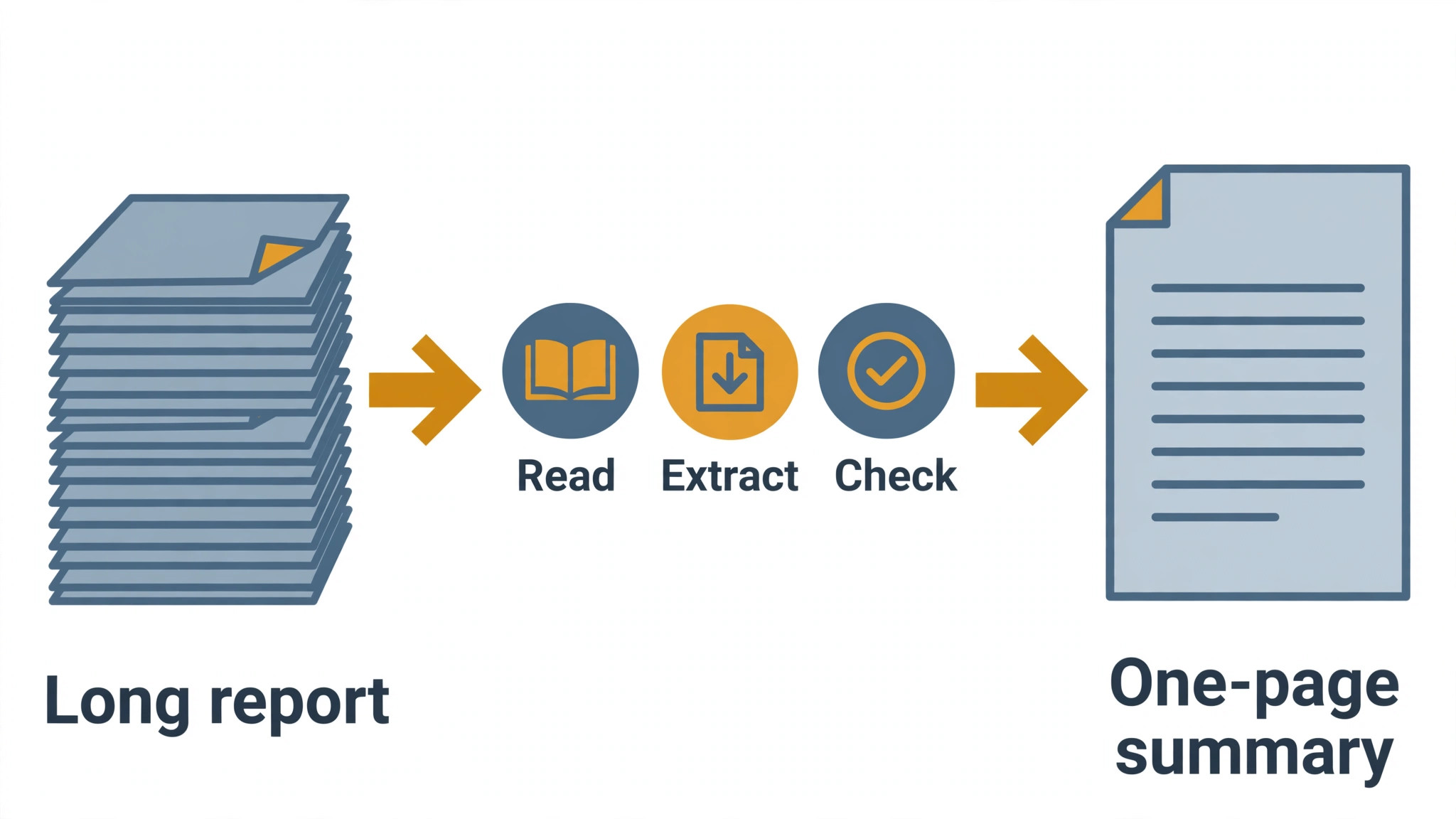
The report is eighty pages and the meeting is in an hour. The top 10 ai tools for research summaries read the whole document, pull out the findings that matter and hand you a summary you can defend, so the hour goes to decisions instead of to skimming.
In research summaries, the work splits into four jobs that need different tools. Finding the right documents takes search, reading them takes a summariser, checking the summary takes source links, and sharing it takes a clean export. This guide compares ten tools on published prices, the job each one does best and the limit that only shows up after the first real report is summarised.
The Shortlist, Side by Side
Use this table to narrow the top 10 ai tools for research summaries to two or three candidates before you read the full reviews. Monthly list prices apply unless noted, and several tools here have free tiers that cover a first summary.
| Job | Best tool | Why it wins |
|---|---|---|
| Searching papers with AI | Elicit | Answers research questions from real papers |
| Evidence answers with sources | Consensus | Every claim links to the paper behind it |
| Summarising PDFs in plain words | SciSpace | Plain-language summaries of dense papers |
| Fast answers across the web | Perplexity | Cited answers from live sources |
| Summarising anything in chat | ChatGPT | The most flexible general summariser |
| Long documents with careful reading | Claude | Strong on long reports and nuance |
| Summaries from your own library | NotebookLM | Grounded summaries from your files only |
| Summarising PDFs with chat | Humata | Ask questions of a single document |
| Turning papers into flashcards | Scholarcy | Structured summaries with key points |
| Summaries for busy readers | Genei | Quick summaries plus a research library |
How We Chose These Tools
A tool earned a place here only when it does a real reading job well in 2026, not when it added an AI label to a search box. The top 10 ai tools for research summaries were judged on five things that decide whether a reader keeps using a tool after the first report: summary accuracy, source links, document length, export and the true cost once the free tier runs out.
Summary accuracy came first, because a summary that invents a finding is worse than no summary at all. Source links came second, since a claim you cannot check is a claim you cannot use. Document length came third, because a tool that chokes on an eighty-page report cannot do the job. Fourth was export to the format your team reads, and fifth was the catch, from free plans that cap monthly summaries to paid tiers that charge per document.
| Check before you buy | What to ask | Why it matters |
|---|---|---|
| Summary accuracy | Are claims linked to sources | An unlinked claim cannot be checked |
| Document length | How long a file it can read | A tool that chokes on long reports fails |
| Free plan limits | Summaries or pages per month | A capped free plan stalls real work |
| Export | Does it send to your notes or docs | Double entry wastes the time it saves |
| Trial access | Can you test it on your own report | A demo is not a trial |
| Contract terms | Monthly or annual, and what year two costs | Annual billing locks the price but not the need |
Tool by Tool
1. Elicit
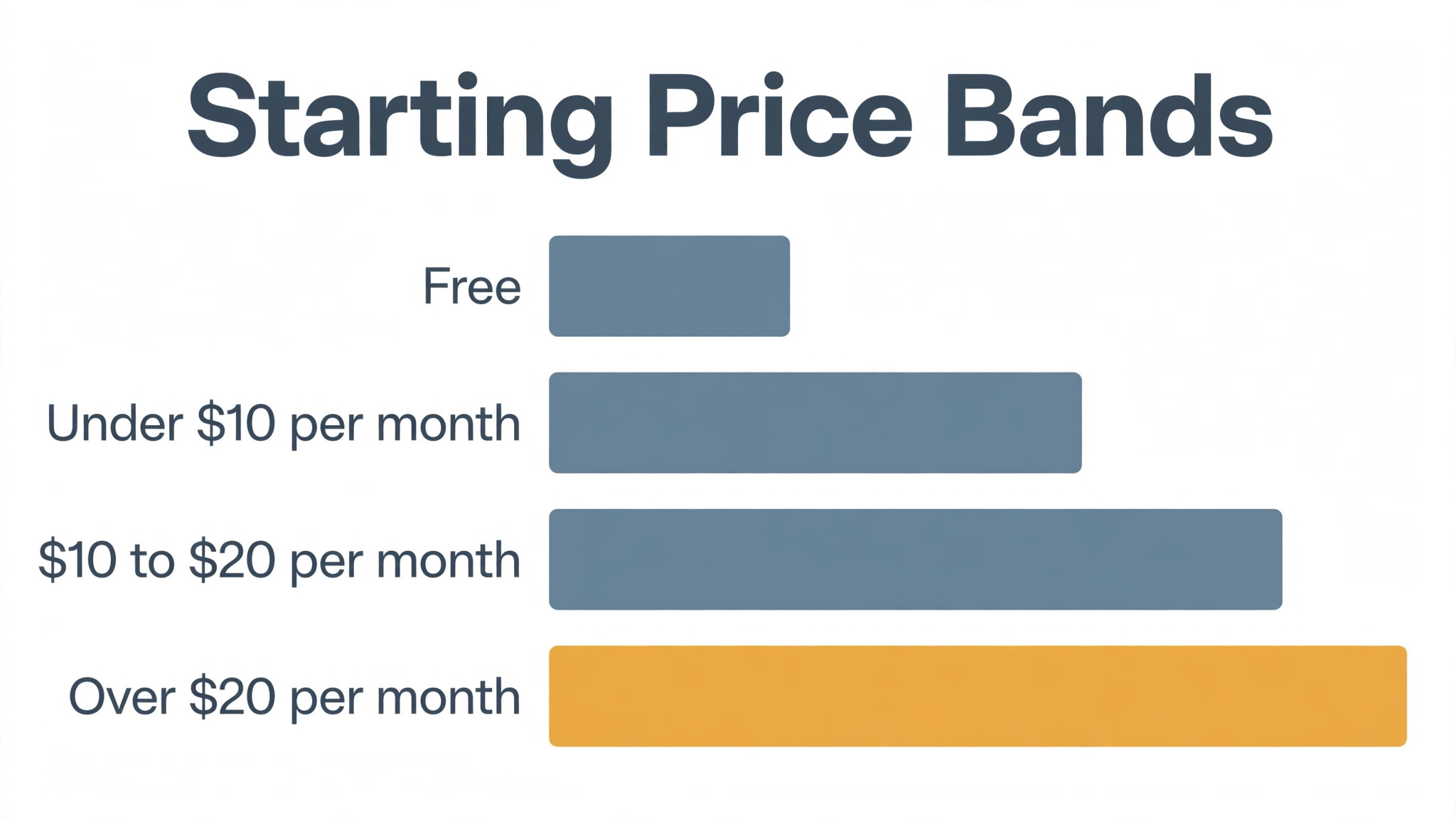
Starting price A free tier is available, and Plus starts at 10 dollars a month. Best for Searching papers with AI. Watch out Plus credits cap the number of deep analyses in research summaries.
For research summaries, Elicit answers a question by searching over 200 million papers, then returns a table of the most relevant ones with one-sentence summaries and the data each paper reports. A reader can ask for the effect size, the sample size or the method, and Elicit extracts it into columns that export to a spreadsheet.
In research summaries, the free tier covers a set number of searches a month, which is enough to test the quality on a real topic. For research summaries, Plus at 10 dollars a month adds more credits, larger exports and systematic review features. It is the best first tool for a summary that starts from a question rather than a document.
For research summaries, the first week with Elicit is the real test. Before buying for research summaries, ask about setup time, who helps when the first output needs a fix, and what the team does while the tool is still learning its settings. Weeks of setup in research summaries cost more in lost time than the subscription itself, so ask for the week-one plan in writing before paying.
2. Consensus
Starting price A free tier is available, and Premium starts at 8.99 dollars a month. Best for Evidence answers with sources. Watch out Strongest for scientific and medical questions in research summaries.
Consensus searches peer-reviewed papers for research summaries and answers in plain language, linking every claim to the paper it came from. Its Consensus Meter shows how the evidence leans on a yes-or-no question, and the Copilot feature drafts a summary a reader can check against the sources line by line.
In research summaries, the free tier allows a limited number of Copilot summaries a month, while Premium starts at 8.99 dollars a month and removes most caps. It is strongest for scientific, medical and social science questions, and weaker for topics where the paper base is thinner.
For research summaries, good support counts for more than buyers expect, since the first problem usually shows up in week one. For research summaries, check whether Consensus offers live help, how fast it answers, and whether the help covers your actual workflow. For research summaries, fast help turns a tool into a habit, and slow help turns it into an abandoned subscription that still bills.
3. SciSpace
Starting price A free tier is available, and Premium starts at 12 dollars a month. Best for Summarising PDFs in plain words. Watch out Summaries need checking against the paper in research summaries.
SciSpace reads a PDF for research summaries and explains it in plain language, answering questions about the methods, the results and the limitations. In research summaries, its Copilot highlights the key passages, and its literature review feature compares several papers in a table of methods, findings and gaps.
In research summaries, the free tier covers a limited number of papers, and Premium starts at 12 dollars a month. In research summaries, the summaries are good, but they still need checking against the paper itself, especially for numbers. For a reader facing a stack of dense PDFs, it is the fastest way through the reading.
Before you commit to SciSpace, check the export and the exit. Before committing in research summaries, ask if your work, data and templates can be taken elsewhere, and what format the export uses. For research summaries, leaving a tool that traps your work inside its own system costs far more than joining it, which is a price worth noting.
4. Perplexity
Starting price Free tier available, then Pro from 20 dollars a month. Best for Fast answers across the web. Watch out Web answers, not deep document reading.
Perplexity answers a question by searching live web sources and returning a cited summary, with the source for every claim. Its Deep Research mode runs a longer investigation across many sources and returns a structured report. For a summary that needs current information rather than one fixed document, it is the fastest tool here.
The free tier covers a set number of searches a day, and Pro starts at 20 dollars a month with more Deep Research runs and file uploads. It is a search engine first and a document summariser second, so a reader with a single long report should pair it with Claude or NotebookLM.
For a team weighing Perplexity against the next tool on this list, the test is a real week of work. Test it on your most common research summaries jobs, count the minutes saved and the edits each output needs, and weigh that against the price. For research summaries, saving an hour a week justifies a tool at almost any price, but a tool that needs constant correction never pays.
5. ChatGPT
Starting price Free tier available, then Plus from 20 dollars a month. Best for Summarising anything in chat. Watch out Summaries can drift from the source without checking.
ChatGPT summarises almost anything: paste a report, upload a PDF or drop in a link, and it returns a summary in the length and tone you ask for. Its custom instructions and memory let a reader set a house style once, and the deep research mode investigates a topic across many sources.
The free tier covers basic use, and Plus starts at 20 dollars a month with the stronger models and file uploads. It is the most flexible summariser on this list, and the one most readers already know. The summaries still need checking, because the model can smooth over a detail that matters.
The fit with the systems you already run decides whether ChatGPT earns its place. In research summaries, look at the integration list first, and put the one connection you truly need to the test on day one. If a tool cannot reach the core system used in research summaries, every job needs double entry, and double entry eats the time it was meant to save.
6. Claude
Starting price Free tier available, then Pro from 20 dollars a month. Best for Long documents with careful reading. Watch out Long-context features need the paid plan.
Claude is the strongest reader of long documents on this list. It handles reports of hundreds of pages, keeps the structure of the argument intact, and flags where the evidence is thin. Its Projects feature keeps a set of documents together, so a reader can ask questions across a whole library at once.
The free tier covers basic chats, and Pro starts at 20 dollars a month with the larger context window and Projects. For a reader whose job is long reports, it is the best single tool here. For quick web answers, Perplexity is faster and cheaper to start with.
Read every tier on the pricing page before you pick Claude, because the feature you need often sits one tier above the cheapest plan. The tier worth paying for in research summaries is the one that does the daily job, not the cheapest-looking one. Missing one core feature in research summaries costs more in workarounds than the upgrade itself would have.
7. NotebookLM
Starting price Free tier available, then Google AI Pro from 19.99 dollars a month. Best for Summaries from your own library. Watch out Only summarises the sources you upload.
NotebookLM builds summaries only from the sources you upload, and every claim links back to the exact passage it came from. Its audio overview turns a set of documents into a spoken discussion, and its study guides turn the same sources into FAQs and briefing notes.
The free tier covers a set number of notebooks and sources, and Google AI Pro starts at 19.99 dollars a month with higher limits. It cannot answer from the open web, which is the point: the summary stays grounded in your documents, and a reader can trust that nothing was invented from elsewhere.
The first week with NotebookLM is the real test. Ask the vendor three things for research summaries: how long setup takes, who helps when the first output needs fixing, and what the team does while the tool is still learning. For research summaries, slow setup is dearer than the subscription in lost hours, so get the first-week plan in writing before you pay.
8. Humata
Starting price Free tier available, then from 19 dollars a month. Best for Summarising PDFs with chat. Watch out Single-document focus, weaker across libraries.
Humata lets a reader upload a PDF and ask it questions in plain language, with answers that quote the exact pages they came from. It summarises long technical documents, extracts tables and figures, and highlights the sections that answer a specific question.
The free tier covers a few documents, and paid plans start at 19 dollars a month. It is built around one document at a time, so a reader with a whole library should look at NotebookLM or Claude instead. For a single dense report, it is one of the fastest ways to the answer.
Buyers in research summaries often underrate support, yet the first problem usually arrives in the first week. Check whether Humata offers live help, how fast it answers, and whether the help covers your actual workflow. A tool in research summaries lives or dies on support: good help gets it adopted, slow help gets it abandoned while the billing continues.
9. Scholarcy
Starting price Plans start from 9.99 dollars a month. Best for Turning papers into flashcards. Watch out Academic focus, weaker on business reports.
Scholarcy turns a research paper into a structured summary card: background, methods, results, limitations and key findings, with links to the exact sections. It also builds flashcards from the paper, which suits a student or a researcher who needs to remember the work, not just skim it.
Pricing starts at 9.99 dollars a month, with a free tier for a few summaries. It is academic first, so a business reader with market reports will get less from it than from Claude or Perplexity. For a student or a researcher, the structured card is the fastest way through a paper.
Before you commit to Scholarcy, check the export and the exit. In research summaries, check whether you can take your work, data and templates with you on leaving, and in which format they export. A system that holds your research summaries work hostage costs far more on the way out than on the way in, and that price deserves attention.
10. Genei
Starting price 9.99 dollars a month is the lowest paid rate. Best for Summaries for busy readers. Watch out Smaller tool, narrower feature set.
Genei summarises articles, PDFs and web pages into short briefings, and it keeps a research library where every summary links back to the source. Its AI highlights the key points of a document and lets a reader search across everything they have saved.
Pricing starts at 9.99 dollars a month, with a free trial to test it. It is a smaller tool than ChatGPT or Claude, and the feature set is narrower, but the price is low and the summaries are clean. For a reader who wants a simple summary library, it is a practical pick.
For a team weighing Genei against the next tool on this list, the test is a real week of work. In research summaries, the test is simple: run it on the jobs you do most, count time saved and edits needed, and compare the result with the price. One hour saved each week in research summaries covers a tool at almost any price, while constant corrections mean it never pays.
How the top 10 ai tools for research summaries Compare on Price
The table below puts the tools side by side on price, best job and free plan, so you can compare the free tiers against the paid ones at a glance. Read it by job first, because a free tool that invents findings costs more in corrections than a paid one that stays grounded.
The fastest way through the table is by what you read. Papers go to Elicit and SciSpace, long reports go to Claude, and your own library goes to NotebookLM. Look at the best job for each tool in research summaries, then at the price, and the decision usually takes under a minute. The top 10 ai tools for research summaries split cleanly by reading job, so start from the documents you actually face each week.
| Tool | Starting price | Best for | Free plan |
|---|---|---|---|
| Elicit | Free tier, then Plus from 10 dollars a month | Searching papers with AI | Yes |
| Consensus | Free tier, then Premium from 8.99 dollars a month | Evidence answers with sources | Yes |
| SciSpace | Free tier, then Premium from 12 dollars a month | Summarising PDFs in plain words | Yes |
| Perplexity | Free tier, then Pro from 20 dollars a month | Fast answers across the web | Yes |
| ChatGPT | Free tier, then Plus from 20 dollars a month | Summarising anything in chat | Yes |
| Claude | Free tier, then Pro from 20 dollars a month | Long documents with careful reading | Yes |
| NotebookLM | Free tier, then Google AI Pro from 19.99 dollars a month | Summaries from your own library | Yes |
| Humata | Free tier, then from 19 dollars a month | Summarising PDFs with chat | Yes |
| Scholarcy | From 9.99 dollars a month | Turning papers into flashcards | Trial |
| Genei | From 9.99 dollars a month | Summaries for busy readers | Trial |
How to Choose Without Overbuying
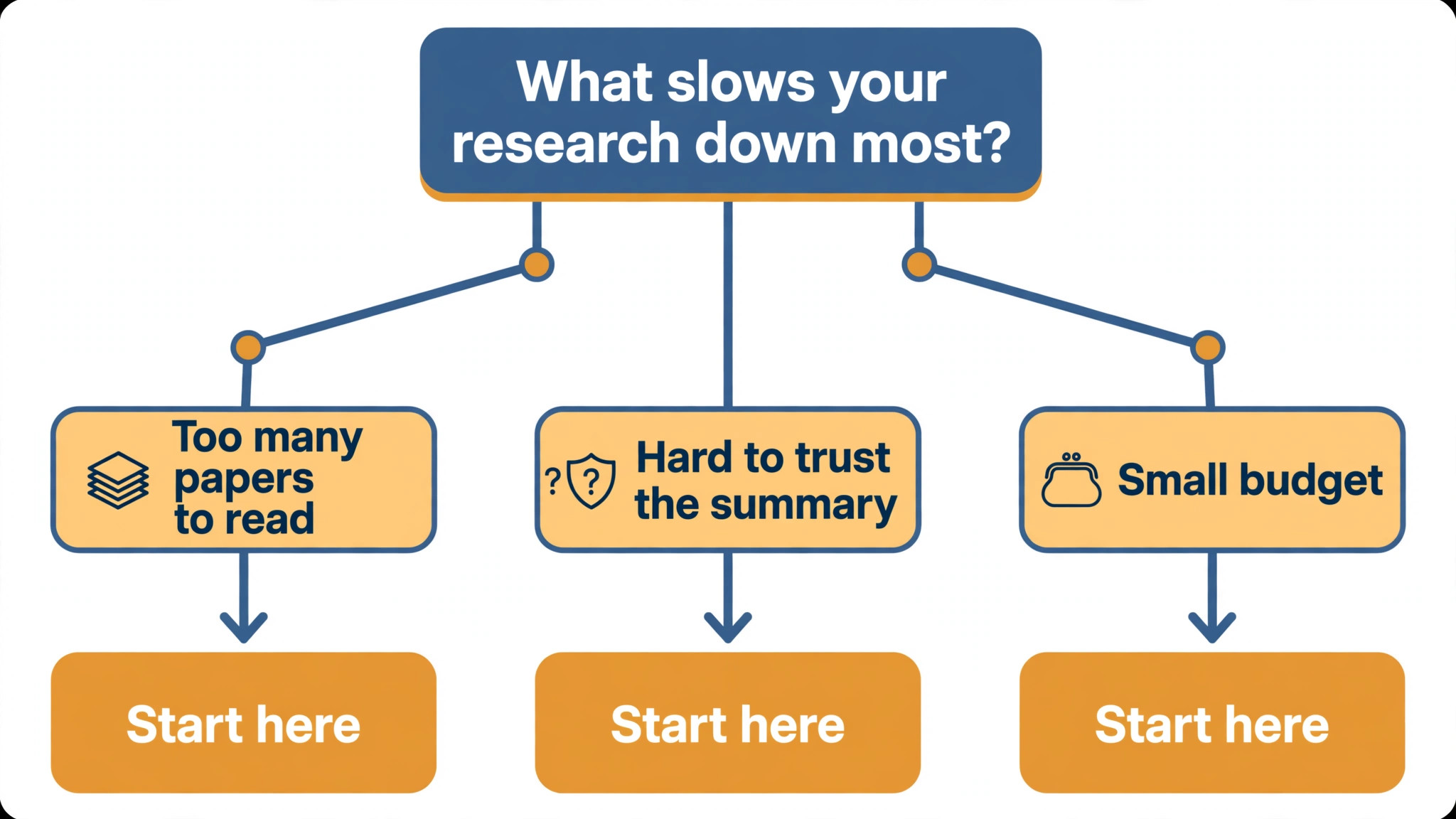
Start from the document that eats your time, not from the vendor homepage. Readers buried in papers should buy the search tool first. Readers buried in long reports should buy the long-document reader first. The tool that clears the slowest reading job pays for itself first, and the rest can wait until the next report lands.
For research summaries, add up the whole stack instead of judging the headline number alone. The table below prices year one for a solo reader and for a small team on the common combinations, at published starting prices. Ask whether the free tier caps documents or pages before signing, since those caps surprise readers, and annual billing usually cuts about twenty percent off the monthly rate.
| Stack | Monthly cost | What it covers |
|---|---|---|
| NotebookLM alone | Lowest starting price | Free summaries from your own files |
| Elicit plus SciSpace | Mid-range | AI search plus PDF summaries |
| Claude plus Perplexity | Mid-range | Long reports plus fast web answers |
| ChatGPT plus NotebookLM | Check the pricing page | Flexible chat plus grounded library summaries |
Best Pick by Job
Pick from the table below by the reading job you do most each week. The top 10 ai tools for research summaries are not ranked by features alone; they are ranked by which job each one actually finishes, so the pick that matches your week is the pick that will still be in your stack a year from now.
| Your job | Best pick | Why it wins |
|---|---|---|
| Searching papers with AI | Elicit | Answers research questions from real papers |
| Evidence answers with sources | Consensus | Every claim links to the paper behind it |
| Summarising PDFs in plain words | SciSpace | Plain-language summaries of dense papers |
| Fast answers across the web | Perplexity | Cited answers from live sources |
| Summarising anything in chat | ChatGPT | The most flexible general summariser |
| Long documents with careful reading | Claude | Strong on long reports and nuance |
| Summaries from your own library | NotebookLM | Grounded summaries from your files only |
| Summarising PDFs with chat | Humata | Ask questions of a single document |
| Turning papers into flashcards | Scholarcy | Structured summaries with key points |
| Summaries for busy readers | Genei | Quick summaries plus a research library |
Testing Before You Pay
A trial tells a reader more in five working days than a month of reading reviews, but only when the trial runs on a real report. Pick the two tools that look closest after the shortlist, run them side by side on the same document, and score them on summary accuracy, source links and how the summary reads to a colleague. Never trial on a demo file, because a demo hides the rough edges real reports expose. The top 10 ai tools for research summaries are best judged on a real report, not on a demo file.
| Day | What to test | What good looks like |
|---|---|---|
| Day 1 | Setup and first real summary | Working in under an hour, no IT ticket |
| Day 2 | The hardest report you read | Summary needs light checks, not a rewrite |
| Day 3 | Check every source link | Each claim traces to the right passage |
| Day 4 | A colleague tries it cold | They finish a summary without asking for help |
| Day 5 | Count the time and the cost | Hours saved beat the monthly price |
Keep a simple log through the trial week, noting the daily task, the minutes it took, the edits made and whether the summary could go out unchecked. After a week of research summaries work, that log is what decides. For research summaries, trust the tool with the best log, expected favourite or not, because the log tracks your real work, not the polished demo.
Buying Mistakes to Skip
Mistake one is trusting a summary without checking the source. A summary that misstates a finding can end up in a decision, and the cost of that error is far higher than the subscription. For research summaries, read the source for every claim that matters. Mistake two is paying for a summariser with a short context window, since a tool that chokes on long reports cannot do the job.
The third mistake in research summaries is skipping the export check. Ask whether the summary goes to your notes or docs before the first real report, because retyping summaries costs far more than checking first. The fourth mistake is judging the tool on its best day, so trial it on the hardest report itself and let the hard report decide.
Your Questions, Answered
Which tool gives a reader the cheapest good start
NotebookLM is the cheapest credible start on this list, with a free tier that covers real summaries from your own files, while Elicit is close behind with its free tier. Start with the job you do most each week, trial the free tier on your own report, and add a paid tool only when the free one cannot do a job you are paid to do. That is the cheapest route to a reading stack.
Can readers trust AI summaries in a decision
Only after checking them against the source. AI tools draft a usable first version, but the facts, the numbers and the judgement still come from the reader doing the work. A summary that goes out unchecked reads like the tool, and colleagues notice that fast. For research summaries, use the AI to beat the blank page, then verify every claim, so the result sounds like you and not the tool.
For a busy manager, which research summary tool wins
Claude is the pick for a busy manager, with a free tier and Pro at 20 dollars a month for long reports, while Perplexity at 20 dollars a month is the strongest option for fast answers. The top 10 ai tools for research summaries were ranked by the job each one finishes, not by the size of the feature list, so buy the tool that fixes your slowest reading job first.
How much will a small team spend on summary tools in year one
Plan on zero to 25 dollars a month in year one for a general tool such as ChatGPT, rising to 40 to 80 dollars a month with a specialist such as Claude added. For research summaries, multiply the headline price by headcount on per-seat plans, because those charges catch buyers out. Price the whole stack and trial each tool on real reports before signing an annual contract.
Do these tools offer a trial before payment
Most tools on this list offer a free plan or a free trial, and Elicit, SciSpace and NotebookLM all let readers test on real documents before paying. Use the trial on your own report, not on a demo, and count the time saved and the edits each summary needs. A trial that covers a real week tells a reader more than a sales call, and a tool that will not trial is one to be careful about.
The Verdict, in Brief
If you buy one tool this quarter, pick Claude for long reports or NotebookLM for your own library, and keep Perplexity free alongside them for fast answers. Claude is the strongest reader at 20 dollars a month, and NotebookLM is the easiest grounded start with a free tier. The top 10 ai tools for research summaries earn their keep by giving you back the hours lost to skimming.
Whatever you pick, trial it on your own report, count the summaries it produces and the corrections each one needs, and keep a human eye on every AI summary before it reaches a decision. For research summaries, every tool on this list does the job. The difference is whether the tool matches the documents you actually read, and whether you measure the return in hours saved and decisions made rather than in features used.