
The best AI tools for video editors show their differences fast when you put Descript and Adobe Premiere Pro side by side. Descript lets you cut a video by deleting words from a transcript, and a podcaster can finish an episode in an afternoon. Premiere Pro keeps the timeline a professional editor trusts, and adds AI that extends a shot, cleans the audio and cuts by transcript inside that timeline. Neither is wrong. They are built for different editors, different footage and different deadlines, and the same split runs through all fifteen tools on this list.
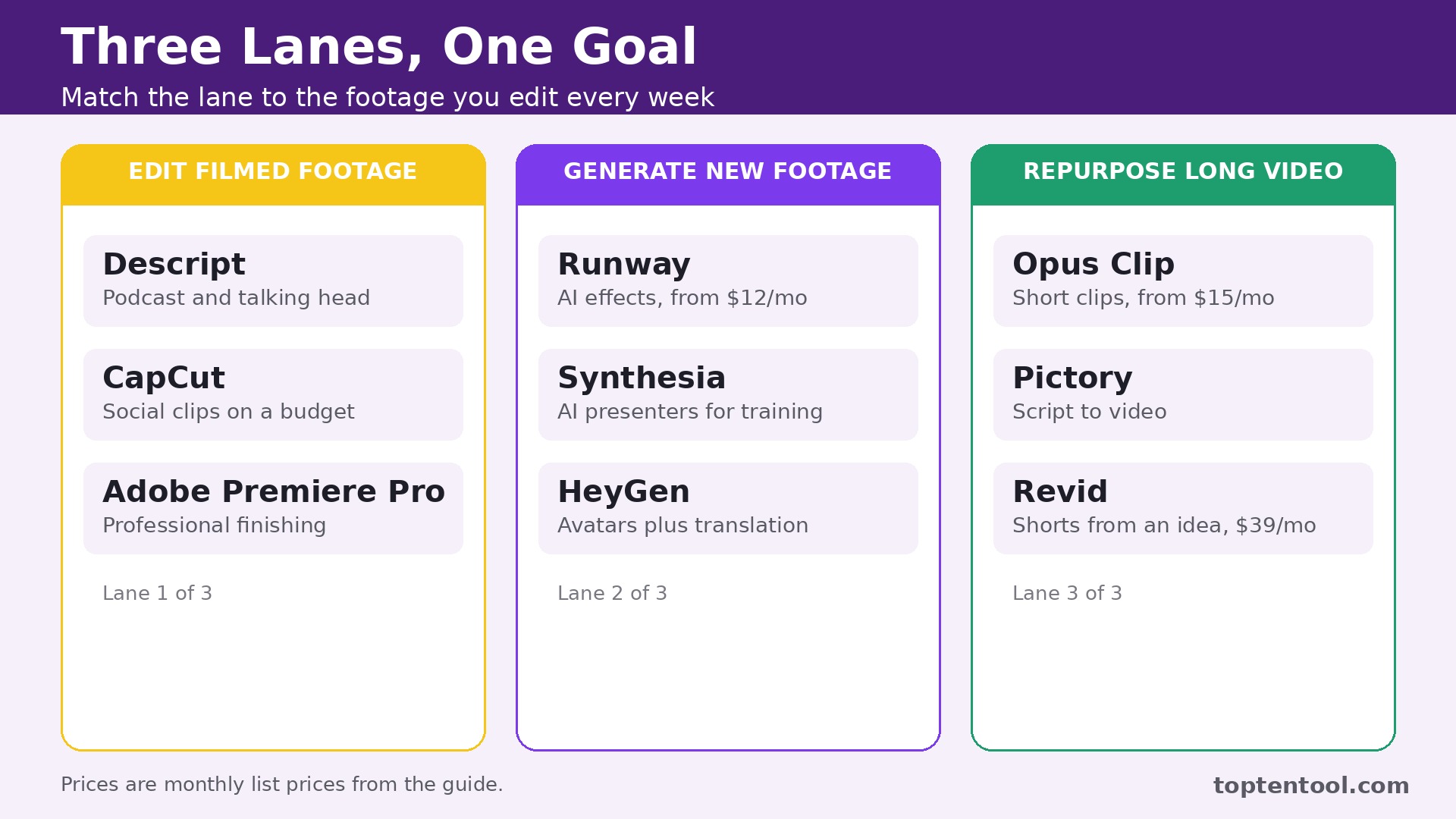
The best AI tools for video editors solve different jobs, and the first job is to know which kind of editor you are. Some of the best AI tools for video editors edit footage you filmed. Some generate new footage from a prompt. Some turn one long video into thirty short clips. Some put a digital presenter on screen so you never film at all. Buying the wrong kind costs more than the subscription. It costs the hours you spend forcing a clip generator to do a timeline job.
The Shortlist by Editing Job
The table below matches each common editing job to the tool that handles it best. The best AI tools for video editors are the ones that match the footage you edit every week, so use this table to narrow fifteen tools to two or three before you read the reviews. Prices are monthly list prices unless noted, and annual billing is usually cheaper than paying month to month.
| Job | Best tool | Why it wins |
|---|---|---|
| Podcast and talking head editing | Descript | Edit video by editing the transcript |
| AI effects and generated shots | Runway | Gen-4.5 plus Aleph 2.0 editing from 12 dollars a month |
| Social clips on a budget | CapCut | Free basics plus Pro at 19 dollars 99 a month |
| Professional finishing | Adobe Premiere Pro | Timeline plus Generative Extend at 22 dollars 99 a month |
| Turning long video into clips | Opus Clip | Short form repurposing from 15 dollars a month |
| Captions and talking presenters | Captions | AI captions and digital actors in one app |
| Browser editing with subtitles | VEED | Subtitles and translation from around 10 dollars a month |
| Team editing in the browser | Kapwing | Shared projects with AI tools built in |
| Beginner friendly desktop editing | Filmora | Simple timeline with AI features at a low price |
| Free professional editing | DaVinci Resolve | Full pro tool free, Studio 295 dollars one time |
| Turning scripts into video | Pictory | Script to video with stock footage and voiceover |
| AI presenters for training | Synthesia | Digital avatars without filming |
| AI avatars and translation | HeyGen | Avatars plus video translation |
| Social video from a link | InVideo | Templates and AI generation for marketers |
| Short form video from an idea | Revid | Idea to finished short from 39 dollars a month |
How We Ranked the Best AI Tools for Video Editors
A tool earned a place here only if its AI saves real editing time in 2026, not if it added an auto caption button to an old editor. We judged each one on five things that decide whether an editor keeps paying after the trial.
First, the workflow it serves, from editing filmed footage to generating clips to repurposing long video, because the wrong workflow wastes more time than it saves.
Second, the starting price and the free plan, including export limits and watermarks, since a free plan that watermarks every export is a trial, not a tool. Third, the AI quality, from caption accuracy to the realism of generated shots, because an AI effect that looks wrong costs a reshoot. Fourth, the export quality, including resolution, frame rate and commercial use terms, since a 720p watermarked export cannot go to a client. Fifth, the learning curve, because a tool that takes a week to learn must save a month of editing to justify itself.
| Check before you buy | What to ask | Why it matters |
|---|---|---|
| Workflow fit | Edit, generate, or repurpose | The wrong kind wastes hours |
| Free export limits | Watermark, resolution, minutes | A watermarked export cannot go to a client |
| Credit math | What one credit buys in seconds | Generation credits burn fast |
| Caption accuracy | Languages and speaker labels | Bad captions need manual fixing |
Fifteen Tools, Reviewed in Order
1. Descript
Starting price 16 dollars a person a month billed annually for Hobbyist. Best for Podcast and talking head editing. Watch out Media hours and AI credits are separate allowances, so check both limits.
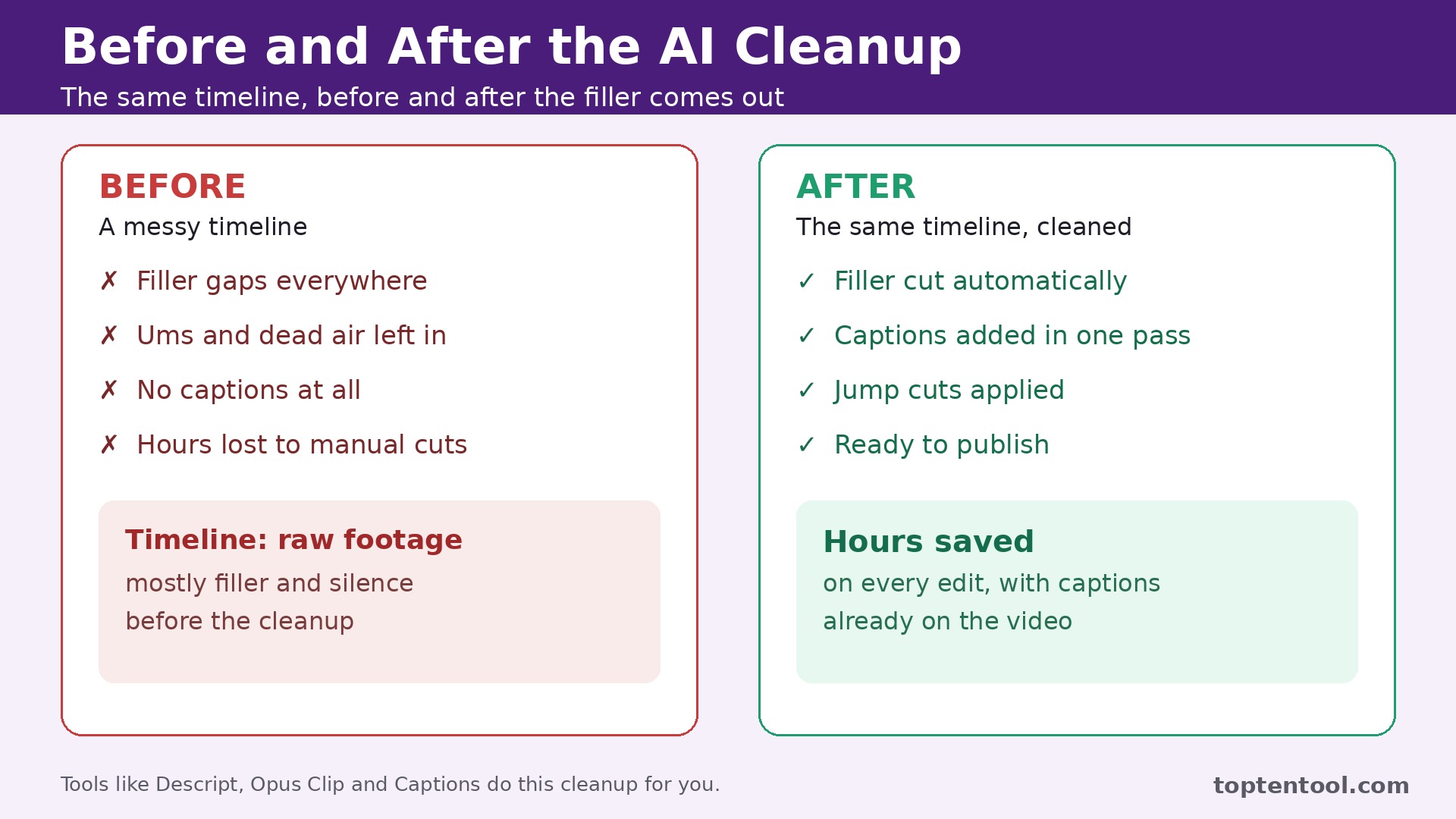
Descript is the strongest starting point for podcasts, interviews and tutorials where the story lives in speech. It transcribes your recording and lets you edit the video by editing the text. Delete a sentence from the transcript and it disappears from the video. Filler word removal, Overdub voice cloning and studio sound clean up the audio without a separate tool.
The paid plans scale on two meters, imported media hours and AI credits. Hobbyist at 16 dollars a person a month billed annually gives 10 media hours and 400 AI credits with watermark free 1080p export. Creator at 24 dollars gives 30 hours and 800 credits with 4K export, and Business at 50 dollars gives more of both. The free plan gives 60 media minutes a month at 720p, which is a trial rather than a channel.
The catch is that the two meters confuse buyers. A podcaster who records long episodes can run out of media hours while AI credits sit unused, or the reverse. Descript still earns the top spot for anyone whose editing starts with words, because no other tool cuts dialogue this fast.
2. Runway
Starting price 12 dollars a month billed annually for Standard, or 15 dollars month to month. Best for AI effects and generated shots. Watch out Credits do not roll over on Standard and Pro, so unused credits vanish each month.
Runway is the AI native suite for editors who need effects and generated shots, not just cuts. Aleph 2.0 edits existing footage from a prompt, Gen-4.5 generates cinematic clips, and the timeline, inpainting and background tools cover the rest of the creative job. A DaVinci Resolve plugin brings the tools into a professional finishing workflow.
The pricing is credit based, so do the math before you buy. Standard at 12 dollars a month billed annually gives 625 credits a month, which Runway says equals 52 seconds of Gen-4.5. Pro at 28 dollars gives 2,250 credits, or 187 seconds. Gen-4.5 costs 12 credits per second, and an Aleph 2.0 edit costs 140 credits per 5 seconds. Heavy users burn through a plan fast.
3. CapCut
Starting price Free, with Pro at 19 dollars 99 a month. Best for Social clips on a budget. Watch out The price you see depends on where you buy, and the app store price differs from the website price.
CapCut is the best free starting point for TikTok, Reels and casual creators. Auto captions, background removal, templates and one click effects cover the social editing job, and the Pro plan at 19 dollars 99 a month, or 179 dollars 99 a year, adds the full AI toolset without a steep learning curve. The mobile app is genuinely good, which matters for a creator who edits on a phone.
The catch is that CapCut is a social editor, not a professional finishing tool. Long form projects, precise color work and complex audio mixing belong elsewhere. For short form social video, though, it is the cheapest capable option here, and the free plan is real.
4. Adobe Premiere Pro
Starting price 22 dollars 99 a month billed annually for individuals. Best for Professional finishing. Watch out Teams pay 37 dollars 99 a month per seat, and the full Creative Cloud costs more.
Premiere Pro is still where professional work goes to get finished, and the AI now works inside the timeline an editor already knows. Generative Extend stretches a shot when the take is too short, text based editing cuts by transcript, and Enhance Speech cleans dialogue in one click. The AI folds into the workflow instead of replacing it.
The catch is the subscription and the weight. Premiere Pro is a heavy desktop application that needs a capable machine, and the monthly cost never stops. A casual creator will find CapCut or Descript faster and cheaper. A professional editor will find Premiere Pro the only tool here that finishes a broadcast project.
5. Opus Clip
Starting price 15 dollars a month for Starter. Best for Turning long video into clips. Watch out Clip quality depends on the source footage, and weak audio produces weak clips.
Opus Clip cuts a webinar, podcast or long video into short clips for TikTok, Reels and Shorts, and it does the job better than any general editor on this list. It finds the moments worth clipping, adds captions, reframes for vertical video and scores each clip for viral potential. A creator can turn one hour long video into a week of short form content in an afternoon.
The catch is that the AI can only work with what you give it. A rambling recording with bad audio produces clips that need heavy manual fixing, and the viral score is a guide rather than a promise. Opus Clip still earns its place as the best repurposing tool here, and it pairs well with Descript for the long form edit.
6. Captions
Starting price Paid plans start in the low tens per month. Best for Captions and talking presenters. Watch out The AI presenter looks polished, and viewers can tell it is not a real person.
Captions started as the best auto caption app and grew into a full AI video tool. It captions in multiple languages, edits by transcript, and generates a digital presenter who delivers your script on camera. A creator who hates filming can publish talking head video without ever turning on a camera.
The strength is speed for social and training content. A script becomes a captioned, edited video in minutes, and the caption styles match what performs on TikTok and Reels. The AI presenter is useful for faceless channels, product explainers and internal training where a real shoot would cost a day.
The catch is authenticity. An AI presenter is fine for explainers and training, and it is the wrong choice for a personal brand video where the audience expects a real person. The subscription also adds up if you only need captions, since cheaper caption tools exist. Buy Captions when you need the presenter plus the captions together.
7. VEED
Starting price Paid plans start around 10 dollars a month. Best for Browser editing with subtitles. Watch out The free plan exports with a watermark at 720p, so it cannot go to a client.
VEED is a browser editor built for subtitles, translation and quick edits to filmed footage. Upload a video, get accurate subtitles in minutes, translate them into another language, trim the rough edges and export. There is nothing to install, and a team can share a project link instead of shipping files around.
The catch is the free plan. Watermarked 720p export is a trial, not a deliverable, and heavy projects still belong in a desktop editor. VEED suits marketers and small teams that need fast subtitled video. Professional editors will find it too light for finishing work.
8. Kapwing
Starting price Paid plans start in the low tens per user a month. Best for Team editing in the browser. Watch out Browser editing needs a fast connection, and very long projects can feel slow.
Kapwing is a browser editor built for teams, with shared projects, AI tools for captions, background removal and smart cut, and templates for every social format. A team can comment on a draft, request changes and publish without passing files back and forth, which is the whole point of a collaborative editor.
The catch is performance. Browser editing depends on your connection, and a long 4K project will feel slower than the same project in Premiere Pro or DaVinci Resolve. Kapwing suits social teams that value collaboration. Solo editors who need raw power should look at the desktop tools on this list.
9. Filmora
Starting price Paid plans start in the low tens per month. Best for Beginner friendly desktop editing. Watch out The AI features are simpler than the pro tools, and the template style can look generic.
Filmora is the friendliest desktop editor on this list, and that is its whole appeal. A beginner can learn the timeline in an afternoon, and the AI tools for auto reframing, silence detection, background removal and text to video cover the common jobs without a manual. The template and effects library keeps simple projects looking polished.
The catch is the ceiling. A professional editor will outgrow Filmora fast, and the template heavy style can make videos look alike. Buy Filmora when you want a simple desktop editor that grows with you for a year or two, not when you need a professional finishing tool.
10. DaVinci Resolve
Starting price Free, with Studio at 295 dollars one time. Best for Free professional editing. Watch out The learning curve is steep, and the AI features need the paid Studio version.
DaVinci Resolve is the best free video editor in the world, and the AI features in Studio make it a serious pick for professional editing, color and audio in one application. The free version covers editing, color grading, visual effects and audio mixing at a level no other free tool matches. Studio at 295 dollars one time, sometimes on promotion at 236 dollars, adds the AI tools, including magic mask, voice isolation and smart reframing.
The strength is the price structure. There is no monthly subscription, and the free version is genuinely usable for client work. The color tools are the best in this category, and the Fairlight audio page covers mixing that other editors hand off to a second application.
The catch is the learning curve. DaVinci Resolve is a professional tool with professional complexity, and a beginner will need days rather than hours to feel comfortable. The AI features also sit behind the paid Studio licence. Buy it when you want professional power without a subscription, and budget a week to learn it.
11. Pictory
Starting price Paid plans start in the low tens per month. Best for Turning scripts into video. Watch out Stock footage can feel generic, and the result needs a human edit to feel original.
Pictory turns a script, a blog post or a long video into a finished video with stock footage, voiceover, captions and music. A marketer can turn a written article into a YouTube video in an afternoon, and a team can repurpose webinars into short clips without an editor. The script to video workflow is the core, and it works best for explainers and list videos.
The catch is originality. Stock footage and AI voiceover can make videos feel alike, and a viewer who watches two Pictory videos in a row will notice. A human pass to swap in real footage and tighten the script makes a real difference. Buy Pictory when you need volume from written content, not when you need a distinctive visual style.
12. Synthesia
Starting price Paid plans start in the low tens per month. Best for AI presenters for training. Watch out The presenter is clearly digital, so it suits training and explainers rather than personal brand video.
Synthesia puts a digital presenter on screen to deliver your script, and it is the best tool on this list for training videos, onboarding and corporate explainers. Pick an avatar, paste a script, choose a language, and the video renders without a camera, a studio or an actor. Updates are as simple as editing the script and re rendering.
The strength is scale for training teams. A company that needs the same onboarding video in five languages can produce all five in a day, and a policy change means editing text rather than reshooting. The avatars are polished, the voices are natural, and the workflow fits a learning team.
The catch is the same as Captions. A digital presenter is wrong for a video where trust depends on a real person, and the subscription is only worth it if you publish training or explainer video regularly. Buy Synthesia when you make training content at volume. Skip it when you make personal or brand video.
13. HeyGen
Starting price Paid plans start in the low tens per month. Best for AI avatars and translation. Watch out Translation quality varies by language, so check the languages you actually publish in.
HeyGen covers AI avatars, video translation and talking presenters in one tool, and it is the strongest pick for a team that publishes in more than one language. Record once, translate the video into another language with a matching voice and lip sync, and publish to a new audience without reshooting. The avatar quality is high, and the personal avatar feature lets a creator clone their own appearance for scale.
The catch is language coverage. Translation quality is strong in major languages and weaker in others, so test the languages you actually need before you pay for a year. The free plan is limited, and the paid tiers scale with video minutes. Buy HeyGen when translation or avatars are the job, not when you need a general editor.
14. InVideo
Starting price Paid plans start in the low tens per month. Best for Social video from a link. Watch out Template heavy output can look like every other InVideo ad, so customize before you publish.
InVideo turns a link, a script or an idea into a finished social video with templates, stock footage, voiceover and captions. A marketer can turn a product page into a video ad in minutes, and the template library covers every common ad format. The AI generation is fast, and the editing tools are simple enough for a non editor.
The strength is marketing speed. A small team that needs a video ad for a sale this week can produce one without hiring an editor, and the format presets mean the export fits TikTok, Reels and YouTube without manual resizing. The price is low, and the free plan is enough to test the workflow.
The catch is the template look. InVideo videos can feel generic when the template is left untouched, and the AI script needs a human edit to sound like your brand. Customize the hook, swap in your own footage where it matters, and the result improves fast. Buy InVideo for marketing volume, not for distinctive creative work.
15. Revid
Starting price 39 dollars a month, or 32 dollars billed yearly. Best for Short form video from an idea. Watch out The AI does the whole job, so a creator who wants control over every cut will feel constrained.
Revid generates finished short form videos from an idea, a script or a link, and it is the most automated tool on this list. Type the idea, and Revid writes the script, picks the footage, adds the voiceover and captions, and exports a video ready to publish on TikTok, Instagram and YouTube. The timeline editor lets a creator adjust the result, but the default is hands off.
The strength is throughput. A creator can test ten video ideas in a day and see which ones earn views, then double down on the winners. The Growth plan at 39 dollars a month, or 32 dollars billed yearly, is fair for the volume it produces, and the free sign up includes credits to try it.
The catch is control. Revid is built for creators who want finished videos fast, not for editors who want to shape every frame. Buy Revid when you need short form volume. Skip it when you edit long form by hand.
Every Tool on One Page
| Tool | Starting price | Best for | Free plan |
|---|---|---|---|
| Descript | 16 dollars a month, annual | Podcast and talking head editing | Yes, 60 minutes a month |
| Runway | 12 dollars a month, annual | AI effects and generated shots | Yes, 125 credits |
| CapCut | Free, Pro 19 dollars 99 a month | Social clips on a budget | Yes |
| Adobe Premiere Pro | 22 dollars 99 a month, annual | Professional finishing | Trial |
| Opus Clip | 15 dollars a month | Turning long video into clips | Trial |
| Captions | Low tens per month | Captions and talking presenters | Trial |
| VEED | Around 10 dollars a month | Browser editing with subtitles | Yes, watermarked |
| Kapwing | Low tens per user a month | Team editing in the browser | Yes |
| Filmora | Low tens per month | Beginner friendly desktop editing | Trial |
| DaVinci Resolve | Free, Studio 295 dollars one time | Free professional editing | Yes |
| Pictory | Low tens per month | Turning scripts into video | Trial |
| Synthesia | Low tens per month | AI presenters for training | Trial |
| HeyGen | Low tens per month | AI avatars and translation | Trial |
| InVideo | Low tens per month | Social video from a link | Yes |
| Revid | 39 dollars a month | Short form video from an idea | Free credits |
How to Pick the Right Editor for Your Footage
The best AI tools for video editors are the ones that match the footage you actually edit, so start from the footage and work backwards. A podcaster should buy Descript, because transcript editing is the fastest way to cut dialogue. A filmmaker who needs generated shots should buy Runway, because no other tool creates and modifies footage at that quality. A social creator should buy CapCut or Opus Clip, depending on whether the footage starts as a phone clip or a long recording. A professional finishing a broadcast project should buy Premiere Pro or DaVinci Resolve, because only they handle the full post pipeline.
Frequently Asked Questions
What is the best AI video editor for beginners
Among the best AI tools for video editors, CapCut is the best start, because the free plan is real and the Pro plan costs 19 dollars 99 a month. Filmora is the best next step when you want a desktop timeline, and Descript is the best pick when your videos are mostly talking. A beginner should start with CapCut, learn the basics, and only pay for a second tool when a specific job, like captions or repurposing, needs it.
Can AI video editors replace a professional editor
No, and the tools on this list do not claim to. AI replaces the tedious parts, like cutting filler words, adding captions, reframing for vertical video and finding the best clips. The creative decisions, the story structure, the pacing and the color still belong to a person. A professional editor who uses AI finishes faster. A beginner who relies on AI alone publishes videos that look like everyone else’s.
Which AI video editor is best for TikTok and Reels
CapCut is the best start, because the free plan covers captions, templates and effects. Opus Clip is the best add on when your footage starts as a long video, because it finds the moments worth clipping and reframes them for vertical screens.
Is DaVinci Resolve really free
Yes, the free version covers editing, color, effects and audio at a professional level, and it is usable for client work. Studio at 295 dollars one time adds the AI tools, including magic mask and voice isolation. There is no monthly subscription either way.
What is the cheapest AI video editor
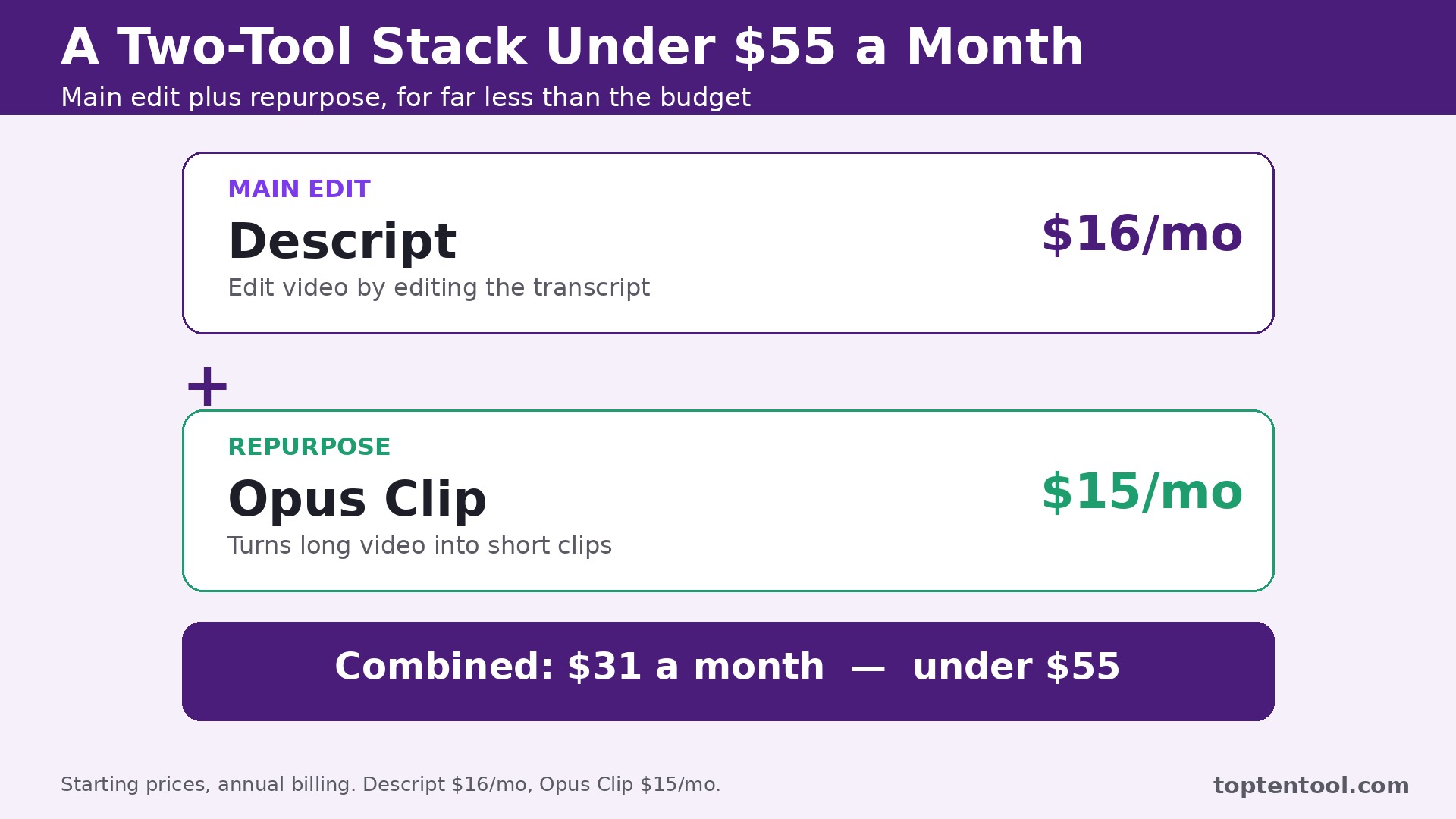
CapCut is the cheapest, because the free plan is genuinely usable for social video. Runway Standard at 12 dollars a month billed annually is the cheapest paid plan with real AI generation. Most creators pay for two tools, which usually totals less than 55 dollars a month.
Our Verdict
If you buy one tool this quarter, buy Descript. It is the fastest way to finish the videos most creators actually make, which are talking head videos, tutorials and podcasts, and transcript editing saves more hours per week than any other AI feature on this list. The best AI tools for video editors earn their keep by giving editors their evenings back, and Descript does that from the first project.
Whatever you pick, start from the footage, trial with your own recordings, and keep one tool for the main edit and one for repurposing. The best AI tools for video editors on this list all work. The difference is whether the workflow matches the video you make every week, and whether you measure the return in finished videos rather than in features used.