

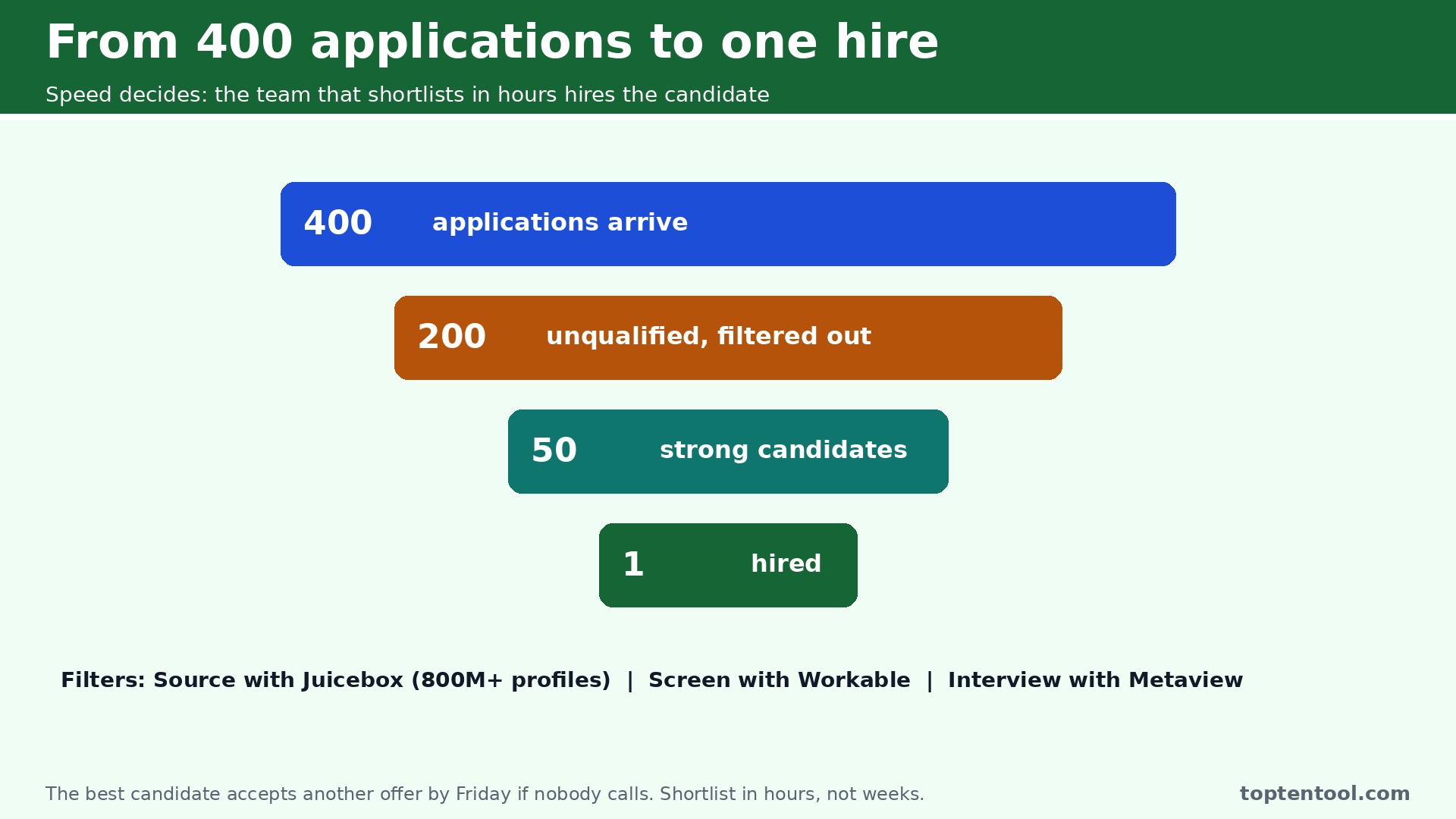
The best AI tools for recruiters exist for one reason. You post a role on Monday, and by Wednesday you have 400 applications. Two hundred are unqualified, fifty are strong, and the best candidate in the pile will accept another offer by Friday if nobody calls them. That is the problem every recruiter faces in 2026, and it is not a volume problem. It is a speed problem. The team that shortlists in hours hires the candidate. The team that shortlists in two weeks hires whoever is left.
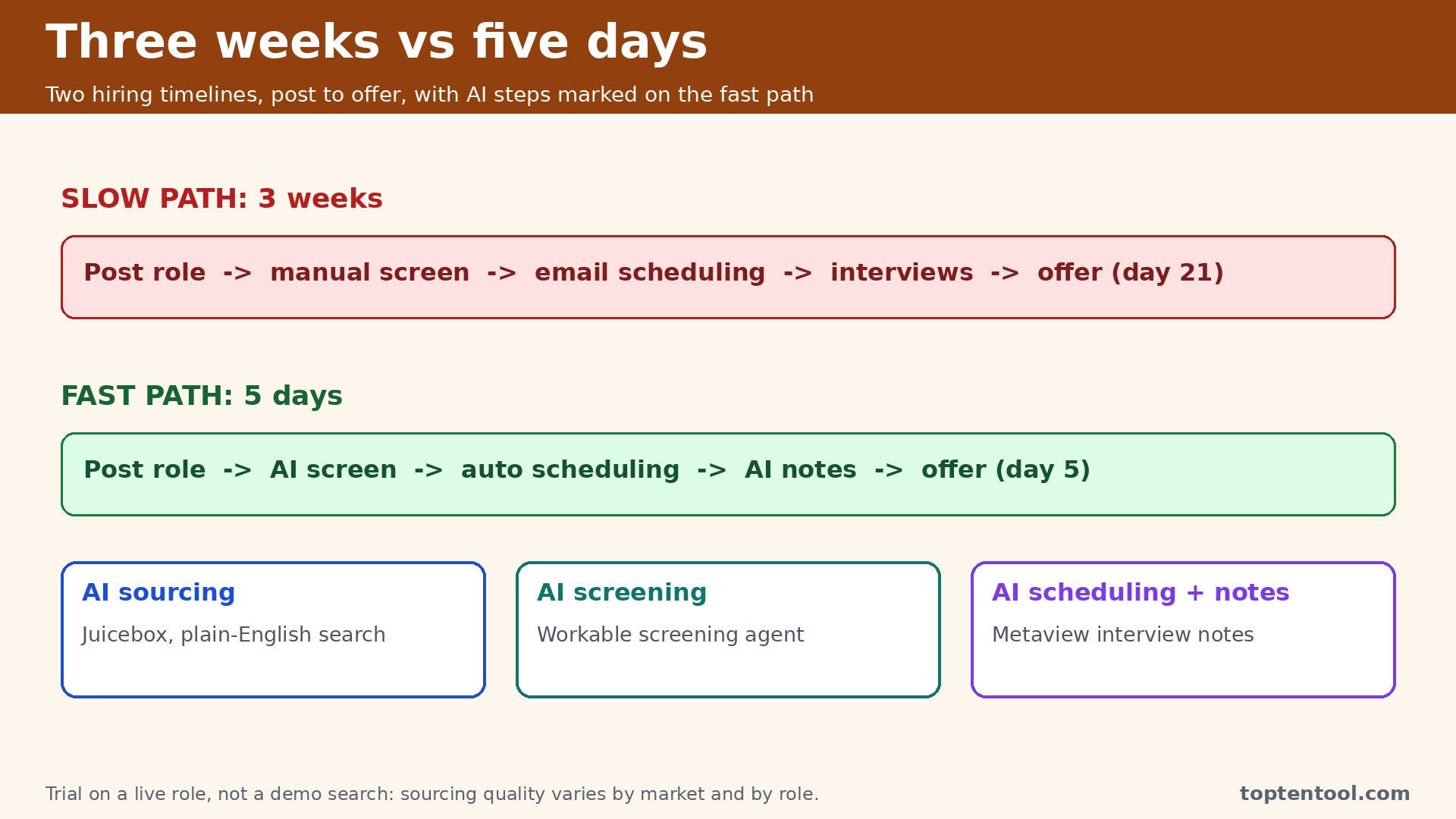
The best AI tools for recruiters attack that speed problem from two directions. Sourcing tools find passive candidates who never applied, searching hundreds of millions of profiles in plain English and drafting the outreach. Screening tools read the inbound pile against your criteria, rank it with reasons shown, and schedule the interviews without the email back and forth. The two jobs are different, the tools are different, and buying the wrong kind among the best AI tools for recruiters is the most common mistake in this category.
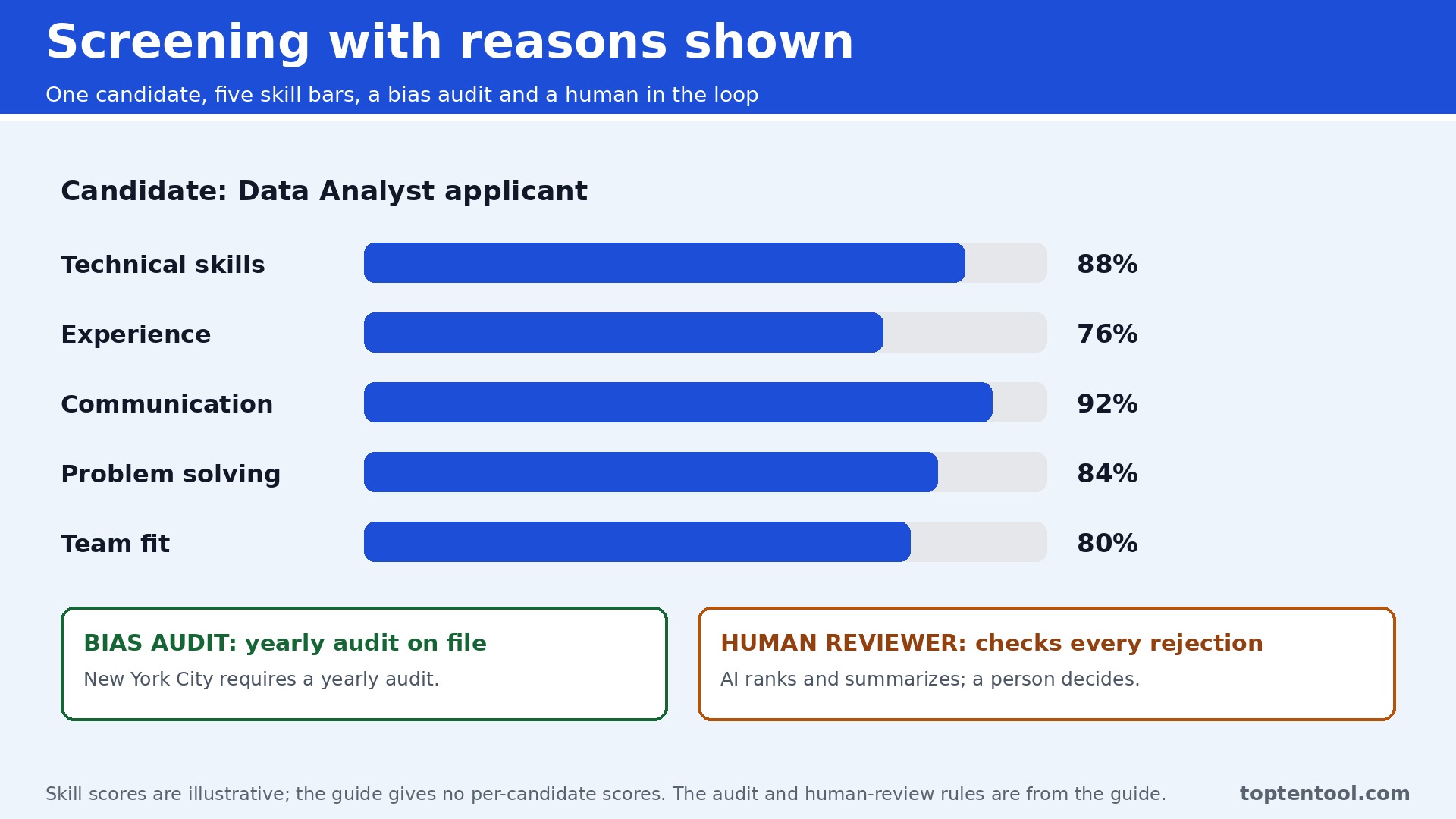
There is also a line you should not cross without thinking. Sourcing is lightly regulated, because finding people is not judging them. Screening is regulated, because scoring applicants and auto rejecting them makes decisions about people. New York City requires a yearly bias audit for automated hiring tools, and the EU AI Act classes employment AI as high risk, with obligations applying from December 2027. The practical rule is simple. Buy aggressively on the finding side, and buy carefully on the judging side, with a human reviewing every rejection the AI recommends.
The Shortlist by Hiring Job
The table below matches each common recruiting job to the tool that handles it best. The best AI tools for recruiters are the ones that match the job you actually do every day, so use this table to narrow the list before you read the reviews. Prices are monthly list prices unless noted, and annual billing is usually cheaper than paying month to month.
| Job | Best tool | Why it wins |
|---|---|---|
| Sourcing on LinkedIn | LinkedIn Recruiter | The full network plus the Hiring Assistant agent |
| Plain English sourcing | Juicebox | Search 800 million profiles without Boolean strings |
| Technical and diversity sourcing | SeekOut | GitHub, patent and skills search from 149 dollars a month |
| Sourcing plus outreach plus CRM | hireEZ | One system for finding and contacting candidates |
| All in one ATS with AI | Workable | Sourcing, screening and engagement agents from 299 dollars a month |
| Cheapest AI ATS | Manatal | Candidate recommendations from 15 dollars a user a month |
| Structured hiring at scale | Greenhouse | Rigorous scorecards and workflows, priced by quote |
| Interview notes and scheduling | Metaview | AI notes plus a sourcing agent from 60 dollars a user a month |
How We Ranked the Best AI Tools for Recruiters
A tool earned a place here only if it does a real recruiting job in 2026, not if it added an AI button to an old database. We judged each one on five things that decide whether a recruiter keeps paying after the trial.
First, the job it does, from sourcing to screening to scheduling, because a sourcing tool and a screening tool solve different pains. Second, the size and freshness of its profile index, since a sourcing tool is only as good as the people it can find. Third, the starting price a single recruiter can actually buy, including whether a free plan exists. Fourth, how it explains its decisions, because a ranking without reasons is a black box no hiring manager will trust. Fifth, the compliance posture, including bias audit support and candidate notice features, since screening tools carry legal duties that sourcing tools do not.
The other test was whether the tool respects the finding versus judging line. A sourcing tool that ranks matches is useful. A screening tool that auto rejects applicants without a human review is a risk, however accurate it claims to be. The checklist below is the fastest way to compare any two tools on this list before you trial them.
| Check before you buy | What to ask | Why it matters |
|---|---|---|
| Finding or judging | Does it source, screen, or both | Screening tools carry bias audit duties |
| Profile index size | How many profiles, and how fresh | A stale index finds people who moved on |
| Reasons shown | Does it explain each ranking | Hiring managers trust reasons, not scores |
| Bias audit support | What audits exist, in writing | New York City law requires a yearly audit |
| ATS integration | Two way sync or manual export | Manual export means double entry |
| Free plan | What can you test without paying | Sourcing quality varies by market |
Eight Tools, Reviewed in Order
1. LinkedIn Recruiter
Starting price Around 170 dollars a month for Recruiter Lite, with Corporate seats quoted. Best for Sourcing on LinkedIn. Watch out Corporate pricing is not transparent, and seats can cost more than 10,800 dollars a year.
LinkedIn Recruiter is the tool most companies start with, because it searches the full LinkedIn network of more than 1.3 billion profiles with pooled InMails, unlimited profile views and ATS integrations. In late 2025 LinkedIn added Hiring Assistant, its first true AI agent, which searches, screens and drafts outreach messages on its own. The agent reads a job description, builds a shortlist, drafts the outreach and increasingly pre screens candidates, which is the closest thing on this list to a recruiter in software.
The strength is the network. No other tool can match the depth of LinkedIn data, and candidates reply to InMail at rates that cold email rarely matches. The Hiring Assistant rolling out free from November 2026 to customers already using it in English makes the agent a genuine reason to stay on the platform rather than a paid extra.
The catch is price transparency. Recruiter Lite is sold self serve at roughly 170 dollars a month, but Corporate plans and the Hiring Assistant add on are quote only, and Corporate seats can cost 10,800 dollars or more per year. A solo recruiter should start with Lite and test whether the network justifies the cost in their market. An enterprise team will pay for the network because there is no substitute for it.
2. Juicebox
Starting price 99 dollars a seat a month billed annually, with a free plan. Best for Plain English sourcing. Watch out Monthly billing rises to 119 dollars a seat, and the higher tier runs 179 to 199 dollars.
Juicebox is the easiest sourcing tool to try, because it has a free plan and it searches in plain English. A recruiter types what they need in normal words, and PeopleGPT searches across more than 800 million profiles, ranks the matches and finds contact details. There are no Boolean strings to learn, no complex filters to build, and the AI sourcing agents can run searches in the background while the recruiter works on other roles.
The value is speed for a solo recruiter or a small team. Sourcing that used to take an afternoon of Boolean building now takes minutes, and the free plan is enough to test whether the profile data is good in your market. The paid plan at 99 dollars a seat a month billed annually is the cheapest serious AI sourcing on this list, and it undercuts SeekOut and hireEZ by a wide margin.
The catch is depth. Juicebox is a sourcing tool, not an ATS, so a team that also needs screening, scheduling and pipeline management will need a second tool. It is also weaker on the enterprise features that a large talent team expects. For a recruiter whose main job is finding passive candidates, it is the best value here.
3. SeekOut
Starting price 149 dollars a month billed annually for Recruit Core, or 179 dollars month to month. Best for Technical and diversity sourcing. Watch out Team plans run 5,790 to 54,940 dollars a year, so the self serve price is not the enterprise price.
SeekOut is the sourcing tool for hard to find roles, and it earns that position with search that goes beyond job titles. It searches GitHub, patents and publications to find engineers, data scientists and researchers by what they actually built, not by what their profile says. The diversity filters and skills search help teams meet hiring goals without guessing, and the screening features rank candidates against the role.
The strength is precision. A recruiter hiring a machine learning engineer with a specific publication record can find that person in SeekOut when a title search on LinkedIn returns a thousand near misses. The AI sourcing and screening features, plus MCP access for teams that want to connect it to their own systems, make it the most capable technical sourcing tool on this list.
The catch is the price jump. The self serve plan at 149 dollars a month is reasonable, but team plans climb fast, and a large team should expect a sales conversation rather than a self serve checkout. SeekOut suits a technical recruiter or a team with diversity hiring goals. A generalist recruiter will get more value from Juicebox at a lower price.
4. hireEZ
Starting price From 494 dollars a month. Best for Sourcing plus outreach plus CRM. Watch out The price is high for a solo recruiter, and the learning curve is real.
hireEZ, formerly Hiretual, pitches itself as more than a search tool, and the product lives up to that claim. It sources candidates across more than 40 sites, screens resumes, automates outreach sequences and runs a recruiting CRM in one system. A recruiter can find a candidate, enrich the profile, send a sequence and track the reply without leaving the tool, which is why agencies that source daily choose it.
The value is consolidation. An agency running four to six tools for sourcing, enrichment, outreach and CRM can replace most of them with hireEZ, and the time saved on switching between tools adds up across a team. The AI sourcing is strong, the outreach automation is built for volume, and the CRM keeps the pipeline visible.
The catch is the entry price. From 494 dollars a month is a serious commitment for a solo recruiter, and third party reports put per seat costs at roughly 169 to 250 dollars a month on some plans. The 7 day trial is short for a tool this deep. hireEZ suits a recruiter or agency that sources every day. A recruiter who sources once a week should start with Juicebox and revisit hireEZ when volume justifies it.
5. Workable
Starting price 299 dollars a month billed annually for Standard, for a company with 1 to 20 employees. Best for All in one ATS with AI. Watch out Premier at 599 dollars and Enterprise at 719 dollars a month climb fast as headcount grows.
Workable pairs an ATS and sourcing suite with three AI agents, and that combination is why it leads the all in one category. The Sourcing Agent finds candidates from a 400 million profile database, the Screening Agent scores a candidate against your ideal candidate profile, and the Engagement Agent keeps candidates warm with messages and scheduling. Job ad writing, candidate messaging and interview scheduling all run inside one system.
The strength is that a team gets the whole hiring workflow in one login. A startup hiring its first ten people can post a role, source candidates, screen the pile and schedule interviews without buying four tools. The AI agents run on credits, so a team pays for the volume it uses, and the Standard plan at 299 dollars a month is a fair price for an ATS plus sourcing.
The catch is scale pricing. The price grows with headcount, and Premier and Enterprise tiers are a big step up. A team that only needs an ATS without the AI agents will find cheaper options. Workable suits a growing company that wants one system for hiring. A solo agency recruiter will find Manatal cheaper and Juicebox better at pure sourcing.
6. Manatal
Starting price 15 dollars a user a month billed annually for Professional, or 19 dollars month to month. Best for Cheapest AI ATS. Watch out Enterprise features cost more, and the AI is lighter than Workable’s agents.
Manatal is the cheapest serious AI ATS on this list, and it is built for small teams and agencies that need a real system without an enterprise bill. It parses CVs, matches candidates to roles, recommends candidates from your own database and job boards, and shows an AI summary of how each candidate matches your requirements. The AI Interviewer add on extends the same idea to first round interviews.
The value is the price. At 15 dollars a user a month billed annually, a three person agency pays less than 50 dollars a month for an ATS with AI recommendations, and the 14 day trial is enough to test it on a live role. The interface is simple, the setup is fast, and the candidate database search means past applicants are not lost when a new role opens.
The catch is depth. Manatal recommends and summarizes, but it does not run the autonomous sourcing and screening agents that Workable sells, and its reporting is lighter than Greenhouse. For a small team that needs an affordable ATS with useful AI, it is the best value here. For a team hiring at volume with complex workflows, Workable or Greenhouse fits better.
7. Greenhouse
Starting price Quote only, with a reported median contract near 26,600 dollars a year. Best for Structured hiring at scale. Watch out The price and the implementation effort suit mid size companies, not startups.
Greenhouse is the structured hiring pick for mid size companies that want every hire to follow the same rigorous process. Scorecards, structured interviews, approval workflows and reporting keep hiring consistent across teams, and the AI features layer onto that structure rather than replacing it. A hiring manager gets the same scorecard for every candidate, which makes decisions defensible and comparable.
The strength is process quality. Companies that hire dozens of people a quarter need consistency more than they need speed, and Greenhouse delivers it. The integrations with the rest of the HR stack are deep, and the reporting shows where the funnel leaks, from sourcing channel to offer acceptance.
The catch is cost and effort. Pricing is custom quoted, with a reported median contract near 26,600 dollars a year, and the implementation is a project that needs a hiring operations owner. A startup hiring five people a year will find it heavy. A company hiring fifty will find the structure pays for itself in fewer bad hires and faster decisions.
8. Metaview
Starting price 60 dollars a user a month for Pro, with a free plan. Best for Interview notes and scheduling. Watch out Sourcing Pro runs 100 dollars a user a month, so the full platform costs more than the headline price.
Metaview is the interview intelligence tool on this list, and it earns its place by fixing the part of hiring that wastes the most senior time. It records interviews, writes structured notes, fills scorecards and syncs everything to the ATS, so an interviewer stops typing notes and starts listening. The sourcing agent and application review features extend it beyond notes, which is why it ranks here rather than as a pure notetaker.
The value is accuracy. A hiring decision made from a structured summary and a filled scorecard is better than one made from memory two days later, and the time saved per interview adds up fast across a team that interviews a lot. The free plan covers 25 calls, which is enough to test it on a real hiring round.
The catch is the tier split. Pro at 60 dollars a user a month covers notes and scorecards, while sourcing Pro at 100 dollars a user a month adds the sourcing agent. A team that only needs notes should buy Pro and skip the sourcing tier. A team that interviews constantly will find Metaview the highest return tool on this list per hour saved.
Every Tool on One Page
The table below puts the whole list on one page. Prices are starting monthly list prices unless noted, and quote only means the vendor does not publish a price. Compare the job each tool does before you compare the price.
| Tool | Starting price | Job it does | Best for | Free plan |
|---|---|---|---|---|
| LinkedIn Recruiter | Around 170 dollars a month, Lite | Sourcing and screening | Teams that live on LinkedIn | No |
| Juicebox | 99 dollars a seat a month, annual | Sourcing | Plain English sourcing | Yes |
| SeekOut | 149 dollars a month, annual | Sourcing and screening | Technical and diversity hiring | Trial |
| hireEZ | From 494 dollars a month | Sourcing, CRM, outreach | Solo recruiters who source daily | Trial |
| Workable | 299 dollars a month, annual | ATS plus AI agents | Growing teams that want one system | Trial |
| Manatal | 15 dollars a user a month, annual | ATS plus matching | Small teams and agencies | Trial |
| Greenhouse | Quote only | Structured hiring ATS | Mid size companies hiring at scale | No |
| Metaview | 60 dollars a user a month, Pro | Interview notes and sourcing | Teams that interview a lot | Yes |
What a Hire Actually Costs
The best AI tools for recruiters are the ones that cut time to shortlist without adding legal risk, and the cost of a hire is the right way to judge them. The table below shows what a single recruiter pays in a month for the most common combinations, using starting annual prices. The spread is wide, from under 100 dollars to nearly 500 dollars, and the difference is whether you pay for sourcing, screening, or a full ATS.
| Setup for one recruiter | Monthly cost, annual billing | What it covers |
|---|---|---|
| Juicebox plus Manatal | 114 dollars | Sourcing plus an ATS with matching |
| Juicebox alone | 99 dollars | Plain English sourcing only |
| SeekOut Recruit Core | 149 dollars | Technical sourcing plus screening |
| Workable Standard | 299 dollars | ATS plus three AI agents |
| hireEZ | From 494 dollars | Sourcing, CRM and outreach in one |
| LinkedIn Recruiter Lite | Around 170 dollars | LinkedIn network plus Hiring Assistant |
Three rules keep the spend on the best AI tools for recruiters sensible. First, trial with a live role, not a demo search, because sourcing quality varies by market and by role. Second, keep a human reviewing every AI rejection for the first month, and track how often the human disagrees with the AI. Third, ask every screening vendor for its bias audit in writing before you sign, because the audit is your protection if a rejected candidate ever asks why. A tool that cannot provide one is a tool you should not use for screening.
How to Trial a Recruiting Tool Before You Pay
A demo never shows how a recruiting tool behaves on your real roles, so run the trial on a live vacancy instead of a sample search. Pick a role you are hiring for right now, one with a real deadline and a real hiring manager waiting on the shortlist. Load the job description, let the tool build its shortlist, and compare its picks against the shortlist your team built by hand. The overlap tells you more than any sales call, because it shows whether the tool finds the same strong candidates your recruiters find, and whether it surfaces anyone your team missed.
Measure the trial in hours, not in features. Write down how long the shortlist took before the tool and how long it takes with the tool, then divide the monthly price by the hours saved. A tool that cuts a two day shortlist to two hours pays for itself on the first hire, even at 299 dollars a month. A tool that saves twenty minutes a week does not, however polished its dashboard looks. Run the trial for two full weeks so you see a complete hiring cycle, from first search to first interview, rather than a single good afternoon.
Test the integration on day one, because a tool that cannot sync with your ATS creates double entry that eats every hour it saves. Connect it to the system your team already uses, move ten candidates through the full flow, and watch where the data lands. Check whether interview notes, scores and messages arrive in the ATS without manual copying. If the sync needs a workaround or a weekly export, treat that as a cost and add it to the price before you decide.
Finally, ask the hiring manager to judge the trial, not just the recruiter. The manager reads the shortlist, interviews the candidates and makes the hire, so their view of candidate quality is the result that matters. Ask them to score the shortlisted candidates on a simple scale, and compare those scores with the scores from your old process. A tool that wins on speed but loses on quality is a bad buy, and only the hiring manager can tell you which side of that trade you made.
Frequently Asked Questions
Which AI recruiting tool should a solo recruiter start with
Juicebox is the best start, because it has a free plan and plain English sourcing at 99 dollars a seat a month. Pair it with Manatal at 15 dollars a user a month if you also need an ATS, and the pair costs 114 dollars a month. Add LinkedIn Recruiter Lite at around 170 dollars a month when your market lives on LinkedIn and InMail replies justify the cost.
Is it legal to let AI screen job applicants
It depends on where you hire and how you use it. New York City requires a yearly bias audit for automated hiring tools, and the EU AI Act classes employment AI as high risk, with obligations applying from December 2027. The safe approach is to use AI to rank and summarize, keep a human making the final decision on every rejection, and ask the vendor for its audit in writing. This guide is not legal advice, so check with counsel before you automate rejections.
What is the difference between sourcing AI and screening AI
Sourcing AI finds people who never applied, searching profiles and drafting outreach. Screening AI judges the people who did apply, scoring resumes and ranking the pile. Sourcing is lightly regulated because finding people is not judging them. Screening is regulated because scoring applicants makes decisions about people. Buy sourcing tools freely, and treat screening tools as a compliance project with a human in the loop.
How much should a small team budget for AI recruiting tools
A realistic budget is 100 to 300 dollars a month per recruiter for sourcing plus an ATS, using Juicebox and Manatal at the low end and Workable at the high end. LinkedIn Recruiter Lite adds around 170 dollars a month on top. Enterprise tools like Greenhouse and hireEZ start higher and need a sales conversation, so budget a range and get the full price in writing before you commit.
Can AI really find passive candidates who never applied
Yes, and that is where AI recruiting earns its keep. Juicebox searches more than 800 million profiles, SeekOut searches GitHub and patents, and LinkedIn Recruiter searches the full LinkedIn network. The AI ranks matches and finds contact details, so a recruiter can reach people who never saw the job post. The reply rate still depends on the message, so personalize the first line and keep the outreach short.
The Bottom Line for Your Next Hire
If you hire one tool this quarter, buy Juicebox. It is the cheapest serious sourcing tool on this list, it has a free plan, and plain English search means a recruiter can use it on day one without learning Boolean strings. The best AI tools for recruiters earn their keep by cutting time to shortlist, and Juicebox does that for the job most recruiters do most often, which is finding people.
The situation changes the pick. A team that lives on LinkedIn should buy LinkedIn Recruiter, because the network has no substitute. A team hiring engineers should buy SeekOut, because GitHub and patent search find people a title search misses. A growing company that needs one system should buy Workable, and a small agency should buy Manatal. A team that interviews constantly should add Metaview, because structured notes improve every hiring decision after it.
Whatever you pick, start with a live role, keep a human in the loop on every rejection, and ask for the bias audit in writing. The best AI tools for recruiters on this list all work. The difference is whether the tool matches the job you do every day, and whether you measure the return in days to shortlist rather than in features used.