Most business cards fail before anyone reads them. The paper is too thin, the print is too pale, or the card looks like it came from a home printer, and the person holding it decides in two seconds that the business behind it is not serious. A good card does the opposite. It feels solid, the colours look rich, and the person keeps it instead of binning it with the flyers. The best business card makers are the ones that get the physical object right, at a price a small business can afford to repeat.
That physical question is what this guide compares. Design tools matter, but a beautiful design on flimsy stock is still a bad card. The 13 makers below are judged on print quality, paper weight, price at 500 cards, minimum order, and turnaround, with prices checked against vendor pages and recent 2026 comparisons. If you only need a design, the free tools at the end will do. If you need cards in your hand by Friday, start with the printers.
The Short Answer on the Best Business Card Makers
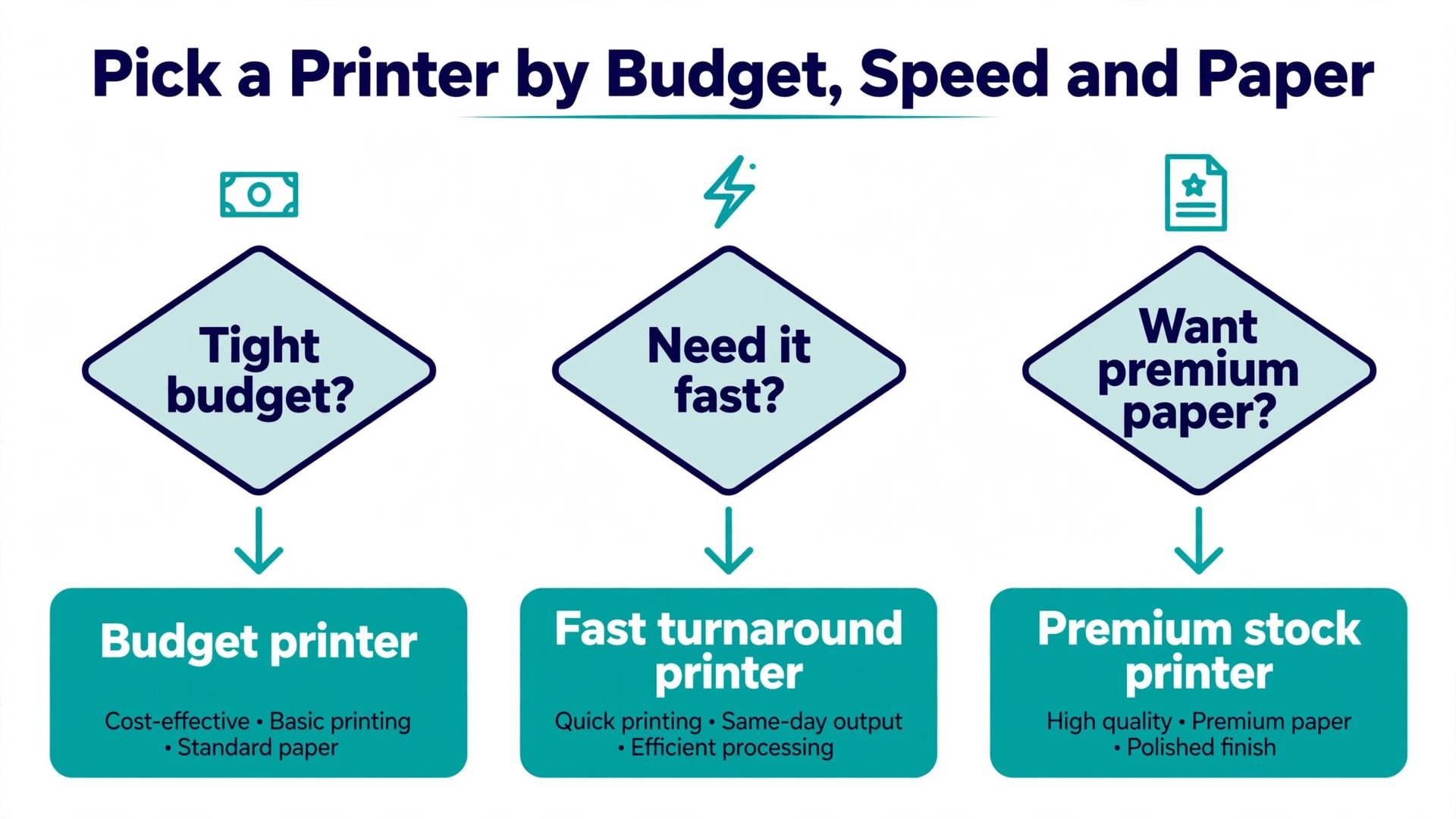
If you want one answer, order from Vistaprint. Its standard 14 point card costs 24 dollars and 99 cents for 500, front only, and its Premium Plus 18 point card costs 46 dollars and 99 cents for 500. That is the lowest honest price for a card that feels like a real business card, and the catalogue of templates and finishes is the widest anywhere. Add the back for about 7 dollars, because a blank back wastes half the card.
If the card itself is the impression, order from MOO. Its Original cards start at 23 dollars for 50, and its Luxe cards start at 43 dollars for 50, printed on 32 point Mohawk Superfine paper that feels like a different product entirely. You pay more per card, but for a designer, a photographer, or anyone whose work is visual, the card is a sample of the work, and MOO is the sample that wins.
If you want the design and the print in one place, use Canva. Its standard 500 card pack costs 45 dollars, and the deluxe version costs 180 dollars, and the design tools are the easiest here. The trade off is price. Canva costs roughly twice what Vistaprint charges for the same quantity, so it only wins if you design in Canva anyway.
Best Pick by Job
| Job | Pick | Why it wins |
|---|---|---|
| Lowest price | Vistaprint | 500 standard cards for 24 dollars and 99 cents |
| Premium feel | MOO | Luxe 32 point paper from 43 dollars for 50 |
| Design plus print | Canva | Easiest editor with print ordering |
| Fast turnaround | Jukebox | Same day printing on most stocks |
| Cheapest small run | GotPrint | 100 cards from 7 dollars and 63 cents |
| Different design per card | MOO | Printfinity prints a different back on each card |
| Big brand catalogue | Zazzle | Huge template library, premium prices |
Paper, Finish, and Quantity Before You Order
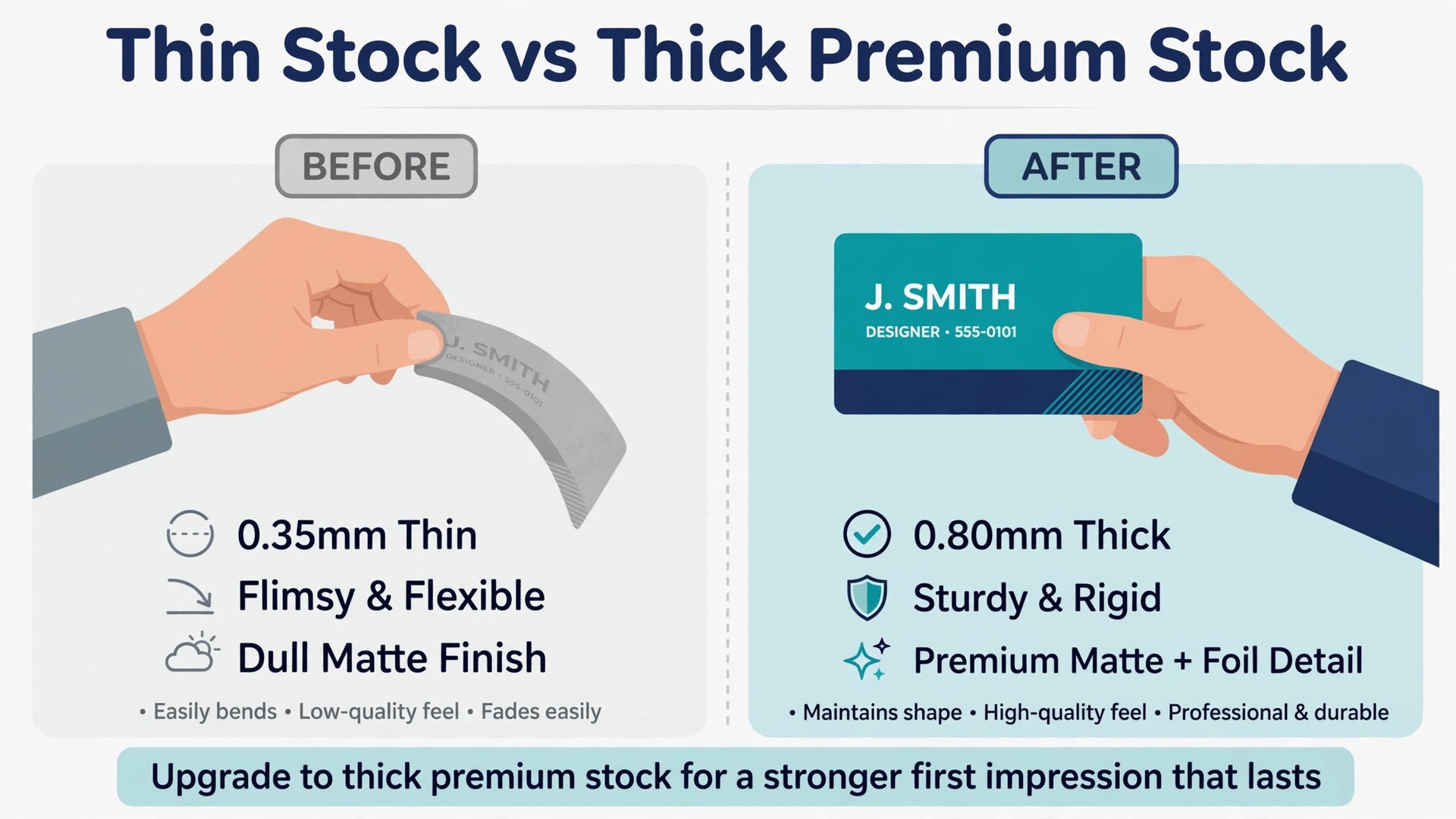
Three decisions decide how the card feels, and they matter more than the template you pick. The first is paper weight, measured in points or grams. A 14 point card is the standard weight and feels fine. A 16 or 18 point card feels solid. A 32 point card, like MOO Luxe, feels like a small object rather than a piece of paper. Anything under 14 point feels cheap in the hand, and no design can fix that. If the printer does not state the weight, assume it is thin.
The second decision is the finish. Matte is the safe choice for most businesses, because it is easy to read and easy to write on. Glossy makes colours pop but shows fingerprints and cannot be written on. Soft touch lamination feels like suede and suits premium brands, while spot UV adds a raised shine to one part of the design. Pick the finish that matches the impression you want, not the one that looks best on screen.
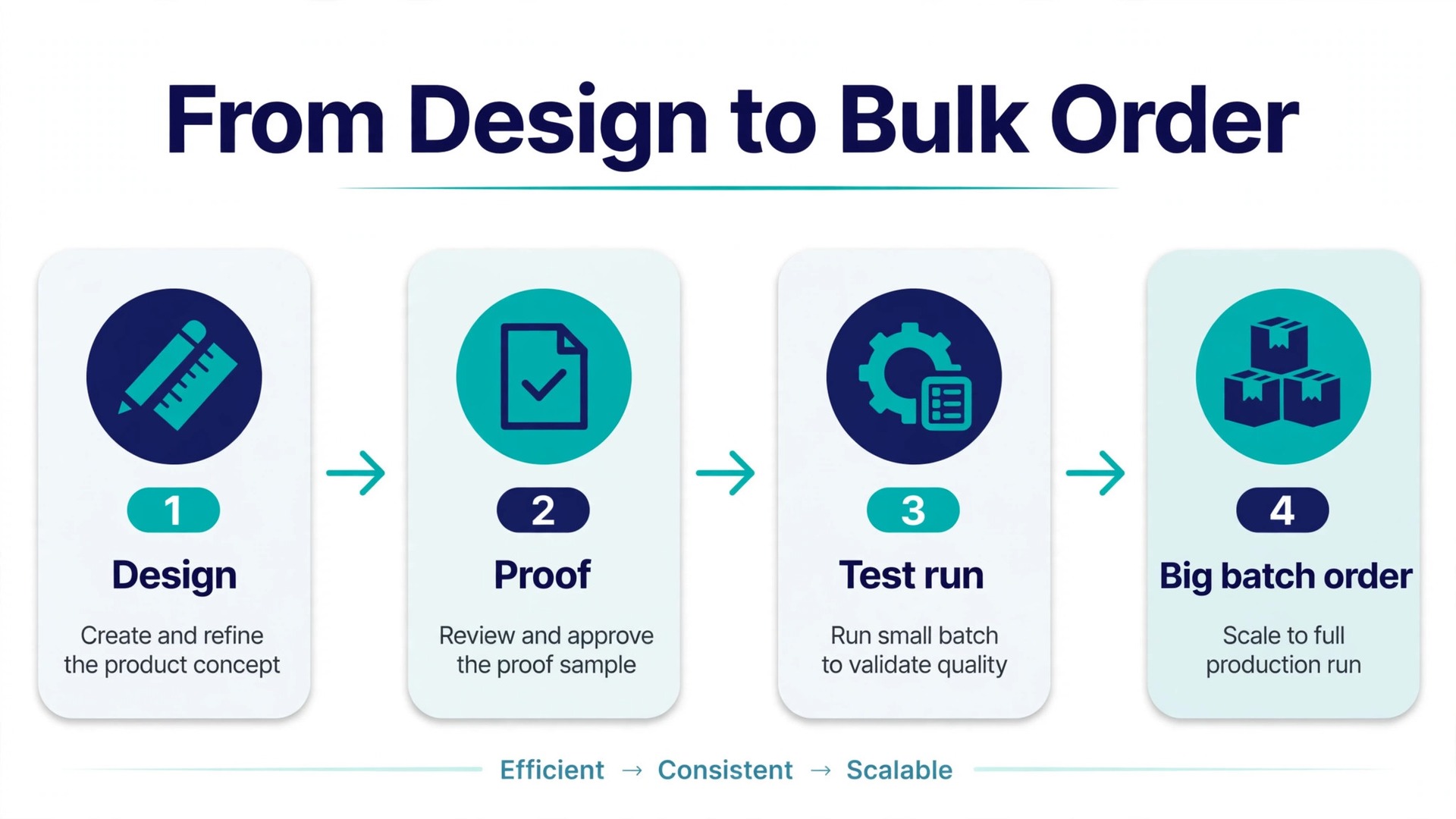
The third decision is quantity. Most printers discount steeply as quantity rises, so 500 cards often cost little more than 250, and 1,000 cards can cost less per card than half that number. But a card with a wrong phone number is worthless at any quantity, so order 100 first if the design is new, check them in person, and then order the big batch. The small test run is the cheapest insurance in this whole guide.
Price at a Glance for 500 Cards
| Maker | 500 standard cards | Notes |
|---|---|---|
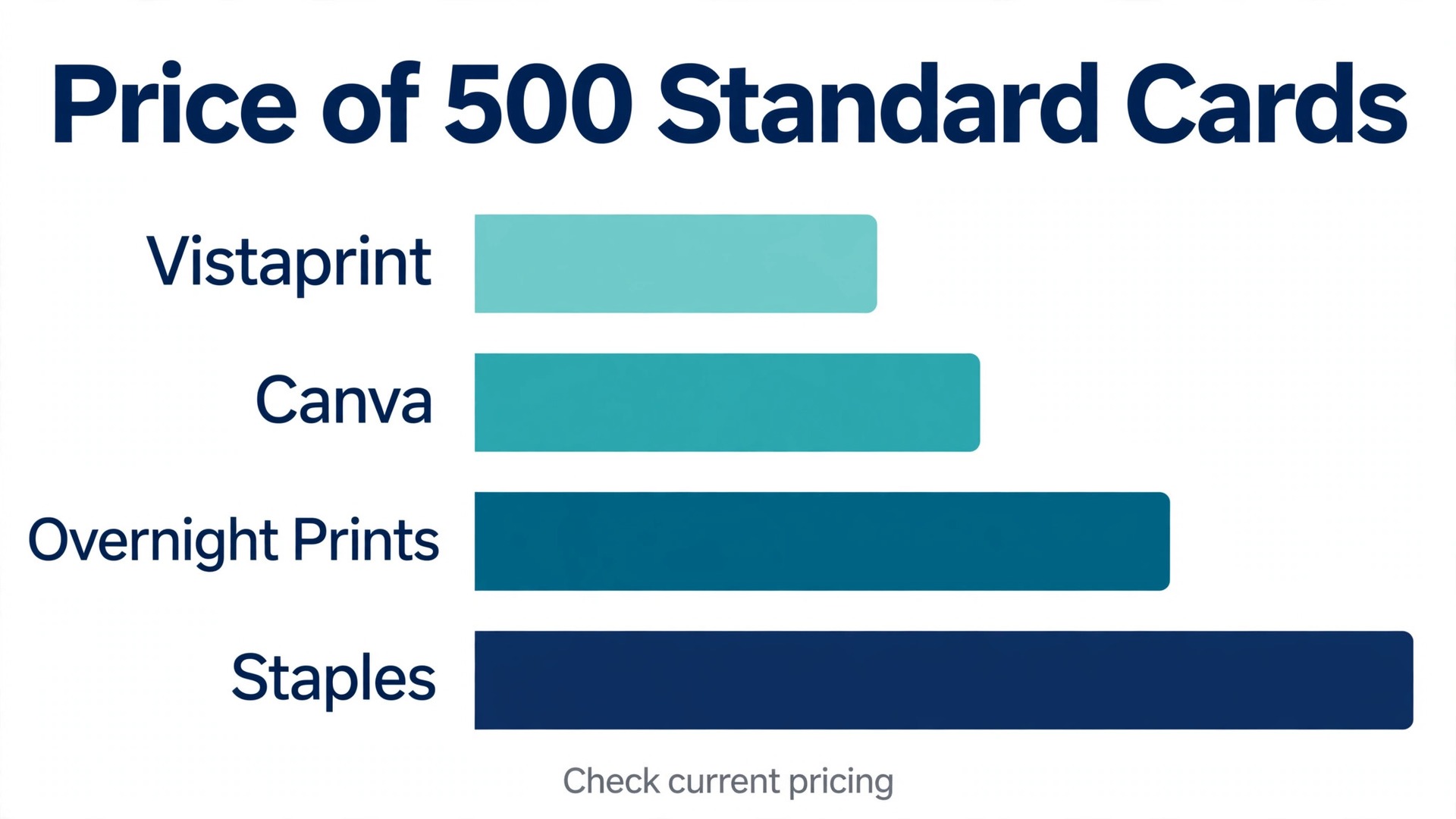
| Vistaprint | 24 dollars and 99 cents | Front only, 14 point |
| Canva | 45 dollars | Standard paper, matte |
| MOO | 128 dollars for 400 | Lowest tier, sale price |
| Jukebox | From 45 dollars for 100 | Premium stocks, fast |
| GotPrint | From 7 dollars and 63 cents for 100 | Budget printer |
| Zazzle | From 140 dollars | Premium templates |
| Staples | From 19 dollars and 99 cents | In store pickup available |
The table above covers the first seven makers. Prices below cover the rest, and every figure is in US dollars before tax, shipping, and promo codes.
| Maker | 500 standard cards | Notes |
|---|---|---|
| Overnight Prints | From 10 dollars and 41 cents | Budget, fast shipping |
| UPrinting | Shown at checkout | Quote based |
| PrintRunner | Shown at checkout | Quote based |
| 48HourPrint | Shown at checkout | Fast turnaround |
| Avery | Varies by quantity | Design free, WePrint orders |
| Adobe Express | Design free | Export PDF, print elsewhere |
Two warnings belong here. First, printers run constant promotions, so the list price and the price you pay can differ by half. The figures above are list prices checked in October and November 2026, and a promo code at checkout often cuts them further. Second, the cheapest price is not always the cheapest card. A 500 pack at 10 dollars that arrives with washed out colours costs more than a 500 pack at 25 dollars that you can hand out with pride, because the first pack gets thrown away.
How the Best Business Card Makers Compare on Print Quality
Print quality is hard to judge from a website, so look for the signals that predict it. The first signal is the paper weight the printer publishes. MOO publishes 350 grams for Original, 380 for Super, and 600 for Luxe, and Jukebox publishes its stocks by name, including Mohawk Superfine and Colorplan. A printer that hides its paper weight is usually selling thin stock, and thin stock is the single biggest cause of a card that feels cheap.
The second signal is whether both sides print in full colour at no extra cost. MOO prints full colour on both sides of every card at no extra charge, which matters if your back carries a photo, a map, or a QR code. Vistaprint charges about 7 dollars extra for the back on a 500 pack, which is small money but worth knowing before you compare prices. A printer that charges for the back is not worse, it is just priced differently, and the comparison only works when both sides are counted.
The third signal is the minimum order. MOO and Jukebox start at 50 cards, which suits a new business testing a design. Vistaprint starts at 100 cards, and most budget printers start at 100 or 250. A low minimum is worth real money when the design is new, because a 50 card test run costs less than a 500 card mistake.
The 13 Makers Reviewed
1. Vistaprint
Vistaprint is the default choice for a reason. It has the widest catalogue of templates and finishes, the lowest honest price for 500 cards, and a minimum order of 100 that suits a first run. Standard cards start at 14 dollars and 99 cents for 100, and 500 standard 14 point cards cost 24 dollars and 99 cents for the front only. Premium Plus 18 point cards cost 46 dollars and 99 cents for 500, and the deluxe range runs up to 298 dollars for 500 on rigid plastic. Free shipping applies on orders over 100 dollars.
The editor is simple, the template library runs to more than 6,700 designs, and next day production is available on selected products, though economy delivery can take about 11 business days. The weakness is consistency. Colour and cutting can vary between runs, and the cheapest stock feels exactly as cheap as it costs. Order the Premium Plus tier if the card represents the business at events, and keep the standard tier for high volume handouts.
Price. 500 standard cards for 24 dollars and 99 cents. Best for. The lowest price on a real card.
2. MOO
MOO is the premium choice, and the difference is obvious the moment you hold the card. Original cards start at 23 dollars for 50, printed on 350 gram stock, and Luxe cards start at 43 dollars for 50, printed on 600 gram Mohawk Superfine paper in four layers. Full colour printing on both sides is included at no extra cost, and Printfinity lets you print a different design on the back of every card in the pack, which suits photographers, artists, and anyone with a portfolio.
The price climbs fast at volume. A 400 card pack costs 128 dollars at the lowest tier on sale, and up to 251 dollars with premium options, against list prices of 168 to 376 dollars. That is several times the Vistaprint price for the same count, and it is worth it only when the card itself is the impression. For a designer handing a card to a client, it is. For a takeaway handing a card to every customer, it is not.
Price. Original 50 cards from 23 dollars, Luxe from 43 dollars. Best for. A card that sells the work by itself.
3. Canva
Canva is the easiest design experience here, and it is the best choice if you already design in Canva. The template library is large, the editor is drag and drop, and your brand colours and fonts carry over from your other designs. Print ordering is built in, so the card goes from screen to post without exporting files or talking to a printer.
Prices are simple and higher than the budget printers. A standard 500 pack with matte finish and square corners costs 45 dollars, and the deluxe version with glossy finish and rounded corners costs 180 dollars. Unless you use premium elements, the price changes only with the paper and the corners. The quality is solid and consistent, but the price means Canva only wins when the design convenience matters more than the per card cost.
Price. 500 standard cards for 45 dollars, deluxe for 180 dollars. Best for. Design plus print in one place.
4. Jukebox
Jukebox is the pick for fast, premium cards. It prints on specialty stocks including Soft Touch, Mohawk Superfine, 100 percent cotton, and Colorplan, with layered cards for a distinctive feel. Orders start at 50 cards, business cards start at 45 dollars for 100, and same day printing is available on most stocks when you order by 2 p.m. Eastern. That combination of premium paper and same day turnaround is rare, and it suits events, conferences, and last minute reprints.
The trade off is price and catalogue. Jukebox costs more than Vistaprint for the same count, and its template library is smaller, so it suits owners who bring their own design or use one of its premium templates. If you need 100 cards by tomorrow that feel like they cost five times the price, this is the printer.
Price. 100 cards from 45 dollars. Best for. Premium cards in a hurry.
5. GotPrint
GotPrint is the budget printer that reviewers keep recommending for small runs. Business cards start at 7 dollars and 63 cents for 100, which is the lowest entry price on this list, and the 500 card price sits in the same budget range. The catalogue covers the standard stocks and finishes, the ordering flow is simple, and turnaround is competitive for a budget printer.
The limits are the ones that apply to every budget printer. Paper options are narrower than MOO or Jukebox, colour consistency is good rather than exceptional, and customer service is thinner than the premium brands. For a first batch, a test run, or a high volume handout where the card is a pointer to a website rather than a sample of craft, GotPrint is the right call.
Price. 100 cards from 7 dollars and 63 cents. Best for. The cheapest small run.
6. Zazzle
Zazzle is a marketplace rather than a printer, and its strength is the catalogue. Thousands of designers sell card templates on the platform, so the range of styles is wider than any single printer offers, and the customisation tools let you change colours, fonts, and layouts without design software. That breadth suits owners who want a distinctive template they cannot find on Vistaprint or Canva.
The price reflects the marketplace model. A 500 pack starts at about 140 dollars, which is several times the Vistaprint price, and the top of the range runs past 1,300 dollars for premium finishes. Quality is generally good, but it varies by the product line you choose, so read the paper and finish details before ordering. Zazzle wins on choice, not on price.
Price. 500 cards from 140 dollars. Best for. A distinctive template from a huge catalogue.
7. Staples
Staples is the convenient choice, because you can order online and pick the cards up in a store the same day in many locations. A 500 pack costs from 19 dollars and 99 cents to 69 dollars and 99 cents depending on the paper and finish, which puts it close to Vistaprint on price with far faster pickup. The template library is solid, the editor is simple, and the stores can help if the design needs a quick fix.
The print quality is good for everyday business use, though it does not reach the premium feel of MOO or Jukebox. Staples suits a local business that needs cards this week, a franchise that orders the same design from many locations, or anyone who prefers to collect the cards in person rather than wait for delivery. It is the practical pick, not the beautiful one.
Price. 500 cards from 19 dollars and 99 cents. Best for. Same day pickup from a local store.
8. Overnight Prints
Overnight Prints is the cheapest 500 pack on this list, with prices from 10 dollars and 41 cents to 63 dollars and 46 cents depending on the stock and finish. The name is honest about the service. Turnaround is fast, shipping is quick, and the ordering flow is built for owners who know what they want and want it tomorrow. For a conference next week or a reprint after a phone number change, it is hard to beat on speed and price together.
The trade off is the same as GotPrint. The paper range is narrower than the premium printers, the template library is smaller, and the cheapest tier is thin stock that feels like its price. Order a mid tier stock rather than the cheapest, and the cards will hold up well. For a budget run where speed matters, Overnight Prints is the pick.
Price. 500 cards from 10 dollars and 41 cents. Best for. The cheapest 500 pack, delivered fast.
9. UPrinting
UPrinting is a full service online printer with a wide range of stocks, finishes, and sizes, including square cards, folded cards, and cards with rounded corners. The catalogue is deeper than most budget printers, and the custom options include spot UV, foil, and embossing for owners who want a distinctive card. It suits businesses that know exactly what they want and need a printer that can produce it.
Pricing is shown at checkout rather than on a public price list, and it varies by stock, finish, quantity, and turnaround, so the only way to compare it against Vistaprint or MOO is to run the same order through both. That extra step is worth it for a large or unusual order, because UPrinting is competitive on premium finishes. For a standard 500 pack, the budget printers are simpler.
Price. Shown at checkout, varies by stock and finish. Best for. Unusual sizes and premium finishes.
10. PrintRunner
PrintRunner is another full service printer with a strong range of paper stocks and finishes, and it is best known for reliable turnaround on business cards, flyers, and postcards ordered together. Ordering the whole stationery set from one printer keeps the colours consistent across the cards, the letterhead, and the flyers, which is a real advantage for a business that prints everything at once.
Like UPrinting, PrintRunner shows prices at checkout rather than on a public list, so compare it by running a real order. The quality is consistent, the customer service is responsive, and the turnaround is reliable. It suits an owner who orders print regularly and wants one supplier for the whole set, rather than the cheapest single order.
Price. Shown at checkout, varies by order. Best for. Ordering cards, flyers, and letterhead from one printer.
11. 48HourPrint
48HourPrint does what its name promises, and it does it across a wide product range. Business cards, flyers, postcards, and banners all ship on a fast schedule, and the printer is a good fit for a business that plans its print around events rather than around a standing order. The card stocks cover the standard range, and the finishes include matte, glossy, and soft touch.
Prices are shown at checkout and vary by quantity and turnaround, so run a real order to compare against Vistaprint. The value here is speed and range, not the lowest price. If the cards are needed for an event on Friday and it is already Tuesday, 48HourPrint is one of the few printers that will still get them to you.
Price. Shown at checkout, varies by turnaround. Best for. Event driven orders on a tight deadline.
12. Avery
Avery is the odd one out, because it is a design tool first and a printer second. The free design tool, Avery Design and Print, lets you build a card from templates, and the WePrint service orders the finished cards for you. The design tool is free, the templates are clean, and the workflow suits owners who want to print a small run at home on Avery card stock and test the design before ordering a big batch.
Print prices through WePrint vary by quantity and stock, and they sit in the mid range rather than the budget range. The real value is the test run. Print ten cards at home, hand them to real people, check the size and the colours in person, and then order the batch. Few other tools make that test as easy.
Price. Design free, WePrint prices vary by quantity. Best for. Testing a design at home before ordering.
13. Adobe Express
Adobe Express is the design only option on this list, and it belongs here because many owners design the card in Adobe Express and print it elsewhere. The free plan covers card templates, stock photos, and the editor, and Premium at 9 dollars and 99 cents a month adds premium templates and the full stock library. The editor is fast, the templates are clean, and the brand tools keep the card consistent with the rest of the marketing.
The catch is that Adobe Express does not print the card for you in most regions. Export a print ready PDF and send it to Vistaprint, MOO, or a local printer, and check the bleed and safe zones before you export. That extra step is worth it if you already use Adobe Express for everything else, because the card stays in the same workspace as the flyers and the social posts.
Price. Design free, Premium at 9 dollars and 99 cents a month. Best for. Designing the card where the rest of the marketing lives.
Print Quality Checks Before a Big Order
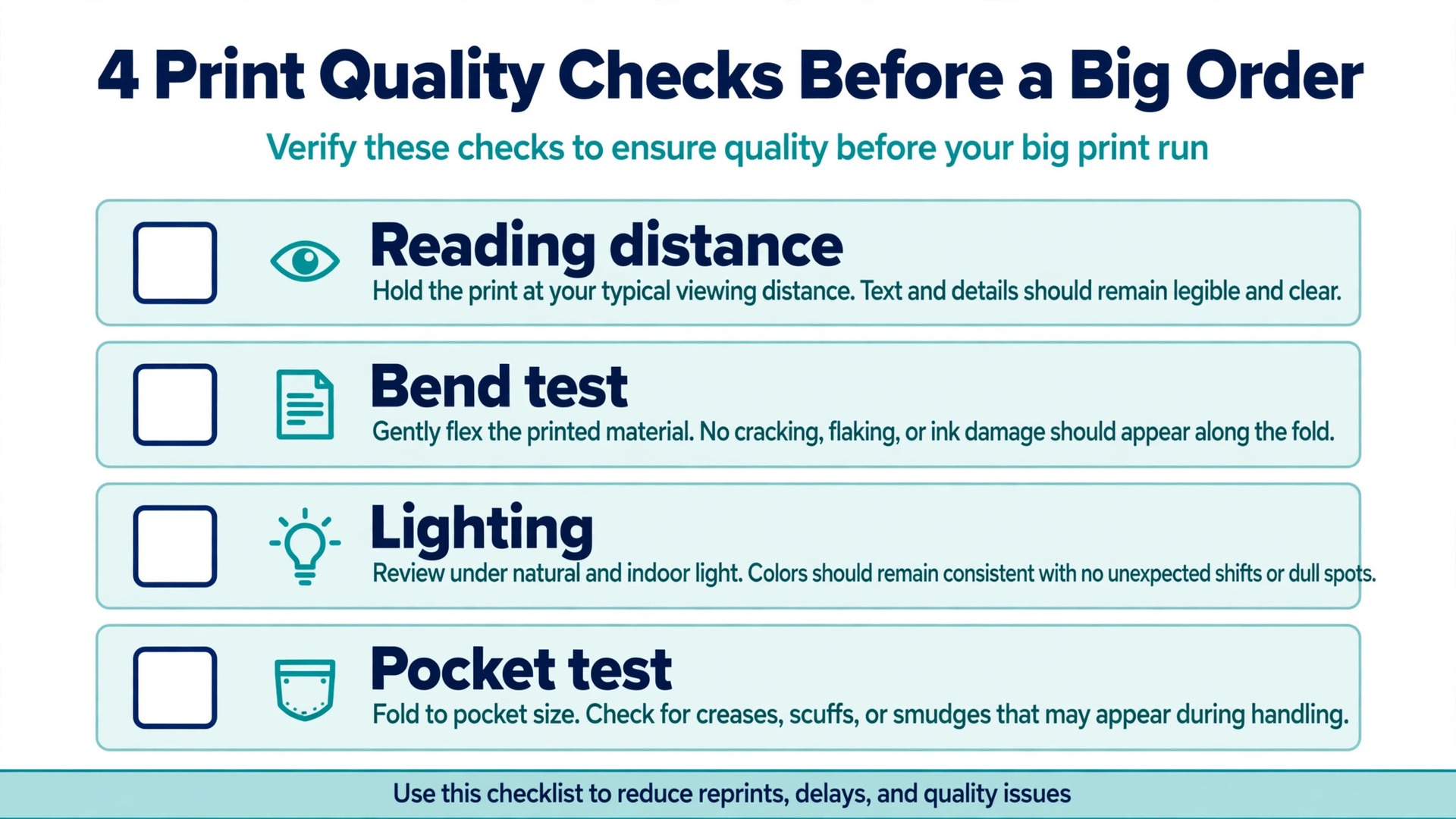
A test run answers questions no website can. Order the smallest quantity first, and when the cards arrive, check four things. First, hold the card at arm’s length and read it. If the name and phone number are not clear at that distance, the type is too small or the contrast is too low. Second, bend the card gently. A card that flexes like paper is too thin for a first impression, and a card that snaps back feels right.
Third, look at the card under warm light and under white light. Colours shift between lighting, and a dark blue that looks rich in the office can look black in a restaurant. Fourth, hand the card to three people and watch what they do with it. If they read it and put it in a pocket, the card works. If they glance at it and put it down, the design or the stock needs another pass. These four checks take ten minutes, and they save more money than any promo code.
Mistakes That Waste the Print Budget
The most expensive mistake is ordering 500 cards before checking the design in person. A wrong phone number, a misspelled name, or a QR code that points to the old website turns the whole batch into recycling, and the reprint costs more than the test run would have. Order 50 or 100 first, check them in person, and then order the big batch. The small run is the cheapest insurance in print.
The second mistake is choosing the cheapest stock. A thin card tells the person holding it that the business cuts corners, and that message survives long after the conversation ends. Spend the extra twenty dollars on 16 or 18 point stock, because the card is the cheapest advertisement the business will ever buy, and it is the only one people carry in their pocket.
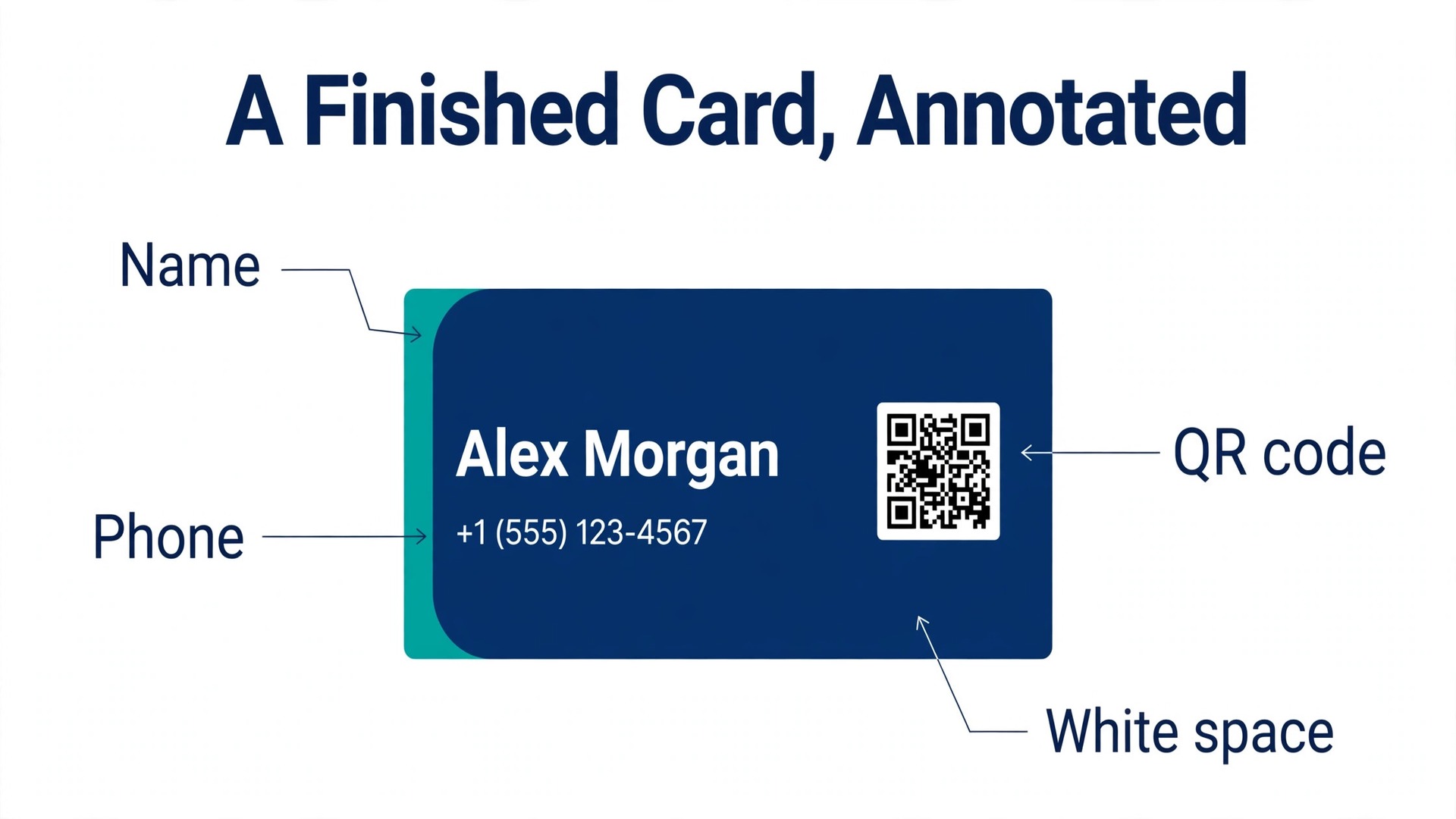
The third mistake is cramming the card full. A card with a name, two phone numbers, three email addresses, four social handles, and a QR code is unreadable, and nobody will read it. Put the name, one phone number, one email, one website, and one QR code on the card, and leave the rest for the website. White space is not wasted space. It is what makes the important lines readable.
That is the lesson the best business card makers all teach in their own way. The card is a physical object first and a design second.
How to Choose in Ten Minutes
Start with the use. If the card is a handout at a market stall, order the cheapest honest card from Vistaprint or Overnight Prints and spend the savings on quantity. If the card is a sample of visual work, order MOO Luxe or Jukebox and spend the money on paper. If the card is designed in Canva or Adobe Express already, print from that workspace and skip the file export. Among the best business card makers, the right pick is the one whose paper and turnaround match the job, not the one with the biggest template library.
Then check the total cost, not the headline price. Add the back, the shipping, and the tax, and compare the same quantity across two printers. A 500 pack at 25 dollars with 12 dollars shipping costs more than a 500 pack at 30 dollars with free shipping, and the comparison only works when every cost is counted. Order the test run first, and the big batch second.
Frequently Asked Questions
How much do 500 business cards cost in 2026?
A standard 500 pack costs from 10 dollars and 41 cents at Overnight Prints to 24 dollars and 99 cents at Vistaprint, with Canva at 45 dollars and MOO at 128 dollars for 400 cards on sale. Premium paper and finishes raise the price, and the deluxe range at Vistaprint runs to 298 dollars for 500. Promo codes at checkout often cut the list price, so compare the final total, not the headline.
What paper weight should a business card be?
A 14 point card is the standard weight and feels fine for everyday use. A 16 or 18 point card feels solid and suits most professional businesses. A 32 point card, like MOO Luxe, feels like a small object and suits designers and anyone whose card is a sample of the work. Anything under 14 point feels cheap in the hand, and no design can fix that.
Should business cards be printed on both sides?
Yes, in most cases. The back is free space for a QR code, a map, a photo, or a short line about the business, and a blank back wastes half the card. MOO prints full colour on both sides at no extra cost, while Vistaprint charges about 7 dollars extra for the back on a 500 pack. Keep the back simple, with one element rather than five.
How many business cards should I order?
Order 100 first if the design is new, check them in person, and then order 500 once the design is proven. A 500 pack is the best value for most small businesses, because the per card price drops steeply at that quantity. Order 1,000 only when the details are stable, because a wrong phone number turns the whole batch into waste.
Can I design a business card for free and print it elsewhere?
Yes. Canva, Adobe Express, and Avery all offer free design tools, and you can export a print ready PDF and send it to Vistaprint, MOO, or a local printer. Check the bleed and safe zones before you export, and order a small test run first. Learning how to compare the best business card makers starts with that test run, because the printed card is the real product, not the file on the screen.
Which business card maker is fastest?
Jukebox offers same day printing on most stocks when you order by 2 p.m. Eastern, and 48HourPrint and Overnight Prints both ship on fast schedules. Vistaprint offers next day production on selected products, though economy delivery can take about 11 business days. For a same day need, Staples in store pickup is often the fastest option of all.
The Verdict
Order Vistaprint for the lowest honest price on 500 cards, MOO for a premium card that sells the work by itself, and Canva when the design already lives in Canva. Test the design with a small run first, spend the extra money on thicker stock, and keep the card to five lines. That is how the best business card makers earn their place, and it is how a small card does a big job.