
Framer makes the prettiest sites. Hostinger costs the least. Wix covers the most ground, and Durable gets a service business online in about 30 seconds. Those four sentences are the honest summary of the best ai website builders we compared, and the rest of this guide is the evidence behind them. We built the same small business site, a local cleaning company with services, prices, a booking form and a contact page, on nine builders, and compared what each one produced, what it cost, and what it would cost in year two.
The category splits into two kinds of tool, and confusing them is the most common buying mistake. Flat rate builders such as Wix, Framer and Squarespace generate a site from a prompt and charge a fixed monthly fee, then let you edit the result by hand. Prompt to app builders such as Lovable generate working code and charge by usage, which suits a product rather than a brochure site. This guide covers both kinds, because the right pick depends on whether you need a website or an application.
How We Compared the Builders
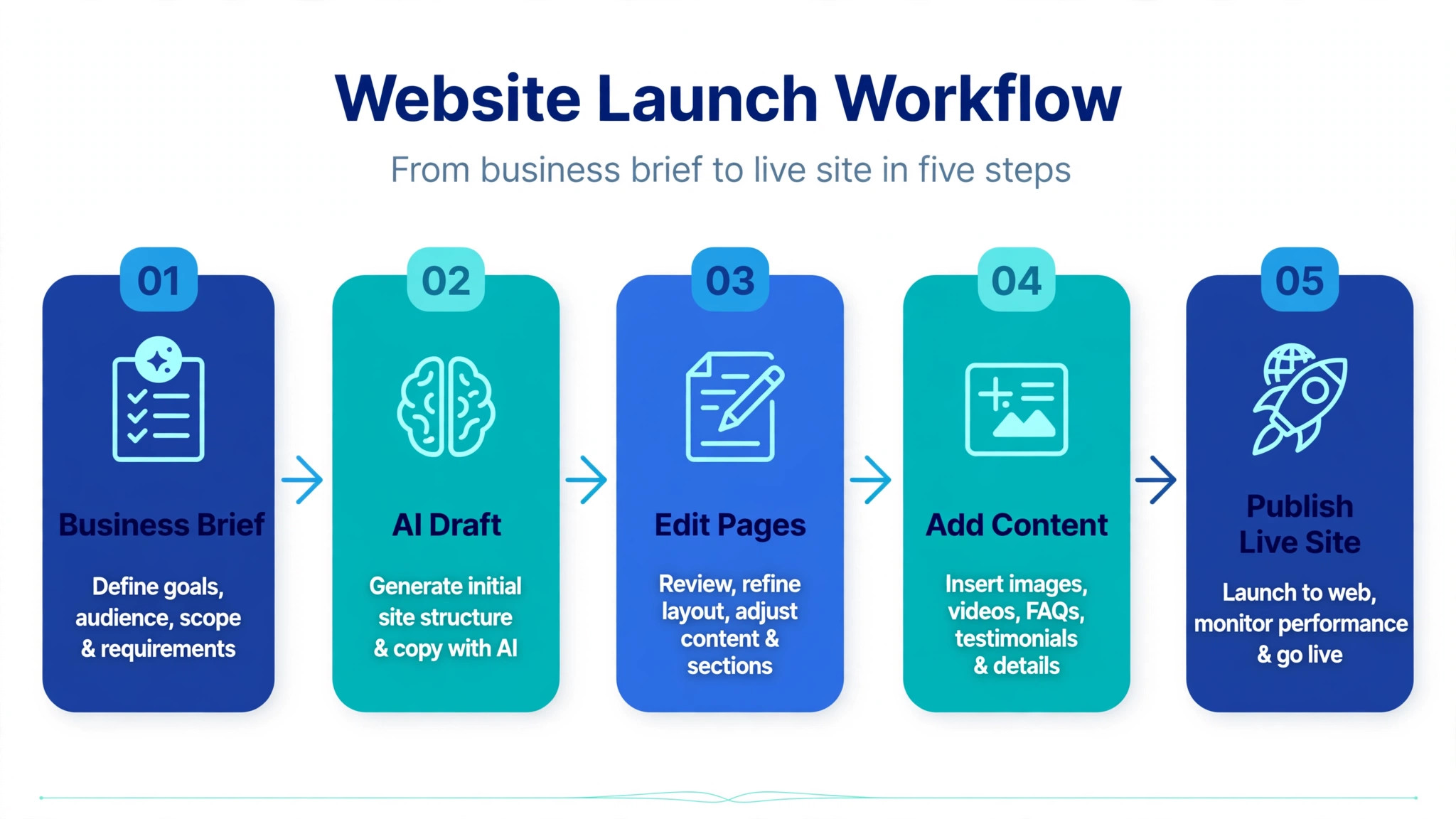
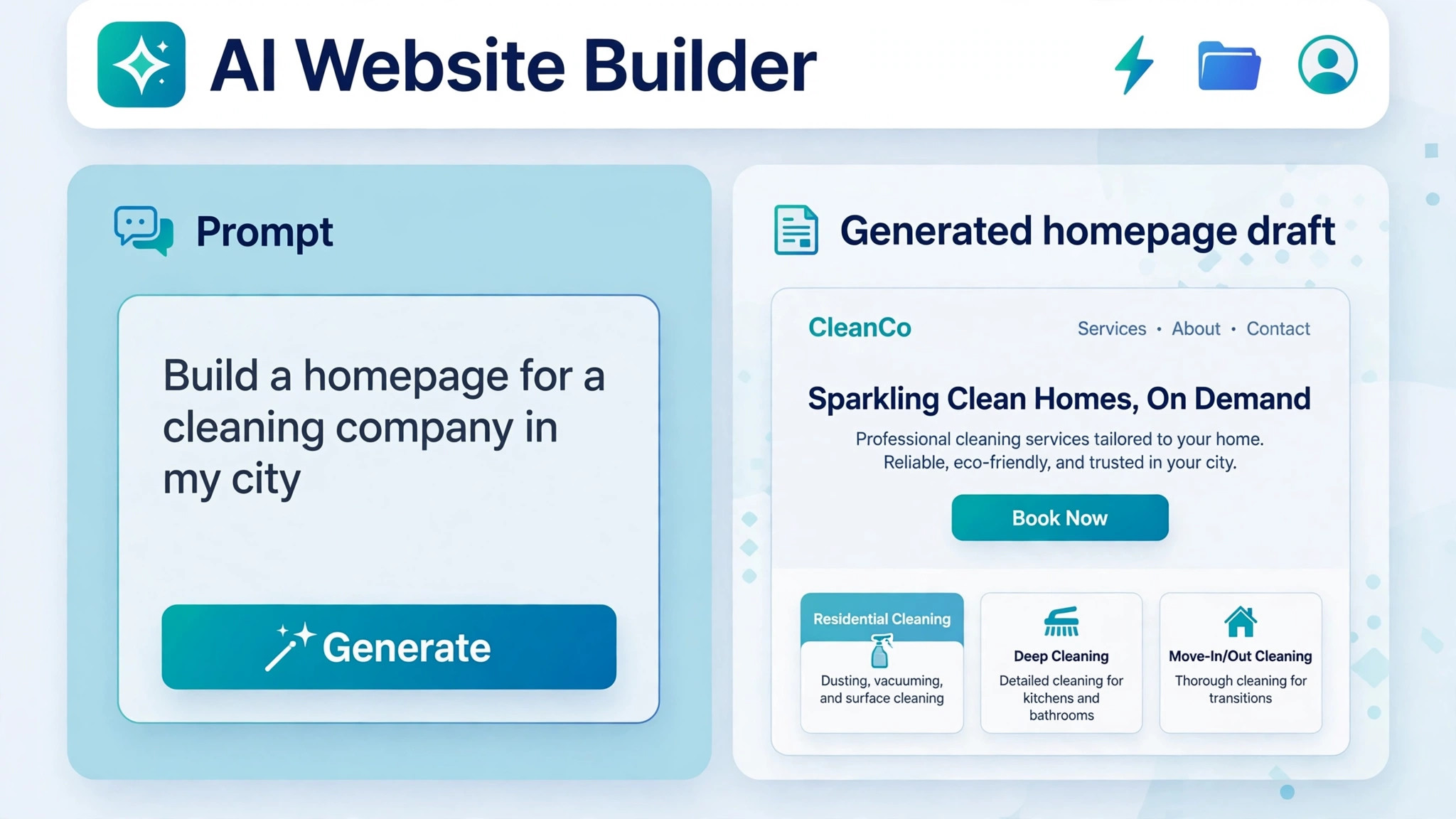
We used one brief for every builder so the results could be compared fairly. The brief described a cleaning company with three services, a price list, a booking form, customer reviews and a contact page, plus a request for a calm blue and white design. Each builder received the same words, and we judged the first draft it produced before any manual editing, because the first draft is what you actually pay for when you choose an AI builder.
We scored each builder on five points, because the best ai website builders win on the first draft and the renewal price, not on the homepage. Design quality covered whether the site looked like a professional agency build or a generic template with new text. Editing covered how easily we could fix the parts the AI got wrong, such as a broken layout or a wrong price. Cost covered the entry price, the renewal price and the price of the plan you actually need, because the cheapest plan is often not the useful one. Features covered booking, payments, blogging and search optimisation. Exit covered whether you can take your content or your code with you when you leave.
Prices were checked against vendor pricing pages and current 2026 roundups in November 2026. Website builder pricing changes by country, term and promotion, and several vendors show a low first term price that rises sharply on renewal, so confirm the renewal price on the checkout page before you pay. Where two reliable sources disagreed on a price, we name the figure we used and note the disagreement in the tool section.
The Best Pick for Each Job
| Job | Pick | Why it wins |
|---|---|---|
| A design-led marketing site | Framer | Agency grade output from 10 dollars a month |
| The lowest real cost | Hostinger | 2.99 dollars a month on a long term |
| A business that needs a store | Wix | The deepest app and payment options |
| The fastest launch | Durable | A working site in about 30 seconds |
| A real WordPress site | 10Web | AI generation on WordPress |
Use this table as a shortcut, then read the full section for the builder you are leaning toward. The cheapest builder is not the best value when its renewal price triples, and the prettiest builder is not the best choice when you need a store. The right pick depends on the site you are building and the budget you will still have in year two.
The Best AI Website Builders in 2026, Compared
The nine builders below are ordered by how many readers each one will serve well, not by marketing spend. Wix, Squarespace and Framer lead for most businesses. Hostinger and Durable lead for tight budgets and fast launches. 10Web, Webflow and Duda lead for specific needs, and Lovable leads when the site is really an application. Read the sections that match your job, and skip the rest.
1. Wix
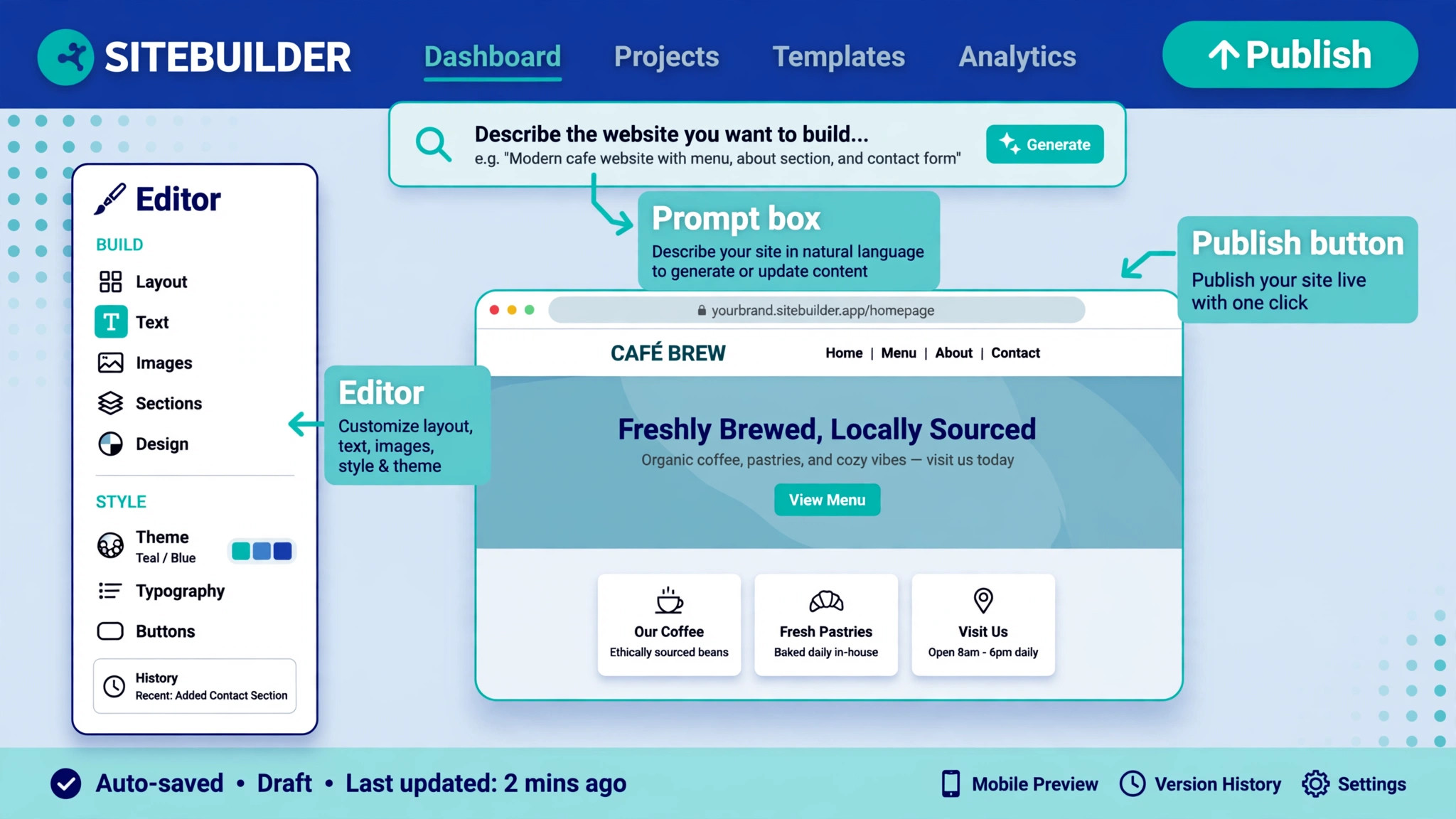
Wix is the safest all round choice, because its AI builder asks a short set of questions about your business, then hands you a full draft site with pages, text, images and a contact form. The draft is solid rather than stunning, and the real strength is what happens after generation, because the Wix editor, app market and payment tools cover almost any business need. Our cleaning company draft arrived with a working booking form, a services page and a price list, and fixing the layout took about 20 minutes by hand.
Pricing starts with a free tier that keeps you on a Wix subdomain with Wix ads on the page. The Light plan costs 17 dollars a month billed annually, Core costs 29 dollars, Business costs 39 dollars and Business Elite costs 159 dollars, all billed annually. The 17 dollar Light plan is enough for a brochure site, but a store needs Business, so budget on the plan that fits the job rather than the cheapest one. The trade off is lock in, because you cannot export the site and move it elsewhere, so Wix is a commitment rather than a trial.
2. Squarespace
Squarespace still ships the best looking templates of any builder here, and its Blueprint AI turns a few answers about your business into a structured site with strong typography and photography led layouts. Our cleaning company draft looked calm and professional, with generous white space and a booking section that needed only small edits. The editor is more guided than Wix, which suits owners who want a polished result without learning a complex tool, but it gives you less freedom to move elements pixel by pixel.
Pricing starts at 19 dollars a month billed annually for the Basic plan, with higher plans adding commerce, marketing and scheduling tools. There is no permanent free plan, only a 14 day trial, so you pay before the site goes live. Some 2026 roundups list a lower starting price of 16 dollars a month, and the difference comes from regional pricing and promotions, so check the price on the Squarespace page for your country. Squarespace fits creatives, portfolios and small shops that care about how the site looks.
3. Framer
Framer produces the best design output of any builder on this list, with responsive layouts, real animation and a level of polish that reads as agency work. The AI builds the site through a chat interface, and you can then edit any layer on the canvas with Figma grade control. Our cleaning company draft needed the least fixing of any builder, and the mobile version was clean without extra work. The trade off is scope, because Framer has no native store, so a business that needs to sell online must connect a third party tool.
Pricing starts with a free tier that gives you a Framer subdomain, 1 GB of bandwidth and 500 AI credits to try. The Basic plan costs 10 dollars a month billed annually, or 15 dollars paid monthly, and Pro costs 30 dollars a month. Extra editors cost 20 dollars a month each, which matters for teams. Framer fits designers, studios, startups and anyone whose site is a marketing asset rather than a shop.
4. Durable
Durable is the fastest builder on this list by a wide margin, generating a working one-page site in about 30 seconds from a few answers about your business. The draft includes a CRM, invoicing tools and a booking flow, which makes it a genuine business tool rather than a landing page generator. The design is generic, with fewer distinctive layouts than Framer or Squarespace, and multi-page sites feel thin, but for a solo consultant or a local service business that needs to be online today, speed is the feature that matters.
Pricing has moved over 2026, and the figures vary by source. The Launch plan costs 22 dollars a month billed annually, or 25 dollars paid monthly, and a 30 day trial lets you test the full flow before paying. Older roundups list plans from 12 to 15 dollars a month, and those figures appear to come from earlier pricing, so use the 22 dollar figure for your budget. Durable fits local service businesses that want a site, a CRM and invoicing in one account.
5. Hostinger
Hostinger pairs its AI builder with its hosting business, and the result is the cheapest way to run a real site on this list. The AI asks about your business and generates a site with text, images and a contact form, then lets you edit by dragging elements into place or by chatting with the builder. The design quality is good rather than outstanding, and the editor is simpler than Wix, but the value is hard to argue with when the budget is tight.
Pricing is where you must read carefully. The promotional price is 2.99 dollars a month on a 48 month term, and some pages show 2.49 dollars for the same term, but the renewal price is 10.99 dollars a month, so budget on renewal rather than on the first term. Higher tiers cost 3.99 dollars a month on promotion and renew at 16.99 dollars, and the Cloud Startup tier renews at 25.99 dollars. There is no permanent free plan, only a trial period. Hostinger fits freelancers and small businesses that can prepay and want hosting, a domain and a builder in one bill.
6. 10Web
10Web is the outlier on this list, because instead of a proprietary builder it generates an actual WordPress site that you edit through Elementor. That means you keep access to the full WordPress plugin and theme ecosystem, and you can move the site to another host when you outgrow 10Web. Our cleaning company draft arrived as a real WordPress install with pages, a contact form and a blog, and the AI recreation feature can rebuild an existing site from a URL, which is useful for a redesign.
Pricing starts at 10 dollars a month for the AI Starter plan with one site and 100 AI credits, and the AI Premium plan costs 15 dollars a month for two sites and 200 credits. The AI Ultimate plan costs 22.50 dollars a month for four sites and 300 credits, and yearly billing cuts the price by half on some plans. There is no permanent free plan, only a trial. 10Web fits anyone who wants WordPress without building it by hand, and it is the only builder here that gives you a site you truly own.
7. Webflow
Webflow brings AI generation to a professional design platform, and the result suits teams that care about design depth. The AI builds a starting site from a prompt, and the editor then gives you control over layout, animation and content structure through a proper CMS. Our cleaning company draft was strong on structure, with a services collection and a blog ready to fill, but it needed more manual polish than the Framer draft to look finished. The learning curve is steeper than Wix or Squarespace, so Webflow rewards owners who enjoy design work or who hire a designer to finish the build.
Pricing for a site plan starts at 14 dollars a month billed annually for the Basic plan, with higher plans adding CMS items, form submissions and ecommerce. There is a free starter plan for testing, and workspace plans for teams are billed separately. Webflow fits design led businesses, agencies and content heavy sites that need a real CMS, and it is the strongest choice here when the site will grow into a large content library.
8. Duda
Duda is built for agencies and for businesses that need a professional site without a design team. The AI builder generates a site from a business description, then offers strong tools for client management, white labelling and team collaboration. Our cleaning company draft was clean and businesslike, with a services page, a booking section and a review area that needed only small edits. The template quality is high, though less distinctive than Framer, and the editor is straightforward for a non designer.
Pricing starts at 19 dollars a month billed annually for the Basic plan, with Team at 29 dollars and Agency at 59 dollars, all billed annually. There is a 14 day trial and no permanent free plan. Duda fits agencies that build sites for clients, and small businesses that want a professional result with support included. It is not the cheapest option, but the agency tools justify the price when you manage more than one site.
9. Lovable
Lovable is different from every other builder here, because it builds working applications from a prompt rather than brochure sites. Describe the product, and Lovable writes the code, sets up the database and deploys a working app you can test in the browser. Our cleaning company test used it to build a booking app with a customer form and an admin view, and the result worked, though the design needed polish and the code needed a review before production use. This is a tool for products, not for a simple company website.
Pricing starts at 25 dollars a month for the Pro plan, with usage billed through credits, and a free tier lets you test small builds. The credit model means heavy use costs more, so budget for the build and for the fixes that follow. Lovable fits founders and teams that need a working prototype or a simple web app fast, and it is the wrong choice when you only need five pages and a contact form. When the site is really an application, Lovable is the fastest route from an idea to a working product.
Flat Rate or Credits
The pricing model decides your real cost more than the headline price. Flat rate builders charge one monthly fee and let you edit as much as you want, which makes budgeting simple and makes the builder cheap when you edit often. Wix, Framer, Squarespace, Durable, Hostinger and Duda all work this way, and the only extra costs are the domain, the higher plan you need for a store, and any paid apps you add.
Credit based builders charge for each AI action, and the meter runs while you fix the mistakes the AI made. 10Web gives you 100 to 300 AI credits a month depending on the plan, Framer gives you 500 credits on the free tier, and Lovable bills by usage with no fixed ceiling. The best ai website builders for a tight budget are the flat rate ones, because the cost stops when the month ends. When you choose a credit based builder, check how many credits a rebuild costs, because regenerating a whole site can burn a month of credits in one afternoon.
How to Choose the Right Builder
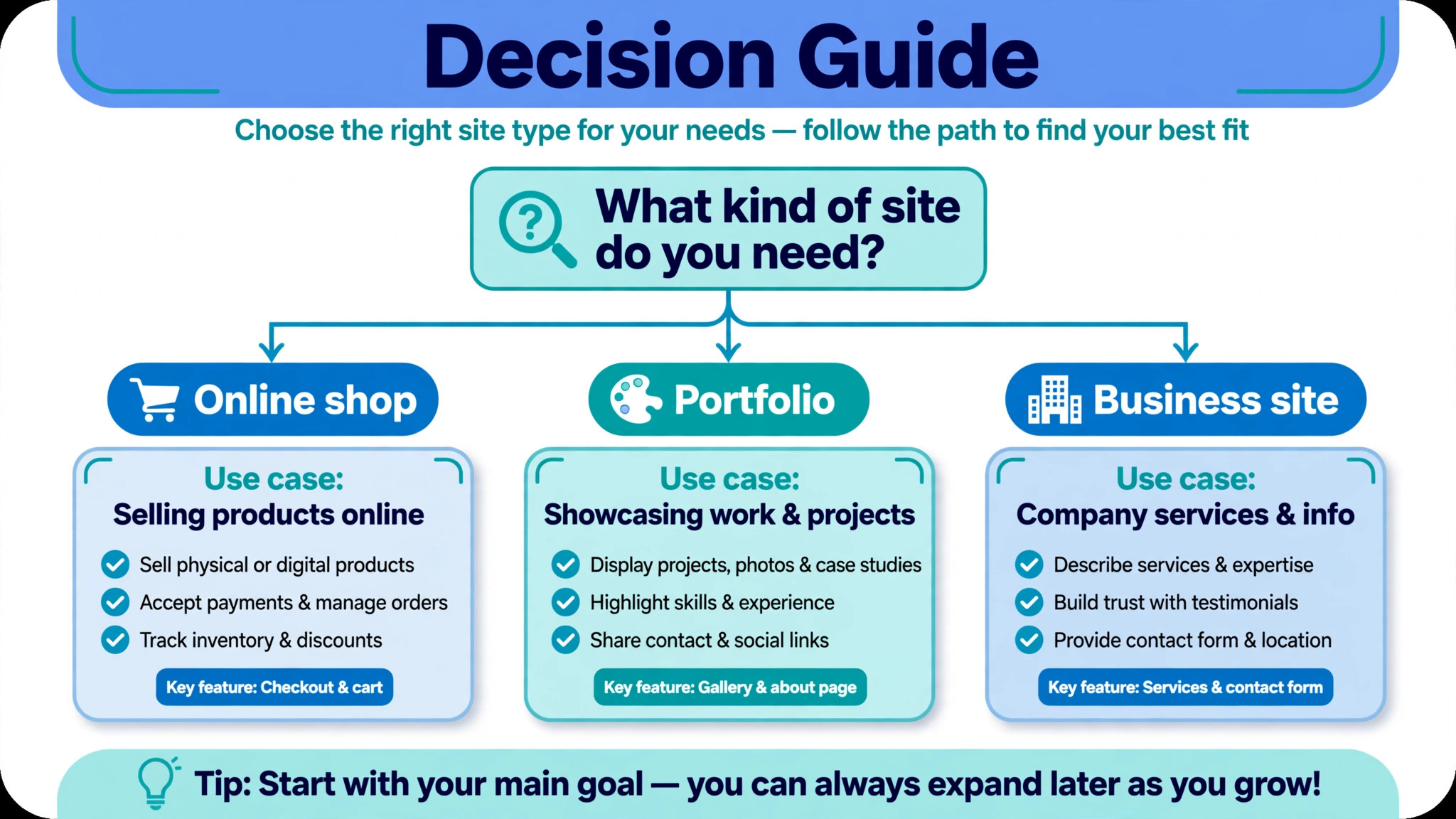
Start with the job, not the brand. A brochure site for a local business needs a builder, a booking form and a contact page, and Wix or Durable covers that for the least money. A portfolio or a marketing site needs design quality above all, and Framer or Squarespace wins that comparison. A store needs payments, shipping and tax tools, and Wix or Squarespace covers that without third party apps. A content site needs a CMS, and Webflow or 10Web on WordPress is the right base. An application needs code, and Lovable is the only builder here that writes it. That match is what the best ai website builders are really selling, a starting point that fits the job.
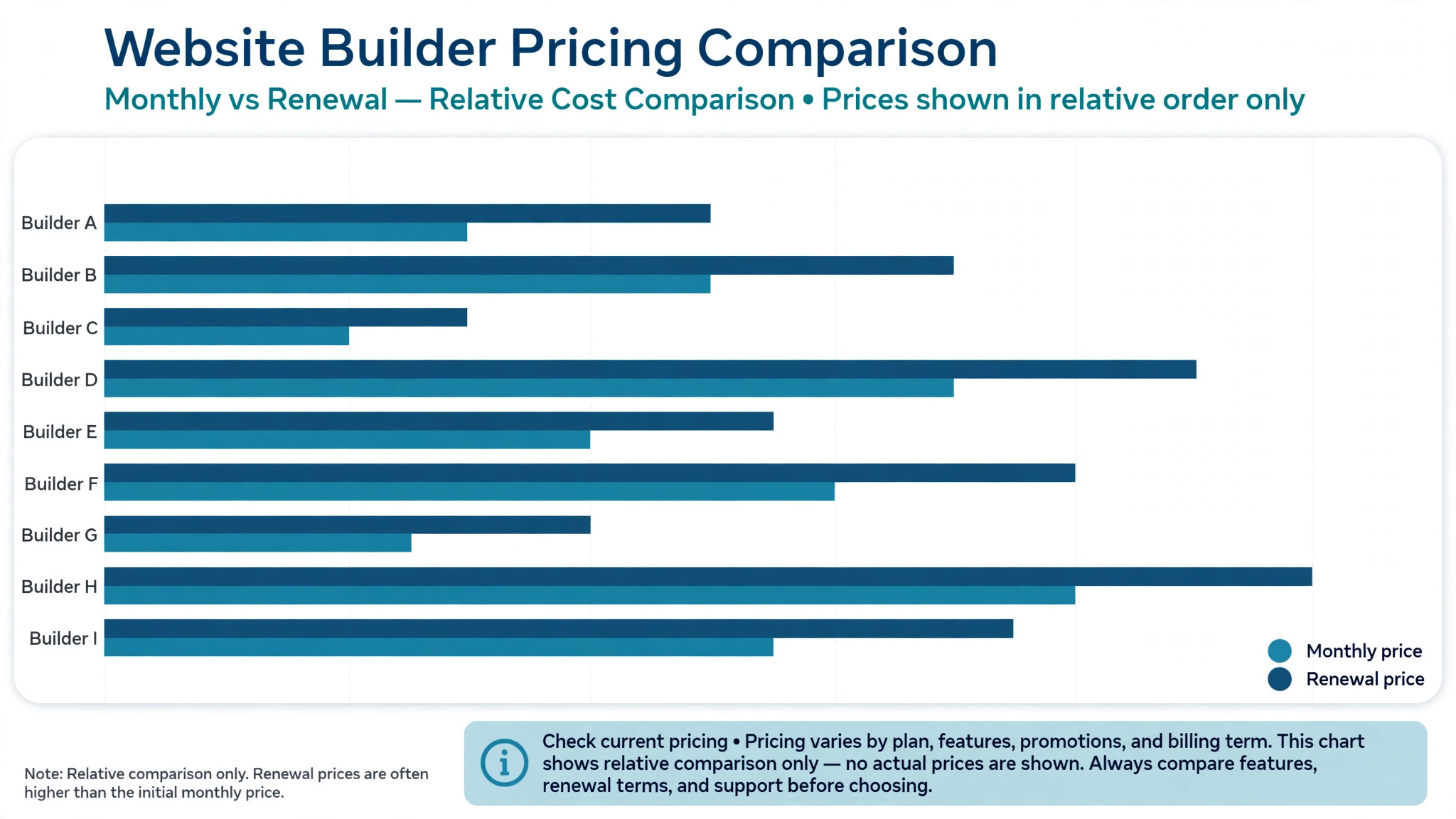
Next, check the renewal price before you commit. Hostinger at 2.99 dollars a month becomes 10.99 dollars on renewal, and a four year prepay locks you in to save money now. Wix and Squarespace show the annual price clearly, but the monthly price is higher, so decide whether you will pay yearly. Add the domain renewal to the same calculation, because a free first year domain renews at full price, and a dot com from Wix renews at 13.35 dollars a year.
Then test the editor with your real content before you pay. Build the homepage with your business name, your services and your prices, and see how long the fixes take. A builder that produces a beautiful first draft but fights you on every edit will cost more in time than a builder with a plain first draft and a friendly editor. Most builders offer a free tier or a trial, and 14 days is enough to learn whether the editor suits you. The builder that feels easy on day one is usually the right one, because you will live in it for years.
What Happens After Launch
A website is not finished at launch, and the builder you choose decides how much work the months after launch take. Search optimisation is the first job, and Wix, Squarespace and Webflow all include the basics, meaning custom titles, descriptions, clean URLs and a sitemap. 10Web on WordPress goes further, because the WordPress plugin ecosystem adds the optimisation tools that the hosted builders keep simple. Check that the builder lets you edit page titles and descriptions before you commit, because that is the minimum a ranking site needs.
Analytics and updates are the second job. Wix and Squarespace include analytics and a blog, Durable includes a CRM and invoicing, and Hostinger includes hosting with the builder, so the monthly bill covers more than the site. Lovable and Webflow need more setup for analytics, and 10Web needs WordPress plugins for the same job. Pick the builder whose included tools match the work you will actually do each month, and the site will stay alive rather than going stale three months after launch.
Mistakes That Waste Money
The most expensive mistake is choosing on the first term price. A builder that costs 2.99 dollars a month for four years and then 10.99 dollars a month is not a 2.99 dollar builder, and a builder that costs 10 dollars a month with a free domain for one year is not a 10 dollar builder in year two. Always read the renewal line on the pricing page, and add the domain renewal to the same number before you compare builders.
The second mistake is paying for a store plan before you have a product to sell. The Business plans on Wix and Squarespace cost twice the basic plans, and the extra features sit unused while the site has five pages and a contact form. Start on the basic plan, and upgrade when the first order arrives. The upgrade takes minutes, and the money you save in the first year pays for the domain.
The third mistake is ignoring the exit. A site built on Wix, Framer or Squarespace cannot be exported and moved to another platform, so switching later means rebuilding from scratch. That is acceptable when the builder is cheap and the site is small, but it is a real cost for a large site. 10Web on WordPress is the exception, because the site is real WordPress and can move to any host. When you expect the site to grow large, own the platform from the start.
Our Verdict
Wix is the pick for most businesses, because it covers the widest range of needs in one account, from a brochure site to a store with bookings and payments. The AI draft is solid, the editor is forgiving, and the app market fills any gap the builder leaves. The 17 dollar a month Light plan is enough to start, and the upgrade path is clear when the business grows.
Framer is the pick when design decides the sale, because the output looks like agency work and the free tier lets you test it properly before paying. Hostinger is the pick when the budget decides, because even at the 10.99 dollar renewal price it is the cheapest way to run a real site with a domain. Durable is the pick when speed decides, because a working site in 30 seconds beats a perfect site next month. The best ai website builders earn their place by matching the job, and the best choice is the one whose price, editor and exit terms fit the site you are actually building.
Frequently Asked Questions
Which AI website builder is best for a small business?
Wix is the best all round choice for a small business, because it covers a brochure site, a store, bookings and payments in one account, and the AI draft is solid enough to launch from. Durable is the faster choice when the business needs to be online today, and Hostinger is the cheaper choice when the budget is tight. The right answer depends on the job, because a cleaning company needs booking, a shop needs payments, and a consultant needs a portfolio, and each builder leads on a different one of those.
Can I build a website with AI for free?
Yes, you can build a site for free on Wix and Framer, which both offer free tiers, and you can test most other builders on a trial. The free tier keeps you on a builder subdomain with the builder branding on the page, and it limits storage, bandwidth and features. A free site works for a test or a hobby, but a business should budget for a paid plan and a custom domain, because a subdomain with ads does not win trust. The cheapest paid route is Hostinger on its promotional term, but budget on the renewal price.
How much does an AI website builder cost per month?
The range among the best ai website builders is wide, from 2.99 dollars a month on promotion for Hostinger to 25 dollars a month for Lovable Pro, and the figure that matters is the renewal price. Wix Light costs 17 dollars a month billed annually, Squarespace Basic costs 19 dollars, Framer Basic costs 10 dollars, Durable Launch costs 22 dollars, 10Web Starter costs 10 dollars, Webflow Basic costs 14 dollars and Duda Basic costs 19 dollars, all billed annually. Add the domain renewal to the monthly figure, because the first year domain is often free and the renewal is not.
Do AI website builders handle search optimisation?
Yes, the main builders include the basics, meaning custom page titles, descriptions, clean URLs and a sitemap, and Wix, Squarespace and Webflow all cover those. 10Web on WordPress goes further through the plugin ecosystem, which adds the optimisation tools that hosted builders keep simple. No builder ranks a site by itself, because ranking needs content, links and time, and the AI draft is a starting point rather than a finished optimisation job. Check that the builder lets you edit titles and descriptions before you commit.
Can I move my site away from an AI website builder?
It depends on the builder, and the answer is usually no for hosted builders. Wix, Framer, Squarespace, Durable, Hostinger and Duda do not export the site, so moving means rebuilding from scratch, though you can usually export your content as a file. 10Web is the exception, because the site is real WordPress and can move to any WordPress host. Lovable gives you the code, so you can take the application with you. When you expect the site to grow large, choose a builder with an exit you can live with.
Is an AI website builder better than hiring a designer?
An AI builder is better when the budget is small, the site is simple, and speed matters more than originality, because you can launch in a day for 10 to 20 dollars a month. A designer is better when the brand needs a distinctive design, the site needs custom features, or the business depends on the site for most of its revenue. Many businesses use both, an AI builder for the first version and a designer for the rebuild once the business earns enough to pay for one. That sequence gets you online now and distinctive later.
A good website builder is a price you can still afford in year two, an editor you do not fight, and a design your customers trust. Test two builders with your real content, compare the renewal prices, and pay only when the first draft is close enough to fix in an hour. The best ai website builders make that test cheap, and the best choice is the one that fits the site you need next, not the one with the loudest homepage.