
A tax preparer in March does not have a time problem, she has a volume problem. A hundred returns arrive in six weeks, each one with a different mix of documents, and each one must be right, because a wrong number on a return is not a typo, it is a letter from the tax authority. The best ai tools for tax preparers take the repetitive half of that job, reading documents, sorting income, checking for missing forms and flagging the odd number, and leave the judgment about what the return should say to the preparer.
This guide compares twelve tools on published prices, the tax job each one does best and the catch that only shows up after the trial ends. All tax work prices below are published starting prices as of late 2026, and annual billing is noted where it changes the number. Where a vendor publishes no price, this guide says so plainly instead of guessing, because professional tax software is sold on a quote and the number depends on returns and seats.
A tax practice does not need twelve tools. One preparation platform plus one document tool covers most return work, and a third tool only earns its place when it fixes a specific weekly pain, such as client intake or bookkeeping. Each review below names the daily tax job its tool does best, so pick two and stop shopping.
The Shortlist in Brief
The table below matches each common tax task type to the single tool that handles it best. Use it to narrow the best ai tools for tax preparers to two or three candidates before you read the full reviews. Monthly list prices apply unless noted, and annual billing usually beats monthly billing for tax teams.
| Job | Best tool | Why it wins |
|---|---|---|
| Guided individual filing | TurboTax | The strength is the guidance. A filer who does not know what… |
| Individual filing with human help | H&R Block | The strength is the human backup. A filer who gets stuck can… |
| Small tax practices | Drake Tax | The strength is the value. A practice that files a hundred returns… |
| Large tax practices | Lacerte | The strength is depth. A complex return with many forms, states and… |
| Mid-size tax practices | ProSeries | The strength is the modular fit. A firm can start with the… |
| Firms using Thomson Reuters products | UltraTax CS | The strength is the integration. A firm that keeps its books in… |
| Large firms needing cloud tax | CCH Axcess | The strength is the cloud workflow. A reviewer can check a return… |
| Practices that file many returns | TaxSlayer Pro | The strength is the flat price at volume. A practice that files… |
| Client management for tax practices | Canopy | The strength is the intake. A client who gets a clear checklist… |
| Expense tracking for freelancers | Keeper Tax | The strength is the expense scan. A freelancer who links a bank… |
| AI tax help for freelancers | FlyFin | The strength is the AI help. A freelancer who wonders whether a… |
| Free federal filing | FreeTaxUSA | The strength is the price. A simple federal return costs nothing, and… |
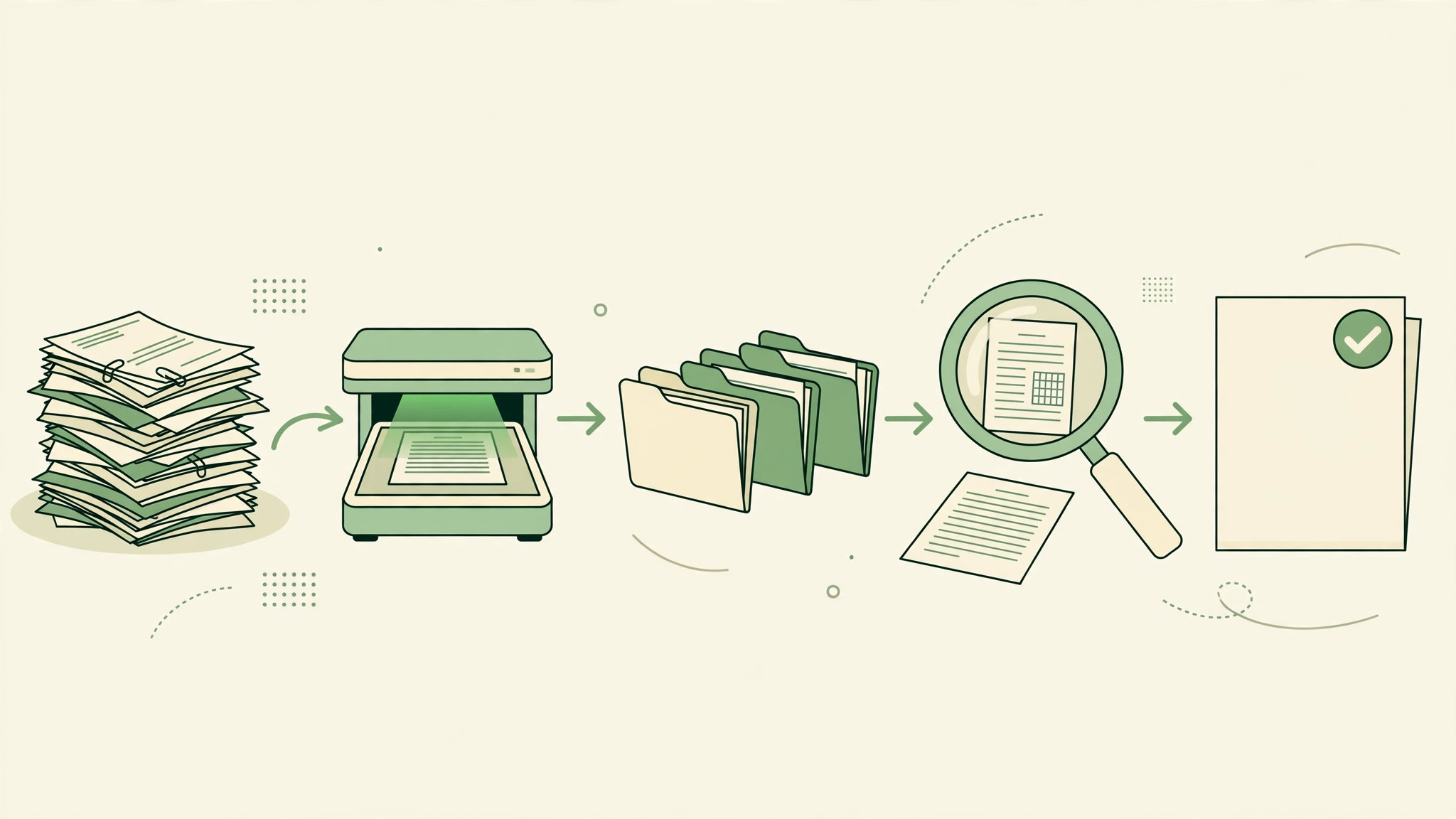
How We Chose the 12 Best AI Tools for Tax Preparers
A tool earned a place here only if it does a real tax job in 2026, not if it added an AI label to an old calculator. The best ai tools for tax preparers were judged on five things that decide whether a practice keeps paying after the first year.
First, the job it does, because tax teams get more from a tool that does one tax main task well than from a platform that does five poorly. Second, whether the price is published and how it scales, including per-seat charges that change the real bill as tax preparers grow. Third, output quality, because a tool that gets the tax work detail wrong costs more in lost trust than the subscription saves.
Fourth came ease of use, since tax preparers abandon a tax tool option that needs a week of training before its first result. Fifth came the catch, from free plans that limit the core feature to quote-only pricing that hides the real tax work cost until the sales call.
| Check before you buy | What to ask | Why it matters |
|---|---|---|
| Document reading | Whether it reads W-2s, 1099s and receipts accurately | Bad reads create more work than they save |
| Accuracy checks | Whether it flags the odd number before filing | One missed flag can cost a client real money |
| Client intake | Whether clients can send documents without a phone call | A smooth intake saves the busiest weeks |
| E-filing support | Whether it files and tracks the return cleanly | Filing errors are the most expensive kind |
| Total cost | Published price plus per-return charges | Quote-only tools need a budget call before a trial |
Every Tool in Detail
1. TurboTax
Starting price From 89 dollars per return. Best for Guided individual filing. Watch out The price rises with each form the return needs. TurboTax is the guided filing pick, walking an individual through the return step by step with plain questions instead of tax forms. It suits people filing their own return, because the interview format catches the deductions a form would miss.
The strength is the guidance. A filer who does not know what a deduction is still gets asked the right question in plain words, and the software checks the answer as it goes. That guidance is the reason most individuals choose TurboTax over a bare form.
Pick TurboTax when the return is individual and the filer wants guidance. Check the edition before paying, because the price rises with each form the return needs.
2. H&R Block
Starting price From 55 dollars per return. Best for Individual filing with human help. Watch out The cheapest online edition is thin for complex returns. H&R Block is the individual filing pick with a human option, offering online filing from 55 dollars per return and in-person help in its offices. It suits filers who want the software and the option of a person checking the result.
The strength is the human backup. A filer who gets stuck can switch to a tax professional without starting over, and that safety net is worth the price for people who worry about getting it wrong. The online edition is straightforward, and the office network is the fallback.
Pick H&R Block when the filer wants software plus the option of human help. Start with the free tier for a simple return, and upgrade only when the return needs more forms.
3. Drake Tax
Starting price From 345 dollars a year. Best for Small tax practices. Watch out The interface is older than the newer platforms tax preparers use. Drake Tax is the small practice pick, covering individual and business returns for a flat annual price from 345 dollars a year. It suits small firms that file many returns, because the flat price beats per-return billing once the volume passes a few dozen.
The strength is the value. A practice that files a hundred returns pays a few dollars per return, which is far below the per-return price of the DIY tools. That flat pricing is the reason small practices have stayed with Drake for years.
Pick Drake Tax when the practice files many returns and needs a flat price. Trial it on last year’s returns first, because the workflow feel matters more than the feature list.
4. Lacerte
Starting price Pricing on request. Best for Large tax practices. Watch out Quote-only pricing, so tax preparers face an enterprise sales process. Lacerte is the large practice pick, with deep support for complex individual and business returns. It suits firms that handle partnerships, estates and multi-state filings, because the software covers the forms and the calculations those returns need.
The strength is depth. A complex return with many forms, states and entities is routine in Lacerte, while the same return would strain a simpler tool. That depth is the reason large firms accept the quote-only pricing and the learning curve.
Pick Lacerte when the practice is large and the returns are complex. Expect a quote and a proper onboarding, and bring last year’s return mix to the first call.
5. ProSeries
Starting price Pricing on request. Best for Mid-size tax practices. Watch out Pricing depends on modules, so quotes vary. ProSeries is the mid-size practice pick, covering individual and business returns with a modular price that follows the modules chosen. It suits firms that need professional depth without the enterprise scale of Lacerte, because the modules let the firm pay for what it uses.
The strength is the modular fit. A firm can start with the individual module and add the business module when the client mix changes, without switching software. That growth path is the reason mid-size firms choose ProSeries over a flat-price tool.
Pick ProSeries when the practice is mid-size and the return mix is growing. Ask for a quote with your module list stated, and trial it on last year’s returns.
6. UltraTax CS
Starting price Pricing on request. Best for Firms using Thomson Reuters products. Watch out Quote-only pricing with an enterprise sales process for tax preparers. UltraTax CS is the Thomson Reuters tax platform, covering individual, business and trust returns with deep integration to the rest of the CS suite. It suits firms already using Thomson Reuters accounting tools, because the data flows between them without re-entry.
The strength is the integration. A firm that keeps its books in the CS suite can pull the numbers straight into the return, which cuts the retyping and the errors that come with it. That single flow is the reason firms stay in the suite.
Pick UltraTax CS when the firm already uses Thomson Reuters products. Expect a quote and a proper rollout, and check the integration before signing.
7. CCH Axcess
Starting price Pricing on request. Best for Large firms needing cloud tax. Watch out Quote-only pricing with a long implementation. CCH Axcess is the cloud tax platform from Wolters Kluwer, covering preparation, review and filing for large firms. It suits firms that want the tax work in the cloud, because the platform runs anywhere and the team collaborates in real time.
The strength is the cloud workflow. A reviewer can check a return from another office, a manager can see the whole workload, and the files are never emailed around. That collaboration is the reason large firms move to Axcess from desktop software.
Pick CCH Axcess when the firm is large and the work must live in the cloud. Expect a quote and a long implementation, and trial it on one team before rolling it out.
8. TaxSlayer Pro
Starting price From 895 dollars a year. Best for Practices that file many returns. Watch out The annual price is high for a very small practice. TaxSlayer Pro is the volume practice pick, covering individual and business returns for a flat annual price from 895 dollars a year. It suits practices that file hundreds of returns, because the flat price falls to a few dollars per return at volume.
The strength is the flat price at volume. A practice that files five hundred returns pays under two dollars per return, which is far below any per-return tool. That economy is the reason volume practices choose TaxSlayer Pro.
Pick TaxSlayer Pro when the practice files hundreds of returns a year. Trial it on last year’s returns, because the workflow feel matters more than the feature list.
9. Canopy
Starting price From 79 dollars a month. Best for Client management for tax practices. Watch out It manages clients, it does not prepare every return type. Canopy is the client management pick for tax practices, with intake, document collection, e-signatures and billing in one place. It suits practices that lose time chasing documents, because the portal and the reminders do the chasing.
The strength is the intake. A client who gets a clear checklist and a reminder sends the documents on time, and the practice spends March on returns instead of on phone calls. That intake saving is the fastest payback on this list.
Pick Canopy when client intake and management are the bottleneck. Pair it with a preparation tool, because Canopy does not prepare every return type itself.
10. Keeper Tax
Starting price From 16 dollars a month. Best for Expense tracking for freelancers. Watch out Built for freelancers, not for full practices. Keeper Tax is the freelancer pick, tracking expenses and finding deductions for self-employed workers. It suits freelancers who mix personal and business spending, because the AI sorts the transactions and flags the deductible ones.
The strength is the expense scan. A freelancer who links a bank account sees the deductions found automatically, with the receipts matched and the totals ready for the return. That scan catches deductions a manual review would miss.
Pick Keeper Tax when the filer is a freelancer with many small expenses. Trial it for a month on real transactions, because the deduction find rate shows up fastest there.
11. FlyFin
Starting price Pricing on request. Best for AI tax help for freelancers. Watch out Pricing is not published. FlyFin is the AI tax tool for freelancers, combining expense tracking with AI answers to tax questions. It suits self-employed workers who want a tax helper in their pocket, because the AI answers the question and the app tracks the expense in the same place.
The strength is the AI help. A freelancer who wonders whether a cost is deductible can ask in plain words and get an answer with the rule behind it. That instant answer is the feature that saves a phone call to an accountant.
Pick FlyFin when the filer is a freelancer who wants AI tax help alongside expense tracking. Ask for the quote once the trial proves the answers are accurate, and compare the cost against Keeper Tax.
12. FreeTaxUSA
Starting price Free federal, state 14.99 dollars. Best for Free federal filing. Watch out State filing costs extra, and support is limited. FreeTaxUSA is the free federal filing pick, with federal returns free and state filing at 14.99 dollars. It suits individuals with a straightforward return, because the price is the lowest on this list and the software covers the common forms.
The strength is the price. A simple federal return costs nothing, and a state return costs less than a lunch. That pricing is the reason FreeTaxUSA is the first choice for filers who know their return is simple.
Pick FreeTaxUSA when the return is simple and the budget is zero. Check the forms before starting, because a return that needs a rare form may need a paid tool.
The Side-by-Side Read
The table below puts the best ai tools for tax preparers side by side on price, best job and free plan, so you can compare the published prices against the per-seat tools at a glance.
The cheapest way to read the table for tax teams is by tax job type, not by price. A tool that costs 5 dollars a month and cannot do the job is more expensive than a tool that costs 20 dollars and does it well, because the rework eats an hour on every tax task daily. Read the best for column first, then check the price, and the right tool is usually obvious for tax preparers in under a minute.
| Tool | Starting price | Best for | Free plan |
|---|---|---|---|
| TurboTax | From 89 dollars per return | Guided individual filing | No |
| H&R Block | From 55 dollars per return | Individual filing with human help | No |
| Drake Tax | From 345 dollars a year | Small tax practices | No |
| Lacerte | Pricing on request | Large tax practices | No |
| ProSeries | Pricing on request | Mid-size tax practices | No |
| UltraTax CS | Pricing on request | Firms using Thomson Reuters products | No |
| CCH Axcess | Pricing on request | Large firms needing cloud tax | No |
| TaxSlayer Pro | From 895 dollars a year | Practices that file many returns | No |
| Canopy | From 79 dollars a month | Client management for tax practices | No |
| Keeper Tax | From 16 dollars a month | Expense tracking for freelancers | No |
| FlyFin | Pricing on request | AI tax help for freelancers | No |
| FreeTaxUSA | Free federal, state 14.99 dollars | Free federal filing | Yes |
Best Pick by Job
The table below is the fastest way to use this tax work guide. Match the tax work job to its named tool and trial that one first, for tax preparers. The best ai tools for tax preparers are not ranked by price here, they are matched by fit, because the cheapest tool that cannot do your job is the most expensive mistake on this list.
| Job | Best tool | Why it wins |
|---|---|---|
| Guided individual filing | TurboTax | The strength is the guidance. A filer who does not know what… |
| Individual filing with human help | H&R Block | The strength is the human backup. A filer who gets stuck can… |
| Small tax practices | Drake Tax | The strength is the value. A practice that files a hundred returns… |
| Large tax practices | Lacerte | The strength is depth. A complex return with many forms, states and… |
| Mid-size tax practices | ProSeries | The strength is the modular fit. A firm can start with the… |
| Firms using Thomson Reuters products | UltraTax CS | The strength is the integration. A firm that keeps its books in… |
| Large firms needing cloud tax | CCH Axcess | The strength is the cloud workflow. A reviewer can check a return… |
| Practices that file many returns | TaxSlayer Pro | The strength is the flat price at volume. A practice that files… |
| Client management for tax practices | Canopy | The strength is the intake. A client who gets a clear checklist… |
| Expense tracking for freelancers | Keeper Tax | The strength is the expense scan. A freelancer who links a bank… |
| AI tax help for freelancers | FlyFin | The strength is the AI help. A freelancer who wonders whether a… |
| Free federal filing | FreeTaxUSA | The strength is the price. A simple federal return costs nothing, and… |
What to Verify Before Paying
Before the trial converts, tax preparers should read the contract, since the pricing page rarely shows the whole tax work bill. Check per-user, per-seat or per-action billing for tax teams, and whether the annual price locks for one year or two. Ask what five more people do to the bill, because a per-seat tool cheap for three users can double before the year ends for tax teams. Vendors that answer in writing earn the tax work subscription.
Trial on real tax work for tax preparers, never on vendor demo data. Load the team’s own files, clients and questions, and time the core tax daily task from start to finish. Fast on demo data and slow on real tax work means the fit is wrong. Note every error, slow step and call for help, because those notes are the real review for tax teams.
Before loading anything important, tax preparers should ask how live tax data leaves the tool. A good tool exports the full tax work record in a standard format, free and without a support ticket. One that locks data in or charges to release it owns the team’s tax work after a month. Test the export on trial day one, while the core tax figures is small, so month twelve holds no surprises for tax teams.
Test the support before tax teams need it, because support quality only matters for tax work on the day something breaks. Send one real question during the trial and time the reply, then judge whether the answer actually solved the tax work problem. A vendor that replies in an hour with a fix is worth more to tax teams than a vendor that replies in a day with a link to a help page. Support is part of the price, even when it is not listed on the pricing page for tax preparers.
Putting It Together: A First-Month Tax Workflow
A list of tools is only useful when it turns into a decision, so here is a four-week plan for testing the best ai tools for tax preparers on real work before you pay for a year. The plan is deliberately slow, because a rushed tax trial run tells nothing and a careful one tells everything.
Week one is the document list, not the software. Write down the ten document types that arrive most often, then check each tool against that list before you trial anything. A tool that cannot read your most common 1099 will fail in week two, and no feature list fixes that. Load ten real returns into the trial, not ten demo returns.
Week two is the read test. Let the tool read the documents for those ten returns and count the errors it makes. If the error rate is under 2 percent, the tool works. If it is over 5 percent, the reading is too weak for tax season, and a second week of training is cheaper than a second tool. Check the flags it raised, because a tool that flags nothing is not checking.
Week three is the intake test. Send the client portal to five real clients and watch how many send their documents without phoning. If four out of five manage it, the intake works. If two out of five phone for help, the portal is too complex for the clients who need it most, and the practice will spend March on the phone instead of on returns.
Week four is the decision. Keep the tool only if the document reads were accurate, the flags caught a real error, and the clients used the portal without help. If the tool only moved the work from typing to fixing AI reads, the document set was too messy, and a week of better client instructions is cheaper than a second tool. Roll it out to one more client group only after the first group is steady.
Before You Ask
What is the cheapest good tax tool to start with
FreeTaxUSA is the cheapest credible start, with free federal filing and state filing at 14.99 dollars, and it covers simple individual returns well. Keeper Tax starts at 16 dollars a month for freelancers tracking expenses. Start with the tax job you do most each week, and add a specialist only when the general tool cannot do a job you are paid to do.
Can AI prepare a tax return on its own
AI can read documents, sort income and flag the odd number, but it cannot sign a return or take responsibility for it. A preparer must review every AI-prepared return before filing, because the liability sits with the preparer, not the software. The best ai tools for tax preparers are the ones that make the review faster, not the ones that promise to remove it.
Do I need professional tax software or is a DIY tool enough
A DIY tool is enough for a simple individual return with one income source, and TurboTax or H&R Block cover that job well. Professional software earns its place when the practice files many returns, needs client management and e-filing at scale, or handles business returns. The switch is worth it when the DIY tool costs more in time than the professional tool costs in fees.
How do tax tools protect client data
Tax tools hold the most sensitive personal data there is, so they must encrypt it, limit who sees each return, and log who opened it. In the United States, the IRS requires a written information security plan for tax preparers, and the tool should support it. Ask for the security statement in writing before any client return goes into a new tool.
What is the difference between tax preparation and tax planning software
Tax preparation software files the return for the year that ended, while tax planning software looks ahead and estimates the tax on future decisions. Most practices need preparation first and add planning when clients ask what a decision will cost in tax. Canopy and similar tools add planning features on top of preparation, which is the natural second step.
Which tool is best for a small tax practice
Drake Tax is the strongest choice for a small practice, because it covers individual and business returns at a price a small firm can afford. Canopy is the best option for client management and intake, and Keeper Tax suits freelancers and solo preparers. Price the combination, not one tool, and confirm the current plan limits before you sign, because per-return charges sit on different tiers across these tools.
The Verdict, in Brief
If you buy one tool this quarter, buy Drake Tax if you run a small practice and file many returns, and buy TurboTax if the returns are individual and the client files alone. Drake Tax is the best practice value on this list, with full preparation at a price a small firm can afford. TurboTax is the best DIY pick, with the guided filing that most individuals need.
Whatever you pick, start with the document list, trial on ten real returns, and keep a human eye on every AI-prepared return before it is filed. The tools on this list all work. The difference is whether the tool matches the returns you actually file and whether you measure the return in hours saved and errors caught rather than in features used. The tools that are still in your stack a year from now are the ones that caught an error you would have missed, and that is the test every purchase on this list has to pass.
The best ai tools for tax preparers that earn a permanent place are the ones that prove their value in the first month, not the ones with the longest feature list.
That first-month proof is what separates the best ai tools for tax preparers worth keeping from the ones that look good in a demo and gather dust after.