
A small nonprofit with five staff and a 500,000 dollar budget cannot hire a grant writer, a donor manager and a designer, so the same five people write the grants, thank the donors and design the flyers. The best ai tools for nonprofit teams exist for exactly that gap, because a grant draft that once took a weekend can now start from past proposals in an afternoon, and a donor thank you that once waited a week can go out the same day.
This guide compares fifteen tools on published prices, the job each one does best and the nonprofit discount attached to it, because discounts decide this category more than features do. Prices come from vendor pricing pages and third party roundups checked in November 2026. Start with the shortlist, then read the reviews that match the job your team feels most. The reviews below are ordered by the job, so the best ai tools for nonprofit teams for grants, donors and design each get their own section.
The Quick Shortlist
The table below matches each common nonprofit job to the single tool that handles it best. Use it to narrow the best ai tools for nonprofit teams to two or three candidates before you read the full reviews. Prices are monthly list prices unless noted.
| Job | Best tool | Why it wins |
|---|---|---|
| Fundraising pages plus a free CRM | Givebutter | Free core platform, funded by optional donor tips |
| AI grant writing from past proposals | Grantable | Free plan, Starter from 50 dollars a month |
| Grant discovery and deadline tracking | Instrumentl | 450,000 plus funder profiles, from 299 dollars a month billed annually |
| Donor retention and engagement scoring | Bloomerang | CRM from 125 dollars a month billed annually |
| Mature donor CRM for complex fundraising | DonorPerfect | From 99 dollars a month |
| Everyday writing assistant | ChatGPT | Nonprofit Business at 8 dollars per user a month |
| Long document review and grant narratives | Claude | Nonprofit Team at 8 dollars per user a month |
| Design for flyers and annual reports | Canva for Nonprofits | Free premium features for verified charities |
| Free workspace with Gemini included | Google Workspace for Nonprofits | Free for up to 2,000 users |
| Donation checkout that converts | Fundraise Up | No monthly fee, 4 percent per transaction |
| Donor CRM plus email in one system | Keela | From 134 dollars a month billed annually |
| Affordable donor database | DonorSnap | Basic from 68 dollars a month for up to 1,000 contacts |
| Smallest paid donor database | Little Green Light | 45 dollars a month for up to 2,500 records |
| Zero fee fundraising of any kind | Zeffy | Free, funded by optional donor tips |
| Wiki, projects and meeting notes | Notion | 50 percent nonprofit discount on paid plans |
How We Sorted the Best AI Tools for Nonprofit Teams
A tool earned a place here only if it does a real nonprofit job in 2026, not if it added an AI label to an old product. The best ai tools for nonprofit teams were sorted on five things that decide whether a team keeps using a tool after the trial.
First, the job it does, from grant writing to donor retention to design, because a tool that does one job well beats a platform that does five jobs poorly. Second, the real cost for a small team, including the nonprofit discount, the free tier and the processing fees that change the bill. Third, where donor data goes, because a general assistant that only sees what you paste in is a different risk from a CRM that holds the donor record. Fourth, whether the free tier is real or a short trial in disguise. Fifth, the catch, from grant tools that need a human finish to donation platforms whose fees sit on every gift.
The grant writing warning deserves a line of its own. A survey of 527 foundations found only 10 percent said they would accept AI generated applications, while 67 percent remain undecided, so every grant draft on this list needs a human finish and a human review before it goes to a funder. Use AI to start the proposal, never to submit it untouched.
| Check before you buy | What to ask | Why it matters |
|---|---|---|
| Nonprofit discount | Is the discount published, and who qualifies | Discounts change the real price by half or more |
| Free tier limits | How many users, contacts and messages | Tells you if the trial is a real test |
| Donor data handling | Where does donor data go, and who sees it | Donor data needs a clear policy |
| Processing fees | Platform fee plus card fee per gift | Fees sit on every donation |
| Grant disclosure | Does the funder accept AI drafted applications | Some funders do not, and the rule is changing |
| Contract terms | Annual only, or monthly available | Annual billing locks a small budget in |
The 15 Tools, Reviewed One by One
1. Givebutter
Starting price Free, funded by optional donor tips. Best for Fundraising pages plus a free CRM. Watch out With tips off, fees run 3 percent plus card fees, so the free model depends on donors tipping.
Givebutter is the fundraising pick for small nonprofits because its core platform is genuinely free, covering donation pages, events, a CRM and email, with no contact limit. The model is simple, the platform costs nothing when optional donor tips are on, and Plus starts at 29 dollars a month for advanced features. For a team with almost no software budget, that free core covers the fundraising job without a monthly bill.
The strength is that it is a fundraising platform that added a CRM, not a CRM that added fundraising, so the donation page, the campaign and the donor record work together from the start. A small nonprofit can run a campaign, collect gifts and thank donors in one system, and the QuickBooks Online sync sits on Plus for teams that need it. Givebutter earns the top spot for teams that need fundraising and a CRM for free.
2. Grantable
Starting price Free plan, Starter from 50 dollars a month. Best for AI grant writing from past proposals. Watch out Grant drafts need a human finish, and some funders do not accept AI generated applications.
Grantable is the grant writing pick for teams that run a pipeline of proposals, because it keeps the organization profile, past proposals and funder research in one workspace and drafts from that material rather than from a blank prompt. The free plan covers 5 messages a day, Starter costs 50 dollars a month per workspace, and small budgets under 500,000 dollars get 50 percent off year one. It also checks the proposal against the request for proposals, so missing sections surface before submission.
The value is memory. A general assistant forgets your organization between sessions, while Grantable remembers your past work, your voice and your funder history, and that memory is what makes the drafts useful rather than generic.
3. Instrumentl
Starting price 299 dollars a month billed annually. Best for Grant discovery and deadline tracking. Watch out AI proposal drafting starts on Pre-Award at 499 dollars a month billed annually, so the drafting tier costs far more.
Instrumentl is the grant discovery pick, because it does something a chatbot cannot, it matches your mission to funders and tracks deadlines. The platform holds more than 450,000 funder profiles, runs AI powered matching and pulls requirements out of award letters. Discover costs 299 dollars a month billed annually, or 349 dollars month to month, for up to three users, with a 14 day free trial and no nonprofit discount on the page.
The tracking is the deeper value. Deadlines, reporting dates and requirements live in one pipeline, so a grant does not get missed because the date sat in a spreadsheet nobody opened.
4. Bloomerang
Starting price 125 dollars a month billed annually for CRM. Best for Donor retention and engagement scoring. Watch out Fundraising costs 40 dollars a month extra and only sells bundled with CRM, so the real entry point is 165 dollars a month.
Bloomerang is the donor retention pick, built around the problem that most first time donors never give again. Engagement scoring flags at risk donors, retention dashboards show the board where the leaks are, and automated communications keep thank yous and follow ups from slipping. CRM starts at 125 dollars a month billed annually, the Giving Platform bundle with Prospect AI runs 242 dollars a month, and there is no free tier.
The strength is focus. Bloomerang is a CRM, not an all in one platform, so peer to peer fundraising, text to give and volunteer management need integrations or separate subscriptions, and the total can reach 300 to 600 dollars a month once everything is added.
5. DonorPerfect
Starting price 99 dollars a month. Best for Mature donor CRM for complex fundraising. Watch out Exact tier prices are quote based, so the entry figure is a starting point rather than a full price.
DonorPerfect is the established workhorse for nonprofits whose fundraising has real complexity, with more than 30 years in the market. It covers donor management, reporting, online giving forms, pledge management and cultivation plans with up to 60 custom moves, and it handles multiple campaigns, events, monthly giving, grants and major gift pipelines in one system. The published entry point is 99 dollars a month, with Core, Plus and Pro tiers priced by quote.
The value is depth and predictability. A mid size nonprofit that has outgrown a spreadsheet needs a system that will not surprise it, and DonorPerfect has the reporting and segmentation depth that budget tools lack. The interface is dated and the entry tier limits customization, so a team that wants a modern look should trial it first. For complex multi channel fundraising, it earns its place.
6. ChatGPT
Starting price Free, nonprofit Business at 8 dollars per user a month billed annually. Best for Everyday writing assistant. Watch out Keep donor data out of it unless your AI policy allows it, since it only sees what you paste in.
ChatGPT is the everyday assistant for nonprofit teams because it drafts, summarizes and brainstorms across every job a small team faces, from a donor email to a board summary to a social post. The free plan covers basic use, Plus costs 20 dollars a month, and the nonprofit program offers Business at 8 dollars per user a month billed annually, with up to 75 percent off Enterprise. For a team that already lives on ChatGPT, the nonprofit rate makes the paid tier affordable.
The strength is range. No specialist tool on this list covers as many small jobs, and the Projects and memory features let a team keep recurring work in one place. The limit is data, since ChatGPT sees only what someone pastes in or connects, so donor records should stay out unless the organization AI policy allows it.
7. Claude
Starting price Free, nonprofit Team at 8 dollars per user a month. Best for Long document review and grant narratives. Watch out It has no funder data, so grant research still needs a specialist tool.
Claude is the document pick for nonprofit teams because it handles long documents better than most general assistants, reviewing a grant narrative, a report or a policy draft with care for structure and tone. The free plan covers basic use with five Projects, the standard paid plan costs 20 dollars a month, and the nonprofit Team rate is 8 dollars per user a month, the same as ChatGPT Business. For a five person team, that is 480 dollars a year for the whole team.
The value is the review quality. A grant narrative that has been through Claude comes back tighter, with gaps flagged and language that sounds like a person wrote it, and the long context window means the whole proposal can be reviewed at once rather than in pieces. It does not replace a grant specialist, since it has no funder data and the request for proposals must be uploaded by hand. For drafting and review, it earns its place alongside ChatGPT.
8. Canva for Nonprofits
Starting price Free for verified charities. Best for Design for flyers and annual reports. Watch out Eligibility needs verification, so apply early and confirm the status before you plan around it.
Canva for Nonprofits gives verified charities premium design features at no cost, and it is the design pick because every nonprofit needs flyers, social posts and an annual report, and few can hire a designer. The premium tier covers templates, brand kits and collaboration, so a small team can produce a professional annual report without a design budget. The free tier is the whole point, since design is often the first job a small team tries to do for free.
The strength is speed. A volunteer can build a social post from a template in minutes, and the brand kit keeps every post looking like it came from the same organization.
9. Google Workspace for Nonprofits
Starting price Free for up to 2,000 users. Best for Free workspace with Gemini included. Watch out The free Gemini app is included, and the fuller Gemini features in Docs and Gmail sit on paid tiers.
Google Workspace for Nonprofits is the workspace pick because it is free for up to 2,000 users, covering email, Docs, Sheets, Drive and Meet for the whole organization. The free Gemini app is included, and NotebookLM is available, so a team gets a writing assistant and a research tool without a separate subscription. For a nonprofit that is still paying for email and documents, the free tier removes a real monthly bill.
The value is the bundle. A team that moves its email, documents and meetings into one free workspace stops paying for three separate tools, and the shared Drive becomes the single place where grants, reports and donor letters live.
10. Fundraise Up
Starting price No monthly fee, 4 percent per transaction. Best for Donation checkout that converts. Watch out The platform fee sits on every gift, so high volume teams should compare the total against a monthly plan.
Fundraise Up is the checkout pick because it focuses on one job, turning a visitor into a donor, and it does that job well. There is no monthly fee, just a 4 percent platform fee per transaction, with nonprofit card rates through Stripe, and the checkout is built to convert with smart ask amounts and recurring prompts. For a small nonprofit that cannot justify a monthly platform fee, the pay per gift model means the cost only arrives when a gift does.
The strength is conversion. A donation page that loads fast, suggests the right amount and makes recurring giving easy will raise more than a clunky form, and Fundraise Up optimizes that page obsessively. The catch is the math at scale, since 4 percent of a large volume adds up, and a team that raises a lot should compare the total against a monthly plan. For small and mid size teams, it earns its place.
11. Keela
Starting price From 134 dollars a month billed annually. Best for Donor CRM plus email in one system. Watch out A free Starter under 250 contacts is reported rather than published, so confirm it before you rely on it.
Keela is the combined CRM and email pick for teams that want donor management and email in one login. It covers donor records, email campaigns and fundraising in one system, starting at 134 dollars a month billed annually, and it suits teams that are tired of syncing a CRM to a separate email tool. The single system means a donor email goes out from the same record that holds the gift history, and the follow up is tracked in the same place.
The value is simplicity. A small team with one development lead and four staff does not need three tools and two integrations, it needs one system that everyone opens every morning.
12. DonorSnap
Starting price 68 dollars a month for up to 1,000 contacts. Best for Affordable donor database. Watch out The price grows with contacts, so a large database costs more than the entry figure.
DonorSnap is the affordable CRM pick, built by one Wisconsin team since 2007 and trusted by more than 10,000 nonprofit professionals. The Basic plan starts at 68 dollars a month for up to 1,000 contacts, with unlimited users, and the price includes the Stripe integration that powers online donation forms. The Pro plan adds email campaigns, analytics and team services, and EventSnap and AuctionSnap cover events and auctions.
The strength is the flat model. Unlimited users means the whole team can work in the CRM without a per seat charge, and the contact based price is easy to budget.
13. Little Green Light
Starting price 45 dollars a month for up to 2,500 records. Best for Smallest paid donor database. Watch out It is a database first, so fundraising pages and email need separate tools.
Little Green Light is the smallest paid donor database on this list, at 45 dollars a month for up to 2,500 records, and it is the pick for nonprofits moving from spreadsheets to a real system. It covers donor records, gifts, acknowledgements and basic reporting, with a free trial to test the fit. For a team with a small database and a small budget, it is the cheapest credible paid option that is still a proper donor system.
The value is the step up from a spreadsheet. A donor record that holds the gift history, the thank you status and the contact notes in one place stops the team from losing donors to forgotten follow ups, and the price is low enough that a board can approve it without a long debate.
14. Zeffy
Starting price Free, with zero platform and transaction fees. Best for Zero fee fundraising of any kind. Watch out The model depends on optional donor tips, so the donor sees a tip prompt at checkout.
Zeffy is the zero fee pick, genuinely free with no platform fee and no transaction fee, funded by optional donor tips, with automatic tax receipts included. It covers donation pages, events, memberships and raffles, and it suits small nonprofits that want every dollar of a gift to reach the mission. For a team that raises a modest amount and resents fees on every gift, Zeffy removes the fee question entirely.
The strength is the total. A 100 dollar gift through Zeffy is 100 dollars for the mission, while the same gift through a 4 percent platform loses 4 dollars before card fees, and that difference adds up across a year of small gifts.
15. Notion
Starting price 50 percent nonprofit discount on paid plans, from about 5 dollars per user a month. Best for Wiki, projects and meeting notes. Watch out The discount is applied to the list price, so confirm the discounted figure for your team size.
Notion is the internal workspace pick for nonprofit teams because it covers the wiki, the projects and the meeting notes in one system that everyone can open. The Plus plan lists at 10 dollars per user a month, and the 50 percent nonprofit discount brings it to about 5 dollars per user a month, which makes a five person team cost about 25 dollars a month. Meeting notes, grant trackers, volunteer rotas and the annual report plan can all live in one place.
The value is shared memory. A team that writes its decisions, its grant deadlines and its donor follow ups in one workspace stops losing knowledge when a volunteer leaves, and the templates mean a new starter can find the process without asking.
Side by Side Comparison
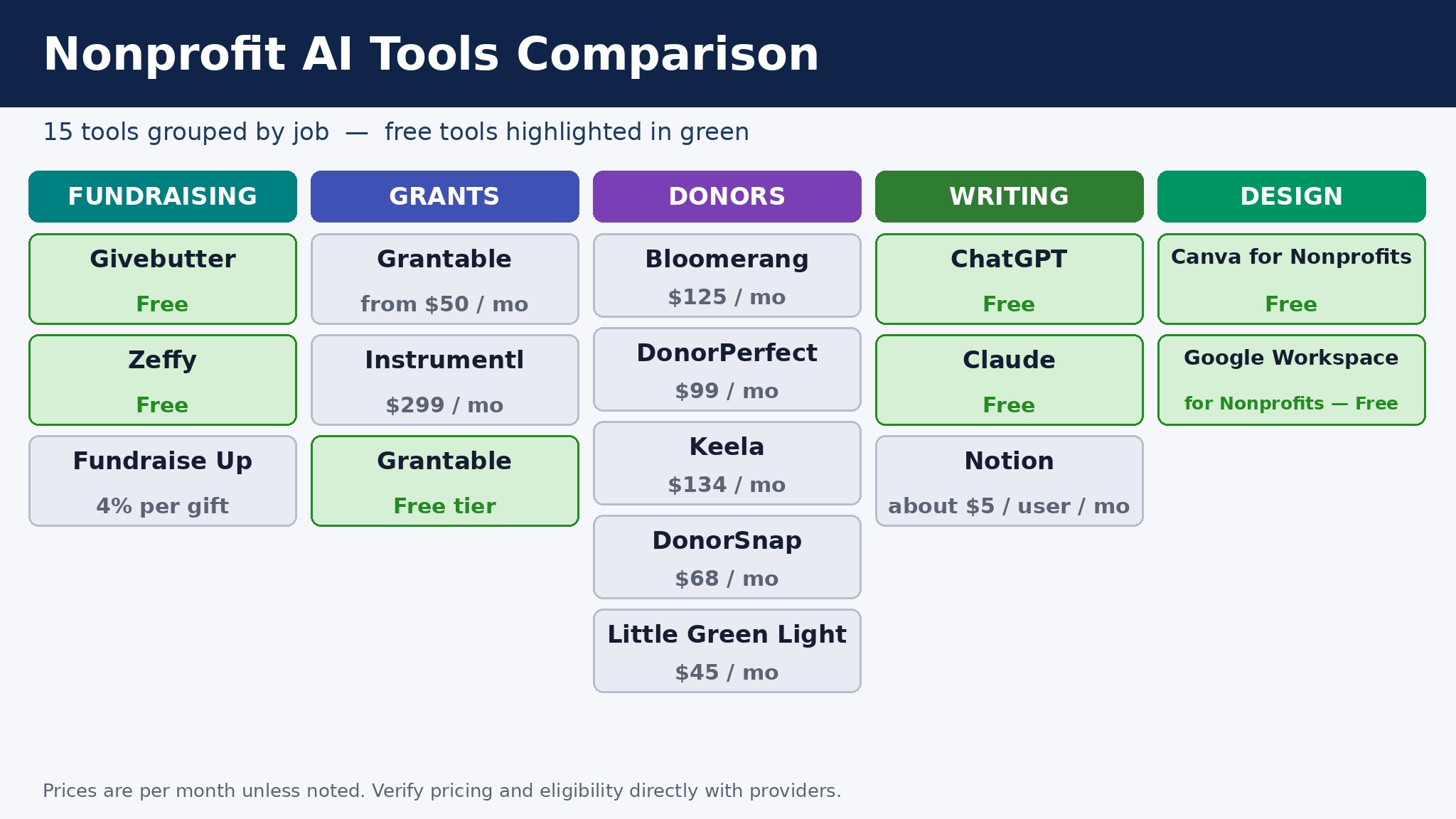
The table below puts the best ai tools for nonprofit teams side by side on price, best job and free plan, so a team can compare the free tools against the paid ones before shortlisting.
| Tool | Starting price | Best for | Free plan |
|---|---|---|---|
| Givebutter | Free | Fundraising pages plus a free CRM | Yes |
| Grantable | Free, Starter 50 dollars a month | AI grant writing from past proposals | Yes, 5 messages a day |
| Instrumentl | 299 dollars a month, annual | Grant discovery and deadline tracking | 14 day trial |
| Bloomerang | 125 dollars a month, annual | Donor retention and engagement scoring | No |
| DonorPerfect | 99 dollars a month | Mature donor CRM for complex fundraising | No |
| ChatGPT | Free, nonprofit 8 dollars per user a month | Everyday writing assistant | Yes |
| Claude | Free, nonprofit 8 dollars per user a month | Long document review and grant narratives | Yes |
| Canva for Nonprofits | Free | Design for flyers and annual reports | Yes |
| Google Workspace for Nonprofits | Free, up to 2,000 users | Free workspace with Gemini included | Yes |
| Fundraise Up | No monthly fee, 4 percent per gift | Donation checkout that converts | Yes |
| Keela | 134 dollars a month, annual | Donor CRM plus email in one system | Reported Starter |
| DonorSnap | 68 dollars a month | Affordable donor database | No |
| Little Green Light | 45 dollars a month | Smallest paid donor database | Trial only |
| Zeffy | Free | Zero fee fundraising of any kind | Yes |
| Notion | About 5 dollars per user a month | Wiki, projects and meeting notes | Yes |
How to Pick the Right Tool for Your Team
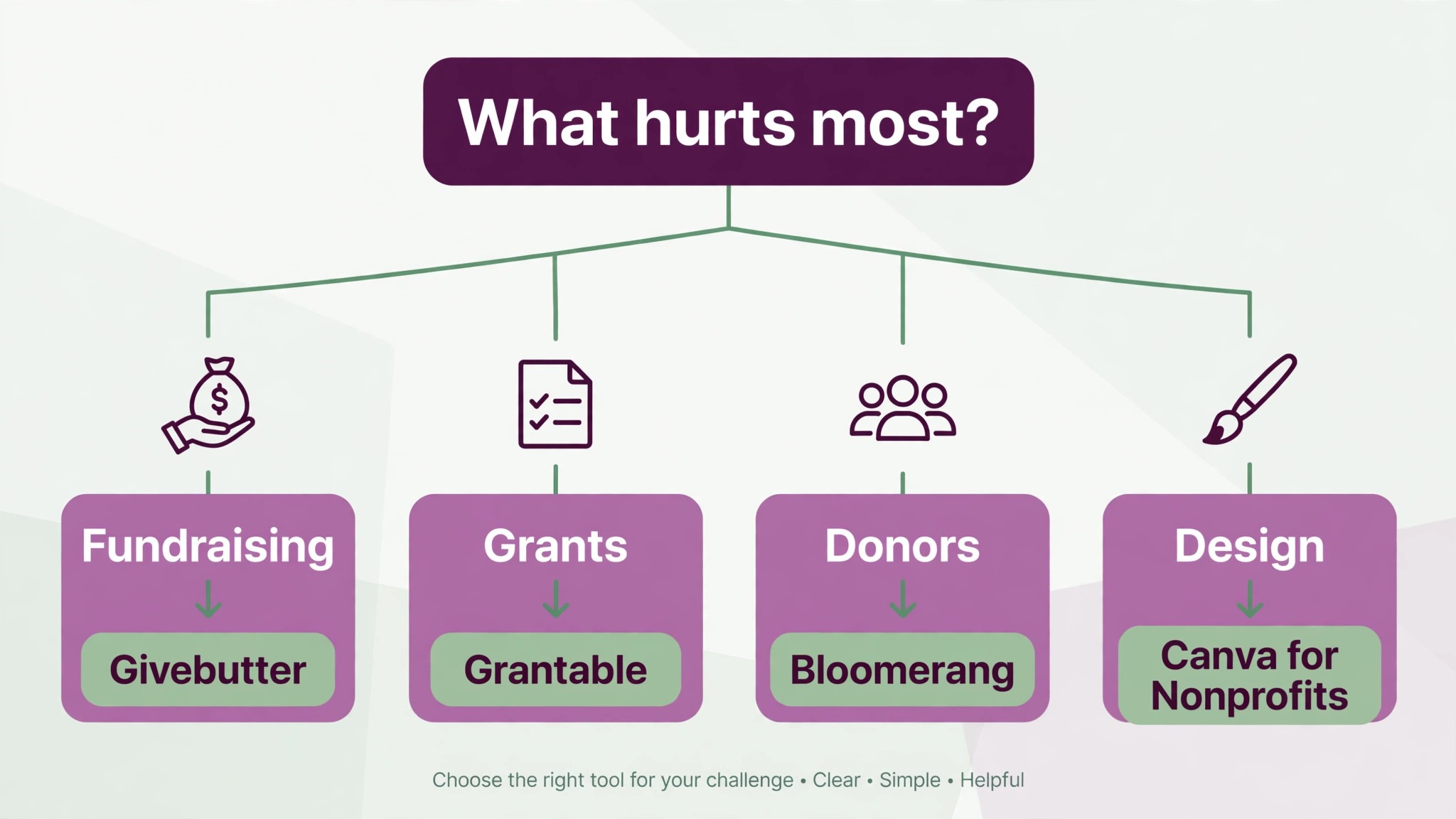
The best ai tools for nonprofit teams are not the ones with the longest feature list. They are the ones that fix the job your team feels every week. A team that cannot raise money online should buy Givebutter or Zeffy. A team that lives on grants should buy Grantable and Instrumentl. A team that loses donors should buy Bloomerang. A team that needs a database should buy DonorSnap or Little Green Light. A team that needs design and documents should claim Canva and Google Workspace first, since both are free. Start from the job, not from the vendor homepage.
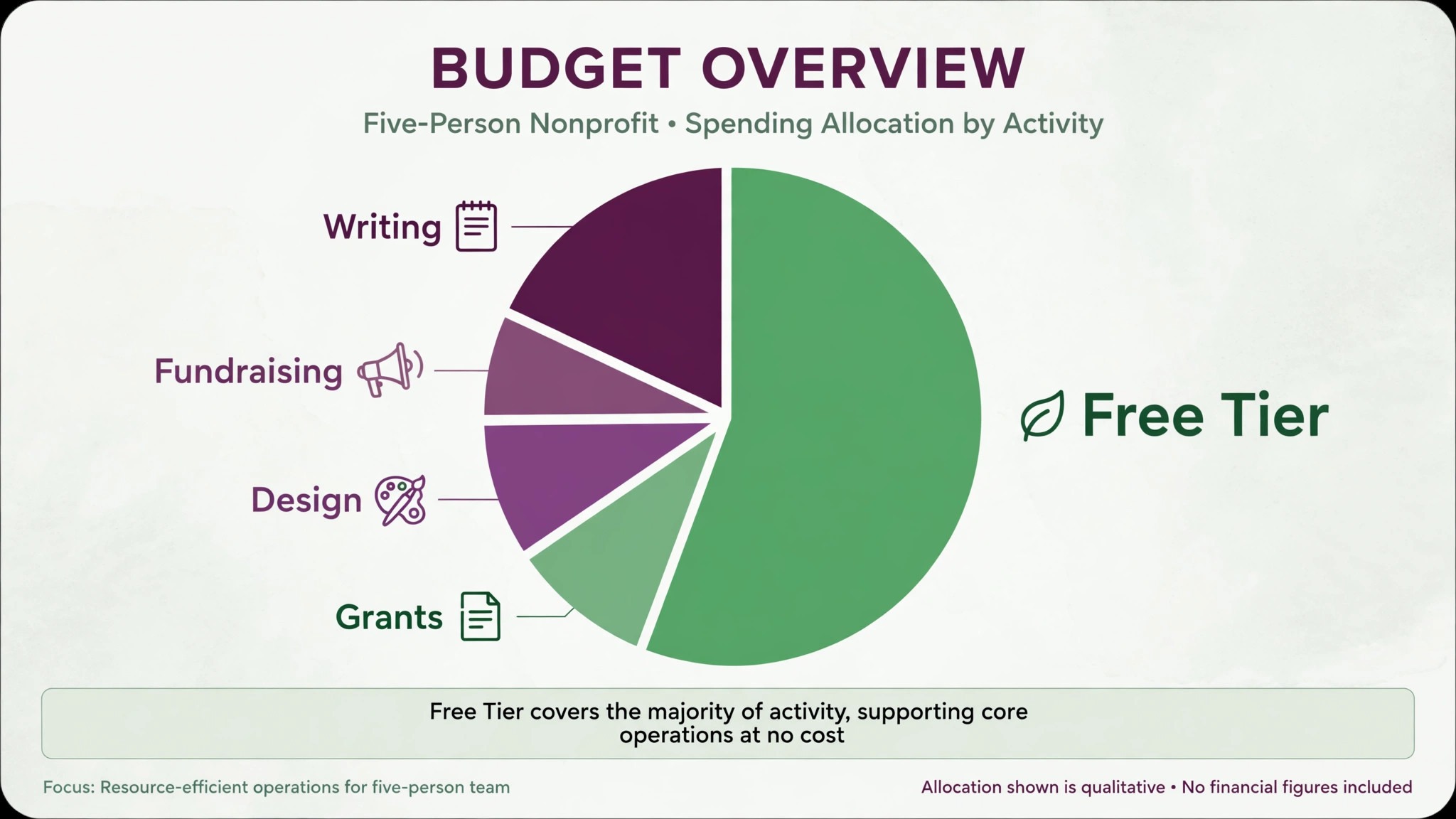
Budget the full year, not the headline month. The table below prices a five person nonprofit on the most common combinations, using starting annual prices and nonprofit discounts where they apply. Processing fees are the line that surprises teams, so add the platform fee and the card fee per gift before you compare.
| Stack for a five person team | Yearly cost | What it covers |
|---|---|---|
| Givebutter plus Canva plus Google Workspace | 0 dollars | Fundraising, design and workspace for free |
| Claude Team nonprofit, 5 seats | 480 dollars | Drafting, reports and document review |
| Grantable Starter | 600 dollars | AI grant drafting from past proposals |
| Bloomerang CRM plus Fundraising | 1,980 dollars | Donor retention plus fundraising |
| Instrumentl Discover | 3,588 dollars | Grant discovery and deadline tracking |
Frequently Asked Questions
What is the cheapest good AI setup for a small nonprofit
The free stack covers most jobs, with Givebutter for fundraising, Canva for design and Google Workspace for email and documents, all free for eligible nonprofits. Claude Team at the nonprofit rate costs 480 dollars a year for five seats and covers drafting and document review. Grantable Starter at 600 dollars a year covers grant drafting.
Can AI write a grant proposal on its own
No, and a team that submits an AI draft untouched risks the application. A survey of 527 foundations found only 10 percent said they would accept AI generated applications, while 67 percent remain undecided, so the funder landscape is still forming. Use AI to start the proposal from your past work, then have a human rewrite, check every fact and confirm the funder rules before submission. The human finish is not a nice extra, it is the part that makes the proposal fundable.
Which donor CRM is best for a small nonprofit
Givebutter is the best single choice for most small teams, because the CRM is free and the fundraising is built in. DonorSnap at 68 dollars a month is the best paid choice when the team wants unlimited users and a proper database without a per seat bill. Bloomerang at 125 dollars a month is better when donor retention is the priority and the budget allows. Pick Givebutter if you want free, DonorSnap if you want affordable, and Bloomerang if you want retention depth.
How much should a five person nonprofit budget for AI tools
A realistic year one budget for the best ai tools for nonprofit teams is zero to 480 dollars for the free stack plus one general assistant, and 600 to 1,980 dollars once you add a grant tool or a donor CRM. Instrumentl at 3,588 dollars a year is the one tool that needs a real development budget, so weigh it against the grants it finds. Processing fees add a percentage of every gift on top, so budget those separately from the subscriptions.
Our Verdict
If you claim one thing this week, claim the free stack. Givebutter, Canva for Nonprofits and Google Workspace for Nonprofits cost nothing for an eligible team and cover fundraising, design and the workspace, and that free base is the reason a small nonprofit can run like a larger one. The best ai tools for nonprofit teams earn their keep by stretching a small budget further, and the free tools on this list do that from the first day, without a sales call or a contract.
Whatever you pick, start with the job, claim the free tiers first, and keep a human in the loop on every grant draft and donor message. The tools on this list all work. The difference is whether the tool matches the job your team actually needs done, and whether you measure the return in grants found and donors kept rather than in features used.