
A wedding with two hundred guests has about four hundred moving parts, and one missed vendor message can break the day. The couple remembers the one thing that went wrong, not the ninety nine that went right. The best ai tools for event planners exist because the timeline, the budget and the vendor messages now decide whether the event runs on plan, not just the taste of the planner.
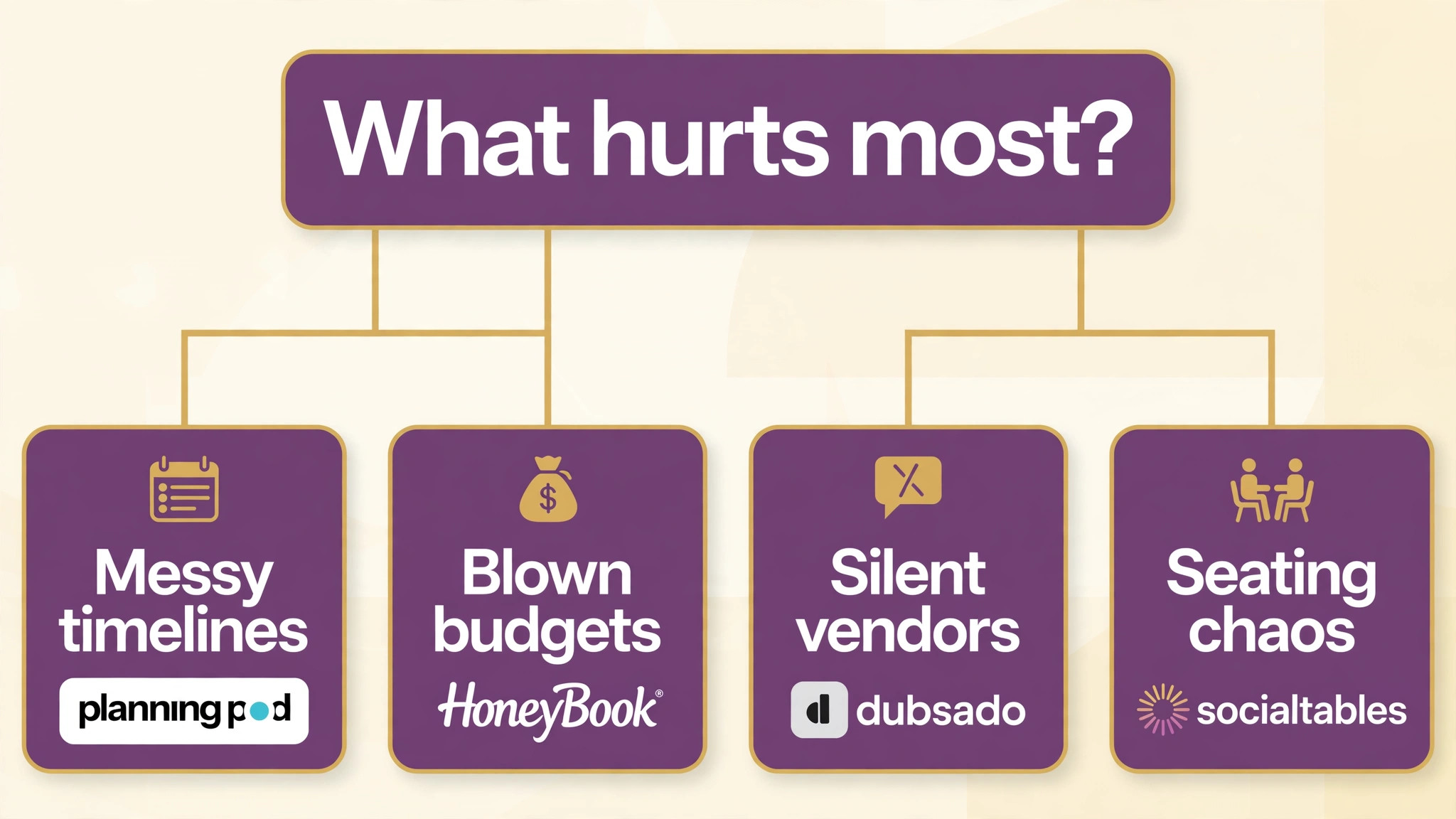
This guide compares fifteen tools on published prices where they exist, the job each one does best and the catch that only shows up after the contract is signed. Most event platforms sell by quote or by event volume, so where a price is reported by a third party roundup rather than published by the vendor, this guide says so. Start with the shortlist, then read the reviews that match the problem your events feel most.
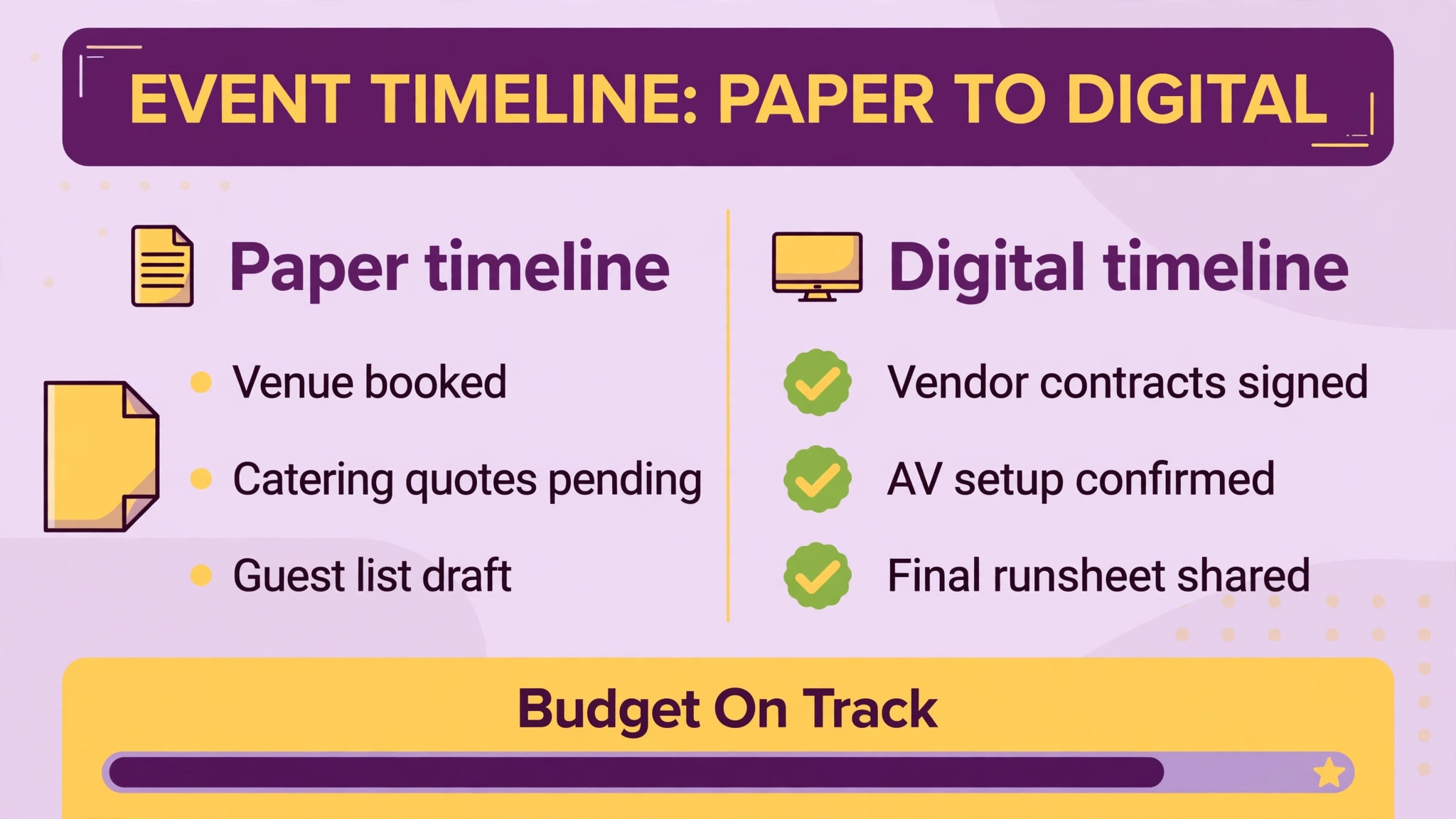
The pattern across all fifteen is simple. The tools that win are the ones that keep the timeline, the budget and the seating plan in one place, and chase the vendor who has not replied. Everything else is a bonus, and a planner who buys the bonus first usually keeps the leak.
The Quick Shortlist
The table below matches each common event planners job to the single tool that handles it best. Use it to narrow the best ai tools for event planners to two or three candidates before you read the full reviews. Prices are monthly list prices unless noted, and annual billing is usually cheaper than paying month to month.
| Need | Best tool | Why it wins |
|---|---|---|
| planners running diverse event types on a budget | Planning Pod | it covers budgeting, CRM, contracts, floor plans, catering |
| solo wedding and creative planners who want a clean client flow | HoneyBook | its polished proposals, contracts and payments sit in |
| wedding planners who want checklists and seating done properly | Aisle Planner | it is built around the wedding workflow, with |
| enterprise conferences and large corporate events | Cvent | it is the enterprise standard for conferences, trade |
| academic and association conferences with a strong attendee app | Whova | its agenda management, attendee networking and community boards |
| public and ticketed events that need a discovery audience | Eventbrite | it is the simplest way to publish a |
| flagship conferences where the onsite experience is the brand | Bizzabo | its Klik SmartBadge hardware and onsite tools make |
| teams running many events a year with a small staff | Swoogo | it gives a small team unlimited events and |
| floor plans, seating and diagramming | Social Tables | it is the category leader in event diagramming, |
| venues that want bookings, catering and sales in one system | Tripleseat | it covers the venue side of events, with |
| event spaces that want a fast simple switch with published pricing | Perfect Venue | its published pricing, free trial and 30 day |
| creative planners who want contracts, invoices and workflows together | Dubsado | it pairs contracts, invoices, proposals and workflows in |
| planners who want a flexible task system for the whole team | Asana | its boards, timelines and task assignments keep a |
| planners who want a visual board for budgets and vendors | Monday.com | its visual boards show the budget, the vendor |
| budget conscious teams paying per registration | Eventzilla | it is the cheapest credible entry point in |
How We Judged the best ai tools for event planners
A tool earned a place here only if it does a real event job in 2026, not if it added an AI label to an old product. The best ai tools for event planners were judged on five things that decide whether a planner keeps paying after the first year.
First, the planning job it does, from timelines and budgets to vendor messages, seating plans and the banquet event order. Second, whether the price is published or hidden behind a sales call, including per event fees and per registration charges that change the real bill. Third, how it fits the client, because a planner whose client cannot approve a proposal online will still chase signatures by email.
Fourth, the event day itself, because registration, check in and the attendee app decide whether the day feels smooth or chaotic. Fifth, the catch, from enterprise prices that start near twenty thousand dollars a year to per registration fees that punish a popular event.
| Check before you buy | What to ask | Why it matters |
|---|---|---|
| Price transparency | Is the price published, or does it need a sales call | Hidden prices hide the real first year bill |
| Integration | Does it write back to the systems you already use | Write back saves double entry every day |
| Price structure | Per user, per seat, per location, or flat | Per user fees multiply across a team |
| Setup and renewal terms | Setup fee, and what year two costs | Renewal increases are common in this category |
| The catch | What does the cheapest plan leave out | The missing feature is usually the one you need |
| Trial on real work | Can you test it on real jobs before you pay | A trial on fake data proves nothing |
The 15 Tools, Reviewed One by One
Read the reviews that match the problem your event planning business feels most, then check the price at your real team size before you trial anything. Each review names the starting price, the job the tool does best and the catch to ask about.
1. Planning Pod
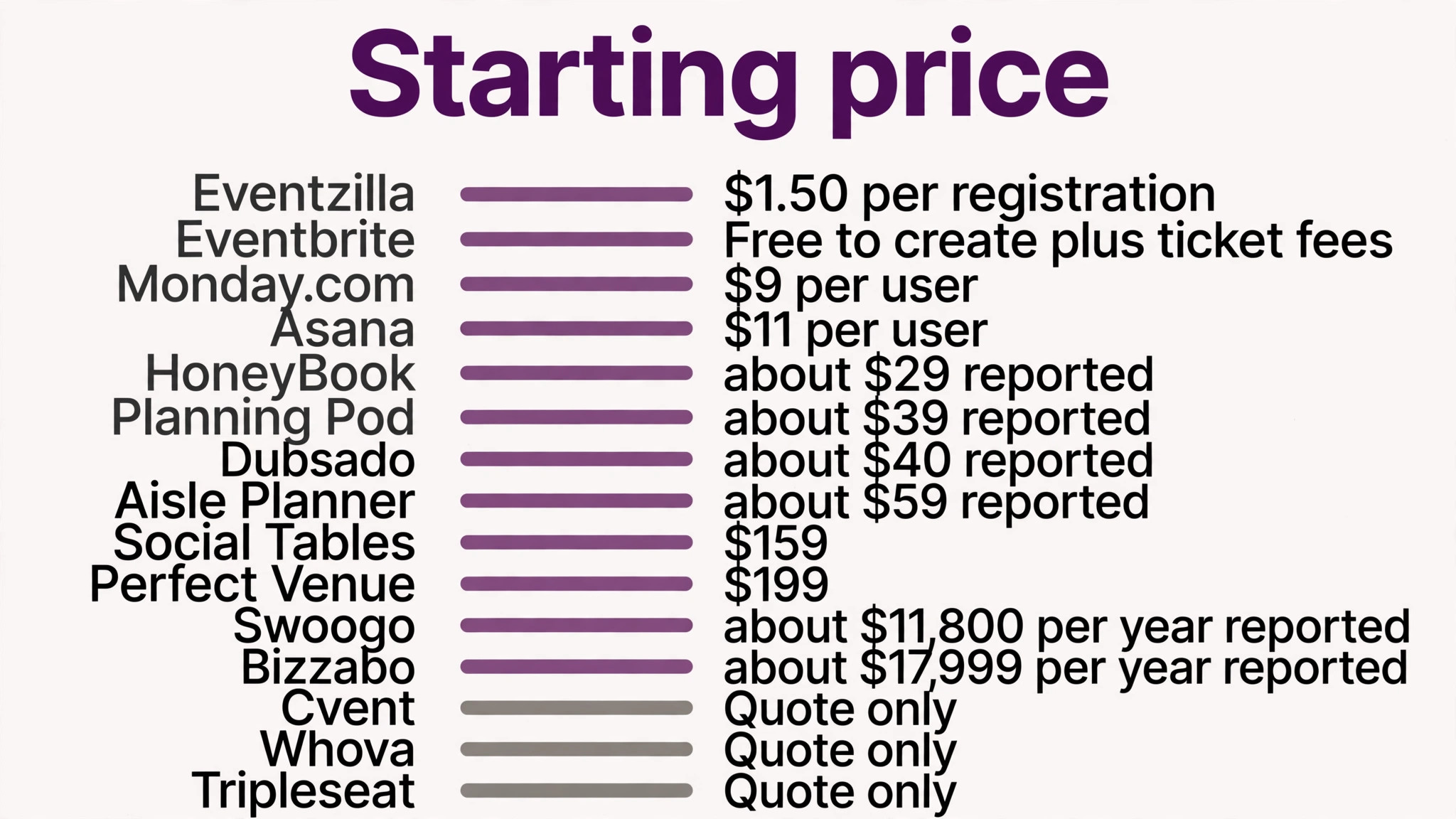
Starting price Reported from 39 dollars a month, with plans reported from 49 to 159 dollars a month depending on event volume. Best for planners running diverse event types on a budget Watch out The price rises with event volume, so a busy planner should check the cap on the chosen plan.
Planning Pod is the pick for event planners who want planners running diverse event types on a budget. it covers budgeting, CRM, contracts, floor plans, catering and banquet event orders in one dashboard. For a crew that want budgeting, seating and vendors in one place, that combination covers the daily work without a second subscription.
Pricing is where buyers need care. Reported from 39 dollars a month, with plans reported from 49 to 159 dollars a month depending on event volume. The price rises with event volume, so a busy planner should check the cap on the chosen plan. Trial it at your real team size so the bill you compare is the bill you will pay.
2. HoneyBook
Starting price Reported from 29 dollars a month billed annually for Starter, with other roundups reporting 36 dollars a month. Best for solo wedding and creative planners who want a clean client flow Watch out Seating and floor plans are limited, so a planner who needs deep diagramming should pair it with another tool.
What sets HoneyBook apart is its polished proposals, contracts and payments sit in one client flow that couples find easy to approve. The result is a tool that carries the job from the first call to the final payment, and most teams learn it in days rather than weeks.
The catch is worth knowing before the trial. Seating and floor plans are limited, so a planner who needs deep diagramming should pair it with another tool. Reported from 29 dollars a month billed annually for Starter, with other roundups reporting 36 dollars a month. If that trade off fits your team, the tool earns its place.
3. Aisle Planner
Starting price Reported at 59 dollars a month, according to third party roundups. Best for wedding planners who want checklists and seating done properly Watch out The reported price is not published by the vendor, so confirm the current figure before you budget.
Aisle Planner built its name on it is built around the wedding workflow, with checklists, timelines, seating and vendor tracking shaped for the day., and the 2026 version adds That mix suits a event planners that wants the job done properly rather than the longest feature list.
The price is the honest part. Reported at 59 dollars a month, according to third party roundups. The reported price is not published by the vendor, so confirm the current figure before you budget. Get the full first year figure in writing before you sign.
4. Cvent
Starting price Quote only, with third party roundups reporting roughly 19,500 dollars a year as a typical starting point. Best for enterprise conferences and large corporate events Watch out The price is enterprise level and the implementation is heavy, so a small planner should not start here.
Cvent is the pick for event planners who want enterprise conferences and large corporate events. it is the enterprise standard for conferences, trade shows and association events, with venue sourcing, registration and compliance reporting. For a crew that run a portfolio of large events, that combination covers the daily work without a second subscription.
Pricing is where buyers need care. Quote only, with third party roundups reporting roughly 19,500 dollars a year as a typical starting point. The price is enterprise level and the implementation is heavy, so a small planner should not start here. Trial it at your real team size so the bill you compare is the bill you will pay.
5. Whova
Starting price Quote only, with third party roundups reporting from 2,000 dollars per event. Best for academic and association conferences with a strong attendee app Watch out Pricing is quote based and billed a la carte, so get the full breakdown in writing before you sign.
What sets Whova apart is its agenda management, attendee networking and community boards suit conferences where the audience talks to each other. The result is a tool that carries the job from the first call to the final payment, and most teams learn it in days rather than weeks.
The catch is worth knowing before the trial. Pricing is quote based and billed a la carte, so get the full breakdown in writing before you sign. Quote only, with third party roundups reporting from 2,000 dollars per event. If that trade off fits your team, the tool earns its place.
6. Eventbrite
Starting price Free to create an event, with fees charged per paid ticket. Best for public and ticketed events that need a discovery audience Watch out The per ticket fees add up on a popular event, so model the fee on the real ticket count before you commit.
Eventbrite built its name on it is the simplest way to publish a ticketed event and let people find it, with registration, payments and promotion in one place., and the 2026 version adds That mix suits a event planners that wants the job done properly rather than the longest feature list.
The price is the honest part. Free to create an event, with fees charged per paid ticket. The per ticket fees add up on a popular event, so model the fee on the real ticket count before you commit. Get the full first year figure in writing before you sign.
7. Bizzabo
Starting price Reported at 499 dollars per user a month with a three user minimum, so about 17,999 dollars a year at the floor. Best for flagship conferences where the onsite experience is the brand Watch out The three user minimum means the real starting price is far above the per user figure.
Bizzabo is the pick for event planners who want flagship conferences where the onsite experience is the brand. its Klik SmartBadge hardware and onsite tools make the conference itself feel like the brand, not just the agenda. For a crew that want the onsite experience to impress, that combination covers the daily work without a second subscription.
Pricing is where buyers need care. Reported at 499 dollars per user a month with a three user minimum, so about 17,999 dollars a year at the floor. The three user minimum means the real starting price is far above the per user figure. Trial it at your real team size so the bill you compare is the bill you will pay.
8. Swoogo
Starting price Reported at 11,800 dollars a year for Professional, with unlimited events and registrations. Best for teams running many events a year with a small staff Watch out The licence is per user, not per team, so price the real number of users before you compare.
What sets Swoogo apart is it gives a small team unlimited events and registrations under one licence, which suits a planner who runs dozens of events a year. The result is a tool that carries the job from the first call to the final payment, and most teams learn it in days rather than weeks.
The catch is worth knowing before the trial. The licence is per user, not per team, so price the real number of users before you compare. Reported at 11,800 dollars a year for Professional, with unlimited events and registrations. If that trade off fits your team, the tool earns its place.
9. Social Tables
Starting price Reported at 159 dollars a month through Cvent Passkey, with a free diagram tier. Best for floor plans, seating and diagramming Watch out It is a diagramming tool first, so a planner still needs a CRM and a budget tool alongside it.
Social Tables built its name on it is the category leader in event diagramming, with floor plans and seating charts that venues trust., and the 2026 version adds That mix suits a event planners that wants the job done properly rather than the longest feature list.
The price is the honest part. Reported at 159 dollars a month through Cvent Passkey, with a free diagram tier. It is a diagramming tool first, so a planner still needs a CRM and a budget tool alongside it. Get the full first year figure in writing before you sign.
10. Tripleseat
Starting price Quote only, with third party reports of roughly 300 to 500 dollars a month plus a 500 dollar setup fee. Best for venues that want bookings, catering and sales in one system Watch out No published price means the sales call decides the number, so get the full figure in writing.
Tripleseat is the pick for event planners who want venues that want bookings, catering and sales in one system. it covers the venue side of events, with bookings, catering, sales and client management in one system. For a crew that run a venue as well as plan events, that combination covers the daily work without a second subscription.
Pricing is where buyers need care. Quote only, with third party reports of roughly 300 to 500 dollars a month plus a 500 dollar setup fee. No published price means the sales call decides the number, so get the full figure in writing. Trial it at your real team size so the bill you compare is the bill you will pay.
11. Perfect Venue
Starting price From 199 dollars a month per location billed annually, or 239 dollars month to month. Best for event spaces that want a fast simple switch with published pricing Watch out The price is per location, so a venue with several spaces pays per space.
What sets Perfect Venue apart is its published pricing, free trial and 30 day money back guarantee make it the easiest switch on this list. The result is a tool that carries the job from the first call to the final payment, and most teams learn it in days rather than weeks.
The catch is worth knowing before the trial. The price is per location, so a venue with several spaces pays per space. From 199 dollars a month per location billed annually, or 239 dollars month to month. If that trade off fits your team, the tool earns its place.
12. Dubsado
Starting price Reported at 40 dollars a month, according to third party roundups. Best for creative planners who want contracts, invoices and workflows together Watch out The reported price is not published by the vendor, so confirm the current figure before you budget.
Dubsado built its name on it pairs contracts, invoices, proposals and workflows in one system built for creative businesses., and the 2026 version adds That mix suits a event planners that wants the job done properly rather than the longest feature list.
The price is the honest part. Reported at 40 dollars a month, according to third party roundups. The reported price is not published by the vendor, so confirm the current figure before you budget. Get the full first year figure in writing before you sign.
13. Asana
Starting price From 10.99 dollars per user a month billed annually for Starter. Best for planners who want a flexible task system for the whole team Watch out It is a general task tool, so the planner must build the event templates rather than finding them ready made.
Asana is the pick for event planners who want planners who want a flexible task system for the whole team. its boards, timelines and task assignments keep a whole planning team on the same page, with deadlines nobody can miss. For a crew that want every task visible in one board, that combination covers the daily work without a second subscription.
Pricing is where buyers need care. From 10.99 dollars per user a month billed annually for Starter. It is a general task tool, so the planner must build the event templates rather than finding them ready made. Trial it at your real team size so the bill you compare is the bill you will pay.
14. Monday.com
Starting price From 9 dollars per user a month billed annually for Basic. Best for planners who want a visual board for budgets and vendors Watch out The Basic plan is thin on automations, so a busy planner should budget for the Standard plan.
What sets Monday.com apart is its visual boards show the budget, the vendor list and the timeline in one place, which suits a planner who thinks in pictures. The result is a tool that carries the job from the first call to the final payment, and most teams learn it in days rather than weeks.
The catch is worth knowing before the trial. The Basic plan is thin on automations, so a busy planner should budget for the Standard plan. From 9 dollars per user a month billed annually for Basic. If that trade off fits your team, the tool earns its place.
15. Eventzilla
Starting price From 1.50 dollars per registration for Basic, or 1,999 dollars a year for 500 registrations with no fee. Best for budget conscious teams paying per registration Watch out Fees scale with the paid tiers, so model the cost on the real registration count before you commit.
Eventzilla built its name on it is the cheapest credible entry point in this category, with a published per registration price a planner can model in minutes., and the 2026 version adds That mix suits a event planners that wants the job done properly rather than the longest feature list.
The price is the honest part. From 1.50 dollars per registration for Basic, or 1,999 dollars a year for 500 registrations with no fee. Fees scale with the paid tiers, so model the cost on the real registration count before you commit. Get the full first year figure in writing before you sign.
Side by Side Comparison
The table below puts the best ai tools for event planners side by side on price, best job and free plan, so you can compare the published prices against the quote only tools at a glance. Use it after the reviews to narrow the list to two finalists, then trial both on real jobs before you sign anything.
| Tool | Starting price | Best for | Free plan |
|---|---|---|---|
| Planning Pod | Reported from 39 dollars a month, with plans | planners running diverse event types on a budget | No |
| HoneyBook | Reported from 29 dollars a month billed annually | solo wedding and creative planners who want a clean client flow | No |
| Aisle Planner | Reported at 59 dollars a month, according to | wedding planners who want checklists and seating done properly | No |
| Cvent | Quote only, with third party roundups reporting roughly | enterprise conferences and large corporate events | No |
| Whova | Quote only, with third party roundups reporting from | academic and association conferences with a strong attendee app | No |
| Eventbrite | Free to create an event, with fees charged | public and ticketed events that need a discovery audience | Yes |
| Bizzabo | Reported at 499 dollars per user a month | flagship conferences where the onsite experience is the brand | No |
| Swoogo | Reported at 11,800 dollars a year for Professional, | teams running many events a year with a small staff | No |
| Social Tables | Reported at 159 dollars a month through Cvent | floor plans, seating and diagramming | Yes |
| Tripleseat | Quote only, with third party reports of roughly | venues that want bookings, catering and sales in one system | No |
| Perfect Venue | From 199 dollars a month per location billed | event spaces that want a fast simple switch with published pricing | No |
| Dubsado | Reported at 40 dollars a month, according to | creative planners who want contracts, invoices and workflows together | No |
| Asana | From 10 | planners who want a flexible task system for the whole team | No |
| Monday.com | From 9 dollars per user a month billed | planners who want a visual board for budgets and vendors | No |
| Eventzilla | From 1 | budget conscious teams paying per registration | No |
How to Pick the Right Tool for Your event planning business
The best ai tools for event planners are not the ones with the longest feature list. They are the ones that fix the leak your event planning business feels every week. Start from the leak, not from the vendor homepage, and budget the full bill rather than the headline price.
Budget the full bill, not the headline price. The table below shows what a single event planning business actually pays in year one for the most common combinations, using published or reported starting prices. Setup fees, per user charges and renewal increases are the lines that surprise buyers, so ask for them in writing before you sign.
| Stack for one business | Monthly cost | What it covers |
|---|---|---|
| Planning Pod | Reported from 39 dollars a month, with plans reported from 49 to | planners running diverse event types on a budget |
| HoneyBook | Reported from 29 dollars a month billed annually for Starter, with other | solo wedding and creative planners who want a clean client flow |
| Aisle Planner | Reported at 59 dollars a month, according to third party roundups | wedding planners who want checklists and seating done properly |
Start with one tool and one job, then add a second tool only when the first one runs without daily fixes. Two half working tools cost more time than one working tool and a spreadsheet, and the team will tell you quickly which one they open every day and which one they avoid.
Frequently Asked Questions
What is the cheapest good AI tool for a solo event planner to start with
Eventzilla at 1.50 dollars per registration is the cheapest credible entry for a ticketed event. HoneyBook at 29 dollars a month billed annually is the cheapest polished platform for proposals and contracts, and Planning Pod at 39 dollars a month is the cheapest full planning system with seating and budgets. Start with the job that loses you the most time, not with the cheapest tool overall.
Which tool is best for wedding seating plans
Social Tables is the strongest pick for seating and floor plans, because it is the category leader in diagramming and venues trust its layouts. Planning Pod suits a planner who wants seating plus budgets and contracts in one system. Aisle Planner suits a wedding specialist who wants the seating inside the wedding checklist rather than in a separate tool.
Which tool is best for a large conference
Cvent is the strongest pick for a large conference, because its venue sourcing, registration and compliance reporting cover the whole program. Bizzabo suits a flagship conference where the onsite experience is the brand. Whova suits an academic or association conference where attendee networking matters most. Price all three by quote and compare the full three year cost, not just the first year.
How much should a small event planning business budget for this software
A realistic budget for the best ai tools for event planners is 29 to 99 dollars a month for one platform on a small business, and 200 to 500 dollars a month once the planner adds a seating tool and a registration system. Per event and per registration fees are the lines that surprise buyers, so model the cost on the real event count before you compare.
What We Would Buy
If you buy one tool this quarter, buy Planning Pod. It covers the jobs a small planner feels every week, budgeting, timelines, seating and vendor messages, at a reported price a solo planner can afford, without the enterprise sales process. The best ai tools for event planners earn their keep by keeping the event on plan, and Planning Pod does that from the first week.
Whatever you pick, start with the leak, trial with a real event, and measure the return in vendors chased and budgets kept rather than in features used. The best ai tools for event planners on this list all work. The difference is whether the tool matches the job your events actually need done, and whether the timeline survives contact with the day itself.