A static QR code costs nothing, and a print shop charges the same for the flyer whether the code on it is free or paid. The difference shows up a month later, when the menu changes and the printed code still points at the old page. A dynamic code fixes that with one edit, and that edit is what the subscription buys. That question is the heart of qr code generator pricing, and it is the number this guide works out for every tool.
A tool that sells dynamic codes for 5 dollars a month and a tool that charges 25 dollars a month are not selling the same thing. The first sells a handful of editable codes with basic scan counts. The second sells fifty codes, landing pages, CRM links and 6,000 scans of analytics. A cafe that needs one code on the menu pays less with the cheap plan, and a chain that needs a hundred codes across ten locations pays less with the plan that counts nothing per code. The code limit decides the bill more than the headline price does.
The third thing to check is what happens when the plan ends. Most vendors stop dynamic codes when the subscription lapses, so a printed code can break the day the card expires. QR TIGER stops codes when the plan expires, Uniqode deactivates codes after the trial ends, and Flowcode archives codes over the free limit. Knowing qr code generator pricing means knowing what the monthly fee actually protects, not just what the plan costs.
Prices in this guide are US list prices checked in November 2026, before tax. Monthly prices are per month, with the annual billing rate beside the monthly rate where the vendor publishes one. Where a vendor hides its prices behind a quote, this guide says so instead of guessing.
At a Glance. qr code generator pricing in One Table
The table below is the short answer. Prices are in US dollars, before tax. Free means free to create and print, and the paid column is what it costs to edit a code after printing and to see who scanned it.
| Tool | Free plan | Entry paid price | What you get | Dynamic code limit |
|---|---|---|---|---|
| QR TIGER | 3 free dynamic codes, 500 scans each | Regular 7 dollars a month, or 65 dollars a year | 12 codes, unlimited scans, 500 API requests | 12 codes |
| The QR Code Generator | 2 free dynamic codes, never expire | Flex 5 dollars a month billed yearly, 5 codes | Bulk creation, CSV export, 60 days analytics | 5 or 45 codes |
| Uniqode | 14-day trial, no free plan | Essential 9 dollars a month billed yearly | 15 codes, 50,000 scans a year, 60 days analytics | 15 codes |
| Flowcode | 2 free codes, 500 scans | Pro Plus 25 dollars a month billed yearly, 60 dollars monthly | 50 codes, 3 seats, landing pages, 6,000 scans | 50 codes |
| Hovercode | 3 free dynamic codes | Pro 12 dollars a month, or 120 dollars a year | 100 codes, 1 custom domain | 100 codes |
| QRCodeKIT | 2 free dynamic codes | Starter 20 dollars a month billed yearly | 100 codes, 10,000 scans per code, bulk CSV | 100 codes |
| QR Code Generator PRO | Free static codes | Pro 12 dollars a month, or 120 dollars a year | 100 codes, 1 custom domain | 100 codes |
Read the code limit column first, because a generator without codes is a generator that stops working mid-campaign. QR TIGER Regular gives 12 codes for 7 dollars a month, while Hovercode Pro gives 100 codes for 12 dollars a month. That gap between the small plan and the generous plan is the oldest trick in qr code generator pricing, and every tool in this table plays it in some form.
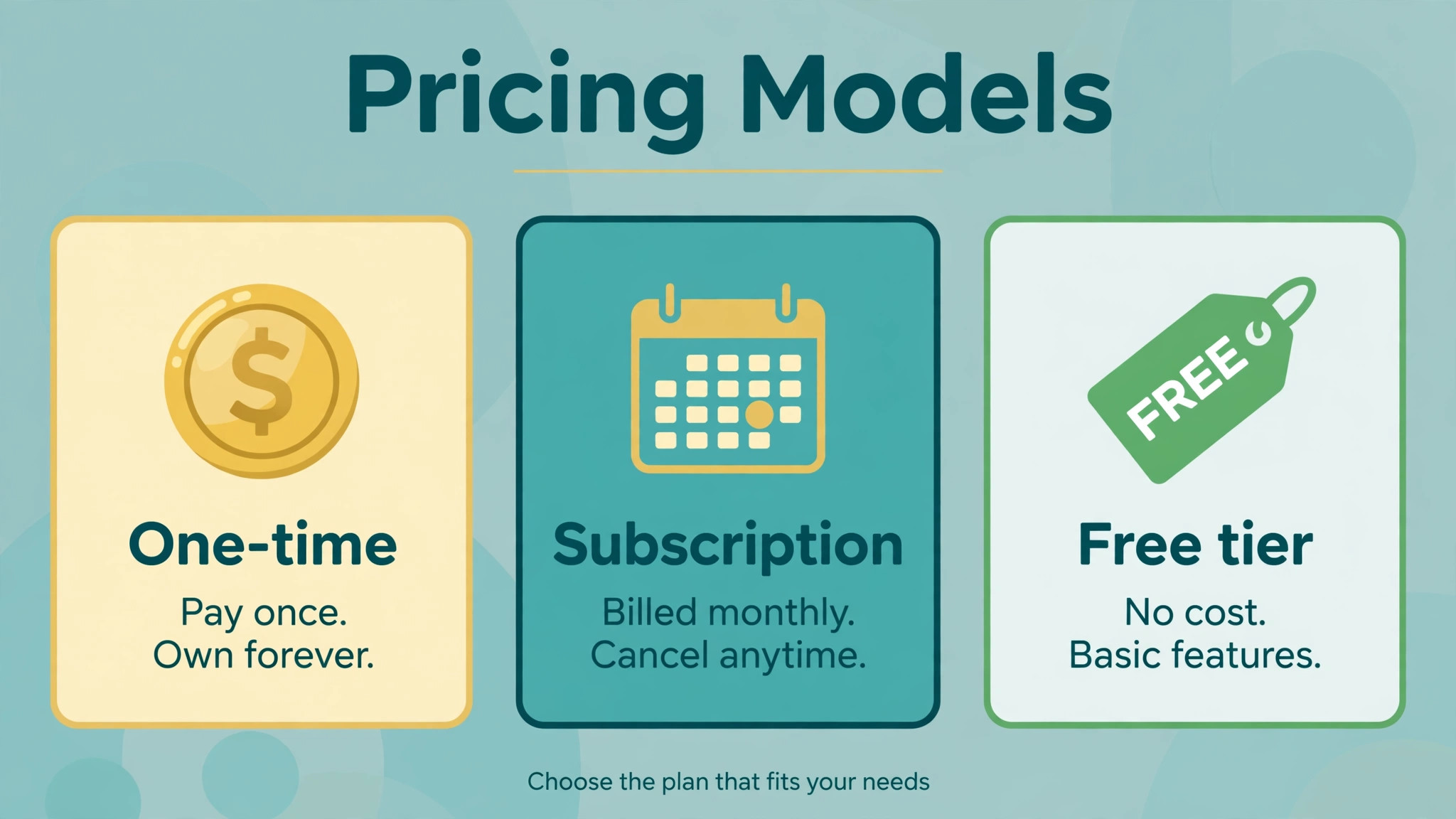
Read the expiry column second, because a code that stops working costs more than the subscription. A printed menu with a dead code sends customers nowhere, and reprinting a thousand menus costs far more than a year of the paid plan. QR TIGER stops codes when the plan expires, Flowcode archives codes over the free limit, and Uniqode deactivates codes after the trial ends. The expiry rule, not the headline price, decides what a printed code really costs.
1. QR TIGER
QR TIGER is the low-cost pick in this guide, and its pricing is simple to read. The free plan gives 3 dynamic codes with 500 scans each, though free codes show a QR TIGER logo popup and ads on scan. Regular costs 7 dollars a month billed monthly, or 65 dollars a year, for 12 dynamic codes with unlimited scans, 500 API requests a month and a Canva integration. Advanced costs 16 dollars a month billed yearly for 200 codes with bulk creation, Google Analytics, Zapier and HubSpot, and password protection. Premium costs 37 dollars a month billed yearly for 600 codes, a custom domain and 10,000 API requests.
Worked cost for 12 codes. Regular at 65 dollars a year covers 12 codes, so each code costs about 5.42 dollars a year, or about 45 cents a month. A cafe that needs one code per table for ten tables pays 65 dollars a year and gets unlimited scans on every code. That is the whole trade, and it is an honest one.
QR TIGER earns its price with the free tier. Three free dynamic codes let a small business test editable codes before paying anything, and the 7 dollar Regular plan is the cheapest paid tier in this guide. The weakness is the expiry rule, because codes stop working if the plan expires, so a lapsed card breaks every printed code at once.
2. The QR Code Generator
The QR Code Generator is the cheapest paid pick in this guide, and its pricing rewards annual billing. The free plan gives 2 dynamic codes that never expire, though they show an ad and are not editable on Free, plus unlimited static codes. Flex costs 5 dollars a month billed yearly for 5 dynamic codes, or 10 dollars a month for 45 codes, with bulk creation, CSV export and 60 days of analytics. GPS scan location is a 5 dollar a month add-on.
Worked cost for 5 codes. Flex at 5 dollars a month covers 5 codes, so each code costs 1 dollar a month. A food truck that needs one code for the menu, one for the tip jar and one for the review page pays 5 dollars a month and gets bulk creation and CSV export on the cheapest plan. That is the whole trade, and it is an honest one.
The QR Code Generator earns its price with the never-expire free codes. Two free dynamic codes that never expire let a tiny business print a menu code and a review code without paying anything, and the 5 dollar Flex plan is the lowest paid entry in this guide. The weakness is the code limit, because 5 codes run out fast for a business with more than a few print pieces.
3. Uniqode
Uniqode, formerly Beaconstac, is the enterprise pick in this guide, and its pricing is annual only. There is no free plan, only a 14-day trial. Essential costs 9 dollars a month billed yearly for 15 dynamic codes and 50,000 scans a year, with 60 days of analytics. Core costs 49 dollars a month billed yearly for 250 codes, 90 days of analytics, the API, GPS and integrations. Plus costs 99 dollars a month billed yearly for 500 codes, 180 days of analytics and three seats. Business Plus costs 399 dollars a month for 2,000 codes, lifetime analytics, five seats and a custom domain.
Worked cost for 15 codes. Essential at 9 dollars a month covers 15 codes, so each code costs 60 cents a month. A clinic that needs one code per room for fifteen rooms pays 9 dollars a month and gets SOC 2 Type 2 compliance on every plan, which procurement teams ask for. That is the whole trade, and it is an honest one.
Uniqode earns its price with compliance. Every paid plan lists GDPR and SOC 2 Type 2 compliance, and the higher plans add HIPAA and ISO 27001, so a regulated business can buy with confidence. The weakness is the annual-only billing, because the whole year is paid upfront, and the custom domain is an add-on with prices that differ across the vendor own pages.
4. Flowcode
Flowcode is the landing page pick in this guide, and its pricing jumps hard at the second tier. The free plan includes 2 codes and analytics for up to 500 scans. Pro Plus costs 25 dollars a month billed yearly, or 60 dollars billed monthly, for 50 codes and 3 seats, with landing pages and analytics for up to 6,000 scans. Growth costs 250 dollars a month billed yearly, with the API and analytics for up to 10,000 scans. Flowcode lists SOC 2, GDPR and CCPA compliance.
Worked cost for 50 codes. Pro Plus at 25 dollars a month covers 50 codes, so each code costs 50 cents a month. A gym that needs one code per class for forty classes pays 25 dollars a month and gets a landing page behind every code. That is the whole trade, and it is an honest one.
Flowcode earns its price with the landing pages. Each code opens a mobile page built around the code, so a business that wants a branded scan experience gets it without a separate tool. The weakness is the price jump, because Growth at 250 dollars a month is ten times Pro Plus, and the API only arrives at Growth.
5. Hovercode
Hovercode is the volume pick in this guide, and its pricing is flat and easy to read. The free plan gives 3 dynamic codes. Pro costs 12 dollars a month, or 120 dollars a year, for 100 codes and 1 custom domain. Business costs 39 dollars a month and adds the features that Pro leaves out, including bulk creation and CSV export. City and country analytics come on Pro, with deeper reporting on Business.
Worked cost for 100 codes. Pro at 12 dollars a month covers 100 codes, so each code costs 12 cents a month. A retail chain that needs one code per product for eighty products pays 12 dollars a month and gets a custom domain on the cheapest paid plan. That is the whole trade, and it is an honest one.
Hovercode earns its price with the code count. One hundred codes for 12 dollars a month beats every tool in this guide on a per-code basis, and the custom domain is included rather than sold as an add-on. The weakness is the export rule, because bulk creation and CSV export only arrive on Business at 39 dollars a month, so a team that manages codes in bulk pays three times the Pro price.
6. QRCodeKIT
QRCodeKIT is the bulk pick in this guide, and its pricing is built for teams that create codes by the hundred. The free plan gives 2 dynamic codes. Starter costs 20 dollars a month billed yearly for 100 codes, 10,000 scans per code a month and bulk creation from CSV. Pro costs 50 dollars a month billed yearly, or 65 dollars monthly, for 1,000 codes, unlimited scans, ten seats and a custom domain included.
Worked cost for 100 codes. Starter at 20 dollars a month covers 100 codes, so each code costs 20 cents a month. A conference that needs one code per session for ninety sessions pays 20 dollars a month and gets bulk creation from CSV on the cheapest paid plan. That is the whole trade, and it is an honest one.
QRCodeKIT earns its price with bulk creation. A team that uploads a CSV and gets a hundred codes back in one go saves hours of manual work, and the 10,000 scans per code a month is generous for event use. The weakness is the entry price, because 20 dollars a month is nearly three times QR TIGER Regular, so a business with only a few codes pays more for bulk tools it never uses.
7. QR Code Generator PRO
QR Code Generator PRO is the steady pick in this guide, and its pricing has not moved in years. The free plan gives unlimited static codes. Pro costs 12 dollars a month, or 120 dollars a year, for 100 dynamic codes and 1 custom domain. The plan includes bulk creation, analytics and password protection, with no higher tier to push the buyer toward.
Worked cost for 100 codes. Pro at 12 dollars a month covers 100 codes, so each code costs 12 cents a month. A restaurant group that needs one code per table across five locations pays 12 dollars a month and gets the same code count as Hovercode Pro. That is the whole trade, and it is an honest one.
QR Code Generator PRO earns its price with simplicity. One paid plan, one price, one hundred codes, and no upsell to a higher tier. The weakness is the brand, because it is a smaller vendor with fewer integrations than QR TIGER or Uniqode, so a team that needs Zapier or HubSpot should check the integration list before buying.
Total Cost of Ownership
The monthly price is not the total cost, because a QR code lives on paper. A printed menu, a flyer or a sign costs money to reprint, and a dead code forces a reprint. A cafe that prints 200 menus at 1 dollar each spends 200 dollars on paper, so a 5 dollar a month plan that keeps the code alive is cheap insurance. A code that dies when the plan lapses costs 200 dollars to fix, which is three years of the cheapest plan.
The second hidden cost is the custom domain. A branded short domain costs 10 to 15 dollars a year to register, and some vendors charge far more to host it. Uniqode lists its custom domain add-on at 500 dollars a year in one place and 2,000 dollars in another, so a business that wants a branded domain should get the price in writing before buying. QR TIGER Premium includes a custom domain at 37 dollars a month, and Hovercode Pro includes one at 12 dollars a month, so the domain is often cheaper inside a plan than as an add-on.
The third hidden cost is the scan cap. Free codes cap scans at 500 each on QR TIGER, so a viral flyer can hit the cap in a day and stop working. Paid plans remove the cap on most tools, but Flowcode Pro Plus caps analytics at 6,000 scans, so a campaign that goes viral still needs a higher plan. Count the scans before choosing a plan, because a capped code is a broken code.
Add the three lines together before buying. The subscription, the domain and the reprint risk are the real total, and the cheapest plan is not always the cheapest total. A 5 dollar plan with a 500 dollar domain add-on costs more than a 12 dollar plan with the domain included. That is the lesson of qr code generator pricing, and it is the number that matters.
Cheapest by Situation
The cheapest tool depends on the job, because each plan is built for a different buyer. A cafe with one menu code should start with The QR Code Generator free plan, with 2 dynamic codes that never expire, and move to Flex at 5 dollars a month when it needs a third code. A food truck with three codes should buy Flex at 5 dollars a month and get bulk creation and CSV export on the cheapest plan in this guide.
A small business with ten to fifteen codes should buy QR TIGER Regular at 7 dollars a month, or 65 dollars a year, and get 12 codes with unlimited scans. A clinic with fifteen codes and a compliance team should buy Uniqode Essential at 9 dollars a month, because the SOC 2 compliance is worth the extra 2 dollars a month. A gym with fifty codes and a landing page behind each one should buy Flowcode Pro Plus at 25 dollars a month billed yearly.
A retail chain with a hundred codes should buy Hovercode Pro or QR Code Generator PRO at 12 dollars a month, and get 100 codes with a custom domain for the price of two coffees a week. A conference with a hundred codes and a CSV to upload should buy QRCodeKIT Starter at 20 dollars a month, because bulk creation from CSV is included on the cheapest plan. Match the plan to the code count first, and the price will follow.
Static vs Dynamic: Which Code to Print
The first decision in any qr code generator pricing comparison is not which tool to buy, but which kind of code to print. A static code points straight at a web address, and the address is baked into the pattern itself. It costs nothing, it never expires, and it cannot be changed after printing. A dynamic code points at a short link on the vendor server, and the vendor redirects it to the real destination. It can be edited after printing, it can be tracked, and it stops working if the subscription ends.
A static code is right for things that never change. A Wi-Fi password, a vCard, a plain text message, and a link to a homepage that will never move are all good static codes. A cafe that prints a Wi-Fi code on the wall should use a static code, because the password rarely changes and the code should work forever. A business card with a link to a personal site should use a static code, because the site address is stable and the card may be kept for years.
A dynamic code is right for things that change. A menu, a price list, a seasonal offer, a ticket link, and a campaign landing page are all good dynamic codes. A restaurant that changes its menu every season should use a dynamic code, because one edit updates every printed menu at once. A gym that runs a new class every month should use a dynamic code, because the class link changes and the poster does not need reprinting.
The scan data is the second reason to pay for dynamic codes. A static code tells the business nothing, because no server sits in the middle. A dynamic code tells the business how many scans arrived, when they arrived, which city they came from, and which device scanned them. A cafe that prints a code on the menu can see whether the code is scanned at lunch or at dinner, and a shop that prints a code on a flyer can see whether the flyer works. That data is what the monthly fee buys, and it is worth more than the code itself.
The third reason is the design. Dynamic codes can be printed in brand colours, with a logo in the centre, and with a frame that says “Scan me” underneath. Static codes from free tools are usually black and white, with no logo and no frame. A branded code gets scanned more often than a plain one, because customers trust a code that looks like the business. A code with a logo and a frame is not decoration, it is a higher scan rate, and the higher scan rate is what pays for the subscription.
There is one trap to avoid. A business that prints a dynamic code and then cancels the plan loses the code, and the printed paper becomes waste. A business that prints a static code and then changes the website loses the code too, because the address is baked into the pattern. The safe rule is simple: print a dynamic code only if the plan will stay paid for as long as the paper is in use, and print a static code only if the destination will never change. Follow that rule, and the code will work for as long as the paper lasts.
The choice also affects the tool. A business that needs only static codes should not pay for a dynamic plan at all, because the free tools cover static codes completely. A business that needs dynamic codes should buy the cheapest plan that covers the code count, and ignore the rest. That is the practical side of qr code generator pricing, and it is the decision to make before comparing plans.
Frequently Asked Questions
Is there a truly free QR code generator?
Yes, for static codes. The QR Code Generator gives unlimited static codes free, and QR TIGER gives 3 free dynamic codes with 500 scans each. Static codes cost nothing and never expire, but they cannot be edited after printing, so a changed menu link means a reprint. Dynamic codes can be edited, but they need a paid plan to stay alive, because most vendors stop them when the subscription ends.
How much does one dynamic QR code cost?
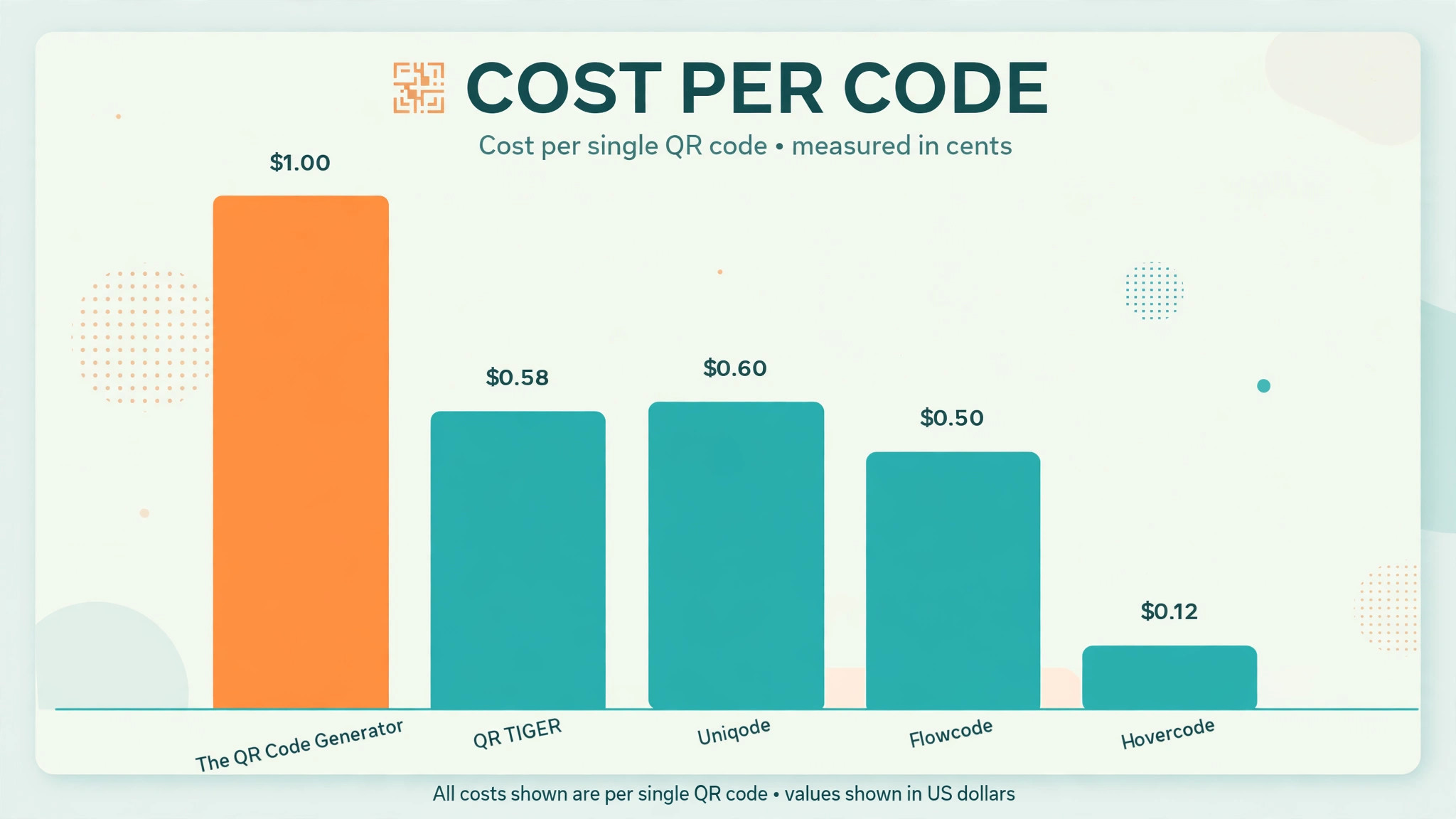
Between 12 cents and 1 dollar a month, depending on the plan. Hovercode Pro and QR Code Generator PRO give 100 codes for 12 dollars a month, so each code costs 12 cents. The QR Code Generator Flex gives 5 codes for 5 dollars a month, so each code costs 1 dollar. QR TIGER Regular gives 12 codes for 7 dollars a month, so each code costs about 58 cents. Buy the plan that matches the code count, and the per-code price falls.
Do QR codes stop working if I cancel?
Dynamic codes usually do. QR TIGER stops codes when the plan expires, Uniqode deactivates codes after the trial ends, and Flowcode archives codes over the free limit. Static codes keep working, because they point straight at the destination with no server in between. Keep the paid plan running for as long as the printed codes are in use, and the codes will keep working.
How much does qr code generator pricing vary by vendor?
A lot. The cheapest paid plan in this guide is 5 dollars a month, and the most expensive entry plan is 25 dollars a month, a fivefold gap for what looks like the same product. The gap comes from the code limit, the scan cap, the domain rules and the compliance badges, not from the code itself. Compare the limits, not the headline price, and the right plan will be obvious.
Which QR code generator is best for a small business?
QR TIGER Regular at 7 dollars a month is the best pick for most small businesses, because 12 codes with unlimited scans cover a menu, a review page, a tip jar and a few tables. A business with fewer than five codes should start with The QR Code Generator Flex at 5 dollars a month. A business that needs compliance should buy Uniqode Essential at 9 dollars a month. Match the code count first, and the choice makes itself.
Verdict
Buy QR TIGER Regular at 7 dollars a month if the business needs a dozen codes with unlimited scans and the cheapest honest price in this guide. Buy The QR Code Generator Flex at 5 dollars a month if the business needs fewer than five codes and wants the lowest paid entry anywhere. Buy Uniqode Essential at 9 dollars a month if the business needs compliance badges for procurement. Buy Hovercode Pro or QR Code Generator PRO at 12 dollars a month if the business needs a hundred codes with a custom domain.
Do not buy Flowcode Pro Plus at 25 dollars a month unless the business needs a landing page behind every code, because the code count alone does not justify the price. Do not buy QRCodeKIT Starter at 20 dollars a month unless the business creates codes in bulk from a CSV, because the bulk tool is what the extra money buys. And do not let any plan lapse while printed codes are still in use, because a dead code costs more to reprint than a year of the subscription.
The cheapest plan is the one that matches the code count, keeps the codes alive, and includes the domain. That is the whole lesson of qr code generator pricing, and it is the number to remember before printing anything.