The plugin update broke the checkout again. WooCommerce is free, open source and yours to control, and it is also yours to fix when a plugin conflicts, a theme breaks or a host goes slow. That is the moment most small store owners start asking how to switch from WooCommerce to Shopify, and it is a fair question.
WooCommerce is a free WordPress plugin that turns a site you host yourself into a store, and it costs nothing until the hosting, the extensions and the maintenance are counted. Shopify is a hosted platform that charges 39 dollars a month for Basic, or 29 dollars a month paid yearly, and handles the hosting, the security, the updates and the checkout in one place. A store that sells a few items a month and loves WordPress should stay on WooCommerce. A store that sells every day and wants the checkout to just work should move to Shopify.
The switch is not about which platform is better in general. It is about which kind of work fills the week. WooCommerce charges nothing for the plugin and leaves the owner to pay for hosting, extensions and fixes. Shopify charges per month and includes the hosting, the security patching and the PCI compliance. For a store that spends its weekends fixing plugins, the gap is real. For a store that loves control and already has a good host, Shopify can feel expensive, and this guide says so plainly.
This guide walks through how to switch from WooCommerce to Shopify in seven steps, with a checklist, a cost comparison, and a clear account of what transfers, what does not, and what to test before cancelling the WooCommerce host. Follow the steps in order, run both stores side by side for two weeks, and the move will be boring in the best way. Skip the steps, cancel early, and products, orders and customer passwords can vanish without a trace.
The Price Gap That Starts the Conversation
Cost is the reason most stores switch, and the numbers explain why. WooCommerce core costs nothing, forever, with no monthly subscription and no revenue share. Hosting costs 25 to 350 dollars a month for most stores, by WooCommerce own estimate, scaling with traffic and performance needs. Extensions cost 29 to 299 dollars a year each, and most real stores need several. A domain costs 10 to 20 dollars a year. Card payments through WooPayments cost 2.9 percent plus 30 cents, and there is no penalty for using a different processor.
Shopify Basic costs 39 dollars a month, or 29 dollars a month paid yearly, with hosting, security, updates and PCI compliance included. Grow costs 105 dollars a month, and Advanced costs 399 dollars a month. Card payments through Shopify Payments cost 2.9 percent plus 30 cents on Basic, falling to 2.5 percent plus 30 cents on Advanced. Using a third-party gateway adds a fee of 2 percent on Basic, 1 percent on Grow and 0.6 percent on Advanced. Starter costs 5 dollars a month, but it gives checkout links rather than a storefront.
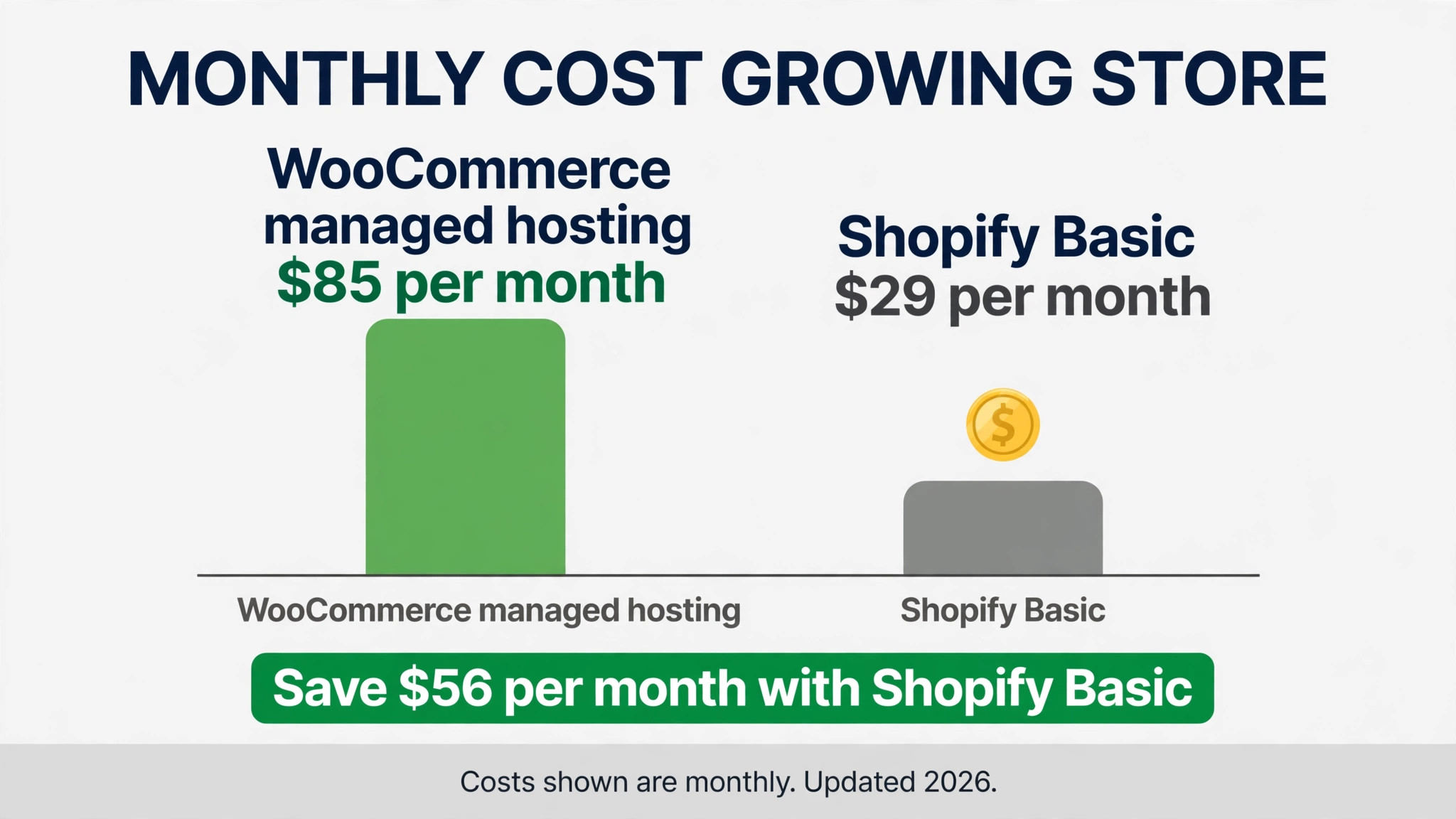
A small store on WooCommerce with shared hosting at 10 dollars a month and two extensions pays about 15 dollars a month, against 29 dollars for Shopify Basic paid yearly. At that scale WooCommerce is cheaper by about 14 dollars a month. A growing store on managed WordPress hosting at 60 dollars a month with five extensions pays about 85 dollars a month, against 29 dollars for Shopify Basic, so Shopify is cheaper by about 56 dollars a month once the store outgrows cheap hosting.
The free plan tells the same story. WooCommerce has no subscription, so a store with no sales pays only for hosting. Shopify has no free plan, only a 3-day trial and then 1 dollar a month for the first three months on any standard plan. A store that wants to test Shopify with real products can do it for 1 dollar a month, which makes the trial cheap and the decision easy.
WooCommerce vs Shopify at a Glance
| Feature | WooCommerce | Shopify |
|---|---|---|
| Pricing model | Free plugin, pay for hosting and extensions | Monthly subscription, hosting included |
| Free plan | Plugin free, hosting from 25 dollars a month | 3-day trial, then 1 dollar a month for 3 months |
| Entry paid price | Hosting 25 to 350 dollars a month | Basic 39 dollars a month, 29 dollars paid yearly |
| Mid plan | Extensions 29 to 299 dollars a year each | Grow 105 dollars a month |
| Top plan | Managed hosting 60 dollars a month and up | Advanced 399 dollars a month |
| Card rate | 2.9 percent plus 30 cents with WooPayments | 2.9 percent plus 30 cents on Basic |
| Third-party gateway fee | None | 2 percent on Basic, 1 percent on Grow |
| Hosting | Yours to choose and pay | Included in every plan |
| Security and updates | Your responsibility | Included, PCI DSS Level 1 |
| Themes | Thousands, free and paid | Free and paid, fewer than WooCommerce |
| Checkout control | Full control, edit the code | Limited control below Plus |
| Apps and extensions | 50,000 plus WordPress plugins | Thousands in the Shopify app store |
Shopify bundles more into each tier, and that bundling is the point of the switch. Hosting, security, updates, backups and checkout all live in the same subscription, so a store stops paying a developer to fix plugin conflicts. WooCommerce stays cheaper at small scale and offers full control, with no platform fee and no revenue share, and that control is worth real money to a store that customises everything. Check which side of that trade your store sits on before you move.
The Trade-Offs Nobody Mentions First
A switch guide that only lists the savings is not honest, so this section states the trade plainly. WooCommerce is an assembled store. Shopify is a rented store. A store owner who opens WooCommerce, edits the checkout code and installs a custom plugin will find Shopify limited, with no access to the checkout code below the Plus plan and a smaller app catalogue. The first week in Shopify feels tidy, even when the customisation is thinner, and a store owner who loves control will feel that friction daily.
A store that already pays a developer retainer, a managed host and a security plugin will not miss the control, because Shopify replaces three bills at once. The question is not which platform is better. The question is whether the store needs full control or a checkout that never breaks, and learning how to switch from WooCommerce to Shopify starts with answering that question honestly.
The transaction fee deserves a second look, because it decides the bill for stores that use their own gateway. Shopify adds 2 percent on Basic for a third-party gateway, on top of the gateway own rate, so a store that runs PayPal or Stripe outside Shopify Payments pays twice. WooCommerce adds nothing for a different processor, so a store can negotiate its own rates as volume grows. Count the gateway fees before deciding, and the math will make the choice. A store that uses Shopify Payments avoids the extra fee entirely.
The app bill also changes the total. Shopify Basic at 29 dollars a month looks cheap until the store adds a reviews app, an email app and a loyalty app at 10 to 30 dollars a month each. WooCommerce extensions cost 29 to 299 dollars a year each, which is often cheaper over a year. A store that adds five paid Shopify apps can pay more in apps than in the subscription itself. List the apps before choosing a plan.
How to Switch from WooCommerce to Shopify in 7 Steps
This is the full process for how to switch from WooCommerce to Shopify without losing the products that matter. Do the steps in order, and do not cancel the WooCommerce host until step 7.
Step 1. Audit the WooCommerce store before touching anything
Open WooCommerce and list every product, every category, every order, every customer, every coupon, every extension and every custom field. Export the products, orders and customers as CSV files, and note the hosting renewal date, the domain renewal date and the contract terms. Pay special attention to custom product fields, subscription products and tax settings, because the importer does not move those cleanly. This audit takes an afternoon and prevents the most common switch failure, which is discovering a custom field only after it was deleted.
Step 2. Set up Shopify and map the store structure first
Create the Shopify store, choose the plan that matches the order volume, and decide the store structure before importing anything. WooCommerce categories become Shopify collections, and WooCommerce product types become Shopify product types, your choice during the import. Map categories one by one if your store uses categories as navigation like sale, new and best sellers. Do not import yet. A clean structure decided on paper saves a week of reorganising later.
Step 3. Import the products on a test theme first
Open Shopify settings, choose Import, pick WooCommerce, and authorise the connection. Import the products first, not the orders, and use a test theme while the import runs. The importer brings across products, variants, images, prices and inventory, and asks you to map each WooCommerce field to a Shopify field. Check the imported products carefully, count them against the WooCommerce original, open a few products to confirm images and prices survived, and fix the mapping before the big import. A pilot import that takes an afternoon prevents a store-wide mess.
Step 4. Import orders and customers, then rebuild what does not transfer
Once the pilot looks clean, import the customers and the order history in batches, checking each one as it lands. Then rebuild what the importer leaves behind. Customer passwords do not transfer, so customers must reset their passwords on first login. Coupons, tax settings and subscription products do not transfer cleanly, and must be rebuilt in Shopify. This is the largest single task in the switch, so budget a full afternoon for a normal store and do not promise a one hour migration.
Step 5. Move the team and set the payment and shipping rules
Invite the team to Shopify and set access levels. Connect Shopify Payments or your own gateway, and remember that a third-party gateway adds 2 percent on Basic, so decide which gateway the store will actually use. Set the shipping zones, the tax rules and the checkout settings, and run a short training session on orders, discounts and the app store, because Shopify has fewer settings than WooCommerce and a new user can miss the ones that matter. A teammate who cannot find the orders will fall back to WooCommerce, and the switch will stall.
Step 6. Run both stores side by side for two weeks
Work from Shopify for two weeks while WooCommerce stays open and the old orders finish. Watch the product counts daily, check that prices and inventory match, and confirm the checkout actually takes a payment. Compare a Shopify order report with the WooCommerce export from step 1 to spot any gap in the data. Fix the problems while WooCommerce is still available as a fallback, not after it is cancelled. Two quiet weeks of parallel running cost nothing and catch every problem early.
Step 7. Point the domain at Shopify and cancel the old host
Once two weeks of Shopify orders look clean, point the domain at Shopify, export the final order data and any remaining reports from WooCommerce, then cancel the hosting before the renewal date. Confirm the domain transfer works, and check that no auto renewal is set. Keep the WooCommerce export files for six months, because the importer does not move everything and the old exports are the only record of customer passwords, coupons and custom fields. The switch is done when Shopify has run cleanly for two weeks and the old host is cancelled without a surprise charge.
What Comes Across and What Stays Behind
The Shopify WooCommerce importer moves the core work well. Products become products, with variants, images, prices and inventory coming across. Customers come across with their names and emails, and order history lands on the right records. For a normal store, that covers most of what a business needs to keep selling on day one.
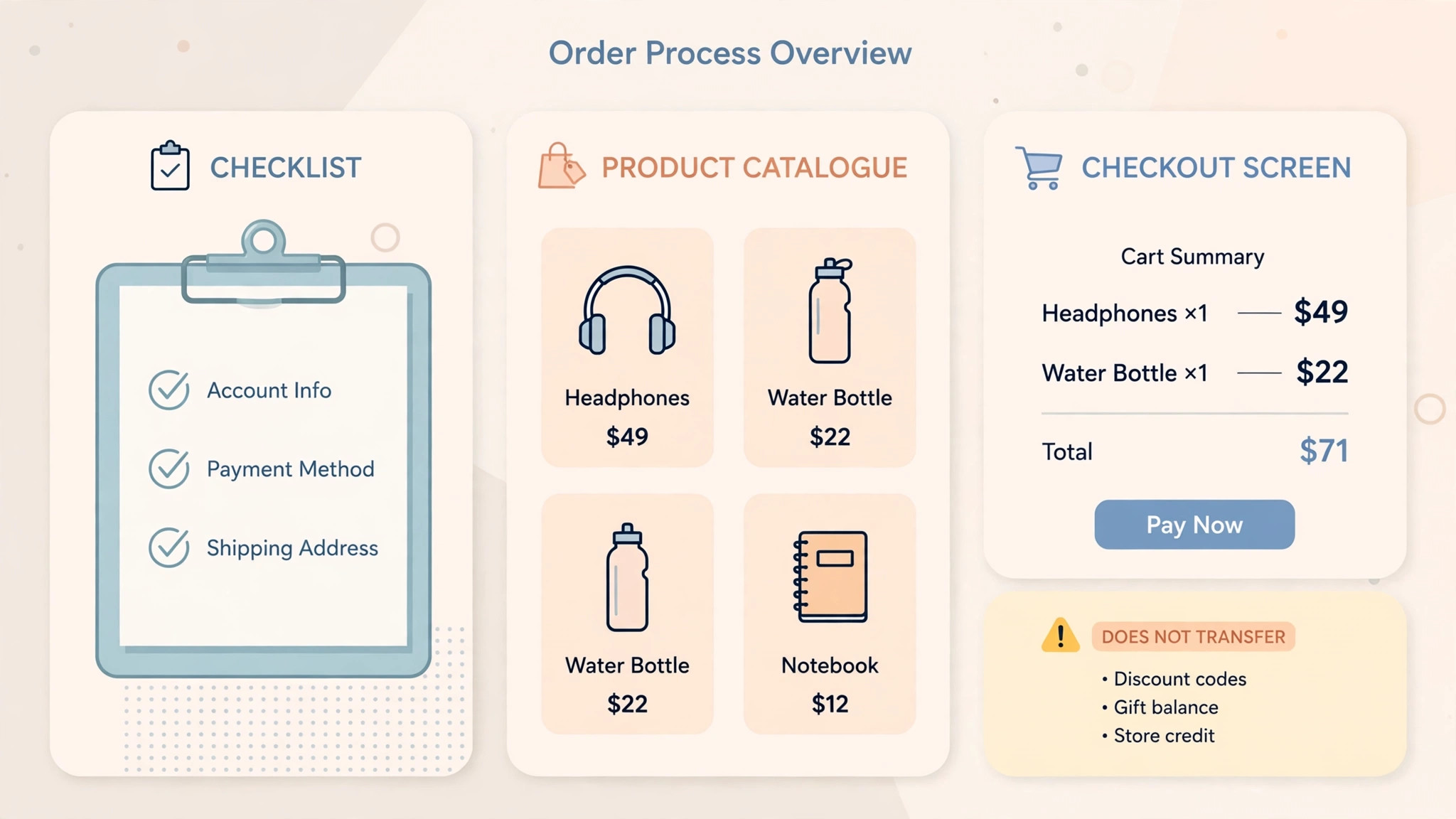
What does not transfer is specific, and the store should name it before starting. Customer passwords do not transfer, so every customer must reset their password on first login. Coupons do not transfer cleanly, so list each one and rebuild it by hand. Tax settings need remapping, and subscription products need a separate app. Custom product fields need a metafield rebuild, so check them one by one.
It is a one time copy, not a live sync. WooCommerce stays as it was, and later changes in either store do not sync back. That is the full picture of how to switch from WooCommerce to Shopify without losing the work that matters.
The Go-Live Checklist
Use this checklist before starting step 1, and do not skip a line.
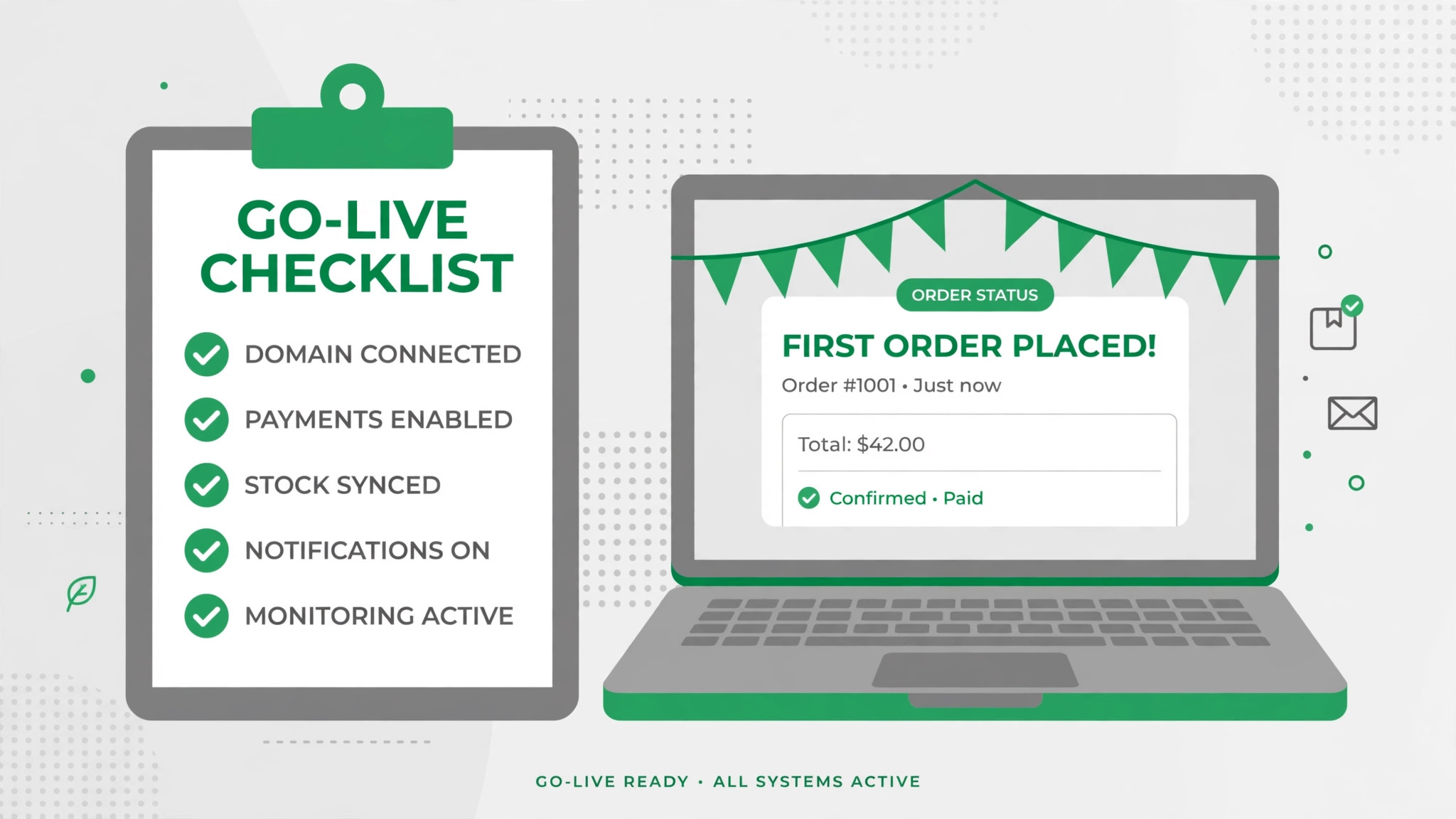
- List every WooCommerce product, category, order, customer and coupon. – Export products, orders and customers as CSV and save the files. – Note the hosting renewal date and the domain renewal date. – Flag custom fields, subscription products and tax settings. – Choose the Shopify plan by order volume and gateway needs. – Decide how WooCommerce categories map to Shopify collections.
- List the WooCommerce extensions the store actually uses. – Count the apps, because Shopify apps add to the monthly bill. – Plan a replacement for any WooCommerce feature Shopify lacks. – Set a switch date in a quiet week, not during a sale. – Tell the team the switch date and the new workflow before step 1.
What the Switch Saves in Real Money
The saving depends on store size and hosting, because the two platforms charge different rates for similar work. A small store on WooCommerce with shared hosting at 10 dollars a month and two extensions pays about 15 dollars a month. The same store on Shopify Basic paid yearly pays 29 dollars a month, so Shopify costs more, not less, at the smallest scale. A growing store on managed hosting at 60 dollars a month with five extensions pays about 85 dollars a month, against 29 dollars for Shopify Basic, a saving of about 56 dollars a month or 672 dollars a year.
A store with a developer retainer of 200 dollars a month pays 200 dollars plus hosting on WooCommerce, against 29 dollars plus apps on Shopify, so the saving is the whole retainer. A store that uses a third-party gateway pays 2 percent extra on Shopify Basic, so a store doing 10,000 dollars a month in sales pays 200 dollars a month extra, which eats the hosting saving. Count the gateway fees and the retainer, run the two totals, and the answer will be clear. For most stores without a developer retainer, Shopify saves money once the store outgrows cheap shared hosting.
Run the same math for your own store before you commit to how to switch from WooCommerce to Shopify, because the totals decide the plan.
Your First Two Weeks in Shopify
The parallel run only helps if the team tests the right things, so set the tests before the first Shopify order is assigned. Create one order of each type the store takes, including one with a discount, one with a gift card, and one with a refund, and confirm each one shows the right total and the right tax. Then compare the Shopify product counts against the WooCommerce export from step 1, checking totals by category and by variant. That test plan is the part of the switch that most teams skip, and it is the part that catches the problems while WooCommerce is still available as a fallback.
Test the checkout and the shipping next, because those are the workflows that break quietly. Place a test order with a real card and confirm it settles, print a shipping label for the same order, and have a second teammate confirm they see the same order in the dashboard. Also test an order that needs a partial refund, since refunds must be done by hand and trip up teams that rely on them. A test that covers orders, checkout, shipping and refunds in the first week leaves the second week for fixing what failed, which is exactly how a quiet switch is supposed to work.
Five Mistakes That Stall the Move
The first mistake is pointing the domain at Shopify before the product import is checked. A store that switches the domain on day one loses the orders, the coupons and the custom fields in one move, and the rebuild takes days instead of hours. Keep WooCommerce until step 7, and the switch stays boring. The second mistake is importing the whole catalogue at once without a pilot. A mapping error on variants repeats across every product, and fixing it after the fact costs more than the pilot ever did.
The third mistake is forgetting the gateway fee math. A store that runs PayPal or Stripe outside Shopify Payments pays 2 percent extra on Basic, and a store doing 10,000 dollars a month pays 200 dollars a month for that choice. Count the gateway fees before choosing a plan. The fourth mistake is skipping the two week parallel run. A store that switches overnight discovers the tax gaps during a live sale, when fixing them costs the most. Two quiet weeks of parallel running cost nothing and catch every problem early.
The fifth mistake is underestimating the manual rebuild. Coupons, tax settings and custom fields do not transfer, and a store that budgets an hour for the rebuild will run out of time. Budget an afternoon, rebuild the top coupons first, and leave the long tail of old discount codes behind. The switch is a good time to clean the catalogue, not a reason to move every old product into the new store.
Life After the Switch
The first month after the move is when the saving becomes real, and it is also when the new habits form. Set a weekly review in Shopify, one hour where the team checks the orders, clears the abandoned checkouts and updates the inventory, because a hosted store with more apps needs a steadier rhythm than WooCommerce did. Tune the rebuilt coupons after two weeks, not on day one, because the first fortnight shows which discounts get used and which never fire at all. The work of learning how to switch from WooCommerce to Shopify does not end on launch day. It ends when the team stops opening the old store out of habit, and that usually takes a full month.
Revisit the plan choice after 90 days. A store that started on Basic may find it needs Grow for the better reports or the lower card rate, and a store that started on Grow may find it can drop the apps it never used. Count the apps again too, because Shopify apps bill monthly, and an app the store never opens should come off the plan. The switch saves money once. The habits save it every month after.
Frequently Asked Questions
How long does it take to switch from WooCommerce to Shopify?
Most small stores finish the switch in one to two weeks. The setup takes an afternoon, the pilot import and the manual rebuild take another afternoon, and the two week parallel run catches the problems while WooCommerce is still available. A store with many products or heavy customisation should budget three weeks. Do not promise a one day switch, because the manual rebuild and the parallel run are what make the move safe.
Will I lose my products when I switch from WooCommerce to Shopify?
Products, variants, images, prices and inventory transfer through the native WooCommerce importer, so export the catalogue first and run a pilot import on a test theme to confirm the mapping. Customer passwords, coupons and custom fields do not transfer, so flag them in the audit and rebuild them by hand. Keep WooCommerce running until the Shopify import is checked, and no product will be lost.
Is Shopify really cheaper than WooCommerce?
For most growing stores, yes, once the hosting and the developer time are counted. Shopify Basic paid yearly costs 29 dollars a month against 85 dollars for a WooCommerce store on managed hosting with five extensions, so the growing store saves about 56 dollars a month. At the smallest scale, a WooCommerce store on shared hosting at 10 dollars a month is cheaper than Shopify Basic. A store that uses a third-party gateway pays 2 percent extra on Basic, so count the gateway fees before deciding.
Does Shopify have the same features as WooCommerce?
Shopify has more hosted features than WooCommerce, including built-in hosting, security and checkout, but less customisation. WooCommerce offers full code control, 50,000 plus plugins and no platform fee, while Shopify offers a managed store, an app store and a checkout that never breaks. A store that needs custom checkout code should keep WooCommerce for that job and use Shopify for everything else. Pick the platform by the job, not by the brand.
Can I keep my WooCommerce customers when I switch?
Customers transfer with their names and emails, but their passwords do not transfer. Every customer must reset their password on first login to the new Shopify store, so tell them in advance with an email that explains the move. Order history transfers, so the store keeps the record of what each customer bought. Plan the password reset email before launch day, because a customer who cannot log in will email support instead of ordering.
The Call
Switch to Shopify if the store spends weekends fixing plugins, if the store is paying for managed hosting plus a developer retainer, or if the store wants hosting, security and checkout in one subscription. A store of ten to five hundred products will get a checkout that never breaks, and lose nothing it actually uses, as long as the audit flags the coupons and the custom fields first. For those stores, learning how to switch from WooCommerce to Shopify is worth an afternoon, and the saving repeats every month.
Stay on WooCommerce if the store loves full control, if the store is on cheap shared hosting and does not need managed support, or if the store is mid sale and cannot afford a week of parallel running. A store that values code control over a managed checkout will feel Shopify as limited, and a store with heavy customisation can find the rebuild costs more than the saving. Stay also if the hosting renewal is close and the store is mid launch. A switch during a launch costs more in chaos than it saves in subscription fees.
The decision rule is simple. Count the products, count the extensions, list the apps the store actually uses every week, and run the two totals with gateway fees and hosting included. If Shopify covers the weekly work and costs less, switch in a quiet week and follow the seven steps. If WooCommerce covers a weekly job that Shopify cannot match, stay and renegotiate the hosting plan instead. The right tool is the one that matches the work, not the one with the lower headline price.