
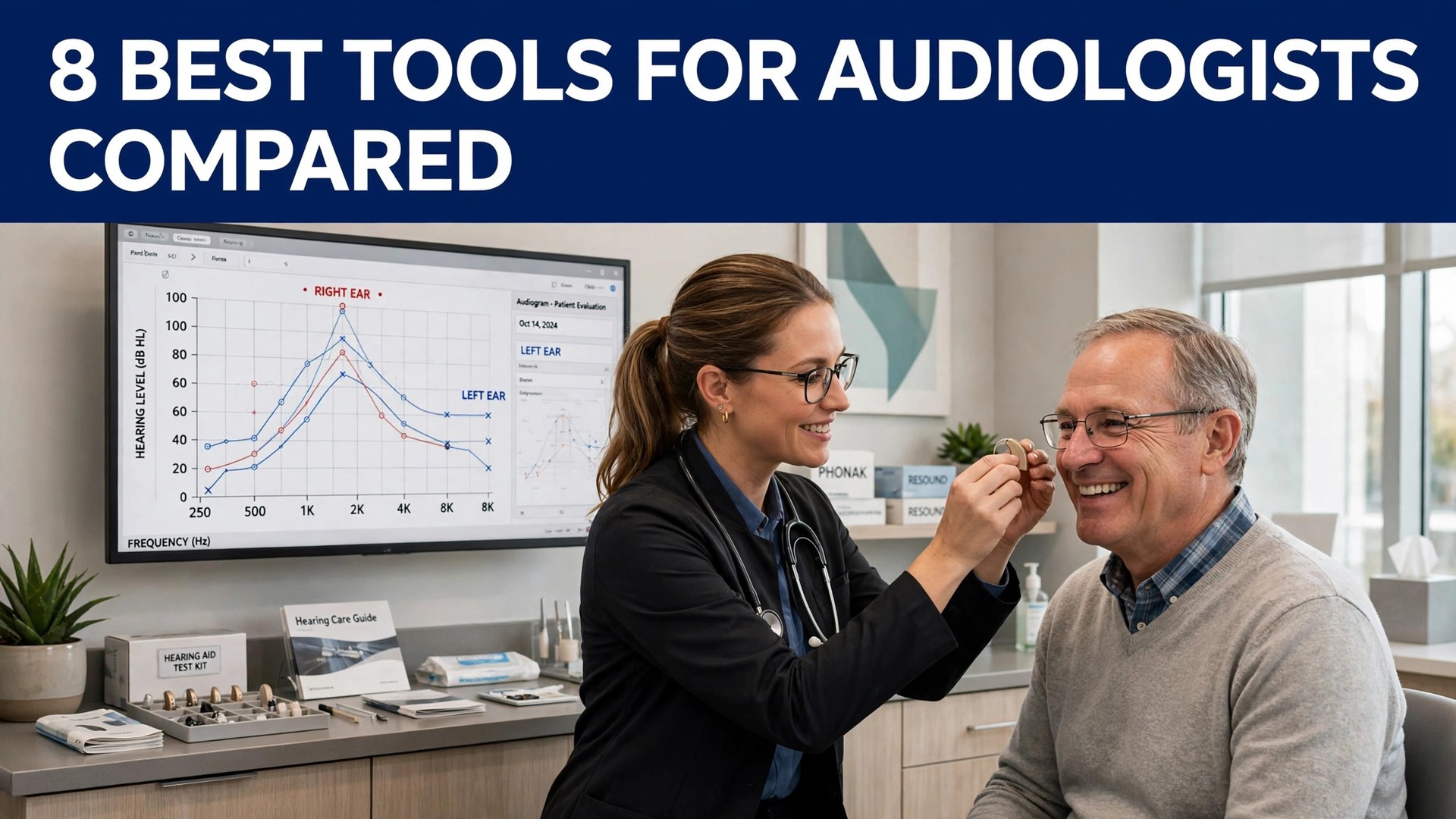
An audiologist spends the appointment listening, then spends the time after it writing. The fitting, the counselling and the follow-up all need a record, and the record is what eats the hour between patients. The best ai tools for audiologists cut that record time by drafting the note from the visit, so the clinician reviews and signs instead of typing from memory.
Hearing clinics run on a mix of notes, fittings, counselling and follow-up, and no single tool covers all four well. A scribe handles the note, a practice system handles the clinic, and a counselling tool handles the patient after the fitting. This guide shows which job each tool does, so a clinic can buy the piece it actually needs first.
This guide compares eight tools on published prices, the audiology job each one does best and the catch that only shows up after the trial ends. Every price below is the published starting price as of late 2026, or marked pricing on request where the audiology work vendor does not publish a rate. Start with the shortlist, then read the reviews that match the audiology work you do most.
The Full Shortlist in One Place
Use it to narrow the best ai tools for audiologists to two or three candidates before you read the full reviews. Monthly list prices apply unless noted, and annual billing usually beats monthly billing for audiology teams.
| Job | Best tool | Why it wins |
|---|---|---|
| Ambient notes for hearing clinics | Nabla | Notes that keep up with a hearing clinic |
| Simple notes with almost no setup | Freed | The fastest note for a small clinic |
| Free ambient notes plus admin help | Heidi Health | A free tier that actually works |
| Voice commands plus notes | Suki AI | Voice-first workflow beyond notes |
| Evidence-linked notes for Epic teams | Abridge | Notes linked back to the audio |
| Practice management for hearing care | Auditdata Manage | The clinic system, with AI help on top |
| All-in-one software for hearing practices | Sycle | Scheduling, records and billing in one login |
| Counselling support for hearing patients | CounselEar | Follow-up that patients actually read |
How We Chose the Best AI Tools for Audiologists
A tool earned a place here only when it does a real audiology job well in 2026, not when it added an AI label to an old product. The best ai tools for audiologists were judged on five things that decide whether a team keeps paying after the first year.
We ranked Nabla and the rest first on the job each one does, because a single-purpose tool usually beats a platform that spreads across five jobs for audiology teams. Next came published pricing and how it scales, since per-seat charges decide the real bill for audiologists as they grow. Output quality came third, because an error in audiology work costs more to fix than a month of subscription.
Fourth, fit with the systems audiology teams already run, because a tool that cannot reach the core system forces double entry on every audiology job today. Fifth, the catch, from free plans that cap audiology work usage to enterprise tools that need a sales call before the first trial.
| Check before you buy | What to ask | Why it matters |
|---|---|---|
| Published price | Is the rate on the pricing page | A hidden price is a hidden bill |
| Free plan limits | Usage caps, watermarks or seats | A capped free plan cannot run the real job |
| Integration | Does it connect to your core system | Double entry eats the time it saves |
| Compliance | BAA, retention and consent | A fast output that breaks the rules is a risk |
| Trial access | Can you test it on real work | A demo is not a trial |
| Contract terms | Monthly or annual, and what year two costs | Annual billing locks the price but not the need |
Tool by Tool
1. Nabla
Starting price Free tier available, then paid plans from 119 dollars a month. Best for Audiology notes in many languages. Watch out Setting up enterprise integrations may need IT support.
Nabla records the appointment and drafts a structured note in seconds, with support for more than 30 languages and links into the main EHRs. An audiologist who sees patients in two languages, or who runs telehealth fittings, gets a note that is ready before the next patient arrives, without retyping the history.
The free tier covers a set number of consultations a month, which is enough to test the note quality on real clinic days. Paid plans add team controls and deeper EHR work, and the price rises with seats, so a small clinic should trial first and count the notes it actually produces in a week before choosing a tier.
That is the test to apply to the best ai tools for audiologists as a group: the tool that saves an hour a week on real work pays for itself, and the tool that needs constant correction does not, however cheap the headline looks.
The onboarding for Nabla is worth a close look before you sign, because a tool that takes weeks to set up costs more in lost time than the subscription. Ask what the first week looks like, who helps with audiology work setup and what happens when the first output needs fixing. Those answers reveal the real cost for audiologists better than the audiology work pricing page.
2. Freed
Starting price From 39 dollars a month. Best for Solo audiologists and small clinics. Watch out The coding tools and EHR push come with the higher tier.
Freed listens to the visit and drafts a note in the clinician style it has learned, with a one-click push into many browser-based EHRs on the higher tier. Setup takes minutes, and the interface has almost nothing to learn, which suits an audiologist who wants the note done before the next fitting starts.
The Starter plan caps notes at 40 a month, so a busy clinic will need Core or Premier. The higher tier adds coding support and the EHR push, and the per-clinician price is low enough that a two-person practice can run it without a procurement meeting. It is the easiest scribe on this list to get going with.
Support matters more than most buyers expect, because the first audiology work problem usually arrives in the first week. Check whether Freed offers live help, how fast it answers and whether the help covers your actual workflow. Good support gets an audiology tool itself adopted, while slow support gets it abandoned and the subscription keeps billing either way for audiologists.
3. Heidi Health
Starting price Free tier to begin, with paid plans starting at 99 dollars a month. Best for Audiologists who want a free tier first. Watch out Notes from the free tier often need extra editing.
Heidi Health keeps a permanent free tier for ambient notes, and its paid tiers add templates, team features and supervised agents that draft letters and prep charts. It works in the browser and on mobile, and it covers a wide set of note formats, so an audiologist can shape the output to the clinic instead of the other way round.
The paid Clinician tier is the sensible starting point for a working audiologist, because the free tier caps usage and the notes need a closer edit. Heidi also handles dictation and document work, which makes it more than a scribe for a clinic where half the day is admin. Look at the current plan limits first, since the agent features carry separate pricing.
Before you commit to Heidi Health, check the export and the exit. Can you take your notes, data or templates with you if you leave the audiology tool option, and what format do they come in. A tool that locks audiology work inside its own system costs far more to leave than to join for audiology teams, and that is a price worth noting.
4. Suki AI
Starting price Pricing on request. Best for Large hearing groups with voice workflows. Watch out No list price, and no trial you can start yourself.
Suki AI goes beyond note writing: it takes voice commands for orders, referrals and coding, and it works inside the main EHRs. An audiologist can dictate a note, ask for a code and pull up a patient summary without touching the keyboard, which is the point for a team that lives inside the EHR all day.
The trade-off is the buying process. With no published price and no self-serve trial, a practice needs a sales conversation and an IT plan before the first note. For a large hearing group that already runs Epic, that effort pays off. For a solo audiologist, it is the wrong starting point.
For a team weighing Suki AI against the next tool on this list, the test is a real week of work. Run it on the top audiology jobs done most, count the time saved and the edits each output needs, and compare that against the price. An hour saved a week pays for an audiology software tool at almost any price for audiologists, while one needing constant correction never pays.
5. Abridge
Starting price Pricing on request. Best for Hospital audiology on Epic. Watch out Enterprise only, no self-serve trial.
Abridge turns recorded visits into ambient notes where each line links back to the exact moment it was spoken, so a note can be checked against the recording itself. That traceability helps during an audit and when a colleague wants to confirm what a patient really said. It connects natively with Epic, and its reach now extends to revenue-cycle review too.
Abridge is sold to health systems, not to individual audiologists, so the price comes from a contract and the rollout takes weeks. An audiologist in a large hospital will usually meet it through the employer, not by buying it alone. If your system already runs it, get comfortable with the linked-evidence check — it is the quickest way to verify a note before signing.
The onboarding for Abridge is worth a close look before you sign, because a tool that takes weeks to set up costs more in lost time than the subscription. Find out what week one looks like, who helps set the solid audiology tool up, and what happens when the first output needs a fix. The answers tell more about the real audiology work cost than the pricing page does.
6. Auditdata Manage
Starting price Pricing on request. Best for Hearing clinics that need practice software. Watch out Priced by clinic size, no public rate.
Auditdata Manage is practice management software built for hearing care, covering patient records, appointments, hearing-test data and inventory, with AI features that help with documentation and workflow. An audiology clinic that needs one system for the whole practice, not just a scribe, will find it more useful than a standalone note tool.
The price is quoted by clinic size and module, so a buyer needs a sales conversation and a clear list of what the clinic actually uses. The rollout is a practice-management project, not a quick install. For a multi-room hearing clinic, that depth is the value. For a solo audiologist, a scribe plus a simple scheduler is cheaper.
Buyers underrate support, yet the first audiology work problem usually lands in week one for audiologists. Check whether Auditdata Manage offers live help, how fast it answers and whether the help covers your actual workflow. A tool with good support gets adopted; a tool with slow support gets abandoned, and the audiology work subscription keeps billing either way.
7. Sycle
Starting price Pricing on request. Best for Hearing practices that want one system. Watch out Enterprise-style pricing for a full suite.
Sycle is an all-in-one platform for hearing practices, combining scheduling, patient records, hearing-aid inventory, billing and reporting in a single system. An audiology practice that runs on five separate tools can move the whole operation into Sycle, and the AI features help with documentation and follow-up.
The price is quoted per practice, and the move is a real migration, with data import and staff training. A small clinic should weigh that effort against the mess it replaces. For a growing hearing practice with several audiologists, the single system pays for itself in fewer double entries and fewer missed follow-ups.
Before you commit to Sycle, check the export and the exit. Ask whether audiologists can take notes, data and templates out of the audiology app tool on leaving, and in what format. A tool that locks audiology work inside its own system costs far more to leave than to join for audiology teams, and that is a price worth noting.
8. CounselEar
Starting price Pricing on request. Best for Counselling and follow-up after fittings. Watch out Niche tool, small vendor footprint.
CounselEar helps audiologists with patient counselling and follow-up after a hearing-aid fitting, turning the fitting conversation into clear written guidance the patient can take home. It supports the part of audiology that a note tool never touches: helping the patient understand the device, the adjustment period and the next steps.
CounselEar is a niche product from a small vendor, so the price is quoted and the integration options are narrower than the big platforms. A clinic that loses patients to poor follow-up will get the most from it. A clinic whose follow-up already works should spend the money on a scribe first, and add counselling support once the notes are under control.
For a team weighing CounselEar against the next tool on this list, the test is a real week of work. Test it on the most common audiology job types, count hours saved and edits needed, and weigh that against the price for audiologists. An hour saved a week pays for a right audiology tool at almost any price for audiologists, while one needing constant correction never pays.
The Comparison Table, Explained
The table below puts the best ai tools for audiologists side by side on price, best job and free plan, so you can compare the published prices against the quote-only tools at a glance.
The fastest way through the table is by job, since audiologists pay more for a bargain tool that fails than for a pricier one that does the audiology work first time. A tool that fails on the first try eats another hour of rework. Check what each tool is best for, then look at the price, and the choice for audiology teams normally settles in under a minute.
| Tool | Starting price | Best for | Free plan |
|---|---|---|---|
| Nabla | Free tier, then from 119 dollars a month | Audiology notes in many languages | Yes |
| Freed | From 39 dollars a month | Solo audiologists and small clinics | Trial |
| Heidi Health | Free tier, then paid plans from 99 dollars a month | Audiologists who want a free tier first | Yes |
| Suki AI | Pricing on request | Large hearing groups with voice workflows | No |
| Abridge | Pricing on request | Hospital audiology on Epic | No |
| Auditdata Manage | Pricing on request | Hearing clinics that need practice software | No |
| Sycle | Pricing on request | Hearing practices that want one system | No |
| CounselEar | Pricing on request | Counselling and follow-up after fittings | Trial |
How to Choose Without Overbuying
Start from the slowest part of the audiology working week, not from the vendor homepage. audiology teams buried in audiology work should buy the tool that clears that pile first. audiology teams losing hours to rework should buy accuracy before features. The tool that fixes the slowest audiology bottleneck task pays for itself first, and the rest can wait.
Price the whole audiology work stack, not the headline number. The table below prices year one for a solo buyer and for a small team on the common audiology work combinations, at published starting prices. Ask for per-seat charges in writing before signing, since those lines surprise audiology teams, and annual billing usually cuts about twenty percent off the monthly rate.
| Stack | Monthly cost | What it covers |
|---|---|---|
| Nabla plus Freed | Check the pricing page | Core tool plus a second specialist |
| Freed alone | Lowest starting price | One tool for the main job |
| Nabla plus Heidi Health | Mid-range | Core tool plus a workflow specialist |
| Heidi Health plus Freed | Mid-range | Specialist pair for a busy week |
The second check is the exit. A audiology tool choice that exports cleanly is easy to leave, and one that locks the work in is expensive to quit. Check the export formats, the data ownership and the contract length on the pricing page before audiology teams pay, because the format decides what happens when the team outgrows the tool.
Best Pick by Job
Pick from the table below by the audiology work job you do most each week. The best ai tools for audiologists are not ranked by features alone; they are ranked by which job each one actually finishes, so the pick that matches your week is the pick that will still be in your stack a year from now.
| Your job | Best pick | Why it wins |
|---|---|---|
| Ambient notes for hearing clinics | Nabla | Notes that keep up with a hearing clinic |
| Simple notes with almost no setup | Freed | The fastest note for a small clinic |
| Free ambient notes plus admin help | Heidi Health | A free tier that actually works |
| Voice commands plus notes | Suki AI | Voice-first workflow beyond notes |
| Evidence-linked notes for Epic teams | Abridge | Notes linked back to the audio |
| Practice management for hearing care | Auditdata Manage | The clinic system, with AI help on top |
| All-in-one software for hearing practices | Sycle | Scheduling, records and billing in one login |
| Counselling support for hearing patients | CounselEar | Follow-up that patients actually read |
Testing Before You Pay
A trial tells audiology teams more in five working days than a month of reading reviews, but only when the trial runs on real audiology work. Pick the two tools that look closest after the shortlist, run them side by side on the same core audiology jobs, and score them on time saved, edits needed and how the output reads to a colleague. Never trial on a demo file, because a demo hides the rough edges real audiology work exposes.
| Day | What to test | What good looks like |
|---|---|---|
| Day 1 | Setup and first real job | Working in under an hour, no IT ticket |
| Day 2 | The hardest job you do | Output needs light edits, not a rewrite |
| Day 3 | Integration with your core system | Data flows without double entry |
| Day 4 | A colleague tries it cold | They finish a job without asking for help |
| Day 5 | Count the time and the cost | Hours saved beat the monthly price |
Keep a simple log through the trial week, noting the daily audiology task, the minutes it took, the edits made and whether the output could go out unchecked. At the end of the week the log is the decision for audiology teams. The tool with the best log wins, even when it was not the expected favourite, because the log measures the team’s own audiology work, not the vendor demo.
Buying Mistakes to Skip
Mistake one is the cheapest plan, when the feature audiology teams need sits two tiers up. Read every tier on the pricing page and pay for the tier that does the daily audiology job, not the tier that looks cheap. Mistake two is rolling out to the whole team before one person has tried the tool for a week, since a favourite of one and a burden to five is a cost for audiology teams, not a system.
The third mistake is skipping the data and compliance check for audiology teams. Ask for the data agreement, read the retention policy and check the consent wording before the first real audiology work record goes through the tool, because fixing compliance after the fact costs far more than checking it first. The fourth mistake is judging the tool on its best day, so trial it on the hardest audiology job itself and let the hard job decide.
Your Questions, Answered
Which tool gives audiology teams the cheapest good start
Nabla is the cheapest credible start on this list at free tier, then from 119 dollars a month, with Freed at from 39 dollars a month close behind. The best ai tools for audiologists include free tiers and free plans, so start with the job you do most each week, trial the free tier on real work, and add a specialist only when the general tool cannot do a job you are paid to do. That is the cheapest route to a audiology work stack, with no payment for features never used.
Can audiology teams keep AI output from looking generic
It will when audiology teams publish the template unchanged. AI tools draft a usable first version, but the facts, the wording and the judgement still come from the professional doing the audiology work. An output that goes out unedited reads generic, and clients notice generic audiology work fast. Use the AI to beat the blank page, then change the details, the wording and the checks, so the result sounds like audiology teams and not the tool.
For a small team, which audiology tool option wins
Freed is the pick for a small team, starting at from 39 dollars a month with almost no setup, while Nabla at free tier, then from 119 dollars a month is the strongest all-round option as the team grows. The best ai tools for audiologists were ranked by the job each one finishes, not by the size of the feature list, so a small team should buy the tool that fixes its slowest weekly job first and add a second tool only when a specific limit starts costing time.
How much will a small team spend on audiology work tools in year one
Plan on 20 to 50 dollars a month in year one for a general audiology tool option such as Nabla, rising to 100 to 200 dollars a month with a specialist such as Freed added. Multiply the headline price by headcount when audiology teams pay per seat, since those charges surprise buyers. Price the whole stack and trial each tool on real audiology work before signing an annual contract.
Do audiology teams need a specialist tool as well as a general one
Not always. Most audiology teams get by with one general tool for months, and a separate specialist only earns its place when a specific audiology daily task runs every week and the general tool cannot do it well. Time the last week before spending. When the job takes hours and the specialist cuts it to minutes for audiology teams, buy it, and when the job already takes minutes, the specialist is a cost.
Do these audiology work tools offer a trial before payment
Most tools on this list offer a free plan or a free trial, and Nabla and Heidi Health both let audiology teams test on real audiology work before paying. Use the trial on the audiology job itself the team does most, not on a demo, and count the time saved and the edits each output needs. A trial that covers a real week tells audiologists more than a sales call, and a tool that will not trial is one to be careful about.
The Verdict, in Brief
If you buy one tool this quarter, pick Freed for solo work or a small clinic, and Nabla when you need multilingual notes and deep EHR links. Freed is the easiest place to start at 39 dollars a month, and Nabla is the strongest all-round scribe at 119 dollars a month. The best ai tools for audiologists earn their keep by giving you back the hour between patients, and both of these do that from the first week.
Whatever you pick, trial it on a real week of clinic days, count the notes it produces and the edits each one needs, and keep a human eye on every AI note before it is signed. The tools on this list all work. The difference is whether the scribe matches the notes you actually write, and whether you measure the return in hours saved and fittings completed rather than in features used.