
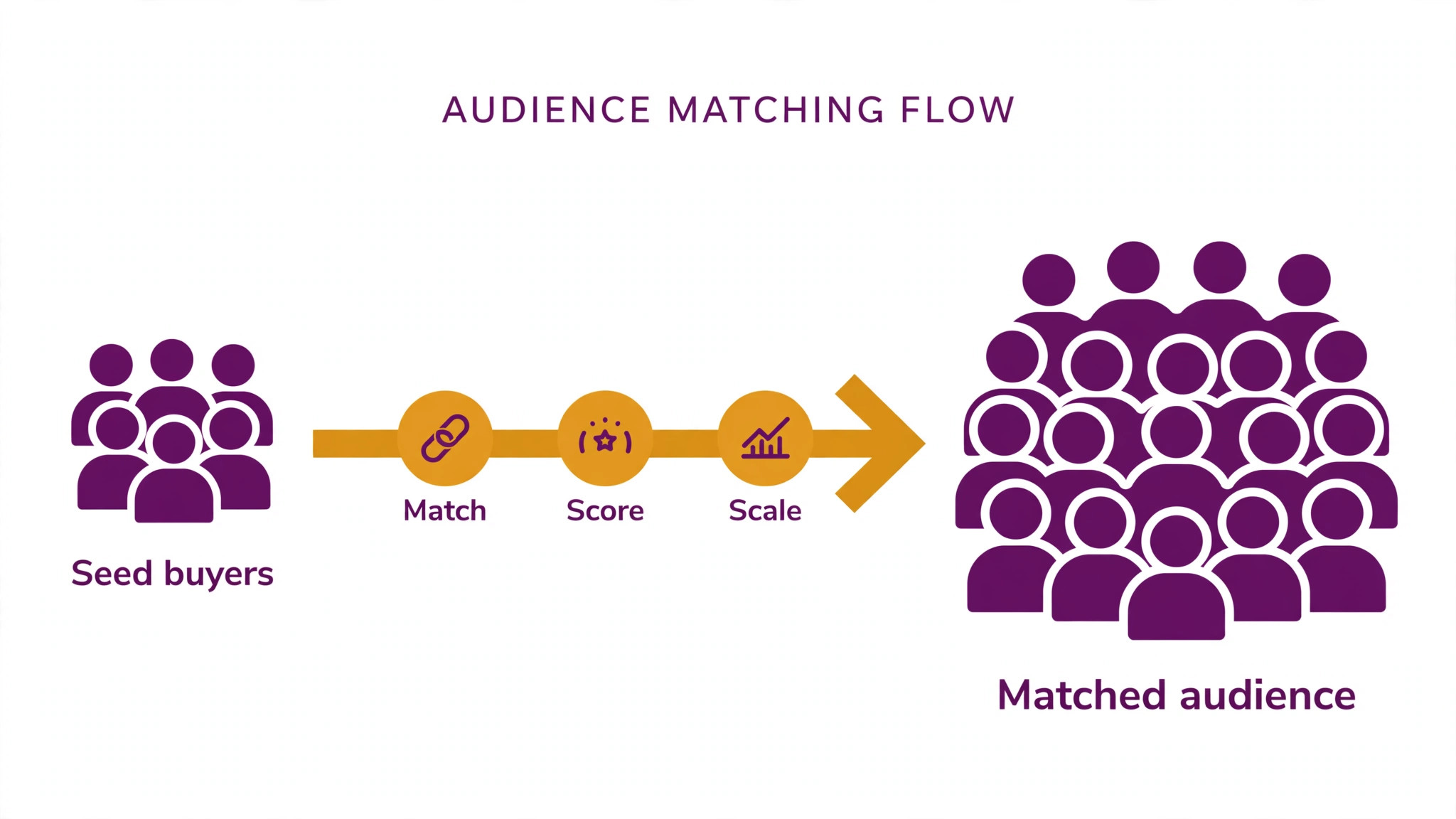
Your best customers have twins, and the ad platforms know where they live. The top 10 ai tools for lookalike audiences find people who behave like your buyers, score them by similarity and let you reach them before your competitors do, so a campaign starts from a warm audience instead of a cold guess.
The job splits into three parts that need different strengths. Building the seed list takes clean customer data, matching takes a platform with enough reach, and scaling takes automation that refreshes the audience as new buyers arrive. This guide compares ten tools on published prices, the audience job each one does best and the limit that only shows up after the first campaign spends.
The Shortlist, Side by Side
Use this table to narrow the top 10 ai tools for lookalike audiences to two or three candidates before you read the full reviews. Monthly list prices apply unless noted, and the big ad platforms themselves charge nothing for the audience tool itself, only for the ads.
| Job | Best tool | Why it wins |
|---|---|---|
| Lookalikes on Facebook and Instagram | Meta Ads Manager | The largest lookalike pool in advertising |
| Lookalikes on Google and YouTube | Google Ads | Similar segments across search and video |
| Lookalikes for B2B buyers | LinkedIn Campaign Manager | Matched audiences from job and company data |
| Audiences inside your CRM | HubSpot Marketing Hub | Lookalikes built from your own contacts |
| Cross-channel prospecting | AdRoll | One audience across web, social and email |
| Automated audience testing | Madgicx | AI that tests and scales winning audiences |
| Rules-based audience automation | Revealbot | Automated rules that pause and scale |
| Enterprise audience modelling | Smartly | Creative plus audience automation at scale |
| B2B intent-based lookalikes | Audiense | Audience intelligence from social data |
| Small-business audience help | WordStream | Guided lookalikes for smaller budgets |
How We Tested the top 10 ai tools for lookalike audiences
A tool earned a place here only when it handles a real advertising job well in 2026, not when it added an AI label to a targeting menu. We judged them on five things that decide whether an advertiser keeps paying after the first campaign: seed quality, match rate, automation, reporting and the true cost once ad spend and platform fees are counted.
Seed quality came first, because a lookalike built from a dirty list finds the wrong twins. Match rate came second, since a small matched audience cannot scale no matter how good the model is. Automation came third in the ranking, because audiences that never refresh go stale within weeks. Fourth was reporting that shows which audience actually bought, and fifth was the catch, from minimum spends to models that only work on one channel. The top 10 ai tools for lookalike audiences were ranked by the buyers they find, not by the size of the feature list.
| Check before you buy | What to ask | Why it matters |
|---|---|---|
| Seed quality | How clean must the source list be | A dirty seed finds the wrong twins |
| Match rate | What share of the seed gets matched | A small match cannot scale |
| Automation | Does the audience refresh itself | Stale audiences stop converting |
| Reporting | Can you see which audience bought | Spend without attribution is guesswork |
| Minimum spend | Is there a floor before it works | A floor can eat a small budget |
| Contract terms | Monthly or annual, and what year two costs | Annual billing locks the price but not the need |
Tool by Tool
1. Meta Ads Manager
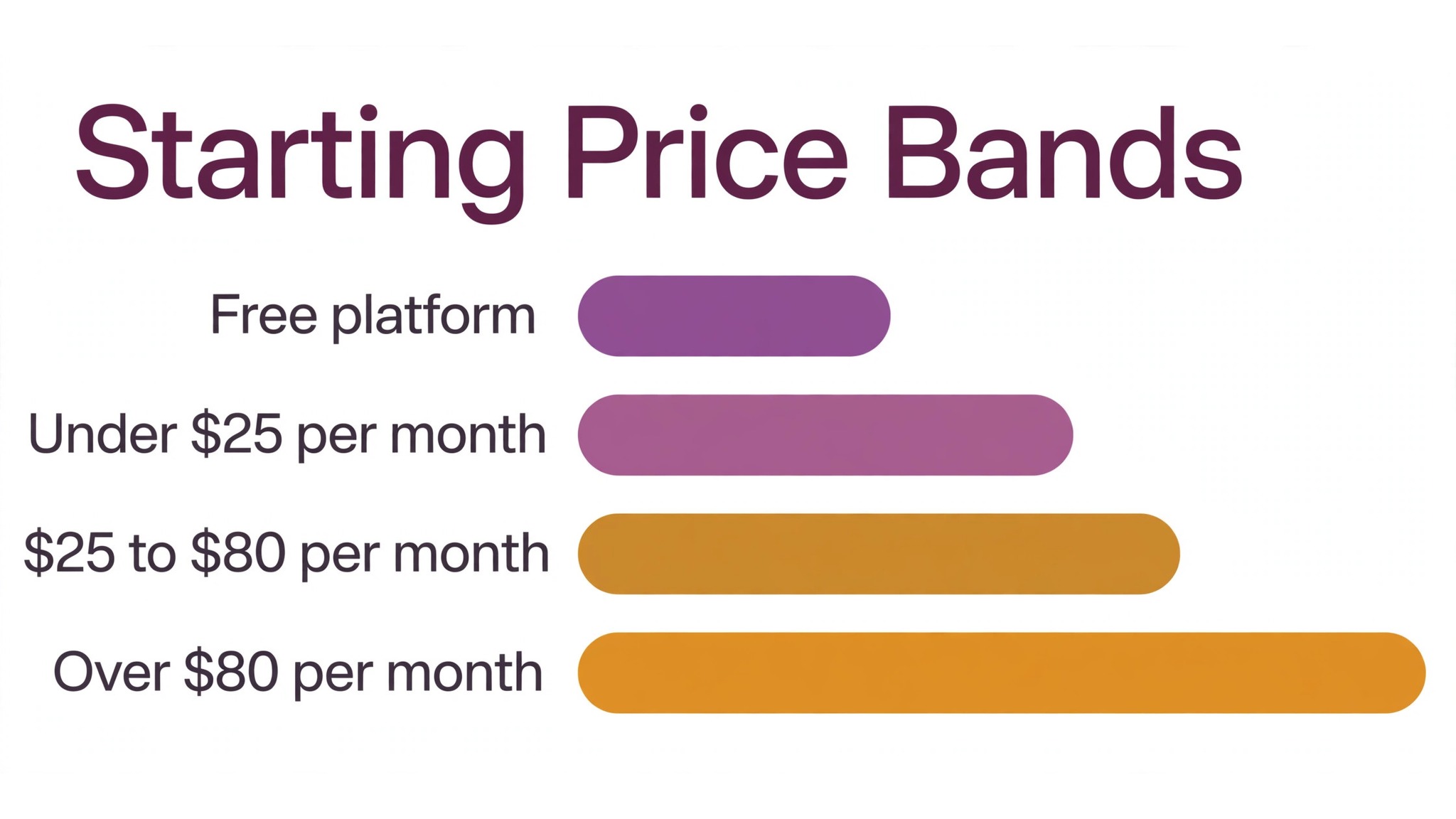
Starting price Free platform, ad spend separate. Best for Lookalikes on Facebook and Instagram. Watch out Lookalike sizes shrank after privacy changes.
Meta Ads Manager builds lookalike audiences from a customer list, a pixel or an engagement audience, and matches them across Facebook and Instagram. You pick a similarity range from one to ten percent of a country, and Meta scores users by behaviour, interests and demographics to find the closest matches.
The platform itself costs nothing, and you pay only for the ads. Lookalike quality depends on the seed: Meta recommends at least one thousand matched people, and a seed of buyers beats a seed of page visitors every time. It is the default starting point for any consumer brand.
The first week with Meta Ads Manager is the real test. Ask how long setup takes for a audience, who helps when the first output needs fixing, and what the team does while the tool is still learning its settings. A audience tool that takes weeks to set up costs more in lost time than the subscription, so get the week-one plan in writing before you pay.
2. Google Ads
Starting price Free platform, ad spend separate. Best for Lookalikes on Google and YouTube. Watch out Similar segments were retired in 2023, replaced by optimized targeting.
Google Ads no longer offers classic similar segments, but its optimized targeting and audience expansion do the same job with a different name. You give Google a first-party list or a remarketing audience, and it expands reach to users likely to convert across Search, YouTube and Display.
The platform is free to use and you pay only for the ads you run. The expansion works best with conversion data, so a campaign with no conversions has little for the model to learn from. For advertisers already spending on Google, it is the cheapest lookalike route because there is no extra tool to buy.
Support matters more than most audience buyers expect, because the first problem usually arrives in the first week. Check whether Google Ads offers live help, how fast it answers, and whether the help covers your actual workflow. Good support gets a audience tool adopted, while slow support gets it abandoned and the subscription keeps billing either way.
3. LinkedIn Campaign Manager
Starting price Free platform, ad spend separate. Best for Lookalikes for B2B buyers. Watch out Audiences need at least 300 matched members.
LinkedIn Campaign Manager builds lookalike audiences from a matched audience such as a company list or a website audience, then finds professionals with similar job titles, industries and skills. For B2B advertisers, the job-title data makes the matches far more relevant than interest-based lookalikes elsewhere.
The platform is free and you pay only for ads, but LinkedIn clicks cost more than Meta or Google, so the budget has to match that. The minimum audience size is 300 matched members, and a seed of closed-won accounts beats a seed of website visitors. It is the strongest B2B pick here.
Before you commit to LinkedIn Campaign Manager, check the export and the exit. Ask whether you can take your audience work, data and templates with you if you leave, and in what format they come out. A audience tool that locks your work inside its own system costs far more to leave than to join, and that is a price worth noting.
4. HubSpot Marketing Hub
Starting price From 20 dollars a month. Best for Audiences inside your CRM. Watch out Lookalike syncing needs the higher tiers.
HubSpot Marketing Hub builds lookalike audiences from the contacts already in your CRM, then syncs them to Meta, Google and LinkedIn without exporting a CSV. The AI scores contacts, suggests the best seed list and refreshes the audience as new customers arrive in the CRM.
Marketing Hub Starter starts at 20 dollars a month, but audience syncing and the deeper AI features sit on the Professional tier at 890 dollars a month, which is a big jump. For a team already paying for HubSpot, the sync is the value; for a team buying it just for lookalikes, it is the wrong starting point.
For a team weighing HubSpot Marketing Hub against the next tool on this list, the test is a real week of work. Run it on the audience jobs you do most, count the time saved and the edits each output needs, and compare that against the price. An hour saved a week on audience work pays for a tool at almost any price, while one needing constant correction never pays.
5. AdRoll
Starting price From 19 dollars a month. Best for Cross-channel prospecting. Watch out The Starter plan limits how much you can spend each month.
AdRoll runs lookalike prospecting across the web, social and email from one dashboard. It builds the audience from your customer list or site visitors, then serves ads wherever those twins browse, and it reports which channel actually drove the conversion instead of crediting the last click.
Pricing starts at 19 dollars a month for the Ads plan, plus a percentage of ad spend on top. The Starter plan caps monthly spend, so a growing advertiser moves to the Growth plan quickly. It suits small ecommerce brands that want a single tool across channels.
The fit with the systems you already run decides whether AdRoll earns its place. Check the integration list before trialling a audience tool, and test the one connection you actually need on day one. A audience tool that cannot reach your core system forces double entry on every job, and double entry eats the time it was meant to save.
6. Madgicx
Starting price From 39 dollars a month. Best for Automated audience testing. Watch out Meta comes first here, with other channels a clear second.
Madgicx automates the testing that makes lookalikes work: it launches several lookalike sizes at once, watches which one converts, and shifts budget to the winner without a human checking every day. Its AI creative tools generate ad variations for each audience, so one test covers both targeting and creative.
Pricing starts at 39 dollars a month for the Starter plan, and it scales with ad spend. It is built for Meta first, with thinner Google support, so a Meta-heavy advertiser gets the most from it. For a team spending real money on Meta, the automation pays for itself in saved hours.
Read every tier on the pricing page before you pick Madgicx, because the feature you need often sits one tier above the cheapest plan. Pay for the tier that does the daily audience, not the tier that looks cheap. A plan that misses one core audience feature costs more in workarounds than the upgrade would have.
7. Revealbot
Starting price From 29 dollars a month. Best for Rules-based audience automation. Watch out It only helps once you have a clear rules plan.
Revealbot lets an advertiser write rules that manage lookalike campaigns automatically: pause an audience that spends without converting, scale one that converts cheaply, and alert the team when a seed list goes stale. The rules run around the clock, which matters for campaigns that keep spending while the team sleeps.
Pricing starts at 29 dollars a month. It is a power tool that rewards an advertiser who already knows which rules to write; a beginner with no rules plan will get little from it. For a team running many lookalike audiences at once, it is the cheapest way to keep them all in check.
The first week with Revealbot is the real test. Ask how long setup takes for a audience, who helps when the first output needs fixing, and what the team does while the tool is still learning its settings. A audience tool that takes weeks to set up costs more in lost time than the subscription, so get the week-one plan in writing before you pay.
8. Smartly
Starting price Pricing on request. Best for Enterprise audience modelling. Watch out Enterprise pricing, no self-serve trial.
Smartly combines audience automation with creative automation for large advertisers. It builds lookalike audiences, generates hundreds of creative variants matched to each audience, and moves budget between them based on performance. The platform is built for teams spending six figures a month on social ads.
Pricing is quoted per advertiser, with no published rate and no trial you can start yourself. A large brand running many campaigns across countries will get the value from it; a small advertiser should start with Madgicx or AdRoll instead. The sales conversation is the only way to get a price.
Support matters more than most audience buyers expect, because the first problem usually arrives in the first week. Check whether Smartly offers live help, how fast it answers, and whether the help covers your actual workflow. Good support gets a audience tool adopted, while slow support gets it abandoned and the subscription keeps billing either way.
9. Audiense
Starting price From 79 dollars a month. Best for B2B intent-based lookalikes. Watch out Strongest for Twitter and social data.
Audiense builds audience intelligence from social data, segmenting followers and engagers into groups with shared interests, then exporting those groups as lookalike seeds for ad platforms. Its insights show what an audience talks about, which influencers they follow and what content they share.
Pricing starts at 79 dollars a month. It is strongest where the social data is richest, and weaker for audiences with no social footprint. For a B2B team that already knows its buyers live on social, it is the most detailed audience builder on this list.
Before you commit to Audiense, check the export and the exit. Ask whether you can take your audience work, data and templates with you if you leave, and in what format they come out. A audience tool that locks your work inside its own system costs far more to leave than to join, and that is a price worth noting.
10. WordStream
Starting price From 24 dollars a month. Best for Small-business audience help. Watch out The guided tools trade control for hand-holding versus the big platforms.
WordStream, now part of LocaliQ, guides small advertisers through lookalike setup with step-by-step recommendations and a 20-minute weekly work plan. Its AI scores campaigns, suggests audience sizes and flags the campaigns that need attention, which suits a business owner without a media buyer.
Pricing starts at 24 dollars a month for the advisor tools, with managed services higher. It trades some control for guidance, so an experienced media buyer will find it limiting. For a small business spending its first ad dollars, the guidance is worth more than the control.
For a team weighing WordStream against the next tool on this list, the test is a real week of work. Run it on the audience jobs you do most, count the time saved and the edits each output needs, and compare that against the price. An hour saved a week on audience work pays for a tool at almost any price, while one needing constant correction never pays.
The Comparison Table, Explained
The table below puts the top 10 ai tools for lookalike audiences side by side on price, best job and free plan, so you can compare the free platforms against the paid automation tools at a glance. Read it by channel first, because a lookalike tool that cannot reach your buyers is useless however cheap it is.
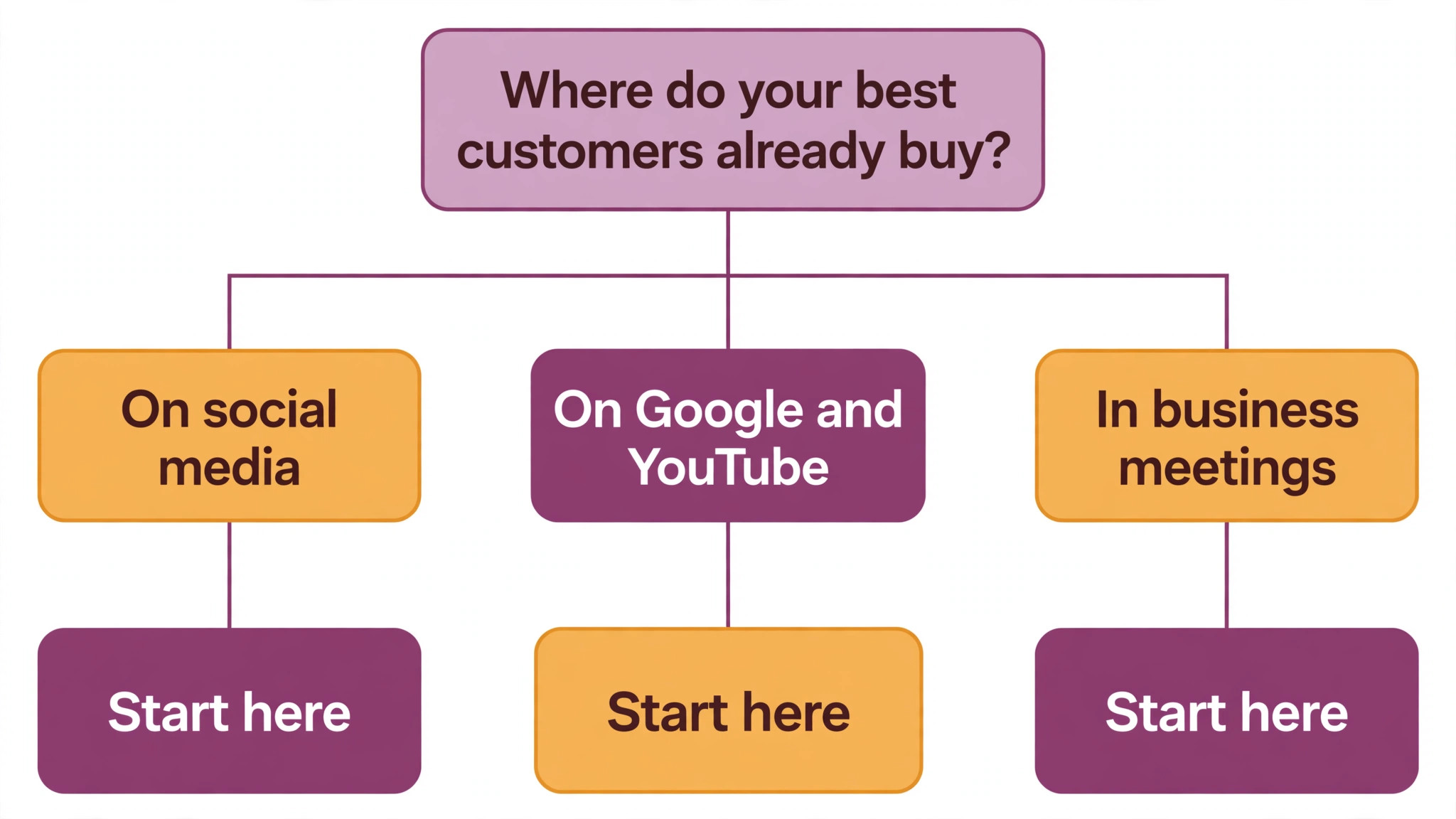
The fastest way through the table is by where your buyers already are. If the audience is on Meta, start with Meta Ads Manager. If the audience is B2B buyers, start with LinkedIn. Match each tool to its best audience first, then check the price, and the choice usually settles in under a minute.
| Tool | Starting price | Best for | Free plan |
|---|---|---|---|
| Meta Ads Manager | Free platform, ad spend separate | Lookalikes on Facebook and Instagram | Yes |
| Google Ads | Free platform, ad spend separate | Lookalikes on Google and YouTube | Yes |
| LinkedIn Campaign Manager | Free platform, ad spend separate | Lookalikes for B2B buyers | Yes |
| HubSpot Marketing Hub | From 20 dollars a month | Audiences inside your CRM | Trial |
| AdRoll | From 19 dollars a month | Cross-channel prospecting | Trial |
| Madgicx | From 39 dollars a month | Automated audience testing | Trial |
| Revealbot | From 29 dollars a month | Rules-based audience automation | Trial |
| Smartly | Pricing on request | Enterprise audience modelling | No |
| Audiense | From 79 dollars a month | B2B intent-based lookalikes | Trial |
| WordStream | From 24 dollars a month | Small-business audience help | Trial |
How to Choose Without Overbuying
Start from the seed list, not from the vendor homepage. Advertisers with a clean buyer list should buy the tool that reaches their channel best. Advertisers with a dirty list should clean the data first, because no model fixes a bad seed. The tool that turns your best customers into the most twins pays for itself first, and the rest can wait.
Cost the whole audience work stack, not the headline number. The table below prices year one for a solo advertiser and for a small team on the common audience combinations, at published starting prices. Ask for per-seat charges in writing before signing, since those lines surprise teams, and remember the ad spend itself dwarfs every tool price on this audience list.
The second check is the refresh. A lookalike audience built from last year’s buyers slowly drifts away from who buys today, so ask how often the seed updates and whether new buyers join it automatically. A tool that refreshes weekly keeps the twins current, while one that needs a manual rebuild goes stale within a month. Fresh seeds beat clever models every time.
| Stack | Monthly cost | What it covers |
|---|---|---|
| Meta Ads Manager alone | Lowest starting price | Free platform plus ad spend only |
| AdRoll plus Madgicx | Mid-range | Cross-channel reach plus automated testing |
| LinkedIn plus Audiense | Mid-range | B2B lookalikes plus audience intelligence |
| HubSpot plus Revealbot | Check the pricing page | CRM audiences plus rules automation |
Best Pick by Job
Choose from the table below by the advertising job you do most each week. The top 10 ai tools for lookalike audiences are not ranked by features alone; they are ranked by which job each one actually finishes, so the pick that matches your week is the pick that will still be in your stack a year from now.
| Your job | Best pick | Why it wins |
|---|---|---|
| Lookalikes on Facebook and Instagram | Meta Ads Manager | The largest lookalike pool in advertising |
| Lookalikes on Google and YouTube | Google Ads | Similar segments across search and video |
| Lookalikes for B2B buyers | LinkedIn Campaign Manager | Matched audiences from job and company data |
| Audiences inside your CRM | HubSpot Marketing Hub | Lookalikes built from your own contacts |
| Cross-channel prospecting | AdRoll | One audience across web, social and email |
| Automated audience testing | Madgicx | AI that tests and scales winning audiences |
| Rules-based audience automation | Revealbot | Automated rules that pause and scale |
| Enterprise audience modelling | Smartly | Creative plus audience automation at scale |
| B2B intent-based lookalikes | Audiense | Audience intelligence from social data |
| Small-business audience help | WordStream | Guided lookalikes for smaller budgets |
Testing Before You Pay
A trial tells an advertiser more in five working days than a month of reading reviews, but only when the trial runs on a real seed list. Pick the two tools that look closest after the shortlist, run them side by side on the same buyers, and score them on match rate, cost per acquisition and how the audience reads to a colleague. Never trial on a demo list, because a demo hides the rough edges real data exposes. The top 10 ai tools for lookalike audiences are best judged on a real seed list, not on a demo audience.
| Day | What to test | What good looks like |
|---|---|---|
| Day 1 | Setup and first real audience | Working in under an hour, no IT ticket |
| Day 2 | The hardest audience you build | Output needs light edits, not a rebuild |
| Day 3 | Launch a small test campaign | Spend flows without manual fixes |
| Day 4 | A colleague tries it cold | They finish a job without asking for help |
| Day 5 | Count the time and the cost | Cost per acquisition beats the old audience |
Keep a simple log through the trial week, noting the daily task, the minutes it took, the edits made and whether the audience could go live unchecked. The week’s audience work log makes the call at the end. The strongest record on your own audience work wins, even over the expected favourite, since the log reflects your week rather than the vendor demo.
Buying Mistakes to Skip
Mistake one is building a lookalike from all customers instead of best customers. A seed of one-time buyers finds more one-time buyers, while a seed of repeat buyers finds repeat buyers. Pick the seed with care. Mistake two is rolling out the whole budget before one audience has been tested for a week, since a favourite of one and a burden to five is a cost, not a system.
The third mistake is skipping the refresh check. Ask how often the audience updates and what happens when the seed goes stale, before the first real campaign goes live, because fixing stale audiences after the fact costs far more than checking first. The fourth mistake is judging the tool on its best day, so trial it on the hardest audience itself and let that hard audience decide.
The fifth mistake is testing one audience size. A one-percent lookalike is precise but small, while a ten-percent lookalike is large but loose, and the best size for your market sits somewhere between them. Test three sizes at once with the same ad and the same budget, then scale the winner. A single size is a guess, and a guess is not a strategy.
Your Questions, Answered
Which tool gives an advertiser the cheapest good start
Meta Ads Manager is free and is the cheapest credible start on this list, with Google Ads and LinkedIn Campaign Manager also free as platforms. Start with the channel your buyers use most, trial the audience on real buyers, and add a paid automation tool only when the free platform cannot do a job you are paid to do. That is the cheapest route to a prospecting stack.
How big should a lookalike seed list be
Aim for at least one thousand matched people, and ten thousand is better. A seed of your best repeat buyers beats a larger seed of everyone who ever bought, because the model copies what the seed has in common. Clean the list first, remove one-time buyers and test accounts, and the lookalike will be far more accurate than a bigger, dirtier list.
For a small business, which lookalike tool wins
AdRoll is the pick for a small business, starting at 19 dollars a month with cross-channel reach, while WordStream at 24 dollars a month is the strongest guided option for a first-time advertiser. The top 10 ai tools for lookalike audiences were ranked by the job each one finishes, not by the size of the feature list, so buy the tool that reaches your buyers first.
How much will a small team spend on audience tools in year one
Plan on zero to 50 dollars a month in year one for the free platforms plus a tool such as AdRoll, rising to 100 to 200 dollars a month once an automation tool such as Madgicx is added. Remember that the ad spend dwarfs the tool cost. Price the whole stack and trial each tool on real buyers before signing an annual contract.
Do these tools offer a trial before payment
Most paid tools on this audience list offer a free trial, and the big platforms themselves are free to use. Use the trial on your own buyers, not on a demo list, and count the match rate and the cost per acquisition each audience delivers. A trial that covers a real week tells an advertiser more than a sales call, and a tool that refuses a trial is one to be careful about.
The Verdict, in Brief
If you buy one tool this quarter, pick Meta Ads Manager for consumer prospecting or LinkedIn Campaign Manager for B2B, and add Madgicx when the testing workload grows. Both platforms are free, and Madgicx is the easiest automation to start with at 39 dollars a month. The top 10 ai tools for lookalike audiences earn their keep by finding your buyers’ twins before your competitors find them.
Whatever you pick, trial it on your own buyers, count the match rate and the cost per acquisition, and keep a human eye on every seed list before it goes live. Every audience tool here can find more buyers like yours. The difference is whether the tool reaches the channel your buyers actually use, and whether you measure the return in customers acquired rather than in features used.