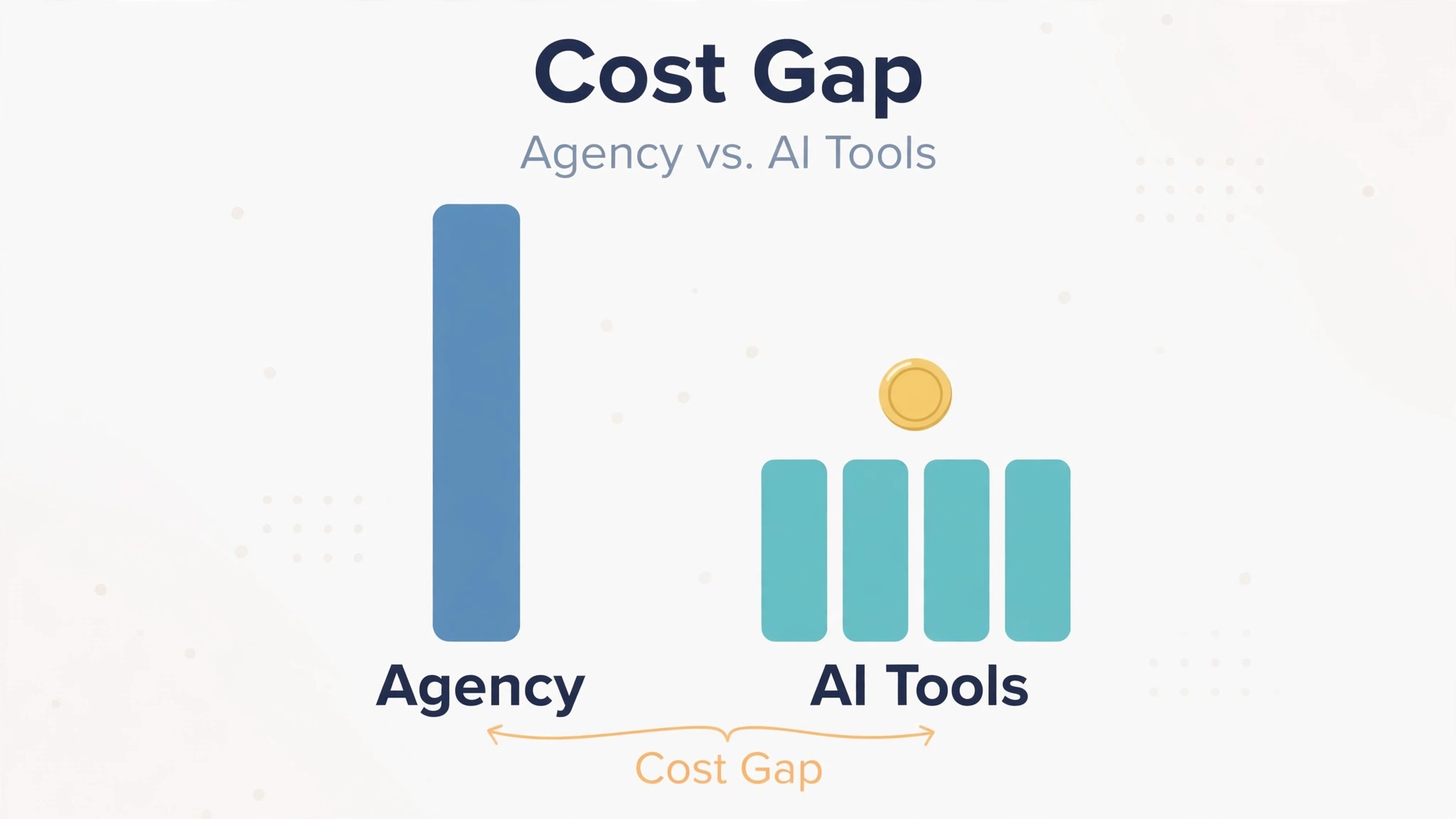
A freelance designer charges 500 to 2,000 dollars for a pitch deck, and an agency charges far more for a full investor presentation. An AI presentation maker charges nothing to draft and 9 dollars a month to polish, and that gap is the reason most small teams start with AI. The gap also hides the real question, which is not whether AI is cheaper, because it is, but what the subscription actually buys. That question is the heart of ai presentation maker pricing, and it is the number this guide works out for every tool.
A tool that sells a deck for 9 dollars a month and a tool that charges 40 dollars a user a month are not selling the same thing. The first sells credits and exports. The second sells brand control, team libraries and analytics. A founder who needs one pitch deck pays less with the cheap plan, and a team that needs every deck on brand pays less with the expensive plan than with a designer. The billing model decides the bill more than the headline price does.
The third thing to check is the credit. Most AI deck tools sell monthly credits, and a deck costs credits to generate, credits to restyle and credits to add images. A plan with 400 one-time credits sounds generous until the third deck, when the credits run out and the tool asks for more money. Knowing ai presentation maker pricing means knowing how many decks the monthly credits actually cover, not just what the plan costs.
Prices in this guide are US list prices checked in November 2026, before tax. Monthly prices are per month, with the annual billing rate beside the monthly rate where the vendor publishes one. Where a vendor hides its prices behind checkout, this guide says so instead of guessing.
At a Glance. ai presentation maker pricing in One Table
The table below is the short answer. Prices are in US dollars, before tax. Free means free to draft and preview, and the paid column is what it costs to make decks without limits.
| Tool | Free plan | Entry paid price | What you get | Credit limit |
|---|---|---|---|---|
| Gamma | 400 credits once, badge on exports | Plus 9 dollars a seat a month annual | 1,000 credits a month, no branding | Plus 1,000, Pro 4,000, Ultra 20,000 |
| Beautiful.ai | No free plan, 14-day trial | Pro 14.50 dollars a month annual | Unlimited AI generation, 300 layouts | Unlimited on every seat |
| Pitch | 100 credits once, up to 5 members | Plus 13 dollars a month | 500 credits a month, PPTX export | Plus 500, Team 500 shared, Business 750 |
| Canva | Free plan, 5 GB storage | Pro 18 dollars a month, or 144 dollars a year | Full design suite, Brand Kit | Magic Studio limits vary |
| Presentations.AI | 200 credits, up to 20 slides | Pro 20 dollars a month annual | 5,000 credits a month | Starter 200, Pro 5,000, Gold 50,000 |
| Prezi | Free plan | Standard 7 dollars a month annual | Presentations with zoom canvas | Limits vary by plan |
| Plus AI | Free trial | Basic 10 dollars a month | AI slides in Google Slides and PowerPoint | Limits vary by plan |
| Microsoft PowerPoint | Free on the web | Microsoft 365 Personal 9.99 dollars a month | Desktop apps, 1 TB storage, Copilot extra | No AI deck credits |
Read the credit column first, because a deck tool without credits is a deck tool that stops working mid-month. Beautiful.ai gives unlimited AI generation on every paid seat, which is the most generous allowance in this guide. Gamma gives 400 credits once on free, which covers a few decks and then stops, and Plus gives 1,000 credits a month, which covers a regular deck habit. That gap between the free allowance and the paid allowance is the oldest trick in ai presentation maker pricing, and every tool in this table plays it in some form.
Read the billing column second, because a per-seat price and a per-person price behave differently as the team grows. Gamma Plus at 9 dollars a seat a month costs 9 dollars for one person and 90 dollars for ten. Pitch Plus at 13 dollars a month covers one seat, and Team at 19 dollars covers up to 25 members. A team that chooses the per-seat tool pays for every member, and a team that chooses the per-workspace tool pays once. The billing model, not the headline price, decides what a team costs.
Gamma
Gamma is the fastest AI deck builder in this guide, and its pricing is a credit system with a free taste. Signing up gives 400 credits once, with no refill, up to 10 slides per prompt and a Made with Gamma badge on exports. Plus costs 9 dollars per seat a month on annual billing, with 1,000 credits a month, no branding and custom fonts.
Pro costs 18 dollars per seat a month on annual billing, with 4,000 credits a month, custom branding, premium AI image models and API access. Ultra costs 90 dollars per seat a month, with 20,000 credits a month. Business costs 40 dollars per member a month on annual billing, with 10,000 credits per seat a month.
Worked cost for 10 decks a month. A deck of 10 slides costs roughly 40 credits to generate, so 10 decks cost about 400 credits. Plus at 9 dollars a month covers that with 1,000 credits to spare, which makes it the cheapest honest price in this guide for a regular deck habit. A team of five on Plus pays 45 dollars a month, and a team of five on Pro pays 90 dollars a month. That is the whole trade, and it is an honest one.
Gamma earns its price with speed and with decks that live as web pages. The agent asks about the goal and the audience, then drafts the deck in minutes, and the result reads well on a phone as well as on a projector. A founder who needs a pitch deck by tomorrow should test Gamma first, because 9 dollars a month buys the fastest draft in this guide. The weakness is the credit meter, because a month of heavy restyling burns through 1,000 credits faster than the plan suggests.
Beautiful.ai
Beautiful.ai is the brand control pick in this guide, and its pricing is the simplest to read. There is no free plan, only a 14-day trial that needs a card. Pro costs 14.50 dollars a month on annual billing, or 45 dollars for a single month, and it includes unlimited AI content generation, 300 Smart Slide layouts and PowerPoint import and export. Team costs 40 dollars per user a month on annual billing, or 50 dollars monthly, and adds shared slide libraries, locked slides and brand controls for 2 to 20 seats.
Worked cost for 10 decks a month. Pro at 14.50 dollars a month covers unlimited decks, so 10 decks cost 14.50 dollars in total, or about 1.45 dollars per deck, with no credit meter to watch. A team of five on Team pays 200 dollars a month, which is the most expensive team price in this guide, and the extra money buys the locked slides and shared libraries that keep every deck on brand. That is the price of brand control, and a team that needs it will pay it gladly.
Beautiful.ai earns its price with design rules. Its Smart Slides enforce spacing, alignment and hierarchy automatically, so a deck made by a non-designer still looks like a designer made it. A team that sends decks to clients and investors should test Beautiful.ai first, because the locked slides stop a teammate from breaking the brand. The weakness is the lack of a free plan, because a team cannot test the tool properly without paying for the trial month.
Pitch
Pitch is the sales deck pick in this guide, and its pricing is a per-workspace model with analytics built in. The free plan covers unlimited presentations for teams up to 5 members, with 100 AI credits that do not renew and branded PDF export. Plus costs 13 dollars a month on annual billing for one member, with 500 AI credits a month and PowerPoint exports without Pitch branding. Team costs 19 dollars a month per seat on annual billing, up to 25 members, with 25 advanced links and 2 shared pitch rooms. Business costs 25 dollars a month per seat, up to 200 members, with unlimited advanced links and rooms.
Worked cost for 10 decks a month. Plus at 13 dollars a month covers 500 credits, so 10 decks at roughly 40 credits each cost 400 credits and fit inside the plan, with 100 credits to spare. A team of five on Team pays 95 dollars a month, and the advanced links track who opened the deck, which slides they read and how long they spent on each one. That tracking is the reason sales teams pay for Pitch, because it shows which prospect actually read the proposal.
Pitch earns its price with analytics and rooms. Shared pitch rooms bundle a deck with resources behind one link, so a client sees the proposal, the pricing and the case study in one place. A startup that pitches investors and clients should test Pitch first, because the view tracking answers the question every founder asks, which is whether anyone read the deck. The weakness is the credit cap, because 500 credits a month is tight for a team that restyles often.
Canva
Canva is the generalist pick in this guide, and its pricing only makes sense for a team that designs more than decks. The free plan covers thousands of presentation templates with PDF, PPTX and image exports, and it is enough for a team that needs a simple deck for a meeting. Canva Pro costs 18 dollars a month on monthly billing, or 144 dollars a year, and it adds premium elements, transparent backgrounds, the full Brand Kit, Magic Resize and 1 TB of storage. Canva Business costs 25 dollars per person a month, or 250 dollars per person a year, and adds team brand controls and approvals.
Worked cost for 10 decks a month. Pro at 144 dollars a year covers unlimited deck designs, so 10 decks made in one month cost about 12 dollars in total on the annual rate, with the whole design suite included. That is more than Gamma Plus at 9 dollars a month for decks alone, and the extra money buys social posts, videos and documents in the same login. A team that already pays for Canva Pro should make its decks there and pay nothing extra. A team that only needs decks should not pay 144 dollars a year for a design suite it will not open.
Canva earns its place with control and with templates. A team that wants to draw its own slides, adjust every letter and export in any format will find Canva the most hands-on tool in this guide, and the free plan is the most generous starting point. The weakness is the AI itself, because Canva is a template editor first and a generator second, so a team that wants the AI to draft the deck should test Gamma or Beautiful.ai instead.
Presentations.AI
Presentations.AI is the credit volume pick in this guide, and its pricing is a simple ladder. The free Starter plan gives 200 credits and decks up to 20 slides. Pro costs 20 dollars a month on annual billing, with 5,000 credits a month. Gold costs 100 dollars a month on annual billing, with 50,000 credits a month. There is no per-seat team tier, so a team shares one account or buys separate seats.
Worked cost for 10 decks a month. Pro at 20 dollars a month covers 5,000 credits, so 10 decks cost a small fraction of the allowance, and the plan suits a team that generates many decks and restyles them often. A team that makes 100 decks a month would still fit inside Pro, which makes it the cheapest price in this guide for high volume. The catch is the lack of a team tier, because a team of five sharing one login will trip over each other’s decks, and five separate Pro seats cost 100 dollars a month.
Presentations.AI earns its price with volume and with export. The generator covers the full deck, and the exports open cleanly in PowerPoint. A team that needs many decks fast, such as a sales team that personalizes every proposal, should test Presentations.AI first, because 5,000 credits a month beats every rival in this guide. The weakness is the team story, because there is no shared workspace, no brand library and no approval flow.
Prezi
Prezi is the movement pick in this guide, and its pricing starts with a free plan. The free plan covers presentations on the zoom canvas, where the deck moves through ideas instead of flipping slides. Standard costs 7 dollars a month on annual billing, and it is the cheapest entry paid price in this guide. Higher tiers add team features, analytics and offline presenting, with prices that rise by seat.
Worked cost for 10 decks a month. Standard at 7 dollars a month covers the decks a small team makes, so 10 decks cost 7 dollars in total, or about 70 cents per deck. That is the cheapest paid deck price in this guide, and it is the reason a team on a tight budget should test Prezi before paying anywhere else. The catch is the format, because a Prezi is not a slide deck, and a client who expects PowerPoint will need an export or a link.
Prezi earns its place with movement. A presenter who tells a story with a zoom canvas will hold a room better than a presenter who flips slides, and the format suits teaching, pitching and storytelling. A team that presents live should test Prezi first, because the movement is the reason to pay 7 dollars instead of 9 elsewhere. The weakness is compatibility, because a Prezi does not behave like a deck when it is emailed, and a team that sends decks as files should test Gamma instead.
Plus AI
Plus AI is the Google Slides pick in this guide, and its pricing is a flat subscription that lives inside the tools teams already use. The free trial lets a team test the generator, and Basic costs 10 dollars a month, with AI slide generation inside Google Slides and PowerPoint. Higher tiers add team features and more generations, with prices that rise by seat and by volume.
Worked cost for 10 decks a month. Basic at 10 dollars a month covers the decks a small team makes, so 10 decks cost 10 dollars in total, or about 1 dollar per deck, with no new app to learn. That is the cheapest honest price in this guide for a team that already lives in Google Slides, because the AI works where the decks already live. The catch is the depth, because Plus AI generates slides, not a full design system, and a team that needs brand control will need a second tool.
Plus AI earns its place with familiarity. A team that already uses Google Slides will find the AI in the sidebar, not in a new login, and the learning curve is zero. A small team that makes decks in Slides every week should test Plus AI first, because 10 dollars a month buys AI where the work already happens. The weakness is the ceiling, because the tool cannot produce the polished templates that Gamma and Beautiful.ai sell.
Microsoft PowerPoint
Microsoft PowerPoint is the default pick in this guide, and its pricing is the simplest of all for a team that already pays for Microsoft. PowerPoint for the web is free, with basic deck building in a browser. Microsoft 365 Personal costs 9.99 dollars a month, or 99.99 dollars a year, and adds the desktop apps, 1 TB of storage and the full Office suite. Copilot, the AI assistant, is a separate add-on with its own price, so the AI deck features cost extra on top of the subscription.
Worked cost for 10 decks a month. Microsoft 365 Personal at 9.99 dollars a month covers unlimited deck designs, so 10 decks cost 9.99 dollars in total, or about 1 dollar per deck, with Word, Excel and Outlook included. That is cheap for a team that already pays for Microsoft, and expensive for a team that only needs decks, because the AI features need Copilot on top. A team that already pays for Microsoft 365 should make its decks in PowerPoint and pay nothing extra. A team that only needs AI decks should not.
PowerPoint earns its place with compatibility. Every client, every investor and every colleague can open a PowerPoint file, and no other tool in this guide matches that reach. A team that sends decks as files should test PowerPoint first, because the file is the standard. The weakness is the AI itself, because the free web version has no AI deck generation, and the Copilot add-on costs more than a dedicated AI deck tool.
Total Cost of Ownership
The sticker price is not the total cost, and a buyer that budgets on the sticker price will be surprised in month two. The total cost includes the subscription, the credit top-ups, the team seats and the cost of fixing a deck that cannot export. A 9 dollar plan with 1,000 credits costs another 9 dollars when the credits run out mid-month, so the real price of a heavy deck month is 18 dollars, not 9. A 14.50 dollar plan with unlimited generation costs 14.50 dollars forever, and that certainty is worth money to a team that generates often.
Add the hidden costs to every tool. A deck that needs rebuilding by a designer costs 500 to 2,000 dollars, which wipes out the saving from the cheapest generator. A deck that uses a template another team already uses costs a rebrand later, which is the most expensive outcome in this guide. A subscription that renews at a higher rate, such as Beautiful.ai Pro at 45 dollars for a single month, costs three times the annual rate, so pay annually or pay monthly on purpose, never by accident.
The rule is simple. Take the published price, work out the cost per deck at the volume the team actually needs, add the renewal, and that is the real yearly cost. That per deck figure is the heart of ai presentation maker pricing, and it is the number that decides the value.
Cheapest by Situation
| Situation | Best value | Why it wins |
|---|---|---|
| One deck, tightest budget | Prezi Standard | 7 dollars a month, cheapest paid plan |
| Ten decks a month, one person | Gamma Plus | 9 dollars a month, 1,000 credits |
| Ten decks a month, unlimited generation | Beautiful.ai Pro | 14.50 dollars a month, unlimited AI |
| Sales decks with tracking | Pitch Plus | 13 dollars a month, view analytics |
| High volume, 100 decks a month | Presentations.AI Pro | 20 dollars a month, 5,000 credits |
| Already pays for design suite | Canva Pro | 144 dollars a year, decks included |
| Lives in Google Slides | Plus AI Basic | 10 dollars a month, AI in Slides |
| Sends decks as files | Microsoft PowerPoint | 9.99 dollars a month, universal format |
Read the table by situation, not by price alone. The cheapest tool for one deck is not the cheapest tool for a team, because the billing model flips the math. A buyer that chooses the cheapest tool and then discovers it lacks brand control will pay twice, once for the cheap deck and once for the replacement. That situation test is the core of ai presentation maker pricing. A team that buys the deck tool it needs for the job it has, with the credits that job requires, will not pay twice.
Frequently Asked Questions
Is there a truly free AI presentation maker?
Yes, with limits. Gamma gives 400 credits once, Pitch gives 100 credits once, and Presentations.AI gives 200 credits on its free plan. Canva free exports decks to PDF and PPTX, and PowerPoint for the web is free. Those are the only free options in this guide that hand over a usable deck. Beautiful.ai has no free plan, only a 14-day trial, so the design is free to test and the deck is not free to keep. That split between free drafting and paid exporting is the first thing ai presentation maker pricing teaches a new buyer.
How many credits does one deck cost?
A deck of 10 slides costs roughly 40 credits to generate on Gamma, and restyling costs more, so a 1,000 credit plan covers about 20 decks a month with light editing. Pitch gives 500 credits a month on Plus, which covers about 10 decks. Presentations.AI gives 5,000 credits on Pro, which covers far more than most teams make. Beautiful.ai charges no credits at all, so the question does not apply there. Count the decks the team makes, multiply by 40, and that is the credit budget.
Do I own the deck an AI presentation maker creates?
Ownership depends on the tool and the tier. Gamma, Pitch and Presentations.AI give the buyer full rights to the decks they create on paid plans, and the exports are standard PPTX or PDF files. Beautiful.ai gives the same on Pro and Team. Read the license on the pricing page before paying, because a deck the team cannot share with a client is a deck that will need replacing. A trademark filing is a separate legal step, and no generator in this guide files it for the buyer.
How much does an AI presentation cost in 2026?
A polished AI deck costs 7 to 20 dollars a month on a subscription, depending on the tool and the credits included. A freelance designer charges 500 to 2,000 dollars for a pitch deck, and an agency charges far more for a full investor presentation. The AI price buys a draft and files, and the designer price buys originality and judgment. A team that needs a clean deck fast should pay the AI price. A team that needs a deck nobody else has should pay the designer price.
Which AI presentation maker is best for a small business?
It depends on the job. Gamma Plus is best for fast decks at 9 dollars a month. Beautiful.ai Pro is best for brand control at 14.50 dollars a month. Pitch Plus is best for sales decks with tracking at 13 dollars a month. Presentations.AI Pro is best for high volume at 20 dollars a month. Prezi Standard is best for the tightest budget at 7 dollars a month. A small business that needs one deck a week should choose Gamma or Beautiful.ai. A small business that needs many decks should choose Presentations.AI.
Verdict
For most small teams, the best value is Gamma Plus at 9 dollars a seat a month, with 1,000 credits and no branding, because it is the cheapest honest price in this guide for a regular deck habit. A team that needs ten decks a month and nothing else should pay 9 dollars and stop there. For a team that wants unlimited generation with brand control, Beautiful.ai Pro at 14.50 dollars a month is the best pick, because the unlimited allowance removes the credit meter entirely.
For volume, Presentations.AI Pro at 20 dollars a month is the best pick for a hundred decks a month, and Pitch Plus at 13 dollars a month is the best pick for sales decks with tracking.
For a zero budget, Gamma free, Pitch free and Canva free all hand over a usable deck, and Prezi Standard at 7 dollars a month is the cheapest paid plan in this guide. The right tool is the one that fits the volume, the brand need, and the budget at the tier the team will use in six months, not at the entry price, because the entry price buys credits that may not cover the month. That is the honest read on ai presentation maker pricing in 2026.