
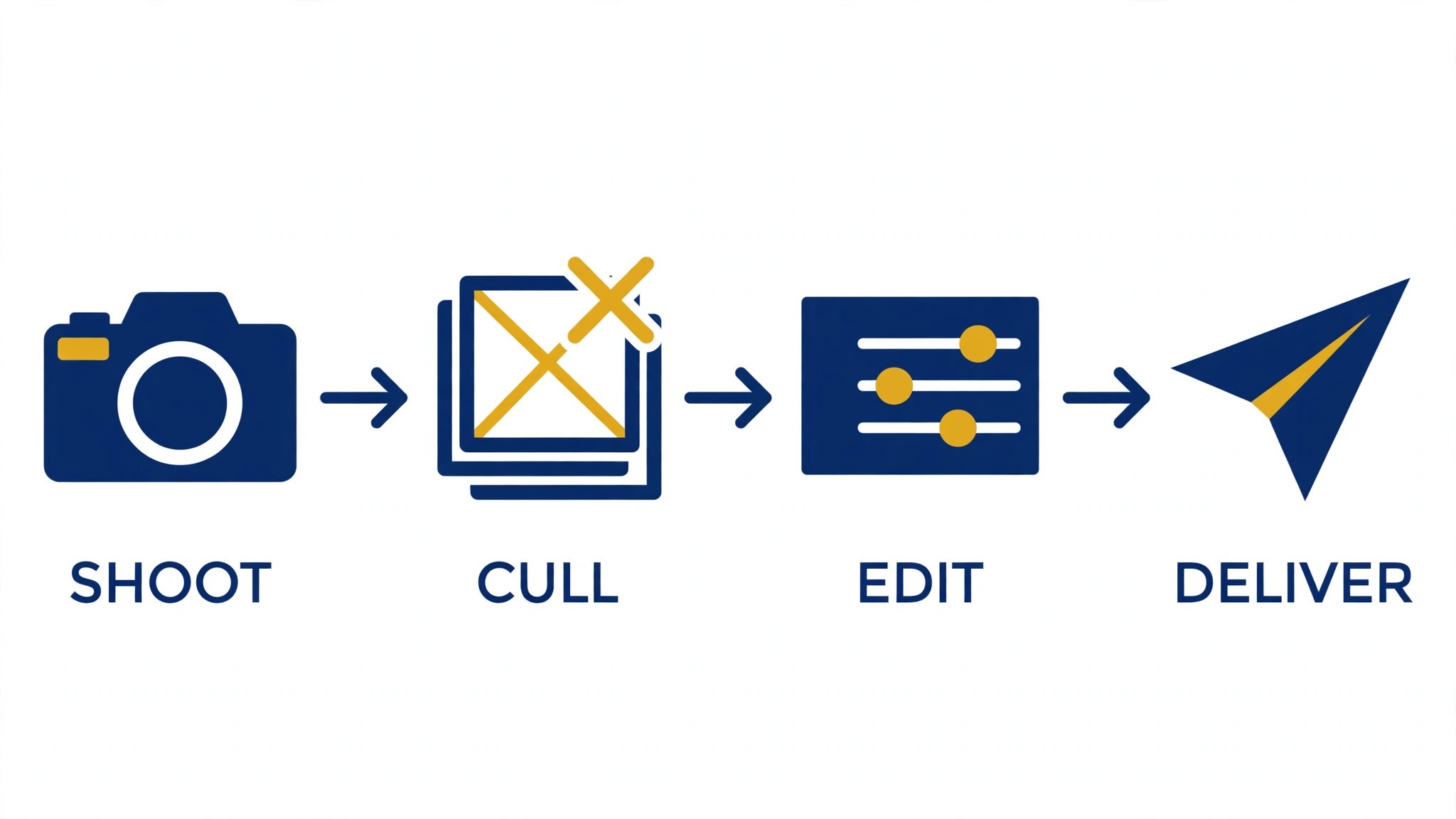
A real estate photographer finishes a shoot and the editing begins. The culling, the color correction, the sky swaps and the delivery all need doing before the next listing. The best ai tools for real estate photographers cut that editing time down, so the photographer spends the day shooting instead of at the screen.
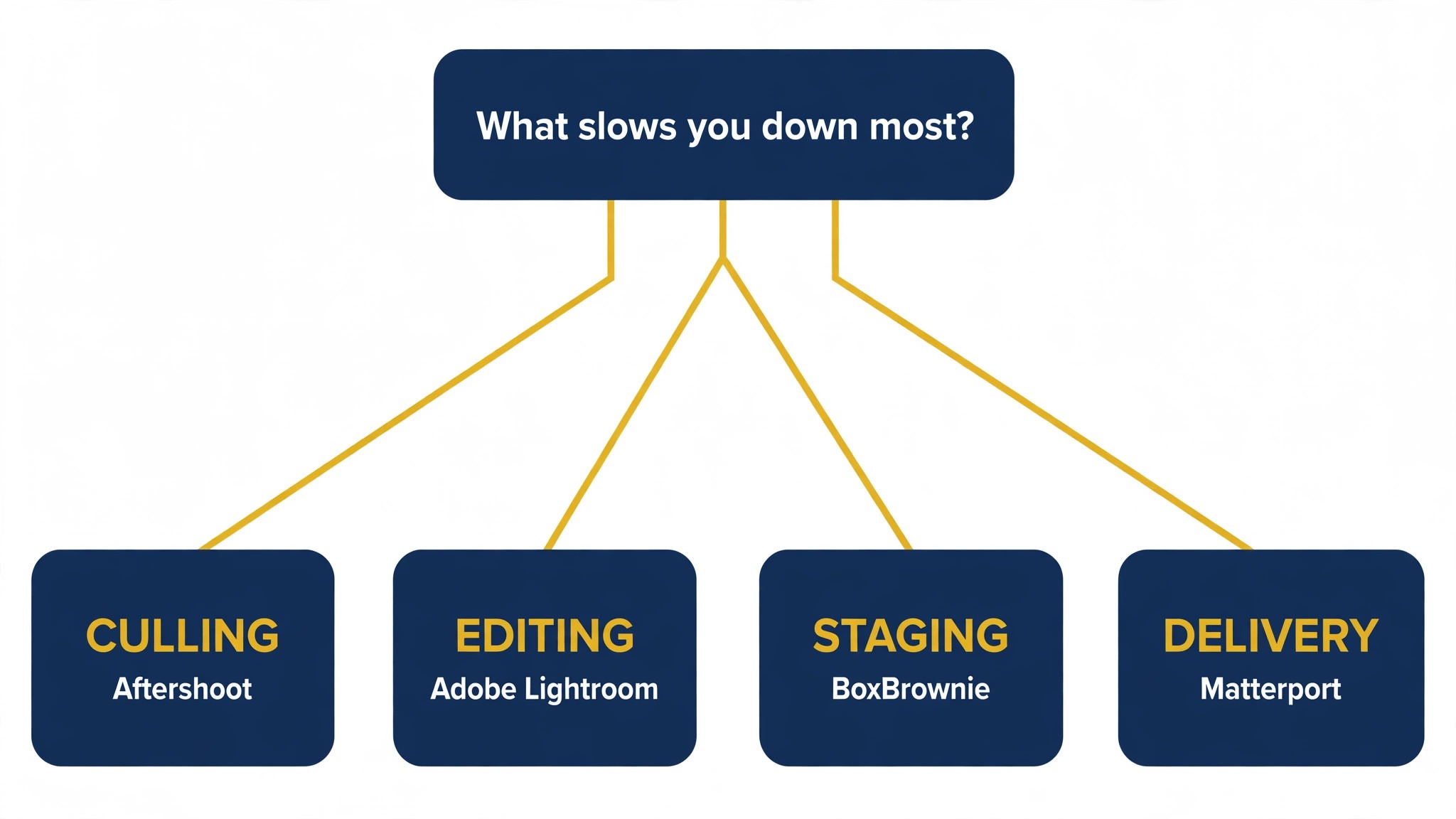
Property work runs on a mix of shoots, edits, staging and delivery, and no single tool covers all four well. An editor handles the images, a culling tool handles the selection, and a staging tool handles the empty rooms. This guide shows which job each tool does, so a photographer can buy the piece that fits the work they actually do most.
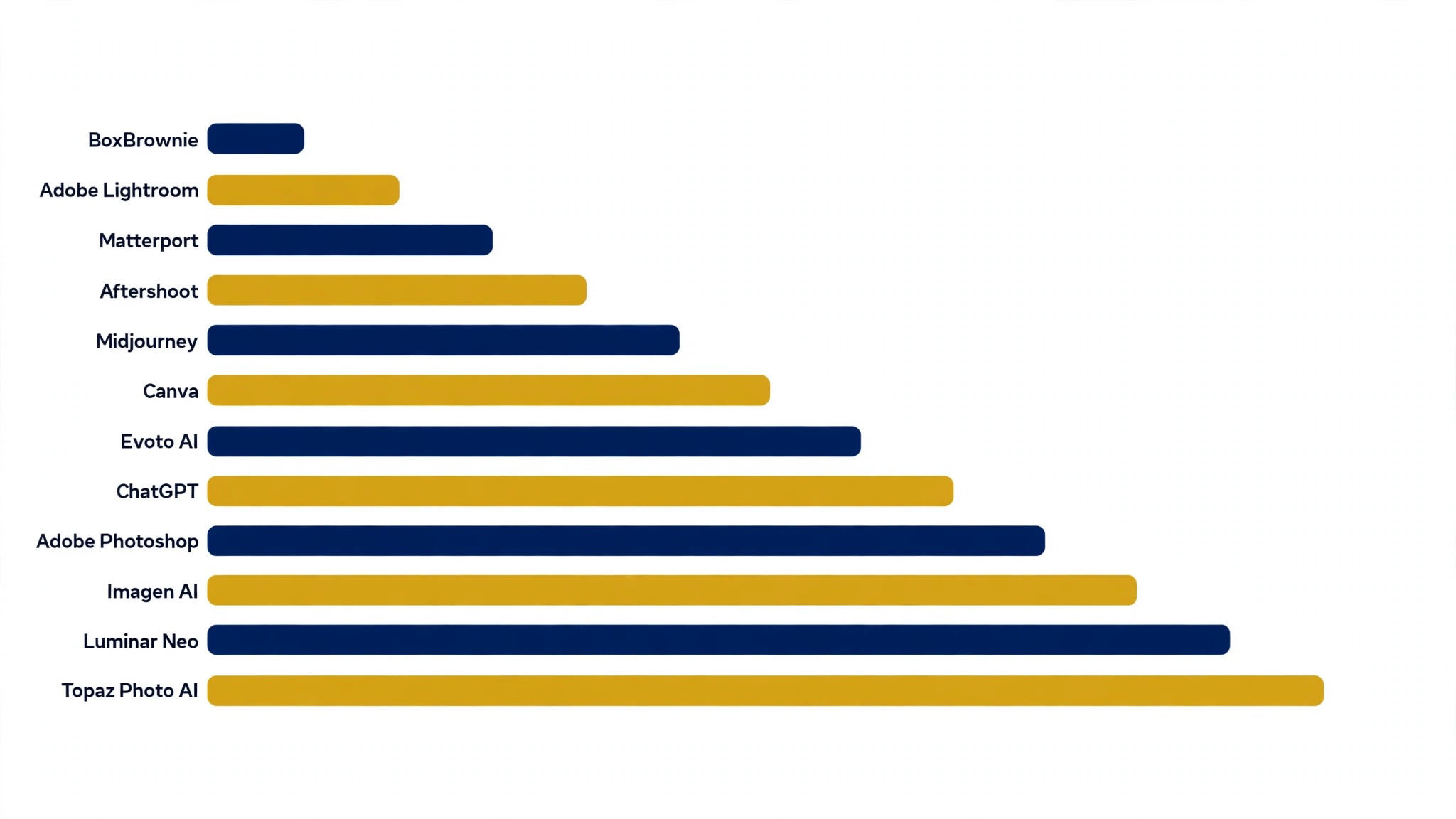
This guide compares twelve tools on published prices, the property job each one does best and the catch that only shows up after the trial ends. All prices in this guide are starting prices published by the vendors in late 2026, or labelled pricing on request where no public rate is given. Start with the shortlist, then read the reviews that match the property work you do most.
The Full Shortlist in One Place
Use it to narrow the best ai tools for real estate photographers to two or three candidates before you read the full reviews. Monthly list prices apply unless noted, and annual billing usually beats monthly billing for photography teams.
| Job | Best tool | Why it wins |
|---|---|---|
| Photo editing and organizing | Adobe Lightroom | The standard editor for property shoots |
| Retouching and compositing | Adobe Photoshop | The deepest retouching tool available |
| One-click photo enhancement | Luminar Neo | Fast AI edits with a simple interface |
| Sharpening and upscaling | Topaz Photo AI | Rescues soft shots and lifts resolution |
| Fast AI culling and editing | Imagen AI | Learns your style and edits the whole shoot |
| Culling thousands of shots | Aftershoot | Picks the keepers before you start editing |
| Portrait and property retouch | Evoto AI | Quick retouching with credit pricing |
| Listings and social posts | Canva | Finished marketing from a photo in minutes |
| Hero images and concepts | Midjourney | The fastest way to a striking listing image |
| Drafting and listing copy | ChatGPT | One login for copy, captions and client replies |
| Outsourced photo edits | BoxBrownie | Per-image edits without a subscription |
| Virtual tours and floor plans | Matterport | 3D tours that sell the space itself |
How We Picked the Best AI Tools for Real Estate Photographers
A tool earned a place here only when it does a real property job well in 2026, not when it added an AI label to an old product. The best ai tools for real estate photographers were judged on five things that decide whether a photographer keeps paying after the first year.
Output quality came first, because a bad edit costs more than any subscription. Next came speed on the jobs photographers do daily, from culling to delivery. Published pricing came third, since per-image and per-seat charges decide the real bill as volume grows. Fourth, fit with the editing workflow the photographer already runs, because a tool that cannot reach Lightroom forces double work. Fifth, the catch, which runs from free plans that cap usage to enterprise tools that require a sales call before the first trial.
| Check before you buy | What to ask | Why it matters |
|---|---|---|
| Published price | Is the rate on the pricing page | A hidden price is a hidden bill |
| Free plan limits | Usage caps, watermarks or seats | A capped free plan cannot run the real job |
| Output quality | Check the result at full size | A small preview hides bad edits |
| Workflow fit | Does it work with Lightroom | Double work eats the time it saves |
| Trial access | Can you test it on real work | A demo is not a trial |
| Delivery speed | How fast does a shoot get out | Agents pay for speed as much as quality |
Tool by Tool
1. Adobe Lightroom
Starting price From 9.99 dollars a month. Best for Photo editing and organizing. Watch out AI masking needs the newer versions
Lightroom is the standard editor for property shoots, with AI masking that selects skies, windows and rooms in one click, plus presets and batch editing that move a whole shoot in minutes. The nine-dollar-ninety-nine photography plan covers Lightroom and Photoshop, and the cloud sync means a shoot can start on the laptop and finish on the tablet.
The AI features need the current version, so a photographer on an old install should update first. For property work, the masking and the batch tools alone are worth the plan, and the catalog keeps every listing organized.
2. Adobe Photoshop
Starting price From 22.99 dollars a month. Best for Retouching and compositing. Watch out The deepest tool, and the slowest to learn
Photoshop is the deepest retouching tool available, with generative fill that can remove a bin, extend a wall or replace a sky in seconds. For a property photographer, that means fixing a shoot without going back to the house, and the Firefly tools inside it keep the edits commercially safe.
The price is the highest single-tool cost here, and the learning curve is real. For a photographer who already pays for the photography plan, Photoshop is included, and the retouching depth is the reason to learn it.
3. Luminar Neo
Starting price From 79 dollars a year. Best for One-click photo enhancement. Watch out Presets can look overdone on property work
Luminar Neo offers fast AI edits with a simple interface, including sky replacement, relighting and dust removal that suit property shots. The seventy-nine-dollar yearly price is low, and the tool works as a plugin inside Lightroom and Photoshop, so it fits the workflow most photographers already run.
The presets can look overdone on property work, where buyers want the room to look real. Dial the strength back, use the AI tools one at a time, and the results stay natural. For a photographer who wants speed without a subscription, it is a strong fit.
4. Topaz Photo AI
Starting price 199 dollars one-time. Best for Sharpening and upscaling. Watch out One-time price, but updates cost extra
Topaz Photo AI sharpens soft shots, removes noise and upscales images, which rescues the frames that would otherwise be deleted. For a property photographer shooting in dim rooms, that rescue is the value: a usable image from a shot that looked lost. The one-hundred-ninety-nine-dollar one-time price means no monthly bill.
Major updates cost extra, so the total over two years is higher than the headline. For a photographer who shoots in tough light, the sharpening alone pays for the tool in the first month.
5. Imagen AI
Starting price Subscriptions from 39 dollars a month. Best for Fast AI culling and editing. Watch out Needs a few hundred edits to learn your style
Imagen AI learns a photographer’s editing style and applies it to a whole shoot, culling the duplicates and editing the keepers in minutes. For a property photographer delivering dozens of images per listing, that automation is the biggest time saving on this list. The thirty-nine-dollar starting subscription covers a monthly volume that suits a working photographer.
It needs a few hundred edited images to learn the style, so the first month is about training. Once trained, the consistency across listings is the feature clients notice most, and the culling alone saves an hour per shoot.
6. Aftershoot
Starting price From 10 dollars a month. Best for Culling thousands of shots. Watch out Culling only, no editing built in
Aftershoot culls a shoot fast, picking the sharpest frames and grouping duplicates so the photographer starts editing with the keepers already chosen. For a property photographer who shoots hundreds of frames per house, that selection step is the dullest hour of the job, and Aftershoot removes it. The ten-dollar starting price is low for the time it returns.
It only culls, so the editing still happens elsewhere. Pair it with Lightroom or Imagen AI and the combination covers the whole post-shoot workflow, from selection to delivery.
7. Evoto AI
Starting price Credit packs from 19 dollars. Best for Portrait and property retouch. Watch out Credit pricing makes budgeting harder
Evoto AI retouches quickly with credit-based pricing, handling skin, backgrounds and property details in a simple interface. The credit packs from nineteen dollars suit a photographer who retouches in bursts rather than every day, and the batch tools move a set of images fast.
Credit pricing makes the monthly cost harder to predict, so a busy photographer should track usage for a month before committing. For occasional retouching work, the pay-as-you-go model is fairer than a subscription.
8. Canva
Starting price From 15 dollars a month. Best for Listings and social posts. Watch out Templates can make every listing look alike
Canva turns a property photo into a finished listing image, a story post and a flyer in minutes. Its Magic Studio tools can remove a background, extend a scene and write listing copy, and the brand kit keeps colors and fonts consistent across an agency. The fifteen-dollar Pro plan is the one to buy, since the free tier locks the background remover behind the paywall.
The risk is sameness, since Canva templates are used by millions of sellers. Build two or three custom templates from your own photos and reuse them, so the output stays yours and the listings keep a distinct look.
9. Midjourney
Starting price From 10 dollars a month. Best for Hero images and concepts. Watch out Not for the photos themselves, only for concepts
Midjourney creates striking hero images and concept art for listings, turning a text prompt into a polished scene in under a minute. For a photographer who needs a lifestyle image or a concept for a marketing piece, it is the fastest way to get one. The ten-dollar Basic plan covers a modest number of renders a month.
It cannot replace the property photos themselves, since buyers need real images of the house. Use it for the marketing around the listing, not for the listing images, and the combination with real photography is strong.
10. ChatGPT
Starting price From 20 dollars a month. Best for Drafting and listing copy. Watch out Can invent facts, so every detail needs checking
ChatGPT drafts listing descriptions, writes captions, answers client questions and summarizes shoot notes in minutes. The twenty-dollar Plus plan adds the stronger model and image tools, and the free tier is enough to test whether the drafting style fits your workflow.
The catch is accuracy. ChatGPT can produce confident-sounding details that are wrong, so nothing it writes should reach a listing unchecked. Treat it as a fast first draft, verify every fact against the property, and it will save hours a week.
11. BoxBrownie
Starting price Per-image pricing from 1.60 dollars. Best for Outsourced photo edits. Watch out Turnaround depends on the queue
BoxBrownie edits property photos per image, with enhancement, virtual staging and floor plans available without a subscription. The per-image pricing from one dollar sixty suits a photographer who outsources in bursts, and the quality is consistent enough for listing work.
Turnaround depends on the queue, so a photographer on a tight deadline should order early. For a busy week when the editing pile is too big, BoxBrownie is the overflow valve that keeps deliveries on time.
12. Matterport
Starting price From 9.99 dollars a month. Best for Virtual tours and floor plans. Watch out Hardware costs add up for full 3D capture
Matterport creates 3D virtual tours and floor plans that let buyers walk a property online, which sells the space itself rather than a set of stills. The nine-dollar-ninety-nine starting plan covers basic tours, and the tours work on any phone or laptop without an app.
The full 3D capture needs a camera or a compatible phone, so the hardware cost adds up. For a photographer who wants to offer tours as a premium service, Matterport is the standard clients ask for by name.
The Comparison Table, Explained
The table below puts the best ai tools for real estate photographers side by side on price, best job and free plan, so you can compare the published prices against the quote-only tools at a glance.
| Tool | Starting price | Best for | Free plan |
|---|---|---|---|
| Adobe Lightroom | From 9.99 dollars a month | Photo editing and organizing | No |
| Adobe Photoshop | From 22.99 dollars a month | Retouching and compositing | No |
| Luminar Neo | From 79 dollars a year | One-click photo enhancement | No |
| Topaz Photo AI | 199 dollars one-time | Sharpening and upscaling | No |
| Imagen AI | Subscriptions from 39 dollars a month | Fast AI culling and editing | No |
| Aftershoot | From 10 dollars a month | Culling thousands of shots | No |
| Evoto AI | Credit packs from 19 dollars | Portrait and property retouch | No |
| Canva | From 15 dollars a month | Listings and social posts | No |
| Midjourney | From 10 dollars a month | Hero images and concepts | No |
| ChatGPT | From 20 dollars a month | Drafting and listing copy | No |
| BoxBrownie | Per-image pricing from 1.60 dollars | Outsourced photo edits | No |
| Matterport | From 9.99 dollars a month | Virtual tours and floor plans | No |
How to Choose Without Overbuying
Start from the slowest part of the photography week, not from the vendor homepage. Photographers buried in culling should buy the tool that clears that pile first. Photographers losing hours to rework should buy accuracy before features. Buy first the tool that clears the slowest bottleneck task in the photography week, since that one pays for itself before the rest.
Price the whole photography stack, not the headline number. The table below prices year one for a solo buyer and for a small team on the common property combinations, at published starting prices. Ask for per-image charges in writing before signing, since those lines surprise photography teams, and annual billing usually cuts about twenty percent off the monthly rate.
| Stack | Monthly cost | What it covers |
|---|---|---|
| Lightroom plus Aftershoot | Check the pricing page | Core tool plus a second specialist |
| Luminar Neo alone | Lowest starting price | One tool for the main job |
| Imagen AI plus Lightroom | Mid-range | Core tool plus a workflow specialist |
| Photoshop plus Canva | Mid-range | Specialist pair for a busy week |
A photographer delivering daily listings should start with Lightroom and Aftershoot, then add Imagen AI once the volume makes training it worthwhile. The best ai tools for real estate photographers are the ones that get a shoot out the same day, so buy the pair that shortens delivery and add a staging tool only when empty rooms start costing listings.
Best Pick by Job
Pick from the table below by the property job you do most each week. The best ai tools for real estate photographers are not ranked by features alone; they are ranked by which job each one actually finishes, so the pick that matches your week is the pick that will still be in your stack a year from now.
| Your job | Best pick | Why it wins |
|---|---|---|
| Photo editing and organizing | Adobe Lightroom | The standard editor for property shoots |
| Retouching and compositing | Adobe Photoshop | The deepest retouching tool available |
| One-click photo enhancement | Luminar Neo | Fast AI edits with a simple interface |
| Sharpening and upscaling | Topaz Photo AI | Rescues soft shots and lifts resolution |
| Fast AI culling and editing | Imagen AI | Learns your style and edits the whole shoot |
| Culling thousands of shots | Aftershoot | Picks the keepers before you start editing |
| Portrait and property retouch | Evoto AI | Quick retouching with credit pricing |
| Listings and social posts | Canva | Finished marketing from a photo in minutes |
| Hero images and concepts | Midjourney | The fastest way to a striking listing image |
| Drafting and listing copy | ChatGPT | One login for copy, captions and client replies |
| Outsourced photo edits | BoxBrownie | Per-image edits without a subscription |
| Virtual tours and floor plans | Matterport | 3D tours that sell the space itself |
Your First Week of Shoots With the New Tool
Start with a shoot you have already delivered, not a live listing. Run the new tool over it, compare the edits with the ones you actually sent, and check the results at full size. A tool that matches your delivered quality is useful, and one that only looks good in a small preview will embarrass you at listing size.
Week two is about a live listing. Take a real house, run the whole shoot through the new tool, and time every step from culling to delivery. If the listing goes out the same day, the tool is working. If it still takes an evening, the bottleneck is somewhere else, and a second tool will not fix it.
Week three is about the agent. Send the finished images to the agent with a short note on the turnaround, and watch whether the next booking comes faster. An agent who gets images the same day books the next shoot sooner, and that is the return that matters most.
Week four is about the style. Build a preset or a trained profile from your best work, apply it to a new shoot, and check whether the results stay consistent. A photographer whose listings look the same every time is easier to hire, and consistency is what a trained tool gives you.
| Step | What to do | Done when |
|---|---|---|
| Day 1 | Re-edit a delivered shoot | Edits match your delivered work |
| Day 7 | Run a live listing through it | Listing out the same day |
| Day 14 | Send images to the agent | Next booking comes faster |
| Day 21 | Build your preset or profile | Results stay consistent |
| Day 30 | Count hours saved | Savings beat the monthly price |
Testing Before You Pay
A trial tells photographers more in five working days than a month of reading reviews, but only when the trial runs on real property work. Pick the two tools that look closest after the shortlist, run them side by side on the same core property jobs, and score them on time saved, edits needed and how the output reads to an agent. Never trial on a demo file, because a demo hides the rough edges real property work exposes. The best ai tools for real estate photographers prove themselves on a real shoot, not on a demo gallery, so run the trial on the listings you are actually delivering this week.
| Day | What to test | What good looks like |
|---|---|---|
| Day 1 | Setup and first real job | Working in under an hour, no IT ticket |
| Day 2 | The hardest job you do | Output needs light edits, not a rewrite |
| Day 3 | A full shoot test | The whole shoot edits without double work |
| Day 4 | A colleague tries it cold | They finish a job without asking for help |
| Day 5 | Count the time and the cost | Hours saved beat the monthly price |
Keep a simple log through the trial week, noting the daily property task, the minutes it took, the edits made and whether the image could go to an agent unchecked. At the end of the week the log is the decision for photography teams. The tool with the best log wins, even when it was not the expected favourite, because the log measures the team’s own property work, not the vendor demo.
Buying Mistakes to Skip
Mistake one is the cheapest plan, when the feature photography teams need sits two tiers up. Read every tier on the pricing page and pay for the tier that does the daily property job, not the tier that looks cheap. Mistake two is rolling out to the whole team before one person has tried the tool for a week, since a favourite of one and a burden to five is a cost for photography teams, not a system.
The third mistake is skipping the output check for photography teams. Ask for the export resolution, check the result at full size and confirm the color profile before the first real shoot goes through the tool, because fixing edits after delivery costs far more than checking them first. The fourth mistake is judging the tool on its best day, so trial it on the hardest property job itself and let the hard job decide.
Your Questions, Answered
Which tool gives photographers the cheapest good start
Lightroom is the cheapest credible start on this list at from 9.99 dollars a month, with Aftershoot at from 10 dollars a month close behind. The best ai tools for real estate photographers include free tiers and free plans, so start with the job you do most each week, trial the free tier on real work, and add a specialist only when the general tool cannot do a job you are paid to do. That is the cheapest route to a photography stack, with no payment for features never used.
Can photographers keep AI output from looking generic
It will when photographers publish the template unchanged. AI tools draft a usable first version, but the facts, the wording and the judgement still come from the professional doing the property work. An output that goes out unedited reads generic, and agents notice generic property work fast. Use the AI to beat the blank page, then change the details, the wording and the checks, so the result sounds like photographers and not the tool.
For a small team, which photography tool option wins
Lightroom is the pick for a small team, starting at from 9.99 dollars a month with the standard editor and cloud sync, while Imagen AI at subscriptions from 39 dollars a month is the strongest all-round option as the team grows. The tools were ordered by the job each one finishes, not by how long the feature list runs, so a small team should buy the tool that fixes its slowest weekly job first and add a second only when a specific limit starts costing time.
How much will a small team spend on photography tools in year one
Plan on 20 to 50 dollars a month in year one for a general photography tool option such as Lightroom, rising to 100 to 200 dollars a month with a specialist such as Imagen AI added. Multiply the headline price by headcount when photography teams pay per seat, since those charges surprise buyers. Price the whole stack and trial each tool on real property work before signing an annual contract.
Do photographers need a specialist tool as well as a general one
Not always. Most photographers get by with one general tool for months, and a separate specialist only earns its place when a specific property daily task runs every week and the general tool cannot do it well. Count the editing hours from your last week of shoots first. When the job takes hours and the specialist cuts it to minutes for photographers, buy it, and when the job already takes minutes, the specialist is a cost.
Do these property tools offer a trial before payment
Most tools on this list offer a free plan or a free trial, and Lightroom and Luminar Neo both let photographers test on real property work before paying. Use the trial on the property job itself the team does most, not on a demo, and count the time saved and the edits each output needs. A trial that covers a real week tells photographers more than a sales call, and a tool that will not trial is one to be careful about.
The Verdict, in Brief
If you buy one tool this quarter, pick Lightroom for everyday property editing or a small team, and Imagen AI when you need the whole shoot culled and edited in your style. Lightroom is the easiest place to start at 9.99 dollars a month, and Imagen AI is the strongest all-round automation at 39 dollars a month. The best ai tools for real estate photographers earn their keep by giving you back the evening after the shoot, and both of these do that from the first week.
Whatever you pick, trial it on a real week of shoots, count the images it speeds up and the edits each one needs, and keep a human eye on every AI edit before it goes to an agent. Every tool here can deliver listing-ready property images. The difference is whether the tool matches the properties you actually shoot, and whether you measure the return in hours saved and listings delivered rather than in features used.