
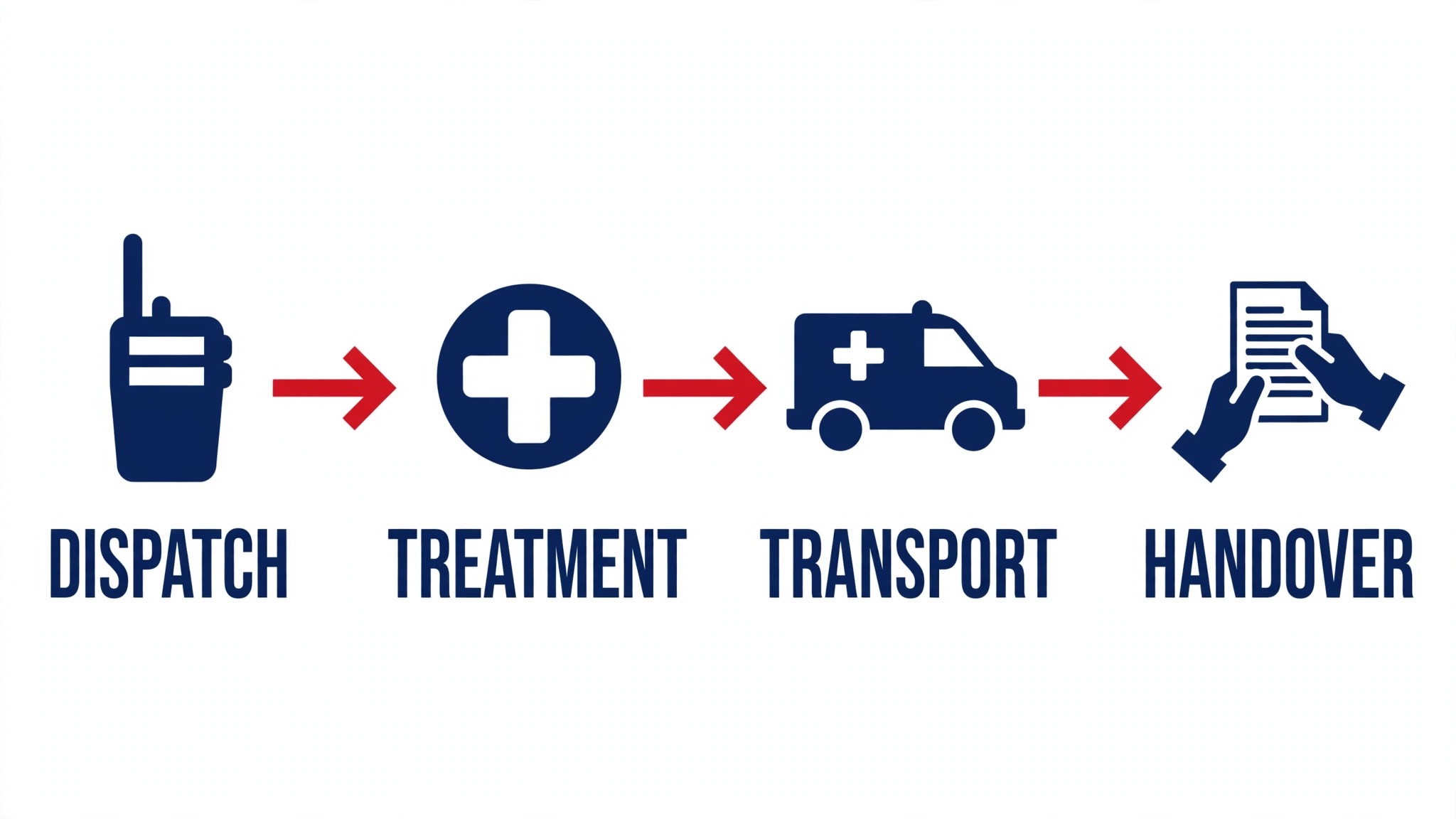
A paramedic hands the patient over and the paperwork begins. The patient care report, the handover note and the incident log all need writing before the next call comes in. The best ai tools for paramedics cut that writing time down, so the crew spends the shift on patients instead of at the keyboard.
Emergency care runs on a mix of calls, reports, handovers and training, and no single tool covers all four well. A scribe handles the report, an ePCR system handles the record, and a coordination tool handles the handover. This guide shows which job each tool does, so a paramedic can buy the piece that fits the work they actually do most.
This guide compares fifteen tools on published prices, the emergency job each one does best and the catch that only shows up after the trial ends. The prices that follow are the published starting prices as of late 2026, or flagged as pricing on request when a vendor publishes no rate at all. Start with the shortlist, then read the reviews that match the emergency work you do most.
The Full Shortlist in One Place
Use it to narrow the best ai tools for paramedics to two or three candidates before you read the full reviews. Monthly list prices apply unless noted, and annual billing usually beats monthly billing for EMS teams.
| Job | Best tool | Why it wins |
|---|---|---|
| Ambient patient care reports | Nabla | Notes that keep up with a busy shift |
| Simple reports, almost no setup | Freed | The fastest note for a small crew |
| Free notes plus admin help | Heidi Health | A free tier that actually works |
| Evidence-linked notes | Abridge | Notes linked back to the audio |
| Voice commands plus notes | Suki AI | Voice-first workflow beyond notes |
| Drafting and study help | ChatGPT | Fast drafts, summaries and training material |
| Long reports and analysis | Claude | Strongest on long documents and careful edits |
| Call transcription | Otter.ai | Live transcripts that keep up with a handover |
| EMS records and reporting | ESO EHR | The ePCR system most American EMS teams run |
| EMS data and records | ImageTrend Elite | Records, reporting and analytics for EMS |
| Hospital alerts and handover | Pulsara | The receiving team knows before you arrive |
| Pre-arrival coordination | Twiage | Live updates to the hospital while en route |
| Ambulance ePCR | ZOLL emsCharts | Field records built for ambulance crews |
| Crew notes and knowledge base | Notion AI | One place for protocols, notes and team docs |
| Grammar and style checks | Grammarly | Catches errors before a report goes out |
What We Looked For When We Tested the Best AI Tools for Paramedics
A tool earned a place here only when it does a real emergency job well in 2026, not when it added an AI label to an old product. The best ai tools for paramedics were judged on five things that decide whether a crew keeps paying after the first year.
Accuracy came first, because an error in a patient care report costs more than any subscription. Next came speed on the jobs crews do daily, from reports to handovers. Published pricing came third, since per-seat charges decide the real bill for a service as it grows. Fourth, fit with the ePCR system the crew already runs, because a tool that cannot reach the patient record forces double entry. Fifth comes the catch, ranging from free plans with tight usage caps to enterprise tools that need a sales call before any trial.
| Check before you buy | What to ask | Why it matters |
|---|---|---|
| Published price | Is the rate on the pricing page | A hidden price is a hidden bill |
| Free plan limits | Usage caps, watermarks or seats | A capped free plan cannot run the real job |
| Compliance | BAA, retention and consent | A fast output that breaks the rules is a risk |
| ePCR integration | Does it connect to your record system | Double entry eats the time it saves |
| Trial access | Can you test it on real work | A demo is not a trial |
| Offline use | Does it work without signal | A dead zone cannot stop the report |
Tool by Tool
1. Nabla
Starting price A free tier, then paid plans from 119 dollars a month. Best for Ambient patient care reports. Watch out Enterprise setup may need IT support
Nabla records the encounter and drafts a structured note in seconds, with support for more than 30 languages and links into the main EHRs. A paramedic who hands over several patients a shift gets a note that is ready before the next call, without retyping the history from memory.
The free tier covers a set number of consultations a month, enough to test note quality on real shifts. Paid plans add team controls and deeper EHR work, and the price rises with seats, so a small service should trial first and count the reports it actually produces in a week.
2. Freed
Starting price From 39 dollars a month. Best for Simple reports, almost no setup. Watch out Coding tools and EHR push come with the higher tier
Freed listens to the encounter and drafts a note in the clinician style it has learned, with a one-click push into many browser-based EHRs on the higher tier. Setup takes minutes, and the interface has almost nothing to learn, which suits a paramedic who wants the report done before the next call.
The Starter plan caps notes at 40 a month, so a busy service will need Core or Premier. The higher tier adds coding support and the EHR push, and the per-clinician price is low enough that a small crew can run it without a procurement meeting.
3. Heidi Health
Starting price A free tier to begin, with paid plans starting at 99 dollars a month. Best for Free notes plus admin help. Watch out Free-tier notes often need extra editing
Heidi Health keeps a permanent free tier for ambient notes, and its paid tiers add templates, team features and supervised agents that draft letters and prep charts. It works in the browser and on mobile, and it covers a wide set of note formats, so a paramedic can shape the output to the service.
The paid Clinician tier is the sensible starting point for a working paramedic, because the free tier caps usage and the notes need a closer edit. Heidi also handles dictation and document work, which makes it more than a scribe for a crew where half the shift is admin.
4. Abridge
Starting price Pricing on request. Best for Evidence-linked notes. Watch out Enterprise only, with no self-serve trial
Abridge turns recorded encounters into ambient notes where each line links back to the exact moment it was spoken, so a report can be checked against the recording itself. That traceability helps during an audit and when a colleague wants to confirm what a patient really said.
Abridge is sold to health systems, not to individual paramedics, so the price comes from a contract and the rollout takes weeks. A paramedic in a large system will usually meet it through the employer, not by buying it alone.
5. Suki AI
Starting price Pricing on request. Best for Voice commands plus notes. Watch out No list price, and no trial you can start on your own
Suki AI goes beyond note writing: it takes voice commands for orders, referrals and coding, and it works inside the main EHRs. A paramedic can dictate a report, ask for a code and pull up a patient summary without touching the keyboard, which is the point for a crew that works hands-on all shift.
The trade-off is the buying process. With no published price and no self-serve trial, a service needs a sales conversation and an IT plan before the first report. For a large EMS organization that already runs Epic, that effort pays off.
6. ChatGPT
Starting price From 20 dollars a month. Best for Drafting and study help. Watch out Can invent facts, so every claim needs checking
ChatGPT drafts training material, summarizes long protocols, turns a rough call note into a clean report draft and writes study guides in minutes. The twenty-dollar Plus plan adds the stronger model, and the free tier is enough to test whether the drafting style fits your crew.
The catch is accuracy. ChatGPT can produce confident-sounding facts that are wrong, so nothing it writes should reach a record unchecked. Treat it as a fast first draft, verify every clinical detail against the protocol, and it will save hours a week.
7. Claude
Starting price From 20 dollars a month. Best for Long reports and analysis. Watch out The basic plan has no live web search
Claude is the strongest tool here for long documents. It reads a lengthy incident report and returns a clean summary, tightens a draft without flattening the tone, and handles careful edits better than most rivals. Paramedics writing detailed reports get the most from it.
The Pro plan at twenty dollars a month is the sensible starting point, and the free tier covers short jobs. Live research is the limit, so pair it with a search tool when the job needs fresh facts or current guidance.
8. Otter.ai
Starting price From 16.99 dollars a month. Best for Call transcription. Watch out Accuracy drops with accents and crosstalk
Otter.ai records and transcribes handovers live, with speaker labels and a searchable transcript ready minutes after the conversation ends. The Pro plan at sixteen dollars ninety-nine a month covers a working paramedic’s handover load, and the free tier handles a few hours a month for testing.
Accuracy is strong on clear one-to-one handovers and weaker when voices overlap or sirens drown the audio, so always spot-check quotes against the recording. For a crew that documents from handovers, the time saved pays for the plan in the first week.
9. ESO EHR
Starting price Pricing on request. Best for EMS records and reporting. Watch out Enterprise pricing, needs implementation
ESO EHR is the electronic patient care record many American EMS agencies run, covering the report from dispatch to hospital handover with quality checks and analytics built in. Its AI features help with documentation and reporting, and the data tools give leaders a clear view of response times and outcomes.
The price is quoted per agency, and the rollout is a real project with training and configuration. A small volunteer service will find it heavy, while a busy agency will get the most from the reporting and the quality tools.
10. ImageTrend Elite
Starting price Pricing on request. Best for EMS data and records. Watch out Priced for agencies, not solo medics
ImageTrend Elite is an EMS records system with reporting and analytics, used by fire and EMS agencies across the country. It handles patient care reports, incident data and state reporting in one place, and the analytics help agencies spot trends in call volume and outcomes.
The price is quoted per agency, and the value shows at scale. A solo paramedic will not buy it alone, while an agency that files state reports every month will get the most from the built-in compliance tools.
11. Pulsara
Starting price Pricing on request. Best for Hospital alerts and handover. Watch out Needs the receiving hospital on the platform
Pulsara alerts the receiving hospital the moment a critical patient is identified, sharing live vitals, ECGs and photos so the team is ready before the ambulance arrives. For stroke, STEMI and trauma calls, those minutes change outcomes, and the shared channel keeps every team on the same page.
The catch is network effect. Pulsara works best when the hospitals in your area are on the platform, so check local coverage before buying. Where it is adopted, it is the handover tool crews rely on most.
12. Twiage
Starting price Pricing on request. Best for Pre-arrival coordination. Watch out Hospital adoption decides the value
Twiage sends live pre-arrival updates to the hospital, including vitals, location and ETA, so the receiving team can prepare the right room and the right staff. It cuts radio traffic and gives the hospital a clearer picture than a voice report alone, especially on complex calls.
The value depends on the hospitals in your area using it. If they do, the coordination is hard to beat. If they do not, the tool cannot do its job, so confirm adoption with your local receiving facilities first.
13. ZOLL emsCharts
Starting price Pricing on request. Best for Ambulance ePCR. Watch out Implementation and training take time
ZOLL emsCharts is a field ePCR built for ambulance crews, with offline charting, billing and quality tools in one system. It works where the signal does not, which matters for rural crews, and the billing integration helps agencies collect on the runs they complete.
The rollout takes training and configuration, so a buyer should plan for it. For an agency that needs reliable field charting and clean billing, the system pays for itself in fewer lost reports and fewer denied claims.
14. Notion AI
Starting price From 10 dollars a month. Best for Crew notes and knowledge base. Watch out Not a medical record system
Notion AI turns a workspace into a crew knowledge base: protocols, training notes, shift templates and team docs in one place. The AI drafts, summarizes and organizes, which helps a crew that shares a lot of written material. The ten-dollar add-on price is low for the coverage it gives.
It is not a medical record system, so it cannot replace a compliant ePCR. Use it for the knowledge around the crew, not for the patient record itself, and keep patient data in the proper system.
15. Grammarly
Starting price From 12 dollars a month. Best for Grammar and style checks. Watch out Style suggestions can iron out a writer’s own voice
Grammarly catches grammar, spelling and clarity issues before a report reaches a supervisor, and it works inside the browser, docs and email where paramedics actually write. The Pro plan at twelve dollars a month adds tone and full-sentence rewrites, which help when a report needs tightening against a deadline.
The risk is over-editing. Taking every suggestion can flatten a distinctive voice into house style, so use it as a safety net rather than an editor. For crews filing reports daily, it is cheap insurance against the small errors that slow approval.
The Comparison Table, Explained
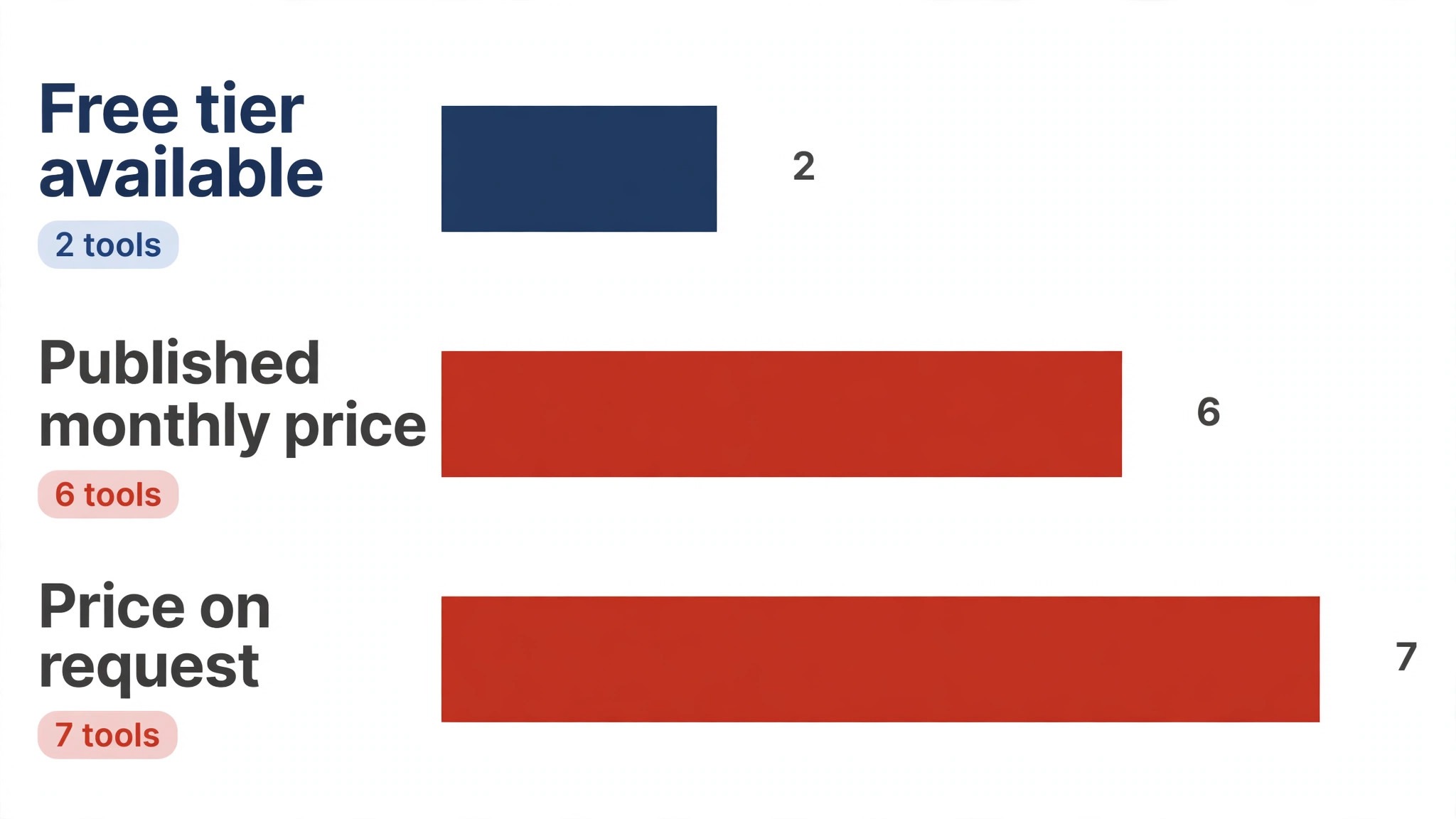
The table below puts the best ai tools for paramedics side by side on price, best job and free plan, so you can compare the published prices against the quote-only tools at a glance.
| Tool | Starting price | Best for | Free plan |
|---|---|---|---|
| Nabla | Free tier, then paid plans from 119 dollars a month | Ambient patient care reports | Yes |
| Freed | From 39 dollars a month | Simple reports, almost no setup | No |
| Heidi Health | Free tier to begin, with paid plans starting at 99 dollars a month | Free notes plus admin help | Yes |
| Abridge | Pricing on request | Evidence-linked notes | No |
| Suki AI | Pricing on request | Voice commands plus notes | No |
| ChatGPT | From 20 dollars a month | Drafting and study help | No |
| Claude | From 20 dollars a month | Long reports and analysis | No |
| Otter.ai | From 16.99 dollars a month | Call transcription | No |
| ESO EHR | Pricing on request | EMS records and reporting | No |
| ImageTrend Elite | Pricing on request | EMS data and records | No |
| Pulsara | Pricing on request | Hospital alerts and handover | No |
| Twiage | Pricing on request | Pre-arrival coordination | No |
| ZOLL emsCharts | Pricing on request | Ambulance ePCR | No |
| Notion AI | From 10 dollars a month | Crew notes and knowledge base | No |
| Grammarly | From 12 dollars a month | Grammar and style checks | No |
How to Choose Without Overbuying
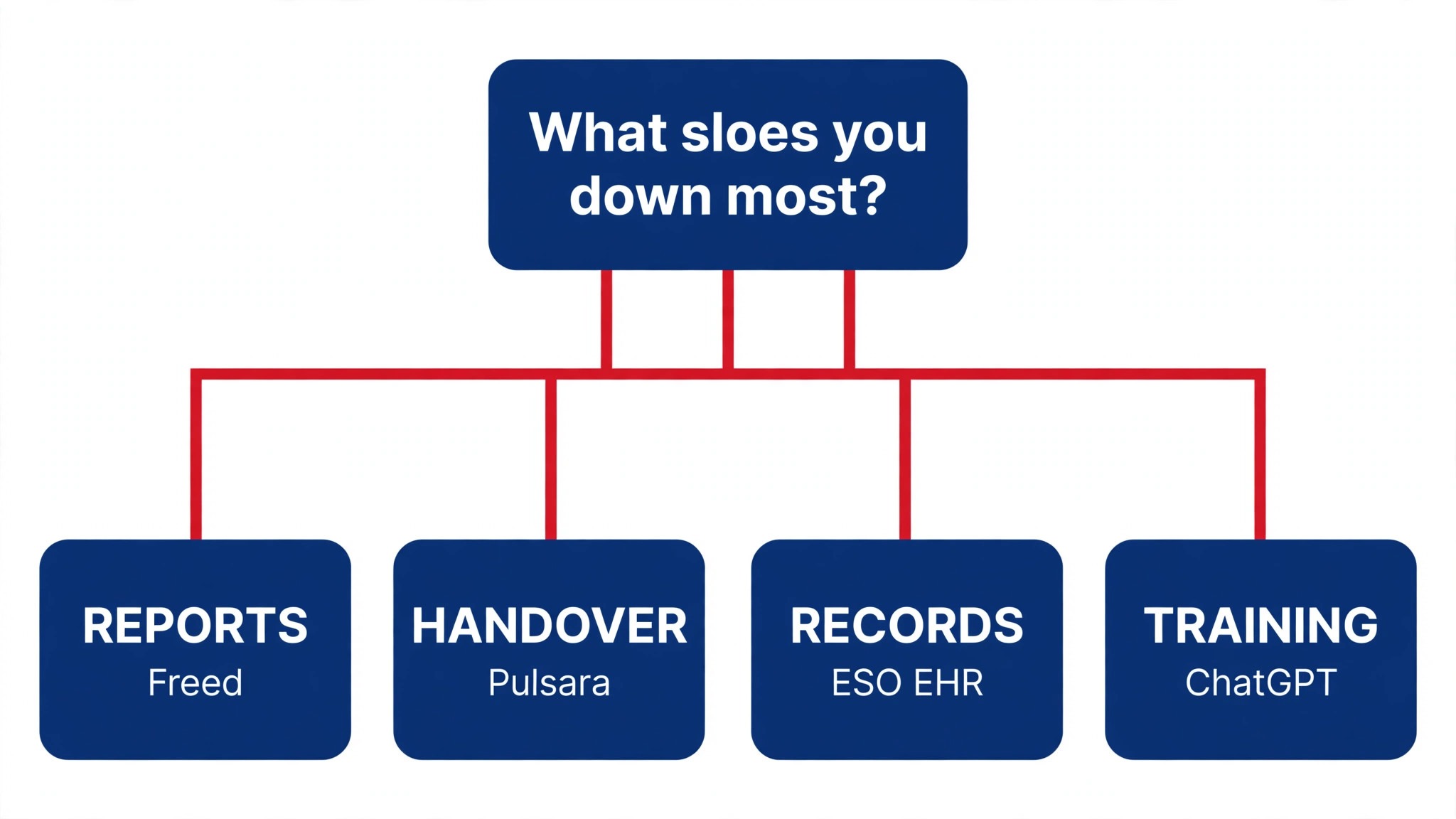
Start from the slowest part of the EMS week, not from the vendor homepage. Crews buried in reports should buy the tool that clears that pile first. Crews losing hours to handover calls should buy coordination before a new records system. The fastest payback comes from the tool that fixes the slowest bottleneck task in the EMS week, so buy that one first.
Price the whole EMS stack, not the headline number. The table below prices year one for a solo buyer and for a small team on the common emergency combinations, at published starting prices. Ask for per-seat charges in writing before signing, since those lines surprise EMS teams, and annual billing usually cuts about twenty percent off the monthly rate.
| Stack | Monthly cost | What it covers |
|---|---|---|
| Freed plus Notion AI | Check the pricing page | Core tool plus a second specialist |
| Heidi Health alone | Lowest starting price | One tool for the main job |
| Nabla plus ChatGPT | Mid-range | Core tool plus a workflow specialist |
| ESO EHR plus Freed | Mid-range | Specialist pair for a busy week |
A small crew should start with Freed for reports and Notion AI for protocols, then look at an ePCR system once the volume justifies it. The best ai tools for paramedics earn their place between calls, so judge the stack by the reports it finishes before the next dispatch, not by the size of the feature list.
Best Pick by Job
Pick from the table below by the emergency job you do most each week. The best ai tools for paramedics are not ranked by features alone; they are ranked by which job each one actually finishes, so the pick that matches your week is the pick that will still be in your stack a year from now.
| Your job | Best pick | Why it wins |
|---|---|---|
| Ambient patient care reports | Nabla | Notes that keep up with a busy shift |
| Simple reports, almost no setup | Freed | The fastest note for a small crew |
| Free notes plus admin help | Heidi Health | A free tier that actually works |
| Evidence-linked notes | Abridge | Notes linked back to the audio |
| Voice commands plus notes | Suki AI | Voice-first workflow beyond notes |
| Drafting and study help | ChatGPT | Fast drafts, summaries and training material |
| Long reports and analysis | Claude | Strongest on long documents and careful edits |
| Call transcription | Otter.ai | Live transcripts that keep up with a handover |
| EMS records and reporting | ESO EHR | The ePCR system most American EMS teams run |
| EMS data and records | ImageTrend Elite | Records, reporting and analytics for EMS |
| Hospital alerts and handover | Pulsara | The receiving team knows before you arrive |
| Pre-arrival coordination | Twiage | Live updates to the hospital while en route |
| Ambulance ePCR | ZOLL emsCharts | Field records built for ambulance crews |
| Crew notes and knowledge base | Notion AI | One place for protocols, notes and team docs |
| Grammar and style checks | Grammarly | Catches errors before a report goes out |
Your First Week With the New Tool
Start with routine calls, not the critical ones. Run the tool on three straightforward transports, read every report before signing, and mark the edits it needed. If the edits are small, the tool is learning your documentation style. If the edits are large, change the template before you judge the tool, since most early failures are template failures.
| Step | What to do | Done when |
|---|---|---|
| Day 1 | Report three routine calls | Reports need only light edits |
| Day 3 | Adjust the report template | Template matches your style |
| Day 7 | Count reports filed on time | Reports done before next call |
| Day 14 | Try a complex handover | Tool holds up on hard cases |
| Day 30 | Count hours saved | Savings beat the monthly price |
Testing Before You Pay
A trial tells EMS teams more in five working days than a month of reading reviews, but only when the trial runs on real emergency work. Pick the two tools that look closest after the shortlist, run them side by side on the same core emergency jobs, and score them on time saved, edits needed and how the output reads to a supervisor. Never trial on a demo file, because a demo hides the rough edges real emergency work exposes. The best ai tools for paramedics prove themselves on a real shift, not on a demo report, so run the trial on the calls you are actually running this week.
| Day | What to test | What good looks like |
|---|---|---|
| Day 1 | Setup and first real job | Working in under an hour, no IT ticket |
| Day 2 | The hardest job you do | Output needs light edits, not a rewrite |
| Day 3 | A live handover test | The hospital team gets what it needs |
| Day 4 | A colleague tries it cold | They finish a job without asking for help |
| Day 5 | Count the time and the cost | Hours saved beat the monthly price |
Keep a simple log through the trial week, noting the daily emergency task, the minutes it took, the edits made and whether the report could be signed unchecked. At the end of the week the log is the decision for EMS teams. The tool with the best log wins, even when it was not the expected favourite, because the log measures the team’s own emergency work, not the vendor demo.
Buying Mistakes to Skip
Mistake one is the cheapest plan, when the feature EMS teams need sits two tiers up. Read every tier on the pricing page and pay for the tier that does the daily emergency job, not the tier that looks cheap. Mistake two is rolling out to the whole crew before one person has tried the tool for a week, since a favourite of one and a burden to five is a cost for EMS teams, not a system.
The third mistake is skipping the data and compliance check for EMS teams. Ask for the data agreement, read the retention policy and check the consent wording before the first real patient record goes through the tool, because fixing compliance after the fact costs far more than checking it first. The fourth mistake is judging the tool on its best day, so trial it on the hardest emergency job itself and let the hard job decide.
Your Questions, Answered
Which tool gives EMS teams the cheapest good start
Freed is the cheapest credible start on this list at from 39 dollars a month, with Heidi Health’s free tier close behind. The best ai tools for paramedics include free tiers and free plans, so start with the job you do most each week, trial the free tier on real work, and add a specialist only when the general tool cannot do a job you are paid to do. That is the cheapest route to an EMS stack, with no payment for features never used.
Can EMS teams keep AI output from looking generic
It will when EMS teams publish the template unchanged. AI tools draft a usable first version, but the facts, the wording and the judgement still come from the professional doing the emergency work. An output that goes out unedited reads generic, and supervisors notice generic emergency work fast. Use the AI to beat the blank page, then change the details, the wording and the checks, so the result sounds like EMS teams and not the tool.
For a small team, which EMS tool option wins
Freed is the pick for a small crew, starting at from 39 dollars a month with almost no setup, while Nabla at free tier, then from 119 dollars a month is the strongest all-round option as the team grows. The tools were ordered by the job each one finishes, not by the size of the feature list, so a small crew should buy the tool that fixes its slowest weekly job first and add a second only when a specific limit starts costing time.
How much will a small team spend on EMS tools in year one
Plan on 20 to 50 dollars a month in year one for a general EMS tool option such as Freed, rising to 100 to 200 dollars a month with a specialist such as ESO EHR added. Multiply the headline price by headcount when EMS teams pay per seat, since those charges surprise buyers. Price the whole stack and trial each tool on real emergency work before signing an annual contract.
Do EMS teams need a specialist tool as well as a general one
Not always. Most EMS teams get by with one general tool for months, and a separate specialist only earns its place when a specific emergency daily task runs every week and the general tool cannot do it well. Track the charting time across your last seven shifts first. When the job takes hours and the specialist cuts it to minutes for EMS teams, buy it, and when the job already takes minutes, the specialist is a cost.
The Verdict, in Brief
If you buy one tool this quarter, pick Freed for solo work or a small crew, and Nabla when you need multilingual notes and deep EHR links. Freed is the simplest place to start at 39 dollars a month, and Nabla is the strongest all-round scribe at 119 dollars a month. The best ai tools for paramedics earn their keep by giving you back the hour between calls, and both of these do that from the first week.
Whatever you pick, trial it on a real week of shifts, count the reports it produces and the edits each one needs, and keep a human eye on every AI report before it is signed. Every tool here can hold up on a busy shift. The difference is whether the scribe matches the reports you actually write, and whether you measure the return in hours saved and handovers completed rather than in features used.