
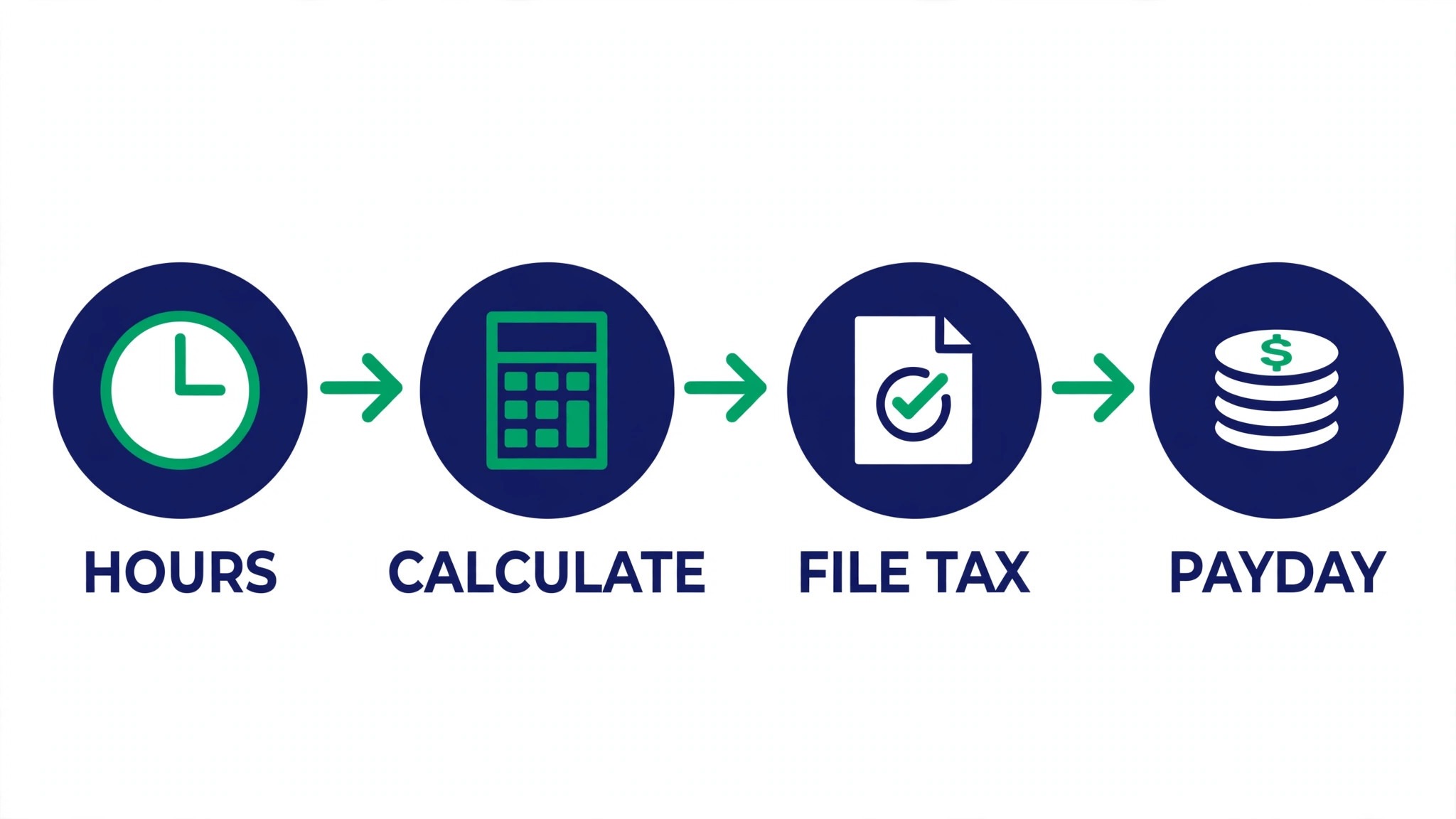
A payroll specialist closes one pay run and the next one starts. The hours, the deductions, the tax filings and the questions from staff all need doing before the next payday lands. The best ai tools for payroll specialists cut the checking and the chasing, so the specialist spends the week on exceptions instead of retyping numbers.
Payroll runs on a mix of time tracking, calculations, filings and employee questions, and no single tool covers all four well. A payroll platform handles the run, a time tool handles the hours, and a chat tool handles the questions. This guide shows which job each tool does, so a specialist can buy the piece that fits the work they actually do most.
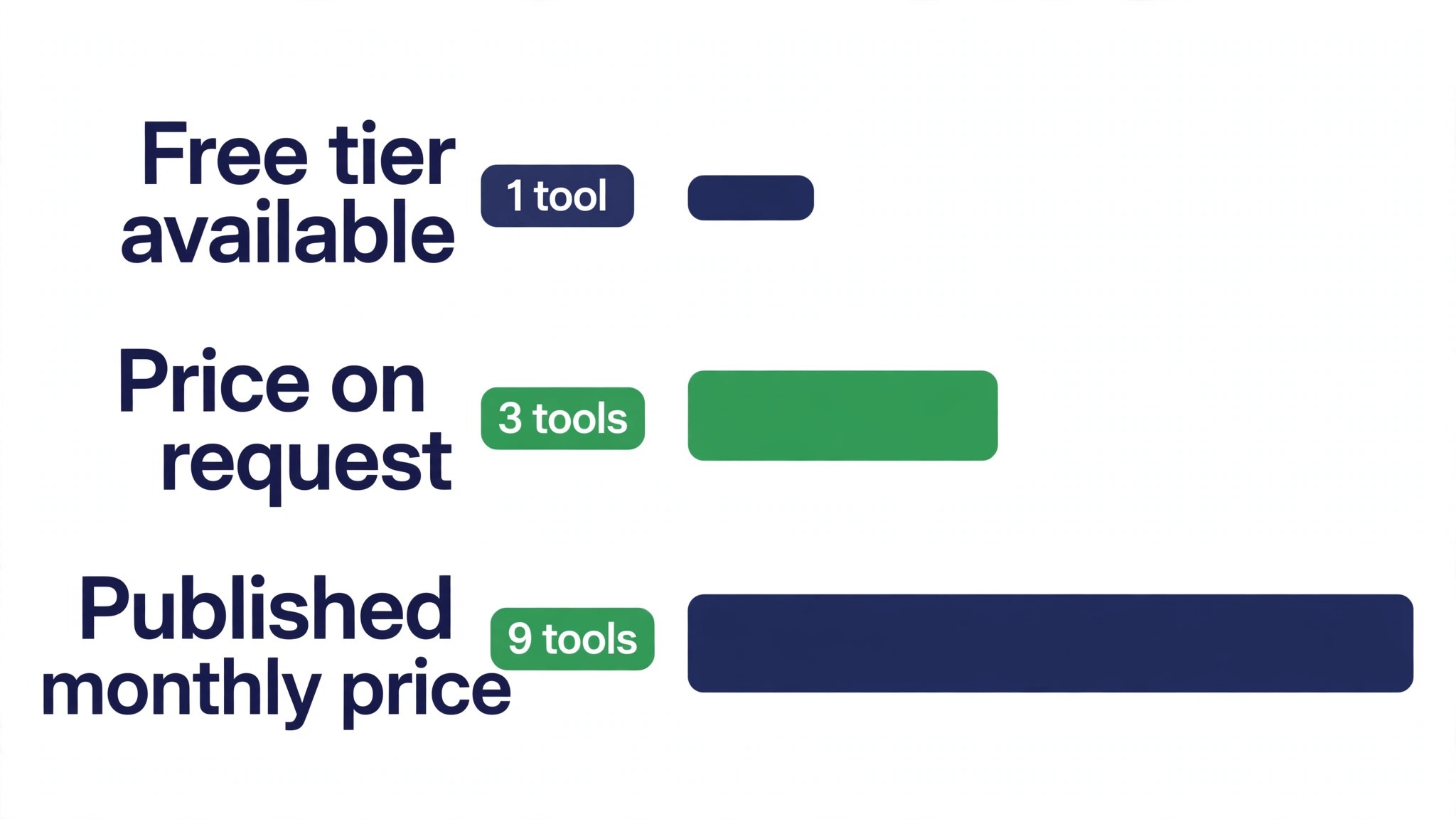
This guide compares twelve tools on published prices, the payroll job each one does best and the catch that only shows up after the trial ends. Prices below come from published starting rates as of late 2026; where a vendor keeps its payroll work pricing unpublished, it is labelled pricing on request. Start with the shortlist, then read the reviews that match the payroll work you do most.
The Full Shortlist in One Place
Use it to narrow the best ai tools for payroll specialists to two or three candidates before you read the full reviews. Monthly list prices apply unless noted, and annual billing usually beats monthly billing for payroll teams.
| Job | Best tool | Why it wins |
|---|---|---|
| All-in-one payroll for small teams | Gusto | Payroll, benefits and compliance in one login |
| Payroll plus HR and IT | Rippling | One system for payroll, HR and devices |
| Enterprise payroll at scale | ADP | The payroll giant for large employers |
| Payroll for growing companies | Paychex | Payroll, HR and benefits with support |
| Payroll inside accounting | QuickBooks Payroll | Payroll that lives with the books |
| Simple payroll for small teams | Square Payroll | Easy setup for hourly teams |
| Payroll plus time tracking | OnPay | Affordable payroll with HR basics included |
| Budget payroll for tiny teams | Patriot Payroll | The cheapest full payroll on this list |
| Global payroll and hiring | Deel | Pay contractors and staff in many countries |
| Paying international teams | Remote | Compliant payroll for global hires |
| Enterprise global payroll | Papaya Global | Payroll across many countries from one dashboard |
| Drafting and payroll questions | ChatGPT | Fast drafts, summaries and policy answers |
How We Picked the Best AI Tools for Payroll Specialists
A tool earned a place here only when it does a real payroll job well in 2026, not when it added an AI label to an old product. The best ai tools for payroll specialists were judged on five things that decide whether a team keeps paying after the first year.
Accuracy came first, because an error in pay costs more than any subscription. Next came automation on the jobs specialists do every cycle, from time imports to tax filings. Published pricing came third, since per-person charges decide the real bill as headcount grows. Fourth, fit with the accounting and HR systems the team already runs, because a tool that cannot reach the ledger forces double entry. The catch came fifth, spanning free plans that limit payroll work use and enterprise tools that need a sales call before any trial.
| Check before you buy | What to ask | Why it matters |
|---|---|---|
| Published price | Is the rate on the pricing page | A hidden price is a hidden bill |
| Per-person charges | What does each new hire add | Per-head fees decide the real bill |
| Tax filing | Does it file and pay taxes | A filing miss costs more than the plan |
| Integration | Does it connect to your accounting | Double entry eats the time it saves |
| Trial access | Can you test it on real work | A demo is not a trial |
| Support | Can you reach a human on payday | Payday problems cannot wait a day |
Tool by Tool
1. Gusto
Starting price From 49 dollars a month, plus 6 dollars per person. Best for All-in-one payroll for small teams. Watch out Benefits add-ons raise the bill fast
Gusto runs payroll, benefits, onboarding and compliance in one login, and it is the most complete small-team option on this list. The forty-nine-dollar base plus six dollars per person covers full-service payroll with tax filings, and the interface is the easiest here for a specialist who runs pay for a small company.
The catch is the add-ons. Health benefits, time tracking and advanced HR sit on higher tiers, so the bill grows as the company adds services. For a team under fifty people that wants one login, Gusto is the practical pick.
2. Rippling
Starting price Plans start at 8 dollars per user a month. Best for Payroll plus HR and IT. Watch out Modules add up, so price the full stack
Rippling unifies payroll, HR, IT and spend in one system, so a new hire gets pay, benefits, a laptop and app access from a single flow. The eight-dollar-per-user starting price covers the core, and the automation across departments is what sets it apart from payroll-only tools.
The modules add up quickly, so a buyer should price the full stack before signing. For a growing company that wants one system for the whole employee lifecycle, Rippling is the strongest option here.
3. ADP
Starting price Pricing on request. Best for Enterprise payroll at scale. Watch out No list price, and implementation takes time
ADP is the payroll giant, running pay for companies of every size with tax filing, compliance and HR tools built in. Its scale means it handles complex multi-state payroll, and the support network is the largest in the industry. For a large employer, that depth is the point.
The price is quoted, and the implementation is a real project with configuration and training. A small team will find it heavy, while a large employer with complex payroll will get the most from the compliance tools.
4. Paychex
Starting price Pricing on request. Best for Payroll for growing companies. Watch out Quoted pricing makes comparison harder
Paychex covers payroll, HR and benefits with a strong support team, and it is built for companies that are growing past the small-team stage. The service includes tax filing and compliance help, and the dedicated support rep is the feature clients mention most. It fits companies that want a partner, not just software.
Pricing here is quoted, not published, so a payroll work buyer needs a call to learn the number. For a company that values a human on the phone at payday, Paychex is worth the quote.
5. QuickBooks Payroll
Starting price From 45 dollars a month. Best for Payroll inside accounting. Watch out Best when the books already live in QuickBooks
QuickBooks Payroll runs pay inside the accounting system, so the journal entries, the tax filings and the reports land in the books automatically. The forty-five-dollar starting price covers full-service payroll, and the integration removes the double entry that eats a specialist’s week.
The value depends on the books. If the company already runs QuickBooks, the payroll add-on is the obvious pick. If it does not, a standalone payroll tool may be simpler and cheaper.
6. Square Payroll
Starting price From 35 dollars a month, plus 6 dollars per person. Best for Simple payroll for small teams. Watch out Light on advanced HR features
Square Payroll is the simplest payroll on this list, built for small teams with hourly workers. The thirty-five-dollar base plus six dollars per person covers pay, tax filings and benefits administration, and the setup is measured in hours rather than days. It connects with Square’s point-of-sale tools for teams that already use them.
The feature set is lighter than Gusto or Rippling, with fewer HR tools and less automation. For a small team that wants pay done simply and correctly, that lightness is the point.
7. OnPay
Starting price From 40 dollars a month, plus 6 dollars per person. Best for Payroll plus time tracking. Watch out Fewer integrations than the bigger platforms
OnPay covers payroll, HR basics and time tracking at a fair price, with a forty-dollar base plus six dollars per person. The interface is clean, the tax filings are handled, and the support team answers fast. It is a strong fit for a small business that wants payroll plus a little HR without a big bill.
The integration list is shorter than the bigger platforms, so a team with unusual software should check compatibility first. For most small teams, OnPay does the job at a lower price than the names above it.
8. Patriot Payroll
Starting price From 17 dollars a month. Best for Budget payroll for tiny teams. Watch out Basic reports, less automation
Patriot Payroll is the cheapest full payroll on this list, starting at seventeen dollars a month for the basic plan. It covers pay runs, tax filings and direct deposit, and the interface is simple enough for a business owner to run pay without a specialist. The full-service tier adds tax filing for a higher price.
The reports and the automation are basic compared with Gusto, so a growing team will outgrow it. For a tiny team that needs pay done correctly at the lowest price, Patriot is the right start.
9. Deel
Starting price From 49 dollars a month. Best for Global payroll and hiring. Watch out Per-contractor fees add up fast
Deel lets a company hire and pay contractors and employees in many countries, handling contracts, compliance and payments from one dashboard. The forty-nine-dollar starting price covers contractor management, and the platform removes the legal guesswork from international hiring.
The per-contractor fees add up as the team grows, so a buyer should price the full roster before signing. For a company hiring across borders, Deel is the fastest way to pay people compliantly.
10. Remote
Starting price From 29 dollars per employee a month. Best for Paying international teams. Watch out Employer-of-record pricing is per head
Remote pays international employees compliantly as an employer of record, handling taxes, benefits and local law in each country. The twenty-nine-dollar-per-employee starting price covers the platform, and the compliance coverage is what sets it apart from a simple payment tool.
The cost is per head, so a large international team should model the full bill. For a company with a handful of hires abroad, Remote is the cleanest way to pay them correctly.
11. Papaya Global
Starting price Pricing on request. Best for Enterprise global payroll. Watch out Enterprise tool, priced for scale
Papaya Global runs payroll across many countries from one dashboard, with compliance, payments and workforce data in a single system. It is built for companies with large international teams, and the analytics give finance leaders a clear view of global pay costs.
The price is quoted and aimed at scale, so a small team will find it heavy. For a company paying staff in dozens of countries, Papaya is the system that keeps it all in one place.
12. ChatGPT
Starting price From 20 dollars a month. Best for Drafting and payroll questions. Watch out Can invent facts, so every figure needs checking
ChatGPT drafts payroll policy answers, summarizes long tax guidance, turns a rough note into a clean employee message and writes procedure documents in minutes. Plus at twenty dollars a month brings the stronger model, while the free tier lets your payroll work team test whether the drafting style fits.
The catch is accuracy. ChatGPT can produce confident-sounding tax figures that are wrong, so nothing it writes should reach an employee unchecked. Treat it as a fast first draft, verify every figure against the official source, and it will save hours a week.
The Comparison Table, Explained
The table below puts the best ai tools for payroll specialists side by side on price, best job and free plan, so you can compare the published prices against the quote-only tools at a glance.
| Tool | Starting price | Best for | Free plan |
|---|---|---|---|
| Gusto | From 49 dollars a month, plus 6 dollars per person | All-in-one payroll for small teams | No |
| Rippling | From 8 dollars per user a month | Payroll plus HR and IT | No |
| ADP | Pricing on request | Enterprise payroll at scale | No |
| Paychex | Pricing on request | Payroll for growing companies | No |
| QuickBooks Payroll | From 45 dollars a month | Payroll inside accounting | No |
| Square Payroll | From 35 dollars a month, plus 6 dollars per person | Simple payroll for small teams | No |
| OnPay | From 40 dollars a month, plus 6 dollars per person | Payroll plus time tracking | No |
| Patriot Payroll | From 17 dollars a month | Budget payroll for tiny teams | No |
| Deel | From 49 dollars a month | Global payroll and hiring | No |
| Remote | From 29 dollars per employee a month | Paying international teams | No |
| Papaya Global | Pricing on request | Enterprise global payroll | No |
| ChatGPT | From 20 dollars a month | Drafting and payroll questions | No |
How to Choose Without Overbuying
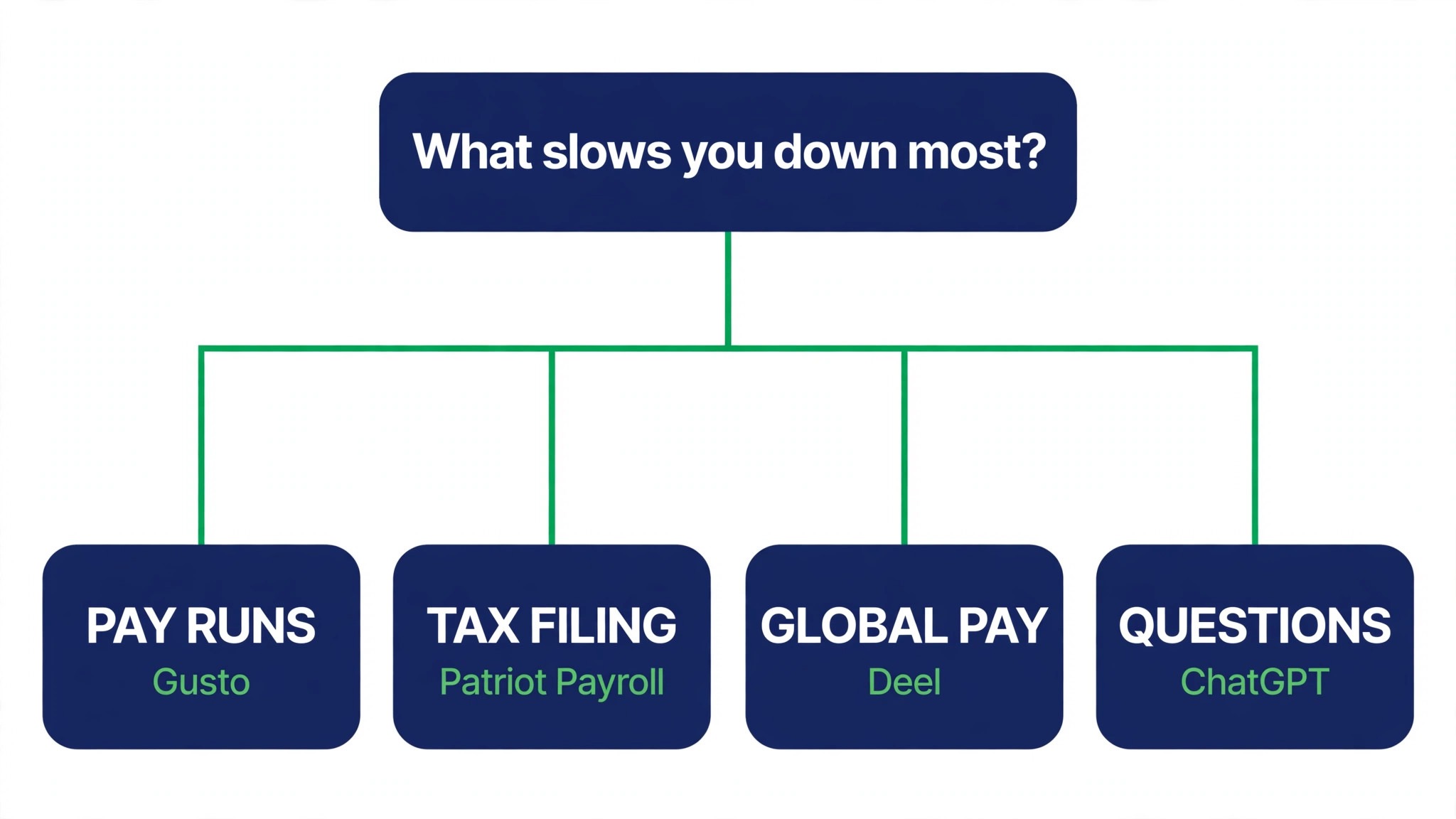
Start from the slowest part of the payroll cycle, not from the vendor homepage. Specialists buried in time imports should buy the tool that clears that pile first. Specialists losing hours to employee questions should buy a self-service portal before a new platform. Clear the slowest payroll run bottleneck first and that tool pays for itself, while the rest can wait.
Price the whole payroll stack, not the headline number. The table below prices year one for a solo buyer and for a small team on the common payroll combinations, at published starting prices. Ask for per-person charges in writing before signing, since those lines surprise payroll teams, and annual billing usually cuts about twenty percent off the monthly rate.
| Stack | Monthly cost | What it covers |
|---|---|---|
| Gusto plus ChatGPT | Check the pricing page | Core tool plus a second specialist |
| Patriot Payroll alone | Lowest starting price | One tool for the main job |
| Rippling plus ChatGPT | Mid-range | Core tool plus a workflow specialist |
| OnPay plus Square Payroll | Mid-range | Specialist pair for a busy week |
A company under fifty people should start with Gusto and add ChatGPT for policy answers, then look at Rippling once HR and IT join the picture. The best ai tools for payroll specialists are the ones that make payday boring, so buy the tool that removes the surprises and leave the fancy reporting for later.
Best Pick by Job
Pick from the table below by the payroll job you do most each week. The best ai tools for payroll specialists are not ranked by features alone; they are ranked by which job each one actually finishes, so the pick that matches your week is the pick that will still be in your stack a year from now.
| Your job | Best pick | Why it wins |
|---|---|---|
| All-in-one payroll for small teams | Gusto | Payroll, benefits and compliance in one login |
| Payroll plus HR and IT | Rippling | One system for payroll, HR and devices |
| Enterprise payroll at scale | ADP | The payroll giant for large employers |
| Payroll for growing companies | Paychex | Payroll, HR and benefits with support |
| Payroll inside accounting | QuickBooks Payroll | Payroll that lives with the books |
| Simple payroll for small teams | Square Payroll | Easy setup for hourly teams |
| Payroll plus time tracking | OnPay | Affordable payroll with HR basics included |
| Budget payroll for tiny teams | Patriot Payroll | The cheapest full payroll on this list |
| Global payroll and hiring | Deel | Pay contractors and staff in many countries |
| Paying international teams | Remote | Compliant payroll for global hires |
| Enterprise global payroll | Papaya Global | Payroll across many countries from one dashboard |
| Drafting and payroll questions | ChatGPT | Fast drafts, summaries and policy answers |
Your First Pay Cycle With the New Tool
Run the new tool in parallel with the old process for one full pay cycle, not on a single test run. Process the same hours in both systems, compare the totals line by line, and chase every difference until you know why it happened. A payroll tool that matches the old numbers is trustworthy, and one that does not is a problem you found before payday.
Week two is about the employees. Open the self-service portal to five staff members and ask them to check a payslip, update a detail and ask a question through it. If they finish without emailing you, the portal works. If they all email you anyway, the portal is not the fix, and the questions will keep coming.
Week three is about the exceptions. Run the tool on the hardest cases you have, an employee with overtime and a deduction change, a leaver with a final payment, a new starter mid-cycle, and see where it copes and where it needs a workaround. The tool that handles exceptions cleanly is the one that survives a real payroll year.
Week four is about the filing. Check the tax calendar, confirm what the tool files and what it only prepares, and read the penalty coverage in writing. A payroll tool that files for you is worth more than one that only calculates, and the difference only shows up when a deadline is missed.
| Step | What to do | Done when |
|---|---|---|
| Day 1 | Run both systems in parallel | Totals match line by line |
| Day 7 | Five staff test the portal | They finish without emailing |
| Day 14 | Run the hardest exceptions | Exceptions handled cleanly |
| Day 21 | Confirm the filing calendar | Filings covered in writing |
| Day 30 | Count hours saved | Savings beat the monthly price |
Testing Before You Pay
A trial tells payroll teams more in five working days than a month of reading reviews, but only when the trial runs on real payroll work. Pick the two tools that look closest after the shortlist, run them side by side on the same core payroll jobs, and score them on time saved, edits needed and how the output reads to an employee. Never trial on a demo file, because a demo hides the rough edges real payroll work exposes. The best ai tools for payroll specialists prove themselves on a real pay run, not on a demo company, so run the trial on the payroll you are actually processing this cycle.
| Day | What to test | What good looks like |
|---|---|---|
| Day 1 | Setup and first real job | Working in under an hour, no IT ticket |
| Day 2 | The hardest job you do | Output needs light edits, not a rewrite |
| Day 3 | A live pay run test | The run completes without double entry |
| Day 4 | A colleague tries it cold | They finish a job without asking for help |
| Day 5 | Count the time and the cost | Hours saved beat the monthly price |
Keep a simple log through the trial week, noting the daily payroll task, the minutes it took, the edits made and whether the output could go to an employee unchecked. At the end of the week the log is the decision for payroll teams. The tool with the best log wins, even when it was not the expected favourite, because the log measures the team’s own payroll work, not the vendor demo.
Buying Mistakes to Skip
Mistake one is the cheapest plan, when the feature payroll teams need sits two tiers up. Read every tier on the pricing page and pay for the tier that does the daily payroll job, not the tier that looks cheap. Mistake two is rolling out to the whole team before one person has tried the tool for a week, since a favourite of one and a burden to five is a cost for payroll teams, not a system.
The third mistake is skipping the tax and compliance check for payroll teams. Ask who files what, read the filing calendar and check the penalty coverage before the first real pay run goes through the tool, because fixing a filing miss after the fact costs far more than checking it first. The fourth mistake is judging the tool on its best day, so trial it on the hardest payroll job itself and let the hard job decide.
Your Questions, Answered
Which tool gives payroll teams the cheapest good start
Patriot Payroll is the cheapest credible start on this list at from 17 dollars a month, with OnPay at from 40 dollars a month close behind. The best ai tools for payroll specialists include free tiers and free plans, so start with the job you do most each week, trial the free tier on real work, and add a specialist only when the general tool cannot do a job you are paid to do. That is the cheapest route to a payroll stack, with no payment for features never used.
Can payroll teams keep AI output from looking generic
It will when payroll teams publish the template unchanged. AI tools draft a usable first version, but the facts, the wording and the judgement still come from the professional doing the payroll work. An output that goes out unedited reads generic, and employees notice generic payroll work fast. Use the AI to beat the blank page, then change the details, the wording and the checks, so the result sounds like payroll teams and not the tool.
For a small team, which payroll tool option wins
Gusto is the pick for a small team, starting at from 49 dollars a month with payroll, benefits and compliance in one login, while Rippling at from 8 dollars per user a month is the strongest all-round option as the team grows. Ranking followed the payroll run each tool finishes rather than the length of its feature list, so a small team should start with the tool that clears its slowest weekly job and add a second only when a limit starts costing time.
How much will a small team spend on payroll tools in year one
Plan on 20 to 50 dollars a month in year one for a general payroll tool option such as Patriot Payroll, rising to 100 to 200 dollars a month with a specialist such as Gusto added. Multiply the headline price by headcount when payroll teams pay per person, since those charges surprise buyers. Price the whole stack and trial each tool on real payroll work before signing an annual contract.
Do payroll teams need a specialist tool as well as a general one
Not always. Most payroll teams get by with one general tool for months, and a separate specialist only earns its place when a specific payroll daily task runs every week and the general tool cannot do it well. Add up the payroll hours from the past week first. When the job takes hours and the specialist cuts it to minutes for payroll teams, buy it, and when the job already takes minutes, the specialist is a cost.
Do these payroll tools offer a trial before payment
Most tools on this list offer a free plan or a free trial, and Gusto and Rippling both let payroll teams test on real payroll work before paying. Use the trial on the payroll job itself the team does most, not on a demo, and count the time saved and the edits each output needs. A trial that covers a real week tells payroll specialists more than a sales call, and a tool that will not trial is one to be careful about.
The Verdict, in Brief
If you buy one tool this quarter, pick Gusto for all-round payroll or a small team, and Rippling when you need payroll plus HR and IT in one system. Gusto is the easiest place to start at 49 dollars a month, and Rippling is the strongest all-round platform at 8 dollars per user a month. The best ai tools for payroll specialists earn their keep by giving you back the day after the pay run, and both of these do that from the first week.
Whatever you pick, trial it on a real pay cycle, count the runs it speeds up and the edits each one needs, and keep a human eye on every AI draft before it reaches an employee. Every tool here can run a real payroll cycle. The difference is whether the tool matches the payroll you actually run, and whether you measure the return in hours saved and clean paydays rather than in features used.