

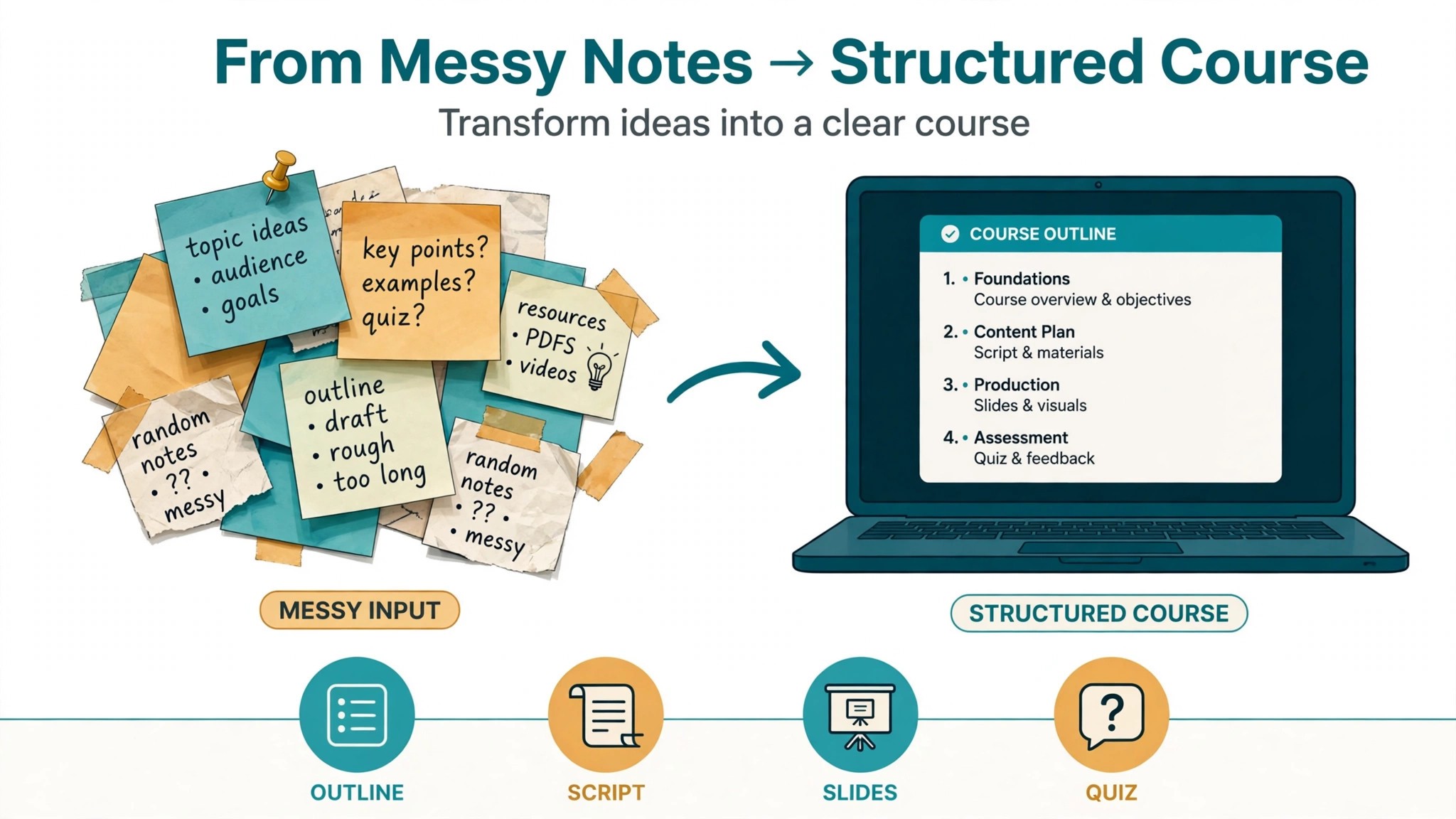
A course dies in the gap between knowing something and teaching it. The expert has the knowledge, the audience wants it, and the course still does not exist because turning knowledge into outlines, scripts, slides, quizzes and a sales page takes months of evenings. The best ai tools for course creators exist because that gap is now the bottleneck, not the expertise. Outlines, lesson drafts, quiz questions, video edits and sales copy have all moved into software that turns a rough idea into a structured course in days rather than months.
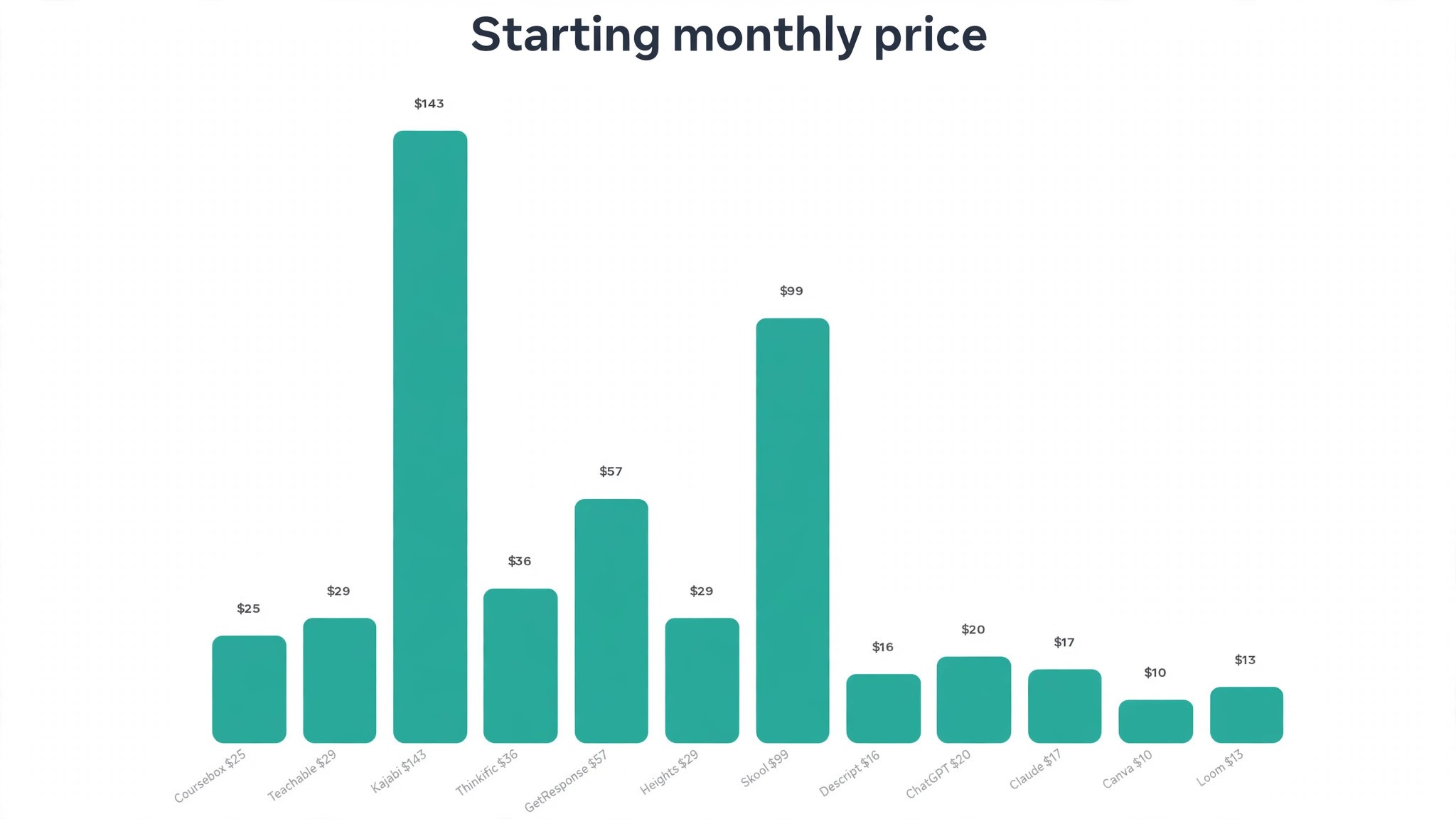
This guide compares twelve tools on published prices, the course job each one does best and the catch that only shows up after the trial ends. Prices in this category move often, so every figure below is the published starting price as of late 2026, with annual billing noted where it changes the number. Start with the shortlist, then read the reviews that match the course you are building.
The pattern across all twelve is simple. The tools that win are the ones that remove a specific step, whether that step is the outline, the script, the quiz or the sales page. Everything else is a bonus, and a creator who buys the bonus first usually keeps the leak.
The Quick Shortlist
The table below matches each common course job to the single tool that handles it best. Use it to narrow the best ai tools for course creators to two or three candidates before you read the full reviews. Prices are monthly list prices unless noted, and annual billing is usually cheaper than paying month to month.
| Job | Best tool | Why it wins |
|---|---|---|
| Turning a prompt into a full course draft | Coursebox | AI course generation with a free plan |
| Selling courses with AI lesson help | Teachable | Focused course platform, Builder at 69 dollars |
| Running the whole creator business | Kajabi | Courses, email, funnels and community in one |
| Course hosting with a lower entry price | Thinkific | Basic from 36 dollars a month billed annually |
| AI course builder with marketing built in | GetResponse | Course builder plus email and landing pages |
| Community led courses with an AI coach | Heights Platform | AI coach and community from 29 dollars |
| Community first courses | Skool | Community and courses from 99 dollars a month |
| Editing lesson video by transcript | Descript | Cut the text and the video follows |
| Outlines, scripts and lesson drafts | ChatGPT | Fastest all round drafting and ideas |
| Natural long form lesson prose | Claude | Cleanest long form drafts, follows a style guide |
| Slides, workbooks and course graphics | Canva | Templates plus AI design, 10 dollars a month |
| Recording quick lesson videos | Loom | Fast screen recording from 12.50 dollars a user |
How We Judged the best ai tools for course creators
A tool earned a place here only if it does a real course job in 2026, not if it added an AI label to an old video host. The best ai tools for course creators were judged on five things that decide whether a creator keeps paying after the first course.
First, the course job it does, from an outline to a quiz, because a tool that generates one lesson well beats a platform that generates five formats poorly. Second, whether the price is published and how it scales, including transaction fees that change the real bill as sales grow. Third, student experience, because a course that is hard to watch, hard to navigate or hard to finish will refund no matter how good the content is.
Fourth, the sales workflow, because a course that nobody buys is a hobby, and the platform should help with the sales page, the email and the checkout rather than leaving them to a second tool. Fifth, the catch, from transaction fees on the cheap plan to AI generation limits that run out mid course.
| Check before you buy | What to ask | Why it matters |
|---|---|---|
| Transaction fees | Fee per sale and which plan removes it | A 7.5 percent fee eats the margin on every sale |
| AI generation limits | How many lessons or quizzes per month | A cap that runs out mid course stops the work |
| Student experience | Video hosting, mobile app, certificates | Students finish courses that are easy to use |
| Export and portability | SCORM export, or locked to the platform | A locked course cannot move if you switch |
| Email and sales tools | Built in, or a second subscription | A second tool doubles the monthly bill |
| Trial on real lessons | Can you test it on your own material | A trial on demo data proves nothing |
The 12 Tools, Reviewed One by One
Read the reviews that match the course you are building, then check the price at your real student count before you trial anything. Each review names the starting price, the job the tool does best and the catch to ask about.
1. Coursebox
Starting price Free plan, with paid plans from about 25 dollars a month. Best for Turning a prompt into a full course draft. Watch out Export and branding have plan conditions.
Coursebox is the generation pick for creators who want a course draft from a prompt or a pile of source material. You feed it a topic, a document or a video, and it builds a structured course with lessons, quizzes and assessments, ready for a human to review and polish. For a creator with the knowledge but no time to structure it, that generation is the difference between a course that exists and a course that stays an idea.
The strength is the draft itself. Coursebox produces a complete course structure rather than one lesson at a time, so the creator edits and corrects instead of starting from a blank page. The free plan covers three mini courses of up to five pages each with unlimited learners, which is enough to test the generation on a real topic before paying.
The catch is the export. Export and branding sit behind paid plan conditions, and a creator who wants to host the course elsewhere will need to check the plan carefully. For turning a prompt into a course draft, Coursebox earns the top spot, and it is the best tool on this list for validating a course idea fast.
2. Teachable
Starting price Starter at 29 dollars a month billed annually, with a 7.5 percent transaction fee. Best for Selling courses with AI lesson help. Watch out The fee disappears only on the 69 dollar Builder plan.
Teachable is the focused course platform, and it does one thing well. It hosts and sells courses with a clean student experience, reliable video hosting and strong affiliate tools, and its AI tools help at several stages, with a curriculum generator for outlines, a lesson assistant for drafting text and a quiz generator that builds questions from lesson content.
The strength is the sales experience. Students get a professional course player, certificates and a straightforward checkout, and the creator gets payment processing without a second tool. The Builder plan at 69 dollars a month removes the transaction fee entirely, which makes it the practical entry point for anyone with consistent sales.
The catch is the Starter fee. At 29 dollars a month plus 7.5 percent of every sale, a creator selling 1,000 dollars of courses a month pays 75 dollars in fees on top of the subscription. For a focused course platform with AI help at each stage, Teachable earns its place, and it is the best pick for a creator who wants to sell rather than build a whole business.
3. Kajabi
Starting price Basic at 143 dollars a month billed annually. Best for Running the whole creator business. Watch out There is no plan below 143 dollars, so it is expensive for a first course.
Kajabi is the all in one platform for creators who want courses, a website, email marketing, funnels, a community and coaching tools in one system. Its AI tools generate course outlines and lesson drafts, and the marketing suite turns a finished course into a launch with landing pages and email sequences built in.
The strength is the single system. A creator who runs Kajabi does not need a separate email tool, a separate landing page tool or a separate community tool, and the time saved by operating one integrated system rather than five connected ones is the real value. The platform charges no transaction fees on any plan, which matters once sales grow.
The catch is the price. At 143 dollars a month for Basic, Kajabi costs more in a month than Teachable costs in two, and a creator with one small course will not use half the features. For an established creator generating real course revenue, Kajabi earns its place, and it is the best tool here for running a whole business rather than hosting a single course.
4. Thinkific
Starting price Basic from 36 dollars a month billed annually. Best for Course hosting with a lower entry price. Watch out AI features are lighter than the generation specialists.
Thinkific is the value hosting pick, and it is the platform many creators choose when Teachable feels expensive and Kajabi feels like overkill. It hosts courses with a clean student experience, supports quizzes and certificates, and keeps the price at a level a new creator can afford while the course is still finding its audience.
The strength is the entry price against the quality. Basic at 36 dollars a month billed annually buys a professional course platform without a transaction fee on the higher plans, and the student experience is strong enough that completion rates hold up. The platform also supports live lessons and communities, so a creator can grow without switching systems.
The catch is the AI depth. Thinkific uses AI for individual parts of the process rather than generating a complete course at once, so a creator who wants a full draft from a prompt should pair it with Coursebox or ChatGPT. For affordable course hosting with a good student experience, Thinkific earns its place.
5. GetResponse
Starting price From 56.58 dollars a month for the content monetisation plan. Best for AI course builder with marketing built in. Watch out It is a marketing platform first, so course features are narrower than Teachable.
GetResponse is the marketing led pick for creators who want the course and the launch in one subscription. Its AI course builder turns a topic into a structured course, and the same platform provides email marketing, landing pages and automation to sell it, with support for more than 170 integrations.
The strength is the combination. A creator can build the course, build the email list, write the launch sequence and publish the landing page without leaving the platform, and the price from 56.58 dollars a month is far below Kajabi for a similar marketing stack. For a creator whose bottleneck is selling rather than building, that combination matters.
The catch is the course depth. GetResponse is a marketing platform with a course builder attached, so a creator who needs deep assessment tools or SCORM export will find it lighter than Teachable or Thinkific. For building and selling a course with marketing built in, GetResponse earns its place.
6. Heights Platform
Starting price From 29 dollars a month. Best for Community led courses with an AI coach. Watch out The audience is smaller, so templates and integrations are fewer.
Heights Platform is the community pick for creators who want students to learn together rather than alone. It combines courses, community, an AI coach and an AI assistant in one system, so a student can ask the coach a question, get a useful answer, and keep going without waiting for the creator.
The strength is the coaching layer. The AI coach answers student questions from the course material, which cuts the support load on the creator and keeps students moving through the lessons. At 29 dollars a month, it is also the cheapest dedicated course platform on this list, which makes it a fair first step for a new creator.
The catch is the ecosystem. Heights has a smaller user base than Teachable or Kajabi, so the template library and the integration list are thinner, and a creator who needs a specific integration should check it first. For community led courses with an AI coach, Heights earns its place.
7. Skool
Starting price From 99 dollars a month. Best for Community first courses. Watch out No free plan, and the price is flat whether you have ten students or ten thousand.
Skool is the community first platform, built around the idea that students finish courses when they learn with other people. Courses sit inside a community with discussions, events and leaderboards, and the platform is deliberately simple, with one price and no tier maze to navigate.
The strength is the engagement. A course inside Skool feels like a club rather than a library, and the community features keep students coming back after the first lesson, which is the hardest problem in online courses. The flat 99 dollar price is also simple to budget, with no per student charges.
The catch is the cost for a small course. At 99 dollars a month with no free plan, a creator with twenty students pays the same as a creator with two thousand, so the math only works once the community is real. For community first courses, Skool earns its place, and it is the best tool here for a creator whose students are the product as much as the lessons are.
8. Descript
Starting price Free plan, then 16 dollars a month billed annually for Hobbyist. Best for Editing lesson video by transcript. Watch out Hobbyist caps media hours at 10 a month.
Descript is the editing pick for course creators who record lessons on camera. You edit the transcript like a document, delete a sentence, and the video follows. Filler words disappear with one click, and the overdub feature can fix a misspoken word without re-recording the whole lesson, which is the feature that saves a creator an evening per module.
The strength is the workflow. A creator can record, transcribe, cut, caption and publish a lesson from one app, and the learning curve is shorter than a traditional editor. The free plan covers 60 media minutes a month, which is enough to test the workflow on a real lesson before paying.
The catch is the caps. Hobbyist at 16 dollars a month billed annually gives 10 media hours and 400 AI credits a month, so a creator recording several long modules a week will need the Creator plan at 24 dollars a month billed annually. For editing lesson video by transcript, Descript earns its place.
9. ChatGPT
Starting price Free plan, then 20 dollars a month for Plus. Best for Outlines, scripts and lesson drafts. Watch out Output quality depends heavily on the brief you give it.
ChatGPT is the best all round drafting tool a course creator can buy for 20 dollars a month, and it is the tool most creators already use every day. Plus buys the stronger models, more capacity and file uploads, and the free plan is enough to test whether AI drafting fits a course workflow. It builds course outlines, drafts lesson scripts, writes quiz questions and summarises research, all in a plain chat box.
The strength is flexibility. A creator can brief it like a teaching assistant, ask for ten ways to structure a module, then push the best one further with a student level and a time limit. For a solo creator building a course alone, that flexibility is worth more than a specialist feature set.
The catch is that ChatGPT has no course hosting, no student tracking and no video editing, so a creator must supply the structure and the standards on every job. For outlines, scripts and lesson drafts at 20 dollars a month, ChatGPT is the best value on this list.
10. Claude
Starting price Free plan, then 17 dollars a month billed annually for Pro. Best for Natural long form lesson prose. Watch out No course hosting or quiz tools built in.
Claude is the prose pick, and course creators who care about how lessons read tend to prefer it over every other generalist on this list. Its long form drafts sound more natural, its edits are more careful, and it follows a style guide more closely than most rivals when given one. For lesson scripts and workbooks where tone matters as much as information, that natural voice is the reason to choose it.
The strength is editing. Claude is unusually good at tightening a lesson, cutting filler, and rewriting a paragraph in a specified tone without changing its meaning, which is the work a creator does most after the first draft exists. A creator can paste a rough lesson and get back a cleaner version in seconds.
The catch is scope. Claude has no course platform, no quiz builder and no video tools, so it is a drafting and editing tool rather than a course system. For a creator who values lesson quality above all, Claude earns its place, and it pairs well with Teachable when the lessons also need a home.
11. Canva
Starting price Free plan, then 10 dollars a month billed annually for Pro. Best for Slides, workbooks and course graphics. Watch out The best AI features sit behind Pro.
Canva is the graphics pick for course creators, and it is the fastest way to make slides, workbooks, certificates and a sales page that look professional. The template library covers every course format, the AI tools generate images and rewrite text, and the brand kit keeps colours and fonts consistent across every lesson. For a creator who publishes a course with ten modules, that speed is the value.
The strength is the template plus the brand kit. A creator can build a slide style once, then produce a new deck for every lesson in minutes, with the same fonts, colours and layout. The free plan is genuinely useful, and Pro at 10 dollars a month billed annually adds the AI features and the full asset library.
The catch is that Canva is a graphics tool, not a course platform, so it solves one job and leaves the hosting, the quizzes and the sales to the other tools on this list. For slides and course graphics, Canva earns its place.
12. Loom
Starting price Free plan, then 12.50 dollars a user a month billed annually for Business. Best for Recording quick lesson videos. Watch out It records, it does not edit deeply.
Loom is the recording pick for creators who teach by showing their screen. It records the screen, the camera and the voice together in one click, and the link is ready to share the moment the recording stops. For a creator who needs to record a quick walkthrough, a software demo or a feedback video for a student, that speed is the whole value.
The strength is the friction it removes. There is no export, no upload and no editing timeline for a simple recording, just a link that plays. The free plan covers short recordings, and Business at 12.50 dollars a user a month billed annually adds longer recordings and team features.
The catch is the editing depth. Loom records well and edits lightly, so a creator who needs a polished lesson with cuts, captions and graphics will still need Descript. For quick lesson videos, Loom earns its place as the fastest recording tool on this list.
Side by Side Comparison
The table below puts the best ai tools for course creators side by side on price, best job and free plan, so you can compare the published prices against the transaction fee tools at a glance.
| Tool | Starting price | Best for | Free plan |
|---|---|---|---|
| Coursebox | About 25 dollars a month | Turning a prompt into a course draft | Yes |
| Teachable | 29 dollars a month | Selling courses with AI lesson help | Trial only |
| Kajabi | 143 dollars a month | Running the whole creator business | Trial only |
| Thinkific | 36 dollars a month | Course hosting at a lower price | Trial only |
| GetResponse | 56.58 dollars a month | Course builder with marketing built in | Trial only |
| Heights Platform | 29 dollars a month | Community led courses with an AI coach | Trial only |
| Skool | 99 dollars a month | Community first courses | No |
| Descript | 16 dollars a month | Editing lesson video by transcript | Yes |
| ChatGPT | 20 dollars a month | Outlines, scripts and lesson drafts | Yes |
| Claude | 17 dollars a month | Natural long form lesson prose | Yes |
| Canva | 10 dollars a month | Slides, workbooks and course graphics | Yes |
| Loom | 12.50 dollars a user a month | Recording quick lesson videos | Yes |
How to Pick the Right Tool for Your Course
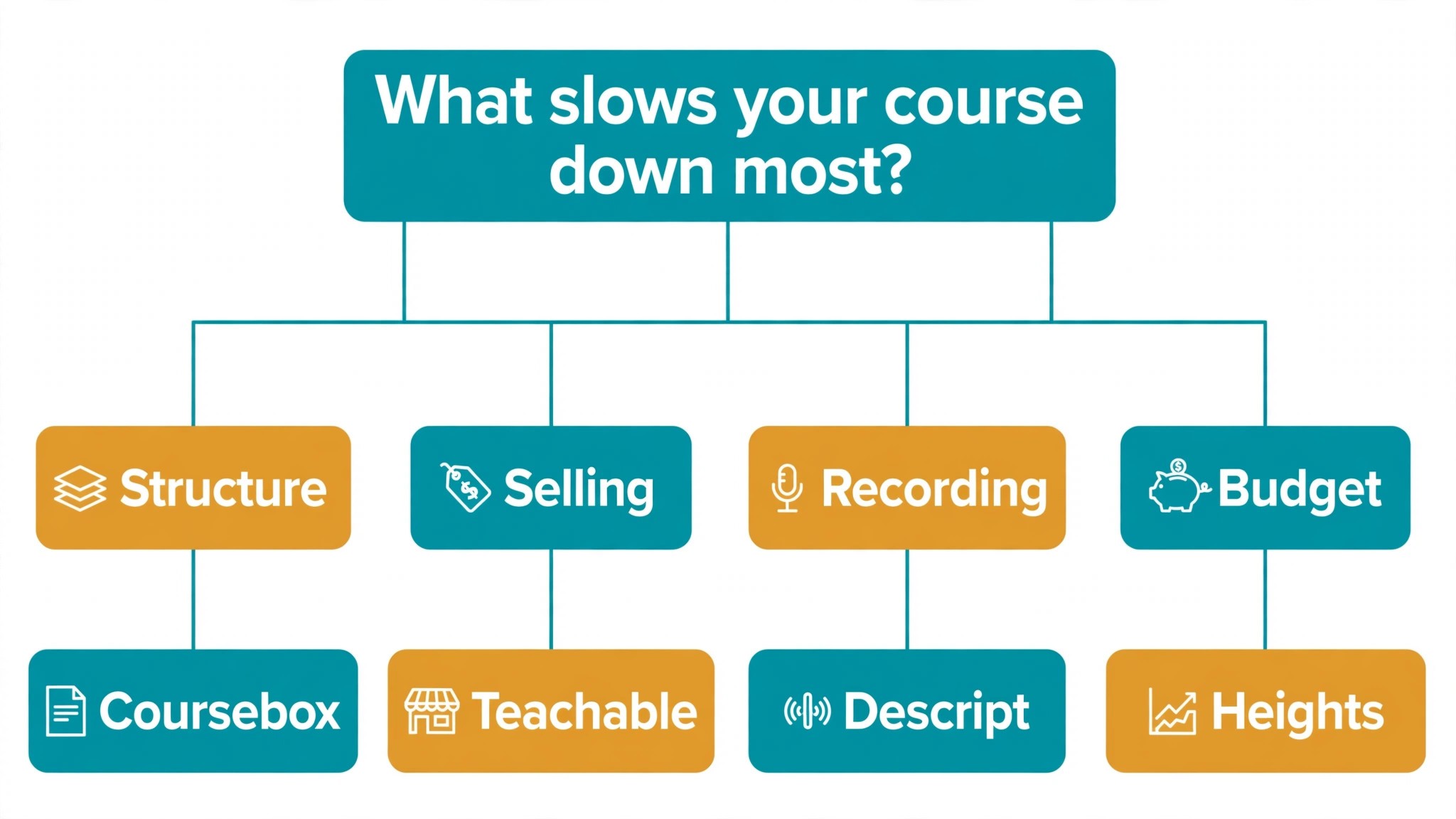
The best ai tools for course creators are not the ones with the longest feature list. They are the ones that fix the slowest part of your build. A creator with knowledge but no structure should buy Coursebox. A creator who wants to sell a focused course should buy Teachable. A creator running a whole business should buy Kajabi. A creator on a tight budget should buy Heights or Thinkific. A creator whose lessons take too long to record should buy Descript and Loom. Start from the slow part, not from the vendor homepage.
Budget the full bill, not the headline price. The table below shows what a solo creator actually pays in year one for the most common combinations, using published starting prices. Transaction fees are the lines that surprise buyers, so price the stack at your real sales volume before you sign, and remember that annual billing usually saves about twenty percent against monthly billing.
| Stack for one creator | Monthly cost | What it covers |
|---|---|---|
| ChatGPT Plus plus Canva Pro | About 30 dollars | Drafting plus slides and graphics |
| Coursebox plus Teachable Starter | About 54 dollars plus fees | Generation plus selling |
| Claude Pro plus Descript Hobbyist | About 33 dollars | Prose plus lesson video editing |
| Teachable Builder | 69 dollars | Selling with no transaction fee |
| Kajabi Basic | 143 dollars | Whole business in one place |
| Heights plus Loom Business | About 42 dollars | Community courses plus recording |
Frequently Asked Questions
What is the cheapest good AI tool for course creators to start with
Coursebox is the cheapest credible start for generation, with a free plan covering three mini courses. ChatGPT has a free plan and Plus at 20 dollars a month, and Canva Pro at 10 dollars a month billed annually covers the slides and graphics. Heights at 29 dollars a month is the cheapest dedicated course platform here. Start with the course job you do most each week, and add a specialist only when the general tool cannot do a job you are paid to do. That is the cheapest way to build a stack from the best ai tools for course creators without paying for features you never open.
Will AI generated courses feel generic to students
They will if you publish the generation unchanged. The best ai tools for course creators produce a usable first draft, but the examples, the stories and the judgment still come from the creator. A course that goes live unedited will read generic, and students notice generic teaching fast. Use the AI to beat the blank page, then edit every lesson for your voice and your students’ real problems, and the course will sound like you, not like the tool.
Which tool is best for selling a first course
Teachable is the strongest choice for a first course, because it is a focused selling platform with a clean student experience and AI help at each stage, and Builder at 69 dollars a month removes the transaction fee. Thinkific is the best pick when the budget is tighter, at 36 dollars a month billed annually, and Kajabi is the best pick when the creator wants the whole business in one place. Price the combination at your real sales volume, because transaction fees multiply with sales, and confirm the current plan limits before you buy, because both Teachable and Kajabi have changed tiers in the past year.
How much should a new course creator budget for AI tools
A realistic year one budget is 30 to 60 dollars a month for one general drafter such as ChatGPT Plus plus a course platform such as Heights or Thinkific, and 69 to 143 dollars a month once you add a selling platform such as Teachable Builder or Kajabi Basic. A creator selling 1,000 dollars of courses a month on Teachable Starter pays 75 dollars in transaction fees on top of the subscription, while the same creator on Builder pays none. Budget for the stack, not for one tool, and trial each one on real lessons before you commit to annual billing.
Our Verdict
If you buy one tool this quarter, buy Coursebox if structure is the problem and Teachable if selling is the problem. Coursebox is the fastest way to turn knowledge into a course draft, with a free plan that covers three mini courses, and it is the best validation tool on this list. Teachable is the most focused selling platform here, with Builder at 69 dollars a month removing the fee that eats a new creator’s margin. The best ai tools for course creators earn their keep by giving you back the months that outlining, scripting and selling used to eat, and both of these do that from the first course.
Whatever you pick, start with the slowest part of your build, trial with real lessons and real students, and keep a human edit step on every AI lesson for the first course. The tools on this list all work. The difference is whether the tool matches the course you actually want to build, and whether you measure the return in students finished and courses sold rather than in features used.