The newsletter earns 5,000 dollars a month, Substack keeps 500 dollars of it, and the publication still looks like every other Substack page on the internet. That is the moment most writers start asking how to switch from Substack to Ghost, and it is a fair question.
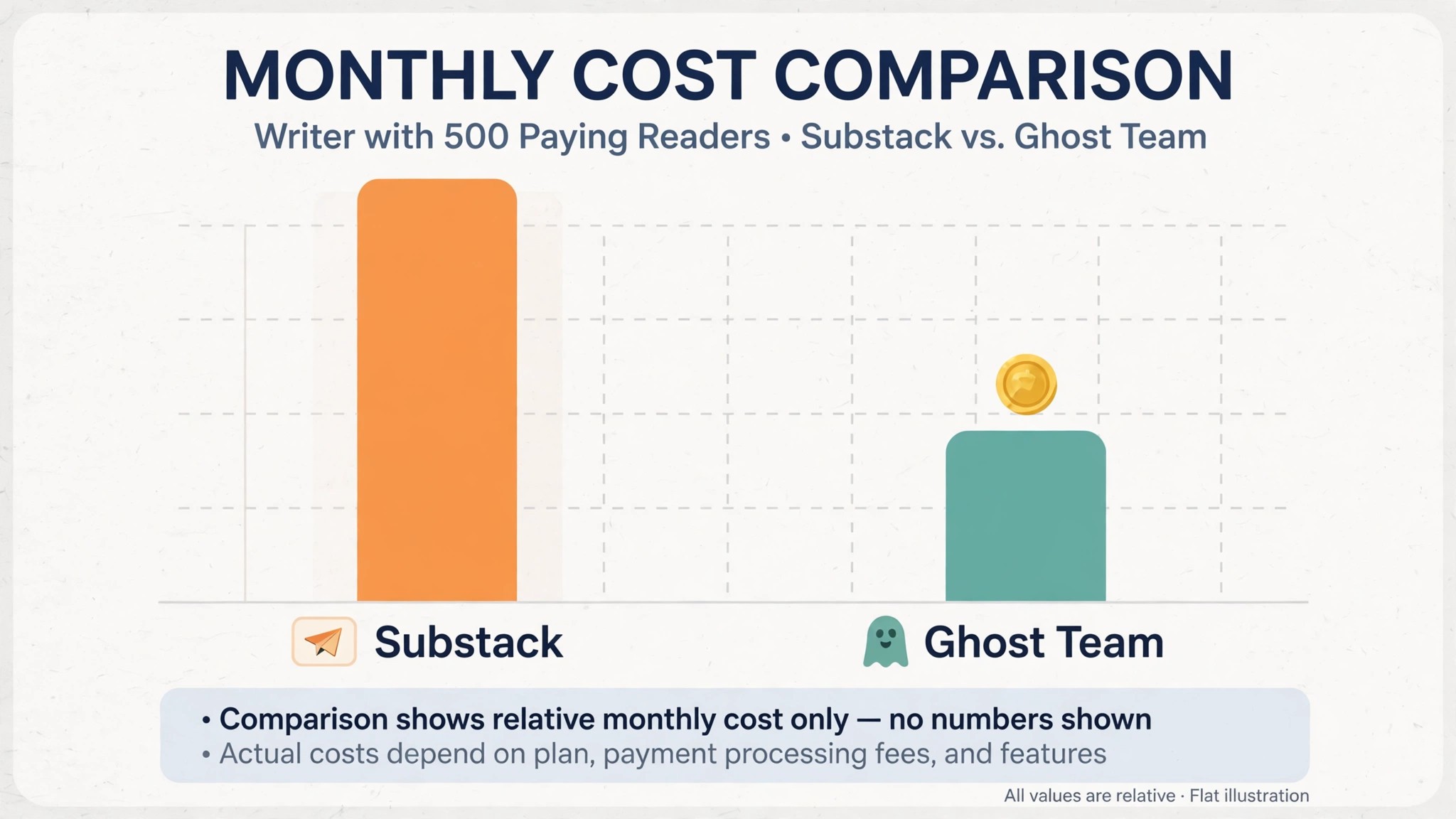
Substack is free to start and takes 10 percent of every paid subscription, plus Stripe fees on top. Ghost is a flat monthly hosting fee with zero percent taken from your revenue, and it gives you a real website, custom themes and full control of your members. A writer with 500 readers paying 10 dollars a month hands Substack 500 dollars every month. The same writer on Ghost Team pays 50 dollars a month and keeps the other 450.
The switch is not about which tool is better in general. It is about which deal matches the way the writer actually earns. Substack wins for a writer starting from zero, because it costs nothing until the first paying reader arrives, and its recommendation network and Notes feed bring new readers for free. Ghost wins for a writer whose paid list is already real, because a flat fee beats a percentage the moment the revenue grows. For a writer with 30 or more paying readers, the math already favors Ghost. For a writer with no paying readers yet, Substack is still the cheaper home, and this guide says so plainly.
This guide walks through how to switch from Substack to Ghost in seven steps, with a checklist, a cost comparison, and a clear account of what transfers, what does not, and what to test before leaving Substack. Follow the steps in order, run both platforms side by side for two weeks, and the move will be boring in the best way. Skip the steps, cancel early, and paid subscribers can keep paying Substack its 10 percent long after you thought you had left.
The 10 Percent That Starts the Conversation
Cost is the reason most writers switch, and the numbers explain why. Substack is free to use. It takes 10 percent of paid subscription revenue, annual and founding member plans included, and Stripe card fees of 2.9 percent plus 0.30 dollars per transaction come on top. A newsletter with 25 readers paying 10 dollars a month hands Substack 25 dollars every month. A newsletter with 100 paying readers hands it 100 dollars. A newsletter with 500 paying readers hands it 500 dollars. The fee grows with every new paying reader, and it never stops.
Ghost charges a flat hosting fee and takes zero percent of your revenue on every plan. Ghost(Pro) Starter costs 9 dollars a month on annual billing for up to 500 members. Creator costs 25 dollars a month for up to 1,000 members, with custom themes and no Ghost branding. Team costs 50 dollars a month for up to 10,000 members and 5 staff users. Business costs 199 dollars a month for up to 100,000 members.
Monthly billing runs about 20 percent higher than annual billing on each tier. The only other cost is Stripe’s standard 2.9 percent plus 0.30 dollars per transaction, which applies on either platform, so it cancels out of the comparison.
The break even point is lower than most writers expect. With a list under 1,000 members, Ghost starts costing less than the Substack fee at about 30 paying readers. A writer with 100 paying readers at 10 dollars a month pays Substack 100 dollars a month against about 46 dollars for Ghost at the 2,000 member tier. A writer with 500 paying readers pays Substack 500 dollars a month against about 88 dollars for Ghost at the 10,000 member tier.
At 5,000 dollars a month in subscription revenue, Ghost saves about 2,112 dollars a year compared with Substack’s 10 percent cut. The fee is the whole business case, and it grows every month the writer stays.
The free plans tell the same story from the other side. Substack costs nothing until the first paying reader, so a writer starting from zero risks nothing. Ghost has no free hosted plan, though the open source software is free to self host, and self hosting needs your own email delivery, analytics and server, which Ghost’s own documentation says generally works out more expensive than Ghost(Pro) for heavy users. A writer with no paying readers should stay on Substack. A writer with a real paid list should do the math.
Substack vs Ghost at a Glance
| Feature | Substack | Ghost |
|---|---|---|
| Pricing model | Free, 10 percent of paid revenue | Flat monthly hosting fee |
| Revenue share | 10 percent plus Stripe fees | Zero percent, Stripe fees only |
| Entry paid cost | 0 dollars until first paying reader | Starter 9 dollars a month annual |
| Mid plan | Still 10 percent, no tiers | Creator 25 dollars a month, 1,000 members |
| Top plan | Still 10 percent, no tiers | Team 50 dollars a month, 10,000 members |
| Website | Substack hosted publication page | Full website with custom themes |
| Discovery | Recommendations network and Notes feed | None built in, you bring your own audience |
| Membership tiers | Paid, free and founding member | Multiple tiers with custom pricing |
| Email delivery | Included | Included on Ghost(Pro), Mailgun for self host |
| Ownership | Platform owns the rails | Open source, export and self host any time |
Ghost wins on the money and the control, and that is the point of the switch. You own the site, the theme, the member data and the revenue, with no percentage taken from any tier. Substack wins on discovery, with a recommendation network and a Notes feed that bring new readers without any marketing spend, and that discovery is worth real money to a writer starting from zero. Check which side of that trade your publication sits on before you move.
The Trade-Offs Nobody Mentions First
A switch guide that only lists the savings is not honest, so this section states the trade plainly. Substack is a network with a newsletter attached. Ghost is a website with a newsletter attached, and the difference shows in the daily work.
A writer on Substack gets new readers from recommendations and Notes without lifting a finger, and the app puts their publication in front of readers who never searched for it. A writer on Ghost gets none of that discovery, and every new reader comes from the writer’s own marketing, search, social posts or referrals. The first month on Ghost feels quieter, even when the bank balance is better, and a writer who relied on Substack discovery will feel that gap daily.
A writer with an audience that already follows them will not miss the network, because the readers come from the writer’s own channels anyway. The question is not which tool is better. The question is whether the writer’s growth comes from the platform or from their own work, and learning how to switch from Substack to Ghost starts with answering that question honestly.
The Stripe step deserves a second look, because it decides whether the switch actually saves money. Ghost’s migration guide warns that Substack will continue to take 10 percent fees on your existing paid subscriptions unless you ask Substack support to disconnect Stripe. A writer who imports the paid list and forgets that step keeps paying the fee on the old subscriptions while also paying Ghost hosting. Connect the same Stripe account to Ghost before importing anyone, then ask Substack support to disconnect it, and the fee stops.
The design freedom also changes the work. Ghost gives you custom themes, custom pages, membership tiers and a full website, which is a freedom Substack never offers. That freedom is also a job, because someone has to choose the theme, set up the pages and keep the site looking right. A writer who loves control will enjoy it. A writer who wants to write and nothing else will feel it as overhead.
How to Switch from Substack to Ghost in 7 Steps
Step 1. Audit the Substack publication before touching anything
Open Substack and list every subscriber count, every paid subscriber, every founding member, every post, every section, every custom domain setting and every Stripe detail. Export the publication from Substack settings, including the posts, the free subscribers CSV and the paid subscribers CSV. Note the billing dates of the paid subscriptions, because a badly timed move can charge a reader twice or refund them by accident. This audit takes an afternoon and prevents the most common switch failure, which is discovering a paying reader only after the subscription was broken.
Step 2. Set up Ghost and connect Stripe first
Create the Ghost(Pro) account, choose the plan that matches the member count, and set up the publication, the theme and the custom domain. Then connect Ghost to the same Stripe account Substack uses, before importing anyone. This step is the most important in the whole move, because the paid subscribers only transfer cleanly when the Stripe account matches. Confirm the Stripe connection works and the payout account is right before moving on. Do not import yet. A Stripe mismatch discovered after the import costs days to fix.
Step 3. Run the Substack migrator on the content
Open Ghost Admin, go to Settings, then Advanced, then Import and Export, and use the Substack migrator. Enter the Substack URL, upload the Substack export zip, then upload the free subscribers CSV and the paid subscribers CSV. The migrator imports posts, free subscribers and paid subscribers, and most publications complete the import in a day. Check the import report for failed rows, and confirm the post count, the free subscriber count and the paid subscriber count against the Substack audit from step 1 before moving on.
Step 4. Ask Substack support to disconnect Stripe
Open the Substack support widget and ask for a human support specialist, then ask them to disconnect Stripe from the Substack publication. This is the step most writers forget, and it is the one that costs money, because Substack will continue to take 10 percent fees on your existing paid subscriptions until the disconnect is done. Confirm the disconnect in writing, and check the next Stripe payout to confirm the fee has stopped. Do not cancel the Substack publication until this step is confirmed, because support needs the publication live to process it.
Step 5. Rebuild the design, tiers and pages
Ghost gives you a real website, so use it. Choose a theme that fits the publication, set up the membership tiers with the same prices Substack had, rebuild the about page and any custom pages, and check that every imported post looks right with images and formatting intact. Set up the newsletter settings, the sender name and the email design, and send a test email to yourself before anything goes to readers. A writer who skips this step launches a site that looks unfinished, and readers notice.
Step 6. Run both platforms side by side for two weeks
Publish from Ghost for two weeks while Substack stays live and the old posts remain available. Send the first Ghost emails to the most engaged segment only, then widen the send as the new sending setup warms up. Watch open rates, click rates and unsubscribes daily, and compare them with the Substack history from step 1 to spot any deliverability gap. Fix the problems while Substack is still available as a fallback, not after it is gone. Two quiet weeks of parallel running cost nothing and catch every problem early.
Step 7. Tell the readers, then close Substack
Send a clear email to the readers explaining the move, with the new site address and a note that nothing changes for them, no new payment and no new signup. Once the Stripe disconnect is confirmed and two weeks of Ghost publishing look clean, set the Substack publication to private or close it, and set up redirects from the old Substack address to the new Ghost site if you used a custom domain. Keep the Substack export files for six months, because analytics history does not transfer and the old exports are the only record of it. The switch is done when Ghost has published cleanly for two weeks and Substack no longer takes a fee.
What Transfers and What Does Not
Posts, free subscribers and paid subscribers transfer through Ghost’s Substack migrator, and that covers the core of the publication. The migrator takes the Substack export zip and the two subscriber CSVs, and most publications complete the move in a day. Paid subscribers transfer when Ghost is connected to the same Stripe account Substack uses, because the Stripe customer records are what make the billing continue without asking readers to pay again. Member data, email addresses and subscription status all come across, and the readers keep their access without a new signup.
What does not transfer is specific, and the writer should name it before starting. The Substack recommendation network does not transfer, because it belongs to Substack, and Ghost has no built in discovery to replace it. Notes, the Substack social feed, does not transfer, and neither does Chat. Analytics history does not transfer, so export the Substack stats before leaving and keep the files. Founding member plans and special pricing need to be rebuilt as Ghost tiers by hand, and any Substack specific formatting in old posts should be checked after import, because a few posts always need a formatting fix.
The audience itself transfers, because the subscribers are yours and the email list moves with the CSVs. What the writer loses is the platform, which is the discovery, the app presence and the network effects. Export everything before closing, ask support to disconnect Stripe, and the switch loses nothing that matters, except the free discovery Substack used to provide.
That is the full picture of how to switch from Substack to Ghost without losing the work that matters.
The Go-Live Checklist
Use this checklist before starting step 1, and do not skip a line.
– List every Substack subscriber count, paid subscriber and founding member. – Export the publication, the free subscribers CSV and the paid subscribers CSV. – Note the billing dates of the paid subscriptions. – Choose the Ghost(Pro) plan by total member count, not by paying readers alone. – Connect the same Stripe account Substack uses before importing anyone. – Confirm the custom domain, theme and sender settings. – List the Substack features the publication actually uses, including Notes and Chat. – Plan a replacement for the discovery Substack provided. – Set a switch date in a quiet week, not during a paid launch. – Tell the readers the switch date and the new site address before step 1.
What the Switch Saves in Real Money
The saving depends on paying readers, because Substack takes a percentage and Ghost charges a flat fee. A writer with 25 readers paying 10 dollars a month hands Substack 25 dollars every month. Ghost(Pro) Creator at 25 dollars a month costs the same at that size, so the switch saves nothing yet, and the writer should stay until the list grows. A writer with 30 paying readers hands Substack 30 dollars a month against 25 dollars for Ghost Creator, so the saving starts small.
A writer with 100 paying readers at 10 dollars a month hands Substack 100 dollars a month against about 46 dollars for Ghost at the 2,000 member tier, a saving of about 54 dollars a month or about 648 dollars a year. A writer with 500 paying readers hands Substack 500 dollars a month against about 88 dollars for Ghost at the 10,000 member tier, a saving of about 412 dollars a month or about 4,944 dollars a year. At 5,000 dollars a month in subscription revenue, Ghost saves about 2,112 dollars a year compared with Substack’s 10 percent cut. Those figures use annual billing for Ghost, and monthly billing narrows the saving slightly.
The saving shrinks when the writer self hosts badly. Self hosting Ghost is free software, but email delivery through Mailgun, a server, a CDN and backups add up, and Ghost’s own documentation says self hosting generally works out more expensive than Ghost(Pro) for heavy users. A writer who self hosts to save 25 dollars a month can end up paying more in services and time. Use Ghost(Pro) unless the writer genuinely enjoys running a server.
Run the same math for your own list before you commit to how to switch from Substack to Ghost, because the totals decide the plan.
Your First Two Weeks on Ghost
The parallel run only helps if the writer tests the right things, so set the tests before the first Ghost email goes out. Publish one regular post, one paid only post and one free post, and confirm each one arrives with the right formatting, the right paywall and the right links. Then compare the Ghost open and click rates against the Substack history from step 1, checking deliverability on the same audience. That test plan is the part of how to switch from Substack to Ghost that most writers skip, and it is the part that catches the problems while Substack is still available as a fallback.
Test the payments and the member experience next, because those are the workflows that break quietly. Subscribe with a test email, confirm the paid tier works and the Stripe charge lands in the right account, and check that a paid member can read a paid post without a new signup. Also test a founding member price, since special tiers must be rebuilt by hand and trip up writers who rely on them. A test that covers publishing, paywalls, payments and member access in the first week leaves the second week for fixing what failed, which is exactly how a quiet switch is supposed to work.
Five Mistakes That Stall the Move
The first mistake is importing before connecting Stripe. A writer who imports the paid list first and connects Stripe second breaks the billing link, and the paid subscribers cannot be fixed without asking them to subscribe again. Connect Stripe first, then import, and the paid list moves cleanly. The second mistake is forgetting to ask Substack support to disconnect Stripe. A writer who skips that step keeps paying the 10 percent fee on the old subscriptions while also paying Ghost hosting, and the double cost runs for months before anyone notices.
The third mistake is cancelling Substack before the Ghost site is ready. A writer who closes the publication on day one loses the fallback, the analytics and the support channel in one move, and the rebuild takes days instead of hours. Keep Substack until step 7, and the switch stays boring. The fourth mistake is skipping the two week parallel run. A writer who switches overnight discovers the deliverability gaps during a live post, when fixing them costs the most. Two quiet weeks of parallel running cost nothing and catch every problem early.
The fifth mistake is underestimating the discovery loss. A writer whose growth came from Substack recommendations and Notes will see new signups fall after the move, and a writer who budgets nothing for marketing will watch the list go flat. Plan the replacement before the switch, whether that is search, social posts, guest writing or a referral program, and the list keeps growing. The switch is a good time to take control of growth, not a reason to assume it continues on its own.
Life After the Switch
The first month after the move is when the new website starts earning its keep. Submit the site to search engines in week one, because Ghost pages rank on their own while Substack pages rank inside Substack, and the writer who owns the domain owns the traffic. Write one post aimed at search, one aimed at your existing readers, and one guest post for another publication, because discovery no longer arrives on its own. The work of how to switch from Substack to Ghost does not end on cancel day. It ends when the first reader finds you through search instead of Substack, and that usually takes a full month.
Revisit the plan choice after 90 days. A writer who started on Creator may find the list grew past 1,000 members and needs Team, and a writer who started on Team may find the extra staff seats sit empty. Count the members again too, because Ghost bills by total members and a purge of cold readers can drop you a tier. The switch saves money once. The ownership saves it every month after.
Frequently Asked Questions
How long does it take to switch from Substack to Ghost?
Most writers finish the switch in one to two weeks. The setup takes an afternoon, the Stripe connection and the migrator import take a day, the theme and tier rebuild take another afternoon, and the two week parallel run catches the problems while Substack is still available. A writer with many posts or complex tiers should budget three weeks. Do not promise a one day switch, because the Stripe step and the parallel run are what make the move safe.
Will I lose my paid subscribers when I switch from Substack to Ghost?
Paid subscribers transfer through Ghost’s Substack migrator when Ghost is connected to the same Stripe account Substack uses before the import. Connect Stripe first, import second, then ask Substack support to disconnect Stripe so the 10 percent fee stops. Keep Substack running until the import is checked and the disconnect is confirmed, and no paying reader will be lost or charged twice.
Is Ghost really cheaper than Substack?
At small paid lists, no. A writer with 25 paying readers pays about the same on either platform. At 100 paying readers at 10 dollars a month, Ghost saves about 54 dollars a month. At 500 paying readers, Ghost saves about 412 dollars a month. The saving grows with every paying reader, because Substack takes 10 percent forever while Ghost charges a flat fee. Count the paying readers before deciding.
Does Ghost have the same discovery as Substack?
No, Ghost has no built in recommendation network or Notes feed, so the discovery Substack provided does not transfer. A writer who relied on Substack for growth must replace it with search, social posts, guest writing or a referral program. A writer whose readers already come from their own channels will not notice the loss. Plan the growth replacement before the switch, not after.
Can I keep my custom domain when I switch?
Yes, point the custom domain at Ghost during setup, and set up redirects from the old Substack address to the new Ghost site. DNS changes take time to propagate, so start the domain move early and confirm the site loads on the new address before telling readers. A writer who used a Substack subdomain should tell readers the new address clearly, because the old link will stop working once the publication closes.
The Call
Switch to Ghost if the paid list is real, the revenue is growing, and the 10 percent fee now costs more than the hosting. A writer with 100 or more paying readers will save hundreds of dollars a year, get a real website with custom themes and membership tiers, and lose nothing that matters, as long as Stripe is connected first and Substack support disconnects it after. For those writers, learning how to switch from Substack to Ghost is worth an afternoon, and the saving repeats every month.
Stay on Substack if the paid list is small or nonexistent, if growth comes from the recommendation network and Notes, or if the writer wants to write and nothing else. A writer with fewer than 30 paying readers pays about the same on either platform, and Substack’s free start and free discovery are worth more than Ghost’s control at that size. Stay also if a paid launch is close and the list is mid campaign. A switch during a launch costs more in chaos than it saves in fees.
The decision rule is simple. Count the paying readers, multiply by the subscription price, take 10 percent, and compare it with the Ghost plan for your member count. If Ghost costs less and the audience comes from your own channels, switch in a quiet week and follow the seven steps. If Substack brings the readers and the fee is still small, stay and grow the list first. The right platform is the one that matches the business, not the one with the lower headline price.