
The verdict first, and the best mockup generators for products come down to four answers. If you sell print on demand, buy Placeit. If you already design in Canva, use its Smartmockups library and buy nothing else. If you are starting out on a tight budget, buy Mockey Pro at 9 dollars a month. If you sell through Printful or Printify, use their free mockup generators first. Every other choice on this list is a variation on those four answers, and the rest of this guide explains why, with real prices and the template counts that actually matter.
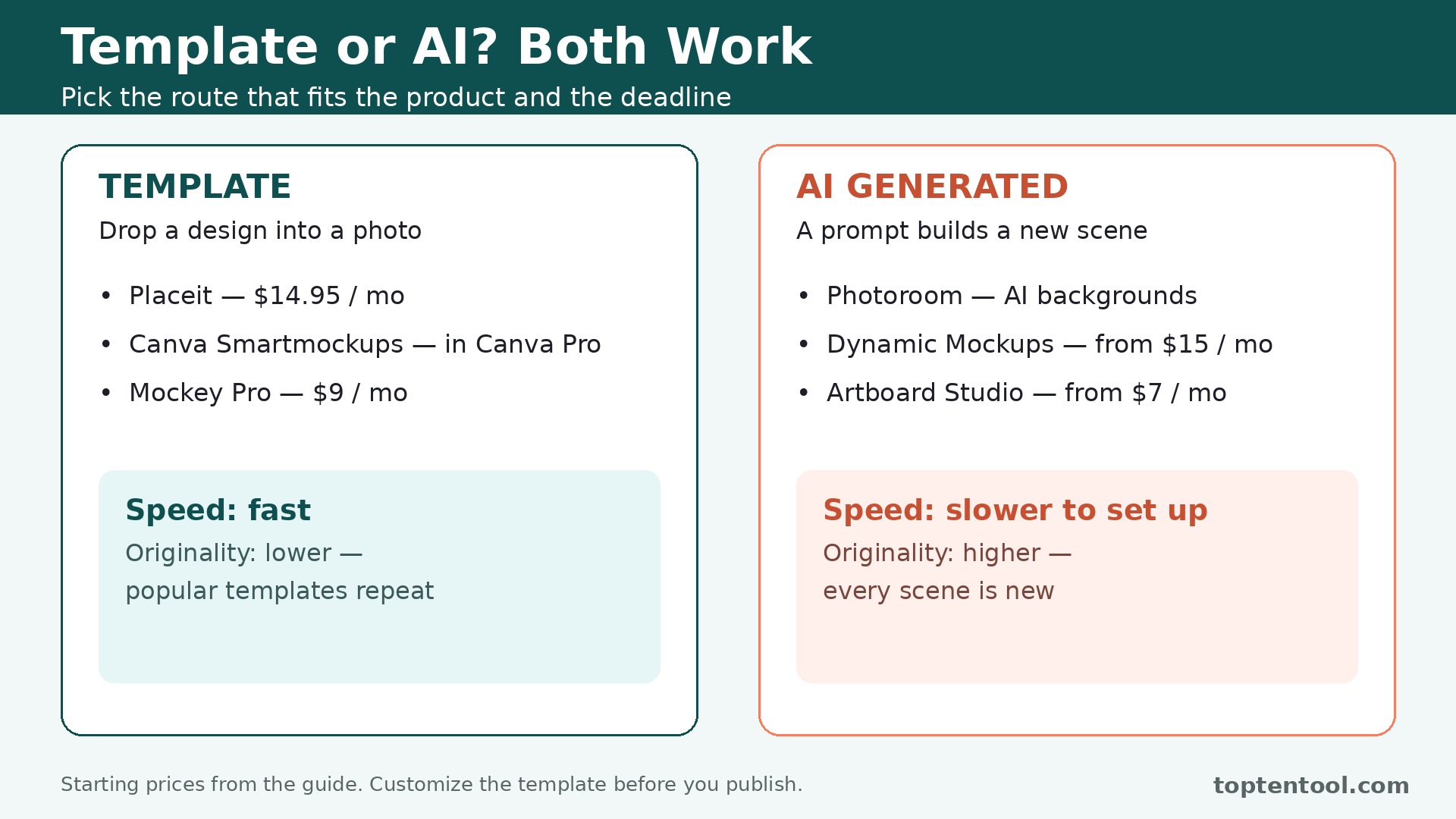
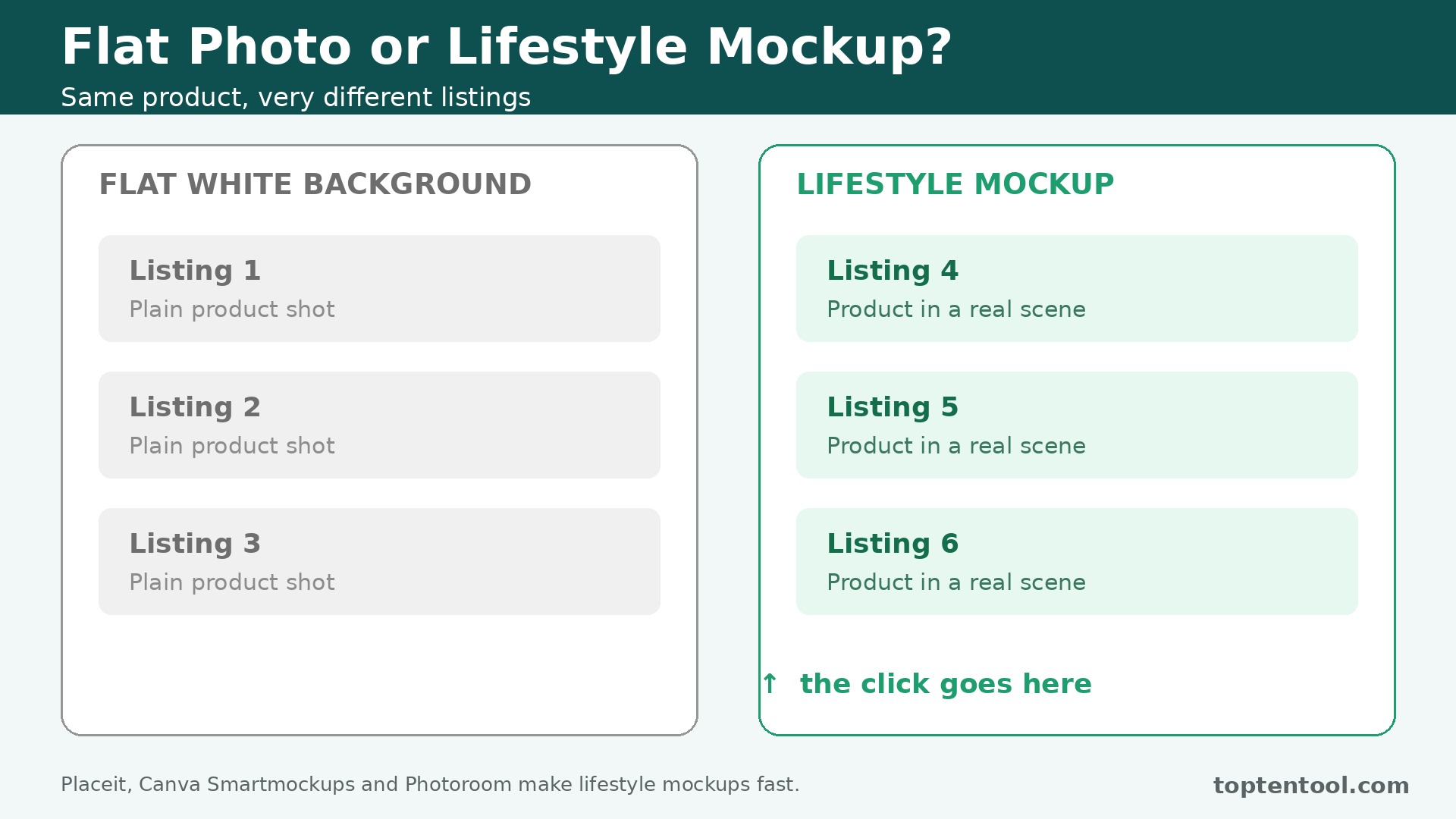
The best mockup generators for products solve one problem, which is making a product look real before it exists. A t-shirt design on a white background does not sell. The same design on a model in a coffee shop does. A phone app screenshot floating in space does not convince a buyer. The same screenshot inside a phone held in a hand does. Mockups bridge that gap, and in 2026 the tools split into two kinds. Template libraries drop your design into a photographed scene, and AI generators build a new scene from a prompt. The template kind is faster and more predictable. The AI kind is more original and less familiar looking.
There is one change that matters more than any new feature this year. Smartmockups no longer stands alone. It shut down its standalone product in late 2024, and its library now lives inside Canva. Any older roundup that lists it as an independent product is out of date, and any buyer who pays for a standalone Smartmockups plan is paying for something that no longer exists. The library is still good, with more than 12,000 templates inside Canva Pro, but the purchase is Canva Pro at 119 dollars 99 a year, not a separate mockup subscription.
The Shortlist by Product Job
The table below matches each common mockup job to the tool that handles it best. The best mockup generators for products are the ones that match the product you actually sell, so use this table to narrow twelve tools to one or two before you read the reviews. Prices are monthly list prices unless noted, and annual billing is usually cheaper than paying month to month.
| Job | Best tool | Why it wins |
|---|---|---|
| Print on demand apparel and merch | Placeit | Largest library, unlimited downloads from 14 dollars 95 a month |
| Teams already designing in Canva | Canva Smartmockups | 12,000 plus templates inside Canva Pro |
| Budget POD sellers | Mockey | Pro at 9 dollars a month, free tier with watermark |
| Agencies needing unlimited downloads | Mediamodifier | Unlimited downloads from 19 dollars a month |
| Catalogs, bulk and automation | Dynamic Mockups | Template plus API from 15 dollars a month |
| Product photos with backgrounds removed | Photoroom | AI backgrounds and product shots in one app |
| Printful stores | Printful Mockup Generator | Free and unlimited with a Printful account |
| Printify stores | Printify Mockup Generator | Free and unlimited with a Printify account |
| Animated and video mockups | Artboard Studio | Video on mockup surfaces from 7 dollars a month |
| 3D device videos | Rotato | Full 3D device mockups from 25 dollars a month |
| Clean minimal device mockups | LS Graphics | Simple library from 9 dollars a month |
| Figma and Sketch workflows | Mockuuups Studio | Plugin mockups inside the design tool |
How We Ranked the Best Mockup Generators for Products
A tool earned a place here only if it produces a mockup a customer would trust in 2026, not if it pastes a design onto a flat rectangle. We judged each one on five things that decide whether a seller keeps paying after the trial.
First, the library size and quality, from template count to the realism of the lighting and shadows, because a mockup that looks fake hurts the listing more than no mockup at all.
Second, the starting price and the billing unit, since some tools sell unlimited downloads, some sell credits, and some are free with a store account. Third, the product coverage, from apparel and mugs to devices, packaging and print, since a tool with no mug templates is useless to a mug seller. Fourth, the export quality, including resolution and commercial licence terms, since a low resolution export cannot go on a storefront. Fifth, the workflow fit, from browser editing to Figma plugins to API automation, because a seller with 500 SKUs needs automation, not a manual editor.
The other test was honesty about the template look. The largest libraries are also the most familiar, and a template that ten thousand other sellers use will not make your listing stand out. The checklist below is the fastest way to compare any two tools on this list before you trial them.
| Check before you buy | What to ask | Why it matters |
|---|---|---|
| Library size | How many templates in your category | A big library with no mugs helps no mug seller |
| Billing unit | Unlimited, credits, or free with account | Credits punish high volume sellers |
| Export resolution | Maximum pixels, watermark on free tier | A watermarked export cannot go live |
| Commercial licence | Included in downloads or extra | Store listings need a clear licence |
| Bulk and API | Bulk generation, API access | 500 SKUs need automation |
| Video export | MP4, WEBM, or static only | Video mockups need a video tool |
Twelve Tools, Reviewed in Order
1. Placeit
Starting price 14 dollars 95 a month, or 89 dollars 69 a year. Best for Print on demand apparel and merch. Watch out Templates look familiar, because ten thousand other sellers use the same library.
Placeit is Envato’s mockup giant, and its scale is the selling point. One unlimited subscription covers more than 150,000 templates across apparel, devices, packaging and print, plus logo makers, video templates and social designs. A seller can mock up a t-shirt, a hoodie, a mug, a phone case and a poster in one session, with lifestyle scenes that make the product look real.
The catch is familiarity. The most popular templates appear on thousands of listings, and a buyer who recognizes the template will not find your listing distinctive. Mix the lifestyle scenes with your own product photos, and customize the design rather than using the template as is. Placeit still earns the top spot, because no other tool covers this many products at this price.
2. Canva Smartmockups
Starting price Canva Pro at 119 dollars 99 a year. Best for Teams already designing in Canva. Watch out Smartmockups no longer stands alone, so the purchase is Canva Pro, not a mockup plan.
Canva absorbed Smartmockups in late 2024, and the library now lives inside Canva’s design surface. More than 12,000 Smartmockups templates are available to Canva Pro subscribers, covering devices, apparel, packaging and print, with the original Smartmockups quality intact. A team that already designs in Canva gets mockups without a second tool, a second login or a second bill.
The catch is the bundle. Canva Pro at 119 dollars 99 a year is good value for a team that uses Canva daily, and poor value for a seller who only needs mockups. A seller who does not design in Canva should buy Placeit or Mockey instead. A team that lives in Canva should use the Smartmockups library and buy nothing else.
3. Mockey
Starting price Free with watermark, Pro at 9 dollars a month. Best for Budget POD sellers. Watch out The free tier watermarks downloads, so it cannot go on a live storefront.
Mockey was a free utility two years ago, and in 2026 it is a real product with more than 5,000 templates and a credible Pro tier. Pro at 9 dollars a month removes the watermark and unlocks the full library, which is the cheapest paid tier in the category by a meaningful margin. The templates cover apparel, mugs, phone cases, posters and packaging, with lifestyle scenes that look good at small sizes.
The strength is the price. A solo POD seller with under 50 SKUs gets a working mockup tool for 9 dollars a month, and the free tier is enough to test the workflow before paying. The editor is simple, the exports are clean, and the AI credits on the yearly plan cover generated scenes as well.
The catch is the library size. Five thousand templates is a fraction of Placeit’s 150,000, and a seller with a large catalog will find gaps. Mockey suits a new or budget seller. A shop with 50 to 500 SKUs should buy Placeit for the library, and a shop past a few hundred SKUs should look at Dynamic Mockups for automation.
4. Mediamodifier
Starting price 19 dollars a month, or 190 dollars a year. Best for Agencies needing unlimited downloads. Watch out The library is smaller than Placeit, so the value is customization rather than volume.
Mediamodifier excels in customization and unique product categories, with unlimited downloads on paid plans and a template library that covers apparel, devices, packaging and print. An agency can generate mockups for many clients without a per download fee, and the customization options, from backgrounds to lighting to shadows, make each mockup look less like a template.
The catch is the library depth. Mediamodifier is smaller than Placeit, so a seller who needs the widest possible choice will find gaps. Buy Mediamodifier when you need customization and unlimited downloads for client work. Buy Placeit when you need the largest library for your own store.
5. Dynamic Mockups
Starting price 15 dollars a month billed annually. Best for Catalogs, bulk and automation. Watch out Credit rules differ across the page, so read the credit terms before you buy.
Dynamic Mockups is the template plus API tool, built for sellers who generate mockups in bulk rather than one at a time. The API lets a store generate hundreds of mockups automatically, with the design, the product and the scene filled in from the catalog data. A seller with 500 SKUs can mock up the whole catalog overnight instead of spending a month in an editor.
The strength is automation. The template library is solid, and the API is the real product, because bulk generation is the only way a large catalog stays current. The price from 15 dollars a month billed annually is low for an automation tool, and the credit system is the trade off for that price.
The catch is the credit rules. Credits are the default unit, and the rules differ across the pricing page, so a buyer should read the credit terms and model the monthly volume before committing. Dynamic Mockups suits a seller past a hundred SKUs who needs automation. A small seller should start with Mockey or Placeit.
6. Photoroom
Starting price Paid plans start in the low tens per month. Best for Product photos with backgrounds removed. Watch out It is a photo tool first, so the mockup templates are thinner than the dedicated libraries.
Photoroom is the hybrid pick, combining background removal with AI generated product scenes. A seller photographs a product, removes the background in one click, and places it into a realistic scene with matching light and shadow. The result looks like a studio photo without a studio, and the batch tools handle a whole catalog at once.
The catch is the template depth. Photoroom is a photo tool with mockups, not a mockup library, so a seller who needs thousands of templates will find it thin. Buy Photoroom when you photograph real products and need backgrounds and scenes. Buy Placeit when you sell print on demand designs that only exist as files.
7. Printful Mockup Generator
Starting price Free and unlimited with a Printful account. Best for Printful stores. Watch out It only mocks up Printful catalog products, so it cannot help with products Printful does not carry.
Printful Mockup Generator is free and unlimited with a Printful account, and it is the best free option for a Printful store. The generator covers the Printful catalog, from apparel to home goods to accessories, with lifestyle scenes and flat lays that make the product look store ready. A seller can generate mockups for every product in the store without paying anything extra.
The strength is the price and the integration. Free and unlimited is hard to argue with, and the mockups match the exact products Printful prints, so the listing photo shows what the customer actually receives. The storefront imagery is consistent, and the workflow is built into the Printful dashboard.
The catch is the catalog limit. The generator only covers Printful products, so a seller who also sells products Printful does not carry needs a second tool. Printful Mockup Generator suits any Printful store, and it should be the first tool a Printful seller tries. Add Placeit when you need lifestyle scenes Printful does not have.
8. Printify Mockup Generator
Starting price Free and unlimited with a Printify account. Best for Printify stores. Watch out The polished library needs Printify Premium at 29 dollars a month, so the free tier is basic.
Printify Mockup Generator is free and unlimited with a Printify account, and it covers the Printify catalog in the same way Printful’s generator covers its own. A seller can generate mockups for every product in the store, with the design placed accurately on each product variant. The Premium plan at 29 dollars a month unlocks the polished library and extra features.
The strength is the same as Printful. Free and unlimited, matched to the exact products the store sells, with no extra tool to learn. A Printify seller can mock up a new product in minutes and list it the same day, which is the speed a print on demand business needs.
The catch is the Premium split. The free tier is basic, and the polished library that makes listings look premium needs the 29 dollar a month plan. Printify Mockup Generator suits any Printify store as the starting point. Add Placeit for lifestyle scenes, or pay for Premium when the store grows.
9. Artboard Studio
Starting price From 7 dollars a month for Lite. Best for Animated and video mockups. Watch out The video features need the higher tiers, so the Lite plan is static mockups only.
Artboard Studio targets designers who want more than static images. You can place videos onto mockup surfaces, animate scenes, and export MP4 or WEBM files for portfolios, client decks and social posts. The AI mockup generator builds a scene from a text prompt, and the Figma plugin brings the library into your existing workflow.
The strength is motion. A static mockup shows the product, and an animated mockup shows the product in use, which earns more attention on social media and in a client deck. The Lite plan from 7 dollars a month is the cheapest entry on this list, and the video features justify the higher tiers for a designer who presents work regularly.
The catch is the tier split. Video mockups and the full animation tools need the higher plans, so a buyer who wants motion should price the tier that includes it. Artboard Studio suits a designer who presents work with video. A POD seller who only needs static listings should buy Placeit.
10. Rotato
Starting price 25 dollars a month for Pro. Best for 3D device videos. Watch out It covers devices only, so it cannot mock up apparel, packaging or print.
Rotato is the 3D device pick, with full 3D mockups for phones, tablets, laptops and watches, plus video export for app demos and product videos. A developer can show an app running on a rotating phone, with realistic reflections and shadows, without filming anything. The device library covers more than 200 devices, and the 3D control means the angle is always right.
The strength is the 3D quality. A flat device template cannot match a 3D render for realism, and the video export turns a static screenshot into a product video in minutes. The Pro plan at 25 dollars a month is fair for the quality, and the free tier is enough to test the workflow.
The catch is the scope. Rotato covers devices only, so a seller who also needs apparel or packaging mockups needs a second tool. Rotato suits an app developer or a SaaS team that demos on devices. A general store should buy Placeit and add Rotato only for device videos.
11. LS Graphics
Starting price From 9 dollars a month. Best for Clean minimal device mockups. Watch out The library is small and focused, so a seller who needs variety will outgrow it.
LS Graphics is the clean minimal pick, with a focused library of device mockups that look modern and uncluttered. The free mockup selection is genuinely useful, and the paid plans from 9 dollars a month unlock the full library with high resolution exports. The style is consistent, which suits a brand that wants every mockup to feel like part of the same set.
The strength is the look. Minimal mockups age better than busy lifestyle scenes, and a brand that values a clean storefront will find LS Graphics the best fit. The price is low, the exports are sharp, and the editor is simple enough for a non designer.
The catch is the size. The library is small and focused, so a seller who needs hundreds of scenes will find gaps. LS Graphics suits a brand that wants a clean, consistent device look. A seller who needs variety across many products should buy Placeit.
12. Mockuuups Studio
Starting price Free tier plus paid plans. Best for Figma and Sketch workflows. Watch out It is a plugin workflow, so a seller who does not design in Figma or Sketch gains little from it.
Mockuuups Studio is the plugin pick, bringing mockups into Figma and Sketch so a designer never leaves the design tool. Drop a design into a device, a print piece or a branding mockup, adjust the scene, and export without opening a second application. The library covers the common design presentation needs, from app screens to business cards to packaging.
The strength is the workflow. A designer who lives in Figma saves the export and import round trip on every mockup, and the presentation stays inside the design file the team already shares. The free tier is enough to test the plugin, and the paid plans unlock the full library.
The catch is the audience. Mockuuups Studio is built for designers in Figma or Sketch, and a seller who does not use those tools will find it useless. It suits a design team that presents work in Figma. A POD seller should buy Placeit or Mockey instead.
Every Tool on One Page
The table below puts the whole list on one page, and it is the fastest way to compare the best mockup generators for products side by side. Prices are starting monthly list prices unless noted, and free means free with an account or a free tier, not a trial. Compare the billing unit first, then the price.
| Tool | Starting price | Billing | Best for | Free option |
|---|---|---|---|---|
| Placeit | 14 dollars 95 a month | Unlimited downloads | Print on demand apparel | Limited templates |
| Canva Smartmockups | 119 dollars 99 a year | Included in Pro | Teams already in Canva | Free Canva tier |
| Mockey | 9 dollars a month | Pro subscription | Budget POD sellers | Yes, watermarked |
| Mediamodifier | 19 dollars a month | Unlimited downloads | Agencies | Limited |
| Dynamic Mockups | 15 dollars a month, annual | Credits | Catalogs and automation | No |
| Photoroom | Low tens per month | Subscription | Product photos | Trial |
| Printful Mockup Generator | Free | Free with account | Printful stores | Yes |
| Printify Mockup Generator | Free | Free with account | Printify stores | Yes |
| Artboard Studio | 7 dollars a month | Subscription | Animated mockups | Trial |
| Rotato | 25 dollars a month | Subscription | 3D device videos | Trial |
| LS Graphics | 9 dollars a month | Subscription | Clean device mockups | Yes, limited |
| Mockuuups Studio | Free tier plus paid | Subscription | Figma workflows | Yes |
What a Store Actually Pays in a Month
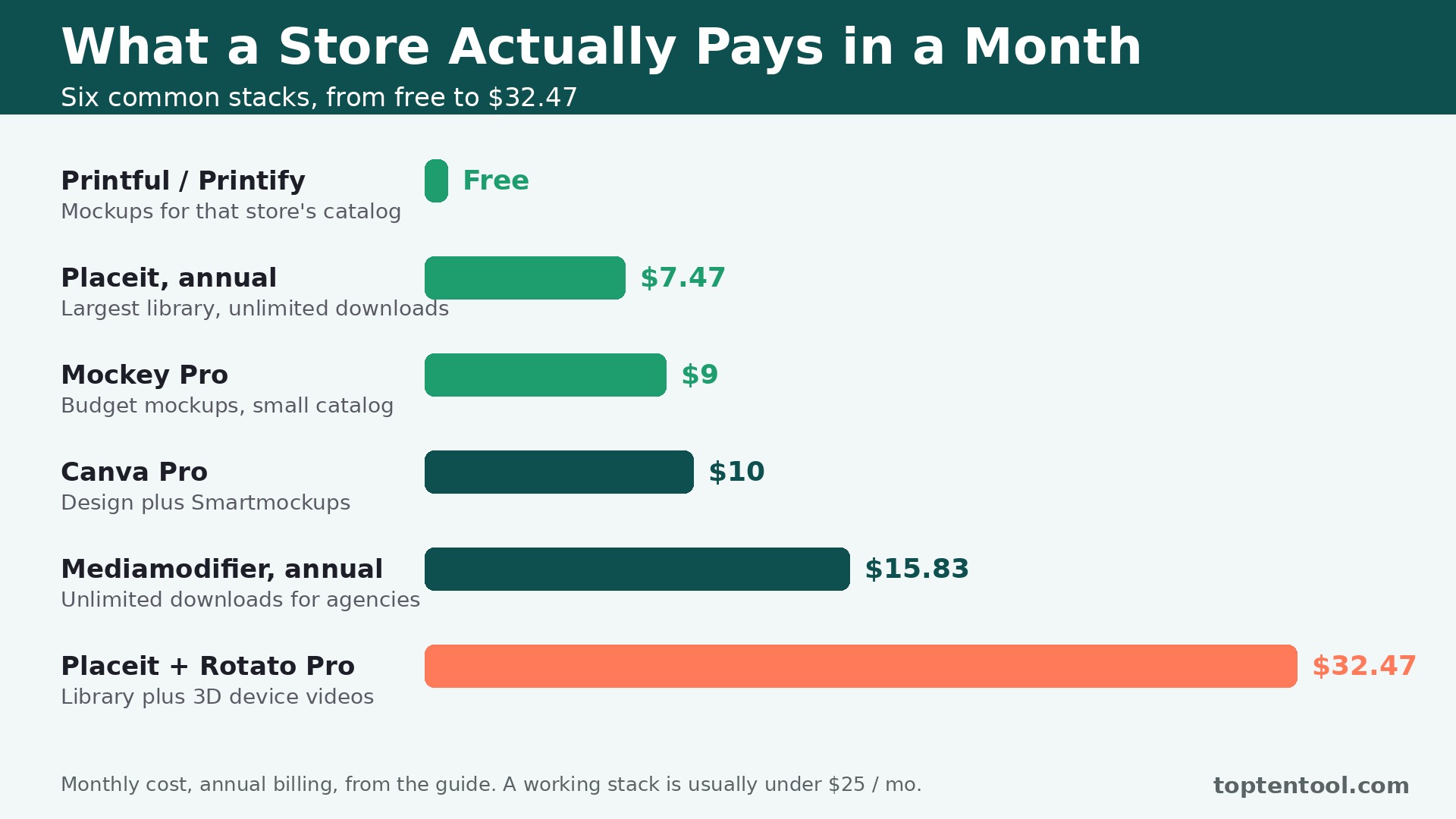
The best mockup generators for products are the ones that pay for themselves in listings that look store ready, and the monthly cost is the right way to judge them. The table below shows what a seller pays in a month for the most common combinations, using starting annual prices. A working mockup stack usually costs less than 25 dollars a month, which is less than one product photo shoot.
| Setup | Monthly cost, annual billing | What it covers |
|---|---|---|
| Printful or Printify generator alone | Free | Mockups for that store’s catalog |
| Mockey Pro alone | 9 dollars | Budget mockups for a small catalog |
| Placeit annual alone | 7 dollars 47 | Largest library, unlimited downloads |
| Placeit plus Rotato Pro | 32 dollars 47 | Full library plus 3D device videos |
| Canva Pro alone | 10 dollars | Design plus Smartmockups library |
| Mediamodifier annual alone | 15 dollars 83 | Unlimited downloads for agencies |
Three rules keep the spend sensible. First, use the free generator from your print provider before you pay for anything, because Printful and Printify cover their own catalogs free. Second, buy the unlimited plan when your catalog passes 50 SKUs, because credit based tools punish high volume. Third, customize the template before you publish, because the most popular templates appear on thousands of listings and a familiar mockup does not make your product stand out.
Frequently Asked Questions
The questions below cover the choices buyers ask most about the best mockup generators for products, from free options to video mockups to team use.
What is the best free mockup generator
Printful Mockup Generator is the best free option for a Printful store, and Printify Mockup Generator is the best free option for a Printify store, because both are free and unlimited with an account. Mockey is the best free starting point for a seller who does not use either provider, with a free tier that watermarks downloads. Placeit has limited free templates, and Canva has a free tier with basic mockup templates.
How much do mockup generators cost per month
Most sellers pay 7 to 20 dollars a month, with Placeit annual at 7 dollars 47 a month, Mockey Pro at 9 dollars a month, and Mediamodifier annual at 15 dollars 83 a month. Canva Pro costs 119 dollars 99 a year. Printful and Printify generators are free with an account. A stack of Placeit plus Rotato Pro costs 32 dollars 47 a month, which is the high end for most sellers.
Can mockups really improve sales
Yes, when the mockup makes the product look real. A t-shirt on a model in a coffee shop sells better than the same design on a white background, and a phone app inside a hand held phone convinces better than a floating screenshot. The mockup earns its keep by showing the product in use, which is the closest a listing gets to a real life look. Custom photography becomes worth it at 2,000 dollars or more a month in revenue for top converting products.
Which mockup tool is best for a team
Among the best mockup generators for products, Placeit is the best pick for a team that needs the largest library with unlimited downloads, and Mediamodifier is the best pick for an agency that needs customization with unlimited downloads. Canva Smartmockups is the best pick for a team that already designs in Canva, because the library lives inside the design tool the team already uses. Get the team price in writing before you commit, and check the commercial licence terms for client work.
Our Verdict
If you buy one tool this month, buy Placeit. It has the largest template library on the market, unlimited downloads from 14 dollars 95 a month, and it covers apparel, devices, packaging and print in one subscription. The best mockup generators for products earn their keep by making listings look store ready without a designer, and Placeit does that for the most products at the lowest effective price.
Whatever you pick, start with the free generator from your print provider, buy the unlimited plan when your catalog grows, and customize the template before you publish. The best mockup generators for products on this list all work. The difference is whether the library covers the products you actually sell, whether the billing fits your volume, and whether the mockup makes your listing look like a real product in a real place.