
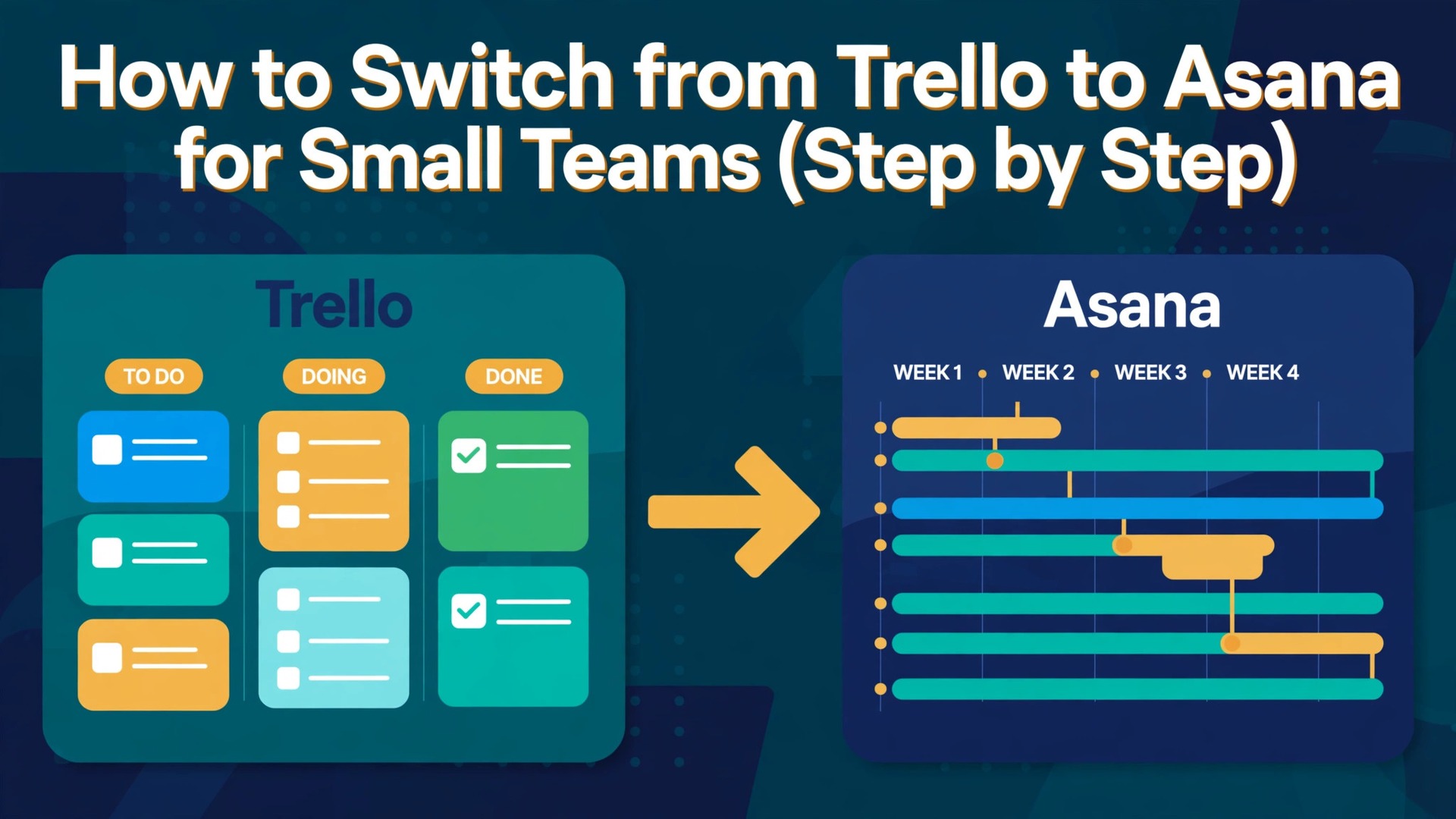
Most small teams outgrow a simple board when work starts to depend on other work, and that moment is easy to miss. One day a card moves, nobody knows what it blocks, and a deadline slips without a warning. The move to a tool with timelines, dependencies, and reporting feels like a big step, yet the actual data move is smaller than most teams fear. How to switch from trello to asana is the move this guide covers in full, with the real steps, the real costs, and the checks that keep your work safe.
Asana gives a small team structure that Trello never tried to offer, with start dates, task dependencies, portfolios, and workload views, while Trello stays faster for a simple visual board. The trade off is price and complexity, because Asana Starter costs more than twice Trello Standard per user. This guide shows the full move in eight steps, with the checks that keep work safe along the way.
Before you start, read the whole plan once, then pick a quiet week to do it. A move done in a rush creates errors that take weeks to find, while a move done in stages feels calm and leaves a clear record of what changed and when.
Why teams leave Trello for Asana
Trello works well when work is a simple flow from left to right, and it starts to strain when work has dates, owners, and dependencies that change every week. A card can hold a due date, but it cannot show that one task blocks three others, or that one person is carrying twice the work of the rest of the team. Asana adds those views without forcing the team to learn a heavy project system.
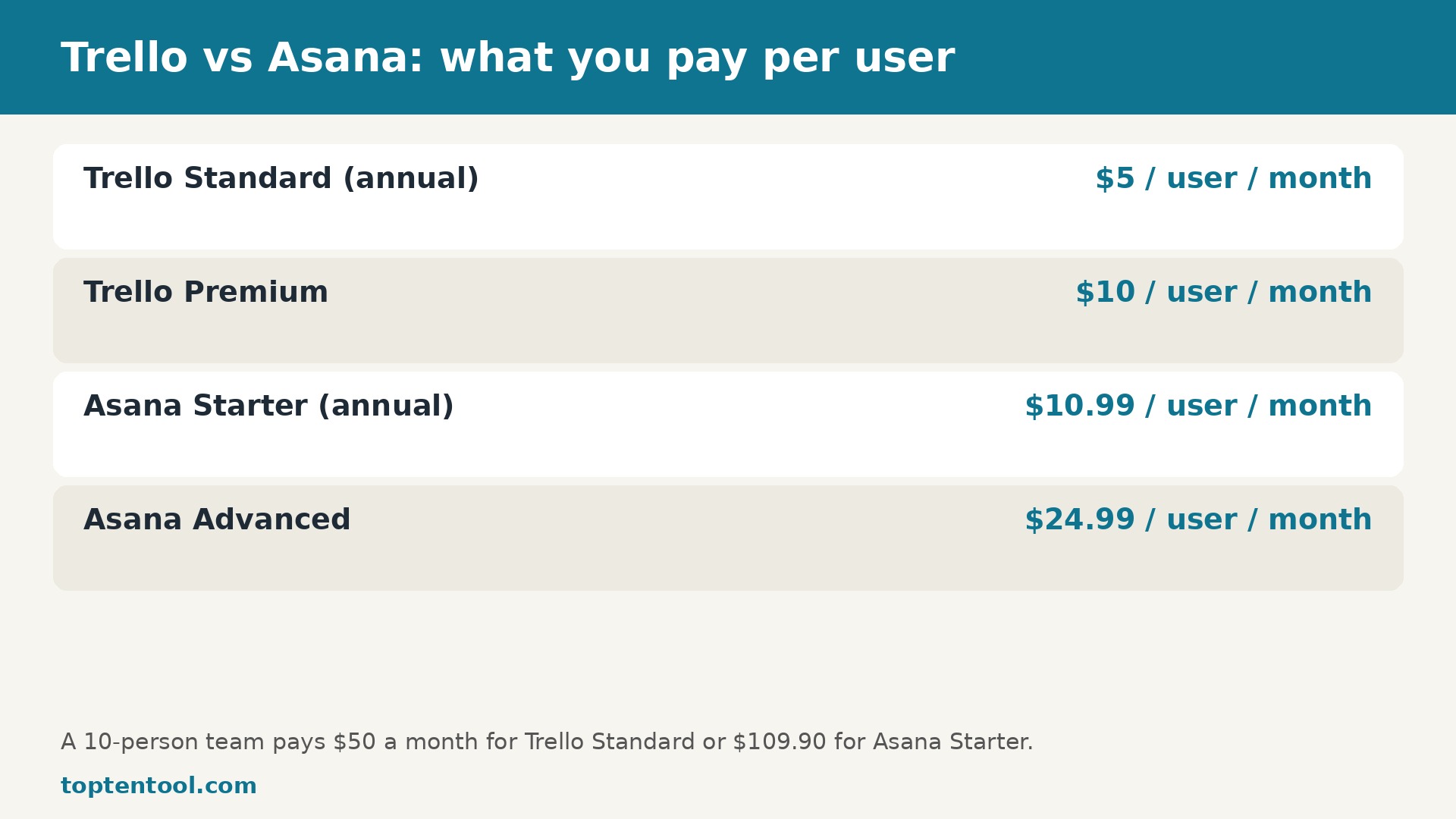
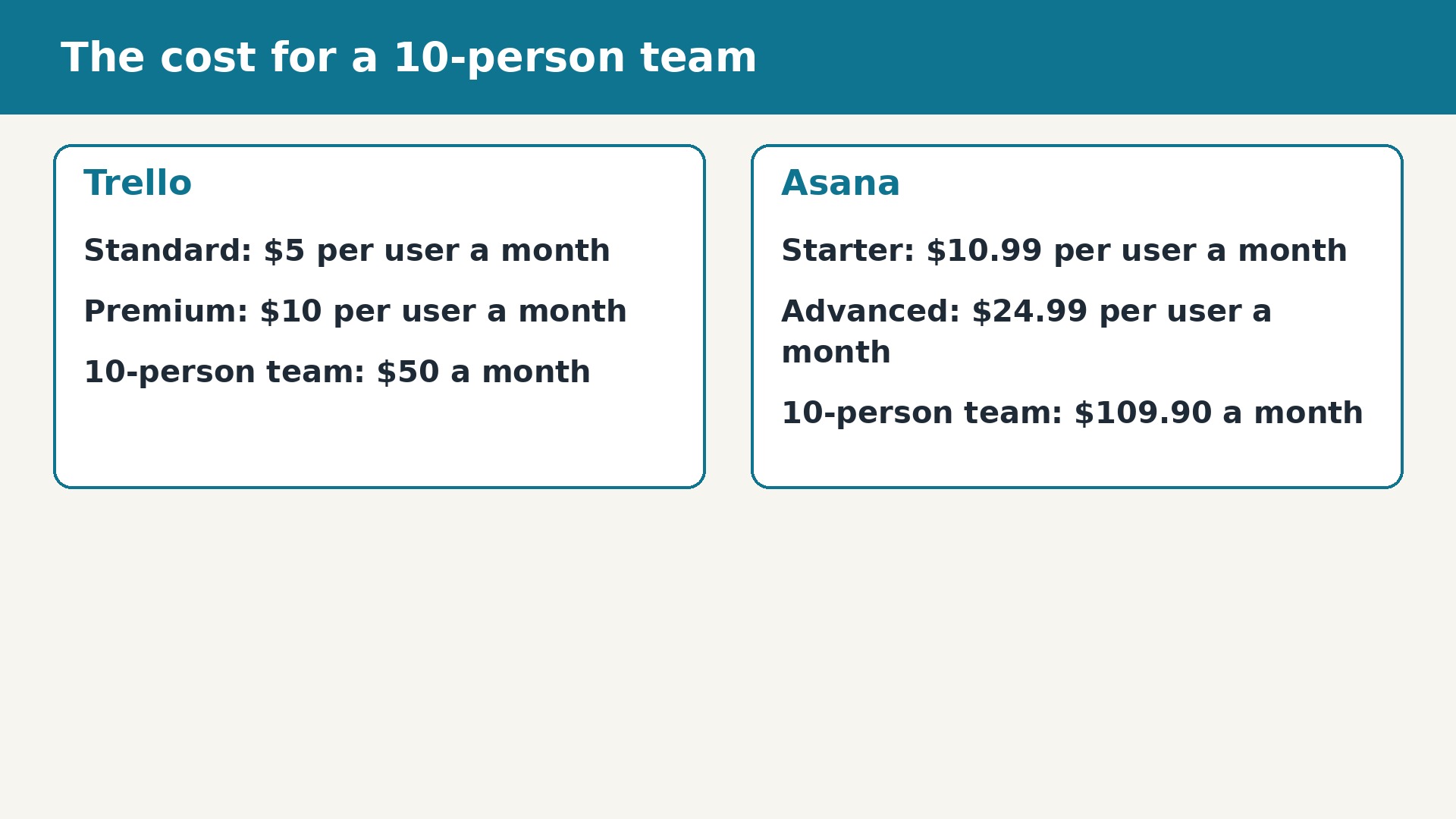
The cost is real, and it should be counted before the move. A ten person team pays 50 dollars a month for Trello Standard on annual billing, or 109.90 dollars a month for Asana Starter. That gap buys Timeline, dashboards, unlimited automations, forms, and reporting, and for a team that misses deadlines, the gap often pays for itself in one saved week.
The decision is not about which tool is better in general, because both tools serve real businesses well. It is about which tool fits the next year of your work, the size of your team, and the way your customers find you. If the current tool still fits, staying put is a valid choice, and this guide will still help you judge that honestly.
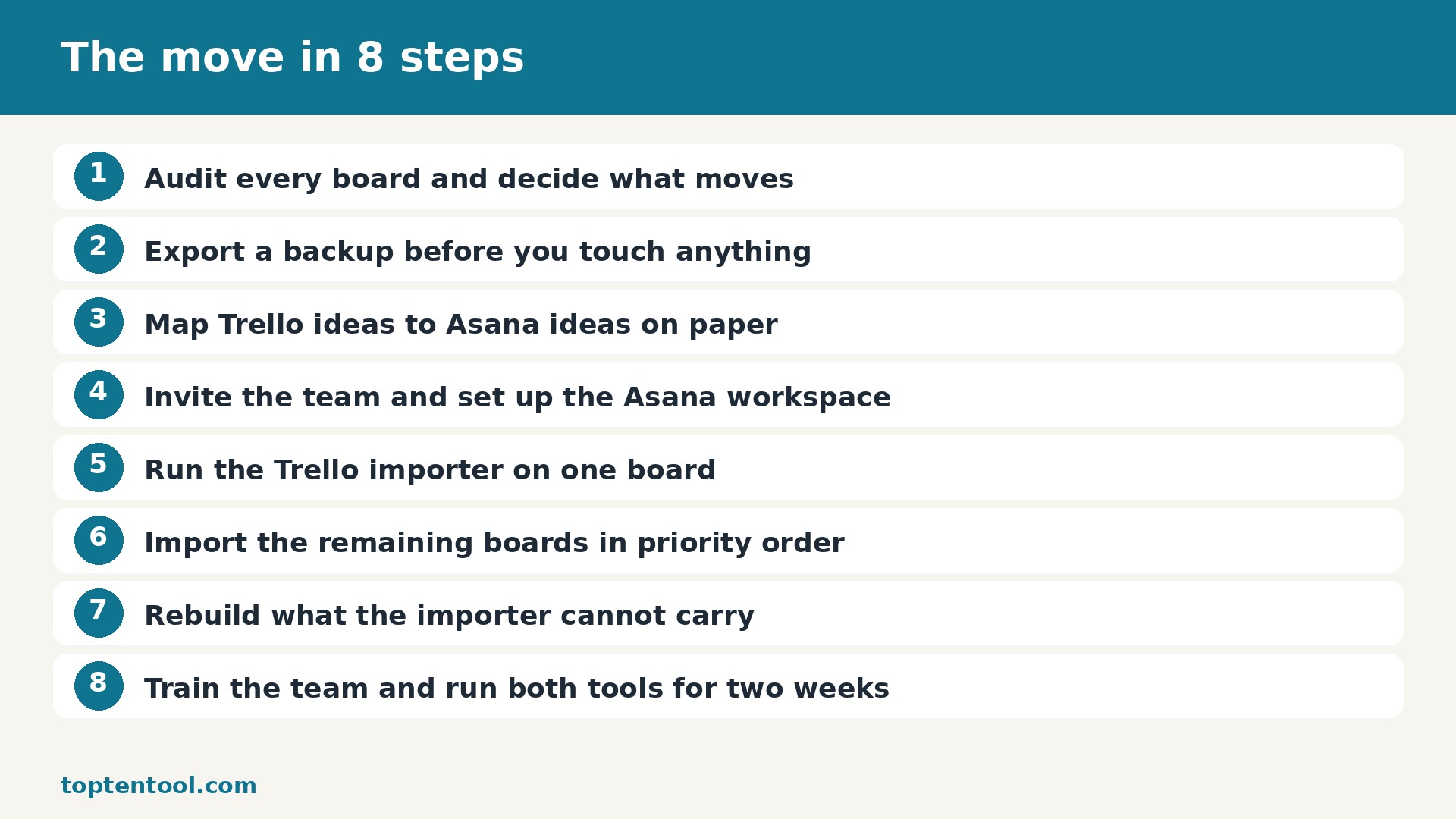
how to switch from Trello to Asana in 8 steps
The steps below run in order, and each one has a check at the end. Do not skip a check to save time, because a check that takes ten minutes now can save a day of repair later. Work through the list with one other person when you can, so a second pair of eyes catches a mapping error before it spreads.
If you are weighing how to switch from Trello to Asana, start with the smallest live project, not the biggest one. A small win gives the team confidence, proves the mapping, and shows the real time cost before you commit the whole workspace to a new home.
Step 1 Audit every board and decide what moves
Walk through each Trello board with the people who use it every day and mark it as move, merge, or leave behind. Archived boards, dead test cards, and lists that have not changed in a year should stay behind. A clean move starts with a short list of live boards, not a copy of everything ever created. Record the owner of each board, the number of active cards, and any due dates that cannot slip. This audit usually takes one afternoon for a team of five to ten people and it saves hours of cleanup later in Asana.
Check this step before you move on. Open the result in Asana, compare it with the original in Trello, and confirm that the names, dates, and amounts match. If anything looks wrong, fix it now while the step is fresh, and write a short note about what you changed so the next step starts from a clean record.
Step 2 Export a backup before you touch anything
Open each live board, use the board menu, then More, then Print and Export, and choose Export as JSON. Save every file in a dated folder and keep a copy outside Trello. The JSON file holds cards, checklists, labels, members, due dates, and comments. A CSV export is useful for a quick scan in a spreadsheet, but JSON keeps more detail. Do not skip this step even when the importer looks simple, because a backup is the only way back if an import maps a list to the wrong section.
Check this step before you move on. Open the result in Asana, compare it with the original in Trello, and confirm that the names, dates, and amounts match. If anything looks wrong, fix it now while the step is fresh, and write a short note about what you changed so the next step starts from a clean record.
Step 3 Map Trello ideas to Asana ideas on paper
Write the mapping down and share it before anyone imports. A Trello board becomes an Asana project, a list becomes a section, a card becomes a task, a checklist becomes subtasks, and a label becomes a tag or a custom field. Power-Ups do not map cleanly, so decide in advance how story points or custom fields will be rebuilt as Asana custom fields. When the whole team reads the same mapping, nobody has to guess where their work went after the import.
Check this step before you move on. Open the result in Asana, compare it with the original in Trello, and confirm that the names, dates, and amounts match. If anything looks wrong, fix it now while the step is fresh, and write a short note about what you changed so the next step starts from a clean record.
Step 4 Invite the team and set up the Asana workspace
Create the Asana workspace or team, invite members with their work email addresses, and set permissions before the first import. Asana Personal is free for two people, so most small teams start on Starter. Add the project owners first, then the rest of the team. Set up the custom fields you agreed in the mapping step, such as Priority and Status, so imported tasks land in a structure that already makes sense. Test the setup with one small board first.
Check this step before you move on. Open the result in Asana, compare it with the original in Trello, and confirm that the names, dates, and amounts match. If anything looks wrong, fix it now while the step is fresh, and write a short note about what you changed so the next step starts from a clean record.
Step 5 Run the Trello importer on one board
In Asana, create a project, choose Import, then Trello, and connect Trello when asked. Pick one small board and watch what arrives. Sections should match the old lists, tasks should match the old cards, and due dates, assignees, and comments should travel with them. Check attachments by opening a few tasks, because large files over 100 MB and links to files in Google Drive may arrive as links or not at all. Fix the mapping now, while only one board is affected.
Check this step before you move on. Open the result in Asana, compare it with the original in Trello, and confirm that the names, dates, and amounts match. If anything looks wrong, fix it now while the step is fresh, and write a short note about what you changed so the next step starts from a clean record.
Step 6 Import the remaining boards in priority order
Once the test board looks right, import the rest in order of urgency, starting with the board the team uses daily. Import one board at a time and check the result before starting the next. Keep Trello open in a second tab so you can compare card counts, list by list. If a board has more than 200 cards, split the check into sections and tick each one off. A steady pace beats a rushed bulk import that leaves errors buried in ten projects at once.
Check this step before you move on. Open the result in Asana, compare it with the original in Trello, and confirm that the names, dates, and amounts match. If anything looks wrong, fix it now while the step is fresh, and write a short note about what you changed so the next step starts from a clean record.
Step 7 Rebuild what the importer cannot carry
Now rebuild the pieces that do not transfer on their own. Recreate Power-Up data as custom fields, add task dependencies that Trello never had, add start dates beside due dates, and switch key projects to Timeline view so the team can see the order of work. Reconnect the tools your team actually uses, such as Slack, Google Drive, and your calendar, and test each one with a real task. This is also the moment to archive the old test data and tidy any duplicate tasks.
Check this step before you move on. Open the result in Asana, compare it with the original in Trello, and confirm that the names, dates, and amounts match. If anything looks wrong, fix it now while the step is fresh, and write a short note about what you changed so the next step starts from a clean record.
Step 8 Train the team and run both tools for two weeks
Give the team a short live walkthrough of the five actions they will use most, which are creating tasks, moving tasks between sections, adding subtasks, setting dependencies, and checking the Timeline. Keep Trello readable for 30 days so anyone can check an old comment or attachment, but ask everyone to do new work only in Asana. After two weeks, review what still feels slow, fix the templates, and then archive the Trello boards.
Check this step before you move on. Open the result in Asana, compare it with the original in Trello, and confirm that the names, dates, and amounts match. If anything looks wrong, fix it now while the step is fresh, and write a short note about what you changed so the next step starts from a clean record.
What Comes With You
| From Trello | To Asana | Moves cleanly |
|---|---|---|
| Boards | Projects | Yes, one project per board |
| Lists | Sections | Yes, list order is kept |
| Cards | Tasks | Yes, with title and description |
| Checklists | Subtasks | Yes, items become subtasks |
| Labels | Tags or custom fields | Yes, with manual tidy up |
| Due dates and assignees | Due dates and assignees | Yes, when members match by email |
| Comments | Comments | Yes, in most imports |
| Attachments | Attachments | Mostly, large files need a manual check |
| Power-Up data | Custom fields | No, rebuild by hand |
| Butler automations | Asana rules | No, rebuild as rules |
The table above is the honest picture, not a sales promise. Items marked yes move with the importer or the conversion tool, items marked partly need a manual check, and items marked no need a rebuild. Budget time for the no items first, because they are the ones that surprise teams who planned only for the import.
The best time to plan how to switch from Trello to Asana is before the busy season, not during it. A quiet week gives you room to fix a bad import, retrain a teammate, and check the numbers without a deadline pressing on every decision.
Attachments, comments, and history deserve special care. Open a sample of each type after the import and confirm that files open, comments read in order, and dates match the original. If a file is missing, check the backup export before you assume the importer failed, because the file may have been a link to an outside drive rather than a real upload.
The Pre-Switch Checklist
Confirm that every live project, board, list, or account has a named owner, and that the owner knows the move date. Owners answer questions faster than a shared inbox, and they spot missing work that a checklist alone would miss.
Export a full backup and store it in a dated folder outside the old tool. Test the backup by opening a few files, because a backup you cannot open is not a backup at all.
Write the mapping of old fields to new fields on one page and share it with the team. When everyone reads the same mapping, the import result looks familiar instead of confusing.
Choose the plan in the new tool and confirm the price, the limits, and the billing date. A trial that ends mid move creates a deadline nobody planned for.
Tell customers, readers, or supporters what will change, what will stay the same, and what they need to do. A short message sent before the move prevents a flood of questions after it.
Many teams delay how to switch from Trello to Asana because they fear losing history, yet the history that matters is usually a short list of open work, recent comments, and unpaid items. Export that list first and the rest becomes far less scary.
Timing the Move
| When | Task | Time needed |
|---|---|---|
| Day 1 | Audit boards and export backups | 2 to 3 hours |
| Day 2 | Map fields and set up Asana | 2 hours |
| Day 3 | Test import on one board | 1 to 2 hours |
| Day 4 to 5 | Import remaining boards | 3 to 5 hours |
| Week 2 | Rebuild fields and train team | 3 hours |
| Day 30 | Archive Trello boards | 30 minutes |
The timing above fits a small team or a small business with one main workspace, shop, or set of books. A larger team should double the checking time, because more people means more edge cases, more custom fields, and more integrations to test. Do not compress the plan into a single day unless the scope is truly tiny.
A clear owner makes how to switch from Trello to Asana move faster than any tool or template. One person keeps the checklist, answers questions, and decides when a step is truly done, so work does not drift between two systems.
Protecting Traffic, Search, and Money
Protect the assets that earn money before you protect the design. For a shop or a site, that means the best selling pages, the links that bring traffic, and the email list. For books, it means the bank balance, the open invoices, and the tax records. For a creator, it means the paying supporters and the posts they paid for. List those assets first and check them first after the move.
Keep the old tool readable for at least 30 days after the move, and keep a local export for longer. A readable old account lets you answer a question about an old comment, an old invoice, or an old order without guessing. Set a calendar reminder for the closing date and check the list of assets one last time before you cancel.
Watch the numbers daily for the first week. Compare sales, traffic, open rates, or bank balances with the same week before the move, and investigate any drop at once. A small drop in the first days can be normal while systems settle, but a drop that grows each day is a sign that a step was missed.
Before you start how to switch from Trello to Asana, agree on what success looks like in one sentence. It might be faster handoffs, cleaner books, or lower fees, and that sentence will guide every trade off when a step gets hard.
The Cost After Day One
Before the move, Trello costs Standard at 5 dollars per user per month on annual billing, Premium at 10 dollars. After the move, Asana costs Starter at 10.99 dollars per user per month on annual billing, Advanced at 24.99 dollars. Compare the two at your real team size or volume, not at the smallest tier, because the smallest tier rarely fits a working team for long.
Add the one off costs too, which are the migration tool if you use one, the time to rebuild fields or pages, and the time to train the team. A conversion tool can cost around 100 to 300 pounds for a complex set of books, and a migration app for a shop can cost a similar amount. Those costs are small beside a month of lost sales or a month of confused work.
The cheapest part of how to switch from Trello to Asana is the software subscription, and the most expensive part is the time your team spends relearning how to work. Budget for training time as carefully as you budget for the monthly bill.
Mistakes That Waste Team Time
The most common mistake is importing everything, including dead boards, dead listings, and dead accounts. Old work creates noise in the new tool, hides live work, and makes the team distrust the new system from day one. Leave the dead work behind and keep it in the backup if you ever need it.
The second mistake is skipping the test import. A test on one small board, one small set of books, or five products shows the mapping errors while they are still easy to fix. A full import without a test spreads the same error across every project at once.
The third mistake is forgetting the people. A new tool with no training, no owner, and no announcement leaves the team working in two places at once. A short walkthrough, a one page guide, and a clear date for the switch prevent most of that confusion.
The fourth mistake is closing the old account too soon. Cancel the old subscription only after a full cycle in the new tool, after the numbers match, and after the team agrees the new home works. A month of overlap costs less than a lost invoice, a lost order, or a lost supporter.
Our verdict for small teams
Move when the current tool limits the work you do every day, not when a new tool looks attractive in a demo. If Trello still fits the work, stay and save the move for later. If the limits are real, the steps in this guide will carry the work across safely, with a backup, a test, and a check at every stage.
After you finish how to switch from Trello to Asana, run one full cycle in the new tool before you judge it. A single week of real work, real deadlines, and real customers tells you far more than the first day of setup ever will.
The best move is a boring one, with no surprises, no lost work, and no angry customers. Plan it in a quiet week, test it on a small scope, check the numbers, and tell people what changed. That is how a small team switches tools and keeps its work, its money, and its reputation intact.
Support quality matters more than feature count when something breaks at 9 pm. Test support before you need it by asking one real question during the trial and timing the reply. A clear answer in an hour beats a long feature list with no one to call. Check the help centre too, because good docs save more time than good chat support over a year.
Make one person the owner of the move. That person keeps the checklist, answers questions, and decides when a step is done. Without an owner, tasks drift, two people fix the same problem, and nobody fixes the real one. The owner does not need to do every step, but they need to know the status of every step at any moment.
Plan the announcement as carefully as the technical move. Customers, readers, and supporters need to know what changed, what stayed the same, and what they need to do, if anything. A short message sent twice beats a long message sent once. Tell people before the change, not after, and give them a place to ask questions.
Measure the result 30 days after the move. Compare the same numbers you measured before, such as time per task, cost per month, open rate, or sales per week. If the numbers improved, keep going. If they did not, find the one step that failed and fix it before you blame the tool. A move is only a success when the numbers say so.
Keep the old account readable for at least a month after the move. Old comments, old invoices, old posts, and old messages are hard to recreate once the account is closed. Set a calendar reminder for the closing date, check that nothing important is left behind, and only then cancel. A quiet month of overlap costs little and prevents a painful loss.
Start with a small test before you commit the whole team or the whole budget. A one week trial with real work, real customers, and real deadlines tells you more than any demo video. Write down what felt fast, what felt slow, and what needed a workaround. If the test saves time on the second day, the tool is probably a fit. If the test creates new work, the tool is probably not ready for your team yet.
Budget for the second year, not just the first month. Introductory discounts, free trials, and first year deals all end, and the regular price is the price you will live with. Add the cost of extra seats, extra volume, and the add ons you will actually use. A tool that looks cheap at 20 dollars a month can cost 80 dollars a month once the team grows and the limits bite.
Check who owns the data before you sign up. Export a sample file on day one, open it, and confirm that names, dates, amounts, and notes are all there. If export is hard, slow, or missing fields, treat that as a warning. The best tools make it easy to leave, because they know good work keeps customers, not locked doors.
Talk to the people who will use the tool every day, not just the person who pays the bill. A finance lead cares about reports, a support lead cares about speed, and a creator cares about how the page looks to fans. Ask each group for one must have feature and one deal breaker. When those lists agree, the choice is easy. When they conflict, pick the tool that serves the daily user first.
Keep a simple log during the first month. Note the date, the task, the time it took, and any error or surprise. After 30 days the log shows the real cost in hours, not the promised cost in marketing copy. Share the log with the team and ask what to keep, what to change, and what to drop. Small fixes in week two prevent big frustration in month three.
Do not move everything at once if you can move in stages. Pick the smallest group, the quietest week, or the least risky project and move that first. Learn from the first move, fix the template, and then move the next group with a better plan. Staged moves feel slower on paper, but they protect revenue, reputation, and sleep.
Frequently Asked Questions
How long does the move take?
Most small moves take one week from audit to go live, with the import itself taking a few hours. Larger scopes take two to four weeks, because checking, training, and rebuilding take longer than the import. Plan a quiet week and do not rush the checks.
Will I lose my data during the move?
No, if you export a backup first and test the import on a small scope. The importer or conversion tool carries most data, and the backup covers the rest. Check a sample of every data type after the import before you close the old account.
Can I run both tools at the same time?
Yes, and you should. Run both tools in parallel for two to four weeks, do new work only in Asana, and keep Trello readable for reference. Close the old tool only after a full cycle in the new one.
What does not transfer?
The items that do not transfer are usually automations, custom fields from add ons, paid subscriptions held by the old platform, and engagement such as likes or internal search rank. The table in this guide lists each item, so check it before you start.
Do I need a paid plan in the new tool?
Most teams need a paid plan in Asana for real work, because free plans cap users, volume, or features. Check the plan limits against your real volume from last month and pick the plan that covers the next 90 days.
When should I cancel the old subscription?
Cancel only after a full month end or a full billing cycle in the new tool, after the numbers match, and after the team agrees the new home works. Keep a local export of reports and data before you cancel, because closed accounts are hard to reopen.