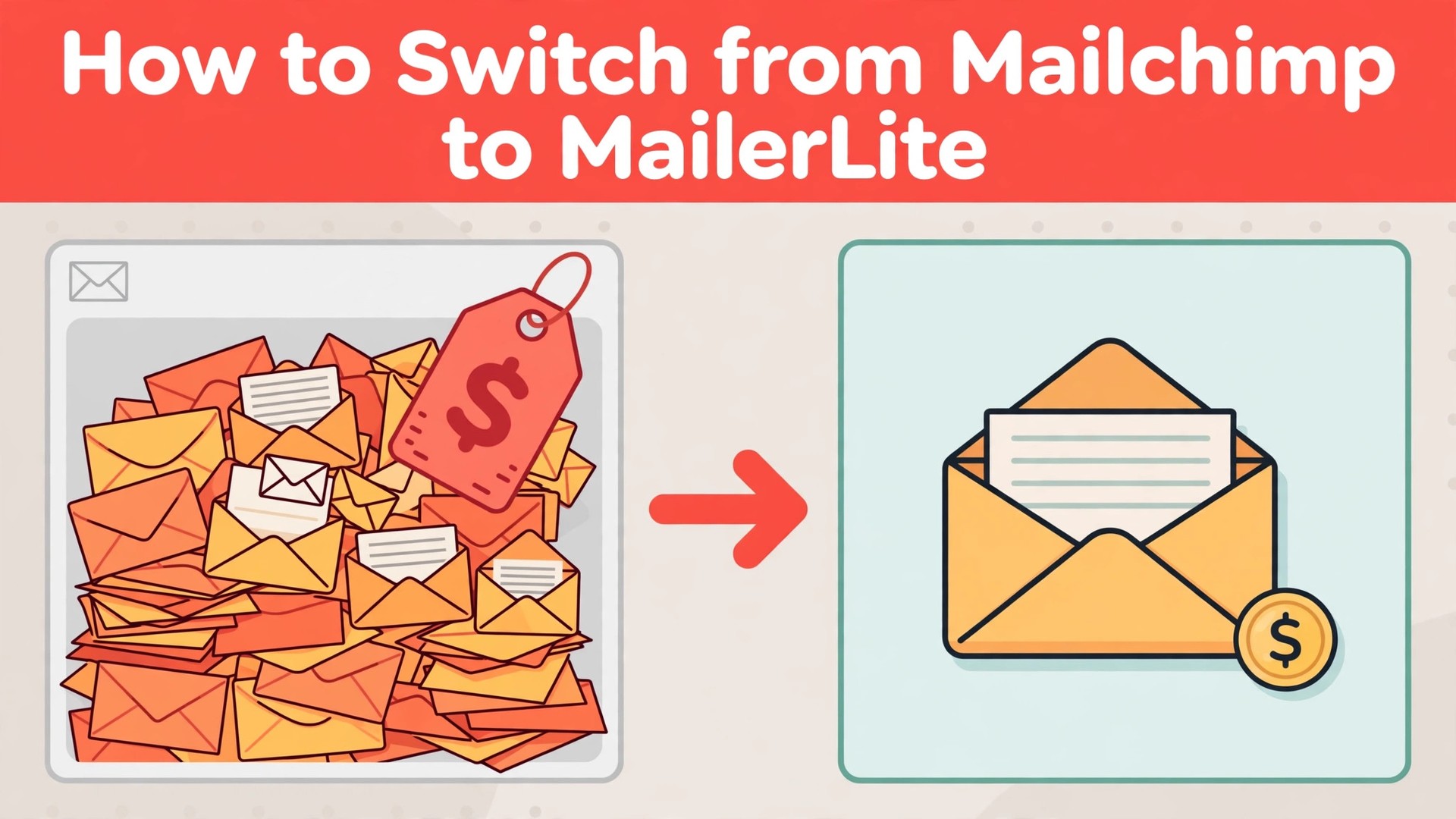
A list of 1,000 subscribers costs 20 dollars a month on Mailchimp Standard, and 10 dollars a month on MailerLite Growing Business. The same list, the same emails, half the price, and that gap is the reason most small senders start asking how to switch from Mailchimp to MailerLite. The emails do not change. The bill does.
Mailchimp is a large marketing platform with a free plan, a deep template library, and a price that climbs with every contact. MailerLite is a smaller email tool that charges less per subscriber, and bundles landing pages, automations, and a website builder into the same login. A sender with 1,000 subscribers who pays for Mailchimp Standard spends about 20 dollars a month. The same sender on MailerLite Growing Business spends about 10 dollars a month, and gets automations and landing pages that Mailchimp locks behind Standard or does not offer at all on the free plan.
The switch is not about which tool is better in general. It is about which price and which feature set match the way the list actually works. Mailchimp charges per contact and gates automations, templates, and support behind higher tiers. MailerLite charges per subscriber too, but at 10 dollars a month for 1,000 subscribers, and puts automations, landing pages, and 24 hour support on that plan. For a sender who mails a weekly newsletter and runs two or three automations, the gap is real. For a sender who needs Mailchimp’s deep integrations and its template library, MailerLite can feel thin, and this guide says so plainly.
This guide walks through how to switch from Mailchimp to MailerLite in seven steps, with a checklist, a cost comparison, and a clear account of what transfers, what does not, and what to test before cancelling Mailchimp. Follow the steps in order, run both tools side by side for two weeks, and the move will be boring in the best way. Skip the steps, cancel early, and automations, segments, and templates can vanish without a trace.
The Price Gap That Starts the Conversation
Cost is the reason most senders switch, and the numbers explain why. Mailchimp Free costs nothing, with 500 contacts and 1,000 sends a month. Essentials costs 13 dollars a month for 500 contacts, with 5,000 sends. Standard costs 20 dollars a month for 500 contacts, with 6,000 sends, and adds automations, templates, and A/B testing. Premium costs 350 dollars a month, and adds advanced segmentation and phone support. The price rises with the contact count, so a list of 5,000 subscribers costs far more than a list of 500.
MailerLite Free costs nothing, with up to 1,000 subscribers and 12,000 emails a month, which is a generous free plan by any measure. Growing Business costs 10 dollars a month for 1,000 subscribers, and adds unlimited monthly emails, automations, and landing pages. Advanced costs 20 dollars a month for 1,000 subscribers, and adds more automation, Facebook integration, and a dedicated IP option. The price rises with the subscriber count too, but from a lower starting point.
A sender with 1,000 subscribers on Mailchimp Standard pays about 20 dollars a month. The same sender on MailerLite Growing Business pays about 10 dollars a month, a saving of about 10 dollars a month, or about 120 dollars a year, and the MailerLite plan includes the automations and landing pages that Mailchimp charges more for. A sender with 5,000 subscribers on Mailchimp Standard pays about 60 dollars a month against about 50 dollars on MailerLite, so the saving shrinks as the list grows, but it does not vanish.
The free plans tell the same story. Mailchimp Free caps at 500 contacts and 1,000 sends, so it is a plan for a sender testing the tool. MailerLite Free covers 1,000 subscribers and 12,000 emails, so a small sender can run a real newsletter on it, with automations, before paying anything. A sender that wants to test MailerLite with real subscribers can do it free, which makes the trial cheap and the decision easy.
Mailchimp vs MailerLite at a Glance
| Feature | Mailchimp | MailerLite |
|---|---|---|
| Pricing model | Per contact, tiered by features | Per subscriber, generous free plan |
| Free plan | 500 contacts, 1,000 sends a month | 1,000 subscribers, 12,000 emails a month |
| Entry paid plan | Essentials 13 dollars a month, 500 contacts | Growing Business 10 dollars a month, 1,000 subscribers |
| Mid plan | Standard 20 dollars a month, 500 contacts | Advanced 20 dollars a month, 1,000 subscribers |
| Automations | Standard and above | Growing Business and above |
| Landing pages | Included, limited on free | Included, with website builder |
| Templates | Large library, 100 plus designs | Smaller library, clean designs |
| A/B testing | Standard and above | Advanced plan |
| Support | Email on free, chat on paid | 24 hour email and chat on paid plans |
| Integrations | Very deep, hundreds of apps | Good, fewer native apps |
| Deliverability | Strong, large sender reputation | Strong, smaller sender base |
MailerLite bundles more into each tier, and that bundling is the point of the switch. Automations, landing pages, and a website builder all live in the same login, so a sender stops paying for a separate landing page tool. Mailchimp stays broader, with a larger template library, deeper integrations, and a bigger sender reputation, and that breadth is worth real money to a sender who connects many apps. Check which side of that trade your list sits on before you move.
The Trade-Offs Nobody Mentions First
A switch guide that only lists the savings is not honest, so this section states the trade plainly. Mailchimp is a large platform with hundreds of integrations and a template library that covers every industry. MailerLite is a smaller tool with a cleaner editor and a lower price, and the difference shows in the daily work. A sender who uses five integrations and twenty templates will find MailerLite thinner, with fewer apps and fewer designs to choose from. The first month in MailerLite feels simpler, even when the bill is lower, and a sender who loves templates will feel that gap weekly.
A sender who mails a weekly newsletter, runs a welcome automation, and builds one landing page will not miss the breadth, because MailerLite covers those three jobs in one login. The question is not which tool is better. The question is whether the list needs a large platform or a clean tool, and learning how to switch from Mailchimp to MailerLite starts with answering that question honestly.
The template library deserves a second look, because it decides the saving for senders who design every email from scratch. Mailchimp’s library holds more than a hundred designs, and a sender who picks a template each week will miss them. MailerLite’s library is smaller, but its drag and drop editor is cleaner, and a sender who builds one template and reuses it will not notice the gap. Count the templates before deciding, and the math will make the choice.
The deliverability question also changes the bill. Both tools deliver well, and both publish strong inbox rates, but Mailchimp’s larger sender base gives it a deeper reputation with inbox providers, while MailerLite’s smaller base gives it a cleaner one. A sender with a clean list will deliver well on either tool. A sender with a stale list will land in spam on either tool, and the fix is the list, not the platform. Clean the list before you move, because a dirty list follows the sender, not the tool.
How to Switch from Mailchimp to MailerLite in 7 Steps
Step 1. Audit the Mailchimp account before touching anything
Open Mailchimp and list every audience, every subscriber count, every tag, every segment, every automation, and every template. Export each audience as a CSV file, and note the renewal date and the plan, because cancelling mid term can carry a fee. Pay special attention to automations, segments, and templates, because the importer does not move those cleanly. This audit takes an hour and prevents the most common switch failure, which is discovering a workflow only after it was deleted.
Step 2. Set up MailerLite and map the structure
Create the MailerLite account, choose the plan that matches the list size, and decide the structure before importing anything. Mailchimp audiences become MailerLite groups, and Mailchimp tags become MailerLite fields or segments, your choice during the import. Map tags to groups if the team uses tags as list segments like customers, leads, and newsletter readers. Do not import yet. A clean structure decided on paper saves a week of reorganizing later.
Step 3. Run the import on one audience first
Open MailerLite, choose Subscribers, then Import, and upload the CSV file from one small audience first, not the whole list. The importer brings across email addresses, names, tags, and custom fields, and asks you to map each Mailchimp column to a MailerLite field. Check the imported group carefully, count the subscribers against the Mailchimp original, open a few records to confirm tags and fields survived, and fix the mapping before the big import. A pilot import that takes an afternoon prevents a list wide mess.
Step 4. Import the rest and rebuild what does not transfer
Once the pilot looks clean, import the remaining audiences in batches, checking each one as it lands. Then rebuild what the importer leaves behind. Automations, segments, and templates do not transfer, and must be rebuilt in MailerLite. Templates are the largest single task, so rebuild the two or three the sender actually uses, and leave the long tail of old designs behind. This is the largest single task in the switch, so budget a full afternoon for a normal list and do not promise a one hour migration.
Step 5. Move the team and set permissions
Invite the team to MailerLite and set access levels. Remember that MailerLite charges per subscriber, not per seat, so the team size does not change the bill, but the permissions still matter. Assign each person to the groups they manage, and run a short training session on the editor the team will actually use, because MailerLite’s editor is cleaner than Mailchimp’s and a new user can miss features that sit in a different place. A teammate who cannot find their template will fall back to Mailchimp, and the switch will stall.
Step 6. Run both tools side by side for two weeks
Work from MailerLite for two weeks while Mailchimp stays open and the old automations finish. Watch the subscriber counts daily, check that tags and segments match, and confirm the automations you rebuilt actually fire. Send a test campaign to a small segment first, check the open rate against the Mailchimp average, and confirm the links and the unsubscribe work. Fix the problems while Mailchimp is still available as a fallback, not after it is cancelled. Two quiet weeks of parallel running cost nothing and catch every problem early.
Step 7. Cancel Mailchimp and confirm the data is safe
Once two weeks of MailerLite work look clean, export the final audience data and any remaining reports from Mailchimp, then cancel the subscription before the renewal date. Confirm the cancellation email arrives, and check that no auto renewal is set. Keep the Mailchimp export files for six months, because the importer does not move everything and the old exports are the only record of automations, segments, and templates. The switch is done when MailerLite has run cleanly for two weeks and Mailchimp is cancelled without a surprise charge.
What Comes Across and What Stays Behind
The MailerLite CSV importer moves the core list well. Email addresses, names, tags, and custom fields come across, and you map each Mailchimp column to a MailerLite field during the import. For a normal audience, that covers most of what a sender needs to keep mailing on day one.
What does not transfer is specific, and the team should name it before starting. Automations do not transfer, so list each one and rebuild it as a MailerLite automation. Segments do not transfer cleanly, so note what each segment held and rebuild it by hand. Templates do not transfer, so rebuild the two or three the sender actually uses. Signup forms do not transfer, so rebuild them on the new landing pages.
It is a one time copy, not a live sync. Mailchimp stays as it was, and later changes in either tool do not sync back. Check the import report afterwards, because MailerLite notes that some records can fail or duplicate. That is the full picture of how to switch from Mailchimp to MailerLite without losing the subscribers that matter.
The Go-Live Checklist
Use this checklist before starting step 1, and do not skip a line.
- List every Mailchimp audience, subscriber count, tag, segment, and automation. – Export each audience as a CSV file and save the files. – Note the Mailchimp renewal date and any contract term. – Flag automations, segments, templates, and signup forms. – Choose the MailerLite plan by list size and automation volume. – Decide how Mailchimp tags map, to groups or segments.
- List the Mailchimp integrations the team actually uses. – Count the subscribers, because MailerLite charges per subscriber. – Plan a replacement for any Mailchimp feature MailerLite lacks. – Set a switch date in a quiet week, not during a launch. – Tell the team the switch date and the new workflow before step 1.
What the Switch Saves in Real Money
The saving depends on list size and plan, because the two tools charge different rates for similar work. A sender with 1,000 subscribers on Mailchimp Standard pays about 20 dollars a month on annual billing. The same sender on MailerLite Growing Business pays about 10 dollars a month, a saving of about 10 dollars a month or 120 dollars a year. The same sender on Mailchimp Essentials pays about 13 dollars a month against about 10 dollars on MailerLite, so at the entry tier the saving is smaller, about 3 dollars a month.
A sender with 5,000 subscribers on Mailchimp Standard pays about 60 dollars a month. The same sender on MailerLite Growing Business pays about 50 dollars a month, a saving of about 10 dollars a month or 120 dollars a year. A sender with 10,000 subscribers on Mailchimp Standard pays about 100 dollars a month against about 90 dollars on MailerLite, so the saving holds as the list grows, but it does not widen. Those figures use annual billing on both tools, and monthly billing widens the gap further, since Mailchimp charges more on monthly billing.
The saving shrinks when the sender adds templates or integrations. Mailchimp’s larger template library and deeper integrations are worth money to a sender who uses them, and a sender who needs a specific integration that MailerLite lacks will pay for a separate tool. A sender who runs free on MailerLite, with 1,000 subscribers and 12,000 emails, saves the whole Mailchimp bill. Count the integrations and the templates, run the two totals, and the answer will be clear. For most small senders without heavy integration needs, MailerLite saves money once the list passes 500 subscribers.
Run the same math for your own list before you commit to how to switch from Mailchimp to MailerLite, because the totals decide the plan.

Your First Two Weeks in MailerLite
The parallel run only helps if the team tests the right things, so set the tests before the first MailerLite campaign is sent. Create campaigns across every group the team uses, including one with a segment, one with a custom field, and one with an automation, and confirm each one shows the right subscribers and the right open rate. Then compare the MailerLite subscriber counts against the Mailchimp export from step 1, checking totals by audience and by tag. That test plan is the part of the switch that most teams skip, and it is the part that catches the problems while Mailchimp is still available as a fallback.
Test the automations and the forms next, because those are the workflows that break quietly. Trigger one rebuilt automation and confirm it fires, open the landing page for the same campaign, and have a second teammate confirm they see the same subscribers.
Also test a campaign that needs a recurring setup, since recurrence must be rebuilt by hand and trips up senders that rely on it. A test that covers campaigns, automations, forms, and recurrence in the first week leaves the second week for fixing what failed, which is exactly how a quiet switch is supposed to work. Keep a note of which template and which automation each test used, because a test without a record is hard to repeat when the next campaign needs the same setup.
Five Mistakes That Stall the Move
The first mistake is cancelling Mailchimp before the MailerLite import is checked. A sender that cancels on day one loses the automations, the segments, and the templates in one move, and the rebuild takes days instead of hours. Keep Mailchimp until step 7, and the switch stays boring. The second mistake is importing the whole list at once without a pilot. A mapping error on tags repeats across every audience, and fixing it after the fact costs more than the pilot ever did.
The third mistake is forgetting the free plan limits. A sender that imports on MailerLite Free will find the 12,000 email limit binds fast, and a sender that imports 10,000 subscribers at once will find the import needs a paid plan. Upgrade to Growing Business before the big import, and import in batches. The fourth mistake is skipping the two week parallel run. A sender that switches overnight discovers the automation gaps during a live campaign, when fixing them costs the most. Two quiet weeks of parallel running cost nothing and catch every problem early.
The fifth mistake is underestimating the manual rebuild. Automations, segments, templates, and signup forms do not transfer, and a sender that budgets an hour for the rebuild will run out of time. Budget an afternoon, rebuild the top automations first, and leave the long tail of old templates behind. The switch is a good time to clean the list, not a reason to move every old template into the new tool.
Life After the Switch
The first month after the move is when the saving becomes real, and it is also when the new habits form. Set a weekly review in MailerLite, one hour where the team checks unsubscribes, clears the inbox, and updates the segments, because a list with more groups needs a steadier rhythm than Mailchimp did. Tune the rebuilt automations after two weeks, not on day one, because the first fortnight shows which rules fire too often and which never fire at all. The work of learning how to switch from Mailchimp to MailerLite does not end on cancel day. It ends when the team stops opening the old tool out of habit, and that usually takes a full month.
Revisit the plan choice after 90 days. A sender that started on Growing Business may find it needs Advanced for the automation cap, and a sender that started on Advanced may find it can drop back to Growing Business if the extra features were never used. Count the subscribers again too, because MailerLite bills per subscriber, and a stale segment that never opens should come off the list. The switch saves money once. The habits save it every month after.
Frequently Asked Questions
How long does it take to switch from Mailchimp to MailerLite?
Most small senders finish the switch in one to two weeks. The setup takes an afternoon, the pilot import and the manual rebuild take another afternoon, and the two week parallel run catches the problems while Mailchimp is still available. A sender with many audiences or heavy automation should budget three weeks. Do not promise a one day switch, because the manual rebuild and the parallel run are what make the move safe.
Will I lose my subscribers when I switch from Mailchimp to MailerLite?
Subscribers, names, tags, and custom fields transfer through the CSV importer, so export each audience first and run a pilot import on one audience to confirm the mapping. Automations, segments, and templates do not transfer, so flag them in the audit and rebuild them by hand. Keep Mailchimp running until the MailerLite import is checked, and no subscriber will be lost.
Is MailerLite really cheaper than Mailchimp?
For most small senders, yes, by a clear margin. MailerLite Growing Business costs 10 dollars a month for 1,000 subscribers against 20 dollars for Mailchimp Standard, so a sender with 1,000 subscribers saves about 10 dollars a month. At the entry tier, Mailchimp Essentials at 13 dollars a month is closer to MailerLite at 10 dollars, so a sender that only needs basic sending should compare the two entry plans. Count the automations the sender actually uses before deciding.
Does MailerLite have the same templates as Mailchimp?
MailerLite has fewer templates than Mailchimp, including a smaller library of prebuilt designs, but its drag and drop editor is cleaner, so the team rebuilds its preferred templates by hand. Mailchimp’s library holds more than a hundred designs, so the structure survives even though the saved templates do not. Pick the two or three templates the sender actually uses and rebuild those first.
Can I keep my Mailchimp automations when I switch?
No, Mailchimp automations do not transfer. Mailchimp automation rules must be rebuilt as MailerLite automations, and MailerLite caps some automation features by plan, with the full automation set on Growing Business and above. List the automations the sender actually uses, rebuild the top ones first, and count monthly sends before choosing a plan. A sender with heavy automation should check the send limit against its real volume.
The Call
Switch to MailerLite if the list has passed 500 subscribers, if the sender is paying for Mailchimp Standard and only using newsletters, automations, and landing pages, or if the sender wants a cleaner editor in the same login. A sender with 500 to 5,000 subscribers will save about 10 dollars each month, get landing pages and automations that Mailchimp charges more for, and lose nothing it actually uses, as long as the audit flags the automations and the templates first. For those senders, learning how to switch from Mailchimp to MailerLite is worth an afternoon, and the saving repeats every month.
Stay on Mailchimp if the sender loves the large template library and only needs basic sending, if the sender is on Essentials at 13 dollars a month and does not need automations, or if the sender is mid campaign and cannot afford a week of parallel running. A sender that values breadth over price will feel MailerLite as thin, and a sender with few subscribers can find Mailchimp Free enough for the job. Stay also if a key integration exists only on Mailchimp. A switch during a launch costs more in chaos than it saves in subscription fees.
The decision rule is simple. Count the subscribers, count the automations, list the templates the sender actually opens every week, and run the two totals with integrations included. If MailerLite covers the weekly workflow and costs less, switch in a quiet week and follow the seven steps. If Mailchimp covers a weekly workflow that MailerLite cannot match, stay and renegotiate the Mailchimp plan instead. The right tool is the one that matches the work, not the one with the lower headline price.