

A school with 120 students cannot run on the software built for a district of 40,000, and it should not have to. The office has one administrator, maybe two, and they handle admissions, attendance, grades, fees, and parent messages between the morning bell and the afternoon pickup. When those jobs live in five spreadsheets and a paper register, the errors pile up quietly. A fee is missed, a report card is late, and a parent hears about it before the school does. The best school management software for small schools puts those jobs in one place a small team can actually run.
Small schools need a system that is simple enough to set up in an afternoon and strong enough to handle the whole school year. Admissions, attendance, grading, fee collection, and parent communication are the core jobs, and a tool that only does one of them leaves the school stitching the rest together by hand. The 10 tools below were picked because they serve schools with roughly 50 to 500 students, publish prices a small school can check, and cover the core jobs without an enterprise rollout.
This guide compares the 10 platforms on real 2026 pricing, what each one does well, where each one falls short, and which school type each one fits. Prices come from vendor pages and current roundups checked in November 2026. Where a vendor hides its price behind a sales call, we say so plainly, because quote only pricing is itself a fact a small school needs before shortlisting.
How we chose the best school management software for small schools
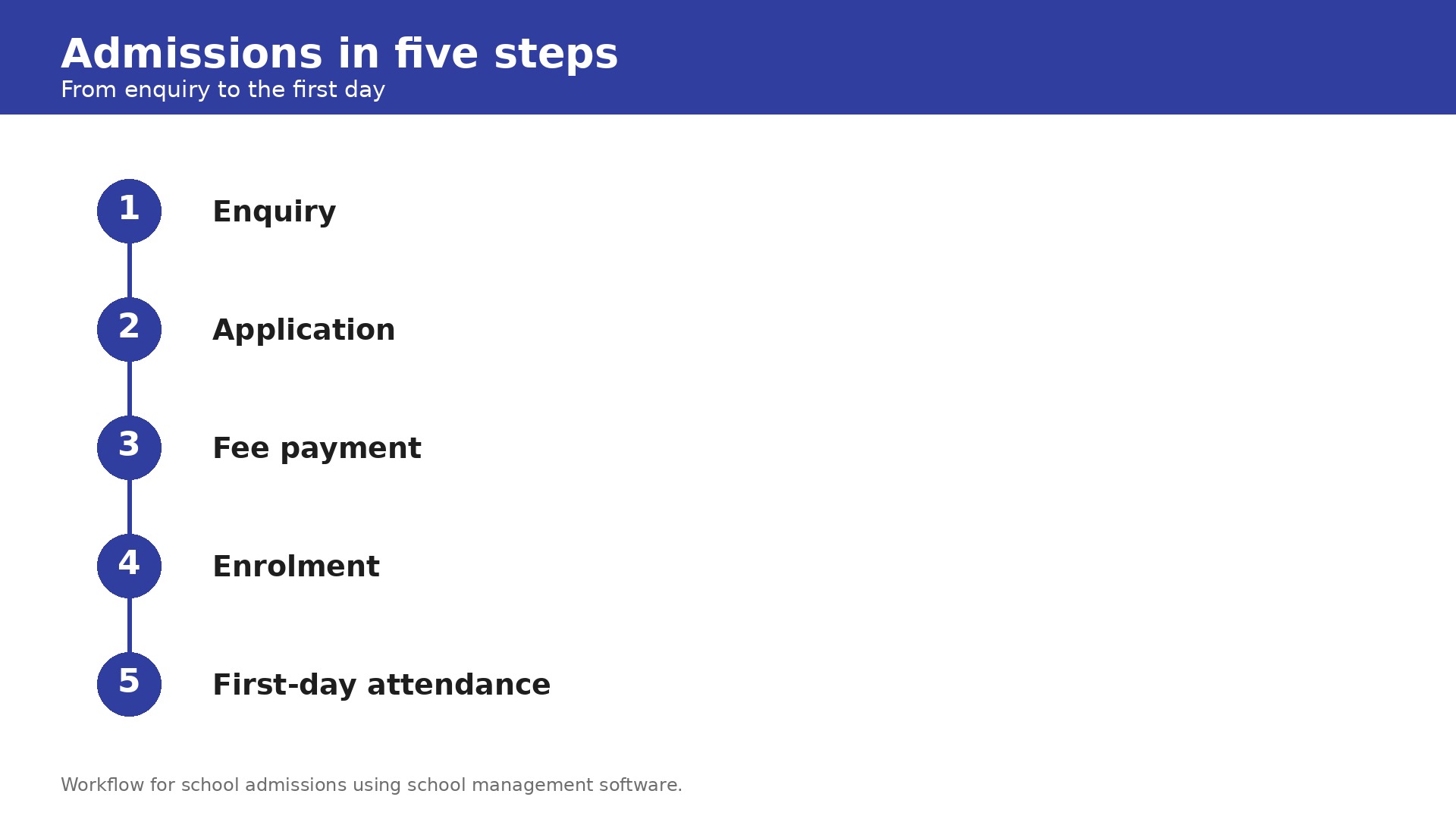
We judged every tool on the five jobs that decide whether a small school runs smoothly. First, admissions must move a family from enquiry to enrolment without paper forms getting lost. Second, attendance must take minutes, not a morning, and must flag absences to parents the same day. Third, grading and report cards must work without a spreadsheet export. Fourth, fee collection must track who has paid, who is late, and who needs a reminder. Fifth, parent communication must reach families by email, SMS, or app without the office retyping the same message three times.
Pricing transparency counted heavily. Small schools buy software on a tight budget, and a price a principal cannot read before a sales call is a real barrier. Vendors that publish a rate card scored better than vendors that insist on a quote, and vendors that charge per student were judged on what a 100 student school actually pays, not on the cheapest per student figure. Free plans and free trials scored higher, because a school should be able to test a system before the new term starts.
We also weighted setup effort, because a system that takes a term to configure is a bad fit for a school with one administrator. Short trials, clear onboarding, and responsive support all mattered. Learning management features were treated as useful extras, not as reasons to pick a platform on their own, because most small schools need administration first and online lessons second.
The best school management software for small schools at a glance
The table below gives the whole field in one view. Use it to cut the list to three candidates, then read the full reviews of those three before you book a demo. Note that per student pricing looks cheap until you multiply it by enrolment, so the starting prices below are the entry point, not the final bill.
| Tool | Starting price | Best for | Watch out |
|---|---|---|---|
| Classe365 | From $100 a month for up to 100 students | All in one platform for small schools | Price rises with enrolment |
| Gradelink | From $121 a month for up to 50 students | Small private and faith based schools | Price per student is high at small sizes |
| QuickSchools | From $0.99 per student a month | Small schools wanting low cost basics | Some features are paid add ons |
| PowerSchool SIS | Quote only | Schools wanting the widest used SIS | Custom pricing, enterprise scale |
| FACTS | Quote only | Private schools wanting tuition management | No published price, no free trial |
| Alma | Quote only | Schools wanting a modern SIS | Custom pricing, sales led |
| Classter | From $2 to $15 per student a month | International schools and training centres | Wide price range, quote varies |
| SchoolCues | From $75 a month | Very small budget conscious schools | Narrower feature set than all in one tools |
| Jotform | From $17 a month with education discount | Flexible forms and workflows | Not a full SIS, needs other tools |
| Muntazim | From $100 a month flat for 1 to 75 students | Small schools wanting flat pricing | Per student tiers above 75 students |
The 10 tools, reviewed in detail
Each review below states the price first, then the strengths, then the honest limits. Read the pick it when and skip it when lines as the verdict. If a tool matches your school type and your budget, it belongs on your shortlist even if it sits low in this list.
1. Classe365
Classe365 starts at $100 a month for up to 100 students, with pricing that rises by institution size. The platform covers a student information system, learning management, CRM, fee management, and admissions in a single system. Owners should check the full breakdown by institution size on the pricing page before budgeting.
Classe365 is the most complete all in one platform on this list. It covers admissions, attendance, grading, fees, parent communication, and online learning in one login, so a small school does not need a second system for lessons. The fee management tools are strong, the admissions CRM tracks families from first enquiry to enrolment, and the interface is modern enough for staff and parents to use without training. For a school that wants one vendor for everything, it is the obvious pick.
The price rises with enrolment, so a growing school pays more each year as student numbers climb. The breadth also means the setup takes longer than the simpler tools, and a school that only needs the basics may find the learning management features unnecessary. Smaller schools should check the price at their real enrolment before committing.
Pick it when you want one platform for admissions, attendance, grades, fees, and online learning, and your school has up to a few hundred students. Skip it when you only need the basics, or your enrolment is growing fast and per student pricing worries you.
2. Gradelink
Gradelink starts at $121 a month for up to 50 enrolled students, with pricing that rises by enrolment. The platform is built for small private and faith based schools, and most schools report setup times of a single afternoon. There is no published free plan, and owners should confirm the current tier pricing before budgeting.
Gradelink is built for the exact school this guide is about. It focuses on student records, attendance, grading, and parent communication, and it does those jobs well without the complexity of a district system. The setup is famously fast, with most schools live in an afternoon, and the interface is simple enough for a small office team to learn without training. For a small private school that wants a focused system, it is a strong pick.
The price per student is high at small sizes, at $121 a month for 50 students, which is about $2.42 per student a month. The feature set is also narrower than the all in one platforms, with less depth in admissions CRM and learning management. A school that grows past a few hundred students may need to move to a bigger system.
Pick it when you run a small private or faith based school and want a focused system you can set up in an afternoon. Skip it when you need deep admissions or learning management tools, or your budget is very tight.
3. QuickSchools
QuickSchools starts at $0.99 per student a month, making it one of the cheapest options on this list. A school with 100 students pays about $99 a month, and a school with 50 students pays about $50 a month. There is no setup required, and the platform is fully cloud based with an automated scheduler included.
QuickSchools is the low cost entry point for a small school that wants the basics done well. It covers admissions, attendance, grading, fee tracking, and reporting from a single cloud system, and the setup is genuinely fast. Reviewers consistently praise the ease of use and the responsive support, which is available around the clock. For a school with a tight budget, the per student price is hard to beat.
Some features are available only as paid add ons, so the real cost can rise above the $0.99 headline. Report card customization is more limited than in some competing platforms, and the feature set is thinner than the all in one tools. A school that needs deep admissions or learning management will find it light.
Pick it when you run a small school on a tight budget and want the core jobs covered for about a dollar per student a month. Skip it when you need deep report card customization or advanced admissions tools.
4. PowerSchool SIS
PowerSchool SIS uses custom pricing based on district size and product configuration, with no published rates. Schools need to contact PowerSchool directly for a quote based on enrolment and modules. There is no free trial and no published starting price.
PowerSchool SIS is one of the most widely used student information systems in North America, which means it is proven at scale and integrates with a huge range of other education tools. The feature depth is enormous, covering scheduling, grading, attendance, and reporting in detail. For a school that wants the most established system in the market, it is the reference point.
The custom pricing and the enterprise scale make PowerSchool a poor fit for most small schools. A school with 100 students will pay for a system built for districts, and the setup is heavier than the self serve tools on this list. The quote only model also means the principal cannot budget until after a sales conversation.
Pick it when you run a school that values the most widely used SIS in North America and has the budget and staff to run it. Skip it when you run a small school on a tight budget or need a published price and a fast setup.
5. FACTS
FACTS uses custom, quote based pricing with no published rates, and it does not currently offer a free trial. Schools need to contact FACTS directly for an estimate based on enrolment and modules. Owners should request a written quote that lists each module separately.
FACTS is built for private and independent schools, with strong tuition management, admissions, and student information tools. The tuition collection features are deeper than most rivals, which matters for a school where fee collection is the main financial risk. The platform is proven with private schools and handles the full enrolment to graduation journey.
The quote only pricing and the lack of a free trial make FACTS hard to evaluate. A small school cannot learn the price without a sales conversation, and cannot test the product before committing. The platform is also built for private schools, so a public or community school may find less fit.
Pick it when you run a private school and your priority is tuition management and fee collection. Skip it when you need a published price or a free trial before you commit.
6. Alma
Alma uses custom pricing and asks schools to contact them directly for a quote based on school size. There is no published rate card and no published free trial. Owners should request a written quote before budgeting.
Alma is a modern student information system with a clean interface and strong tools for attendance, grading, and parent communication. It is built for schools that want a contemporary system without the legacy feel of older platforms. The reporting is clear, the parent portal is easy to use, and the platform integrates with common learning tools.
The custom pricing makes it impossible to compare Alma against published prices without a sales conversation. The feature set is also narrower than the all in one platforms, with less depth in admissions and fee management. A small school that needs the full admin suite may need a second tool alongside it.
Pick it when you want a modern, clean SIS with strong attendance and grading and are comfortable getting a quote. Skip it when you need a published price, or you want admissions and fee management in the same system.
7. Classter
Classter prices from $2 to $15 per student a month, depending on modules and institution type. A school with 100 students could pay $200 to $1,500 a month, so owners must get a written quote for their exact configuration before budgeting. The platform serves international schools and multi program training centres.
Classter is built for international schools and multi program training centres, with support for multiple curricula, languages, and program types in one system. The flexibility is stronger than the small school tools, and the platform handles complex enrolment and scheduling that simpler systems cannot. For a school with unusual structures, that flexibility matters.
The wide price range is a problem, because $2 to $15 per student a month is too broad to budget from. The platform is also built for larger and more complex institutions, so a simple small school pays for flexibility it will never use. The setup is heavier than the self serve tools here.
Pick it when you run an international school or a multi program training centre with complex enrolment needs. Skip it when you run a simple small school or need a fixed published price.
8. SchoolCues
SchoolCues starts at $75 a month on a 12 month school year basis. The platform covers admissions, student information, alumni management, and communications in one system. Owners should confirm the current plan structure before budgeting, because pricing is set by school year rather than by calendar month.
SchoolCues is built for very small, budget conscious schools, and the $75 a month starting price reflects that. It covers the core jobs of admissions, student records, and parent communication without the complexity of the bigger platforms. The interface is simple, the setup is fast, and the price is low enough for a school with 50 students to justify easily.
The feature set is narrower than the all in one tools, with less depth in grading, fee management, and learning management. A school that needs the full admin suite will find gaps. The platform is also less well known than Gradelink or QuickSchools, so there is less public evidence about the small school experience.
Pick it when you run a very small school on a tight budget and want admissions and communication covered for $75 a month. Skip it when you need deep grading, fee management, or learning tools in the same system.
9. Jotform
Jotform starts from $17 a month with the 50 percent education discount, and higher plans add users and features. The platform offers no code forms, workflows, e-signatures, and payments in one place. There is a free tier with limited submissions, and owners should confirm the current education pricing before budgeting.
Jotform is the most flexible tool on this list, and that flexibility is useful for a small school with unusual workflows. Admissions forms, permission slips, payment collection, and parent surveys can all run through one system without a developer. The education discount makes it cheap, and the no code builder means the office can build a new form in an afternoon. For a school that needs forms more than a full SIS, it is a strong pick.
Jotform is not a full student information system, so a school still needs attendance, grading, and fee tracking elsewhere. It is a workflow tool that sits alongside a SIS rather than replacing one. A school that buys Jotform expecting a complete school management system will be disappointed.
Pick it when you need flexible forms, workflows, and payments for admissions and parent processes, alongside a simple SIS. Skip it when you need a complete school management system in one product.
10. Muntazim
Muntazim uses enrolment based tiers. The Lite plan costs $100 a month flat for 1 to 75 students, then $1.25 per student a month for 76 to 150 students, $0.90 for 151 to 300, $0.65 for 301 to 500, and $0.45 above 500. A school with 100 students pays about $125 a month. Owners should confirm the latest rates on the pricing page before budgeting.
Muntazim is built for small schools and the pricing shows it. The flat $100 a month for up to 75 students is easy to budget, and the per student rate falls as enrolment grows, which rewards a growing school. The platform covers admissions, fees, attendance, parent and teacher portals, and a lesson planner in one system. The published tiers mean a principal can estimate the cost before any sales conversation.
Muntazim is a newer and smaller vendor than PowerSchool or FACTS, so there is less public evidence about long term reliability and the user community is smaller. The feature set is solid for small schools but thinner than the big all in one platforms on advanced reporting. A school that needs deep integrations may find gaps.
Pick it when you run a small school with up to 75 students and want flat, published pricing with admissions, fees, and attendance in one system. Skip it when you need the widest integration list or the longest public track record in the market.
Picking by What You Actually Do
The best school management software for small schools depends on the school type and the budget. Match your job to the pick below and you will shortlist faster than reading every review in order.
| Your job | Best pick | Why it wins |
|---|---|---|
| Small private school, fast setup | Gradelink | Live in an afternoon, built for small private schools |
| Lowest cost core system | QuickSchools | From $0.99 per student a month, 24 hour support |
| All in one, admissions to lessons | Classe365 | SIS, LMS, CRM, and fees in one platform |
| Very small school, tight budget | SchoolCues | From $75 a month for admissions and communication |
| Flat pricing up to 75 students | Muntazim | $100 a month flat, published tiers |
| Forms and workflows alongside a SIS | Jotform | From $17 a month with education discount |
Counting the Full Cost
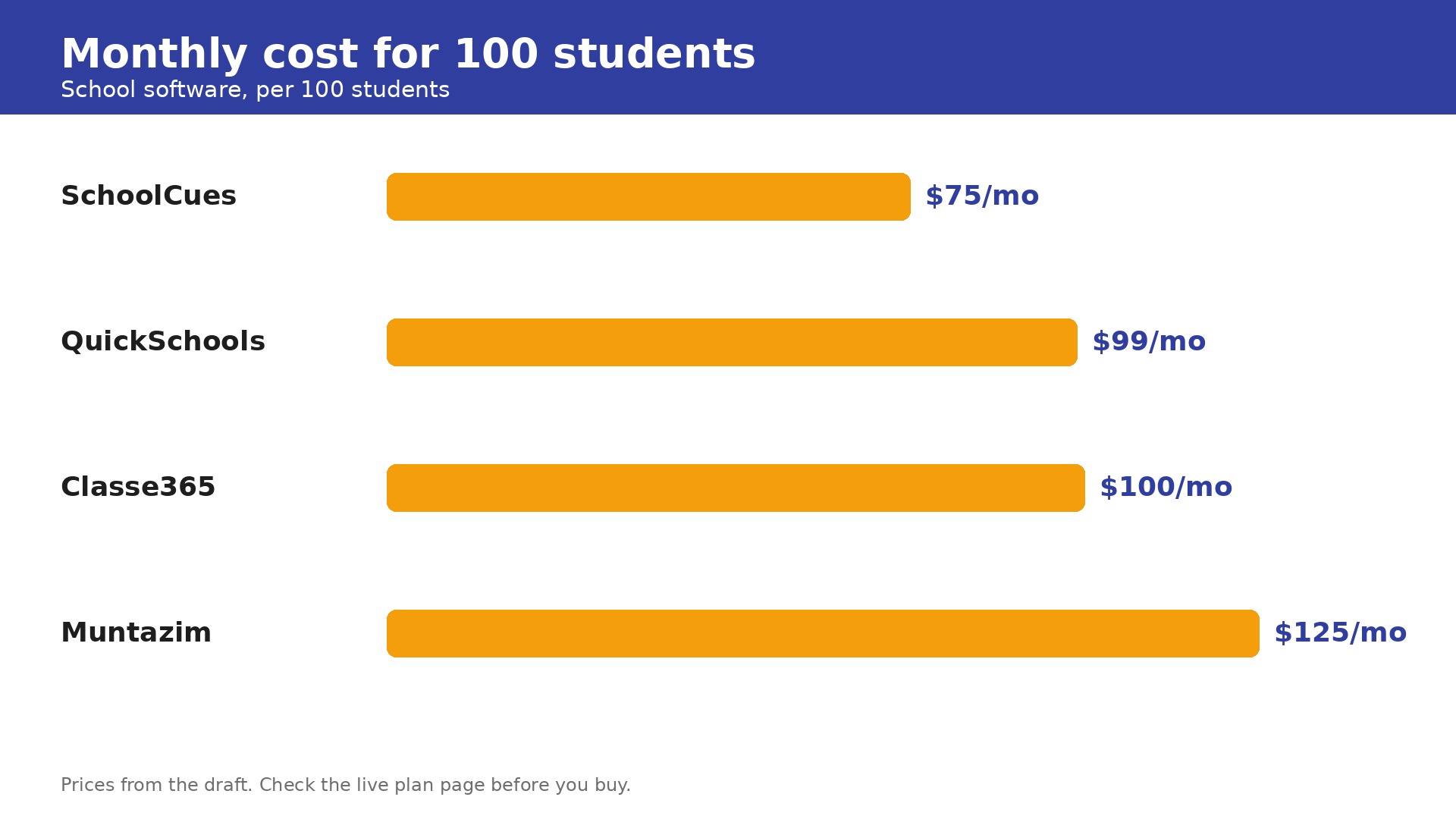
A school with 100 students should budget $75 to $150 a month for software. SchoolCues costs $75 a month, QuickSchools costs about $99 a month at $0.99 per student, Classe365 costs $100 a month for up to 100 students, and Muntazim costs about $125 a month at 100 students. Gradelink costs $121 a month for up to 50 students and more above that, while PowerSchool, FACTS, and Alma are quote only. Jotform at $17 a month is a useful extra, not a replacement for a SIS.
The hidden costs are the add ons and the modules. QuickSchools charges extra for some features, Classter ranges from $2 to $15 per student a month depending on modules, and FACTS and PowerSchool quote by module, so the final price depends on what the school actually buys. Always ask for a 12 month total that includes every module, add on, and SMS charge, then compare that number across vendors.
The math that justifies the spend is the fee that is collected on time. A school with 100 students charging $200 a term that misses 5 percent of fees loses $1,000 a term to slow follow up. A system that tracks fees, sends reminders, and lets parents pay online recovers that money many times over. Judge the software on the fees it collects and the hours it saves, not on the price alone. The best school management software for small schools earns its keep when fee reminders go out on time and report cards arrive without a spreadsheet.
Mistakes That Drain the Budget
- Buying a district system for a 100 student school. PowerSchool and similar platforms are built for districts, and a small school pays for scale it will never use. Start with a small school tool and move up only when enrolment actually grows.
- Choosing per student pricing without doing the multiplication. A $0.99 per student price is $99 a month at 100 students and $495 a month at 500 students. Calculate the cost at your real enrolment and at your enrolment in three years.
- Ignoring fee collection in the decision. Admissions and attendance get the attention, but fee collection is where the money is. A system with weak fee tracking costs the school more in missed payments than the subscription saves.
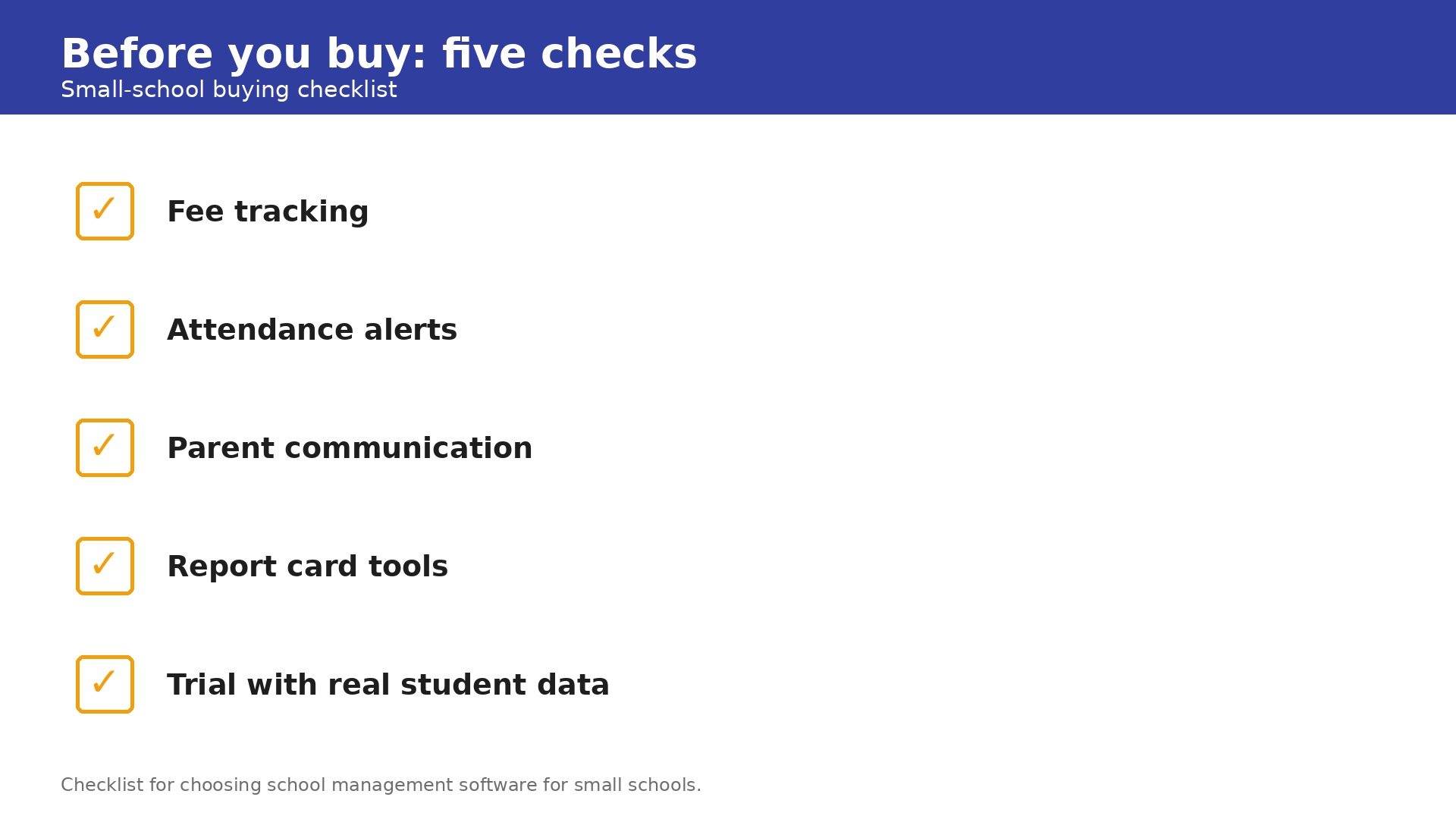
- Skipping the trial with real data. Load real student records, real fees, and a real term timetable into the trial, and run a full report card cycle before you pay. A demo with sample students tells you nothing.
- Forgetting parent communication. A system that cannot reach parents by email and SMS the same day an absence is recorded creates more office work, not less. Check the communication tools before you commit, because parents judge the school on how fast it tells them what happened.
Frequently Asked Questions
How much does school management software cost for a small school?
Most small schools pay $75 to $150 a month. SchoolCues starts at $75 a month, QuickSchools costs about $99 a month for 100 students at $0.99 per student, Classe365 costs $100 a month for up to 100 students, and Muntazim costs about $125 a month at 100 students. Gradelink starts at $121 a month for up to 50 students. PowerSchool, FACTS, and Alma are quote only. Add any SMS charges and paid add ons to the monthly fee before you compare.
What is the best school management software for small schools in 2026?
The best school management software for small schools depends on the school type. Gradelink fits small private schools that want a fast setup, QuickSchools fits schools on the tightest budget, Classe365 fits schools that want one platform for everything, and SchoolCues fits very small schools. Shortlist three tools that match your enrolment and budget, trial them with real student data, and pick the one your office team actually enjoys using. The best school management software for small schools is the one your office team can run without a training course and trust at report card time.
Can a small school use free school management software?
There is no strong free full system for a real school. Jotform offers a free tier for forms, and QuickSchools starts at $0.99 per student a month, which is about $50 a month for 50 students. Free tools usually lack attendance, grading, and fee tracking in one place, which are the features that justify the spend. Budget for at least $75 a month and treat it as an operating cost like printing or phone service.
How long does it take to set up school management software?
Simple tools such as Gradelink and QuickSchools can be live in an afternoon, because the setup is mostly student records, timetables, and fee structures. Mid range tools such as Classe365 take about a week with guided onboarding. Larger platforms such as PowerSchool can take a term, especially if the school is migrating old records and training staff. Plan the switch for a holiday, not the start of term.
Does school management software include online learning?
Some tools do and some do not. Classe365 includes a learning management system alongside the student information system, and Muntazim includes a lesson planner. Gradelink and QuickSchools focus on administration rather than online lessons. If online learning matters, shortlist tools that include it, and check whether it is on the plan you can afford or on a higher tier.
Should a small school pay per student or a flat monthly fee?
Per student pricing suits a very small school, because a 50 student school pays far less than a 500 student school on the same system. Flat pricing suits a growing school, because the bill does not rise every time a new student enrols. Compare the 12 month total for your actual enrolment, and check whether the per student plan includes fee tracking or charges it as an extra.