
A visitor who cannot get a quick answer usually leaves within minutes, and a slow inbox reply the next morning rarely wins that sale back. That is why the best live chat software for small business matters more than most owners expect, because it turns a quiet website visit into a real conversation while the buyer is still deciding. Our research for this guide compared vendor pricing pages, free plan limits, chatbot costs and agent workflows across ten tools, and we checked every price in November 2026.
Small teams face a different problem from large support departments. You may have one or two people answering chats between other jobs, so the tool has to be simple to install, easy to answer from a phone, and honest about what the free plan actually covers. A tool that charges per agent can look cheap at one seat and become expensive the moment a third person joins, while a tool with a generous free tier can carry a new business for a year.
This guide gives you real starting prices, the free plan limits that matter, and a clear pick for each common situation. Read the comparison table first, then jump to the tools that match your team size and budget.
The Short Version
The table below shows the starting price of each tool, who it suits best, and the one thing to watch before you commit. Prices are monthly list prices on annual billing unless noted, and free plans are marked where they exist. Use the table to shortlist the best live chat software for small business options that fit your budget before reading the full reviews.
| Tool | Starting price | Best for | Watch out |
|---|---|---|---|
| Intercom | $29 per seat a month | AI led support at scale | Fin AI costs $0.99 per resolved conversation on top of seats |
| LiveChat | $19 per agent a month | Dedicated website chat teams | AI chatbot is a separate product, ChatBot, from about $52 a month |
| Zendesk | $55 per agent a month | Chat inside a full support suite | Standalone chat no longer exists, the Suite is the entry point |
| Tidio | Free plan, paid from $24.17 a month | Small online stores that want chat plus AI | Paid plans are priced by conversation volume, not seats |
| Crisp | Free plan, paid from $45 a month per workspace | Small teams that want flat pricing | Free plan covers only 2 seats |
| Freshchat | Free plan for up to 10 agents, Growth from $19 a month | Small teams that want a generous free tier | Advanced automation sits on higher tiers |
| HubSpot | Free live chat, Service Hub Starter from $9 a seat a month | Businesses already using HubSpot CRM | Real automation needs a paid Service Hub plan |
| tawk.to | Free forever | Bootstrapped businesses with zero budget | No AI agent included, and the interface feels dated |
| Help Scout | $25 per user a month | Email first teams adding chat | Chat is an add on to a help desk, not the core product |
| Olark | $19 per agent a month | Simple website chat with visitor insight | Fewer integrations than the bigger platforms |
How We Compared These Chat Tools
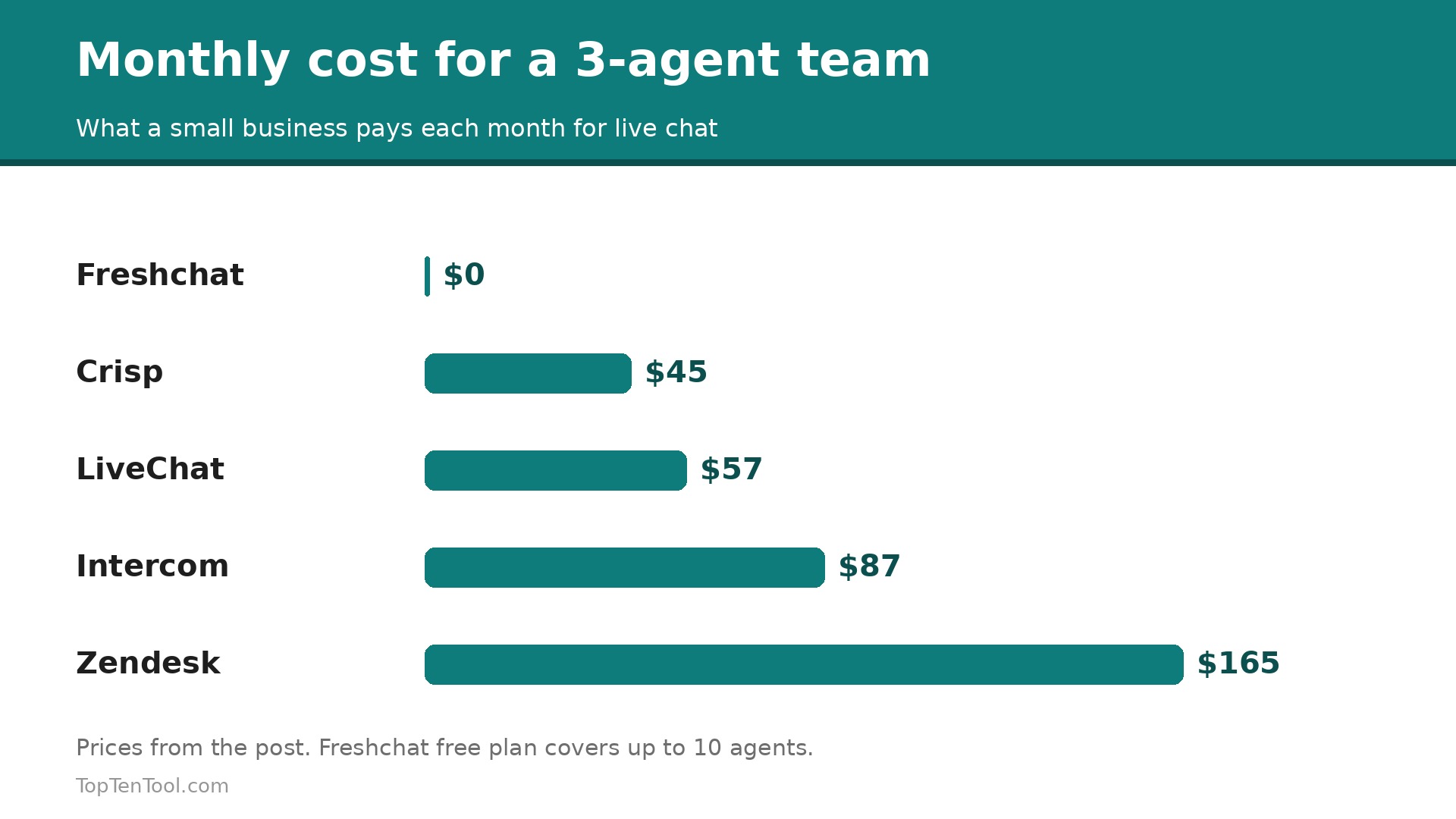
We judged each tool on five things that decide whether a small business keeps using it after the first month. First, the real monthly cost for a team of one to three agents, including chatbot fees that many vendors bill separately. Second, how fast a visitor gets a first reply, which depends on mobile apps, canned replies and routing. Third, the free plan, because many small businesses should start free and upgrade only when chat volume proves the spend. Fourth, automation, from simple away messages to AI agents that resolve routine questions. Fifth, integrations with the store, help desk or CRM the business already runs.
We gave extra credit to tools that publish prices openly and marked the ones that hide pricing behind a sales call. The best live chat software for small business is not the one with the longest feature list. It is the one your team will actually open every morning.
The 10 Best Live Chat Tools Reviewed
1. Intercom
Starting price $29 per seat a month. Best for AI led support at scale. Watch out Fin AI costs $0.99 per resolved conversation on top of seats.
Intercom is the most polished messaging platform on this list, and its Fin AI agent is the reason many growing teams choose it. Fin answers common questions on its own, hands over to a human with full context when it cannot, and learns from the conversations it resolves. The messenger itself is fast, attractive and familiar to customers, and the shared inbox keeps email, chat and social messages in one place. Essential starts at $29 per seat a month on annual billing, with Advanced at $85 and Expert at $132. A 14 day trial is available, but there is no free plan.
The cost is the honest catch. A three person team on Essential pays $87 a month before any AI resolutions, and a busy month of Fin answers can add a meaningful amount at $0.99 per outcome. Setup is heavier than a simple widget, and some of the best reporting sits on higher tiers. Intercom suits a business that already has steady chat volume and wants AI to carry the routine half of it.
In practice, Intercom earns its place when aI led support at scale. The main risk is fin AI costs $0.99 per resolved conversation on top of seats, so test that specific limit during your trial before you commit.
Pick it when your chat volume is high enough that AI answers would save real staff hours each week. Skip it when you have one agent and a handful of chats a day, because the seat and AI fees will outweigh the benefit.
2. LiveChat
Starting price $19 per agent a month. Best for Dedicated website chat teams. Watch out AI chatbot is a separate product, ChatBot, from about $52 a month.
LiveChat has been doing one job since 2002, and it shows in the details. Agents see what visitors type before they hit send, canned responses speed up repeat answers, and routing rules send sales questions to sales and support questions to support. The widget loads fast and customises cleanly to match a site. Starter costs $19 per agent a month on annual billing, Team is $49 and Business is $79. A 14 day trial is included, and there is no free plan.
LiveChat is deliberately narrow, so it does not include a help desk, CRM or knowledge base in the same bill. The AI chatbot lives in the separate ChatBot product, which adds cost and a second dashboard. Shops on Shopify or WooCommerce get strong integrations, but teams that want everything in one suite should look at Zendesk or HubSpot instead.
In practice, LiveChat earns its place when dedicated website chat teams. The main risk is aI chatbot is a separate product, ChatBot, from about $52 a month, so test that specific limit during your trial before you commit.
Pick it when you want a proven, focused chat tool and your team answers chat all day. Skip it when you need a full help desk and CRM in the same subscription.
3. Zendesk
Starting price $55 per agent a month. Best for Chat inside a full support suite. Watch out Standalone chat no longer exists, the Suite is the entry point.
Zendesk folded its old standalone chat product into the Zendesk Suite, so chat now comes with email, voice, social messaging, ticketing and a help center. That breadth is the point. A conversation that starts in chat can become a ticket, an article or a phone call without changing tools. Suite Team starts at $55 per agent a month on annual billing, with Professional at $115 and Enterprise at $169. AI agents are included in small numbers, then billed per resolution.
The Suite is more than most small businesses need, and the price reflects it. A two agent team pays $110 a month before AI usage, which is hard to justify if chat is a side channel rather than the main support desk. Configuration takes longer than a simple widget, and the admin area rewards a dedicated owner. It fits teams that already run Zendesk or plan to grow into it.
In practice, Zendesk earns its place when chat inside a full support suite. The main risk is standalone chat no longer exists, the Suite is the entry point, so test that specific limit during your trial before you commit.
Pick it when support is your main operation and you want chat, email and tickets in one system. Skip it when chat is a small side channel and $55 per agent feels heavy.
4. Tidio
Starting price Free plan, paid from $24.17 a month. Best for Small online stores that want chat plus AI. Watch out Paid plans are priced by conversation volume, not seats.
Tidio is built for small ecommerce stores, and its free plan is genuinely usable, with live chat and a limited number of conversations each month. The paid Starter plan from $24.17 a month adds the Lyro AI agent, which answers order and shipping questions from your store data. Shopify, WooCommerce and other store platforms connect in minutes, and the mobile app lets an owner answer from anywhere. A 7 day trial is available on paid plans.
Pricing is based on conversations rather than seats, so a store with a busy month can jump a tier faster than expected. Lyro is strong on routine store questions and weaker on unusual requests, and the analytics are lighter than LiveChat or Intercom. Tidio is still the easiest way for a small store to add chat and an AI agent in one bill.
In practice, Tidio earns its place when small online stores that want chat plus AI. The main risk is paid plans are priced by conversation volume, not seats, so test that specific limit during your trial before you commit.
Pick it when you run a small store and want chat plus an AI agent without per seat pricing. Skip it when your chat volume swings wildly month to month and you hate usage based billing.
5. Crisp
Starting price Free plan, paid from $45 a month per workspace. Best for Small teams that want flat pricing. Watch out Free plan covers only 2 seats.
Crisp charges per workspace rather than per agent, which makes it the value pick for teams with several people answering chat. The free plan covers 2 seats, and the Mini plan at $45 a month per workspace covers 4 seats with live chat, a shared inbox, email, social messaging, a knowledge base and co-browsing. That bundle would cost far more as separate tools. Setup takes minutes, and the interface is clean enough for a non technical owner.
The free plan is small, so a third teammate forces an upgrade, and the chatbot features are less advanced than Intercom Fin or Tidio Lyro. Reporting is solid but not deep, and larger teams will outgrow the workspace model. For a startup or small team that wants one inbox for everything at a flat price, Crisp is hard to beat.
In practice, Crisp earns its place when small teams that want flat pricing. The main risk is free plan covers only 2 seats, so test that specific limit during your trial before you commit.
Pick it when three or more people answer chat and per seat pricing would punish you. Skip it when you need a best in class AI agent rather than a good shared inbox.
6. Freshchat
Starting price Free plan for up to 10 agents, Growth from $19 a month. Best for Small teams that want a generous free tier. Watch out Advanced automation sits on higher tiers.
Freshchat, from Freshworks, offers one of the most generous free plans in live chat, with up to 10 agents at no cost. That alone makes it the first tool to try for a small team that wants to test chat properly before paying. Growth starts at $19 per agent a month on annual billing and adds bots, campaigns and deeper reporting. The interface is modern, the mobile app is reliable, and it connects cleanly to the rest of the Freshworks suite.
The free plan is generous on seats but limited on automation, so teams that want proactive campaigns and smart routing will need Growth or higher. Freshchat is less known than LiveChat, so community templates and third party tutorials are thinner. It is still an excellent free starting point with a sensible upgrade path.
In practice, Freshchat earns its place when small teams that want a generous free tier. The main risk is advanced automation sits on higher tiers, so test that specific limit during your trial before you commit.
Pick it when you want to run real live chat free with up to 10 agents. Skip it when you need advanced bots on day one without paying for Growth.
7. HubSpot
Starting price Free live chat, Service Hub Starter from $9 a seat a month. Best for Businesses already using HubSpot CRM. Watch out Real automation needs a paid Service Hub plan.
HubSpot live chat is free forever, which makes it the lowest risk way to add chat to a website. The chat connects directly to the free HubSpot CRM, so every conversation lands on a contact record with history, and the owner can see which pages a visitor viewed before asking. Service Hub Starter from $9 a seat a month adds ticketing and simple automation, and the whole platform scales into marketing and sales when the business grows.
The free chat is deliberately simple, with limited bots, no advanced routing and basic reporting. Teams that want AI answers or complex workflows will pay for higher HubSpot tiers, and those costs rise faster than a standalone chat tool. HubSpot is the right pick when the CRM matters as much as the chat itself.
In practice, HubSpot earns its place when businesses already using HubSpot CRM. The main risk is real automation needs a paid Service Hub plan, so test that specific limit during your trial before you commit.
Pick it when you already use HubSpot CRM and want chat tied to contact records. Skip it when you want a standalone chat tool and will never use the rest of HubSpot.
8. tawk.to
Starting price Free forever. Best for Bootstrapped businesses with zero budget. Watch out No AI agent included, and the interface feels dated.
tawk.to is completely free, with no seat limit, no conversation cap and no trial expiry. That is a remarkable offer, and it explains why so many tiny businesses and new sites run it. The widget is easy to install, agents can answer from the mobile app, and it includes a knowledge base and ticketing basics. For a business with no budget at all, tawk.to removes every excuse not to offer chat.
Free comes with trade offs. The interface looks dated next to Crisp or Intercom, there is no built in AI agent, and the company earns money from optional paid add ons such as removing branding and hiring agents. Support is community led rather than instant. It is still the best zero cost option on this list.
In practice, tawk.to earns its place when bootstrapped businesses with zero budget. The main risk is no AI agent included, and the interface feels dated, so test that specific limit during your trial before you commit.
Pick it when your budget is genuinely zero and you need unlimited agents. Skip it when you want modern AI automation or a polished agent experience.
9. Help Scout
Starting price $25 per user a month. Best for Email first teams adding chat. Watch out Chat is an add on to a help desk, not the core product.
Help Scout is a shared inbox first and a chat tool second, which suits teams whose customers mostly email. Beacon, its chat widget, sits on the website and feeds into the same inbox, so an agent sees the full history whether the customer wrote or chatted. Plans start at $25 per user a month, with a 15 day trial. The product is calm, fast and well designed, and its Docs knowledge base is genuinely good.
Beacon is lighter than a dedicated chat platform, with fewer routing rules and no AI agent of its own. Teams that live in chat all day will find LiveChat or Intercom more powerful. Help Scout earns its place for teams that want one inbox where email is the main channel and chat is a useful extra.
In practice, Help Scout earns its place when email first teams adding chat. The main risk is chat is an add on to a help desk, not the core product, so test that specific limit during your trial before you commit.
Pick it when email is your main support channel and you want chat in the same inbox. Skip it when chat is your main channel and you need deep routing and bots.
10. Olark
Starting price $19 per agent a month. Best for Simple website chat with visitor insight. Watch out Fewer integrations than the bigger platforms.
Olark is a long running chat widget that keeps things simple. Agents see visitor details, page history and location, and can start a conversation proactively when a visitor lingers on a pricing page. The interface is straightforward, setup takes minutes, and pricing starts at $19 per agent a month. It suits small businesses that want a dependable widget without learning a suite.
Olark has fewer integrations and less automation than LiveChat, and there is no AI agent built in. The reporting is basic, and teams that want chat tied to a CRM will need a third party connector. It is a solid, honest widget for businesses that value simplicity over breadth.
In practice, Olark earns its place when simple website chat with visitor insight. The main risk is fewer integrations than the bigger platforms, so test that specific limit during your trial before you commit.
Pick it when you want a simple widget with good visitor insight and nothing else. Skip it when you need deep integrations or AI answers.
Right Tool, Right Job
The right pick depends on your team size, your budget and whether AI should answer first. Use this table as a shortcut, then read the full review of the tool it points to. Every pick below was judged against the best live chat software for small business criteria set out in this guide.
| Job to be done | Best pick | Why it wins |
|---|---|---|
| Zero budget, start today | tawk.to | Free forever with unlimited agents |
| Free plan with room to grow | Freshchat | Up to 10 agents free, Growth at $19 |
| Small store with AI answers | Tidio | Lyro AI plus chat from $24.17 a month |
| Flat price for a small team | Crisp | $45 a workspace, not per seat |
| AI led support at scale | Intercom | Fin resolves routine chats at $0.99 each |
| Chat inside a full help desk | Zendesk | Suite covers chat, email, voice and tickets |
| Chat tied to a free CRM | HubSpot | Free chat that writes to contact records |
How to Choose the Best Live Chat Software for Small Business
Start with the number of people who will answer chat, because that decides whether per seat pricing helps or hurts you. One agent can use almost anything, including Intercom or LiveChat, without the bill stinging. Three agents make Crisp flat pricing or Freshchat free tier far cheaper than three seats elsewhere. Count the seats you will have in six months, not today, and price that team before you commit.
Next, decide how much AI should do. If your chats are mostly order status, opening hours and returns, an AI agent such as Fin or Lyro can resolve a large share without a human, and the per resolution fee is usually cheaper than another hire. If your chats are mostly sales conversations that need judgment, spend the money on a good agent experience instead, with canned replies, typing previews and routing.
Then test the free plan or trial with real visitors for two weeks. Measure first response time, the share of chats answered inside five minutes, and how many chats turn into sales or solved tickets. A tool that your team opens happily every morning beats a more powerful tool they avoid. Finally, check the mobile app, because small teams answer chats from phones more often than vendors admit, and a weak app means slow replies when you are away from the desk. Keep this checklist beside you while you compare best live chat software for small business options, and the right choice will be obvious by the end.
The Real Monthly Cost for a Three Person Team
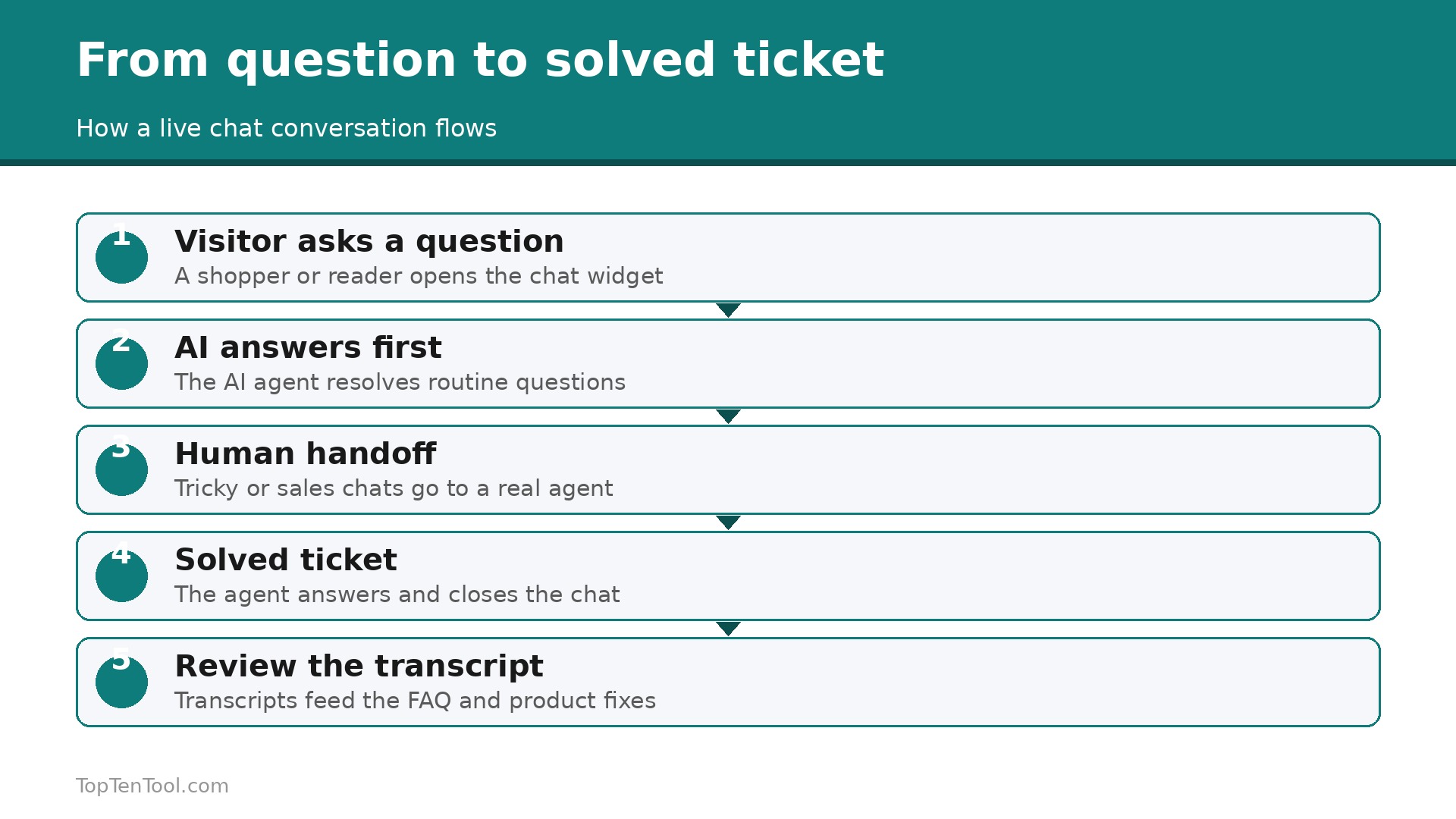
Headline prices hide the real bill, so run the numbers for your team before you choose. Three agents on LiveChat Starter cost $57 a month, on Intercom Essential $87, and on Zendesk Suite Team $165. The same three agents cost $45 on Crisp Mini, $0 on Freshchat free, and $0 on tawk.to. Add AI usage next. A team that resolves 200 chats a month through Fin pays about $198 extra, which can double the Intercom bill, while Tidio prices by conversations and can jump a tier in a busy month.
Budget a full quarter, not one month, and include the cost of the next tier up, because chat volume grows once the widget is live and customers learn you answer fast.
Five Mistakes That Kill Live Chat Results
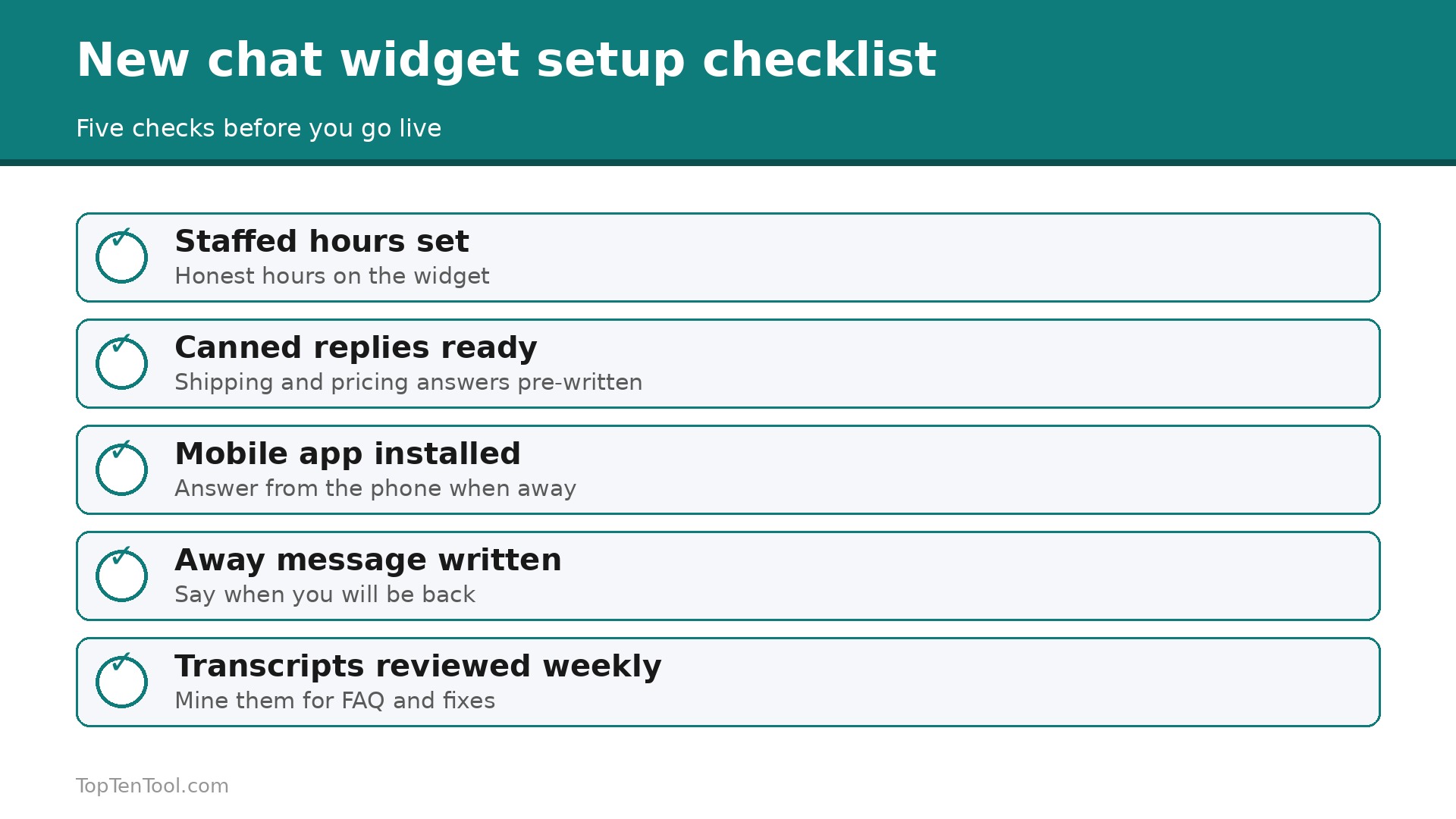
The most common mistake is installing chat and leaving it unstaffed, because a visitor who waits ten minutes for a first reply will not wait again. Set honest hours on the widget and use an away message that says when you return. The second mistake is answering from one shared login, which hides who said what and makes follow up messy. Give every agent their own seat. The third is skipping canned replies, which forces agents to retype the same shipping and pricing answers all day. The fourth is hiding the widget on mobile, where most visitors actually are. The fifth is never reading chat transcripts, which is where your best FAQ and product fixes are hiding.
The Short Answer
For most small businesses, the smart start is Freshchat free or Crisp, because both let a small team run real chat without a monthly bill or a per seat penalty. Stores that want AI answers should start with Tidio, and teams that already live in HubSpot should use its free chat. Intercom is the pick once chat volume is high enough that Fin saves real staff hours, and Zendesk fits teams that need a full help desk behind the chat.
The best live chat software for small business is the one your team answers fast, every day, so choose the tool you will actually open, not the one with the longest feature list, and upgrade only when the volume proves it. That is the best live chat software for small business shortlist we would hand to a friend starting today.
Frequently Asked Questions
How much does live chat software cost for a small business?
Most small teams pay between $0 and $60 a month. Free plans from Freshchat, Crisp, HubSpot and tawk.to cover a real team, while paid plans start at $19 per agent on LiveChat and $29 per seat on Intercom. AI answers add cost, with Intercom Fin at $0.99 per resolved conversation, so price your expected chat volume before you choose.
Is free live chat software good enough for a small business?
Yes, for most new and small businesses. Freshchat gives up to 10 agents free, Crisp gives 2 seats free, and tawk.to is free with unlimited agents. Free plans lack advanced bots and deep reporting, but they cover live answers, canned replies and mobile apps, which are the features that matter most at the start.
Do I need an AI chatbot, or is live chat alone enough?
Live chat alone is enough when your volume is low and your questions need a human. An AI agent earns its fee when routine questions repeat all day, such as order status, hours and returns. Start with live chat, read a month of transcripts, and add AI only if the same questions keep appearing.
Which live chat tool is best for an online store?
Tidio is the strongest pick for a small store, because it connects to Shopify and WooCommerce, and its Lyro AI answers order questions from store data. LiveChat is a good second choice for stores that want a proven agent tool, and HubSpot fits stores that already use its CRM.
How fast should my team reply to a chat?
Aim for a first reply inside one minute during staffed hours, and never leave a visitor waiting more than five minutes without an update. Speed matters more than polish. Set honest hours on the widget, use an away message outside those hours, and answer from the mobile app when you are away from the desk.
Can live chat really increase sales?
Yes, when it is staffed and fast. Visitors who chat tend to buy more often than visitors who do not, because a quick answer removes the doubt that stops a purchase. Proactive chat on pricing and checkout pages works best, but only if someone answers quickly. An unstaffed widget does the opposite and pushes visitors away.