

A small business answers the same ten questions a hundred times a month. How do I reset my password. What is your refund policy. How do I change my plan. Each answer takes five minutes of an agent time, and the customer waits a day for a reply that could have taken five seconds. The best knowledge base software for small business turns those answers into articles customers can find themselves, and the difference shows up in ticket volume, which should fall by a third within a few months of a good help centre going live.
Small businesses need a knowledge base that is easy to write, easy to search, and easy to keep current. A five person team cannot afford a documentation department, so the tool must let any agent write an article in an afternoon, must surface the right article when a customer searches, and must flag articles that go stale when the product changes. The 8 tools below were picked because they serve small teams, publish prices a small business can check, and cover the core jobs of authoring, search, publishing, and analytics.
This guide compares the 8 platforms on real 2026 pricing, what each one does well, where each one falls short, and which job each one fits. Prices come from vendor pages and current roundups checked in November 2026. Where a vendor hides its price behind a sales call, we say so plainly, because quote only pricing is itself a fact a small business needs before shortlisting. Where a price is charged per editor, per seat, or per site, we state the model, because the model decides the bill.
How we chose the best knowledge base software for small business
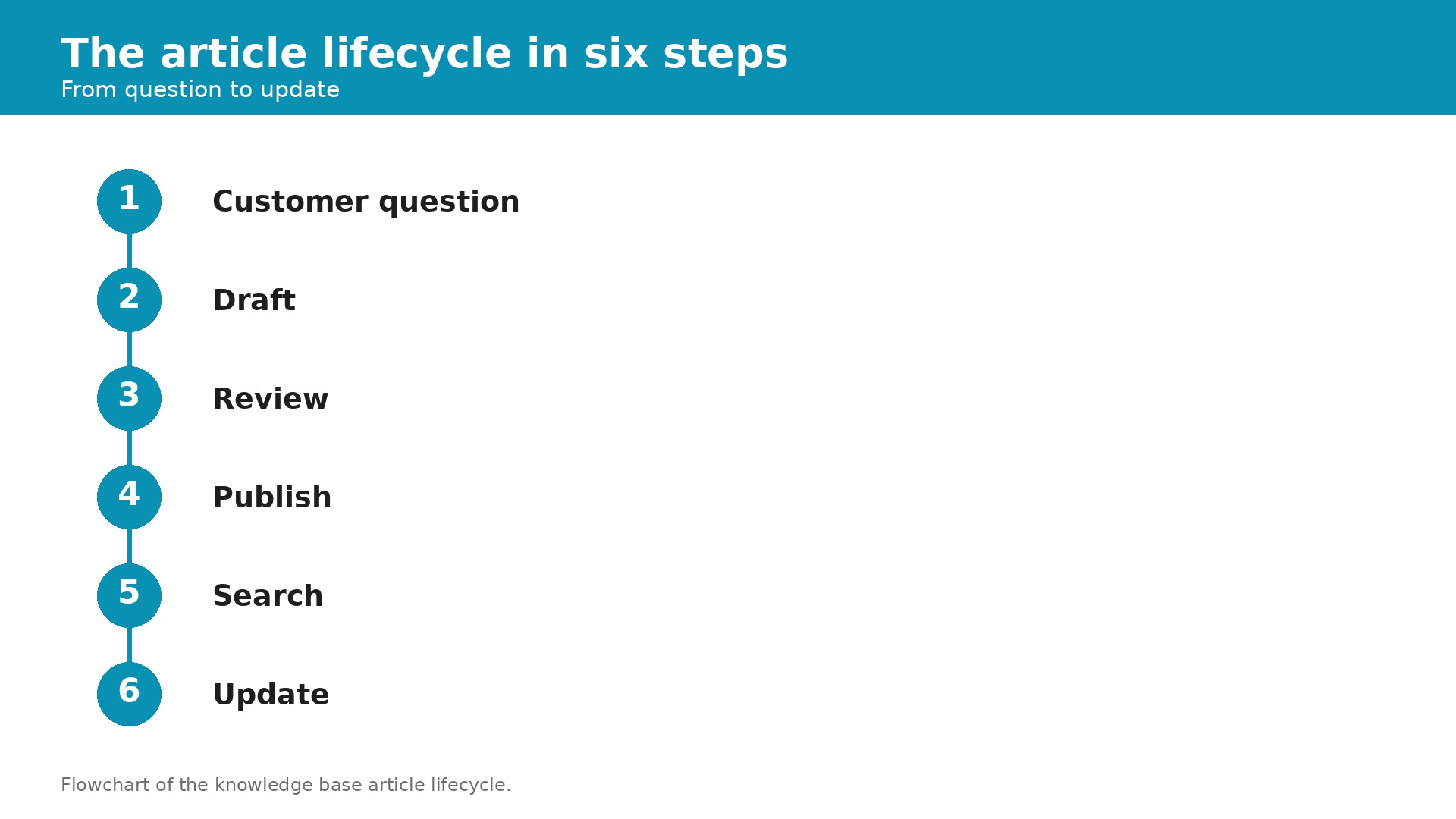
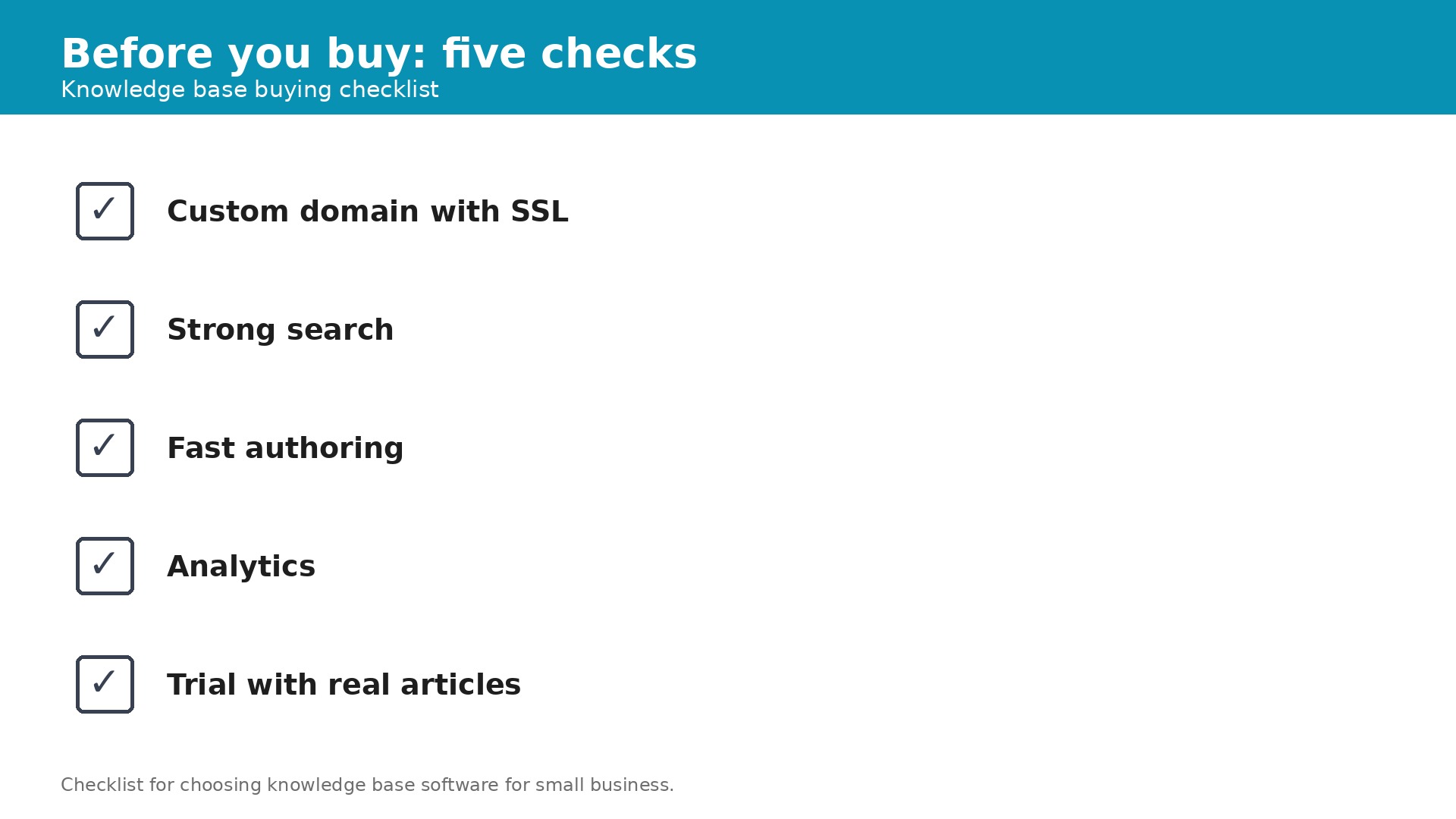
We judged every tool on the four jobs that decide whether a small team actually keeps a knowledge base alive. First, authoring must be fast, because an article that takes a day to write will never be written. Second, search must surface the right article, because a help centre customers cannot search is a help centre nobody uses. Third, publishing must work on the business own domain with SSL, because a help centre on a vendor subdomain looks unfinished and ranks poorly. Fourth, analytics must show which articles are read, which searches fail, and which articles need updating, because a knowledge base that goes stale is worse than no knowledge base at all.
Pricing transparency counted heavily. Small teams buy knowledge base software by editor, by seat, or by site, and each model punishes a different kind of growth. A per editor price is cheap for a team with one writer and expensive for a team with ten, while a flat price ignores headcount entirely. We state the model for every tool and show what a five editor team pays. Tools that hide pricing behind a sales call scored lower, and tools with a free plan or a free trial scored higher, because a team should be able to test a system with real articles before paying.
We also weighted the two lanes in this category. A customer facing help centre and an internal wiki are different jobs, and a tool built for one will frustrate a team that needs the other. This guide states the lane for each tool plainly. Features such as AI search, version history, and approval workflows were treated as useful extras, not as reasons to pick a platform on their own.
The best knowledge base software for small business at a glance
The table below gives the whole field in one view. Use it to cut the list to three candidates, then read the full reviews of those three before you book a demo. Note that the pricing model matters more than the starting price, because a per seat tool and a flat tool charge very different amounts for the same team.
| Tool | Starting price | Best for | Watch out |
|---|---|---|---|
| Document360 | Quote only | Structured knowledge base plus governance | No public prices, per project billing |
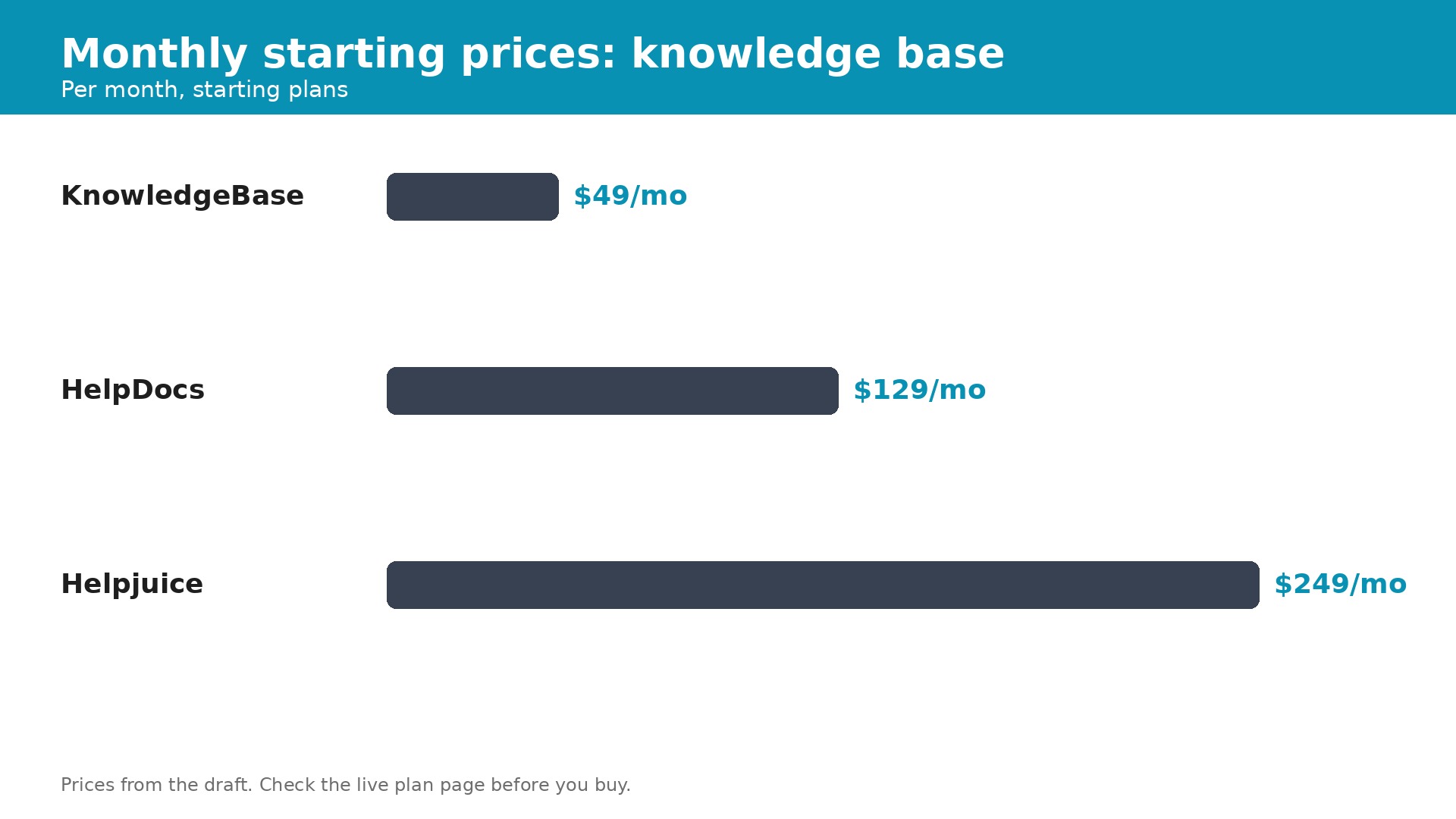
| Helpjuice | From $249 a month | Customizable customer facing knowledge base | AI search only from $449 a month |
| HelpDocs | From $129 a month | Standalone help centre on your own domain | Limited integrations and analytics |
| Notion | From $10 per seat a month | Early internal wiki for a small team | Not a dedicated help centre, weak public SEO |
| Confluence | From $6 per user a month | Internal docs on Atlassian | Per user pricing, needs Atlassian knowledge |
| GitBook | From $65 per site a month plus $12 per user | Developer docs and API references | Per site plus per user pricing adds up |
| KnowledgeBase | From $49 a month billed annually | Simple hosted help centre | Thinner features than dedicated tools |
| Slite | From $10 per member a month | Fast internal wiki for a small team | No free plan, per member pricing |
The 8 tools, reviewed in detail
Each review below states the price and the pricing model first, then the strengths, then the honest limits. Read the pick it when and skip it when lines as the verdict. If a tool matches your lane and your team size, it belongs on your shortlist even if it sits low in this list.
1. Document360
Document360 does not publish pricing and sells by custom quote. The price is set per project, based on editors, workspaces, languages, SSO, and AI usage, with a 14 day free trial available. A second knowledge base means a second negotiation, so owners should get a written quote that lists every project before comparing.
Document360 is the most structured knowledge base on this list, with version history, approval workflows, permissions, and reporting built in. It supports customer facing and internal documentation from one workspace, with category structure, article lifecycle, and localization tools that a growing team needs. The search is strong, the analytics are deep, and the platform is built for teams that treat documentation as a serious product. For a dedicated documentation team, it is the obvious pick.
The quote only pricing is the hardest part of Document360. A small team cannot learn the price without a sales conversation, and the per project billing means a second docs site costs a second negotiation. The platform is also heavier than the lightweight tools, so a team that only needs a simple help centre will find it more than it needs.
Pick it when you run a dedicated documentation team and need versioning, approvals, and governance in one platform. Skip it when you need a published price, or you only need a simple help centre for a small team.
2. Helpjuice
Helpjuice starts at $249 a month for the Starter plan covering up to 30 users, with Run Up at $449 a month for up to 100 users and Premium at $799 a month for unlimited users. Some listings show a Starter price of $120 a month for 4 users, so owners should confirm the current plan structure before budgeting. A 14 day free trial is available, and the AI suite sits on the $449 plan.
Helpjuice is a dedicated customer facing knowledge base with a strong emphasis on customization and analytics. The theming tools are the best in this category, with Liquid template access and done for you design, so a help centre can match the business brand exactly. The analytics show which articles deflect tickets and which searches fail, which helps a team improve the content that matters most. For a business that wants a heavily themed multilingual help centre, it is the best pick.
The $249 starting price is higher than most tools on this list, and the AI search that makes the help centre truly smart sits on the $449 Run Up plan, so the entry plan misses it. The flat monthly price is also capped by logins, so a growing team pays more as it adds users. A small business on a tight budget will find cheaper options elsewhere.
Pick it when you want a heavily themed, multilingual customer facing help centre and are willing to pay $249 a month for it. Skip it when you need AI search on the cheapest plan, or your budget caps out under $150 a month.
3. HelpDocs
HelpDocs starts at $129 a month on Sprout for 5 editors, with Bloom at $299 a month for 15 editors and Harvest at $499 a month for 25 editors, with 20 percent off on annual billing. Readers are free, a custom domain with SSL is included on every plan, and a 14 day free trial is available. The pricing is flat by editor band, so the bill does not move when readership grows.
HelpDocs is the cleanest standalone help centre on this list. The flat pricing ignores readership, so a help centre that goes viral does not cost more, and the custom domain with SSL is included on every plan. The published pages are fast and indexable, the editor is simple, and the 14 day trial needs no card. For a small team that wants a hosted help centre on its own domain without a support suite, it is the best pick.
The integrations and analytics are more limited than Document360 or Helpjuice, so a team that needs deep reporting or a wide integration list will find gaps. The feature set is also focused on public help centres, so an internal wiki team should look elsewhere. The $129 starting price is higher than the per seat tools for a very small team.
Pick it when you want a standalone help centre on your own domain with flat pricing that ignores readership. Skip it when you need deep analytics, a wide integration list, or an internal wiki.
4. Notion
Notion starts at $10 per seat a month on the Plus plan, with a free plan for personal use and a Business plan at higher tiers. The platform is a workspace that teams use as an internal wiki, with pages, databases, and AI features. Owners should confirm the current plan structure before budgeting, because the tiers are split by features and AI usage.
Notion is the safe default for an internal wiki, and the reason is familiarity. Most small teams already use Notion or know someone who does, so the learning curve is near zero. The pages are flexible, the databases are powerful, and the AI features help a team draft and organize content fast. For an early internal wiki that the whole team will actually use, it is the best pick.
Notion is not a dedicated help centre, so the public publishing, SEO, and analytics are weaker than HelpDocs or Document360. A customer facing help centre built on Notion will rank poorly and look unfinished compared with a dedicated tool. The per seat price also adds up as the team grows, because every reader who needs an account costs $10 a month.
Pick it when you need an internal wiki for a small team and want a tool everyone already knows how to use. Skip it when you need a public customer facing help centre with strong SEO and analytics.
5. Confluence
Confluence Standard costs $6 per user a month as rechecked in October 2026, with higher tiers adding features and storage. The platform is built for internal documentation on Atlassian, with deep integration into Jira and the rest of the Atlassian suite. A free trial is available, and owners should confirm the current plan structure before budgeting.
Confluence is the best pick for a team already running Jira and the Atlassian suite, because documentation, issues, and projects share one system. The page structure is solid, the permissions are deep, and the integration with Jira means a support ticket can link directly to the article that answers it. For an internal documentation team on Atlassian, the fit is natural.
The per user pricing adds up as the team grows, and the platform needs Atlassian knowledge to run well. A team that does not use Jira will find the setup complex and the interface unfamiliar. Confluence is also built for internal docs, so a customer facing help centre will need a second tool.
Pick it when you run an internal documentation team already on Jira and Confluence. Skip it when you do not use Atlassian, or you need a public customer facing help centre.
6. GitBook
GitBook starts at $65 per site a month plus $12 per user a month, as listed in July 2026. The platform is built for developer documentation and API references, with strong tools for technical content. Owners should confirm the current plan structure before budgeting, because the per site plus per user model adds up fast.
GitBook is the best pick for developer documentation and API references. The editor is built for technical content, the versioning is solid, and the published docs look professional without design work. For a software team that needs to publish API references alongside user guides, the fit is better than any general knowledge base tool.
The per site plus per user pricing adds up fast, because a team with 5 users pays $65 plus $60, which is $125 a month, and a second site costs another $65. The platform is also built for technical docs, so a general customer support team will find less fit. A small business that only needs a help centre will pay for developer tools it never uses.
Pick it when you run a software team and need developer docs and API references published professionally. Skip it when you need a general customer help centre, or your budget caps out under $100 a month.
7. KnowledgeBase
KnowledgeBase starts at $49 a month billed annually, or $59 month to month, with a 14 day free trial and no free plan. The platform covers a simple hosted help centre with QuickAnswer and AI writing tools included. Owners should confirm the current plan structure before budgeting.
KnowledgeBase is the simplest hosted help centre on this list, and the $49 price reflects that. The setup is fast, the editor is easy, and the QuickAnswer and AI writing tools help a small team publish articles without a dedicated writer. For a small business that wants a help centre live this week without a complex platform, it is the best value pick.
The feature set is thinner than Document360 or Helpjuice, with less depth in versioning, approvals, and analytics. The platform is also less well known, so there is less public evidence about long term reliability and the user community is smaller. A team that grows into governance needs will outgrow it.
Pick it when you want a simple hosted help centre live this week for $49 a month, with AI writing tools included. Skip it when you need versioning, approvals, or deep analytics in the same platform.
8. Slite
Slite costs $10 per member a month as rechecked in September 2026, with no free plan and a 14 day free trial that needs no card. The platform is built for a fast internal wiki, with AI search across connected tools. Owners should confirm the current plan structure before budgeting.
Slite is the fastest internal wiki on this list, with a clean editor and AI search that finds answers across connected tools. The interface is simple, the setup is fast, and the search is genuinely good, which matters because a wiki nobody can search is a wiki nobody uses. For a small team that wants a fast internal knowledge base, it is a strong pick.
There is no free plan, so a team must pay from day one, and the per member price adds up as the team grows. The platform is built for internal wikis, so a customer facing help centre will need a second tool. The feature set is also thinner than Confluence on permissions and structure.
Pick it when you want a fast internal wiki with strong AI search for a small team. Skip it when you need a free plan, or you need a public customer facing help centre.
The Pick That Fits Your Day
The best knowledge base software for small business depends on whether the help centre faces customers or the team. Match your job to the pick below and you will shortlist faster than reading every review in order.
| Your job | Best pick | Why it wins |
|---|---|---|
| Public help centre, own domain | HelpDocs | Flat $129 a month, readers free, SSL included |
| Simple help centre, lowest price | KnowledgeBase | From $49 a month, AI writing included |
| Heavily themed help centre | Helpjuice | Best theming, from $249 a month |
| Internal wiki, team already knows it | Notion | From $10 a seat a month, near zero learning curve |
| Dedicated docs team, governance | Document360 | Versioning and approvals, quote only |
| Developer docs and API references | GitBook | Best technical publishing, $65 a site plus $12 a user |
Adding Up the Real Cost
A small team should budget $49 to $249 a month for a knowledge base. KnowledgeBase costs $49 a month billed annually, HelpDocs costs $129 a month for 5 editors, Helpjuice costs $249 a month for up to 30 users, and Document360 is quote only. Notion costs $10 per seat a month, Confluence costs $6 per user a month, Slite costs $10 per member a month, and GitBook costs $65 per site plus $12 per user a month. A 5 editor team pays $50 a month on Notion, $30 on Confluence, $50 on Slite, and $129 on HelpDocs. Always calculate the cost at your real editor count, because per seat pricing rises with every writer you add.
The hidden costs are the AI tiers and the second project fees. Helpjuice AI search sits on the $449 plan, Document360 charges per project so a second docs site costs a second negotiation, and GitBook charges per site plus per user. Always ask for a 12 month total that includes every editor, every site, and every AI feature, then compare that number across vendors.
The math that justifies the spend is the ticket that never arrives. A help centre that deflects a third of tickets saves a 5 agent team roughly 100 tickets a month, which is worth far more than $129 a month in software. A single article that answers the top question can save hours every week. Judge the software on the tickets it prevents, not on the price alone.
How Small Operators Waste Money
- Choosing a per seat tool when a flat tool is cheaper at your size. A 5 editor team pays $50 a month on Notion but $129 on HelpDocs, while a 20 editor team pays $200 on Notion but $299 on HelpDocs Bloom. Calculate the cost at your real editor count before you commit.
- Buying an internal wiki for a customer facing help centre. Notion and Confluence are built for internal docs, and a public help centre built on them will rank poorly and look unfinished. Shortlist by lane, not by feature list.
- Publishing on a vendor subdomain. A help centre on a vendor subdomain looks unfinished and ranks poorly in search. Insist on a custom domain with SSL, which HelpDocs includes on every plan, before you commit.
- Writing 50 articles before launch. A help centre with 50 thin articles is worse than one with 10 good ones, because customers cannot find the answer in a pile of weak content. Start with the 10 questions your team answers most, publish those well, and add one article a week after that.
- Never updating the articles. A knowledge base that goes stale is worse than no knowledge base, because customers follow wrong instructions and then blame the business. Assign one person to review the top 10 articles every month, and use the analytics to find the searches that fail.
What good looks like after 90 days
After 90 days on the right system, a small business should be able to answer five questions in under a minute. Which articles are read most and which searches fail. How many tickets the help centre deflected last month. Which articles need updating because the product changed. How long it takes a new agent to find the answer to a common question. And what the top 10 customer questions are, ranked by volume. If the software cannot answer those questions, it is a document store, not a knowledge base.
The first month is the hardest, because the articles are empty and the habit is new. Write the 10 questions your team answers most, publish those well, and add one article a week after that. A thin article published today beats a perfect article that never ships. By the second month, the analytics start to work, because the data is finally there. By the third month, ticket volume should fall, because customers are finding answers themselves, and that fall is worth more than the subscription cost many times over.
The best knowledge base software for small business earns its keep in the quiet moments, not in the demos. It is the customer who finds the answer at midnight without a ticket, the new agent who learns the product from the wiki instead of asking a colleague, and the article that stays current because someone owns it. Pick the tool that makes those moments easy, and the rest of the features will take care of themselves. A system the team actually writes in every week beats a powerful system nobody opens, so choose the one your team will use.
Frequently Asked Questions
How much does knowledge base software cost for a small business?
Most small teams pay $49 to $249 a month. KnowledgeBase costs $49 a month billed annually, HelpDocs costs $129 a month for 5 editors, Helpjuice costs $249 a month for up to 30 users, and Document360 is quote only. Notion costs $10 per seat a month, Confluence costs $6 per user a month, Slite costs $10 per member a month, and GitBook costs $65 per site plus $12 per user a month. Always calculate the cost at your real editor count before you compare.
What is the best knowledge base software for small business in 2026?
The best knowledge base software for small business depends on the lane. HelpDocs wins for a public help centre on your own domain, KnowledgeBase wins for the simplest help centre at the lowest price, Helpjuice wins for heavily themed help centres, and Notion wins for an internal wiki. Shortlist three tools that match your lane and team size, trial them with real articles, and pick the one your team actually writes in every week.
Do I need knowledge base software for a small business with five staff?
Yes, if your team answers the same questions every week. A knowledge base turns the top 10 questions into articles customers can find themselves, which cuts ticket volume by a third within a few months. The cost of $49 to $129 a month is small against the hours saved, and the help centre also helps new staff learn the product without asking a colleague every time.
What is the cheapest knowledge base software for a small business?
KnowledgeBase is the cheapest dedicated help centre at $49 a month billed annually, and Confluence is the cheapest per user tool at $6 per user a month. Notion costs $10 per seat a month and Slite costs $10 per member a month. The cheapest option depends on your editor count, because a per seat tool is cheap for a small team and expensive for a large one. Calculate the cost at your real editor count before you choose.
Should a knowledge base live on my own domain?
Yes. A help centre on your own domain with SSL looks professional, ranks better in search, and keeps customers inside your brand. HelpDocs includes a custom domain with SSL on every plan, and most dedicated tools offer it. A help centre on a vendor subdomain looks unfinished and sends customers away from your site. Check the domain and SSL terms before you commit.
How many articles should a small business start with?
Start with 10 articles that answer the questions your team hears most, such as password resets, refund policy, plan changes, and delivery times. Publish those 10 well, with clear titles and step by step answers, then add one article a week. A help centre with 10 good articles beats one with 50 thin ones, because customers can actually find the answer. Use the search analytics to find the questions customers ask that have no article yet.