
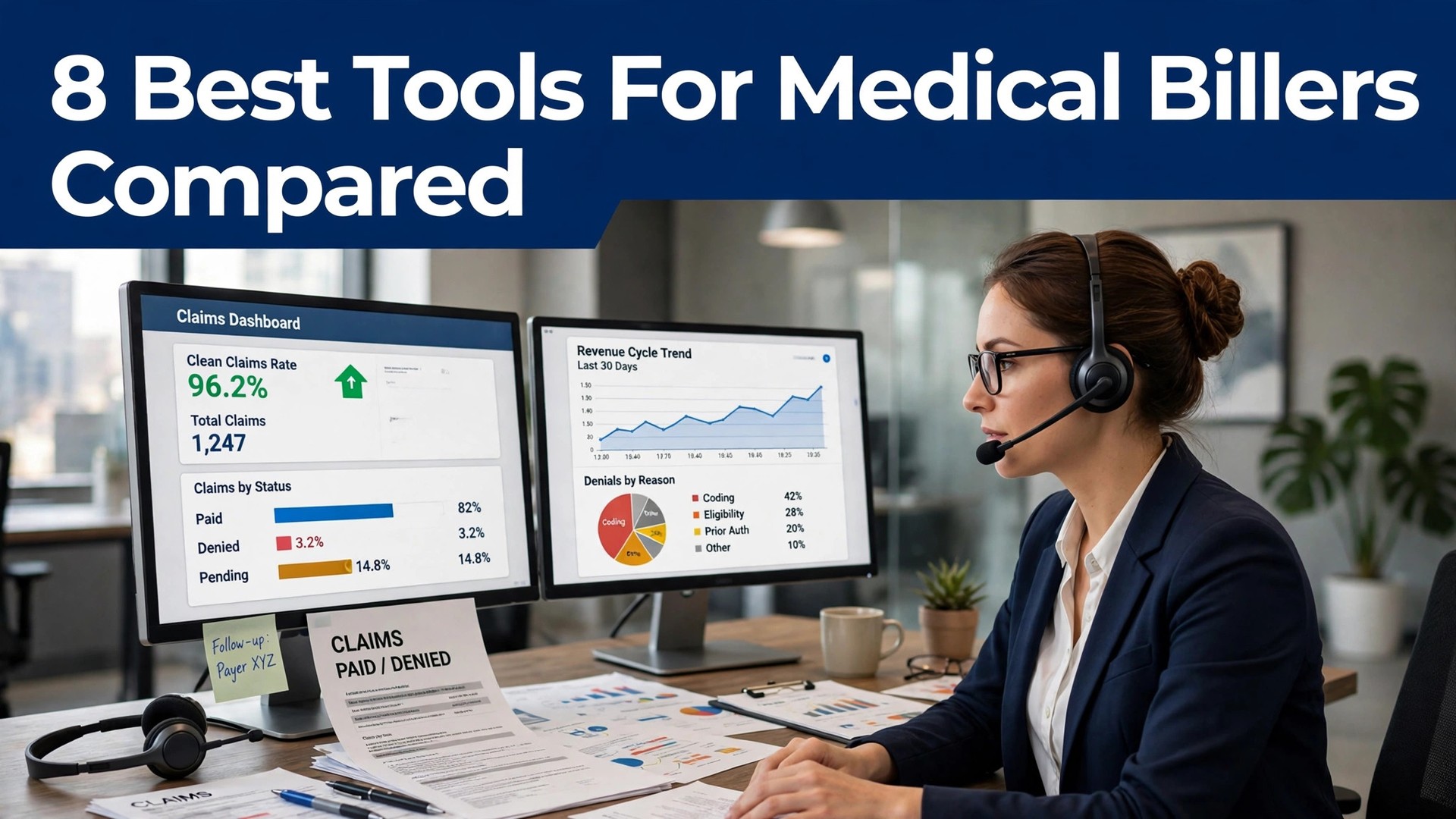
A denied claim costs a practice far more than the claim is worth, because the rework, the appeal and the delay all stack up behind it. The best ai tools for medical billers catch the error before the claim leaves the building, so the billing team works clean claims first and denials second, instead of the other way round.
Most revenue-cycle platforms are sold on custom quotes, so the table in this guide says pricing on request for most of them, and that is honest. The one exception is Availity, whose Essentials portal is free for providers, and the one published per-provider price is AdvancedMD. This guide names the real cost model for each tool, so a buyer can budget before the sales call.
This guide compares eight tools on published prices, the billing job each one does best and the catch that only shows up after the trial ends. Every price below is the published starting price as of late 2026, or marked pricing on request where the medical billing work vendor does not publish a rate. Start with the shortlist, then read the reviews that match the medical billing work you do most.
Every Tool, One Row Each
Use it to narrow the best ai tools for medical billers to two or three candidates before you read the full reviews. Monthly list prices apply unless noted, and annual billing usually beats monthly billing for medical billing teams.
| Job | Best tool | Why it wins |
|---|---|---|
| End-to-end claims, denials and payments | Waystar | One platform from claim to cash |
| Free claims and eligibility connectivity | Availity | The free starting point for billing |
| Pre-submit scrubbing from data | Experian Health | Clean claims before they leave the building |
| Claims, scheduling and chart in one login | AdvancedMD | One login for the practice and the billing |
| Billing bundled with the chart | athenahealth | Billing that lives inside the EHR |
| Denial recovery and contract management | FinThrive | Denials and contracts, handled together |
| AI-driven RCM with advisory services | Optum | A platform plus the people to run it |
| A modern suite for independent practices | Tebra | Billing for the independent practice |
How We Chose the Best AI Tools for Medical Billers
A tool earned a place here only when it does a real medical billing job well in 2026, not when it added an AI label to an old product. The best ai tools for medical billers were judged on five things that decide whether a team keeps paying after the first year.
We ranked Waystar and the rest first on the job each one does, because a single-purpose tool usually beats a platform that spreads across five jobs for medical billing teams. Next came published pricing and how it scales, since per-seat charges decide the real bill for medical billers as they grow. Output quality came third, because an error in medical billing work costs more to fix than a month of subscription.
Fourth, fit with the systems medical billing teams already run, because a tool that cannot reach the core system forces double entry on every medical billing job today. Fifth, the catch, from free plans that cap medical billing work usage to enterprise tools that need a sales call before the first trial.
| Check before you buy | What to ask | Why it matters |
|---|---|---|
| Published price | Is the rate on the pricing page | A hidden price is a hidden bill |
| Free plan limits | Usage caps, watermarks or seats | A capped free plan cannot run the real job |
| Integration | Does it connect to your core system | Double entry eats the time it saves |
| Compliance | BAA, retention and consent | A fast output that breaks the rules is a risk |
| Trial access | Can you test it on real work | A demo is not a trial |
| Contract terms | Monthly or annual, and what year two costs | Annual billing locks the price but not the need |
Tool by Tool

1. Waystar
Starting price Pricing on request. Best for Hospitals that want one RCM platform. Watch out Enterprise sales, no public price.
Waystar is the closest thing revenue-cycle management has to a default platform, covering eligibility, claims, denials, payment posting and patient billing in one cloud system, with its AltitudeAI layer for denial prevention and appeal packaging. It serves about 30,000 clients and processes a large share of US claims, so a hospital billing team gets a platform its peers already use.
The price is by quote, with clearinghouse fees on top, and the sales process is heavy for a small practice. A hospital or a large physician group will find the consolidation worth it, because five point tools become one login. A small practice should start with Availity or AdvancedMD and move to Waystar only when the volume justifies it.
That is the test to apply to the best ai tools for medical billers as a group: the tool that saves an hour a week on real work pays for itself, and the tool that needs constant correction does not, however cheap the headline looks.
The onboarding for Waystar is worth a close look before you sign, because a tool that takes weeks to set up costs more in lost time than the subscription. Ask what the first week looks like, who helps with medical billing work setup and what happens when the first output needs fixing. Those answers reveal the real cost for medical billers better than the medical billing work pricing page.
2. Availity
Starting price Essentials portal free for providers. Best for Practices that need payer connectivity. Watch out Full clearinghouse needs a paid tier.
Availity runs a multi-payer portal that connects providers to more than a thousand payers, with eligibility, claim submission, claim status and remittance in the Essentials portal, free for providers. A billing team that needs to check eligibility and send claims without a big subscription can start here today and pay nothing.
The full clearinghouse features sit on paid tiers, and the AI automation varies by tier, so a team should confirm what the free tier actually covers for its payers. For a small practice, Availity Essentials is the best free starting point on this list. For a hospital, it is a useful layer beside a full RCM platform, not a replacement for one.
Support matters more than most buyers expect, because the first medical billing work problem usually arrives in the first week. Check whether Availity offers live help, how fast it answers and whether the help covers your actual workflow. Good support gets a medical billing tool itself adopted, while slow support gets it abandoned and the subscription keeps billing either way for medical billers.
3. Experian Health
Starting price Pricing on request. Best for Teams whose claims fail before submission. Watch out Enterprise modules, no public rate.
Experian Health comes at billing through data, with a pre-submit claim scrub that catches errors at line level before the 837 file is built, plus identity, coverage and contract tools. A billing team whose first-pass rate is the problem will find the scrub pays for itself, because a clean claim is cheaper than a denied one.
The price is by quote and the product catalog is wide, so scoping takes a conversation. Experian will not replace a denial workqueue or a patient-statement shop, and a buyer should know that before signing. For a team that loses money to dirty claims, it is the sharpest tool here. For a team that loses money to denials after submission, Waystar is the better fit.
Before you commit to Experian Health, check the export and the exit. Can you take your notes, data or templates with you if you leave the medical billing tool option, and what format do they come in. Lock-in costs medical billers far more to leave than to join, when a medical billing software tool holds the work inside its own system.
4. AdvancedMD
Starting price From 429 dollars a provider a month. Best for Small and mid-size practices that want one suite. Watch out RCM service costs 4 to 8 percent of collections.
AdvancedMD combines practice management, an EHR and claims in one cloud suite, with optional RCM services priced at 4 to 8 percent of collections. A small or mid-size practice gets scheduling, the chart and the claims desk in a single login, and the medical-specialty price from 429 dollars a provider a month is published, which is rare in this category.
The EHR plus practice-management price sits above the practice-management floor, and the RCM service is a percentage of collections, so a practice should price the full stack, not the headline. For a practice that wants one vendor for the chart and the billing, AdvancedMD is the most complete small-practice option here.
For a team weighing AdvancedMD against the next tool on this list, the test is a real week of work. Run it on the top medical billing jobs done most, count the time saved and the edits each output needs, and compare that against the price. An hour saved a week pays for a medical billing app tool at almost any price for medical billers, while one needing constant correction never pays.
5. athenahealth
Starting price Pricing on request. Best for Practices that want billing bundled with the EHR. Watch out Priced as a percentage of collections.
athenahealth bundles billing with its EHR, so the claim is built from the chart, scrubbed, submitted and followed up in the same system. A practice that already runs athenahealth gets billing as part of the platform, with a team behind it, instead of buying a separate claims tool and stitching the two together.
The price is a percentage of collections, so a practice should model the cost against its actual collections before signing. It is not a standalone tool for a practice on another EHR, and a buyer should not try to use it that way. For a practice choosing an EHR and a billing service together, athenahealth is the simplest single decision on this list.
The onboarding for athenahealth is worth a close look before you sign, because a tool that takes weeks to set up costs more in lost time than the subscription. Find out what week one looks like, who helps set the medical billing tool pick up, and what happens when the first output needs a fix. The answers tell more about the real medical billing work cost than the pricing page does.
6. FinThrive
Starting price Pricing on request. Best for Health systems that need denial and contract tools. Watch out Enterprise platform, long rollout.
FinThrive is an enterprise revenue-cycle platform for health systems, covering patient access, claims, denials, contract management and analytics in one suite. A health system that loses money to underpaid claims and complex payer contracts gets a platform that ties the denial work to the contract terms, which is where the recovery actually happens.
The price is by quote, the rollout is long and the platform is built for hospitals, not for small practices. A billing team in a health system will find FinThrive the deepest option here for contract and denial work. A small practice should not buy it, because the platform is sized for a volume it will never reach.
Buyers underrate support, yet the first medical billing work problem usually lands in week one for medical billers. Check whether FinThrive offers live help, how fast it answers and whether the help covers your actual workflow. A tool with good support gets adopted; a tool with slow support gets abandoned, and the medical billing work subscription keeps billing either way.
7. Optum
Starting price Pricing on request. Best for Large systems that want AI RCM plus advice. Watch out Enterprise price and services bill.
Optum pairs an AI-driven revenue-cycle platform with advisory services, so a large health system gets both the software and the team that helps run it. The platform covers claims, denials and analytics, and the advisory side helps a system redesign the workflow around the tool, which is where the larger savings usually sit.
The price is enterprise, with a services bill on top of the platform, so a buyer needs a clear business case before signing. A large system with a complex revenue cycle will find the combination worth it. A small or mid-size practice will find the platform and the price far beyond what it needs.
Before you commit to Optum, check the export and the exit. Ask whether medical billers can take notes, data and templates out of the medical billing tool choice on leaving, and in what format. Lock-in costs medical billers far more to leave than to join, when a medical billing platform tool holds the work inside its own system.
8. Tebra
Starting price Pricing on request. Best for Independent practices that want a modern suite. Watch out Price varies by specialty and module.
Tebra, formerly Kareo, is a practice-management and billing suite built for independent practices, with scheduling, charting, claims and patient billing in one system. An independent practice that wants a modern, cloud-based suite without an enterprise sales process will find Tebra the most approachable full suite on this list.
The price varies by specialty and module, so a practice needs a quote for its own configuration. The billing features are strong for a practice of its size, and the platform is easier to learn than the hospital systems. For an independent practice choosing a suite, Tebra is the right starting point. For a hospital, Waystar or FinThrive is the better fit.
For a team weighing Tebra against the next tool on this list, the test is a real week of work. Test it on the most common medical billing job types, count hours saved and edits needed, and weigh that against the price for medical billers. An hour saved a week pays for a medical billing tool itself at almost any price for medical billers, while one needing constant correction never pays.
Side by Side on Price and Fit
The table below puts the best ai tools for medical billers side by side on price, best job and free plan, so you can compare the published prices against the quote-only tools at a glance.
The fastest way through the table is by job, since medical billers pay more for a bargain tool that fails than for a pricier one that does the medical billing work first time. Every failed attempt means redoing an hour of billing work. Check what each tool is best for, then look at the price, and the choice for medical billing teams normally settles in under a minute.
| Tool | Starting price | Best for | Free plan |
|---|---|---|---|
| Waystar | Pricing on request | Hospitals that want one RCM platform | No |
| Availity | Essentials portal free for providers | Practices that need payer connectivity | Yes |
| Experian Health | Pricing on request | Teams whose claims fail before submission | No |
| AdvancedMD | From 429 dollars a provider a month | Small and mid-size practices that want one suite | Trial |
| athenahealth | Pricing on request | Practices that want billing bundled with the EHR | No |
| FinThrive | Pricing on request | Health systems that need denial and contract tools | No |
| Optum | Pricing on request | Large systems that want AI RCM plus advice | No |
| Tebra | Pricing on request | Independent practices that want a modern suite | Trial |
Buy This First, Skip the Rest
Start from the slowest part of the medical billing working week, not from the vendor homepage. medical billing teams buried in medical billing work should buy the tool that clears that pile first. medical billing teams losing hours to rework should buy accuracy before features. The tool that fixes the slowest medical billing bottleneck task pays for itself first, and the rest can wait.
Price the whole medical billing work stack, not the headline number. The table below prices year one for a solo buyer and for a small team on the common medical billing work combinations, at published starting prices. Ask for per-seat charges in writing before signing, since those lines surprise medical billing teams, and annual billing usually cuts about twenty percent off the monthly rate.
| Stack | Monthly cost | What it covers |
|---|---|---|
| Waystar plus Availity | Check the pricing page | Core tool plus a second specialist |
| Availity alone | Lowest starting price | One tool for the main job |
| Waystar plus Experian Health | Mid-range | Core tool plus a workflow specialist |
| Experian Health plus Availity | Mid-range | Specialist pair for a busy week |
The second check is the exit. A medical billing app tool that exports cleanly is easy to leave, and one that locks the work in is expensive to quit. Check the export formats, the data ownership and the contract length on the pricing page before medical billing teams pay, because the format decides what happens when the team outgrows the tool.
Best Pick by Job
Pick from the table below by the medical billing work job you do most each week. The best ai tools for medical billers are not ranked by features alone; they are ranked by which job each one actually finishes, so the pick that matches your week is the pick that will still be in your stack a year from now.
| Your job | Best pick | Why it wins |
|---|---|---|
| End-to-end claims, denials and payments | Waystar | One platform from claim to cash |
| Free claims and eligibility connectivity | Availity | The free starting point for billing |
| Pre-submit scrubbing from data | Experian Health | Clean claims before they leave the building |
| Claims, scheduling and chart in one login | AdvancedMD | One login for the practice and the billing |
| Billing bundled with the chart | athenahealth | Billing that lives inside the EHR |
| Denial recovery and contract management | FinThrive | Denials and contracts, handled together |
| AI-driven RCM with advisory services | Optum | A platform plus the people to run it |
| A modern suite for independent practices | Tebra | Billing for the independent practice |
The Trial Week, Planned
Five working days on real medical billing work teaches medical billing teams more than a month of reviews. Take the two closest tools from the shortlist, run them on the same core medical billing jobs side by side, and score time saved, edits needed and whether a colleague would trust the output. A demo file hides the rough edges, so trial on the medical billing work the team actually does.
| Day | What to test | What good looks like |
|---|---|---|
| Day 1 | Setup and first real job | Working in under an hour, no IT ticket |
| Day 2 | The hardest job you do | Output needs light edits, not a rewrite |
| Day 3 | Integration with your core system | Data flows without double entry |
| Day 4 | A colleague tries it cold | They finish a job without asking for help |
| Day 5 | Count the time and the cost | Hours saved beat the monthly price |
Log every trial job for medical billing teams, with the minutes spent, the edits needed and whether the result was ready to send. After five days the log decides for medical billing teams, not the sales call. The best log wins even if the tool was not the favourite at the start, because it records real medical billing work instead of a polished demo.
Buying Mistakes to Skip
Mistake one is the cheapest plan, when the feature medical billing teams need sits two tiers up. Read every tier on the pricing page and pay for the tier that does the daily medical billing task, not the tier that looks cheap. Mistake two is rolling out to the whole team before one person has tried the tool for a week, since a favourite of one and a burden to five is a cost for medical billing teams, not a system.
Mistake three is skipping compliance, so medical billers should ask for the data agreement, read the retention rules and check consent wording before real medical billing case files flows through the tool. Fixing compliance afterwards costs medical billing teams far more than checking it first. Mistake four is trialling the easy job, when the hardest medical billing bottleneck task is the one that should decide.
Your Questions, Answered
Which medical billing software tool is the cheapest solid start
Waystar is the cheapest credible start on this list at pricing on request, and Availity at essentials portal free for providers is close behind. The best ai tools for medical billers include free tiers and free plans, so start with the job you do most each week, trial the free tier on real work, and add a specialist only when the general tool cannot do a job you are paid to do. That is the cheapest route to a medical billing work stack, with no payment for features never used.
Does the AI output look identical for every medical billing teams using the same tool
Yes, when the template goes out untouched. The AI gives medical billers a workable first draft, yet the facts, the phrasing and the judgement stay human. Unedited medical billing work output reads the same as every other team’s, and clients spot that quickly. Draft with the tool, then rewrite the details and the checks for the team’s own medical billing work.
What is the best pick for a small team doing medical billing work
Availity is the best pick for a small team, because it starts at essentials portal free for providers and needs almost no setup, while Waystar at pricing on request is the strongest all-round choice once the team grows. The best ai tools for medical billers were ranked by the job each one finishes, not by the size of the feature list, so a small team should buy the tool that fixes its slowest weekly job first and add a second tool only when a specific limit starts costing time.
What does year one cost a small team doing medical billing work
A realistic year one budget is 20 to 50 dollars a month for one general tool such as Availity, and 100 to 200 dollars a month once you add a specialist such as Experian Health. A team that pays per seat should multiply the headline price by the headcount before budgeting for medical billing work, because per-seat charges are the lines that surprise buyers. Budget for the stack, not for one tool, and trial each one on real medical billing work before you commit to annual billing.
Is one medical billing tool option enough, or is a second tool needed
Not always. Most medical billing teams get by with one general tool for months, and a separate specialist only earns its place when a specific medical billing daily task runs every week and the general tool cannot do it well. Time the last week before spending. When the job takes hours and the specialist cuts it to minutes for medical billing teams, buy it, and when the job already takes minutes, the specialist is a cost.
Is there a free trial for these medical billing work tools
Most of the tools on this list offer a free plan or a free trial, and Waystar and Availity both let you test on real work before paying. Use the trial on the medical billing job itself you do most, not on a demo, and count the time saved and the edits each output needs. A trial that covers a real week tells medical billers more than a sales call, and a tool that will not trial is a tool to be careful about.
The Final Word
If you buy one tool this quarter, start with Availity Essentials, because it is free for providers and it handles eligibility and claims today, then add Waystar when the volume justifies an enterprise platform. The best ai tools for medical billers earn their keep when a claim goes out clean the first time, and both of these do that from the first week.
Whatever you pick, measure the first-pass rate before and after, count the denials by payer, and keep a human eye on every appeal before it goes out. The tools on this list all work. The difference is whether the platform matches the claims you actually work, and whether you measure the return in clean claims and faster payment rather than in features used.