
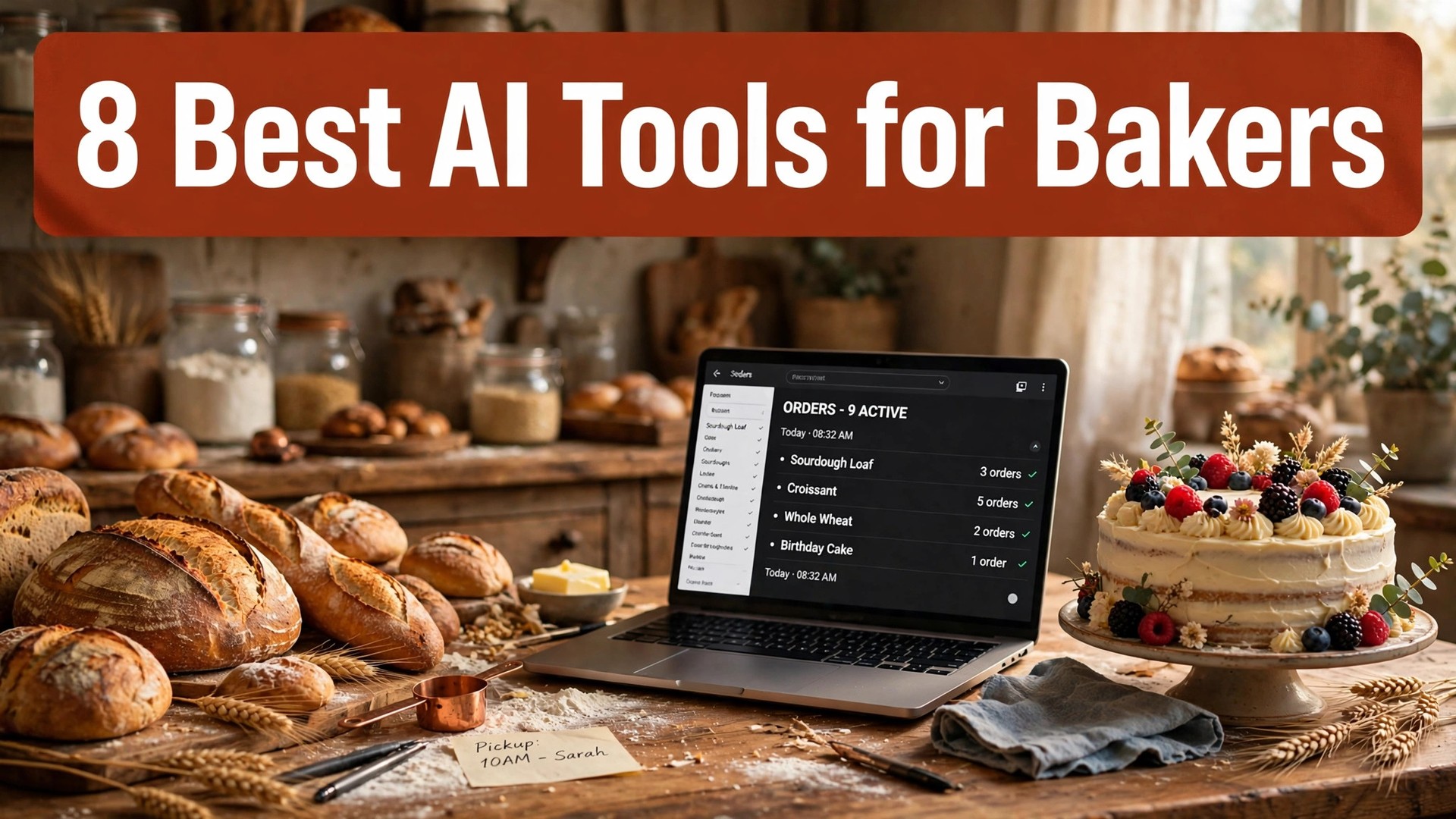
A custom cake order arrives at 10 at night, the customer wants a price by morning, and the baker still has to cost the ingredients, write the reply and update the order book before the ovens go on. That late night admin is the part of baking nobody photographs, and it is the part that eats the profit. The best ai tools for bakers take that admin off the bench, so the baker spends the working day baking instead of typing.
This guide compares eight tools on published prices, the bakery job each one does best and the catch that only shows up after the trial ends. Every price below is the published starting price as of late 2026, with annual billing noted where it changes the number. Start with the shortlist, then read the reviews that match the jobs your bakery does most.
A bakery does not need eight tools. One writing helper plus one order and payment tool covers most small bakeries, and a third tool only earns its place when it fixes a specific weekly pain, such as menus that never get updated or customer messages that sit unanswered for a day. The reviews below say plainly which job each tool does, so you can pick two and stop shopping.
The Shortlist at a Glance
The table below matches each common bakery job to the single tool that handles it best. Use it to narrow the best ai tools for bakers to two or three candidates before you read the full reviews. Prices are monthly list prices unless noted, and annual billing is usually cheaper than paying month to month.
| Job | Best tool | Why it wins |
|---|---|---|
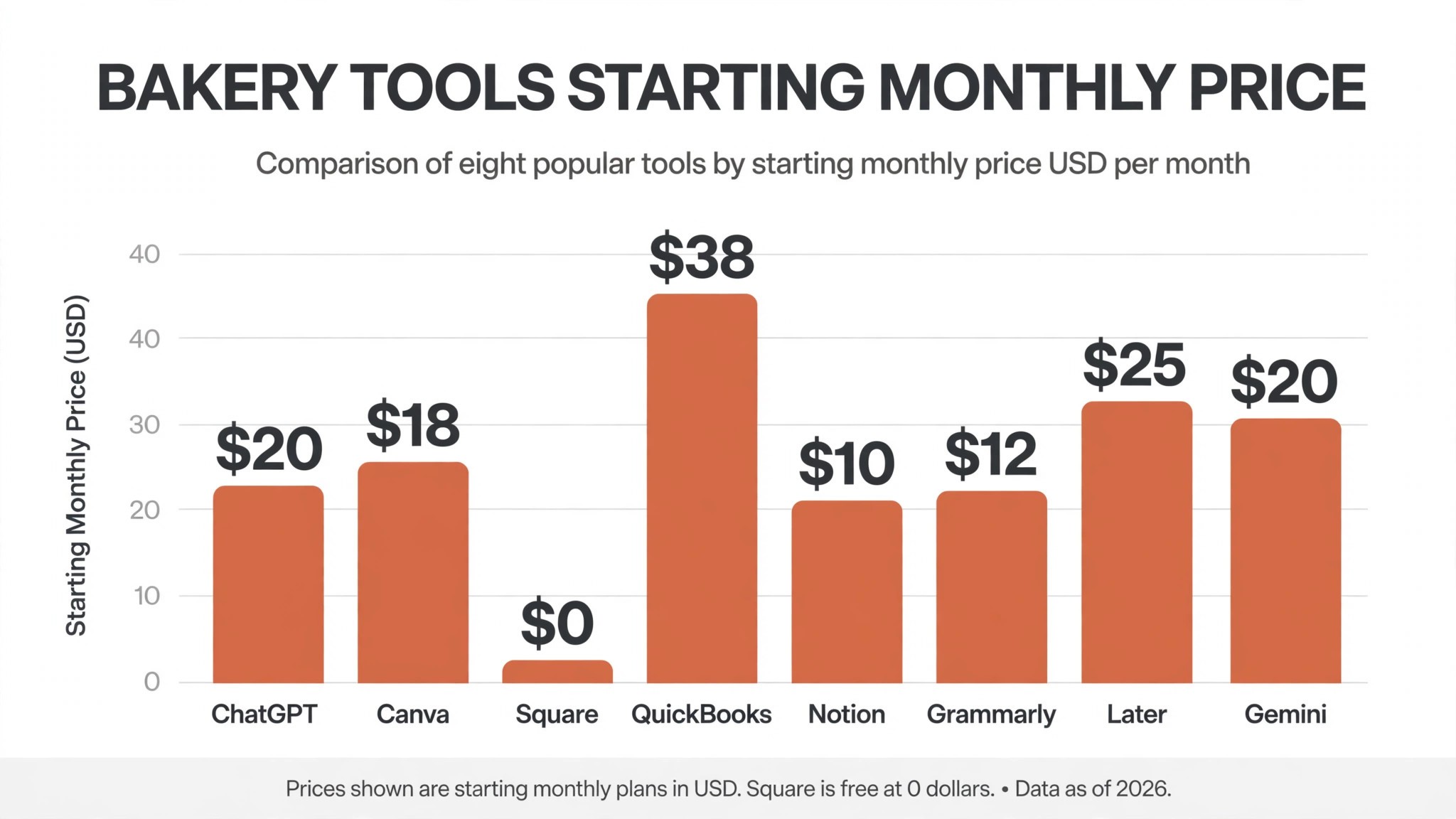
| Recipes, menus and customer replies | ChatGPT | 20 dollars a month for Plus, free plan included |
| Menus, labels and social posts | Canva | Pro from 18 dollars a month, or 144 dollars a year |
| Orders and card payments | Square | Free to start, 2.6 percent plus 10 cents per payment |
| Costing and bookkeeping | QuickBooks | Simple Start from 38 dollars a month |
| Recipe files and costing sheets | Notion | Plus from 10 dollars a month per user |
| Polished customer messages | Grammarly | Premium from 12 dollars a month billed annually |
| Social posts on a schedule | Later | Starter from 25 dollars a month |
| Recipe ideas and food photos | Gemini | AI Pro at 19.99 dollars a month |
What We Checked in the Best AI Tools for Bakers
A tool earned a place here only if it does a real bakery job in 2026, not if it added an AI label to an old app. The best ai tools for bakers were judged on five things that decide whether a baker keeps paying after the first year.
First, the bakery job it does, from costing a cake to answering a customer at midnight, because a tool that does one job well beats a platform that does five jobs poorly. Second, whether the price is published and how it scales, including per transaction fees that change the real bill as orders grow. Third, output quality, because a recipe draft that needs a full rewrite costs more time than writing from scratch.
Fourth, how it handles the money, because a bakery lives on thin margins and a tool that miscounts ingredient costs or hides a transaction fee will cost more than its subscription. Fifth, the catch, from free plans that cap orders to scheduling tools that only post to one network.
| Check before you buy | What to ask | Why it matters |
|---|---|---|
| Transaction fees | Percent plus cents per order | Fees eat margin on every cake sold |
| Order limits | Monthly cap and what happens at the cap | A cap that stops orders stops the bakery |
| Recipe storage | Searchable files or scattered notes | Lost recipes cost a day of testing |
| Customer messages | Templates, replies, or none | Fast replies win custom orders |
| Photo and menu tools | Templates and label printing | Menus and labels sell the product |
| Contract terms | Monthly or annual, and what year two costs | Annual billing locks the price but not the need |
The 8 Tools in Detail
1. ChatGPT
Starting price Free plan, then 20 dollars a month for Plus. Best for Recipes, menus and customer replies. Watch out It invents ingredient amounts, so every recipe needs a test bake.
ChatGPT is the best all round helper per dollar on this list, and it is the tool most bakers already use every day. Plus at 20 dollars a month buys the stronger models, more capacity and file uploads, and the free plan is enough to test whether AI help fits a bakery. It drafts menus, writes customer replies, scales recipes up and down, and turns a rough price list into clean wording a customer can understand.
The strength is flexibility. A baker can paste a recipe and ask for a doubled version with the new ingredient weights, ask for ten names for a seasonal cake, then ask for a polite reply to a customer who wants a discount, and the back and forth is faster than typing each one by hand. For a small bakery that writes many kinds of text, that flexibility is worth more than a specialist feature set.
The catch is accuracy. ChatGPT will invent a baking time or a quantity with total confidence, so no recipe goes to the oven without a human check and a test bake. It also has no order book, no costing sheet and no payment link, so a baker must supply the structure on every job. For writing help at 20 dollars a month, ChatGPT is the best value on this list, and it belongs in every bakery.
2. Canva
Starting price Free plan, then Pro at 18 dollars a month, or 144 dollars a year. Best for Menus, labels and social posts. Watch out Pro prices have risen twice since 2024, so check the current number.
Canva is the default choice for bakery visuals, with the largest template library and the easiest editor for a non designer. Pro buys brand kits that keep colours and fonts consistent across a menu, a cake label and an Instagram post, so the bakery looks like one business instead of three. For a bakery that photographs every bake, that consistency is the whole value.
The strength is speed. A baker can turn a phone photo of a cake into a menu board, a price label and a social post in one sitting, using templates built for food businesses. The AI tools remove backgrounds, resize a design for every channel and write a first draft of the caption, which saves the hour a bakery used to spend on each market day post.
The catch is the price trend. Canva Pro has risen twice since 2024, and the free plan keeps getting tighter, so a baker should check the price inside the account rather than trusting an old article. For menus and social posts, Canva earns its place, and the free plan is enough to test whether the templates fit your bakery.
3. Square
Starting price Free to start, then 2.6 percent plus 10 cents per in person card payment. Best for Orders and card payments. Watch out Online orders and delivery add their own fees on top.
Square is the payments pick, and it does the job every bakery needs most, which is taking money without friction. The free account covers in person payments, a simple online store and an order list, so a bakery can sell at a market stall on Saturday and take a custom cake deposit on Monday from the same account. For a bakery that sells across a counter and a website, that single till is the whole value.
The strength is simplicity. A baker can send a payment link by text, take a deposit for a wedding cake, and see the day’s takings in one dashboard, without a monthly subscription. The online store templates suit food sellers, with pickup times and order notes built in, so a customer can say when they will collect and what the cake should say.
The catch is the fee stack. The 2.6 percent plus 10 cents applies per payment, and online orders, delivery and instant transfers each add their own charge, so a busy month of small orders costs more in fees than the free plan suggests. For taking payments, Square earns its place, and it is the lowest risk way to start selling online.
4. QuickBooks
Starting price Simple Start from 38 dollars a month. Best for Costing and bookkeeping. Watch out The price rises steeply as you add users and features.
QuickBooks is the bookkeeping pick, and it does the job that decides whether a bakery makes money, which is knowing what each bake really costs. Simple Start tracks income and expenses, sends invoices and shows a profit and loss report, so a baker can see whether the sourdough line pays for the flour or just keeps the ovens warm. For a bakery that prices by feel, that report is the whole value.
The strength is the numbers. A baker can log ingredient purchases, set up recurring invoices for regular wholesale customers, and check the tax position before the year end rush, instead of finding it in a shoebox in January. The receipt capture by photo means the flour invoice goes into the books on the day it arrives, not at the end of the month.
The catch is the price ladder. Simple Start at 38 dollars a month is the entry point, and the bill climbs as you add users, payroll and inventory features, so a growing bakery should price the plan it will need in a year, not the one it needs today. For costing and tax, QuickBooks earns its place, and the 30 day trial is enough to test it on real orders.
5. Notion
Starting price Free plan, then Plus from 10 dollars a month per user. Best for Recipe files and costing sheets. Watch out It is a blank page until you build the system.
Notion is the organization pick, and it does the job every growing bakery needs, which is keeping recipes, costs and orders in one searchable place. Plus at 10 dollars a month per user buys unlimited blocks, file uploads and the AI helper that can summarize a recipe file or draft a costing note. For a bakery with a hundred recipes in notebooks and phone photos, that single file is the whole value.
The strength is structure. A baker can build a recipe database with ingredient weights, bake times and costs per portion, then link each recipe to the orders that used it, so the cost of a cake is a lookup instead of a guess. The AI helper drafts supplier emails and turns meeting notes into a task list, which saves the hour a bakery used to spend on admin after closing.
The catch is the setup. Notion ships as a blank page, and a baker who never builds the recipe database gets nothing from it, so the first week is setup, not baking. For a bakery ready to organize its recipes, Notion earns its place, and the free plan is enough to test whether the system fits your way of working.
6. Grammarly
Starting price Free plan, then Premium from 12 dollars a month billed annually. Best for Polished customer messages. Watch out It polishes wording, it does not write the reply for you.
Grammarly is the writing quality pick, and it does one job that matters when a customer is choosing between two bakeries, which is making every message read as professional. Premium checks tone, clarity and correctness as you type, so a reply to a wedding enquiry, a menu description and an apology for a late order all sound like they came from the same careful business. For a bakery that wins custom orders by email, that polish is the whole value.
The strength is the live check. A baker typing a reply at midnight gets a warning about a confusing sentence before it is sent, and the tone detector flags a message that sounds abrupt when the baker meant to sound friendly. That small check prevents the lost order that a rushed message causes.
The catch is scope. Grammarly rewrites and tightens, it does not plan, research or draft long pieces, so it is a second tool rather than a primary one. A baker who buys it expecting a full writing assistant will be disappointed. For polished customer messages, Grammarly earns its place as the cheapest quality check on this list.
7. Later
Starting price Starter from 25 dollars a month. Best for Social posts on a schedule. Watch out The entry plan covers fewer social profiles than most bakeries need.
Later is the scheduling pick, built for the visual work that fills a bakery’s social feed. It plans a week of cake photos, reels and stories in one sitting, then posts them at the times the audience is online, so the bakery stays visible on the days the baker is too busy to post. For a bakery that sells through Instagram and TikTok, that steady presence is the whole value.
The strength is the visual planner. A baker can drag photos into a calendar, see how the feed will look before anything goes live, and write the caption once with the price and the order link attached. The best time to post suggestions are based on the account’s own audience, not a generic chart, so a post goes out when followers are actually scrolling.
The catch is the profile count. Starter at 25 dollars a month covers a limited set of social profiles, and a bakery posting to Instagram, TikTok, Facebook and Pinterest will need a higher tier. For scheduled social posts, Later earns its place, and the 14 day trial is worth using to check whether the planner fits your week.
8. Gemini
Starting price Free plan, then AI Pro at 19.99 dollars a month. Best for Recipe ideas and food photos. Watch out Image results need a careful look before they go on a menu.
Gemini is the ideas pick, and it does the job that keeps a bakery menu fresh, which is turning a seasonal ingredient into a finished product idea. AI Pro at 19.99 dollars a month buys the stronger image model and higher limits, so a baker can ask for ten autumn cake ideas, get photos to compare, and draft the menu wording in the same session. For a bakery that changes its menu with the seasons, that idea flow is the whole value.
The strength is the visual brainstorm. A baker can describe a cake, see several versions of it, and use the best one as the brief for the real bake, which is faster than sketching and cheaper than a photo shoot. The writing side drafts product descriptions and answers customer questions, so the menu and the messages stay in step.
The catch is that a generated photo is not the cake. A customer who orders from an AI image and receives a different looking cake will feel misled, so generated images belong in planning, not on the menu. For ideas and seasonal planning, Gemini earns its place, and the free plan is enough to test whether the ideas fit your bakery.
The Tools Side by Side
The table below puts the best ai tools for bakers side by side on price, best job and free plan, so you can compare the published prices against the per transaction tools at a glance.
| Tool | Starting price | Best for | Free plan |
|---|---|---|---|
| ChatGPT | 20 dollars a month | Recipes, menus and customer replies | Yes |
| Canva | 18 dollars a month | Menus, labels and social posts | Yes |
| Square | Free, plus fees per payment | Orders and card payments | Yes |
| QuickBooks | 38 dollars a month | Costing and bookkeeping | Trial only |
| Notion | 10 dollars a month | Recipe files and costing sheets | Yes |
| Grammarly | 12 dollars a month | Polished customer messages | Yes |
| Later | 25 dollars a month | Social posts on a schedule | Trial only |
| Gemini | 19.99 dollars a month | Recipe ideas and food photos | Yes |
Picking the Right Stack for Your Bakery
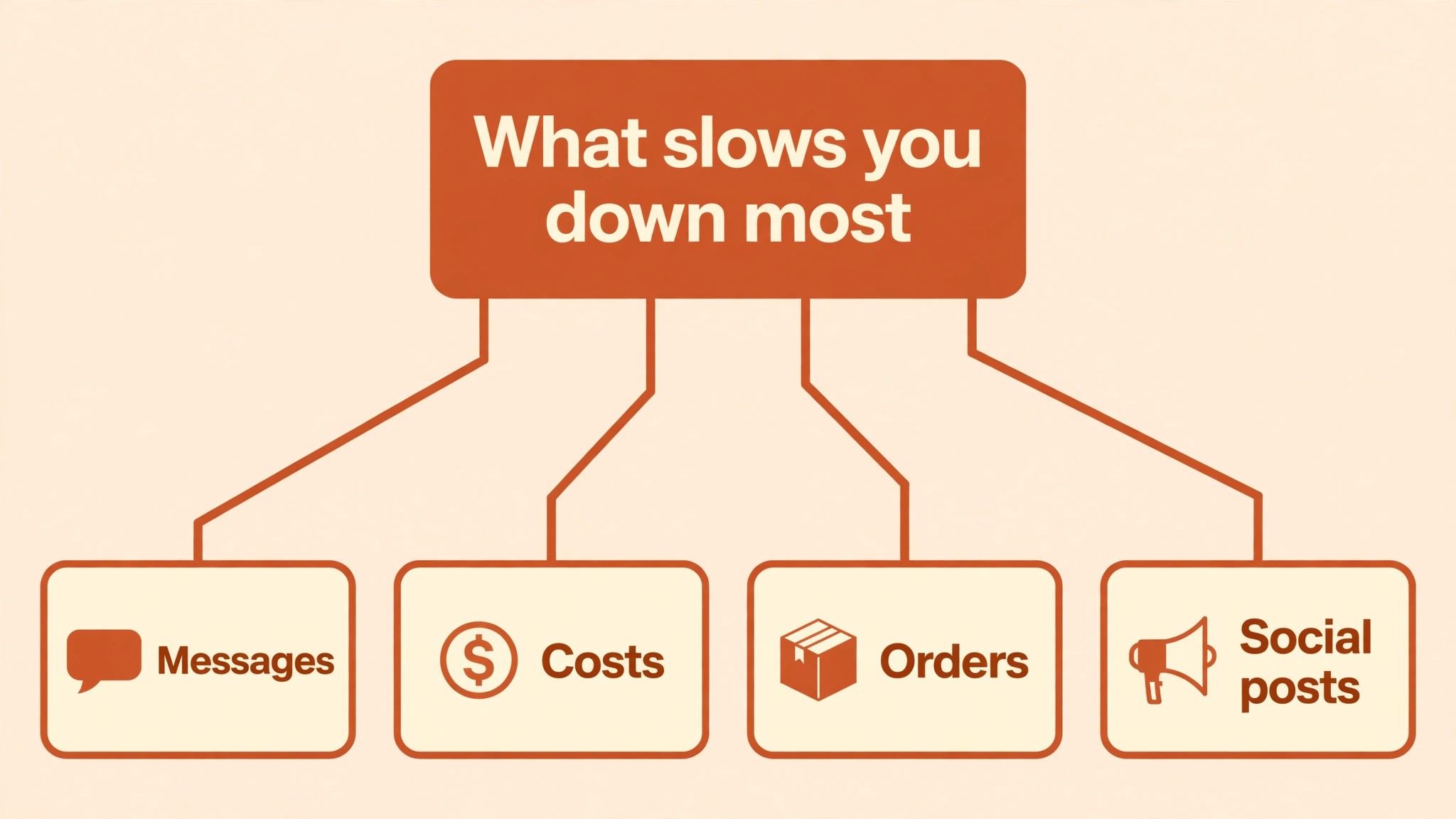
The best ai tools for bakers are not the ones with the longest feature list. They are the ones that fix the slowest part of your week. A baker drowning in customer messages should buy ChatGPT. A baker whose costs are a mystery should buy QuickBooks. A baker whose social feed goes quiet every busy week should buy Later. Start from the slow part, not from the vendor homepage.
Budget the full bill, not the headline price. The table below shows what a solo baker and a small bakery actually pay in year one for the most common combinations, using published starting prices. Transaction fees are the lines that surprise bakers, so work out what a month of orders costs in fees before you sign, and remember that annual billing usually saves about twenty percent against monthly billing.
| Stack for one bakery | Monthly cost | What it covers |
|---|---|---|
| ChatGPT Plus plus Square | About 20 dollars plus fees | Writing help plus payments |
| Canva Pro plus Later | About 43 dollars | Visuals plus scheduled social posts |
| QuickBooks Simple Start | 38 dollars | Costing, invoices and tax reports |
| Notion Plus plus Grammarly | About 22 dollars | Recipe files plus polished messages |
| ChatGPT Plus plus QuickBooks | About 58 dollars | Writing help plus bookkeeping |
| Full stack, four tools | About 85 dollars plus fees | Writing, visuals, books and social |
What a Year in the Bakery Costs
A realistic year one budget is 20 to 40 dollars a month for one writing helper such as ChatGPT Plus, and 60 to 90 dollars a month once you add costing or scheduling, plus the card fees on every order. A bakery taking 200 card payments a month at an average of 25 dollars pays about 150 dollars a month in Square fees alone, which is more than any subscription on this list. Budget for the fees, not just for the tools, and trial each one on real orders before you commit to annual billing.
Ingredient prices move every season, and a costing sheet built in January will be wrong by June, so the tool that holds the costs has to be easy to update, or it will be ignored. A baker who updates flour, butter and egg prices once a month keeps every quote honest, and a baker who never updates them slowly loses margin on every cake. The fix is a ten minute monthly habit, not a new tool, and the best costing tool is the one a baker actually opens. Trial each candidate for a month, update the prices twice, and keep the one that still feels quick on the second update.
The hidden cost is the order a tool loses. A slow reply loses a wedding cake, a wrong cost loses the margin on a hundred cupcakes, and a missed post loses a Saturday market crowd. Measure the return in orders kept and hours saved, not in features used, and drop any tool that has not earned its subscription after a month of real use.
Frequently Asked Questions
What is the cheapest good AI tool for bakers to start with
ChatGPT is the cheapest credible start, with a free plan and Plus at 20 dollars a month, and Square costs nothing until you take a payment. Canva has a free plan that covers basic menus and social posts, and Notion is free for a small recipe file. Start with the bakery job you do most each week, and add a specialist only when the general tool cannot do a job you are paid to do. That is the cheapest way to build a stack from the best ai tools for bakers without paying for features you never open.
Will AI recipes work straight from the screen to the oven
No, and a baker should never trust one without a test bake. AI tools will invent a baking time or a quantity with total confidence, and the only fix is a human check and a small test batch before the recipe goes on the menu. Use the AI for ideas, scaling and wording, then bake it, taste it and write down what actually worked. The recipe file that matters is the one with your notes on it.
Which tool is best for costing a cake
QuickBooks is the strongest choice, because it tracks ingredient purchases and shows whether each product line makes money. Notion is the best low cost option, because a recipe database with ingredient weights and costs per portion turns cake pricing into a lookup instead of a guess. Square shows what you took in, but it does not show what the bake cost, so it cannot price a cake on its own. Price the combination, not one tool, and confirm the current plan limits before you sign. That costing habit is what separates the best ai tools for bakers from a notebook full of guesses.
How much should a small bakery budget for AI tools
A realistic year one budget is 20 to 40 dollars a month for one writing helper such as ChatGPT Plus, and 60 to 90 dollars a month once you add costing or scheduling, plus card fees on every order. A bakery taking 200 card payments a month at an average of 25 dollars pays about 150 dollars a month in Square fees alone. Budget for the fees, not just for the tools, and trial each one on real orders before you commit to annual billing.
Do I need a separate tool for social media
Not at first. Canva makes the posts and ChatGPT writes the captions, and most bakeries get by with that pair for months. A separate scheduler only earns its place when posts stop going out on busy weeks, which you can check by looking at your last month of posts before spending. If the feed goes quiet every time the ovens are full, Later is the tool that fixes it.
Can AI tools take cake orders for me
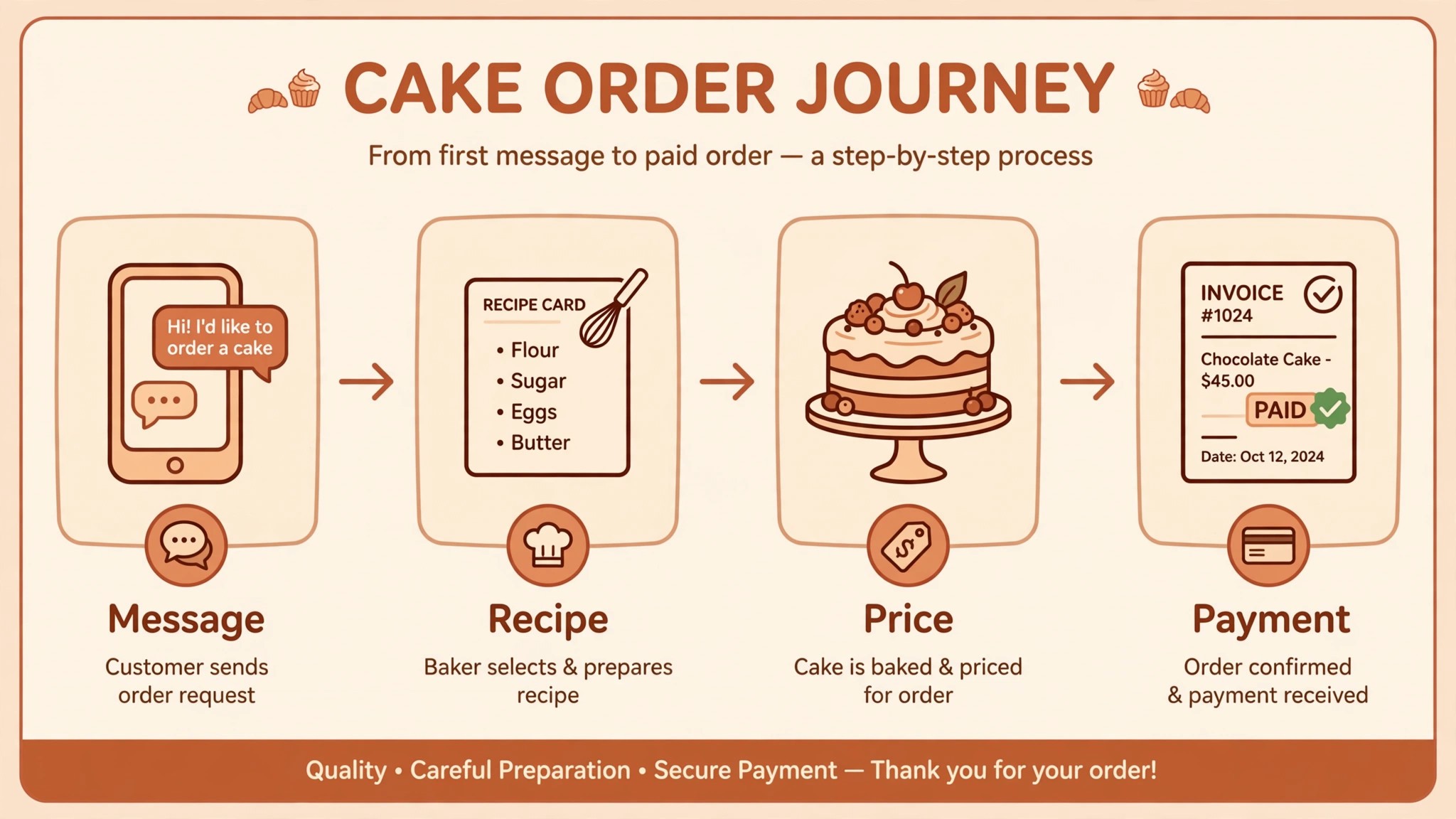
Partly. Square takes the payment and records the order, and ChatGPT can draft the reply, but no tool on this list runs the whole order from message to oven. A customer who wants a custom cake still needs a human to confirm the date, the size and the design, because those three details decide whether the order can be baked at all. Use the tools for the typing and the payment, and keep the confirmation human.
Our Verdict
If you buy one tool this quarter, buy ChatGPT Plus if you write a lot and QuickBooks if your costs are a mystery. ChatGPT is the best writing value on this list at 20 dollars a month, with drafts and replies that need only a light edit. QuickBooks is the tool that tells you whether the bakery makes money, and that answer is worth 38 dollars a month to any baker pricing by feel. The best ai tools for bakers earn their keep by giving you back the hours that admin used to eat, and both of these do that from the first week.
Whatever you pick, start with the slowest part of your week, trial with real orders, and keep a human check on every AI recipe and every customer reply for the first month. The tools on this list all work. The difference is whether the tool matches the bakery you actually run, and whether you measure the return in orders kept and hours saved rather than in features used. The best ai tools for bakers are the ones still in your bakery a year from now, and that is the test every purchase on this list has to pass.