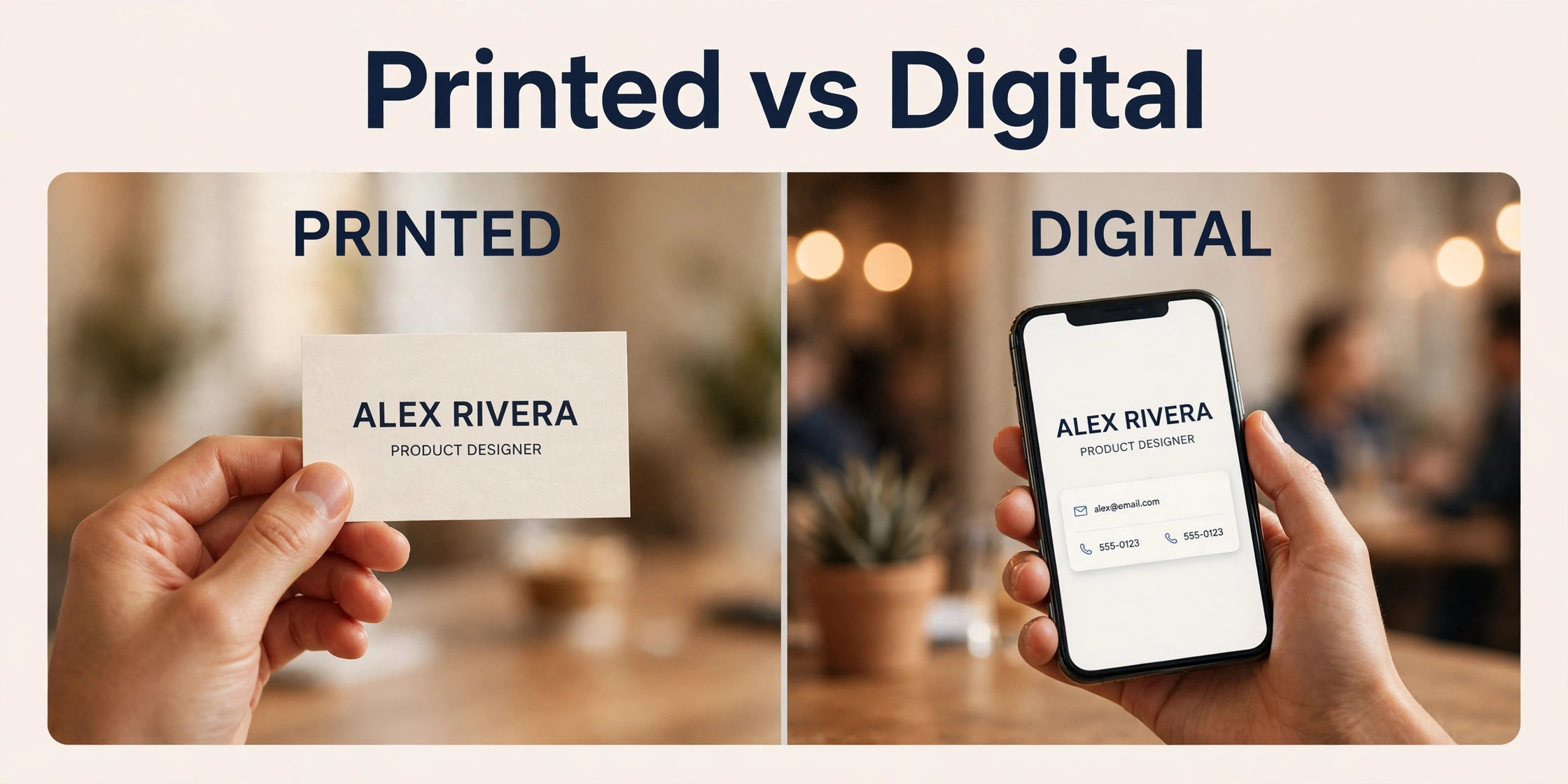
More than 8 in 10 business cards handed out in person are kept for at least a week, and the card that survives is usually the one that feels good, reads clearly and looks like it belongs to a real business. A thin, blurry or cluttered card gets binned, and with it goes the meeting, the referral and the sale. The best business card makers solve that problem by pairing a clean design tool with print quality you can trust.
This guide compares the best business card makers on the numbers that matter. Design quality, print quality, paper choice, price for 50 cards and price for 500 cards, and whether design and printing live in one account or two. Prices come from 2026 roundups and vendor pricing pages, and they change often, so confirm the delivered total at checkout before you order.
Why the Best Business Card Makers Still Matter in 2026
A business card is still the fastest way to hand someone your details, and it works where phones fail. No battery, no signal, no app to open, just a card that sits in a wallet until the buyer needs it. At markets, trade shows and local meetings, the card is often the only thing a new contact takes home, so its quality speaks for the business long after the conversation ends.
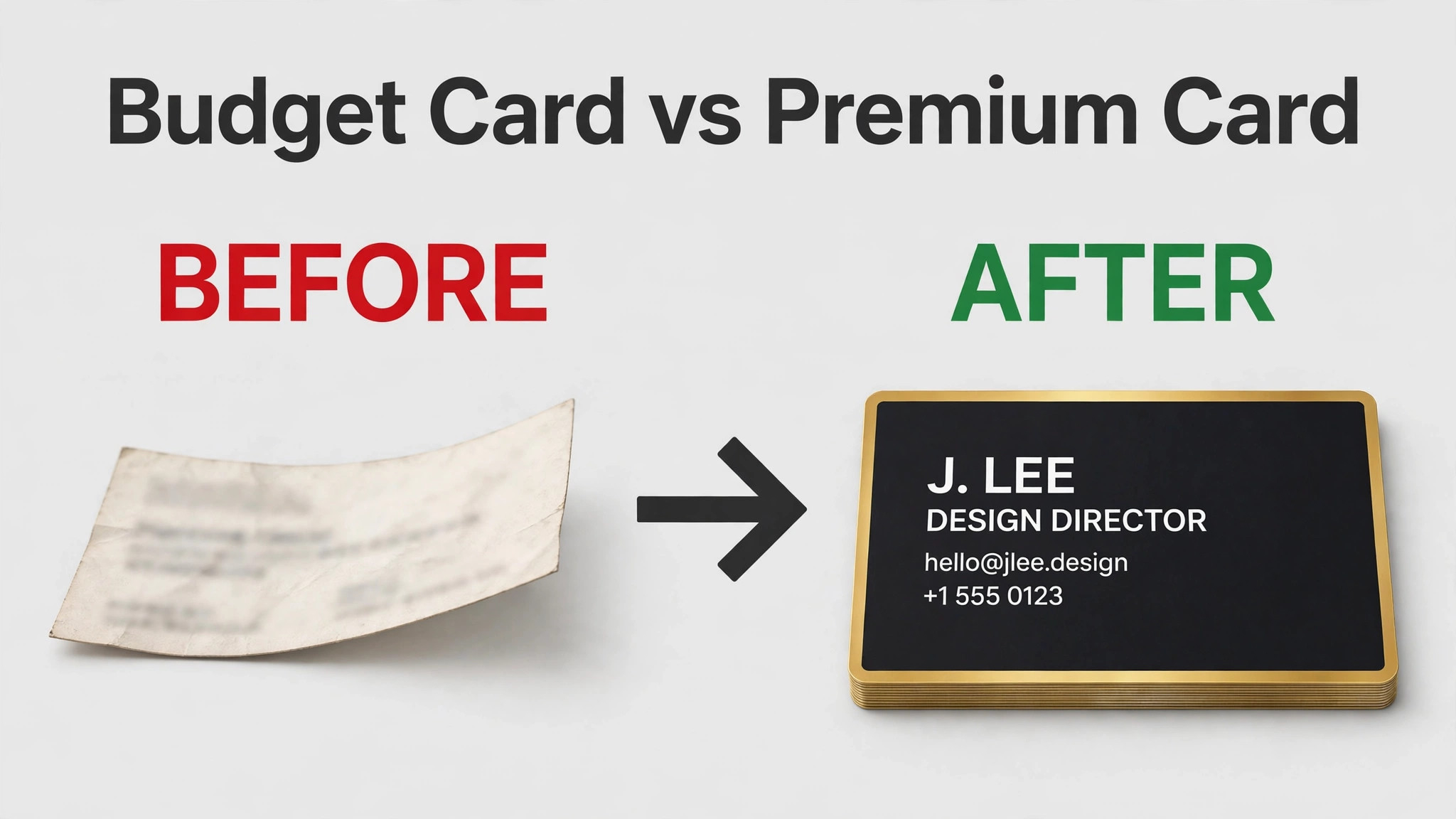
Print quality is the part most buyers underestimate. A card printed on thin stock with washed out colour tells a customer the business cuts corners, while a thick card with crisp text and clean edges tells them the opposite. Paper weight, measured in points or grams, decides how the card feels, and a finish such as matte, gloss or soft touch decides how it looks under shop lights.
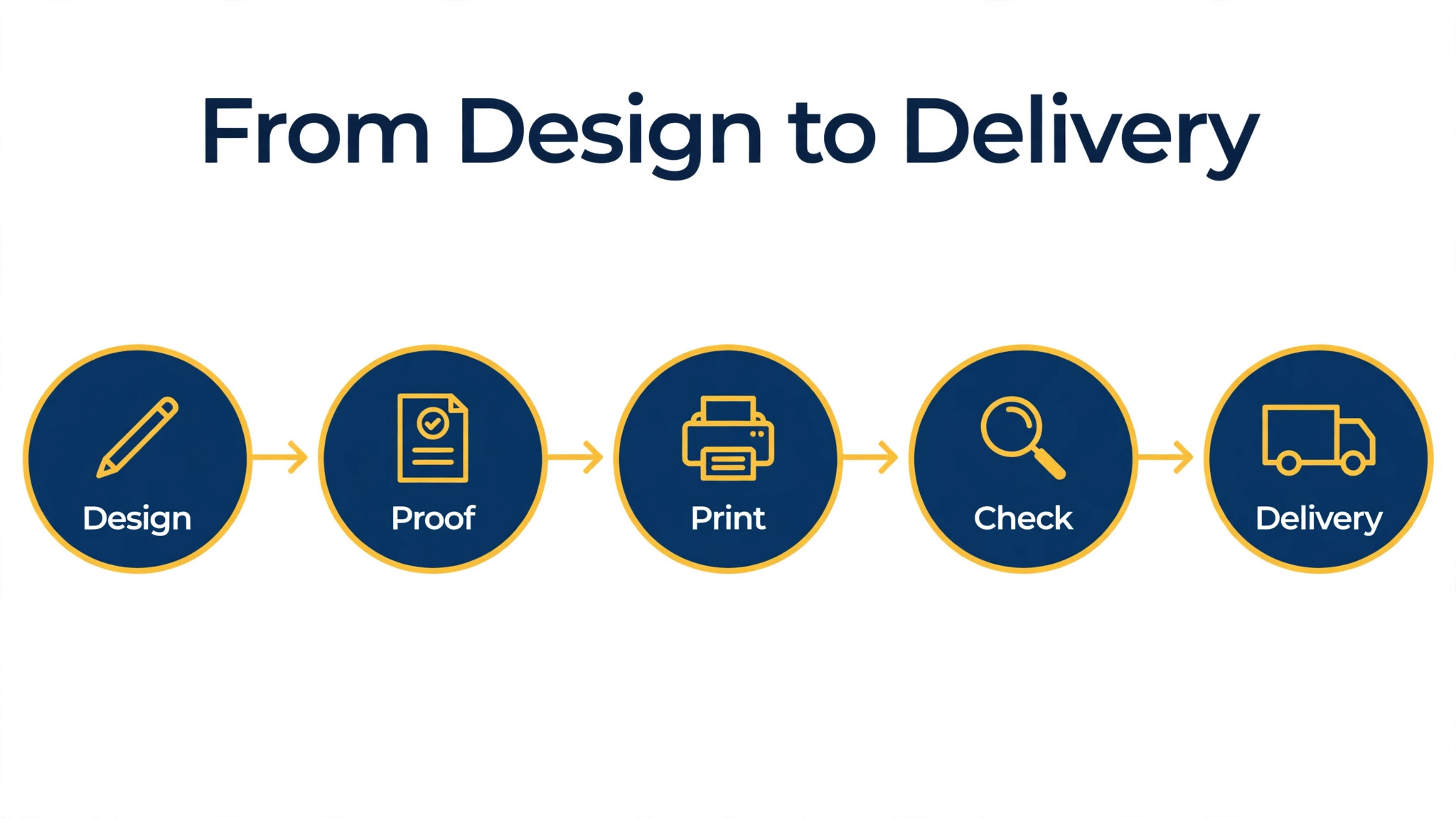
Design and print are two different jobs, and the best business card makers handle both or make the handoff painless. Canva and Vistaprint cover design and printing in one account, Adobe Express and Design.com design well but leave printing to a specialist, and MOO prints beautifully but expects you to bring a finished design. Knowing which half you need is the first decision.
The 14 Makers at a Glance
Use this table of the best business card makers to narrow the list fast. Print prices are for standard cards in 2026 roundups and vary by paper, finish and promotion, so treat them as a guide and confirm at checkout.
| Tool | Design plus print | 50 cards from | 500 cards from |
|---|---|---|---|
| Design.com Business Card Maker | Design only | File export only | File export only |
| Canva | Yes | Varies by region | Varies by region |
| Adobe Express | Design only | File export only | File export only |
| Vistaprint | Yes | Around 10 dollars | Around 25 dollars |
| MOO | Yes | Around 23 dollars | Varies by stock |
| BrandCrowd | Design only | File export only | File export only |
| GotPrint | Print only | Varies | Around 20 dollars |
| PsPrint | Print only | Varies | Shown at checkout |
| Jukebox | Print only | Varies | Shown at checkout |
| Basic Invite | Yes | Varies | From 0.14 dollars each |
| HiHello | Digital only | Free plan | Free plan |
| Blinq | Digital only | Free plan | Free plan |
| VistaCreate | Design only | File export only | File export only |
| Zazzle | Yes | Varies by design | Varies by design |
Best Pick by Job
Among the best business card makers, the right maker depends on what the card must do. A market trader needs cheap cards in bulk, a consultant needs a card that impresses a single client, and a team needs digital cards that update when staff change roles. Match the job first, then compare prices.
| Your job | Pick first | Why it fits |
|---|---|---|
| Cheapest real cards | Vistaprint | Around 10 dollars for 50 standard cards |
| Premium first impression | MOO | Thick stock and Printfinity finishes |
| Design and print in one place | Canva | Templates plus print ordering in one account |
| Design only, print elsewhere | Adobe Express | Strong free export, print where you like |
| Digital networking | HiHello or Blinq | Free digital card, updates instantly |
| Exact brand colours | Basic Invite | Recolour every element with live preview |
| Full stationery refresh | PsPrint or GotPrint | Cards plus letterhead in one order |
The 14 Makers in Detail
Each of the best business card makers below gets the same treatment. What it is best for, what it costs, what it does well and where it falls short. Read the three or four that match your job, then order a small batch before you commit to 500.
1. Design.com Business Card Maker
Design.com Business Card Maker is built for an AI card that matches your logo and brand. It generates a card from your business name and logo, then applies the same colours and fonts across the design, so the card matches the rest of your brand. Start with the free preview or the cheapest tier, test the mark at small sizes on a phone screen, and only pay once the design still reads clearly when it is tiny.
Paid plans start around 9 dollars a month, with annual billing lowering the monthly rate. Sources disagree on exact tiers, so check the pricing page before you pay. Design only. You export the file and order printing elsewhere, so add a print cost to the total. That trade off is acceptable when the price and the file formats match the job, and it is a poor deal when they do not.
2. Canva
Choose Canva when you want design and print in one account. Thousands of templates, a huge font library and built in print ordering make it the easiest all round option for most owners. The editor is quick to learn, and most owners finish a first version in a single sitting without design experience.
On price, the free plan covers design and basic downloads. canva pro costs around 13 dollars a month or 120 dollars a year, though some 2026 roundups list 15 dollars a month or 144 dollars a year, so confirm at checkout. Print prices vary by region and quantity, so compare the delivered total with a local printer before you order. Check the export list before you pay, because a logo you cannot print is a logo you will pay for twice.
3. Adobe Express
Adobe Express earns its place here for fast design with Adobe fonts and stock photos. Adobe Fonts and Adobe Stock give its cards a polished feel, and the free export tier is stronger than most rivals. It is a practical pick for an owner who wants a finished mark this week rather than a perfect mark next month.
The free plan is genuinely useful and includes background removal. Premium costs 9.99 dollars a month or 99.99 dollars a year and adds brand kits and the full stock library. There is no built in print service, so you export the file and order from a printer of your choice. Weigh that against the price and the files you get, and move on if the paid tier does not add what your business actually needs.
4. Vistaprint
Vistaprint is built for cheap bulk printing with a free design editor. It is the cheapest honest route to real cards in hand, with a reliable print and ship service and easy reordering. Start with the free preview or the cheapest tier, test the mark at small sizes on a phone screen, and only pay once the design still reads clearly when it is tiny.
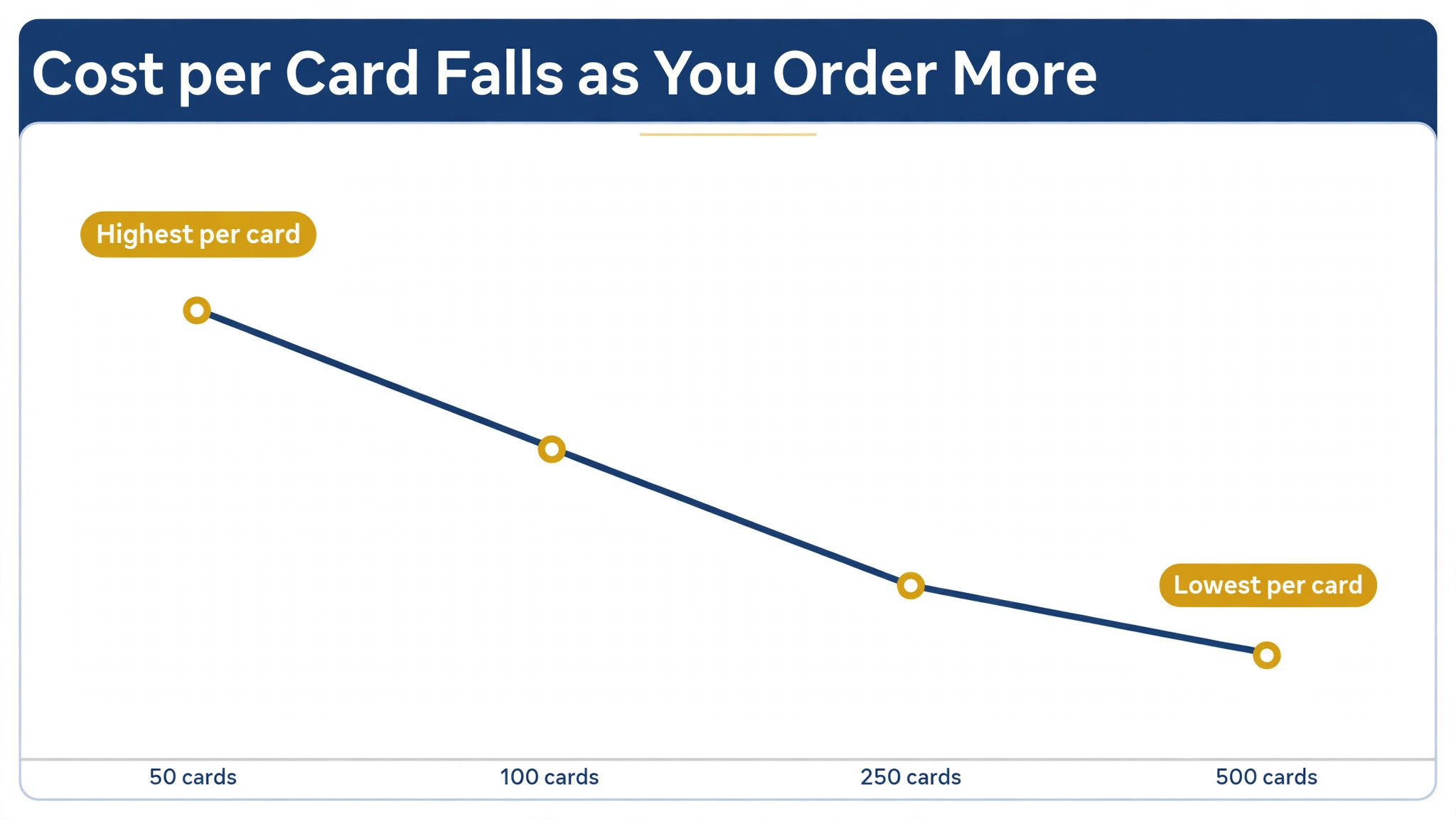
Design is free. Standard cards start around 10 dollars for 50 on promotion, and 500 cards typically cost around 25 dollars, with per card costs falling at higher quantities. Design quality is template driven, and the cheapest paper feels thin next to premium printers. That trade off is acceptable when the price and the file formats match the job, and it is a poor deal when they do not.
5. MOO
Choose MOO when you want premium cards that impress on first touch. Thick stocks, special finishes and Printfinity, a different design on every card, make MOO the pick when the card itself must impress. The editor is quick to learn, and most owners finish a first version in a single sitting without design experience.
On price, design is free. original cards start around 23 dollars for 50, and luxe cards with thick layered stock cost considerably more. letterpress starts around 60 dollars for 50. It is the most expensive option here per card, and there is no AI generator to speed up the design. Check the export list before you pay, because a logo you cannot print is a logo you will pay for twice.
6. BrandCrowd
BrandCrowd earns its place here for quick professional cards from a template library. A large template library means a presentable card in minutes, with easy changes to colours, fonts and layout. It is a practical pick for an owner who wants a finished mark this week rather than a perfect mark next month.
Pricing is shown at checkout rather than on a public page, and 2026 roundups disagree on the entry price, so treat any quoted figure as a guide only. Template heavy designs can look familiar, so change the layout and icon, not just the text. Weigh that against the price and the files you get, and move on if the paid tier does not add what your business actually needs.
7. GotPrint
GotPrint is built for quality offset printing on a budget. Offset printing gives clean, consistent colour at a low price, and the range of paper stocks is wider than most budget printers. Start with the free preview or the cheapest tier, test the mark at small sizes on a phone screen, and only pay once the design still reads clearly when it is tiny.
Standard cards start around 20 dollars for 500, based on 2026 roundups. Confirm the current price and shipping at checkout, because offers change often. The design tool is basic, so most owners design elsewhere and upload a print ready file. That trade off is acceptable when the price and the file formats match the job, and it is a poor deal when they do not.
8. PsPrint
Choose PsPrint when you want business stationery and cards from one printer. It handles cards, letterhead and brochures in one order, which suits a business refreshing its whole stationery set at once. The editor is quick to learn, and most owners finish a first version in a single sitting without design experience.
On price, pricing is shown at checkout and varies by paper, quantity and finish. check the vendor pricing page before you order, because list prices move with promotions. The online design experience is weaker than Canva or Adobe Express, so bring your own finished file. Check the export list before you pay, because a logo you cannot print is a logo you will pay for twice.
9. Jukebox
Jukebox earns its place here for thick premium cards with unusual finishes. Heavy stocks, foil and painted edges give the card a distinctive feel that standard printers cannot match. It is a practical pick for an owner who wants a finished mark this week rather than a perfect mark next month.
Pricing is shown at checkout and varies by stock and finish. Premium stocks cost more than standard printers, so request a quote for your exact specification. Minimum orders and premium pricing make it a poor fit for a first batch of 50 cards. Weigh that against the price and the files you get, and move on if the paid tier does not add what your business actually needs.
10. Basic Invite
Basic Invite is built for total colour control with instant previews. Every element can be recoloured with an instant preview, which is ideal when brand colours must match exactly. Start with the free preview or the cheapest tier, test the mark at small sizes on a phone screen, and only pay once the design still reads clearly when it is tiny.
Per card pricing starts from around 0.14 dollars at volume, based on 2026 roundups. Small orders cost more per card, so check the price for your quantity. The range is smaller than the big printers, and shipping times vary by product. That trade off is acceptable when the price and the file formats match the job, and it is a poor deal when they do not.
11. HiHello
Choose HiHello when you want a digital card you share by QR code or tap. A digital card never runs out, updates instantly when your details change, and suits networking events and conferences. The editor is quick to learn, and most owners finish a first version in a single sitting without design experience.
On price, the free plan covers a basic digital card. paid plans add team features, branding and analytics, with pricing shown on the vendor site. It replaces nothing on paper, so keep a printed card for customers who expect one. Check the export list before you pay, because a logo you cannot print is a logo you will pay for twice.
12. Blinq
Blinq earns its place here for a digital card with team management. Teams can issue branded digital cards to every member, update details centrally, and track shares and taps. It is a practical pick for an owner who wants a finished mark this week rather than a perfect mark next month.
The free plan covers a personal digital card. Paid team plans add branding, analytics and admin controls, with pricing shown on the vendor site. Like all digital cards, it depends on the other person having a phone ready, and it suits tech friendly audiences best. Weigh that against the price and the files you get, and move on if the paid tier does not add what your business actually needs.
13. VistaCreate
VistaCreate is built for budget friendly design with animated exports. Templates, stock photos and animated exports cover both print cards and digital sharing from one account. Start with the free preview or the cheapest tier, test the mark at small sizes on a phone screen, and only pay once the design still reads clearly when it is tiny.
The free Starter plan is generous. Pro costs 10 dollars a month with annual billing, or 13 dollars a month monthly, and adds unlimited brand kits and storage. There is no built in card printing, so export the file and order from a printer such as Vistaprint or GotPrint. That trade off is acceptable when the price and the file formats match the job, and it is a poor deal when they do not.
14. Zazzle
Choose Zazzle when you want a marketplace of designer cards with print included. Thousands of independent designers sell card designs you will not find in template libraries, and print is included in the order. The editor is quick to learn, and most owners finish a first version in a single sitting without design experience.
On price, card prices vary by designer, quantity and paper, and are shown at checkout. expect a higher per card price than bulk printers, with frequent promotions. Quality and style vary by seller, so read reviews and order a small batch first. Check the export list before you pay, because a logo you cannot print is a logo you will pay for twice.
Paper and Finishes Explained
Paper weight decides how a card feels in the hand, and it is the first thing a customer notices. Standard cards use lighter stock that bends easily and feels like a leaflet, while premium cards use heavier stock that stays flat and feels solid. MOO Luxe cards use layered stock around 32 point thick, which is roughly twice the weight of a standard card, and that thickness is the main reason they cost more.
A matte finish gives a card a soft, modern look and it takes a pen well, so it suits cards that customers might write on. A gloss finish makes colours brighter and photos sharper, but it shows fingerprints and it resists ink. A soft touch laminate feels like velvet and resists scuffs, while an uncoated stock feels natural and suits craft businesses, cafes and makers.
Special finishes add cost and impact in equal measure. Foil stamping adds a metallic shine to a logo or a name, embossing raises the design off the paper, and letterpress presses the design into thick cotton stock for a deep, tactile result. Painted edges colour the sides of the card, and rounded corners soften the shape. Use one special finish, not three, because a card with every finish looks busy rather than premium.
Colour accuracy depends on the printer and the paper together. The same design can look warm on one stock and cool on another, because paper colour and coating change how ink sits. A printer proof, even a digital one, shows the real result before a full run, and a small test batch shows it better still. Order the proof when the brand colour must match exactly, such as a food brand green or a fashion brand red.
For most small businesses, a 16 point matte card is the right starting point. It feels solid without the premium price, it prints cleanly, and it takes a pen for a quick note. Upgrade to a heavier stock or a special finish when the card goes to high value clients, and keep the standard stock for markets, conferences and everyday networking where volume matters more than luxury.
How to Judge Print Quality Before You Order 500
Start with the paper. Standard cards from budget printers use lighter stock that bends easily, while premium cards use 32 point or heavier stock that feels solid in the hand. If the printer does not state the stock weight, ask before you order, because the weight is the single biggest difference between a cheap card and a good one.
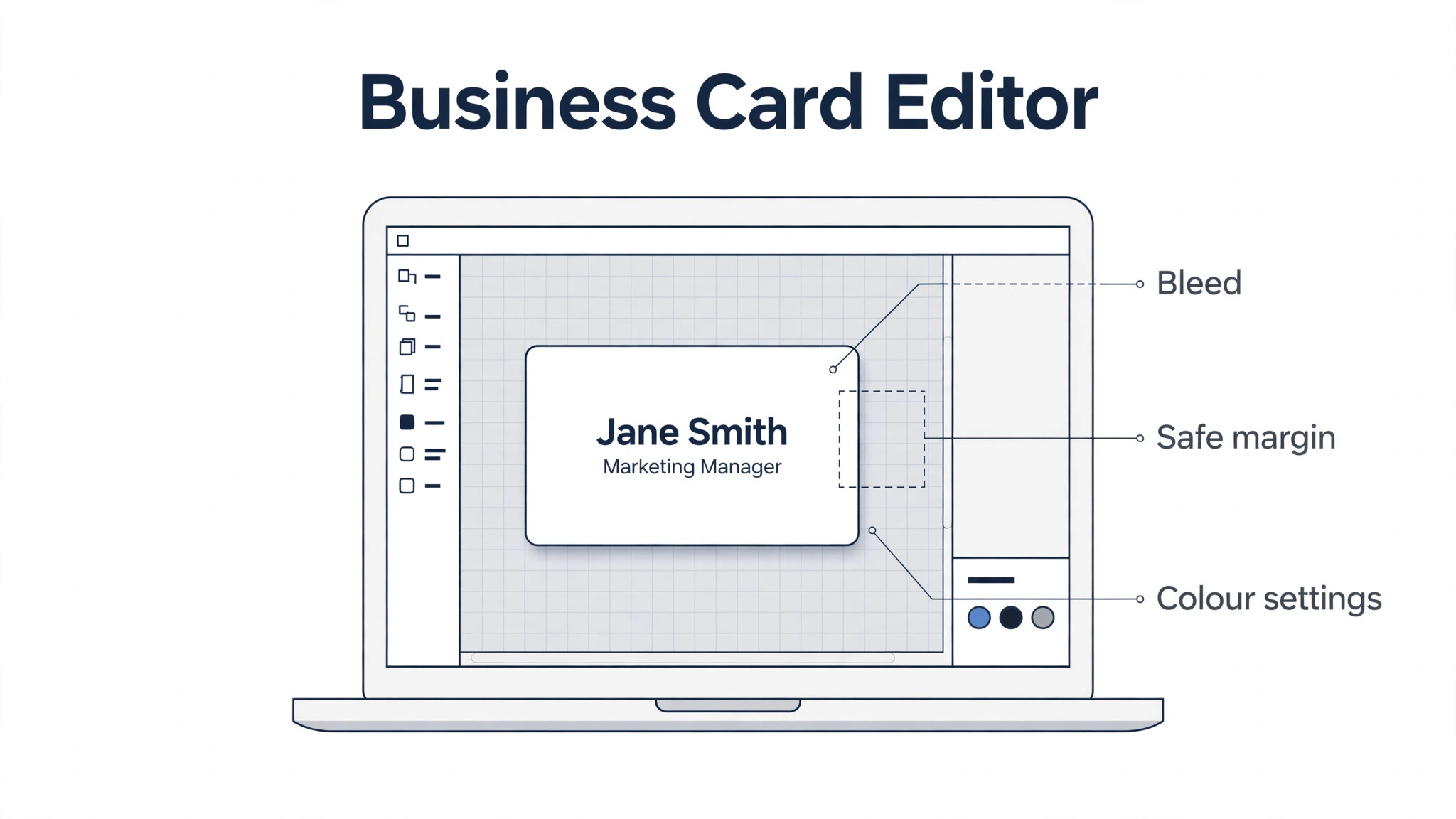
Next, check the print file requirements. A print ready file needs a bleed area, usually 3 millimetres on each side, a safe margin for text, and colour set to CMYK rather than RGB. The best business card makers such as Canva and Adobe Express can export a PDF with bleed and crop marks, while a JPG export may crop your text at the edges. Download the printer template and design inside it.
Finally, order a small batch first. A pack of 50 costs little and shows you the real colour, the real paper and the real cutting quality. Check the cards under normal light, compare them with your screen, and look at the edges for white lines or uneven cuts. A printer that passes a 50 card test is safe for 500.
Setup Checklist Before You Send a Card to Print
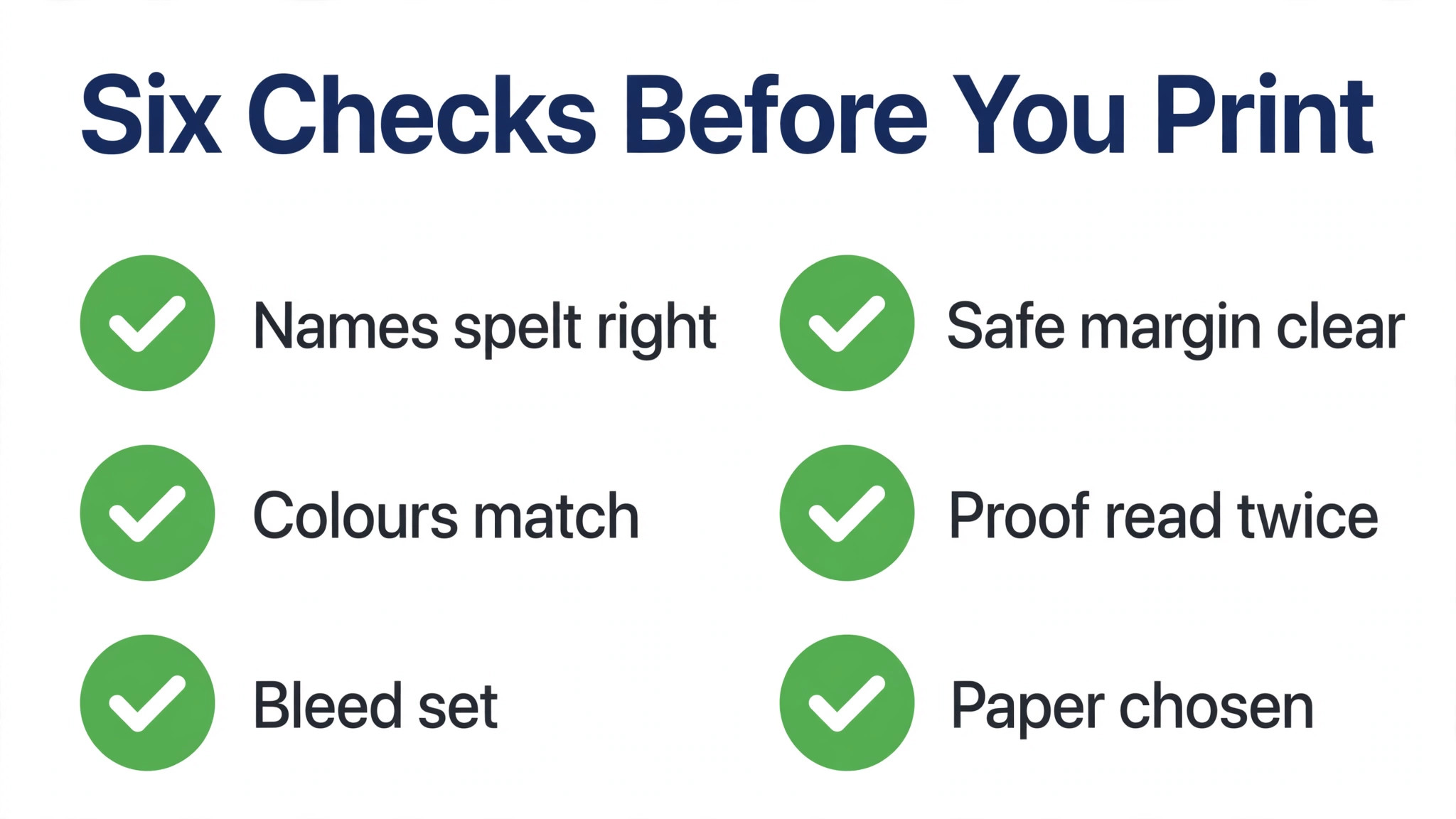
Work through this list in order and the printed cards will match the design on your screen.
- Check every name, title, phone number and email address twice, then ask a second person to check them.
- Confirm the logo file is high resolution and the colours match your brand codes.
- Set the file to CMYK colour, add a 3 millimetre bleed and keep text inside the safe margin.
- Print one copy on a home printer at real size and check the text is readable.
- Order 50 cards first, check the paper and colour, then order the full batch.
- Store the print file and the printer settings together so reorders match exactly.
What Business Cards Cost in 2026
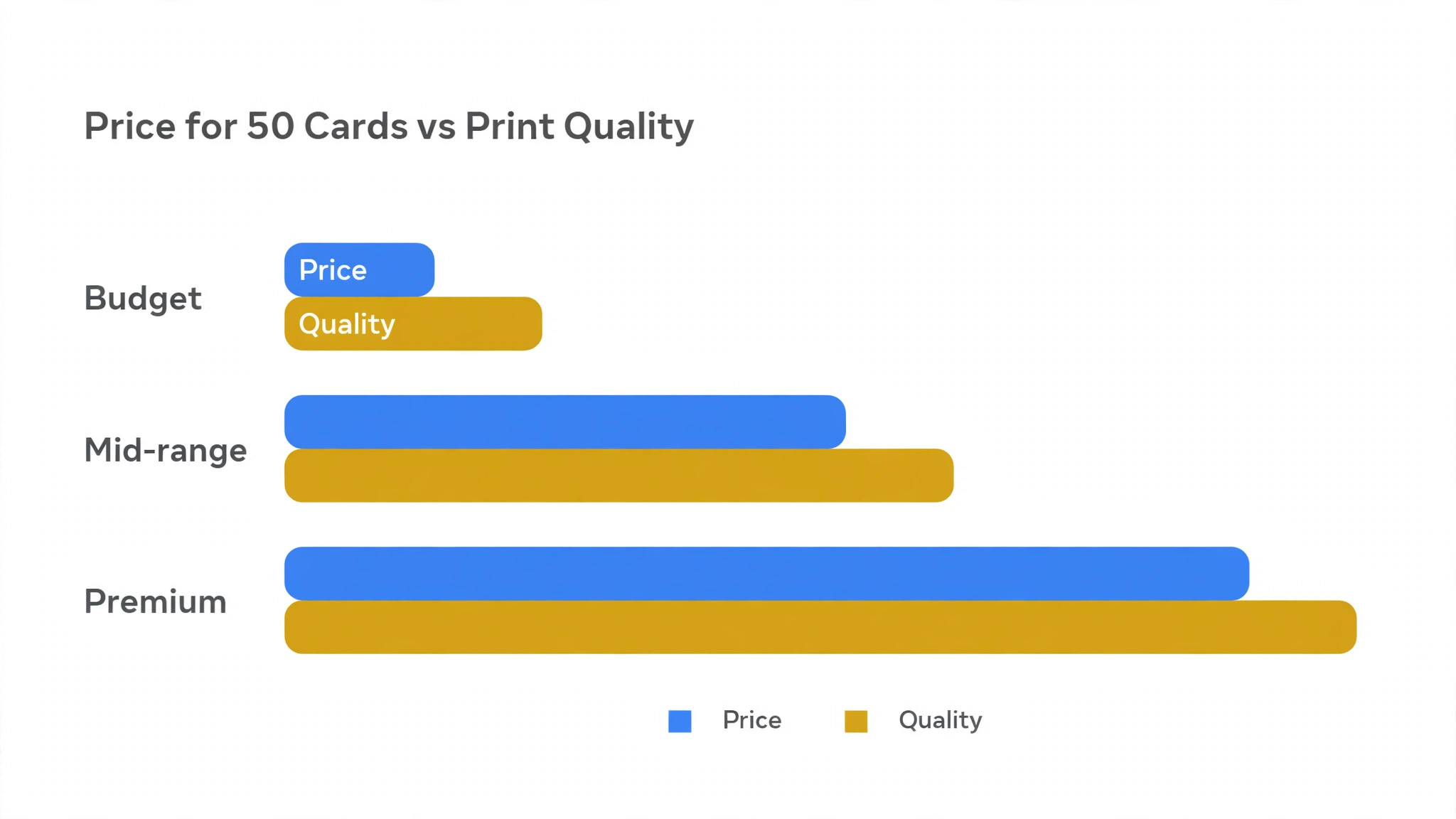
For the best business card makers, the honest range runs from free for a digital card to around 60 dollars for 50 premium letterpress cards, and the gap is paper and finish, not design. Budget printing from Vistaprint starts around 10 dollars for 50 standard cards, while MOO Original starts around 23 dollars for 50 and Luxe costs considerably more. A 500 card order from a budget printer typically costs 20 to 25 dollars, which is why most businesses order in bulk once the design is proven.
Design costs are usually separate from print costs. Free design tools cover most needs, Canva Pro costs around 13 dollars a month, and Adobe Express Premium costs 9.99 dollars a month. Design.com plans start around 9 dollars a month. If you hire a designer, expect to pay from 50 dollars upward for a custom card, and treat that as a one time cost spread across every card you print.
Digital cards change the maths entirely. HiHello and Blinq offer free personal cards, and team plans add branding and analytics for a monthly fee. A digital card costs nothing per share and never needs reprinting, which makes it the cheapest option for teams whose details change often, though it cannot replace a printed card at a market stall or a local meeting.
Mistakes That Waste a Print Run
The most expensive mistake is a typo discovered after printing. Names, phone numbers and email addresses are the usual victims, and a box of 500 cards with one wrong digit is worthless. Proofread twice, then ask someone else to proofread, because your own eye will skip errors in text you wrote yourself.
The second mistake is text too close to the edge. Printers cut cards with a small tolerance, and text that sits near the border can lose a letter or look off centre. Keep all text inside the safe margin on the printer template, and never place a logo or a phone number where the blade might reach it.
The third mistake is choosing a design that only works on screen. Thin fonts, pale grey text and low contrast colours all look fine on a bright monitor and fail on paper under shop lights. Print a test copy, hold it at arm’s length, and check that the name and phone number are readable in seconds.
Frequently Asked Questions
How much do business cards cost in 2026?
Standard cards from Vistaprint start around 10 dollars for 50, and 500 cards typically cost 20 to 25 dollars. MOO Original starts around 23 dollars for 50, and premium finishes cost more. Digital cards from HiHello and Blinq start free.
What size is a standard business card?
The standard US size is 3.5 by 2 inches, and the standard UK and European size is 85 by 55 millimetres. Check the printer template for your region, and design with a bleed area of about 3 millimetres on each side.
Should I use Canva or Vistaprint for business cards?
Use Canva when you want design and print in one account with thousands of templates. Use Vistaprint when price matters most and you are happy with its design editor or your own finished file. Both are solid, and the choice is price against template range.
What is Printfinity on MOO cards?
Printfinity lets every card in a pack carry a different design on the back, so you can show several products, photos or messages in one order. It suits photographers, designers and makers who want each card to feel unique.
Do I need a vector file for a business card?
A high resolution PDF with embedded fonts is usually enough for card printing, because cards are small. A vector logo still helps, because it keeps the mark sharp at any size and avoids blurry edges on the printed card.
Are digital business cards worth it?
Yes for networking events, conferences and teams, because they update instantly, cost nothing per share and track taps. They do not replace printed cards at markets or local meetings, where many customers still expect paper.
Verdict
For most small businesses, the smart route among the best business card makers is to design in Canva or Adobe Express, then print the first 50 with Vistaprint and check the result before ordering 500. MOO is the pick when the card must impress a high value client, and HiHello is the pick for teams that network digitally. Design.com Business Card Maker is the pick when the card must match a logo and brand built in the same account.
Whichever maker you choose, proofread twice, order a small batch first, and keep the print file safe for reorders. A business card is a small purchase with a long life in wallets and desk drawers, and the hour you spend choosing well will pay for itself at the next meeting.