A flyer has about three seconds to earn a second look, whether it is pinned to a noticeboard, handed out at a market or scrolled past on a phone. Most flyers fail that test, because the headline is too small, the message is buried under decoration, or the print is blurry and the colours are washed out. The best flyer makers fix that problem by starting from the right size, a clear headline and a layout that puts the offer first.
This guide compares the best flyer makers for both print and digital flyers. It covers template quality, print options, digital exports, price, and the file formats a printer will ask for. Prices come from 2026 roundups and vendor pricing pages, and they change often, so confirm the figure at checkout before you pay.
Why the Best Flyer Makers Beat a Blank Page
A flyer is a sales tool, not a decoration. It must answer four questions in order. What is the offer, who is it for, when does it end, and how do I act on it. A tool that starts from a proven layout answers those questions in the right order, while a blank page invites the owner to put the logo first, the offer last and the contact details in tiny type at the bottom.
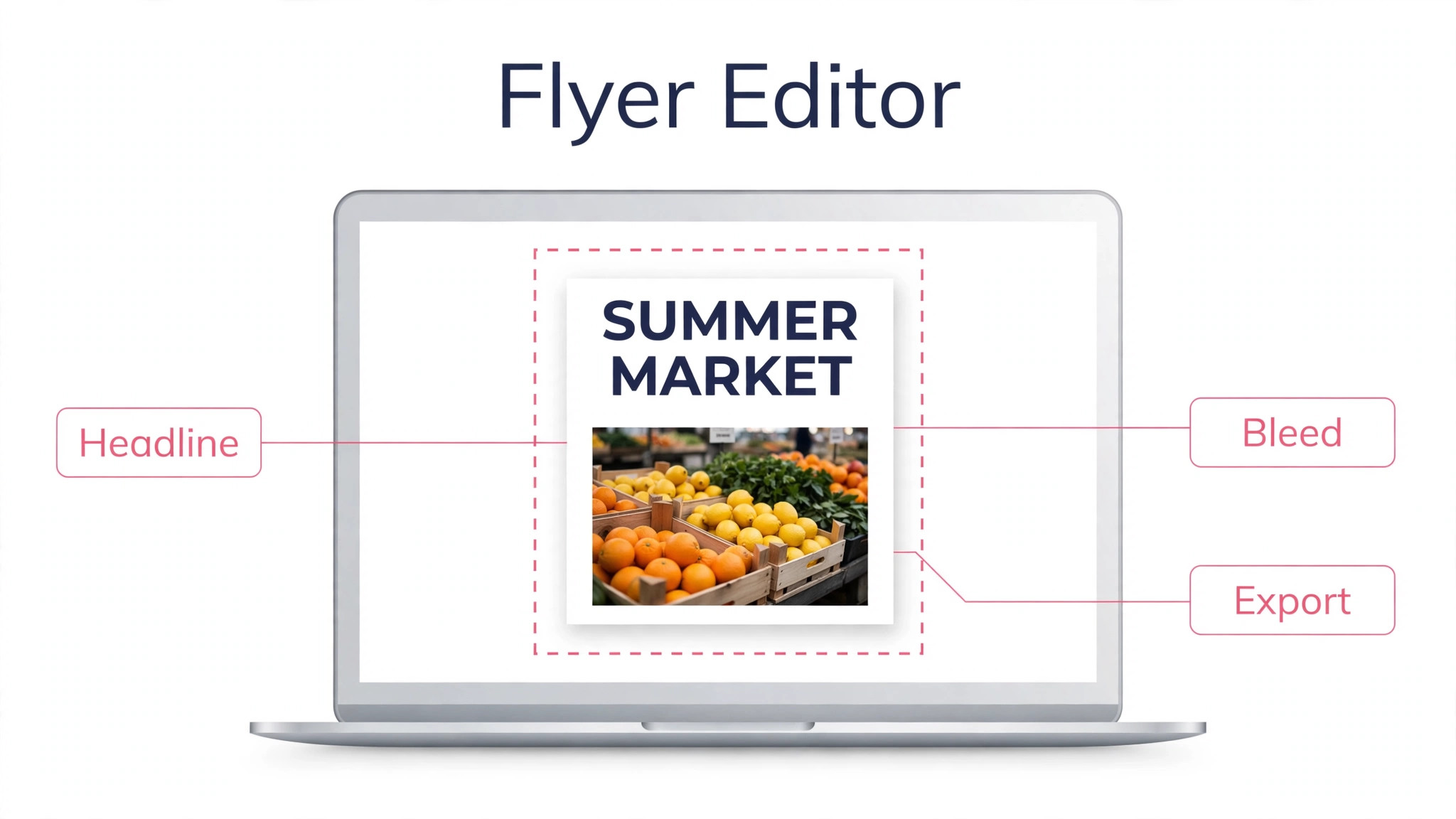
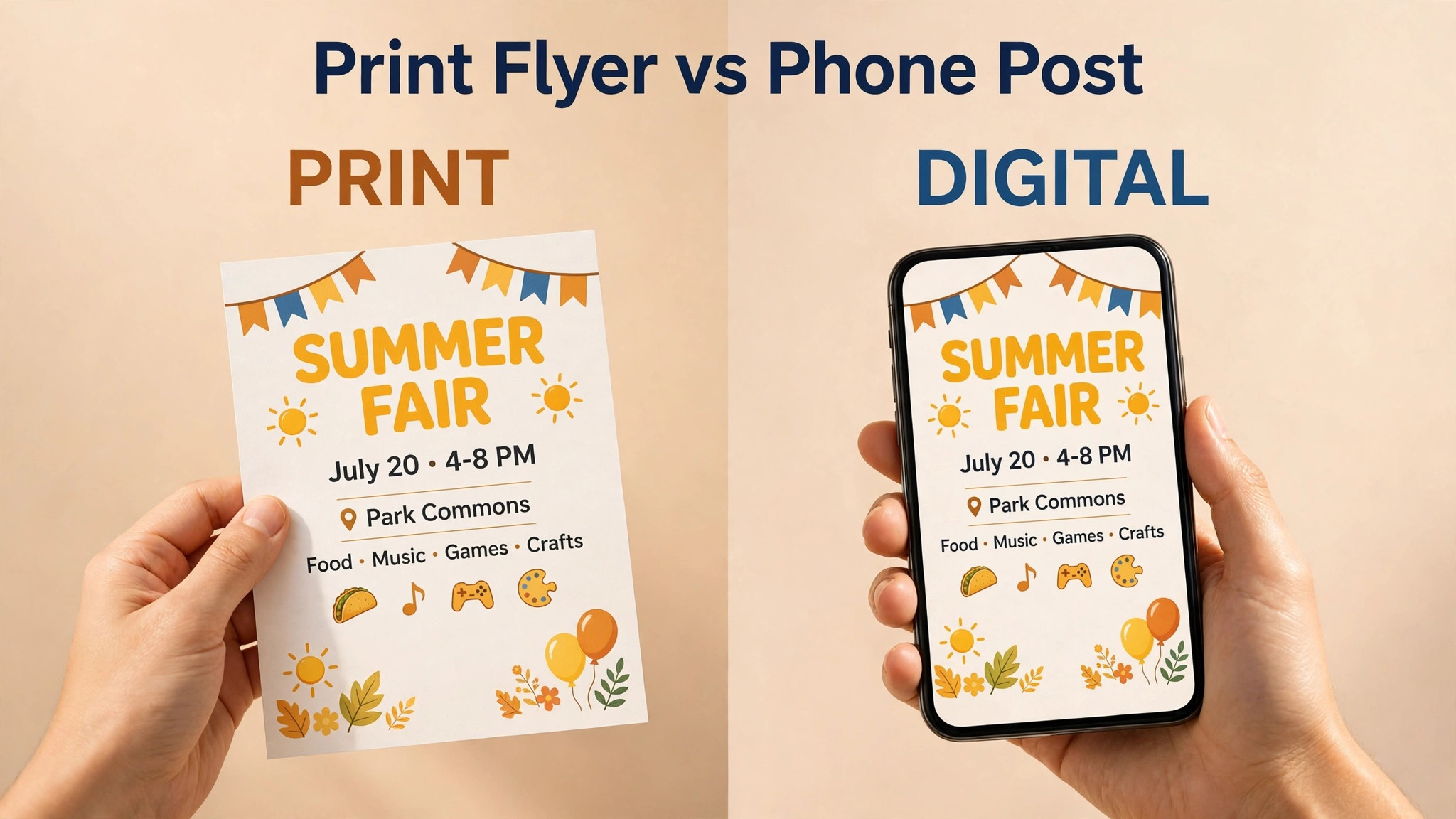
Print and digital flyers are different jobs that share a design. A print flyer needs a bleed area, CMYK colour and a high resolution PDF, while a digital flyer needs a JPG or PNG sized for the platform where it will appear. One of the best flyer makers handles both exports from one design, so the same flyer can go to the printer on Monday and to social media on Tuesday without being rebuilt.
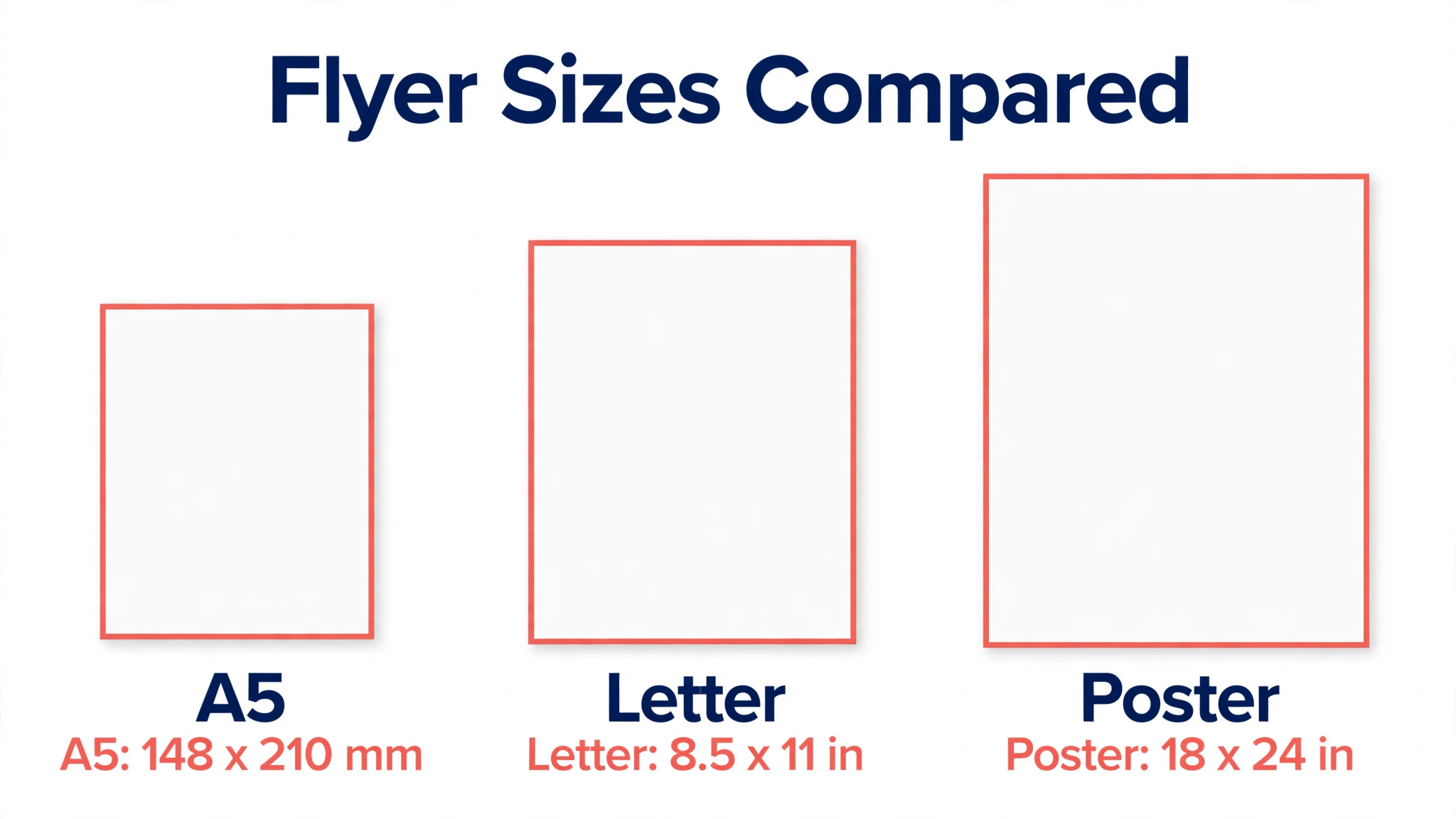
Size matters more than most owners expect. A standard US flyer is 8.5 by 11 inches, a half page flyer is 5.5 by 8.5 inches, and a common UK flyer is A5 at 148 by 210 millimetres. A digital flyer for social media is usually 1080 by 1350 pixels for a feed post, or 1080 by 1920 pixels for a Story. Pick the size before you design, because resizing a finished flyer always breaks the layout.
The 8 Tools at a Glance
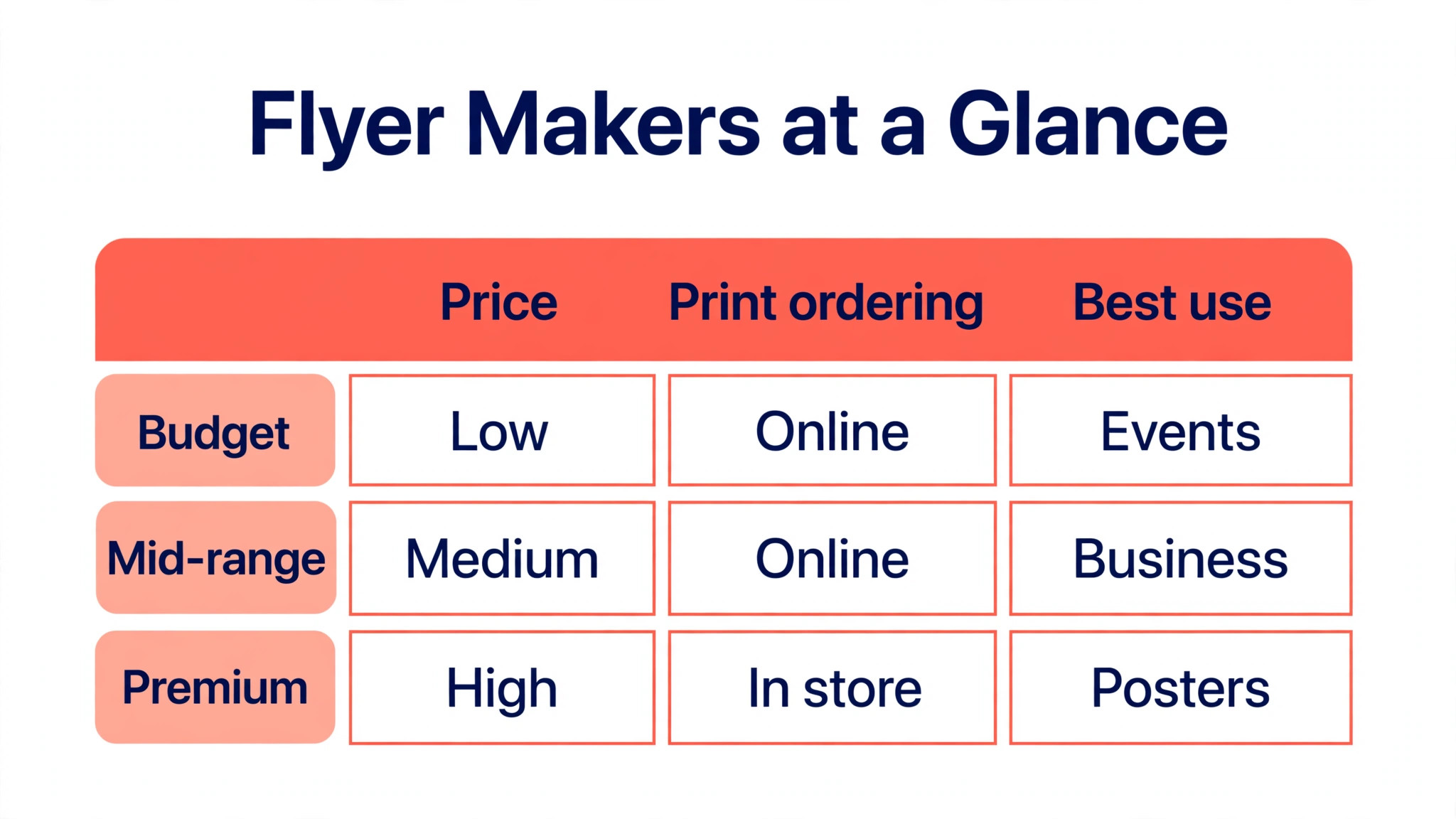
Use this table of the best flyer makers to narrow the list in under a minute. Prices are the entry paid tier from 2026 roundups and vendor pages, and they change often.
| Tool | Best for | Entry paid price | Print ordering |
|---|---|---|---|
| Design.com Flyer Maker | On brand flyers | Around 9 dollars a month | Some plans |
| Canva | All round flyers | Around 13 dollars a month | Yes |
| Adobe Express | Print polish | 9.99 dollars a month | No |
| PosterMyWall | Events and local business | Around 13 dollars a month | Yes |
| VistaCreate | Budget flyers | 10 dollars a month | No |
| Visme | Data heavy flyers | Around 12.25 dollars a month | No |
| PicMonkey | Simple branding | 7.99 dollars a month | No |
| Fotor | Photo led flyers | Shown on vendor site | No |
Best Pick by Job
Among the best flyer makers, the right tool depends on where the flyer will be seen. A noticeboard flyer needs bold print, a social flyer needs bright digital colour, and an event flyer needs a date that cannot be missed. Match the tool to the job first, then compare prices.
| Your job | Pick first | Why it fits |
|---|---|---|
| Print and digital in one place | Canva | Templates plus print ordering in one account |
| Flyer must match your brand | Design.com Flyer Maker | Logo, colours and fonts applied automatically |
| Event or sale flyer | PosterMyWall | Built for events and local promotion |
| Tight budget | VistaCreate | Generous free plan, Pro at 10 dollars a month |
| Price list or data flyer | Visme | Charts and tables built in |
| Photo led flyer | Fotor or Adobe Express | Strong photo editing and stock photos |
| Cheapest paid start | PicMonkey Basic | 7.99 dollars a month, simple editor |
The 8 Tools in Detail
Each of the best flyer makers below gets the same treatment. What it is best for, what it costs, what it does well and where it falls short. Read the three that match your job, then test one with a real flyer before you pay for a print run.
1. Design.com Flyer Maker
Design.com Flyer Maker is built for flyers that match your brand automatically. It builds a flyer from your business name and logo, then applies your colours and fonts across the design, so the flyer matches your cards and social posts. Start with the free preview or the cheapest tier, test the mark at small sizes on a phone screen, and only pay once the design still reads clearly when it is tiny.
Paid plans start around 9 dollars a month, with annual billing lowering the monthly rate. Some 2026 roundups list a lower annual rate near 5 dollars a month, so check the pricing page before you pay. Design only for most users. Printing is available in some plans, so confirm whether your plan includes it before you order. That trade off is acceptable when the price and the file formats match the job, and it is a poor deal when they do not.
2. Canva
Choose Canva when you want the safest all round flyer tool. The largest template library, a brand kit, and built in print ordering make it the default pick for most small businesses. The editor is quick to learn, and most owners finish a first version in a single sitting without design experience.
On price, the free plan covers design and basic downloads. canva pro costs around 13 dollars a month or 120 dollars a year, though some 2026 roundups list 15 dollars a month, 18 dollars a month or 144 dollars a year, so confirm at checkout. Print prices vary by region and quantity, and the cheapest paper feels ordinary next to a specialist printer. Check the export list before you pay, because a logo you cannot print is a logo you will pay for twice.
3. Adobe Express
Adobe Express earns its place here for print polish with safe AI images. Adobe Fonts, Adobe Stock and Firefly image generation give its flyers a polished feel, and the free plan includes background removal. It is a practical pick for an owner who wants a finished mark this week rather than a perfect mark next month.
The free plan is genuinely useful. Premium costs 9.99 dollars a month or 99.99 dollars a year and adds brand kits, premium templates and the full Adobe Stock library. There is no built in print service, so you export a print ready PDF and order from a printer of your choice. Weigh that against the price and the files you get, and move on if the paid tier does not add what your business actually needs.
4. PosterMyWall
PosterMyWall is built for event and local business flyers first. It started with posters and flyers as its core job, so its templates fit events, sales, menus and local promotions better than general design tools. Start with the free preview or the cheapest tier, test the mark at small sizes on a phone screen, and only pay once the design still reads clearly when it is tiny.
The free plan includes over a million templates with watermarked downloads. Premium costs around 13 dollars a month or 109 dollars a year and adds watermark free downloads and AI credits. Free downloads carry a watermark, and the design tools are simpler than Canva for complex layouts. That trade off is acceptable when the price and the file formats match the job, and it is a poor deal when they do not.
5. VistaCreate
Choose VistaCreate when you want a budget Canva alternative for flyers. The price is low, the free plan is generous, and animated exports suit digital flyers for social media as well as print. The editor is quick to learn, and most owners finish a first version in a single sitting without design experience.
On price, the free starter plan includes over 100,000 templates and a brand kit. pro costs 10 dollars a month with annual billing and covers up to 10 seats. The template and asset library is smaller than Canva, and there is no built in print ordering. Check the export list before you pay, because a logo you cannot print is a logo you will pay for twice.
6. Visme
Visme earns its place here for data heavy flyers and infographics. It handles charts, tables and structured layouts better than most flyer tools, which suits price lists, reports and information flyers. It is a practical pick for an owner who wants a finished mark this week rather than a perfect mark next month.
Starter costs around 12.25 dollars a month with annual billing and includes 200 AI credits. Pro costs around 24.75 dollars a month and adds a brand kit and analytics. It is pricier than the alternatives for simple flyers, and the learning curve is steeper for a first time user. Weigh that against the price and the files you get, and move on if the paid tier does not add what your business actually needs.
7. PicMonkey
PicMonkey is built for simple branding tools for small teams. The editor is simple to learn, the branding tools cover colours and fonts well, and photo editing is built in. Start with the free preview or the cheapest tier, test the mark at small sizes on a phone screen, and only pay once the design still reads clearly when it is tiny.
There is no permanent free plan, only a free trial. Basic costs 7.99 dollars a month and is the cheapest paid entry on this list, though the feature set is smaller than Canva. No free plan means you must pay to keep using it, and the template library is smaller than the leaders. That trade off is acceptable when the price and the file formats match the job, and it is a poor deal when they do not.
8. Fotor
Choose Fotor when you want photo heavy flyers with built in editing. Strong photo editing built into the design tool suits flyers that lead with a photograph, such as food, property and events. The editor is quick to learn, and most owners finish a first version in a single sitting without design experience.
On price, the free plan covers basic design and photo editing. pro pricing is shown on the vendor site and varies by billing period, so check the pricing page before you pay. The flyer template range is thinner than Canva or PosterMyWall, and brand kit features sit behind the paid tier. Check the export list before you pay, because a logo you cannot print is a logo you will pay for twice.
How to Judge a Flyer Maker Before You Print
Start with the export list. The best flyer makers must export a print ready PDF with bleed and crop marks, plus a JPG or PNG for digital use. If it only exports a JPG, the printer will struggle with text sharpness and colour, and the flyer will look soft. Check the export options on the free plan before you design anything, because some tools lock PDF export behind a paid tier.
Next, test the template at real size. Print a draft on a home printer, pin it to a wall, and step back three metres. If the headline is readable and the offer is clear from that distance, the layout works. If you must walk closer to read it, the headline is too small or the layout is too busy. A good flyer reads from across a room, not just from a desk.
Finally, check the colour handling. Print uses CMYK colour, screens use RGB, and a bright screen colour can print duller than expected. Tools that let you set CMYK or warn about out of gamut colours save a disappointing print run. When in doubt, print a single test copy through the real printer before you order a hundred.
Print Flyers Against Digital Flyers
Print flyers win where people gather. Noticeboards, counters, markets, letterboxes and event doors are all places a phone screen cannot reach, and a paper flyer stays visible long after a social post has scrolled away. Print suits local offers, events and menus, where the audience is in a place rather than on a feed.
Digital flyers win on speed, cost and tracking. A digital flyer can be made, posted and measured in an hour, it costs nothing to distribute, and clicks and shares show exactly what worked. Digital suits online sales, social promotion and email, where the audience is already on a screen and a link can carry them straight to the offer.
Most small businesses need both from the best flyer makers, and the smart move is to design once and export twice. Build the flyer in a tool that exports a print PDF and a social JPG from the same file, keep the headline and offer identical across both, and change only the size and the call to action. That way the customer sees the same offer on the noticeboard and on their phone.
Flyer Sizes and Print Specs
The standard US flyer is 8.5 by 11 inches, which is the same as a letter page and the easiest size to print anywhere. A half page flyer at 5.5 by 8.5 inches suits handouts and menus, while A5 at 148 by 210 millimetres is the common small flyer in the UK and Europe. A large poster style flyer at 11 by 17 inches suits windows and noticeboards where distance reading matters.
For print, set the file to 300 dots per inch, add a bleed of 3 millimetres on each side, and keep text inside a safe margin of at least 6 millimetres from the edge. Use CMYK colour and export a PDF with crop marks. For digital use, export a JPG at 1080 by 1350 pixels for a feed post and 1080 by 1920 pixels for a Story, and keep the file under 5 MB so it uploads quickly.
Designing a Flyer That Gets Read
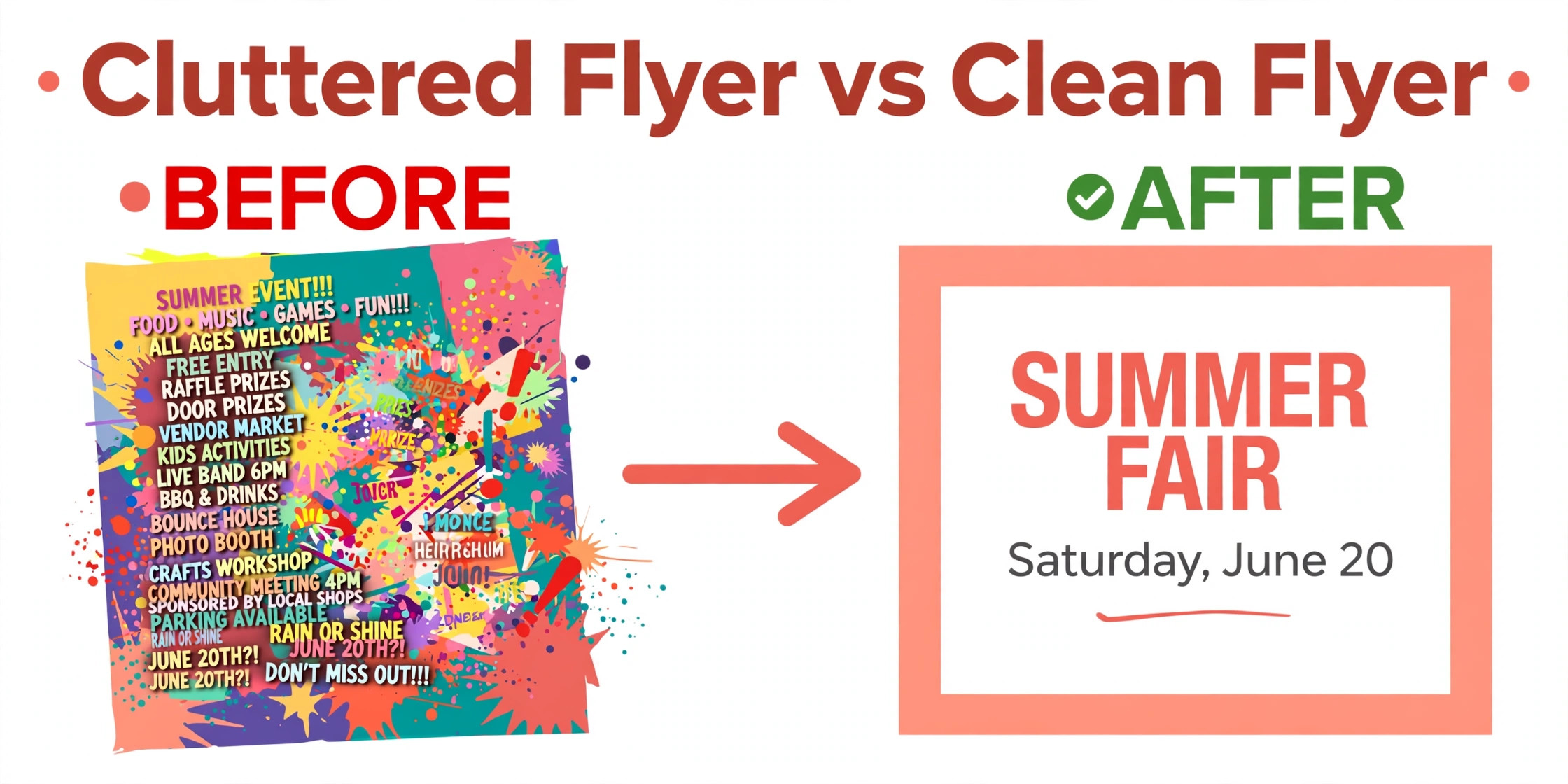
Start with the headline, not the logo. The headline is the largest text on the page, and it should promise a benefit, announce a sale or name an event in under eight words. A reader decides in three seconds whether to keep reading, and a headline that names the offer earns that second look while a business name alone does not.
Use one photo or illustration, not a collage. A single strong image gives the eye a place to land, while four small photos compete for attention and shrink the headline. Choose a photo that shows the product, the place or the people involved, and crop it tightly so the subject fills the frame. A flyer with one clear image looks confident, while a flyer with many small images looks uncertain.
Limit the flyer to two fonts and three colours. One font for the headline and one for the body keeps the page calm, while a third font adds noise. Two main colours plus one accent colour give the design energy without confusion, and the accent colour should mark the call to action so the reader knows where to look next. White space is not wasted space, because it separates the headline, the offer and the contact details into clear zones.
Put the call to action where it cannot be missed. A phone number, a QR code, an address or a website link should sit near the bottom in large type, with a short instruction such as book by Friday or scan to order. A flyer that ends with no next step leaves an interested reader with nowhere to go, and that reader will forget the flyer within the hour.
Getting Your Flyer Seen
A flyer only works where the right people gather. Noticeboards in cafes, libraries and community centres suit local events, while counters in complementary shops suit services that share an audience. A gym flyer belongs in a health food shop, a tutor flyer belongs in a library, and a restaurant flyer belongs in nearby offices and hotels. Ask permission before you pin anything, because a flyer that is removed on day one wastes the print run.
Handing out flyers works best with a short spoken line. A smile and a sentence such as free tasting this Saturday earns far more reads than a silent handoff, because the person connects the paper to a human. Choose busy times, such as a market morning or a school pickup, and hand the flyer to people who match the audience rather than to everyone passing by.
Digital distribution multiplies the reach of a print flyer for free. Post the JPG version on social media, send it by email to your customer list, and share it in local community groups where promotion is welcome. A QR code on the print version links the two worlds, because a person who sees the paper flyer can scan straight to the booking page.
Track what works by giving each channel its own marker. A different QR code for the noticeboard and the social post, or a different code word for each location, shows which place earned the visits. After two weeks, print more of the flyers that earned a response and stop printing the ones that did not, because distribution is a test, not a guess.
Flyer Printing Options Compared
Online printers offer the lowest prices for standard flyers, because they print many orders together and ship them to you. Vistaprint and GotPrint are the usual budget picks, with a hundred A5 flyers typically costing 20 to 40 dollars. The trade off is time, because delivery takes several days, and colour can vary slightly between runs, so order early and keep a spare batch.
A local print shop costs more per flyer but offers same day service and a proof you can hold before the full run. That matters when the event is this weekend or the brand colour must match exactly, because you can check the test print in person and ask for changes on the spot. Local shops also handle unusual sizes, folding and thick paper that online printers may not offer.
Canva Print sits between the two, because you design in Canva and order the print from the same account. Prices vary by region and quantity, and delivery times are longer than a local shop but shorter than some budget printers. It suits owners who already design in Canva and want one account for the whole job, without learning a printer upload system.
Setup Checklist Before You Print a Flyer
Work through this list in order and the printed flyer will match the design on your screen.
- Write the headline first, in under eight words, and make it the largest text on the page.
- Put the offer, the date and the call to action where they can be read from three metres away.
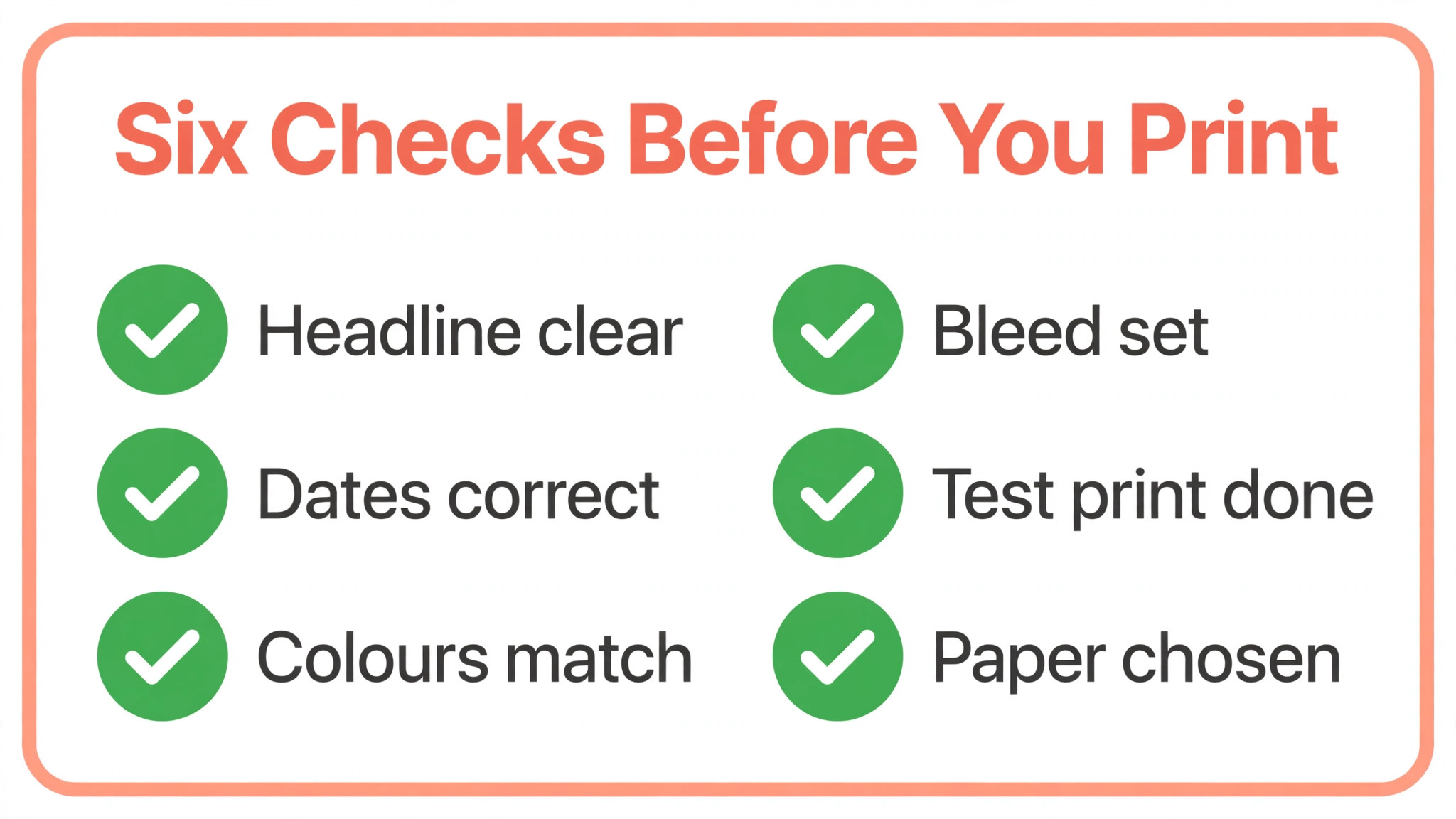
- Check every date, price, phone number and address twice, then ask a second person to check them.
- Set the file to CMYK, 300 dots per inch, with a 3 millimetre bleed and a safe margin.
- Print one test copy, pin it to a wall and read it from across the room.
- Order a small print run first, check the colour and paper, then order the full batch.
What Flyers Cost in 2026
Design costs are low. Free plans from Canva, Adobe Express, VistaCreate and PosterMyWall cover most flyer designs, while paid plans run from 7.99 dollars a month for PicMonkey Basic to around 13 dollars a month for Canva Pro and PosterMyWall Premium. Adobe Express Premium costs 9.99 dollars a month, and VistaCreate Pro costs 10 dollars a month. A single month of any paid plan is enough to design a whole season of flyers.
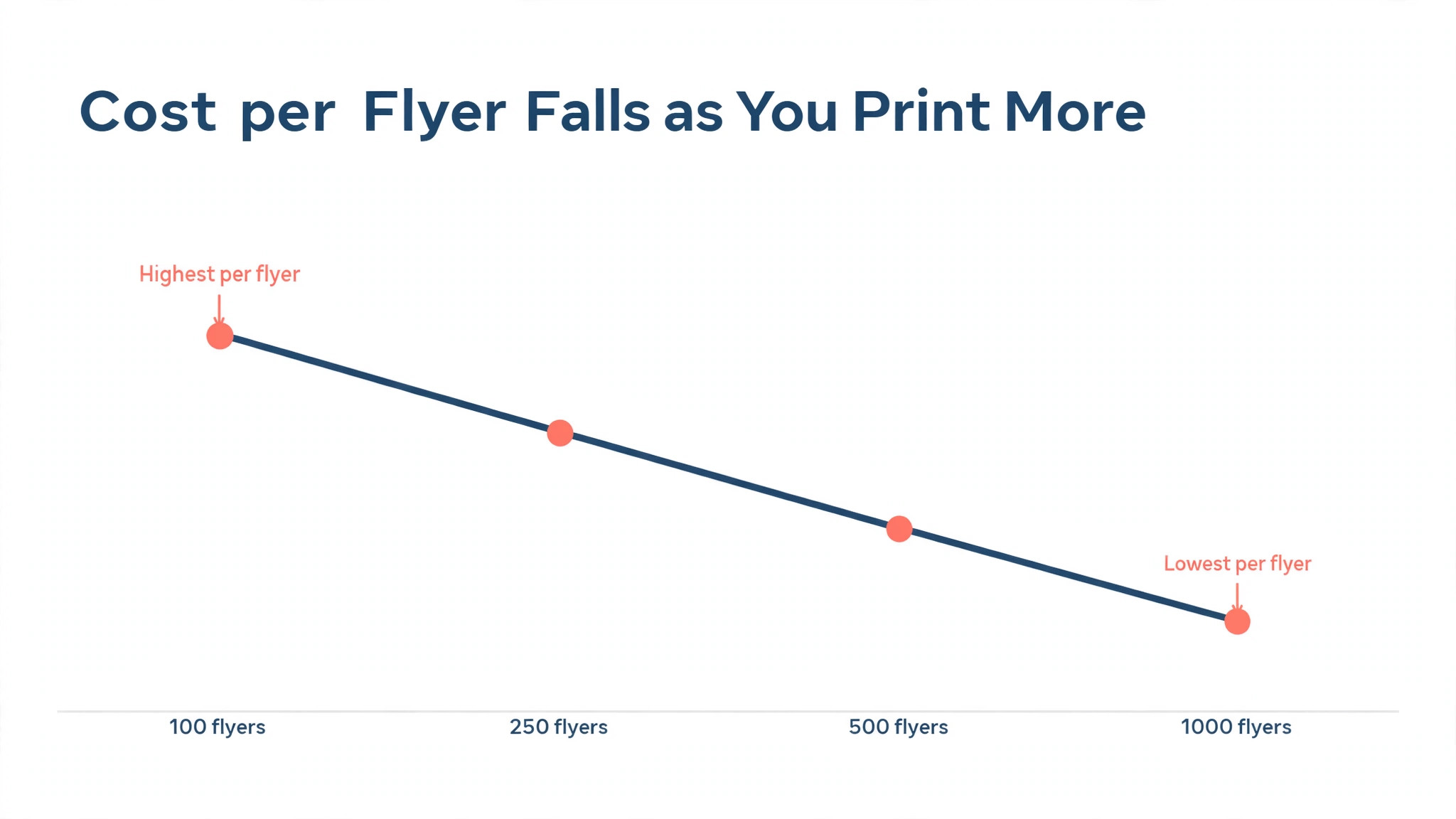
Print costs depend on size, paper and quantity. A hundred A5 flyers from a budget printer typically cost 20 to 40 dollars, while a thousand can cost 60 to 120 dollars, with the per flyer price falling sharply at higher quantities. Thick paper, gloss finish and folding all add cost, so order the standard finish first and upgrade only when the flyer must impress.
Digital distribution costs nothing, which is why most businesses now make a digital version of every print flyer. The same design, exported as a JPG, can go to social media, email and messaging apps for free, and the clicks tell you which headline worked. Spend the print budget on the flyers that must be seen in a place, and let digital carry the rest.
Mistakes That Waste a Flyer Run
The first mistake is a headline that says nothing. A business name in large type is not a headline, because it tells a passer by nothing about the offer. Lead with the benefit, the sale or the event, and put the business name smaller underneath. A headline that promises something earns a second look, while a logo alone earns a glance.
The second mistake is cramming too much onto one page. A flyer with five offers, three photos and a paragraph of text will be skipped, because the eye has nowhere to land. One offer, one photo and one call to action is the right density, and anything else belongs on the website or in a second flyer.
The third mistake is forgetting the call to action. A flyer that ends with no phone number, no address, no QR code and no date leaves the reader interested and stuck. Every flyer needs one clear next step, visible without hunting, and a deadline when the offer is time limited. A flyer without a next step is a poster, not a sales tool.
Frequently Asked Questions
What is the best flyer maker for a small business?
Canva is the safest all round pick, because it pairs the largest template library with print ordering in one account. PosterMyWall is best for event flyers, and Design.com Flyer Maker is best when the flyer must match your existing brand.
What size should a flyer be for print?
The standard US flyer is 8.5 by 11 inches, and A5 at 148 by 210 millimetres is the common small flyer in the UK and Europe. Design at 300 dots per inch, add a 3 millimetre bleed, and keep text inside a safe margin.
Can I make a flyer for free?
Yes. Canva, Adobe Express, VistaCreate and PosterMyWall all offer free plans that cover flyer design, though some lock print ready PDF export or watermark free downloads behind a paid tier. Check the export list before you design.
What file format should I send to a printer?
Send a print ready PDF with bleed and crop marks, set to CMYK colour at 300 dots per inch. A JPG is fine for digital use, but it can soften text in print, so use the PDF for the printer and the JPG for social media.
How much does it cost to print 100 flyers?
A hundred A5 flyers from a budget printer typically cost 20 to 40 dollars, depending on paper and finish. A thousand typically costs 60 to 120 dollars, so the per flyer price falls sharply at higher quantities.
Should I make a print flyer or a digital flyer?
Make both from one design when you can. Print suits local events, noticeboards and handouts, while digital suits social media, email and messaging. Export a PDF for the printer and a JPG for digital use from the same file.
Verdict
For most small businesses, Canva is the right starting point among the best flyer makers, because it covers design, print and digital export in one account at a fair price. PosterMyWall is the pick for event and local promotion flyers, and Design.com Flyer Maker is the pick when every flyer must match the brand built in the same account. VistaCreate is the pick when the budget is tight and the free plan must do the work.
Whichever tool you choose, lead with the offer, keep the layout clean, and print one test copy before you order a hundred. A flyer is a small purchase with a short life, and the hour you spend on the headline and the test print decides whether it earns a second look or ends up in the bin.