
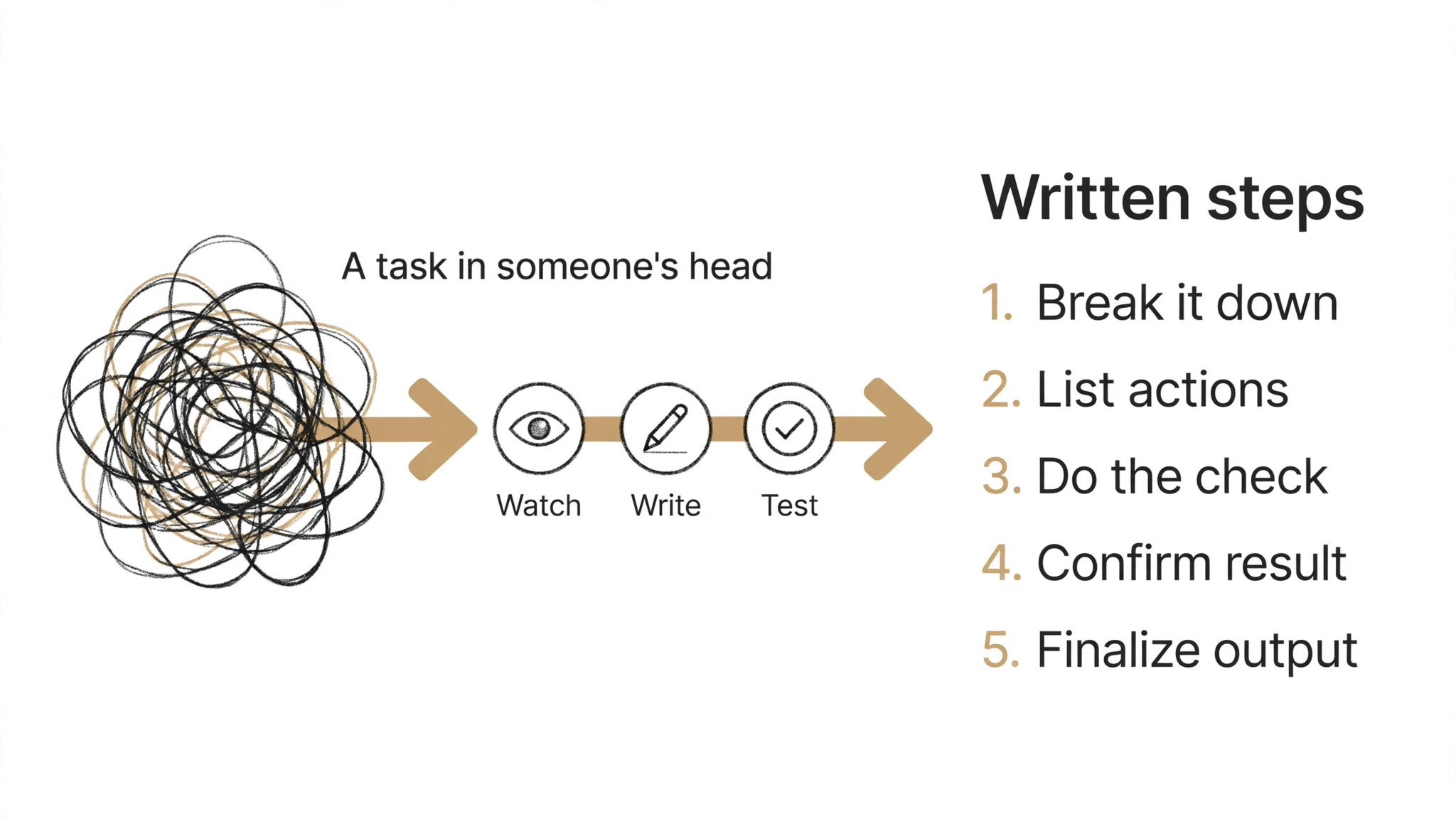
Every new hire asks the same five questions, and every answer lives in someone’s head. The top 10 ai tools for sop writing turn that hidden knowledge into written procedures a new person can follow on day one, so the team stops answering the same question and starts doing the work.
For SOP writing, the work splits into four jobs that need different tools. Capturing the process takes screen recording or interviews, writing it takes a clear template, keeping it current takes ownership, and training takes a way to check people actually learned it. This guide compares ten tools on published prices, the job each one does best and the limit that only shows up after the first procedure is written.
The Full Shortlist in One Place
Use this table to narrow the top 10 ai tools for sop writing to two or three candidates before you read the full reviews. In SOP writing, monthly list prices apply unless noted, and several tools here price per user, so headcount decides the real bill.
| Job | Best tool | Why it wins |
|---|---|---|
| SOPs from screen recordings | Scribe | Turns clicks into a written guide |
| Guided SOPs inside any app | Tango | Step-by-step help where the work happens |
| SOPs plus team training | Trainual | Procedures tied to onboarding and tests |
| Checklist-style procedures | Process Street | Workflows that run like checklists |
| Simple SOPs for small teams | SweetProcess | Procedures a small team will actually keep |
| SOPs in a shared wiki | Notion | The fastest wiki a small team will adopt |
| SOPs inside Atlassian | Confluence | Procedures that sit next to Jira work |
| Verified answers plus SOPs | Guru | Procedures a team can trust and audit |
| Video SOPs anyone can follow | Loom | Screen videos with AI summaries |
| Step-by-step visual guides | ScreenSteps | Visual guides built for support teams |
How We Tested the top 10 ai tools for sop writing
A tool earned a place here only when it does a real operations job well in 2026, not when it added an AI label to a document editor. The top 10 ai tools for sop writing were judged on five things that decide whether a team keeps using a tool after the first procedure: how fast it captures a process, how clear the written output is, how easy it is to keep current, how it trains people, and the true cost once seats are counted.
Capture speed came first, because a procedure that takes a day to write never gets written. Clarity came second, since a confusing SOP is worse than no SOP at all. Keeping it current came third, because a stale procedure teaches the wrong way to work. Fourth was training and testing, and fifth was the catch, from AI features locked behind the top tier to per-user charges that only appear on the invoice.
| Check before you buy | What to ask | Why it matters |
|---|---|---|
| Published price | Is the rate on the pricing page | A hidden price is a hidden bill |
| Capture method | Recording, template or AI draft | A slow capture means no SOPs get written |
| Ownership | Who owns each procedure and when it expires | A stale SOP teaches the wrong way |
| Training | Can you test that people learned it | An unread SOP changes nothing |
| Trial access | Can you test it on a real process | A demo is not a trial |
| Contract terms | Monthly or annual, and what year two costs | Annual billing locks the price but not the need |
Tool by Tool
1. Scribe
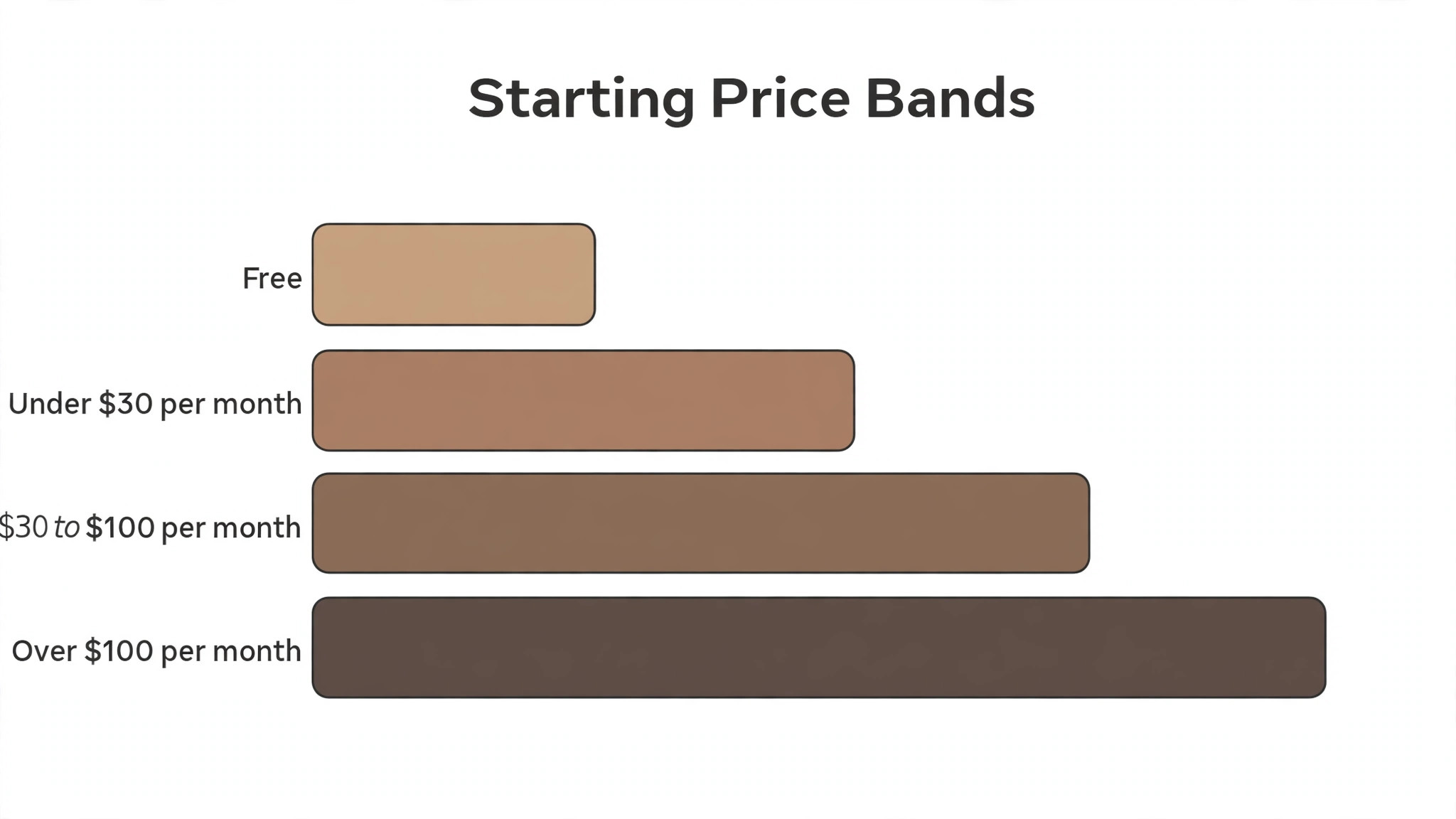
Starting price Free tier available, then Pro from 29 dollars per user a month. Best for SOPs from screen recordings. Watch out Best for screen-based processes, weaker for field work.
Scribe records your screen while you do the task, then turns the clicks into a written step-by-step guide with screenshots. Its AI writes the titles and the descriptions, redacts sensitive data automatically, and lets the team share the guide with one link. A process that took an hour to document now takes the time it takes to do it once.
The free tier covers a set number of guides, and Pro starts at 29 dollars per user a month. It is the fastest capture tool on this list, and the best pick for any team whose work happens on a screen. For field work or hands-on tasks, a template tool like Trainual fits better.
The first week with Scribe is the real test. For SOP writing, ask how long setup takes, who helps when the first output needs fixing, and what the team does while the tool is still learning its settings. In SOP writing, a tool that takes weeks to set up costs more in lost time than the subscription, so get the week-one plan in writing before you pay.
2. Tango
Starting price Free tier available, then Pro from 16 dollars per user a month. Best for Guided SOPs inside any app. Watch out Browser extension first, desktop coverage thinner.
Tango captures a process as you do it in the browser, then turns it into an interactive walkthrough that guides the next person through the same steps inside the app itself. Its AI writes the instructions, and the guide updates when the workflow changes, so the SOP never goes stale silently.
The free tier covers basic capture, and Pro starts at 16 dollars per user a month. It is the best pick here for software teams whose tools live in the browser. For desktop-only work, the coverage is thinner, and a recording tool like Scribe fits better.
In SOP writing, support matters more than most buyers expect, because the first problem usually arrives in the first week. Check whether Tango offers live help, how fast it answers, and whether the help covers your actual workflow. In SOP writing, good support gets a tool adopted, while slow support gets it dropped and the subscription keeps billing either way.
3. Trainual
Starting price From 249 dollars a month. Best for SOPs plus team training. Watch out Flat monthly price, best for teams of ten or more.
Trainual combines SOPs with training: procedures, policies and onboarding paths in one system, with tests that check people actually learned the material. Its AI drafts procedures from a prompt, suggests the structure for a new role, and tracks who has completed each training path.
Pricing starts at 249 dollars a month for the small-team plan, which makes it the most expensive flat-rate tool here. It earns that price for a team of ten or more that onboards regularly. A team of three should start with Scribe or Notion instead and move to Trainual when hiring picks up.
Before you commit to Trainual, check the export and the exit. For SOP writing, ask whether your work, data and templates can leave with you, and in what format they come out. In SOP writing, a tool that locks your work inside its own system costs far more to leave than to join, and that is a price worth noting.
4. Process Street
Starting price From 100 dollars a month. Best for Checklist-style procedures. Watch out Priced per member, costs rise with the team.
Process Street turns procedures into checklists that run like workflows: each step has an owner, a due date and a place to attach the evidence. Its AI drafts the checklist from a description, and the team runs the same process the same way every time, with a record of who did what.
Pricing starts at 100 dollars a month for the Pro plan, with per-member pricing on top. It suits operations teams that run the same process weekly, such as onboarding or client setup. For a team that only needs written guides, a simpler tool like SweetProcess costs less.
For a team weighing Process Street against the next tool on this list, the test is a real week of work. For SOP writing, run it on the jobs you do most, count the time saved and the edits each output needs, then compare that with the price. In SOP writing, an hour saved a week pays for a tool at almost any price, while one needing constant correction never pays.
5. SweetProcess
Starting price Plans start from 99 dollars a month. Best for Simple SOPs for small teams. Watch out Flat price per user, no free tier.
SweetProcess is built for small teams that need procedures without enterprise weight. It writes SOPs from text, images and video, organises them into teams and roles, and shows who has read each one. Its AI drafts a procedure from a short description, and the interface is simple enough for a non-technical manager.
Pricing starts at 99 dollars a month, with no free tier, though a trial is available. It is the simplest dedicated SOP tool on this list for a small team. A team that already uses Notion may get the same result cheaper, but SweetProcess is built for procedures first.
The fit with the systems you already run decides whether SweetProcess earns its place. For SOP writing, check the integration list before the trial, and test the one connection you actually need on day one. In SOP writing, a tool that cannot reach your core system forces double entry on every job, and double entry eats the time it was meant to save.
6. Notion
Starting price 10 dollars per user a month is the lowest paid rate. Best for SOPs in a shared wiki. Watch out In SOP writing, Notion AI is an extra charge on the Plus plan.
Notion is the wiki most small teams already know, and its AI writes, summarises and rewrites SOP pages inside the same workspace where the team keeps everything else. A manager can draft a procedure from meeting notes, link it to the training plan, and publish it to the team without leaving Notion.
In SOP writing, Plus starts at 10 dollars per user a month and charges Notion AI on top for that tier, whereas the Business plan at 20 dollars per user a month includes it. For a team that already lives in Notion, it is the cheapest credible start here, but it is a wiki first and a procedure system second.
Read every tier on the pricing page before you pick Notion, because the feature you need often sits one tier above the cheapest plan. For SOP writing, pay for the tier that does the daily job, not the tier that looks cheap. In SOP writing, a plan that misses one core feature costs more in workarounds than the upgrade would have.
7. Confluence
Starting price The entry paid tier costs 6.05 dollars per user a month. Best for SOPs inside Atlassian. Watch out In SOP writing, the AI features need the Premium plan.
In SOP writing, teams that live in Jira will find their documentation home in Confluence. Its pages link directly to issues, its templates cover procedures and project plans, and Atlassian Intelligence drafts and summarises pages for teams on the Premium plan. For an operations team inside an engineering-heavy company, that link to Jira is the point.
In SOP writing, Standard starts at 6.05 dollars per user a month, and Premium, which unlocks the AI features, starts at 11.55 dollars per user a month. The price scales per seat, so a large team should count heads before comparing it with a flat-rate tool like Trainual.
The first week with Confluence is the real test. Before buying for SOP writing, ask about setup time, who helps when the first output needs a fix, and what the team does while the tool is still learning its settings. Weeks of setup in SOP writing cost more in lost time than the subscription itself, so ask for the week-one plan in writing before paying.
8. Guru
Starting price Expect to pay from 10 dollars per user each month. Best for Verified answers plus SOPs. Watch out Built for answers first, procedures second.
Guru is built around trust: every procedure has an owner and an expiry date, so stale instructions get flagged instead of followed. Its AI search pulls procedures from Guru and from connected tools like Slack, and it shows the source for every answer it gives.
In SOP writing, Starter starts at 10 dollars per user a month, and AI search improves on the Builder and Expert tiers. It suits teams where a wrong procedure costs a sale or a support escalation. For a team that needs checklists that run, Process Street fits better.
For SOP writing, good support counts for more than buyers expect, since the first problem usually shows up in week one. Check whether Guru offers live help, how fast it answers, and whether the help covers your actual workflow. For SOP writing, fast help turns a tool into a habit, and slow help turns it into an abandoned subscription that still bills.
9. Loom
Starting price Free tier available, then Business from 12.50 dollars per user a month. Best for Video SOPs anyone can follow. Watch out Video first, written steps need the AI summary.
Loom records a screen video of the process, then its AI writes a summary, titles and step notes from the recording. A new hire watches the video, reads the summary and follows along, which suits tasks that are easier shown than written. The videos live in a shared library the team can search.
The free tier covers a set number of videos, and Business starts at 12.50 dollars per user a month. It is the best video SOP tool here, but the written procedure depends on the AI summary, so a team that needs a printable checklist should pair it with Scribe or Notion.
Before you commit to Loom, check the export and the exit. Before committing in SOP writing, ask if your work, data and templates can be taken elsewhere, and what format the export uses. For SOP writing, leaving a tool that traps your work inside its own system costs far more than joining it, which is a price worth noting.
10. ScreenSteps
Starting price From 58 dollars a month. Best for Step-by-step visual guides. Watch out Priced per user, so costs rise with the team in SOP writing.
ScreenSteps builds visual step-by-step guides with annotated screenshots, aimed at support teams that walk customers through a fix. Its AI drafts the steps from a recording, and the guides publish to a knowledge base or a help widget, so customers can follow the fix themselves.
Pricing starts at 58 dollars a month. It is the most visual guide builder on this list, and the best pick for a support team whose SOPs are really customer-facing how-tos. For internal procedures, Scribe or Tango captures the same work faster.
For a team weighing ScreenSteps against the next tool on this list, the test is a real week of work. Test it on your most common SOP writing jobs, count the minutes saved and the edits each output needs, and weigh that against the price. For SOP writing, saving an hour a week justifies a tool at almost any price, but a tool that needs constant correction never pays.
The Comparison Table, Explained
The table below puts the top 10 ai tools for sop writing side by side on price, best job and free plan, so you can compare the capture tools against the training platforms at a glance. Read it by job first, because a cheap tool that nobody uses to write procedures costs more in repeated questions than a pricier one the team actually opens.
The fastest way through the table is by how your team learns. Screen workers should look at Scribe and Tango, and teams that onboard often should look at Trainual. Match each tool to its best job in SOP writing first, then check the price, and the choice usually settles in under a minute.
| Tool | Starting price | Best for | Free plan |
|---|---|---|---|
| Scribe | Free tier, then Pro from 29 dollars per user a month | SOPs from screen recordings | Yes |
| Tango | Free tier, then Pro from 16 dollars per user a month | Guided SOPs inside any app | Yes |
| Trainual | From 249 dollars a month | SOPs plus team training | Trial |
| Process Street | From 100 dollars a month | Checklist-style procedures | Trial |
| SweetProcess | From 99 dollars a month | Simple SOPs for small teams | Trial |
| Notion | From 10 dollars per user a month | SOPs in a shared wiki | Yes |
| Confluence | From 6.05 dollars per user a month | SOPs inside Atlassian | Yes |
| Guru | From 10 dollars per user a month | Verified answers plus SOPs | Trial |
| Loom | Free tier, then Business from 12.50 dollars per user a month | Video SOPs anyone can follow | Yes |
| ScreenSteps | From 58 dollars a month | Step-by-step visual guides | Trial |
How to Choose Without Overbuying
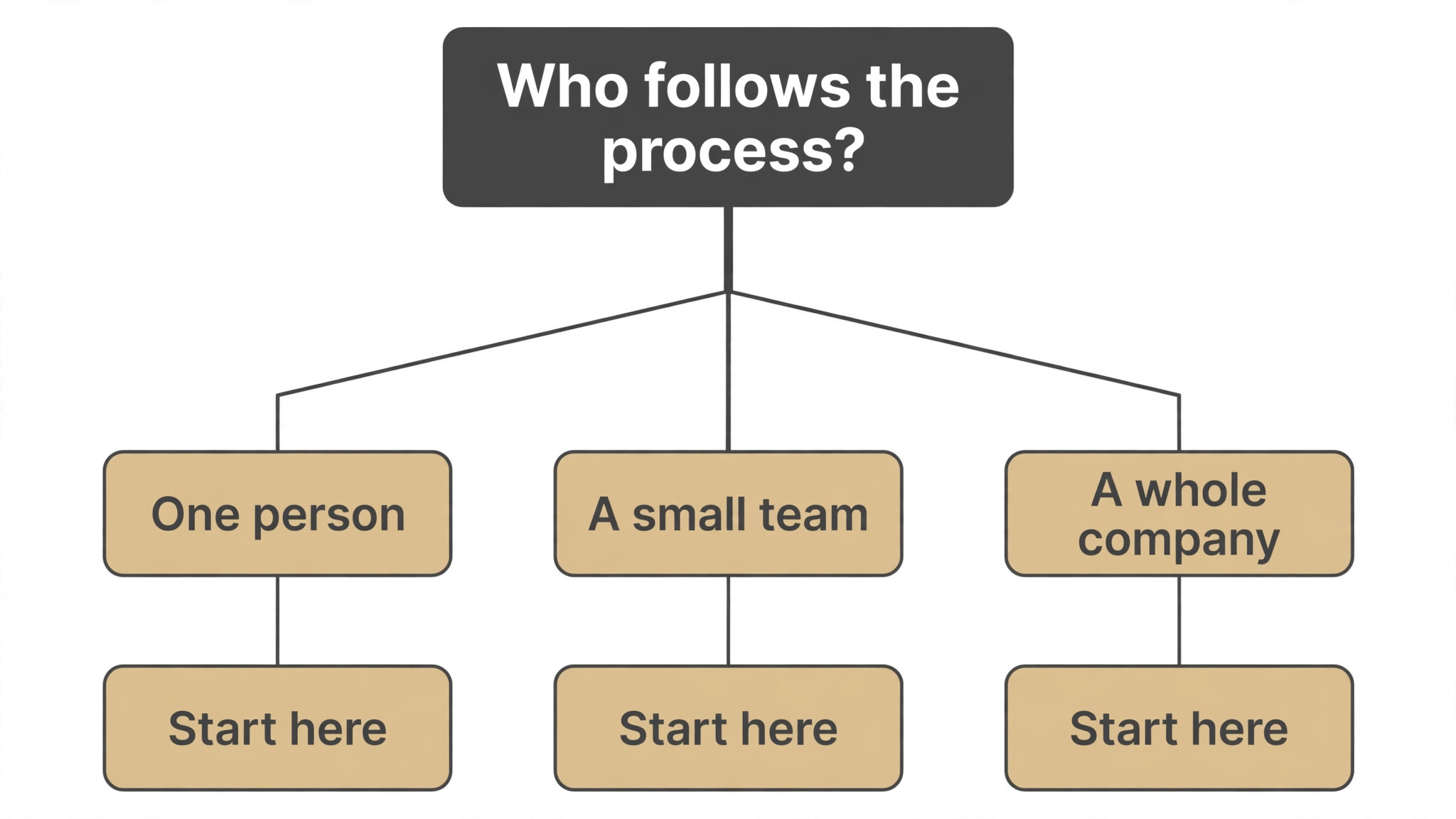
Start from the process that gets asked about most, not from the vendor homepage. Teams buried in repeat questions should buy the capture tool first. Teams losing people to bad onboarding should buy training before features. For SOP writing, the tool that unblocks the slowest task earns its keep first, and the remaining tools can wait.
Judge the full stack for SOP writing, not the single headline price. Below, the table prices the first year for a solo buyer and for a small team doing SOP writing, on the common combinations, at published starting prices. For SOP writing, ask for per-user charges in writing before signing, since those lines surprise teams, and annual billing usually cuts about twenty percent off the monthly rate.
| Stack | Monthly cost | What it covers |
|---|---|---|
| Notion alone | Lowest starting price | One tool for the team wiki and SOPs |
| Scribe plus Notion | Mid-range | Captured guides plus a shared wiki |
| Tango plus Trainual | Mid-range | Guided walkthroughs plus training |
| Process Street plus Loom | Check the pricing page | Checklist workflows plus video SOPs |
Best Pick by Job
Pick from the table below by the operations job you do most each week. The top 10 ai tools for sop writing are not ranked by features alone; they are ranked by which job each one actually finishes, so the pick that matches your week is the pick that will still be in your stack a year from now.
| Your job | Best pick | Why it wins |
|---|---|---|
| SOPs from screen recordings | Scribe | Turns clicks into a written guide |
| Guided SOPs inside any app | Tango | Step-by-step help where the work happens |
| SOPs plus team training | Trainual | Procedures tied to onboarding and tests |
| Checklist-style procedures | Process Street | Workflows that run like checklists |
| Simple SOPs for small teams | SweetProcess | Procedures a small team will actually keep |
| SOPs in a shared wiki | Notion | The fastest wiki a small team will adopt |
| SOPs inside Atlassian | Confluence | Procedures that sit next to Jira work |
| Verified answers plus SOPs | Guru | Procedures a team can trust and audit |
| Video SOPs anyone can follow | Loom | Screen videos with AI summaries |
| Step-by-step visual guides | ScreenSteps | Visual guides built for support teams |
Testing Before You Pay
A trial tells an operations team more in five working days than a month of reading reviews, but only when the trial runs on a real process. Pick the two tools that look closest after the shortlist, run them side by side on the same task, and score them on capture time, clarity and how the procedure reads to a new hire. Never trial on a demo process, because a demo hides the rough edges real work exposes.
| Day | What to test | What good looks like |
|---|---|---|
| Day 1 | Setup and first real procedure | Working in under an hour, no IT ticket |
| Day 2 | The hardest process you document | Output needs light edits, not a rewrite |
| Day 3 | A new hire follows it cold | They finish the task without asking for help |
| Day 4 | Update the procedure | The edit takes minutes, not hours |
| Day 5 | Count the time and the cost | Hours saved beat the monthly price |
Keep a simple log through the trial week, noting the daily task, the minutes it took, the edits made and whether the procedure could go out unchecked. When the trial week ends, the log makes the call for SOP writing. In SOP writing, the tool with the strongest log wins, even when it was not the expected favourite, because the log records your own work rather than the vendor demo.
Buying Mistakes to Skip
Mistake one is writing procedures nobody owns. A SOP without an owner goes stale within months, and a stale SOP teaches the wrong way to work. Assign an owner and an expiry date to every procedure. Mistake two is rolling out to the whole team before one person has written a procedure for a week, since a favourite of one and a burden to five is a cost, not a system.
The third mistake is skipping the new-hire test. Ask a new person to follow the procedure without help before the first real rollout, because a procedure only its author can follow is not a procedure. The fourth mistake is judging the tool on its best day, so trial it on the hardest process itself and let the hard process decide.
Your Questions, Answered
Which tool gives a small team the cheapest good start
In SOP writing, Notion is the cheapest credible start here at 10 dollars per user a month, and Confluence is close behind at 6.05 dollars per user a month. Start with the job you do most each week, trial the free tier on a real process, and add a specialist only when the general tool cannot do a job you are paid to do. That is the cheapest route to an SOP stack.
How detailed should an SOP be
Detailed enough that a new hire can follow it without asking for help, and short enough that they actually read it. Ten to twenty steps is the sweet spot for most tasks, with a screenshot or a short video on the steps that confuse people. Use the AI to draft the steps, then have a new hire test them, because a procedure only its author can follow is not a procedure.
For a team that onboards often, which SOP tool wins
Trainual is the pick for a team that onboards often, starting at 249 dollars a month with procedures tied to training and tests, while Scribe at 29 dollars per user a month is the strongest capture option. The top 10 ai tools for sop writing were ranked by the job each one finishes, not by the size of the feature list, so buy the tool that fixes your slowest weekly job first.
How much will a small team spend on SOP tools in year one
Plan on 20 to 50 dollars a month in year one for a general tool such as Notion, rising to 100 to 250 dollars a month with a specialist such as Trainual added. For SOP writing, multiply the headline price by headcount on per-user plans, since those charges surprise buyers. Price the whole stack and trial each tool on a real process before signing an annual contract.
Do these tools offer a trial before payment
Most tools on this list offer a free plan or a free trial, and Scribe, Tango and Notion all let teams test on a real process before paying. Use the trial on your own work, not on a demo, and count the capture time and the edits each procedure needs. A trial that covers a real week tells an operations team more than a sales call, and a tool that will not trial is one to be careful about.
The Verdict, in Brief
If you buy one tool this quarter, pick Scribe for capture or Notion for a shared wiki, and add Trainual when onboarding becomes a weekly job. Scribe is the fastest place to start with a free tier and Pro at 29 dollars per user a month, and Notion is the cheapest wiki at 10 dollars per user a month. The top 10 ai tools for sop writing earn their keep by turning the knowledge in one person’s head into a procedure the whole team can follow.
Whatever you pick, trial it on a real process, count the procedures it produces and the edits each one needs, and keep a human eye on every AI draft before it reaches a new hire. Every tool on this list works for SOP writing. The difference is whether the tool matches the processes you actually run, and whether you measure the return in questions answered once rather than in features used.