
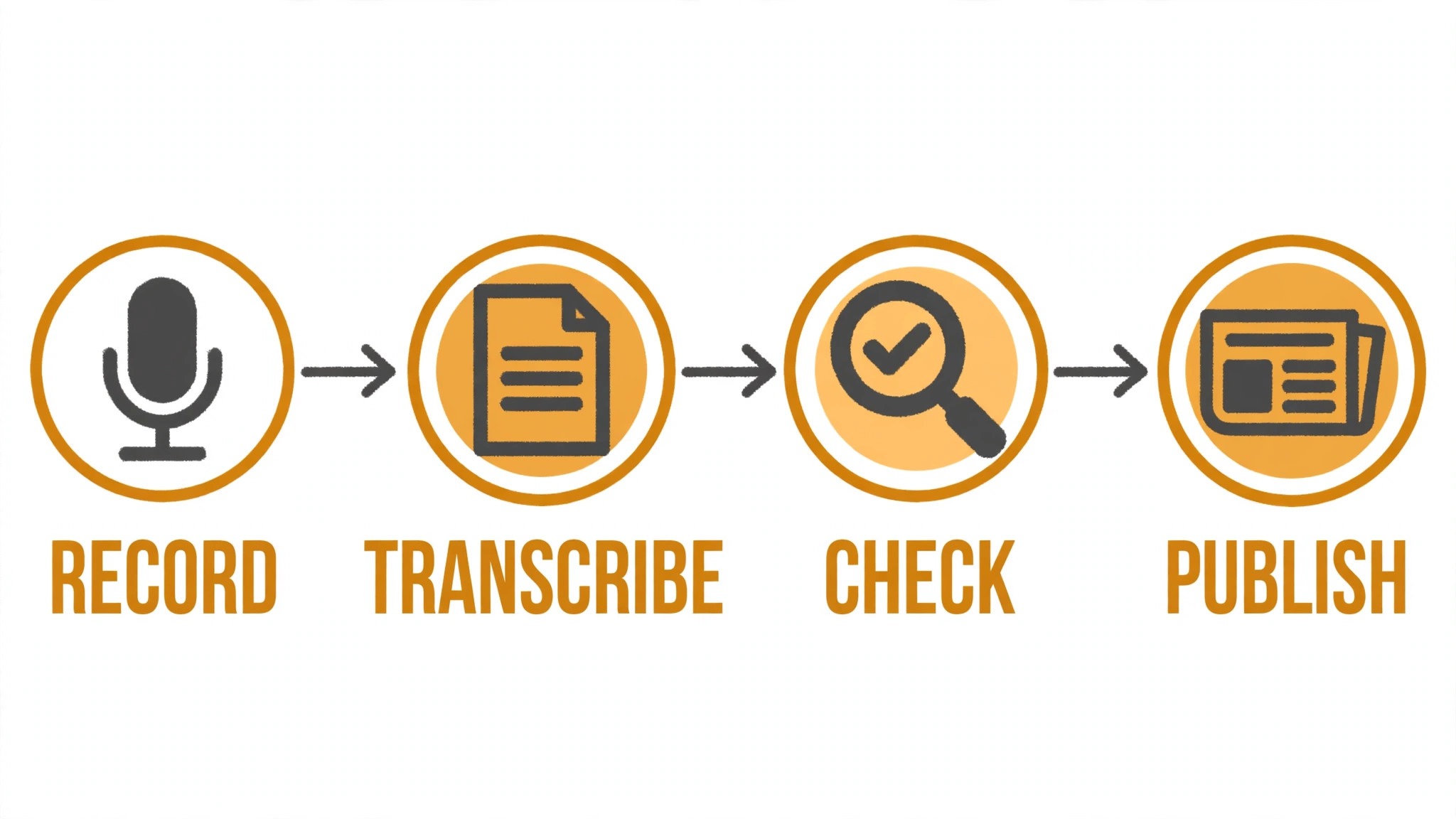
A reporter files a story, then spends the next hour on the work around it. The transcript, the fact check, the summary for the desk and the social version all need doing before the next assignment lands. The best ai tools for journalists cut that second hour down, so the reporting stays human and the paperwork moves faster.
Newsrooms run on a mix of interviews, documents, audio and deadlines, and no single tool covers all four well. A transcription tool handles the audio, a research tool handles the documents, and a writing tool handles the draft. This guide shows which job each tool does, so a journalist can buy the piece that fits the work they actually do most.
This guide compares twelve tools on published prices, the reporting job each one does best and the catch that only shows up after the trial ends. Every figure below is a published starting price current to late 2026, or marked pricing on request where the vendor keeps its rates private. Start with the shortlist, then read the reviews that match the reporting work you do most.
The Full Shortlist in One Place
Use it to narrow the best ai tools for journalists to two or three candidates before you read the full reviews. Monthly list prices apply unless noted, and annual billing usually beats monthly billing for newsrooms.
| Job | Best tool | Why it wins |
|---|---|---|
| Drafting and research help | ChatGPT | The fastest all-rounder for first drafts and background |
| Long-form analysis and editing | Claude | Strongest on long documents and careful rewrites |
| Fast sourced answers | Perplexity | Answers with sources you can check in seconds |
| Making sense of big document sets | NotebookLM | Your own sources, summarized and searchable |
| Interview transcription | Otter.ai | Live transcripts that keep up with a conversation |
| Audio and video transcription | Trint | Accurate transcripts with a built-in editor |
| Turning interviews into clips | Descript | Edit audio by editing the text |
| Grammar and style checks | Grammarly | Catches errors before the desk does |
| Rewriting and paraphrasing | QuillBot | Quick rephrasing without changing the meaning |
| Cutting copy to the bone | Hemingway Editor | Flags dense sentences fast |
| Fast newsroom copy | Jasper | Templates built for publishing speed |
| Searching leaked documents | Pinpoint | Google’s free tool for document-heavy stories |
What We Looked For When We Tested the Best AI Tools for Journalists
A tool earned a place here only when it does a real reporting job well in 2026, not when it added an AI label to an old product. The best ai tools for journalists were judged on five things that decide whether a newsroom keeps paying after the first year.
Accuracy came first, because an error in a published story costs more than any subscription. Next came speed on the jobs reporters do daily, from transcription to first drafts. Published pricing came third, since freelance budgets and newsroom budgets are very different things. Fourth, source handling, because a tool that invents quotes or hides its sources is a liability. Fifth, the catch, from free plans that cap usage to enterprise tools that only start after a sales call.
| Check before you buy | What to ask | Why it matters |
|---|---|---|
| Published price | Is the rate on the pricing page | A hidden price is a hidden bill |
| Free plan limits | Usage caps, watermarks or seats | A capped free plan cannot run the real job |
| Source citations | Does it show where facts came from | An unsourced claim cannot go to print |
| Accuracy on real work | Test it on your own material | Demo accuracy is not newsroom accuracy |
| Trial access | Can you test it on real work | A demo is not a trial |
| Data handling | Where does your material go | Unpublished material needs protection |
Tool by Tool
1. ChatGPT
Starting price From 20 dollars a month. Best for Drafting and research help. Watch out Can invent facts, so every claim needs checking
ChatGPT is the all-rounder most reporters reach for first. It drafts ledes, summarizes long reports, brainstorms angles and turns a rough interview into a structured outline in minutes. The twenty-dollar Plus plan adds the stronger model and image tools, and the free tier is enough to test whether the drafting style fits your desk.
The catch is accuracy. ChatGPT can produce confident-sounding facts that are wrong, so nothing it writes should go to print unchecked. Treat it as a fast first draft and a research assistant, verify every quote and figure against a primary source, and it will save hours a week without risking a correction.
2. Claude
Starting price From 20 dollars a month. Best for Long-form analysis and editing. Watch out The basic plan cannot search the live web
Claude is the strongest tool here for long documents. It reads a hundred-page report and returns a clean summary, tightens a draft without flattening the voice, and handles careful edits better than most rivals. Reporters working on investigations and features get the most from it, especially when the material is dense and the deadline is short.
The Pro plan at twenty dollars a month is the sensible starting point, and the free tier handles short tasks. The limit is live research: the basic plan does not browse the web the way some rivals do, so pair it with a search tool when the story needs fresh facts.
3. Perplexity
Starting price From 20 dollars a month. Best for Fast sourced answers. Watch out Answers can be thin on niche or local topics
Perplexity answers questions with citations attached, which is exactly what a reporter needs when checking a claim before publication. Ask about a company, a statistic or a background fact and you get a sourced answer in seconds, with links to follow. The Pro plan at twenty dollars a month adds more searches and file uploads.
The weakness is depth on niche topics. Local stories and specialist beats can return thin or generic answers, so use it for background and verification, not as the sole source. For daily fact-checking it is one of the fastest tools on this list.
4. NotebookLM
Starting price Free tier, then paid plans from 19.99 dollars a month. Best for Making sense of big document sets. Watch out Only as good as the sources you upload
NotebookLM turns your own documents into a research assistant. Upload court filings, reports or interview transcripts and ask questions that are answered only from those sources, with citations back to the page. For document-heavy stories it removes hours of searching, and the free tier is genuinely usable for a single investigation.
The limit is the input. It cannot find documents for you, and it only knows what you upload, so the reporting still starts with gathering material. The paid plan through Google AI Pro adds more sources and higher limits, which suits a reporter running several investigations at once.
5. Otter.ai
Starting price From 16.99 dollars a month. Best for Interview transcription. Watch out Accuracy drops with accents and crosstalk
Otter.ai records and transcribes interviews live, with speaker labels and a searchable transcript ready minutes after the conversation ends. The Pro plan at sixteen dollars ninety-nine a month covers a working reporter’s interview load, and the free tier handles a few hours a month for testing.
Accuracy is strong on clear one-to-one interviews and weaker when voices overlap or accents are heavy, so always spot-check quotes against the audio. For a reporter who interviews daily, the time saved on transcription alone pays for the plan in the first week.
6. Trint
Starting price From 80 dollars a month. Best for Audio and video transcription. Watch out The price is steep for freelancers
Trint transcribes audio and video into an editor where you can search, highlight and pull quotes straight into a story. It handles multiple speakers well and supports dozens of languages, which makes it a fit for newsrooms covering international stories. The editor is the real value: finding the one quote you need takes seconds, not a full relisten.
The price is the problem for solo reporters. At eighty dollars a month it is a newsroom purchase, not a freelance one. If your desk already pays for it, learn the highlight and export tools, since that is where the time saving lives.
7. Descript
Starting price From 24 dollars a month. Best for Turning interviews into clips. Watch out Video features need the higher tiers
Descript lets you edit audio and video by editing the transcript, deleting a filler word from the text removes it from the recording. For reporters who publish audio or video alongside the written story, that turns a two-hour edit into twenty minutes. The Creator plan at twenty-four dollars a month covers most newsroom needs.
The video tools and the higher-quality voices sit on the pricier plans, so check the tier before you buy. For text-first reporters the audio editing alone may still be worth it, especially when a podcast or a clip is part of the assignment.
8. Grammarly
Starting price From 12 dollars a month. Best for Grammar and style checks. Watch out Taking every style suggestion can flatten a reporter’s voice
Grammarly catches grammar, spelling and clarity issues before a story reaches the desk, and it works inside the browser, docs and email where reporters actually write. The Pro plan at twelve dollars a month adds tone and full-sentence rewrites, which help when a draft needs tightening against a deadline.
The risk is over-editing. Accepting every suggestion can flatten a distinctive voice into house style, so treat it as a safety net rather than an editor. For freelancers filing to several desks, it is cheap insurance against the small errors that slow publication.
9. QuillBot
Starting price From 9.95 dollars a month. Best for Rewriting and paraphrasing. Watch out Paraphrases can drift away from the original meaning
QuillBot rewrites sentences and paragraphs in different tones, which helps when a wire version needs reworking or a quote needs tightening without changing the meaning. The Premium plan at nine dollars ninety-five a month lifts the word limits and adds the plagiarism checker, which is useful before filing.
Paraphrasing can drift, above all with technical or legal language, so read every rewrite against the original before it goes out. Used carefully, it is a fast way to produce a second version of a story for a different outlet.
10. Hemingway Editor
Starting price 19.99 dollars one-time. Best for Cutting copy to the bone. Watch out Editing only, with no AI drafting
Hemingway Editor highlights long sentences, passive voice and dense phrasing, and it does it offline in a simple desktop app. For reporters who overwrite under deadline, it is the fastest way to tighten a draft. The nineteen-dollar-ninety-nine one-time price means no subscription to manage, which suits freelance reporters.
It does not draft or research, so it works as a finisher rather than a starter. Pair it with a drafting tool and use it as the last pass before filing, when the story is written and only the fat is left to cut.
11. Jasper
Starting price From 39 dollars a month. Best for Fast newsroom copy. Watch out Priced for teams, not solo reporters
Jasper is built for content teams that publish at volume, with templates for articles, summaries and social posts, plus a brand voice setting that keeps output consistent across writers. A newsroom producing explainers and service pieces alongside reporting can move faster with it, and the thirty-nine-dollar Creator plan is the entry point.
The price is high for a solo reporter, and the output needs the same fact-checking as any AI draft. It earns its place when a team publishes daily and needs consistent copy fast, not when one person files a few stories a week.
12. Pinpoint
Starting price Free. Best for Searching leaked documents. Watch out Needs a Google account and works best with large sets
Pinpoint is Google’s free tool for searching large document sets, and it is built for exactly the kind of story that starts with a leak. Upload thousands of pages and search names, dates and phrases across all of them, with entity recognition that pulls out people and organizations automatically. For investigations, it is free and powerful.
The trade-off is that it is only a search tool. It will not draft, summarize or transcribe, so it belongs alongside a writing tool rather than instead of one. Every reporter working with documents should have it open, since it costs nothing and finds what manual reading misses.
The Comparison Table, Explained
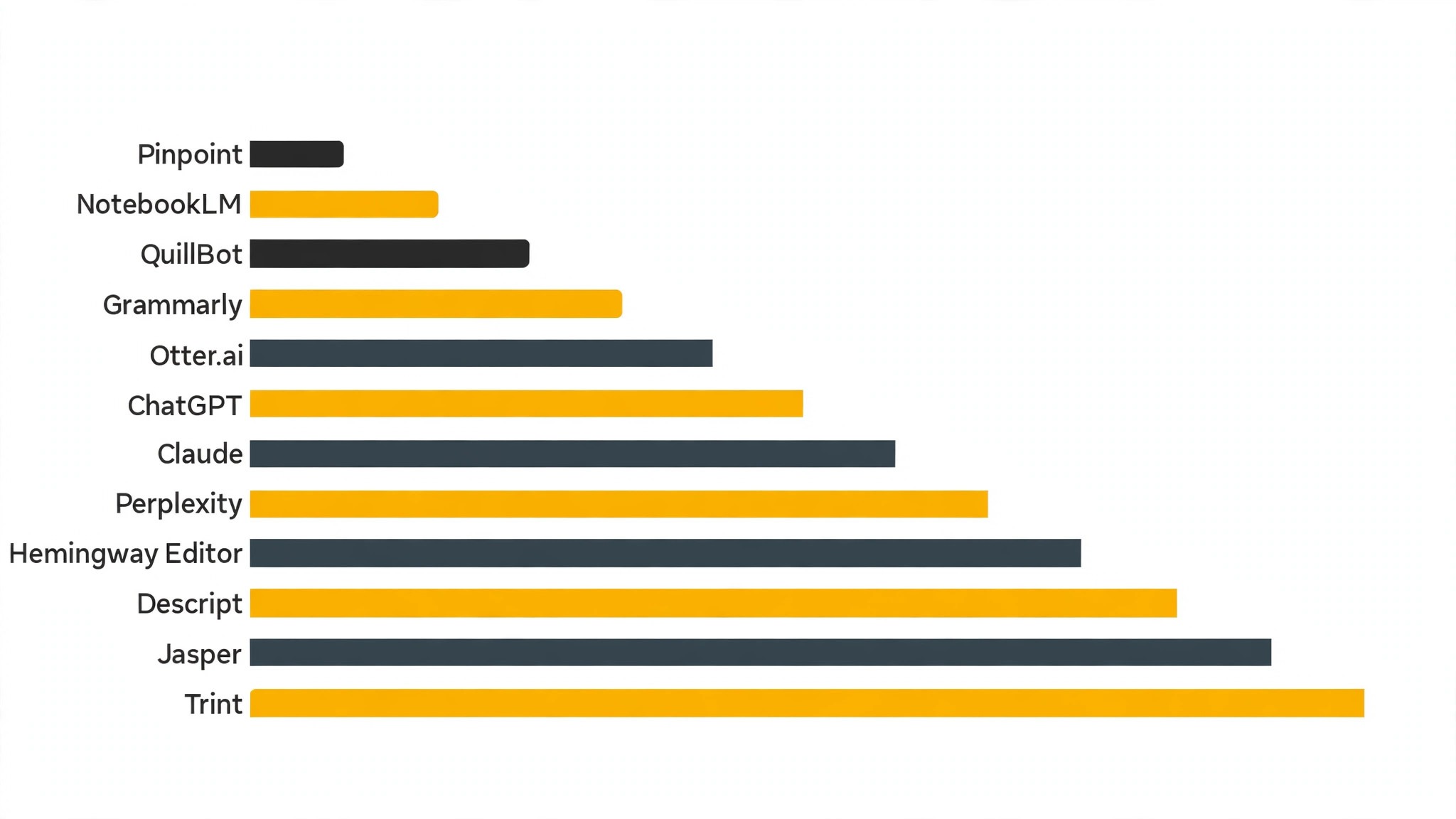
The table below puts the best ai tools for journalists side by side on price, best job and free plan, so you can compare the published prices against the quote-only tools at a glance.
| Tool | Starting price | Best for | Free plan |
|---|---|---|---|
| ChatGPT | From 20 dollars a month | Drafting and research help | No |
| Claude | From 20 dollars a month | Long-form analysis and editing | No |
| Perplexity | From 20 dollars a month | Fast sourced answers | No |
| NotebookLM | Free tier, then paid plans from 19.99 dollars a month | Making sense of big document sets | Yes |
| Otter.ai | From 16.99 dollars a month | Interview transcription | No |
| Trint | From 80 dollars a month | Audio and video transcription | No |
| Descript | From 24 dollars a month | Turning interviews into clips | No |
| Grammarly | From 12 dollars a month | Grammar and style checks | No |
| QuillBot | From 9.95 dollars a month | Rewriting and paraphrasing | No |
| Hemingway Editor | 19.99 dollars one-time | Cutting copy to the bone | No |
| Jasper | From 39 dollars a month | Fast newsroom copy | No |
| Pinpoint | Free | Searching leaked documents | Yes |
How to Choose Without Overbuying
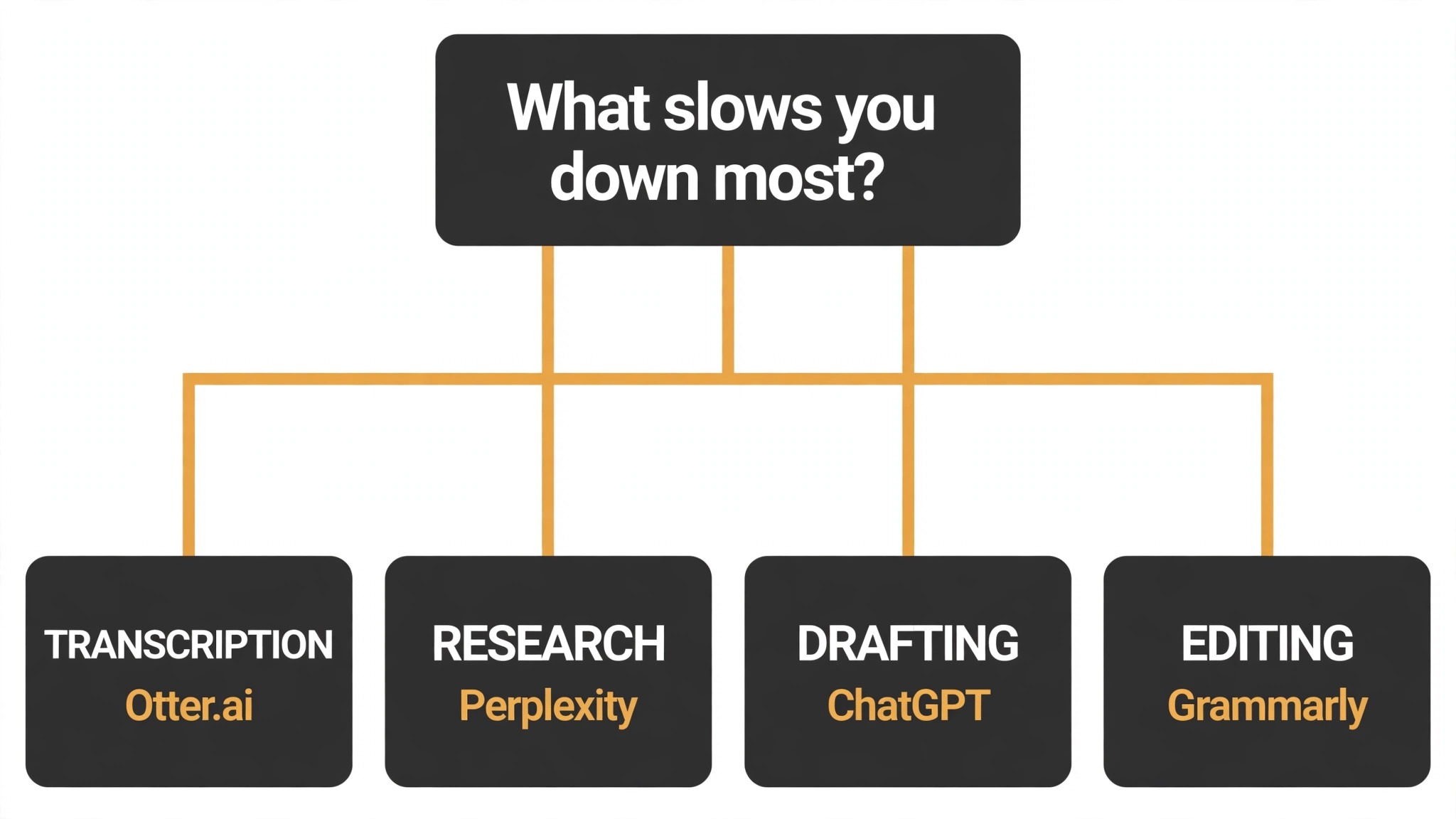
Start from the slowest part of the reporting week, not from the vendor homepage. Reporters buried in transcripts should buy the tool that clears that pile first. Reporters losing hours to rework should buy accuracy before features. Start with the tool that unblocks the slowest reporting task: it pays for itself first, and the rest can wait.
Price the whole reporting stack, not the headline number alone. The table below prices year one for a solo buyer and for a small team on the common reporting combinations, at published starting prices. Ask for per-seat charges in writing before signing, since those lines surprise newsroom teams, and annual billing usually cuts about twenty percent off the monthly rate.
| Stack | Monthly cost | What it covers |
|---|---|---|
| ChatGPT plus Otter.ai | Check the pricing page | Core tool plus a second specialist |
| NotebookLM alone | Lowest starting price | One tool for the main job |
| Claude plus Perplexity | Mid-range | Core tool plus a workflow specialist |
| Grammarly plus Otter.ai | Mid-range | Specialist pair for a busy week |
Start with ChatGPT and Otter.ai if you file every day, and bring Claude in once long investigations pile up. What matters is not the size of the stack but whether the best ai tools for journalists in it get opened every morning, so choose the two you will reach for first and let the third earn its place later.
Best Pick by Job
Pick from the table below by the reporting job you do most each week. The best ai tools for journalists are not ranked by features alone; they are ranked by which job each one actually finishes, so the pick that matches your week is the pick that will still be in your stack a year from now.
| Your job | Best pick | Why it wins |
|---|---|---|
| Drafting and research help | ChatGPT | The fastest all-rounder for first drafts and background |
| Long-form analysis and editing | Claude | Strongest on long documents and careful rewrites |
| Fast sourced answers | Perplexity | Answers with sources you can check in seconds |
| Making sense of big document sets | NotebookLM | Your own sources, summarized and searchable |
| Interview transcription | Otter.ai | Live transcripts that keep up with a conversation |
| Audio and video transcription | Trint | Accurate transcripts with a built-in editor |
| Turning interviews into clips | Descript | Edit audio by editing the text |
| Grammar and style checks | Grammarly | Catches errors before the desk does |
| Rewriting and paraphrasing | QuillBot | Quick rephrasing without changing the meaning |
| Cutting copy to the bone | Hemingway Editor | Flags dense sentences fast |
| Fast newsroom copy | Jasper | Templates built for publishing speed |
| Searching leaked documents | Pinpoint | Google’s free tool for document-heavy stories |
Rolling the Tool Out in the Newsroom
Start with one reporter, not the whole desk. Give the tool to the person who files most often, let them run it on a real week of assignments, and ask them to keep notes on what worked and what needed fixing. A single honest report from a working reporter is worth more than a month of vendor demos, and it gives the rest of the desk a reason to try it.
Week two is about the desk workflow. Agree on where AI drafts go, who checks them and what gets marked as AI-assisted, so nothing reaches an editor unchecked. A short written rule, even five lines, prevents the misunderstandings that sink a new tool faster than any bug.
Week three is about the hard stories. Run the tool on an investigation or a document-heavy piece, not just the daily news, and see where it helps and where it falls short. The tool that survives the hard story is the one the desk will keep, and the one that only works on easy copy will quietly stop being used.
| Step | What to do | Done when |
|---|---|---|
| Day 1 | One reporter trials on live stories | First draft filed same day |
| Day 3 | Agree the checking rule | Five-line rule written down |
| Day 7 | Review the trial log | Time saved is visible |
| Day 14 | Try a hard investigation | Tool helps on the hard story |
| Day 30 | Decide desk-wide or not | Decision based on the log |
Testing Before You Pay
A trial tells reporters more in five working days than a month of reading reviews, but only when the trial runs on real reporting work. Pick the two tools that look closest after the shortlist, run them side by side on the same core reporting jobs, and score them on time saved, edits needed and how the output reads to an editor. Never trial on a demo file, because a demo hides the rough edges real reporting work exposes. The best ai tools for journalists prove themselves on a real assignment, not on a demo file, so run the trial on the story you are actually filing this week.
| Day | What to test | What good looks like |
|---|---|---|
| Day 1 | Setup and first real job | Working in under an hour, no IT ticket |
| Day 2 | The hardest job you do | Output needs light edits, not a rewrite |
| Day 3 | A live interview test | Transcript is accurate enough to quote |
| Day 4 | A colleague tries it cold | They finish a job without asking for help |
| Day 5 | Count the time and the cost | Hours saved beat the monthly price |
Keep a simple log through the trial week, noting the daily reporting task, the minutes it took, the edits made and whether the draft could go to an editor unchecked. At the end of the week the log is the decision for reporters. The tool with the best log wins, even when it was not the expected favourite, because the log measures the team’s own reporting work, not the vendor demo.
Buying Mistakes to Skip
Mistake one is the cheapest plan, when the feature reporting teams need sits two tiers up. Read every tier on the pricing page and pay for the tier that does the daily reporting job, not the cheapest-looking tier. Mistake two is rolling out to the whole team before one person has tried the tool for a week, since a favourite of one and a burden to five is a cost for newsroom teams, not a system.
The third mistake is skipping the source check for reporting teams. Ask where the tool gets its facts, whether it cites sources and what happens to unpublished material before the first real story goes through it, because fixing accuracy after publication costs far more than checking it first. The fourth mistake is judging the tool on its best day, so trial it on the hardest reporting job itself and let the hard job decide.
Your Questions, Answered
Which tool gives reporters the cheapest good start
NotebookLM is the cheapest credible start on this list with a genuinely useful free tier, with ChatGPT at from 20 dollars a month close behind. The best ai tools for journalists include free tiers and free plans, so start with the job you do most each week, trial the free tier on real work, and add a specialist only when the general tool cannot do a job you are paid to do. That is the cheapest route to a reporting stack, with no payment for features that go unused.
Can reporters keep AI output from looking generic
It will when reporters publish the template unchanged. AI tools draft a usable first version, but the facts, the wording and the judgement still come from the professional doing the reporting work. An output that goes out unedited reads generic, and editors notice generic reporting work fast. Use the AI to beat the blank page, then change the details, the wording and the checks, so the result sounds like reporters and not the tool.
For a small team, which reporting tool option wins
ChatGPT is the pick for a small team, starting at from 20 dollars a month with the widest range of jobs covered, while Claude at from 20 dollars a month is the strongest all-round option as the team grows. Ranking followed the job each tool finishes, not the size of its feature list, so a small team should buy the tool that fixes its slowest weekly job first and add a second only when a specific limit starts costing time.
How much will a small team spend on reporting tools in year one
Plan on 20 to 50 dollars a month in year one for a general reporting tool option such as ChatGPT, rising to 100 to 200 dollars a month with a specialist such as Otter.ai added. Multiply the headline price by headcount when reporting teams pay per seat, since those charges surprise buyers. Price the whole stack and trial each tool on real reporting work before signing an annual contract.
Do reporters need a specialist tool as well as a general one
Not always. Most reporters get by with one general tool for months, and a separate specialist only earns its place when a specific reporting daily task runs every week and the general tool cannot do it well. Clock how long the reporting task took last week first. When the job takes hours and the specialist cuts it to minutes for reporters, buy it, and when the job already takes minutes, the specialist is a cost.
Do these reporting tools offer a trial before payment
Most tools on this list offer a free plan or a free trial, and NotebookLM and Pinpoint both let reporters test on real reporting work before paying. Use the trial on the reporting job itself the team does most, not on a demo, and count the time saved and the edits each output needs. A trial that covers a real week tells reporters more than a sales call, and a tool that will not trial is one to be careful about.
The Verdict, in Brief
If you buy one tool this quarter, pick ChatGPT for all-round reporting help or a small newsroom, and Claude when you need long-document analysis and careful editing. ChatGPT is the easiest place to start at 20 dollars a month, and Claude is the strongest all-round writing tool at 20 dollars a month. The best ai tools for journalists earn their keep by giving you back the hour after the interview, and both of these do that from the first week.
Whatever you pick, trial it on a real week of reporting days, count the stories it speeds up and the edits each one needs, and keep a human eye on every AI draft before it goes to an editor. Every tool here can hold up in a newsroom. The difference is whether the tool matches the stories you actually file, and whether you measure the return in hours saved and stories filed rather than in features used.