
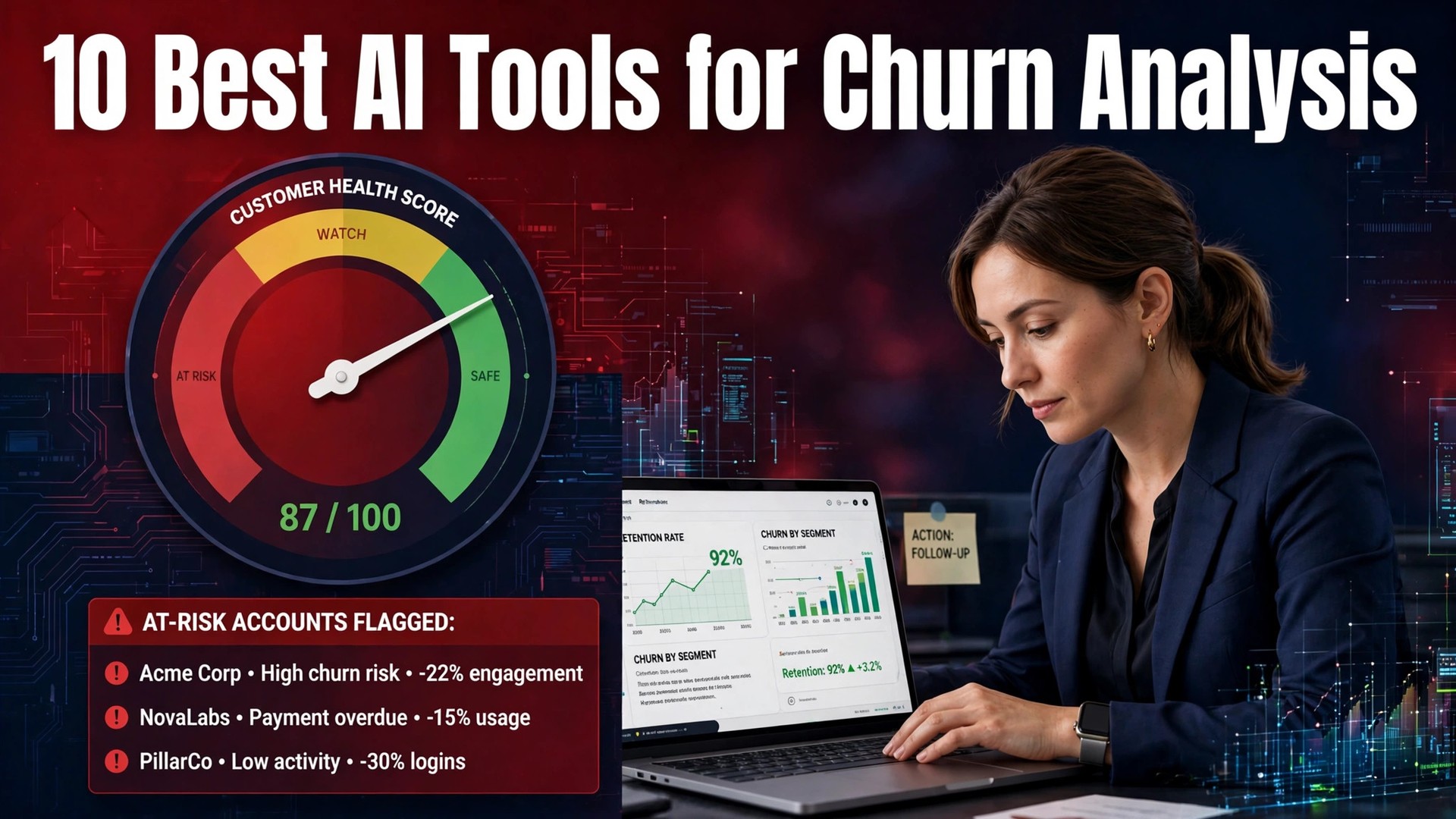
A subscription business that loses five percent of its customers every month must win back sixty percent a year just to stand still, and most teams only notice the loss after the revenue is gone. The top 10 ai tools for churn analysis exist because health scores, cohort analysis and cancel flows can now flag the at-risk account weeks before it cancels. This guide compares ten tools on published prices, the churn job each one does best and the catch that only shows up after the contract is signed.
The tools here split into three groups. Customer success platforms such as ChurnZero and Gainsight predict churn from health scores and run playbooks to save the account. Metrics platforms such as Baremetrics and ChartMogul show churn clearly but take no action on it. Recovery tools such as Churnkey and ChurnBuster act at the cancel moment, with retention offers and failed-payment recovery. Most teams need one from the first group and one from the second or third.
Every price below is the published starting price as of late 2026, or a note that retention analysis pricing is only available on request. Enterprise tools in this category rarely publish a price, so this guide uses buyer-reported medians where the vendor publishes nothing. Use the shortlist first, then read the reviews that match the retention analysis jobs churn analysis do most.
The Ten at a Glance
The table below matches each common retention analysis job to the single tool that handles it best. Use it to narrow the list to two or three retention analysis candidates before reading the full reviews. Prices are monthly list prices unless noted, and annual billing usually beats monthly billing for retention teams.
| Job | Best tool | Why it wins |
|---|---|---|
| B2B SaaS teams with dedicated customer success managers | ChurnZero | Pricing on request; buyer data puts the median annual contract near 44,000 dollars |
| Enterprise SaaS teams that need the widest customer success suite | Gainsight | Pricing on request; buyer data puts the median annual contract near 49,500 dollars |
| SaaS teams under a thousand customers that want a modern customer success platform | Vitally | From 300 dollars a month |
| Small and mid-size SaaS teams that want health scores without an enterprise bill | Custify | From 199 dollars a month |
| Teams that want to start free and grow into a full platform | Totango | Free tier available; paid plans on request |
| Early-stage SaaS on Stripe that wants churn numbers in minutes | Baremetrics | From 49 dollars a month; recovery and cancellation add-ons from 129 dollars a month each |
| Subscription businesses with complex billing that need accurate churn by cohort | ChartMogul | Free up to 10,000 dollars MRR; Starter from 69 dollars a month |
| SaaS teams that want cancel flows plus failed-payment recovery in one tool | Churnkey | From 199 dollars a month billed annually |
| Subscription ecommerce and SaaS teams that lose revenue to failed cards | ChurnBuster | From 269 dollars a month for dunning or cancel flows; 430 dollars a month for both |
| Any subscription business that wants churn metrics without paying for them | ProfitWell Metrics | Free |
How We Tested and Ranked Them
Only tools doing a real retention analysis job in 2026 made this list for churn analysis, not products with a fresh AI label on old software. The top 10 ai tools for churn analysis were judged on five things that decide whether a buyer keeps paying after the first year.
The job came first, since a tool that does one retention analysis job well beats a platform that does five poorly for retention teams. Published pricing and scaling came second, with per-seat charges that change the real bill for retention teams as the team grows. Output quality came third, because a wrong retention analysis answer costs more than the subscription saves.
Fourth, how it fits the workflow it claims to serve for retention teams, from integrations to the way retention analysis data gets in and out. Fifth, the catch, from free plans that cap the useful retention analysis features to quote-only pricing that hides the real cost until the call.
| Check before you buy | What to ask | Why it matters |
|---|---|---|
| Published price | Is there a number on the pricing page | A quote-only tool hides the real cost |
| Free plan limits | What is capped or watermarked | A capped free plan cannot be tested properly |
| Data quality | Where does the AI get its facts | A wrong answer costs more than the subscription |
| Integrations | Does it connect to your current stack | A tool that sits alone gets abandoned |
| Contract terms | Monthly or annual, and what year two costs | Annual billing locks the price but not the need |
| Support and setup | How long to go live, and who helps | A tool that takes months to set up delays the return |
The Tools in Depth

1. ChurnZero
Starting price Pricing on request; buyer data puts the median annual contract near 44,000 dollars. Best for B2B SaaS teams with dedicated customer success managers.
ChurnZero scores account health from product usage, support tickets and billing signals, then runs playbooks and in-app messages when a risk signal appears. Its ChurnScore is built from factors the team picks and weights, so the health score reflects what actually predicts churn for that product.
The catch is that it does not publish a price, implementation takes months, and it only pays off once a team has hundreds of accounts and several CSMs.
Does a B2B SaaS team with dedicated customer success managers need a platform, or just better health scores? ChurnZero answers yes, and it is built for exactly that team. The cost is time as much as money: it does not publish a price, and implementation takes months. Get the renewal price in writing first, then spend a week with it on live customer data.
2. Gainsight
Starting price Pricing on request; buyer data puts the median annual contract near 49,500 dollars. Best for Enterprise SaaS teams that need the widest customer success suite.
Gainsight pairs health scoring and churn prediction with in-app guidance, communities and education, so the whole post-sale motion runs from one platform. Its Staircase AI analyses risk and expansion across the account base, and the platform scales to thousands of accounts without breaking.
The catch is the price and the implementation, which buyers report at five months and a large services bill, so it is an enterprise decision, not a tool purchase.
The implementation is the story with Gainsight, not the feature list: buyers report five months and a large services bill before it runs properly. That is the price of the widest customer success suite, and it only makes sense for a team big enough to staff it. Ask for the full figure, services included, before the trial, then run it on customer data for a week.
3. Vitally
Starting price From 300 dollars a month. Best for SaaS teams under a thousand customers that want a modern customer success platform.
Vitally pulls product usage, billing and support data into health scores and playbooks, and it is built for teams that want to start in days rather than quarters. Its project views turn a churn risk into a task with an owner, which is the difference between a dashboard and a save.
The catch is that the entry price rises with accounts, and the deepest enterprise features still belong to Gainsight and ChurnZero.
Vitally fits a SaaS team under a thousand customers that wants health scores without the enterprise bill, and at 300 dollars a month it is priced for exactly that team. The test is whether it survives the busiest quarter, when the novelty has worn off. Give the team that will use it daily a week on live data and compare every output with your own records.
4. Custify
Starting price From 199 dollars a month. Best for Small and mid-size SaaS teams that want health scores without an enterprise bill.
Custify combines customer health, lifecycle stages and playbooks in a clean interface, with a free tier for the smallest teams. Its 360-degree customer view shows usage, tickets and revenue in one place, so a CSM can prepare for a call in minutes.
The catch is a smaller integration list than the enterprise platforms, and the AI features are lighter than the newer AI-native tools.
Next to the enterprise platforms, Custify trades integration depth for a bill a small team can carry: the integration list is smaller, and the AI features are lighter than the newer AI-native tools. For a small or mid-size SaaS team that wants health scores without an enterprise bill, that trade is usually right. Confirm the tier before the trial runs out, then try it on live customer data for a week.
5. Totango
Starting price A free tier exists; paid pricing is quoted on request. Best for Teams that want to start free and grow into a full platform.
Totango, now part of Catalyst, offers health scoring, customer journeys and playbooks, with a free tier that lets a small team start without a budget approval. Its segmenting and success plays suit teams that manage churn by cohort rather than by single account.
The catch is that paid pricing is only available on request, and the merger means some documentation still carries the old Totango name.
Skip Totango if the team needs a published price to get budget approval, because paid pricing is only available on request. For a team that wants to start free and grow, the free start is the draw, and the platform grows with the customer base. Find out what renewal costs before the trial ends, then use it on live customer data for a week.
6. Baremetrics
Starting price From 49 dollars a month; recovery and cancellation add-ons from 129 dollars a month each. Best for Early-stage SaaS on Stripe that wants churn numbers in minutes.
Baremetrics connects to Stripe and shows MRR, churn, cohorts and LTV within minutes, with no implementation project. Its Recover add-on chases failed payments and its Cancellation Insights survey collects the reason a customer leaves, then offers a discount based on that reason.
The catch is that it is analytics first, so the playbook and health-score depth of a full CS platform is missing.
Baremetrics is an easy yes for an early-stage SaaS team on Stripe, and an easy no for anyone else, because the whole tool is built around that stack. At about 49 dollars a month it is cheap enough to try, but cheap only helps if the metrics match your own records. Run it with the team that will use it for a week and see whether the team opens it three months from now.
7. ChartMogul
Starting price Free up to 10,000 dollars MRR; Starter from 69 dollars a month. Best for Subscription businesses with complex billing that need accurate churn by cohort.
ChartMogul tracks MRR, churn and retention across billing systems, with cohort analysis that shows whether a pricing change actually kept customers. Its segmentation by plan, region or channel suits a finance team that needs churn numbers it can defend in a board meeting.
The catch is that pricing rises with ARR, and it is a metrics platform, so retention actions live in a second tool.
ChartMogul starts free, so the trial is cheap, but the price rises with ARR, so the tier that is free today is not the tier you will pay for next year. Judge it on the job it has to carry, which is churn by cohort, and count the hours it saves against the subscription. Get a price for that tier before the trial ends, then let it run on live data for a week.
8. Churnkey
Starting price From 199 dollars a month billed annually. Best for SaaS teams that want cancel flows plus failed-payment recovery in one tool.
Churnkey runs branded cancel flows with retention offers when a customer starts to cancel, and it recovers failed payments with smart retries and dunning emails. Buyer reports put its recovery rate near 45 to 55 percent, which pays for the subscription quickly once monthly revenue passes 30,000 dollars.
The catch is that it covers the cancel moment, not the months before it, so it pairs with a health-score platform rather than replacing one.
Before Churnkey makes the shortlist, run three checks. First, the job is cancel flows plus failed-payment recovery in one tool, and it does that well. Second, it covers the cancel moment, not the months before it, so do not expect it to prevent churn. Third, at 199 dollars a month billed annually, the yearly commitment is real, so price that tier before the trial ends.
9. ChurnBuster
Starting price From 269 dollars a month for dunning or cancel flows; 430 dollars a month for both. Best for Subscription ecommerce and SaaS teams that lose revenue to failed cards.
ChurnBuster handles both sides of churn: cancel flows with retention offers for voluntary churn, and dunning emails, SMS and retries for failed payments. It works across seventeen subscription platforms, including Stripe, Braintree and Recharge, so a store does not need to rebuild its billing to use it.
The catch is the flat fee by MRR tier, which rises as revenue grows, and the tool is focused on recovery rather than prediction.
The decision rule for ChurnBuster is: if the team runs subscription ecommerce or SaaS and loses customers at the payment step, it deserves a trial; if churn happens months earlier, look elsewhere. At about 269 dollars a month it is priced for a team that can measure the recovered revenue. Run it with the team that will use it for a week and keep it only if the recovered revenue beats the bill.
10. ProfitWell Metrics
Starting price Free. Best for Any subscription business that wants churn metrics without paying for them.
ProfitWell Metrics, now part of Paddle, gives MRR, churn, retention and LTV dashboards free for Stripe-based businesses, with no subscription to buy. It is the cheapest way to see whether churn is getting better or worse, and the numbers are clean enough to share with investors.
The catch is that it is metrics only, so there is no playbook, no health score and no recovery flow, and the upsell to Paddle billing is always nearby.
Put ProfitWell Metrics through a full working week on live files, because it is best for any subscription business, and a demo will not show the catch. At a free starting tier, ProfitWell Metrics has to save more hours than it costs, or the subscription quietly becomes shelfware. Remember the catch: it is metrics only, and price the tier you will actually need before the trial ends. That decides it.
All of Them, Compared
The table below puts the top 10 ai tools for churn analysis side by side on price, best job and free plan, so you can compare the published prices against the quote-only tools at a glance. The cheapest way to read it is by retention analysis job, not by price, because a tool that costs little and cannot do the job is more expensive than a tool that costs more and does it well.
| Tool | Starting price | Best for | Free plan |
|---|---|---|---|
| ChurnZero | Pricing on request; buyer data puts the median annual contract near 44,000 dollars | B2B SaaS teams with dedicated customer success managers | Trial only |
| Gainsight | Pricing on request; buyer data puts the median annual contract near 49,500 dollars | Enterprise SaaS teams that need the widest customer success suite | Trial only |
| Vitally | From 300 dollars a month | SaaS teams under a thousand customers that want a modern customer success platform | Trial only |
| Custify | From 199 dollars a month | Small and mid-size SaaS teams that want health scores without an enterprise bill | Trial only |
| Totango | Free tier available; paid plans on request | Teams that want to start free and grow into a full platform | Yes |
| Baremetrics | From 49 dollars a month; recovery and cancellation add-ons from 129 dollars a month each | Early-stage SaaS on Stripe that wants churn numbers in minutes | Trial only |
| ChartMogul | Free up to 10,000 dollars MRR; Starter from 69 dollars a month | Subscription businesses with complex billing that need accurate churn by cohort | Yes |
| Churnkey | From 199 dollars a month billed annually | SaaS teams that want cancel flows plus failed-payment recovery in one tool | Trial only |
| ChurnBuster | From 269 dollars a month for dunning or cancel flows; 430 dollars a month for both | Subscription ecommerce and SaaS teams that lose revenue to failed cards | Trial only |
| ProfitWell Metrics | Free | Any subscription business that wants churn metrics without paying for them | Yes |
Best Pick by Job: the top 10 ai tools for churn analysis by role
The top 10 ai tools for churn analysis are not the ones with the longest feature list. Those tools fix the slowest part of the week, and for churn analysis that part depends on the retention analysis role. The table below names one pick per role, so a buyer can skip the full reviews and start with the retention analysis tool that fits the job.
| Role | Best pick | Why |
|---|---|---|
| Solo practitioner | ChurnZero | B2B SaaS teams with dedicated customer success managers |
| Small team | Gainsight | Enterprise SaaS teams that need the widest customer success suite |
| Growing business | Vitally | SaaS teams under a thousand customers that want a modern customer success platform |
| Enterprise buyer | Custify | Small and mid-size SaaS teams that want health scores without an enterprise bill |
| Budget buyer | Totango | Teams that want to start free and grow into a full platform |
The Decision, Step by Step
Begin with the slowest retention analysis job, not the vendor homepage. The top 10 ai tools for churn analysis earn their keep by giving back the hours a manual process used to eat, and the right one is the tool that fixes the bottleneck you actually feel, not the one with the longest feature list. Trial it on real retention analysis work, with real data, before committing to annual billing.
Price the whole retention analysis bill, not the headline. Per-seat charges, add-ons and setup fees are the lines that surprise retention teams, so get them in writing before signing, and annual billing usually saves about twenty percent. Ten dollars a seat looks cheap until churn analysis multiply it by fifty seats.
Run the trial in five steps for retention teams. First, pick the two tools from the shortlist that match the retention analysis job. Second, load real data from the team’s own retention analysis work, not a vendor demo. Third, do the core retention analysis job three times and time it. Fourth, check the retention analysis output against a reference the team trusts. Fifth, price the full year, including seats and add-ons, before churn analysis sign.

Buying Notes for 2026
The retention analysis prices in this guide shifted several times during 2026, so a January homepage number often differed by November. Treat each price as a starting point for retention teams, confirm it on the vendor page, and get the renewal price in writing before an annual contract. The cheapest homepage plan is rarely the one a working retention teams keeps.
Watch accuracy second. AI summaries, scores and predictions for retention teams are drafts, not verdicts, and tools grounded in the team’s own retention analysis data beat tools guessing from general knowledge. Test outputs on real retention analysis records with a human check before anything reaches a client, and count the cost of one wrong answer against a month of subscription.
Whether the tool connects decides whether retention teams still use it in a month. Products wired into the CRM, the practice system or the team’s database get adopted, since the retention analysis data already lives there. Products needing weekly manual exports get abandoned by retention teams, however smart the demo looks. Check the vendor integration list and trial the one retention analysis connection that matters most.
Data handling matters more in 2026 than it did two years ago for retention teams. Ask where the retention analysis data is stored, whether it is used to train models, and what happens to it when the subscription ends. The answer should be in the vendor terms for retention teams, not in a sales email. For health, legal and financial retention analysis work, a signed data agreement and a clear retention policy are not optional extras.
Run the trial like a test, not a tour, for retention teams. Take two tools from the shortlist, load real retention analysis data, repeat the core job three times and measure the hours saved. No real retention analysis saving in two weeks means no saving in a year for retention teams. That discipline is what keeps a retention analysis purchase from becoming a subscription that quietly renews.
| Year-one cost check | What to count | Why buyers miss it |
|---|---|---|
| Seats | Every user, not just the first | Per-seat pricing multiplies fast |
| Add-ons | AI features, integrations, support | The core job often needs a paid tier |
| Implementation | Setup, migration, training | Enterprise tools charge for onboarding |
| Renewal | Year-two price, not the intro offer | Discounts expire and prices rise |
Your Questions, Answered
What is the cheapest solid start for churn analysis
The cheapest credible start depends on the retention analysis job, and the free plans here are the right first step. Trial the tool that matches the main retention analysis job on real work for two weeks, and only pay when the free plan hits a limit you actually feel. The top 10 ai tools for churn analysis that cost the least are not always the cheapest in year one, because per-seat charges and add-ons change the real bill.
Is the AI output accurate enough for retention analysis work
It will be accurate enough to draft for retention teams, not accurate enough to publish unchecked. Every tool on this list can produce a wrong answer, a wrong number or a fabricated citation, so a human must check the retention analysis output against a trusted source before it goes to a client. The tools that ground their answers in the team’s own retention analysis data are safer than the ones that guess from general knowledge.
Should retention teams buy one tool or two for retention analysis
One general tool plus one specialist covers most retention analysis buyers. The general tool does the everyday retention analysis job, and the specialist fixes the single weekly pain it cannot handle, from bulk review to deep research. Buying three at once is the classic mistake for churn analysis, since the second and third subscriptions sit idle while the first does the work.
What is a realistic year-one budget for small retention teams
A realistic year-one budget is the monthly price times twelve, plus twenty percent for seats, add-ons and implementation for retention teams. A solo buyer can run most of these retention analysis tools for under fifty dollars a month. A team of ten should budget for the per-seat price on every seat for retention teams, not just the first, and should ask the vendor for the year-two price in writing.
Can I move to another retention analysis tool later and keep my work
Yes, with exports done as retention teams go. Hold source data in the team’s own system, export retention analysis summaries and plans often, and skip any tool that charges to release history. Tools on this list that connect to a CRM, EHR or database ease switching, since the data of record stays in a system churn analysis already own.
How should churn analysis judge the free trial
Three checks decide the trial for churn analysis: accuracy on real retention analysis data, fit with the workflow the team already uses, and a price at the team’s size that can be defended. Demo-only trials tell nothing, so load real retention analysis work, bring in the daily users, and measure the time saved in week one.
Our Recommendation
If you buy one tool this quarter, buy ChurnZero if it matches the job you do most each week, and buy Gainsight if your work leans the other way. The top 10 ai tools for churn analysis earn their keep by giving you back the hours a manual process used to eat, and both of these do that from the first week. Begin with the slowest retention analysis job, trial on real work, and check every AI output by eye before a client sees it, for churn analysis.
Whatever churn analysis pick, measure the return in hours saved and decisions made faster for retention teams, rather than in features used. The tools on this list all work for retention analysis. The difference is whether the tool matches the work the team actually does, and whether it is still in the retention analysis stack a year from now. That is the test every purchase here has to pass, and it is the test this guide was built to help retention teams run.