
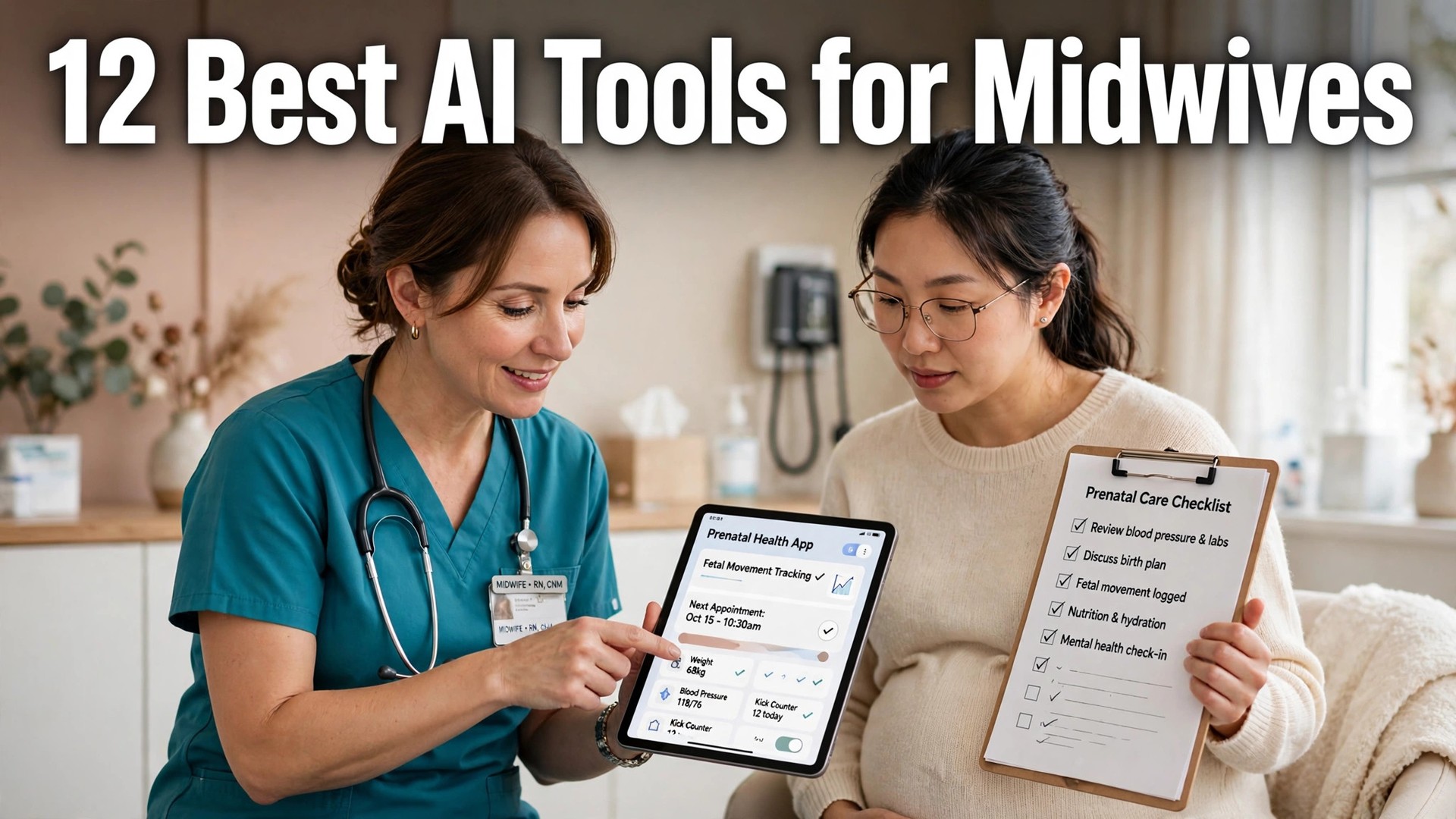
A midwife who spends an evening on notes after a day of visits is working two jobs, and the admin is the part of midwifery that burns clinicians out. The best ai tools for midwives exist because AI scribes, practice management and remote monitoring can now take the paperwork off the midwife, while the care itself stays personal. This guide compares twelve tools on published prices, the midwifery job each one does best and the catch that only shows up after the trial ends.
The tools here split into three groups. Practice platforms such as Jane App, Practice Better and SimplePractice run booking, charting, billing and telehealth. Maternity-specific tools such as Maternity Neighborhood and Babyscripts are built around the pregnancy episode itself. AI scribes such as Heidi Health, Freed AI and Nabla draft the note from the visit, so the midwife talks to the patient instead of a screen. Most midwives need one from the first group and one from the third.
Prices below are published starting prices as of late 2026 for midwives, or a note that the midwifery plan price comes only on request. A maternity practice should also check that a tool supports the records a midwife actually keeps, from prenatal visits through birth and postpartum care, before judging it on price alone. Start with the shortlist, then read the reviews that match the midwifery work you do most.
The Shortlist Up Front
Each common midwifery task type below has one tool matched to it. Narrow the list to two or three top midwifery candidates from that table before the full reviews. Monthly list prices apply unless noted, and midwifery teams usually pay less on annual billing than month to month.
| Job | Best tool | Why it wins |
|---|---|---|
| Midwives who want phone support and a clean booking and charting system | Jane App | Balance from 54 dollars a month; Practice from 79 dollars a month |
| Midwives who run programs and group care alongside one-to-one visits | Practice Better | Starter from 25 dollars a month billed annually, or 35 dollars month to month |
| Solo midwives who want an all-in-one practice platform with strong billing | SimplePractice | From 49 dollars a month |
| Midwives who bill insurance and need a proper EHR | Healthie | Core from 19 |
| Midwives who want a low-cost practice platform with AI notes | Carepatron | From 31 dollars a month |
| Small midwifery clinics that want simple scheduling and charting | Noterro | From 33 dollars a month |
| Midwives who run remote monitoring for pregnant patients | Babyscripts | Pricing on request |
| Midwives who want a patient app that supports the whole pregnancy journey | Wildflower Health | Pricing on request |
| Midwives who need a full maternity EHR, not a general clinic tool | Maternity Neighborhood | Pricing on request |
| Midwives who want an AI scribe for notes | Heidi Health | Free plan available; paid plans on request |
| Midwives who want a clinician-grade AI scribe with strong accuracy | Freed AI | From 99 dollars a month per clinician |
| Midwifery teams that want AI notes inside an existing EHR workflow | Nabla | Pricing on request |

How We Compared Them
A tool earned a place here only when it does a real midwifery job well in 2026, not when it added an AI label to an old product. The best ai tools for midwives were judged on five things that decide whether a buyer keeps paying after the first year.
First, the job it does, because midwifery teams get more from a tool that does one midwifery daily task well than from a platform that does five poorly. Second, whether the price is published and how it scales, including per-seat charges that change the real bill as midwives grow. Third, output quality, because a wrong answer costs midwifery teams more than the subscription saves.
Fourth came workflow fit, since midwives need the tool to sit inside their midwifery work process, integrations included, not beside it. Fifth came the catch, from free plans that cap the midwifery feature set that matter to quote-only pricing that hides the cost until the sales call.
| Check before you buy | What to ask | Why it matters |
|---|---|---|
| Published price | Is there a number on the pricing page | A quote-only tool hides the real cost |
| Free plan limits | What is capped or watermarked | A capped free plan cannot be tested properly |
| Data quality | Where does the AI get its facts | A wrong answer costs more than the subscription |
| Integrations | Does it connect to your current stack | A tool that sits alone gets abandoned |
| Contract terms | Monthly or annual, and what year two costs | Annual billing locks the price but not the need |
| Support and setup | How long to go live, and who helps | A tool that takes months to set up delays the return |
Tool by Tool

1. Jane App
Starting price Balance from 54 dollars a month; Practice from 79 dollars a month. Best for Midwives who want phone support and a clean booking and charting system.
Jane App covers online booking, charting, invoicing, payments and telehealth, with phone, chat and email support on every plan and free onboarding. Its AI Scribe add-on drafts notes from appointment audio, and the per-practitioner pricing suits a small midwifery practice that grows one midwife at a time.
The catch is that the add-ons stack up: AI Scribe, group telehealth and insurance billing each carry their own monthly fee.
The add-ons stack up with Jane App, and that is the first thing to price: AI Scribe, group telehealth and insurance billing each add to the bill, so the headline number is not the real one. For a practice whose daily job is phone support and a clean booking, the core tool is strong. Get the renewal number in writing before the trial clock starts, then test it on bookings for a week.
2. Practice Better
Starting price Starter starts at 25 dollars a month billed annually, rising to 35 dollars a month without the annual commitment. Best for Midwives who run programs and group care alongside one-to-one visits.
Practice Better covers intake, scheduling, telehealth, charting, secure messaging and payments, with programs that suit group prenatal care. Its client portal and forms keep intake and consent in one place, and the free Sprout tier lets a new practice start without paying.
The catch is the client caps on the cheaper plans, and AI charting is a paid add-on, so the real monthly bill can pass the headline price.
At 25 dollars a month, Practice Better is priced for a practice that runs programs and group care alongside one-to-one visits, and that mix is the draw. The client caps on the cheaper plans are the catch, and AI charting is a paid add-on, so the real monthly number is higher than the headline. Check what that tier costs before the trial ends, then use it on live visits for a week.
3. SimplePractice
Starting price From 49 dollars a month. Best for Solo midwives who want an all-in-one practice platform with strong billing.
SimplePractice covers scheduling, charting, telehealth, payments and insurance claims, and more than 200,000 health and wellness practitioners use it. Its client portal and automated reminders cut no-shows, and the interface is easy enough that a solo midwife can run it without admin help.
The catch is that the AI features are limited, and the templates are built for general wellness rather than midwifery specifically.
At 49 dollars a month, SimplePractice earns its keep only when the practice actually wants an all-in-one platform with strong billing, and for that practice it is fairly priced. The AI features are limited, and the templates are built for general wellness rather than midwifery specifically, so expect to adapt them. Confirm what that tier costs before the trial ends, then let it run on live visits for a week.
4. Healthie
Starting price Core is priced from 19.99 dollars a month, and Essentials from 49.99 dollars a month. Best for Midwives who bill insurance and need a proper EHR.
Healthie pairs charting, telehealth, scheduling and payments with insurance billing support, which is the part most general practice tools skip. Its client app, group programs and API suit a practice that runs at volume, and the platform is built for HIPAA-compliant care from the ground up.
The catch is that the cheaper plan caps active clients at ten, and the insurance add-on carries its own monthly fee.
Healthie is a clear yes for a midwife who bills insurance, and a clear no for one who does not, because billing is the whole pitch. At about 19.99 dollars a month it is cheap enough to try, but the test is whether the claims flow actually saves time. Run it with the team that will use it for a week and measure every output against your own records.
5. Carepatron
Starting price From 31 dollars a month. Best for Midwives who want a low-cost practice platform with AI notes.
Carepatron covers scheduling, charting, telehealth, billing and client messaging, with AI notes that draft documentation from a session. Its price undercuts Jane and SimplePractice, which suits a new midwifery practice watching every dollar.
The catch is the smaller template library for midwifery, and the support is thinner than Jane phone support.
Carepatron is the wrong buy if the practice needs a midwifery template library, because its library is smaller than the bigger platforms. For a practice whose daily job is a low-cost practice platform with AI, the price is the draw and the smaller library is a fair trade. Ask for the renewal price in writing before the trial runs out, then work with it on live visits for a week.
6. Noterro
Starting price From 33 dollars a month. Best for Small midwifery clinics that want simple scheduling and charting.
Noterro covers booking, charting, billing and SOAP notes for allied health, with a clean interface and a low starting price. Its per-practitioner pricing suits a clinic that adds staff slowly, and the setup is fast enough to run in a day.
The catch is the smaller feature set than Jane or Practice Better, and the AI features are lighter.
Next to Jane or Practice Better, Noterro trades features for simplicity: the feature set is smaller, but scheduling and charting are clean and quick. For a practice whose daily job is simple scheduling and charting, that trade is the right one. Price the full year before the trial ends, then test it on live visits for a week and see whether the team misses anything it left behind.
7. Babyscripts
Starting price Pricing on request. Best for Midwives who run remote monitoring for pregnant patients.
Babyscripts pairs a patient app with remote monitoring for blood pressure and weight, so a midwife sees a warning sign between visits instead of at the next appointment. Its education and risk-stratification tools suit practices that manage high-risk pregnancies alongside low-risk care.
The catch is enterprise-style pricing on request, and it is a monitoring platform, so scheduling and billing live in a second system.
Babyscripts is a strong fit when the week is eaten by remote monitoring for pregnant patients, and a weak one when the work is anything else, so the first question is what the practice actually spends its week on. At a quote-only price, judge it on the hours it saves after a week on live monitoring, and keep a human eye on every output before it reaches a patient.
8. Wildflower Health
Starting price Pricing on request. Best for Midwives who want a patient app that supports the whole pregnancy journey.
Wildflower Health gives patients a personalised app with education, checklists and care navigation, which keeps a patient engaged between visits. Its tools help a practice reach patients who miss appointments, and the content is built for pregnancy and postpartum care.
The catch is that pricing is only available on request, and it is a patient engagement tool, not a full practice platform.
For Wildflower Health, the renewal terms matter more than the trial, because pricing is only available on request and there is no public number to anchor on. It is built for a practice whose daily job is a patient app that supports the pregnancy journey, and the app is the draw. Get the full figure in writing before the trial ends, then let the users decide after a week of use.
9. Maternity Neighborhood
Starting price Pricing on request. Best for Midwives who need a full maternity EHR, not a general clinic tool.
Maternity Neighborhood is built for midwifery and maternity care, with prenatal records, birth records and postpartum tracking in one chart. Its forms and workflows follow the maternity episode, which is the structure a general EHR forces a midwife to build by hand.
The catch is that pricing is only available on request, and the platform is niche, so the integration list is shorter than the big practice platforms.
Maternity Neighborhood passes a simple test: if the practice needs a full maternity EHR, not a general clinic tool, it deserves a trial; if a general EHR would do, it is the wrong buy, because the platform is niche by design. Pricing is only available on request, so get the full figure and the renewal terms in writing before the trial. Test it on live records for a week.
10. Heidi Health
Starting price Free plan available; paid plans on request. Best for Midwives who want an AI scribe for notes.
Heidi Health listens to a consultation and drafts the note, with templates a midwife can shape to prenatal and postpartum visits. It cuts the documentation time after each visit, which is the admin that keeps a midwife at the desk after the last patient leaves.
The catch is that it is a scribe, not a practice platform, so booking, billing and charting still need a second system.
Before Heidi Health makes the shortlist, settle three things. First, is the daily job an AI scribe for notes? That is all it does, and it does it well. Second, it is a scribe, not a practice platform, so do not expect it to run the practice. Third, ask for the full bill, renewal included, before the trial, then give it a week on live notes.
11. Freed AI
Starting price From 99 dollars a month per clinician. Best for Midwives who want a clinician-grade AI scribe with strong accuracy.
Freed AI records a visit and produces a structured note in the midwife preferred format, with support for the SOAP structure most practices use. Its accuracy on clinical language suits a midwife who needs the note right the first time, and the learning curve is short.
The catch is the per-clinician price, which adds up across a team, and it covers notes only, so the rest of the practice still needs a platform.
Your own notes will tell you more about Freed AI than any demo, because it is a clinician-grade AI scribe and its value shows in the notes, not the pitch. The per-clinician price is the catch, since it adds up across a team, so multiply by headcount before you commit. Ask for the tier and renewal price in writing before the trial ends, then put it on live notes for a week.
12. Nabla
Starting price Pricing on request. Best for Midwifery teams that want AI notes inside an existing EHR workflow.
Nabla drafts clinical notes from a consultation and pushes them into the record, with support for the templates a maternity practice already uses. Its ambient listening means the midwife talks to the patient, not to a screen, and the note is ready to review before the next visit.
The catch is that pricing is only available on request, and it is a documentation tool, so the practice platform still sits beside it.
Does the practice need AI notes inside an existing EHR workflow, or a new platform? Nabla answers the first question: it drafts notes from a consultation and pushes them into the record, while the practice platform still sits beside it. Pricing is only available on request, so get the full figure in writing before the trial ends, then try it on live notes for a week.
The Side-by-Side View
The table below puts the best ai tools for midwives side by side on price, best job and free plan, so you can compare the published prices against the quote-only tools at a glance. Read it by job, not price, since a cheap midwifery tool option that fails costs midwives more than a dearer one that works.
| Tool | Starting price | Best for | Free plan |
|---|---|---|---|
| Jane App | Balance from 54 dollars a month; Practice from 79 dollars a month | Midwives who want phone support and a clean booking and charting system | Trial only |
| Practice Better | Starter from 25 dollars a month billed annually, or 35 dollars month to month | Midwives who run programs and group care alongside one-to-one visits | Trial only |
| SimplePractice | From 49 dollars a month | Solo midwives who want an all-in-one practice platform with strong billing | Trial only |
| Healthie | Core from 19 | Midwives who bill insurance and need a proper EHR | Trial only |
| Carepatron | From 31 dollars a month | Midwives who want a low-cost practice platform with AI notes | Trial only |
| Noterro | From 33 dollars a month | Small midwifery clinics that want simple scheduling and charting | Trial only |
| Babyscripts | Pricing on request | Midwives who run remote monitoring for pregnant patients | Trial only |
| Wildflower Health | Pricing on request | Midwives who want a patient app that supports the whole pregnancy journey | Trial only |
| Maternity Neighborhood | Pricing on request | Midwives who need a full maternity EHR, not a general clinic tool | Trial only |
| Heidi Health | Free plan available; paid plans on request | Midwives who want an AI scribe for notes | Yes |
| Freed AI | From 99 dollars a month per clinician | Midwives who want a clinician-grade AI scribe with strong accuracy | Trial only |
| Nabla | Pricing on request | Midwifery teams that want AI notes inside an existing EHR workflow | Trial only |
Best Pick by Job: the best ai tools for midwives by role
The best ai tools for midwives are not the ones with the longest feature list. They are the ones that fix the slowest part of the midwifery work week, and the slowest part depends on the role. The table below names one pick per midwifery work role, so a buyer can skip the full reviews and start with the tool that fits the job.
| Role | Best pick | Why |
|---|---|---|
| Solo practitioner | Jane App | Midwives who want phone support and a clean booking and charting system |
| Small team | Practice Better | Midwives who run programs and group care alongside one-to-one visits |
| Growing business | SimplePractice | Solo midwives who want an all-in-one practice platform with strong billing |
| Enterprise buyer | Healthie | Midwives who bill insurance and need a proper EHR |
| Budget buyer | Carepatron | Midwives who want a low-cost practice platform with AI notes |
Picking Well, Not Just Fast
Start from the slow midwifery work part, not from the vendor homepage. The best ai tools for midwives earn their keep by giving back the hours a manual process used to eat, and the right one is the tool that fixes the bottleneck you actually feel, not the one with the longest feature list. Test it on real work and real midwifery details here before committing to annual billing.
Budget the full bill for midwifery teams, not the headline price. Per-seat charges, add-ons and implementation fees surprise buyers, so midwifery teams should ask for them in writing before signing, and annual billing usually saves about twenty percent against monthly billing. A tool that looks cheap at ten dollars a seat costs midwifery teams far more at fifty seats.
Trial midwifery work in five steps. First, take the two shortlist tools that fit the daily midwifery job best. Second, load the team’s real midwifery numbers here instead of vendor demo files. Third, run the core midwifery job itself three times and time each run. Fourth, check each output against a trusted source before you rely on it. Fifth, price the full midwifery work year with seats and add-ons before signing.

The Checks That Matter in 2026
Prices in this category moved several times during 2026, and the number on a vendor homepage in January was often different by November for midwifery teams. Treat every price in this entire midwifery guide as a starting point, confirm the current number on the vendor pricing page, and ask for the renewal price in writing before signing an annual contract. The cheapest plan on a homepage is rarely the plan working midwifery teams end up on.
Watch accuracy second. AI summaries, scores and predictions for midwifery teams are drafts, not verdicts, and tools grounded in the team’s own midwifery case files beat tools guessing from general knowledge. Test outputs on real midwifery files today with a human check before anything reaches a client, and count the cost of one wrong answer against a month of subscription.
Integrations decide whether a midwifery tool option survives the first month for midwifery teams. A product that connects to the CRM, the practice system or the database midwifery teams already use gets adopted, because the data is already there. A product that needs manual exports every week gets abandoned by midwifery teams, however good its AI looks in a demo. Check the integration list on the vendor site, and test the one midwifery work integration that matters most.
How vendors handle data matters more for midwifery teams in 2026 than it did two years ago. Ask where daily midwifery data lives, whether it trains models, and what happens when the subscription ends. The vendor terms should answer that for midwifery teams, not a sales email. For health, legal and financial work, a signed data agreement and a clear retention policy are not optional for midwives.
The trial is the last check for midwifery teams, and it should run like a test, not a tour. Pick the two tools from the shortlist, load real midwifery records now, do the core job three times, and measure the time saved. When the tool cannot show a real saving in two weeks, it will not show one in a year for midwives. That discipline separates a good midwifery work purchase from a subscription that quietly renews.
| Year-one cost check | What to count | Why buyers miss it |
|---|---|---|
| Seats | Every user, not just the first | Per-seat pricing multiplies fast |
| Add-ons | AI features, integrations, support | The core job often needs a paid tier |
| Implementation | Setup, migration, training | Enterprise tools charge for onboarding |
| Renewal | Year-two price, not the intro offer | Discounts expire and prices rise |
What to Ask First
What is the cheapest good option to start with
The cheapest credible start depends on the daily midwifery task, but the free plans on this list are the right first step. Give the matching midwifery software tool two weeks on real work, and pay only when the free plan hits a limit midwives truly feel. The best ai tools for midwives that cost the least are not always the cheapest in year one, because per-seat charges and add-ons change the real bill.
Will the AI output be accurate enough to trust
Accurate enough to draft, not to publish unchecked, for midwives. Any tool here can return a wrong midwifery answer itself, a wrong number or a made-up citation, so a human checks the output against a trusted source before a client sees it, and that check is the whole point of the trial. Tools grounded in the team’s own midwifery records now are safer than tools guessing from general knowledge.
Do I need one tool or a stack of two
Most buyers need one general tool plus one specialist for midwifery work. The general tool covers the everyday midwifery regular task, and the specialist fixes the one weekly pain the general tool cannot handle, such as bulk review or deep research. Buying three tools at once is the most common mistake on this list for midwifery teams, because the second and third subscriptions sit unused while the first does the work.
How much should a small team budget in year one
Multiply the monthly midwifery tier price by twelve and add twenty percent for seats, add-ons and setup, and that is the realistic year-one budget for midwives. Solo buyers usually keep the bill under fifty dollars a month. A team of ten must budget per seat for every seat for midwifery teams, not just the first, and ask the vendor for the year-two price in writing.
Can I switch tools later without losing my work
Yes, if midwives export as they go. Keep the source data in the team’s own system, export summaries and plans regularly, and avoid a midwifery app tool that locks history behind an export fee. The tools on this list that connect to a CRM, EHR or database make switching easier for midwifery teams, because the data of record stays in the system the team already owns.
What should I check on the free trial
Check three things for midwifery teams: whether the output is accurate on real midwifery figures today, whether the tool fits the workflow the team already uses, and whether the price at the team’s size is one the team can defend. A trial that only tests demo data tells midwives nothing, so load real work, invite the daily users, and measure the time it saves in the first week.
The Short Answer
If you buy one tool this quarter, buy Jane App if it matches the job you do most each week, and buy Practice Better if your work leans the other way. The best ai tools for midwives earn their keep by giving you back the hours a manual process used to eat, and both of these do that from the first week. Start with the slowest part of the midwifery working week, trial with real work, and keep a human eye on every AI output before it reaches a client.
Judge any pick by hours saved and faster midwifery work decisions, not by feature count, for midwives. Every tool here works. What differs is the match to the team’s real midwifery work, and whether the tool is still in use a year from now. That is the test each purchase must pass, and the test this guide helps midwifery teams run.