

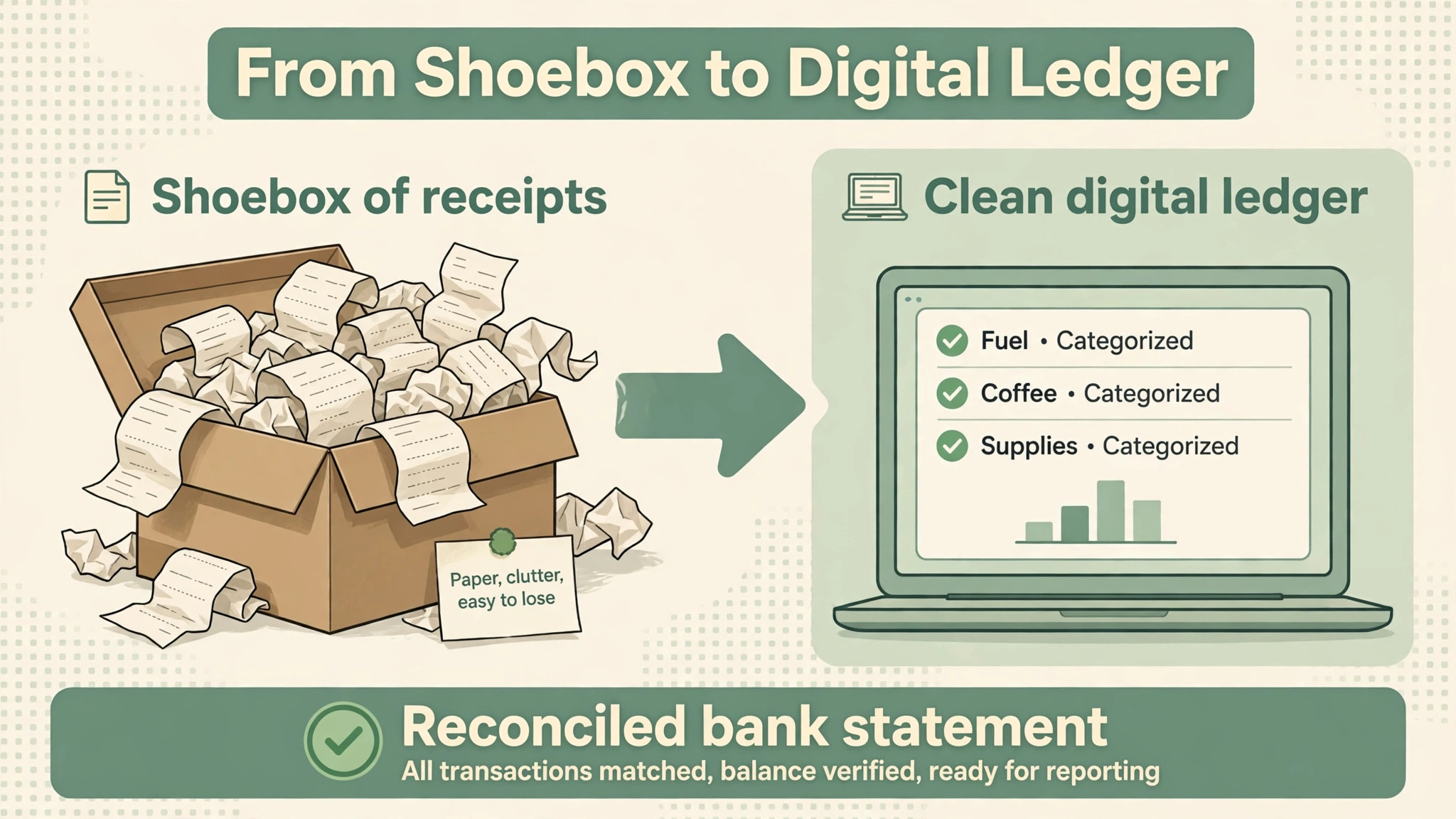
The receipt shoebox is where bookkeeping goes to die. A client hands over a bag of paper at month end, the bookkeeper spends a week typing it in, and the close that should have taken a day takes three. The best ai tools for bookkeepers exist because the capture, the categorisation and the close now decide who finishes the month on time, not just who knows the tax code best.
This guide compares five tools on published prices where they exist, the job each one does best and the catch that only shows up after the contract is signed. Most accounting platforms charge by client or by user, so where a price is reported by a third party roundup rather than published by the vendor, this guide says so. Start with the shortlist, then read the reviews that match the problem your practice feels most.
The pattern across all five is simple. The tools that win are the ones that read the receipt, categorise the transaction, reconcile the bank feed and tell the client what is missing before month end. Everything else is a bonus, and a bookkeeper who buys the bonus first usually keeps the leak.
The Quick Shortlist
The table below matches each common bookkeepers job to the single tool that handles it best. Use it to narrow the best ai tools for bookkeepers to two or three candidates before you read the full reviews. Prices are monthly list prices unless noted, and annual billing is usually cheaper than paying month to month.
| Need | Best tool | Why it wins |
|---|---|---|
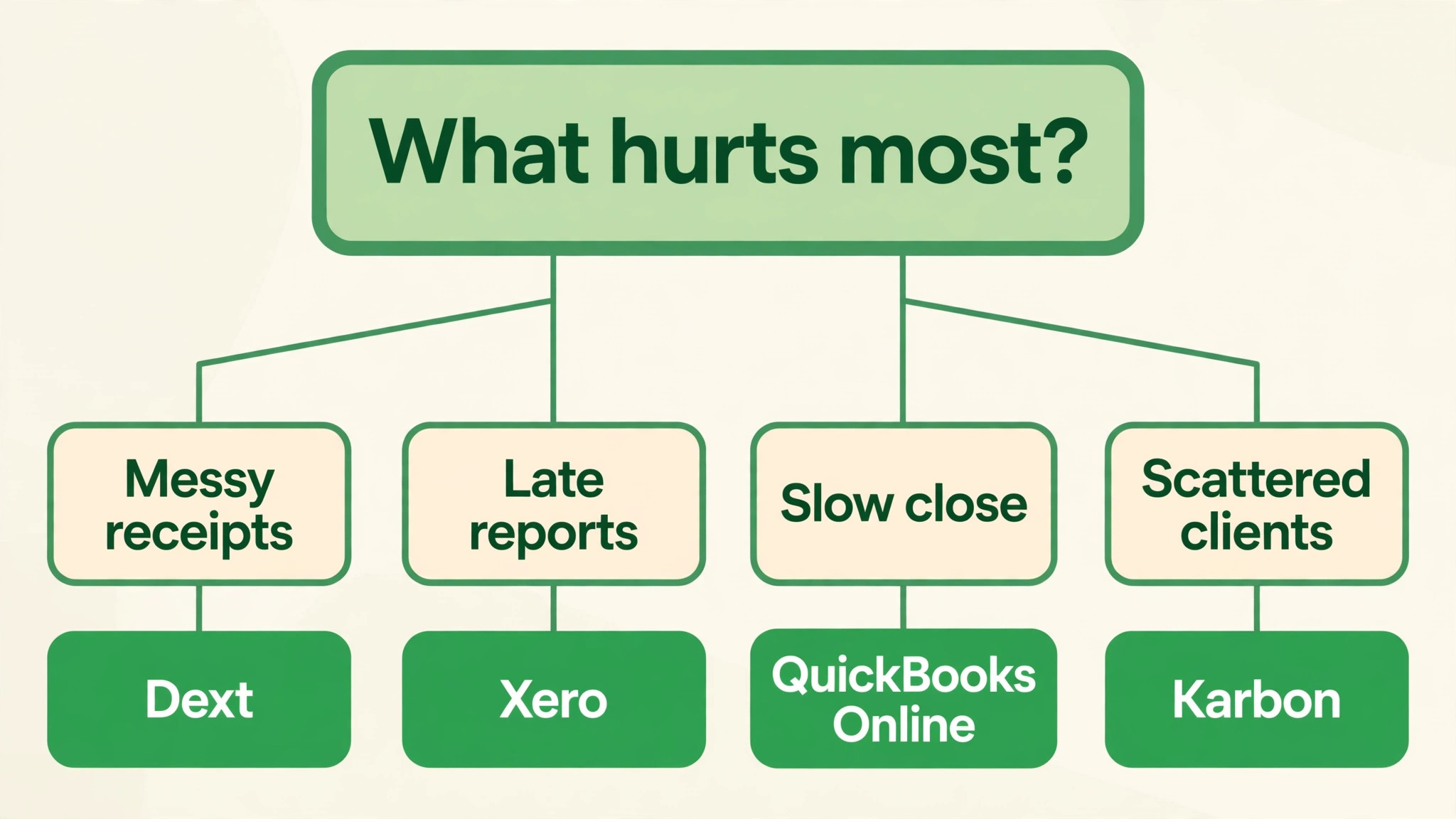
| small business books with built in AI and the biggest accountant network | QuickBooks Online with Intuit Assist | its Intuit Assist auto categorises transactions, drafts invoice reminders and adds AI |
| multi user firms and multi currency books | Xero with JAX | its JAX agent auto reconciles bank statement lines in real time, using |
| receipt and invoice capture with learning supplier coding | Dext | it is the veteran of document capture, with a snap a receipt |
| firms managing many clients and their own workflow | Karbon | it is practice management built for accounting firms, with a shared inbox, |
| bookkeeping firms running QuickBooks or Xero clients | Booke AI | it works inside QuickBooks Online and Xero to categorise bank feeds, match |
How We Judged the best ai tools for bookkeepers
A tool earned a place here only if it does a real bookkeeping job in 2026, not if it added an AI label to an old product. The best ai tools for bookkeepers were judged on five things that decide whether a practice keeps paying after the first year.
First, the capture job it does, from reading a receipt photo to pulling the line items into the ledger and learning how each supplier should be coded. Second, whether the price is published or hidden behind a sales call, including per client charges that multiply fast across a practice. Third, reconciliation, because a bank feed that reconciles itself is the difference between a close in a day and a close in a week.
Fourth, the client workflow, because a bookkeeper who chases documents by email loses the hours that should have been spent on the books. Fifth, the catch, from AI features that cost extra as add ons to platforms that only work inside one ledger.
| Check before you buy | What to ask | Why it matters |
|---|---|---|
| Price transparency | Is the price published, or does it need a sales call | Hidden prices hide the real first year bill |
| Integration | Does it write back to the systems you already use | Write back saves double entry every day |
| Price structure | Per user, per seat, per location, or flat | Per user fees multiply across a team |
| Setup and renewal terms | Setup fee, and what year two costs | Renewal increases are common in this category |
| The catch | What does the cheapest plan leave out | The missing feature is usually the one you need |
| Trial on real work | Can you test it on real jobs before you pay | A trial on fake data proves nothing |
The 5 Tools, Reviewed One by One
Read the reviews that match the problem your bookkeeping practice feels most, then check the price at your real team size before you trial anything. Each review names the starting price, the job the tool does best and the catch to ask about.
1. QuickBooks Online with Intuit Assist
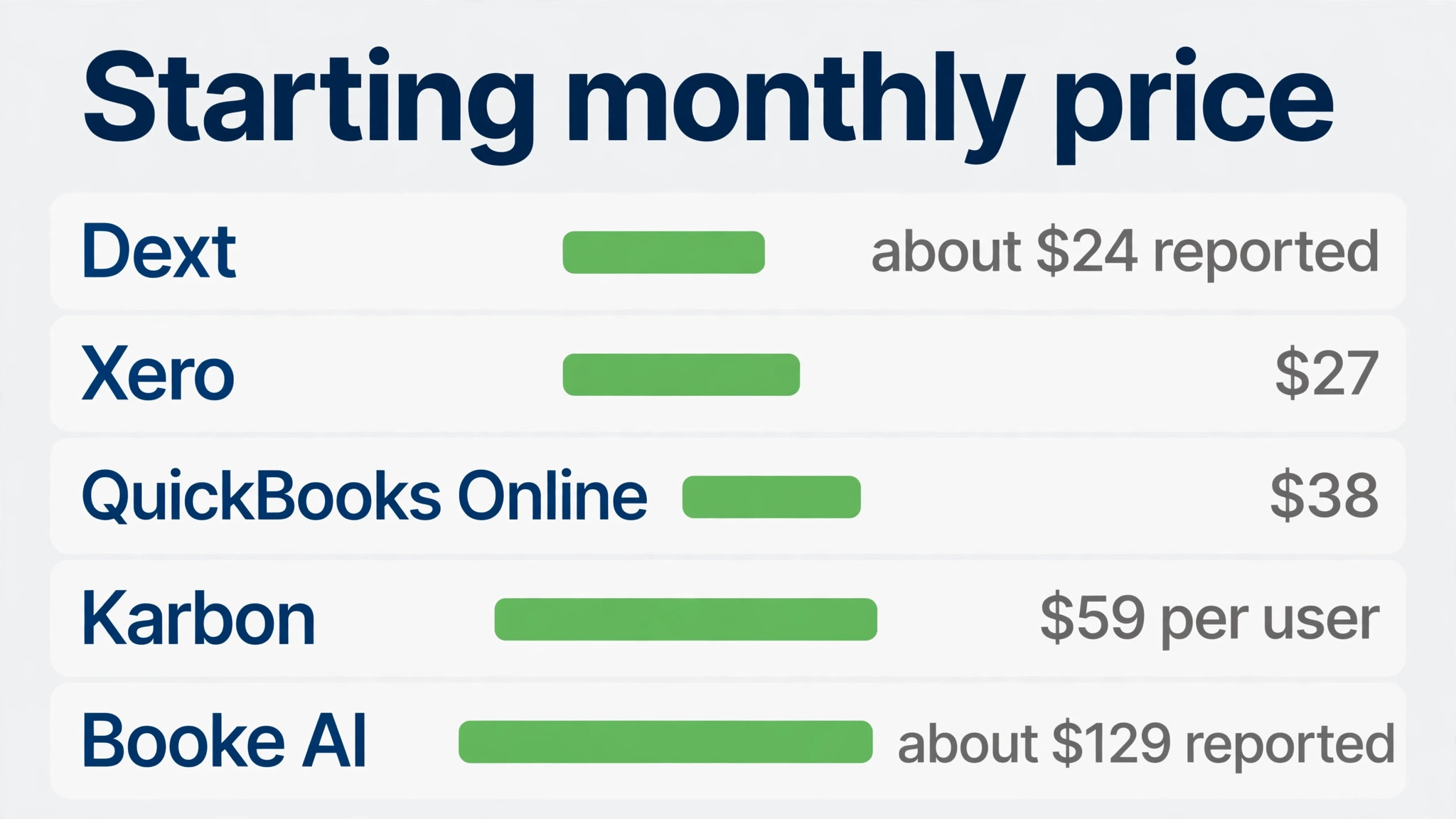
Starting price From 38 dollars a month for Simple Start, with plans running to 340 dollars a month. Best for small business books with built in AI and the biggest accountant network Watch out Deeper agent tiers cost far more, so price the plan that actually includes the AI features you need.
QuickBooks Online with Intuit Assist is the pick for bookkeepers who want small business books with built in AI and the biggest accountant network. its Intuit Assist auto categorises transactions, drafts invoice reminders and adds AI powered bank reconciliation on the Plus plan and above. The platform is the market leader for small business books, which means clients arrive already using it and the accountant network is the deepest in the category. For a crew that want the ledger and the AI in one place, that combination covers the daily work without a second subscription.
Pricing is where buyers need care. From 38 dollars a month for Simple Start, with plans running to 340 dollars a month. Deeper agent tiers cost far more, so price the plan that actually includes the AI features you need. The right move is a trial on real jobs, priced at your real team size, so the monthly bill you compare is the bill you will actually pay.
2. Xero with JAX
Starting price From 27 dollars a month for Early, with Growing at 59 dollars and Established at 97 dollars a month. Best for multi user firms and multi currency books Watch out Automatic bank reconciliation is a 5 dollar a month add on on Early, so price it in from the start.
What sets Xero with JAX apart is its JAX agent auto reconciles bank statement lines in real time, using four methods it calls Rule, Match, Memory and Prediction, and labels which one it used on each line. Every plan includes unlimited users, which means multiple staff and clients can work in the same file without per seat fees eating the margin. The result is a tool that carries the job from the first call to the final payment, and most teams learn it in days rather than weeks.
The catch is worth knowing before the trial. Automatic bank reconciliation is a 5 dollar a month add on on Early, so price it in from the start. From 27 dollars a month for Early, with Growing at 59 dollars and Established at 97 dollars a month. If that trade off fits the way your bookkeepers work, the tool earns its place, and if it does not, the next tool on this list probably fits better.
3. Dext
Starting price Reported from about 24 dollars a month on annual billing, with plans rising by document volume. Best for receipt and invoice capture with learning supplier coding Watch out Its AI Assist bookkeeping agent is a paid add on, not included in the base plan, so price it separately.
Dext built its name on it is the veteran of document capture, with a snap a receipt photo or forward an invoice by email flow that pulls out the line items., and the 2026 version adds It learns how each supplier should be coded and flags duplicates, and more than 700,000 businesses use it, according to the vendor. The platform connects to QuickBooks, Xero and Sage, so a practice can run it alongside the ledger it already uses. That mix suits a bookkeepers that wants the job done properly rather than the longest feature list.
The price is the honest part. Reported from about 24 dollars a month on annual billing, with plans rising by document volume. Its AI Assist bookkeeping agent is a paid add on, not included in the base plan, so price it separately. Ask for the full first year cost in writing before you sign, including any setup fee, because the headline price rarely tells the whole story.
4. Karbon
Starting price From 59 dollars per user a month billed annually, or 79 dollars month to month. Best for firms managing many clients and their own workflow Watch out It is not a bookkeeping tool, so a practice still needs a ledger alongside it, which makes the total bill higher.
Karbon is the pick for bookkeepers who want firms managing many clients and their own workflow. it is practice management built for accounting firms, with a shared inbox, work templates, a client portal and AI that summarises long email threads. Its AI drafts replies, triages the inbox and plans capacity, and a survey of nearly 600 accounting professionals reported average savings of about 60 minutes per employee per day. For a crew that want the practice run properly, that combination covers the daily work without a second subscription.
Pricing is where buyers need care. From 59 dollars per user a month billed annually, or 79 dollars month to month. It is not a bookkeeping tool, so a practice still needs a ledger alongside it, which makes the total bill higher. The right move is a trial on real jobs, priced at your real team size, so the monthly bill you compare is the bill you will actually pay.
5. Booke AI
Starting price Reported at 129 dollars per business per month for the AI Bookkeeper plan, according to third party roundups. Best for bookkeeping firms running QuickBooks or Xero clients Watch out It runs inside the existing ledger, so it is an added cost on top of the ledger subscription either way.
What sets Booke AI apart is it works inside QuickBooks Online and Xero to categorise bank feeds, match documents and prepare reconciliations. The firm tier prices each client well below the solo rate, which suits a practice managing many sets of books at once. The result is a tool that carries the job from the first call to the final payment, and most teams learn it in days rather than weeks.
The catch is worth knowing before the trial. It runs inside the existing ledger, so it is an added cost on top of the ledger subscription either way. Reported at 129 dollars per business per month for the AI Bookkeeper plan, according to third party roundups. If that trade off fits the way your bookkeepers work, the tool earns its place, and if it does not, the next tool on this list probably fits better.
Side by Side Comparison
The table below puts the best ai tools for bookkeepers side by side on price, best job and free plan, so you can compare the published prices against the quote only tools at a glance. Use it after the reviews to narrow the list to two finalists, then trial both on real jobs before you sign anything.
| Tool | Starting price | Best for | Free plan |
|---|---|---|---|
| QuickBooks Online with Intuit Assist | From 38 dollars a month for Simple Start, with plans running to 340 dollars | small business books with built in AI and the biggest accountant network | No |
| Xero with JAX | From 27 dollars a month for Early, with Growing at 59 dollars and Established | multi user firms and multi currency books | No |
| Dext | Reported from about 24 dollars a month on annual billing, with plans rising by | receipt and invoice capture with learning supplier coding | No |
| Karbon | From 59 dollars per user a month billed annually, or 79 dollars month to | firms managing many clients and their own workflow | No |
| Booke AI | Reported at 129 dollars per business per month for the AI Bookkeeper plan, according | bookkeeping firms running QuickBooks or Xero clients | No |
How to Pick the Right Tool for Your bookkeeping practice
The best ai tools for bookkeepers are not the ones with the longest feature list. They are the ones that fix the leak your bookkeeping practice feels every week. Start from the leak, not from the vendor homepage, and budget the full bill rather than the headline price.
Budget the full bill, not the headline price. The table below shows what a single bookkeeping practice actually pays in year one for the most common combinations, using published or reported starting prices. Setup fees, per user charges and renewal increases are the lines that surprise buyers, so ask for them in writing before you sign.
| Stack for one business | Monthly cost | What it covers |
|---|---|---|
| QuickBooks Online with Intuit Assist | From 38 dollars a month for Simple Start, with plans running to | small business books with built in AI and the biggest accountant network |
| Xero with JAX | From 27 dollars a month for Early, with Growing at 59 dollars | multi user firms and multi currency books |
| Dext | Reported from about 24 dollars a month on annual billing, with plans | receipt and invoice capture with learning supplier coding |
| Karbon | From 59 dollars per user a month billed annually, or 79 dollars | firms managing many clients and their own workflow |
| Booke AI | Reported at 129 dollars per business per month for the AI Bookkeeper | bookkeeping firms running QuickBooks or Xero clients |
Start with one tool and one job, then add a second tool only when the first one runs without daily fixes. Two half working tools cost more time than one working tool and a spreadsheet, and the team will tell you quickly which one they open every day and which one they avoid.
## What to Test in the Free Trial
A free trial answers one question only, and that question is whether the tool fits the way your bookkeepers actually work, not whether the demo looked good. Pick three real jobs from last week and run them end to end in the trial, from the first call or message through to the paid invoice or the finished booking. If the trial forces you to fake the data or skip a step your team does every day, that gap will still be there after you pay.
Time the jobs you test. Write down how long each one takes in QuickBooks Online with Intuit Assist and in Xero with JAX, then compare both against the old way of doing it on paper or in a spreadsheet. A tool that saves ten minutes per job and handles twenty jobs a week gives back more than three hours, and that number is the only honest way to judge the monthly price. If the trial cannot show that saving on real work, the tool is not ready for your business yet.
Invite one sceptical member of the team into the trial and ask them to break it. The person who books the jobs or answers the phone will find the awkward screens in an afternoon, and their complaints are worth more than any sales call. If they finish the trial week asking to keep the tool, you have your answer, and if they ask to go back to the old way, believe them.
## The Mistakes That Waste the First Month
The most common mistake is buying the biggest plan on day one. Teams pick the top tier for features they may need in a year, then spend the first month paying for dashboards nobody opens while the basic job of booking and billing still runs on paper. Start on the smallest plan that covers the real work, and upgrade only when a specific job keeps hitting the plan limit. The upgrade takes a day, while the wasted spend takes a month to notice.
The second mistake is importing a messy client list without cleaning it first. Duplicate names, old phone numbers and dead email addresses turn into duplicate bookings and messages sent to the wrong person, and the team blames the tool for a problem the old spreadsheet caused. Spend one afternoon removing duplicates and checking the top fifty clients before the import, and the first week in QuickBooks Online with Intuit Assist will run far more smoothly than a rushed start ever does.
The third mistake is training everyone at once in a single long session. People remember the first three screens and forget the rest, then fall back to old habits by Wednesday. Train one job at a time, starting with the job each person does most, and let them use it for real work the same day. Short sessions spread over a week beat one long session every time, and the team keeps the new habit because it never had a chance to fade.
## How to Train the Team Without Losing a Week
Training works best when it follows real work instead of a manual. Give each person one job to do in the new tool on the first day, using a real client and a real booking, and stand beside them while they do it. The questions they ask in that first hour tell you exactly which parts of the setup need fixing, and the fixes take minutes when the work is real instead of a training exercise nobody cares about.
Write down the five jobs your bookkeepers repeat every week and turn each one into a short checklist inside QuickBooks Online with Intuit Assist or Xero with JAX. A checklist beats a long guide because a busy person will follow five steps on a card and ignore a twenty page document. Keep the checklists where the work happens, on the phone or the van dashboard, and update them when the team finds a faster way to do a step.
Pick one person to own the tool for the first month. That person answers questions, fixes small setup problems and reports what is working and what is not at the end of each week. Without an owner, small problems pile up until someone declares the tool broken, and with an owner the same problems get fixed in minutes. The owner does not need to be the most technical person, just the one everyone already asks for help.
## Data, Privacy and the Fine Print
Every tool on this list holds client names, addresses, phone numbers and payment details, so the contract matters as much as the features. Ask each vendor whether your data stays in your account when you cancel, how long they keep backups after you leave, and whether they will sign a data processing agreement for your business. A vendor that answers plainly is a safer choice than one that hides the answers behind a sales call.
Check who can see what inside the tool before the whole team logs in. A junior member of staff rarely needs to see every client payment or the full price list, and a tool that cannot limit access by role will leak information the first time someone opens the wrong screen. Set the permissions on day one, when the team is small and the settings are easy to change, rather than after a mistake forces the conversation.
Read the renewal terms before the first payment, not at the end of year one. Some plans renew at a higher rate, some lock the price for the first year only, and some charge a fee to export your own data. Write the renewal date and the renewal price on the same page as the login details, and set a reminder for thirty days before it. That one note saves more money than any discount code, because it turns a surprise bill into a decision you make on purpose.
## A Simple 30 Day Rollout Plan
Week one is setup and cleanup. Import the client list, check the top fifty records by hand, connect the payment method and run three test jobs from start to finish. Do not invite the whole team yet, and do not promise clients anything new. The goal for week one is a tool that works for one person on real jobs, with no loose ends and no missing data.
Week two is the first real week. Move all new jobs into QuickBooks Online with Intuit Assist and keep the old system running only for jobs already in progress. The team will find the awkward steps fast, and most of them are setup problems that take minutes to fix once you see them. Hold a short meeting at the end of the week and write down the three biggest complaints, then fix them before week three starts.
Weeks three and four are for the extras. Turn on the reminders, the review requests and the follow up messages one at a time, and watch whether clients respond the way you hoped. Add the second tool only when the first one runs without daily fixes, because two half working tools cost more time than one working tool and a spreadsheet. By day thirty you should know the real monthly cost, the real time saved and whether to keep going.
Frequently Asked Questions
What is the cheapest good AI tool for a solo bookkeeper to start with
Xero Early at 27 dollars a month is the cheapest published ledger with AI reconciliation, though the auto reconcile add on costs 5 dollars a month. Dext from about 24 dollars a month on annual billing is the cheapest capture tool. QuickBooks Simple Start at 38 dollars a month is the cheapest way into Intuit Assist. Start with the job that loses you the most time, not with the cheapest tool overall.
Will AI bookkeeping replace the bookkeeper
No, and any vendor that implies otherwise should be treated with caution. AI categorises, matches and prepares the reconciliation, and the bookkeeper reviews every line before the close. A miscategorised transaction is the most common failure in this category, and a client who finds it in their tax return will not blame the software. Keep a human review step in the workflow for every month end, and treat the AI as a junior who needs checking.
Which tool is best for a bookkeeping firm with many clients
Karbon is the strongest pick for a firm with many clients, because its workflow, inbox and capacity planning are built for that size. Booke AI suits a firm that wants the categorisation automated inside QuickBooks or Xero. Dext suits a firm drowning in receipts, because its capture pipeline is the strongest in the category. Price all three at the real client count before you choose.
How much should a small bookkeeping practice budget for this software
A realistic budget for the best ai tools for bookkeepers is 24 to 99 dollars a month for one platform on a small practice, and 200 to 500 dollars a month once the practice adds a capture tool, a practice platform and an AI bookkeeper. Per client and per user pricing are the lines that surprise buyers, so multiply the price by the real client count before you compare.
Our Verdict
If you buy one tool this quarter, buy Xero with JAX. It covers the jobs a small practice feels every week, bank feeds, reconciliation and client books, at a published price a solo bookkeeper can afford, with unlimited users and an AI agent that shows its working on every line. The best ai tools for bookkeepers earn their keep by turning month end from a week into a day, and Xero does that from the first month.
Whatever you pick, start with the leak, trial with real client books, and measure the return in closes finished on time and receipts captured rather than in features used. The best ai tools for bookkeepers on this list all work. The difference is whether the tool matches the job your practice actually needs done, and whether the books still balance when nobody is watching.