

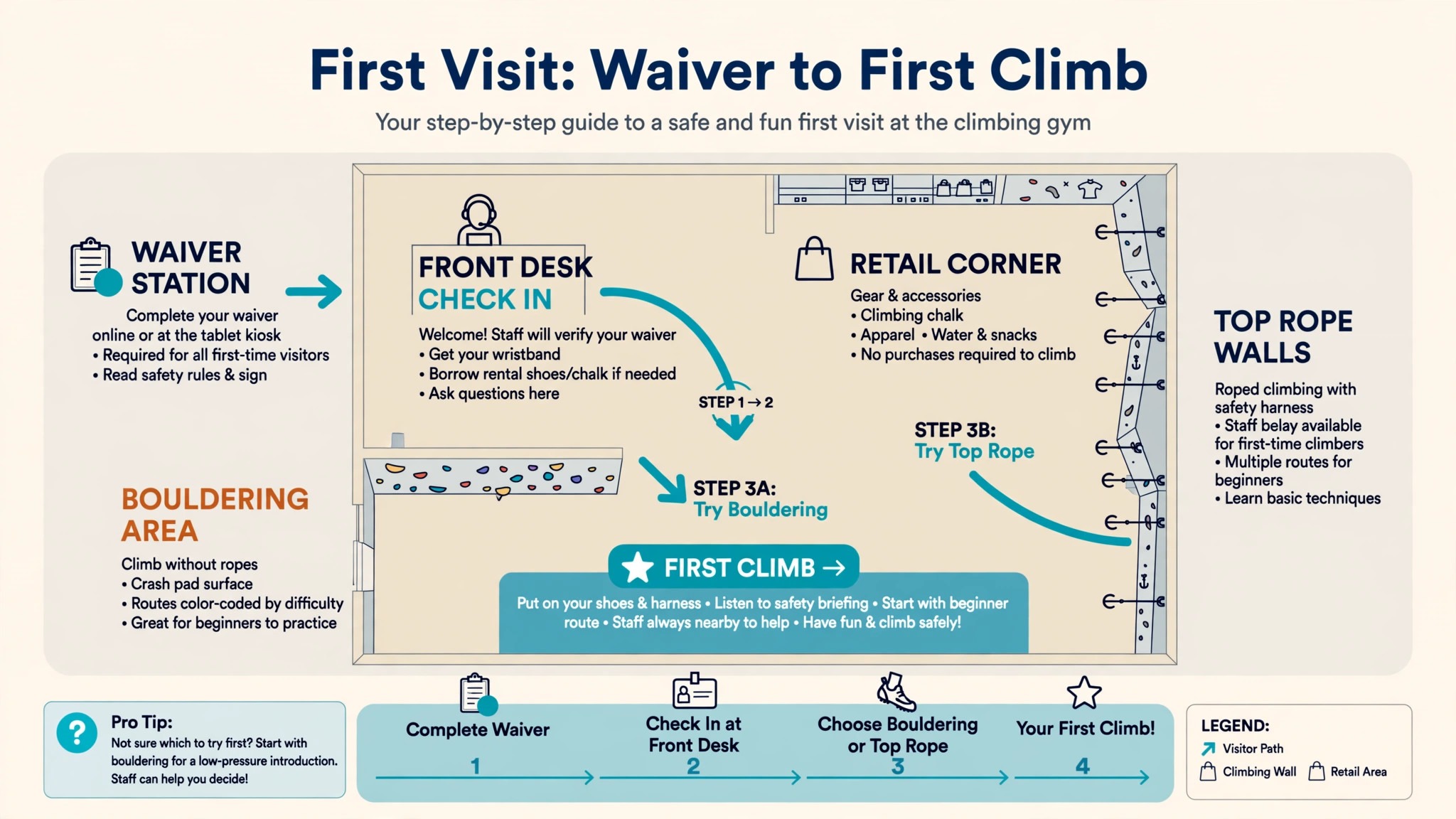
A climbing gym is two businesses sharing one front desk. One sells memberships and day passes to people who walk in off the street, and the other sells coaching, classes and youth programs to people who book ahead. The best software for climbing gyms keeps memberships, waivers, check in, retail and route setting in one system, so the front desk moves fast and the setters know what is live.
Both need a waiver on file, a check in at the door and a payment that clears, and the route setters need to know which walls are live and which are being reset. When the software only handles one half of that job, the desk fills the gap with paper, and paper is where waivers get lost.
This guide compares the best software for climbing gyms on real prices, the job each one does best and the catch that only shows up after the trial. Prices come from vendor pricing pages and third party roundups checked in November 2026, and where a vendor sells by quote only, this guide says so instead of guessing. There are only five serious options in this niche, so every one of them gets a full review, and the shortlist table at the top tells you which one fits your gym before you read the detail.
The Quick Shortlist
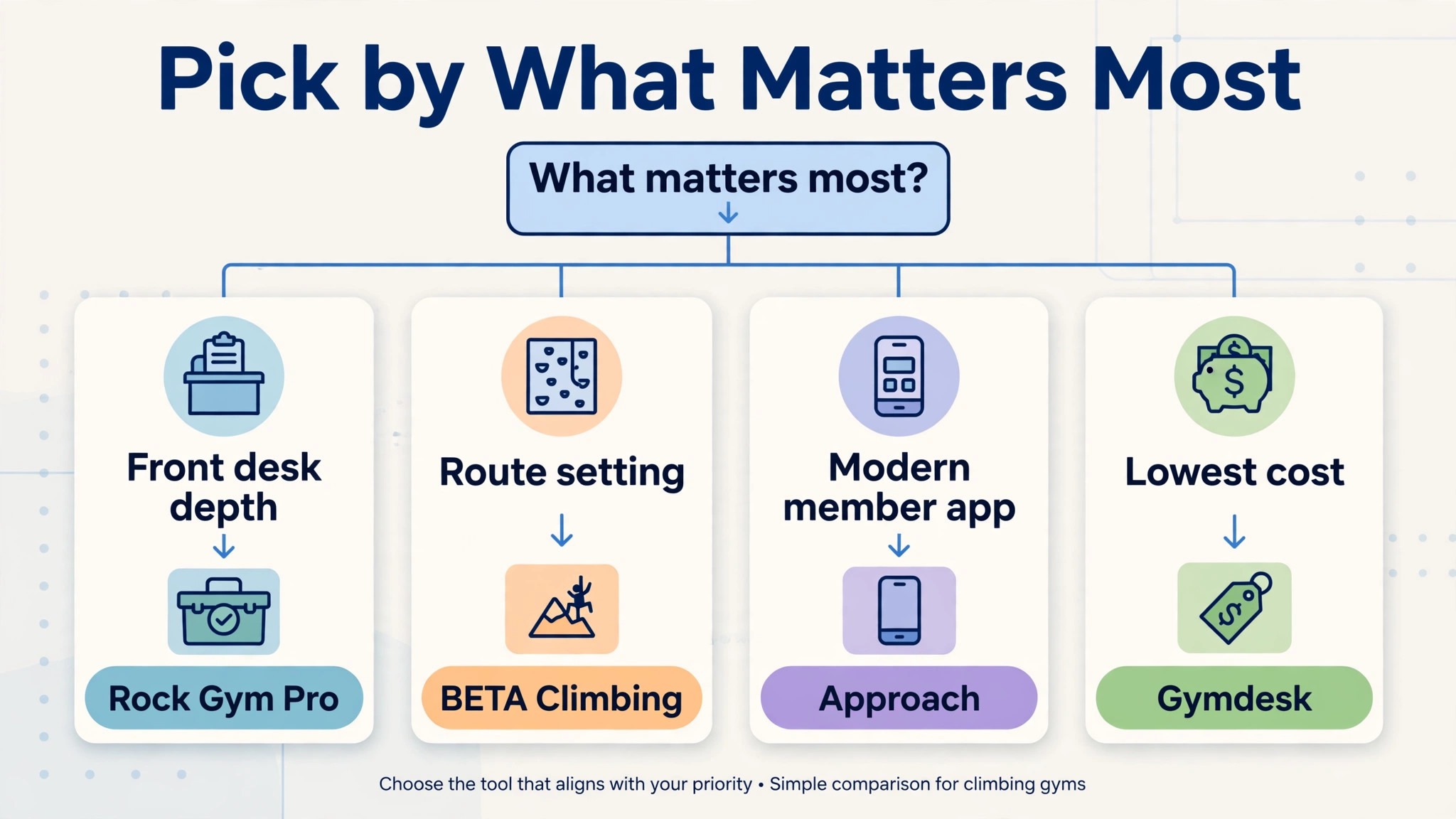
The table below matches each common climbing gym job to the single tool that handles it best. Use it to narrow the best software for climbing gyms down to two candidates before you read the full reviews. Prices are monthly list prices unless noted, and a per seat or per check in model can matter more than the headline rate once your gym is busy every evening.
| Job | Best tool | Why it wins |
|---|---|---|
| Mature front desk for an established gym | Rock Gym Pro | Climbing specific since 2008, Cloud Standard from 180 dollars a month |
| Modern platform that scales with check ins | Capitan | Purpose built for climbing, from 399 dollars a month for under 100 daily check ins |
| Route setting as a structured database | Approach | Route plans, grading and reset scheduling in one workflow |
| Modern web app with a climber app | BETA Climbing | Point of sale, routes, waivers and events from 1 euro per route tag a month |
| Cheapest start for a small gym | Gymdesk | 75 dollars a month for up to 50 active members, all features included |
How We Judged the Best Software for Climbing Gyms
A tool earned a place here only if it handles the climbing job in 2026, not if it is a generic gym scheduler with a new label. We judged each one on five things that decide whether a gym keeps paying after the trial.
First, the front desk, from memberships and day passes to check in, digital waivers and point of sale, because a queue at the door on a Friday evening is the moment your software earns its keep or fails in public.
Second, the true cost, including the subscription, the per seat or per check in charge and the payment processing, because a 180 dollar plan that charges per staff seat can cost more than a 399 dollar plan once you count the whole desk team.
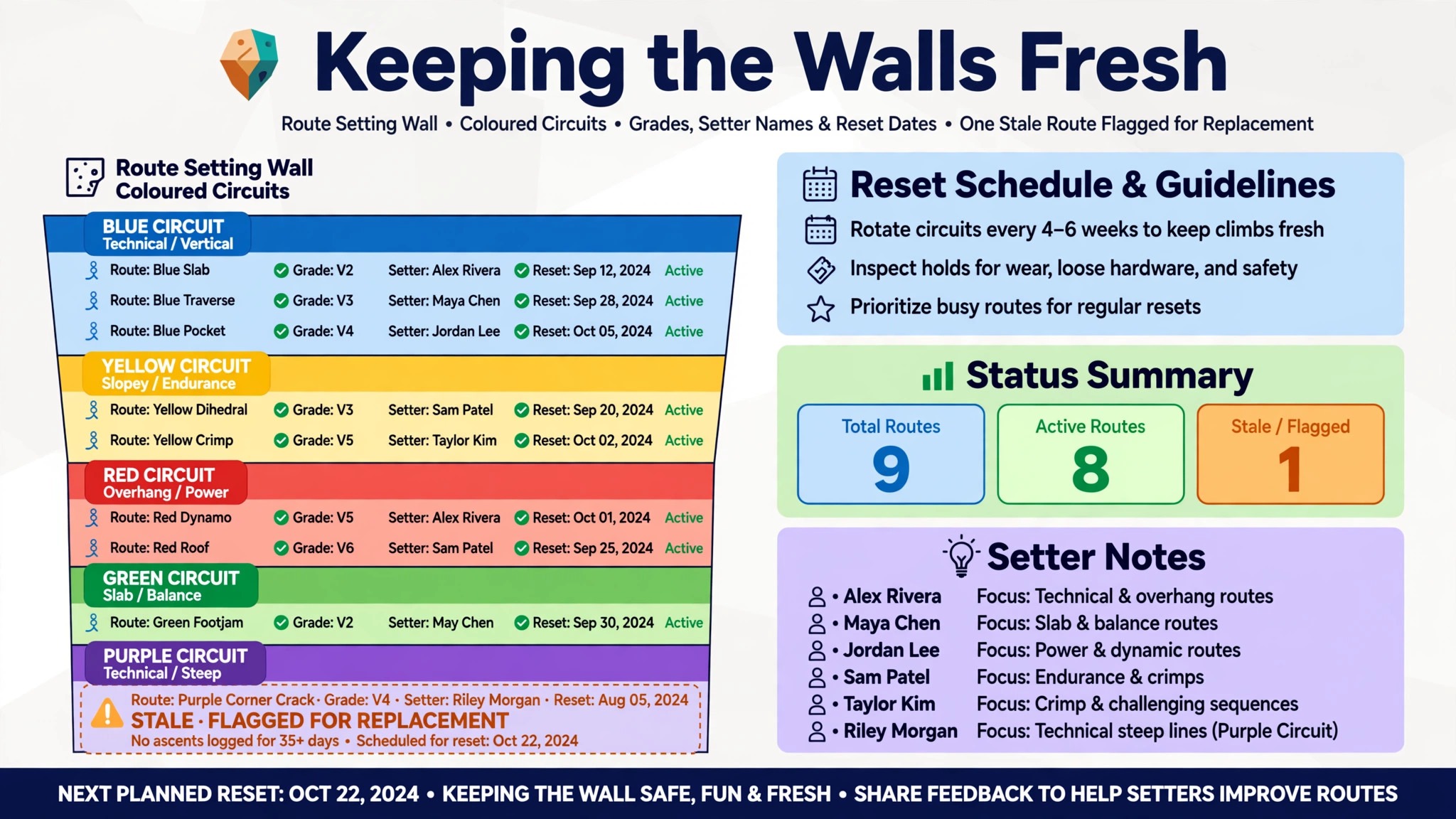
Third, route setting, from route plans and grading to reset scheduling and a record of who set what and when, because a gym that cannot track its routes ends up with stale walls and climbers who stop coming back.
Fourth, the member experience, from online booking and the member app to class sign ups, youth programs and retail, because members who can book and pay from a phone renew more often than members who have to call.
Fifth, the catch, from online booking locked behind the top tier to pricing that scales with daily check ins, because the surprise in this category is usually a feature gate or a volume charge that only appears after the demo.
| Check before you buy | What to ask | Why it matters |
|---|---|---|
| Online booking tier | Is online booking in the base plan or the top tier | Rock Gym Pro locks it behind Premium at 385 dollars a month |
| Seat count | How many staff seats are included | Extra seats can add 35 to 100 dollars a month each |
| Waiver capture | Digital waivers at check in or a separate tool | A lost waiver is a liability problem, not an admin problem |
| Route database | Grades, circuits and reset history included | Stale routes are the fastest way to lose regulars |
| Payment processing | Rate and who holds the merchant account | Processing can add 3 percent to every payment |
| Multi location | One price per facility or one price for all | Per facility pricing doubles the bill for a second gym |
The 5 Tools, Reviewed One by One
1. Rock Gym Pro
Starting price 180 dollars a month for Cloud Standard, up to 3 seats. Best for Mature front desk for an established gym. Watch out Online bookings and event scheduling are only in Premium at 385 dollars a month, and the price rises with staff seats.
Rock Gym Pro is the established name in climbing gym software, built by RGP Development since 2008, and it is the system most long running gyms already know. Cloud Standard at 180 dollars a month per facility covers up to 3 staff seats, Plus at 275 dollars a month adds digital waivers, and Premium at 385 dollars a month adds online bookings, event scheduling and online gift cards.
Larger seat counts cost more, with 6 seats at 215, 330 and 450 dollars a month across the three tiers, and 12 seats at 315, 430 and 550 dollars a month. A local installed version is also available from 115 dollars a month for Standard, which suits a gym that wants its data on site.
The strength is the front desk. Member management, check in, point of sale, waivers and reporting are all built for climbing, and the workflows reflect eighteen years of gym operations, from day pass sales to membership freezes to retail at the counter. The route tracking covers wall content from setup through live operation, so setters and desk staff see the same picture of what is climbable. For a gym that wants a proven system with a large existing user base, that history is the point.
The catch is the tiering and the seats. Online booking, the feature most new members expect first, is locked behind the top Premium tier, which more than doubles the starting price. The seat model also means a gym with a large desk team pays more than the headline, because every extra seat adds to the bill. Rock Gym Pro still earns the top spot for an established gym that wants the most mature climbing specific front desk and can use it.
The interface is the other trade off. Rock Gym Pro looks older than the newer tools on this list, and staff who are used to modern web apps will notice it on day one. That is a cosmetic complaint, not a functional one, and most gyms care more about a desk that works at 6pm on a Friday than a desk that looks new. But a gym that values a modern member facing experience should look at Capitan or BETA before it signs. For the core job, memberships, waivers, check in and retail, Rock Gym Pro remains the benchmark.
2. Capitan
Starting price 399 dollars a month for under 100 average daily check ins. Best for Modern platform that scales with check ins. Watch out Pricing scales with daily check in volume, so a busy gym pays substantially more than the starting rate.
Capitan is the modern, purpose built climbing gym platform, designed by people who understand the sport and the operations behind it. Pricing is based on average daily check ins per location, starting at 399 dollars a month for under 100 check ins, with higher tiers for 101 to 250, 251 to 500, 501 to 1,000 and over 1,000 check ins. Annual billing saves 20 percent. Every plan includes regular feature releases, integrations, flexible customisation and support from climbing industry experts, with onboarding and data migration included.
The strength is the fit. Capitan covers memberships, visits, programs and facility operations in one system, with customer facing and administrative features that reduce routine desk work. Multi location route and problem lifecycle tracking is included, with role based access for day to day work, so a gym with two sites can manage routes, members and staff from one login. The platform is cloud first, which means the desk, the member app and the reporting all stay in sync without a local server.
The catch is the volume pricing. A gym that grows from 90 check ins a day to 300 will move through two pricing tiers, and the bill rises with success in a way that a flat subscription does not. That is fair in one sense, because a busier gym earns more, but it makes the long term cost harder to forecast than a fixed monthly fee. A new gym can also ask about Capitan Launch, a special pricing program for new gyms, which can soften the first year. Capitan earns second place for independent or growing operators that want a specialist platform built for climbing.
The support is the other reason to look closely. Capitan’s team comes from the climbing industry, and that shows in the onboarding, the training calls and the way the software handles climbing specific workflows like programs, visits and route lifecycle. A gym that wants a vendor who speaks climbing, rather than a generic gym software vendor who added a climbing module, will notice the difference in the first demo. For a modern gym that is growing, Capitan is the strongest alternative to Rock Gym Pro.
3. Approach
Starting price Quote only, pricing not published. Best for Route setting as a structured database. Watch out No published price, so the quote is the only way to know the cost, and retail depth needs checking in the demo.
Approach is the climbing platform for gyms where route setting is the product, not an afterthought. It covers membership and waiver management, events, analytics, booking and point of sale, but the feature that sets it apart is the route database. Route plans become a structured database with grading and circuit style organisation preserved from setter work into day to day operations, and reset scheduling is connected to the route lifecycle, with a clear record of who did what and when.
The strength is the setter workflow. Approach turns reset scheduling into a tracked process, so the head setter can see which walls are due, which routes are stale and who set each problem, and the desk can see which routes are live without walking the floor. That audit ready history matters for a gym that runs competitions, youth programs and regular resets, because it turns route setting from a whiteboard into a system. The platform also offers digital customer and staff workflows, so the front desk and the setting team work from the same data.
The catch is the price opacity. Approach does not publish pricing, so a small gym cannot compare it against Rock Gym Pro’s 180 dollars a month or Capitan’s 399 dollars a month without a demo and a quote. Retail depth, accounting integrations and access control hardware also need confirming in the demo, because Approach is strongest on routes and memberships rather than on retail. A gym with complex retail or unusual membership structures should test those workflows before it signs. Approach earns third place for route setting teams that need workflow tracking and reset scheduling above all else.
The member experience is the other side of the platform. Approach covers the customer facing booking and membership workflows, so members can join, book and pay without calling the desk, and the analytics show which programs fill and which routes get climbed. For a gym that runs a busy class and youth program alongside open climbing, that combination of route data and member data in one place is the real value. Approach is the pick for a gym that sets routes every week and wants that work tracked properly.
4. BETA Climbing
Starting price From 1 euro per route tag a month. Best for Modern web app with a climber app. Watch out The per route tag model is unusual, so get the total in writing before you compare it to a flat subscription.
BETA Climbing, usually just called BETA, is the modern option for gyms that want a sleek web app and a climber app on iOS and Android. The platform is a point of sale, a route management tool, a waiver repository, an event booker, an engagement platform and a business intelligence tool in one web app, built for modern climbing gyms. The starting price is listed as 1 euro per route tag a month, a model that scales with the size of the wall rather than with staff seats or member count.
The strength is the modern feel. BETA has a simple and intuitive interface that staff learn fast, and the integrations connect to email marketing software, calendar systems and payment processors, so the gym can plug BETA into the tools it already uses. The climber app gives members a reason to stay engaged between visits, with route information, events and bookings in their pocket, which is a retention tool that the older platforms do not match. Migration from an existing gym system is supported, and the team positions the switch as straightforward.
The catch is the pricing model. Per route tag pricing is unusual, and a gym with a large wall and hundreds of tags needs the total in writing before it can compare BETA against a flat 180 dollar or 399 dollar subscription. The platform is also newer than Rock Gym Pro, so the user community is smaller and the track record is shorter. A gym that wants a proven system with hundreds of existing users may prefer the established names. BETA earns its place for a modern gym that wants a sleek app, strong integrations and a route first design.
The engagement layer is what sets BETA apart from a pure front desk tool. Route information, events and member communication live in the same system as the point of sale, so a setter who puts up a new problem can promote it to members in the same workflow, and the gym can see which routes get climbed and which sit untouched. That feedback loop helps a small gym set smarter, because the data shows what members actually climb rather than what the setters guess they want. For a gym that treats its members as a community, BETA is the most modern pick on this list.
5. Gymdesk
Starting price 75 dollars a month for up to 50 active members. Best for Cheapest start for a small gym. Watch out Built for gyms and martial arts schools first, so climbing specific route setting is thinner.
Gymdesk is the cheapest honest start for a small climbing gym. Micro Gym at 75 dollars a month covers up to 50 active members, Small Gym at 100 dollars a month covers 51 to 100, Medium Gym at 150 dollars a month covers 101 to 200, and Large Gym at 200 dollars a month covers 201 to 400. Every tier includes unlimited staff accounts, a responsive gym website and the full feature set, with no add ons and no per staff fees. There are no contracts, and a 30 day free trial includes all features. An extra location costs 50 dollars a month.
The strength is the single number. A small gym knows its bill from its active member count, and nothing else moves it. Member enrolment, automated billing, class scheduling, attendance and digital waivers are all included, and the platform connects to six payment processors, including Stripe and Square, so you keep your own rates. Waiver capture is linked to entry, so releases are collected in the same operational flow as check in, which is exactly how a climbing gym door should work.
The catch is the climbing fit. Gymdesk is built for gyms, martial arts schools, yoga and dance, so the route setting database that Approach leads with and the climbing specific workflows of Rock Gym Pro and Capitan are thinner here. Route data lives elsewhere, and a gym that sets routes every week will need a second tool or a spreadsheet for that job. The branded member app is a 100 dollar a month add on, and door access is a beta add on at 100 dollars a month for up to 3 doors. Gymdesk earns its place for a small gym that wants one honest bill and can live without a native route database.
The value is clearest for a new gym. A bouldering gym with 60 members pays 100 dollars a month for the whole system, against 180 dollars for Rock Gym Pro Standard or 399 dollars for Capitan, and the difference buys a lot of holds. As the gym grows past 200 members, the gap narrows, and the route setting gap matters more, so most gyms will move to a climbing specific platform eventually. But as a starting point, Gymdesk is the cheapest way to run a real front desk, and it closes the list as the best value for a small gym.
Side by Side Comparison
The table below puts the best software for climbing gyms side by side on price, best fit and free plan, so you can compare the shortlist at a glance.
| Tool | Starting price | Best for | Free plan |
|---|---|---|---|
| Rock Gym Pro | 180 dollars a month, up to 3 seats | Mature front desk for an established gym | Trial only |
| Capitan | 399 dollars a month, under 100 daily check ins | Modern platform that scales with check ins | Trial only |
| Approach | Quote only | Route setting as a structured database | No |
| BETA Climbing | From 1 euro per route tag a month | Modern web app with a climber app | No |
| Gymdesk | 75 dollars a month, up to 50 members | Cheapest start for a small gym | Free version |
How to Pick the Right Software for Your Gym
The best software for climbing gyms is not the one with the longest feature list. It is the one whose pricing model matches how your gym actually earns. A small bouldering gym with 60 members should buy Gymdesk, because a 75 dollar bill leaves money for holds and the route setting gap does not matter yet. An established gym with a large desk team should buy Rock Gym Pro, because the front desk depth and the climbing specific workflows are worth the seat cost.
A growing gym that wants a modern platform and can forecast its check in volume should buy Capitan, because the per check in model scales with the business. A gym that sets routes every week should buy Approach, because the route database is the product. A gym that wants a modern member app should buy BETA, because the climber app is a retention tool the older platforms do not match.
Do the seat and tier arithmetic before you sign. The table below shows what a gym with 6 staff seats and online booking actually pays on the most common options, using published starting prices. Online booking, extra seats and the branded app are the lines that surprise buyers, so ask for them in writing before you commit.
| Option for a 6 seat gym with online booking | Monthly cost | What it covers |
|---|---|---|
| Rock Gym Pro Premium, 6 seats | 450 dollars | Waivers, online booking, events, gift cards |
| Capitan, under 100 check ins a day | 399 dollars | Memberships, visits, programs, route lifecycle |
| Approach | Quote only | Route database, memberships, waivers, booking |
| BETA Climbing | From 1 euro per route tag a month | POS, routes, waivers, events, climber app |
| Gymdesk Medium | 150 dollars | All features, up to 200 active members, no route database |
Route setting deserves its own check, because it is the feature that separates the climbing tools from the generic gym tools. Approach leads here, with a structured route database, grading, circuit organisation and reset scheduling connected to the route lifecycle. Capitan tracks route and problem lifecycle across locations, with role based access. Rock Gym Pro manages wall content from setup through live operation.
BETA ties route information to the member app, so climbers see new problems the day they go up. Gymdesk has no native route database, so a gym that buys it should plan where route data lives. Ask each vendor to show you a reset, from taking a route down to putting a new one up, and pick the workflow your setters will actually use.
Frequently Asked Questions
What is the cheapest good climbing gym software for a small gym
Gymdesk is the cheapest entry, at 75 dollars a month for up to 50 active members with every feature included and no per staff fees. Rock Gym Pro Cloud Standard at 180 dollars a month is the cheapest climbing specific option, but online booking needs the 385 dollar Premium tier. The cheapest option among the best software for climbing gyms depends on whether you need a native route database, because Gymdesk has none and the climbing specific tools cost more for that reason.
Do climbing gyms need route setting software or is a spreadsheet enough
A spreadsheet works until the gym has more than one setter, more than one wall or a competition to run. At that point the route database earns its keep, because it tracks grades, circuits, reset dates and who set what, and it shows the desk which routes are live. Approach is the strongest here, with a structured route database and reset scheduling, while Capitan and Rock Gym Pro also track route lifecycle. A small gym with one setter can start on a spreadsheet, but a growing gym should move the data into the platform.
How much should a small climbing gym budget for software
A realistic monthly budget for the best software for climbing gyms is 75 to 200 dollars a month for a small gym on a flat plan, plus card processing of roughly 2.9 percent plus 30 cents per transaction. A gym on Rock Gym Pro Premium with 6 seats pays 450 dollars a month, and a gym on Capitan pays 399 dollars a month for under 100 daily check ins. Quote only platforms need a sales call to price, so budget a range and get the seat count, the online booking tier and the branded app cost in writing.
Can I switch climbing gym software without losing my members
Yes, but plan the switch for a quiet week. Export your member list, membership plans, waiver records, day pass history and route data first, then set up the new memberships, waivers and schedules before you turn off the old check in. Most platforms offer migration help, and Capitan includes onboarding and data migration in every plan. Never switch the week before a competition or a school holiday, because a setup error then costs you your busiest days.
Does climbing gym software handle youth programs and classes
Yes, on the climbing specific platforms. Rock Gym Pro, Capitan and Approach all cover class scheduling, youth programs and event booking, with member management that separates adult memberships from youth programs. Gymdesk covers class scheduling and attendance, but the youth program workflows are thinner. If youth programs are a large share of your revenue, test the class roster, the parent communication and the waiver flow for minors in the demo, because those are the workflows that break first.
Our Verdict
If you buy one tool this quarter, buy Rock Gym Pro. It gives an established gym the most mature climbing specific front desk, with memberships, waivers, check in and retail built for climbing rather than adapted from a generic gym, and it is the fastest way to stop patching the desk together with paper and spreadsheets. The best software for climbing gyms earns its keep by keeping the door moving and the walls fresh, and Rock Gym Pro does that from the first week, without a migration project or a modern app to learn.
Whatever you pick, price it on your real seat count and check in volume, trial with your actual members and routes, and check the online booking tier before you sign. The tools on this list all work. The difference is whether the pricing model matches how your gym earns, and whether the route setting and waiver workflows handle the job your setters and your desk actually do.