Among teams asking how to switch from Asana to Monday, the deciding number is usually a G2 score. Monday.com scores 4.7 out of 5 on G2 against 4.4 for Asana, and the gap is widest on visual customization and automation ease. Yet Asana still wins the comparison for task dense teams that need dependencies, timelines, and unlimited automations from its 10.99 dollar Starter plan. That split is the whole story of this switch. Teams do not move from Asana to Monday because one tool is better in general.
They move because their work changed, from structured task lists to visual boards, from dependencies to automations, from a calm interface to a colorful one that the whole company can read at a glance. This guide covers the full switch, with the real prices, the real limits, and the steps that keep tasks and deadlines safe.
The switch is common for a simple reason. Monday.com is built around visual boards that look like spreadsheets, with automations and dashboards on top, and that visual style suits marketing, operations, and cross functional teams that need to see the whole project in one view. Asana is built around projects and tasks with a clean, restrained interface, and that structure suits software and task dense teams that live on dependencies. A team whose work has shifted toward visual planning and automation will feel the pull toward Monday, even when Asana still does the old work well.
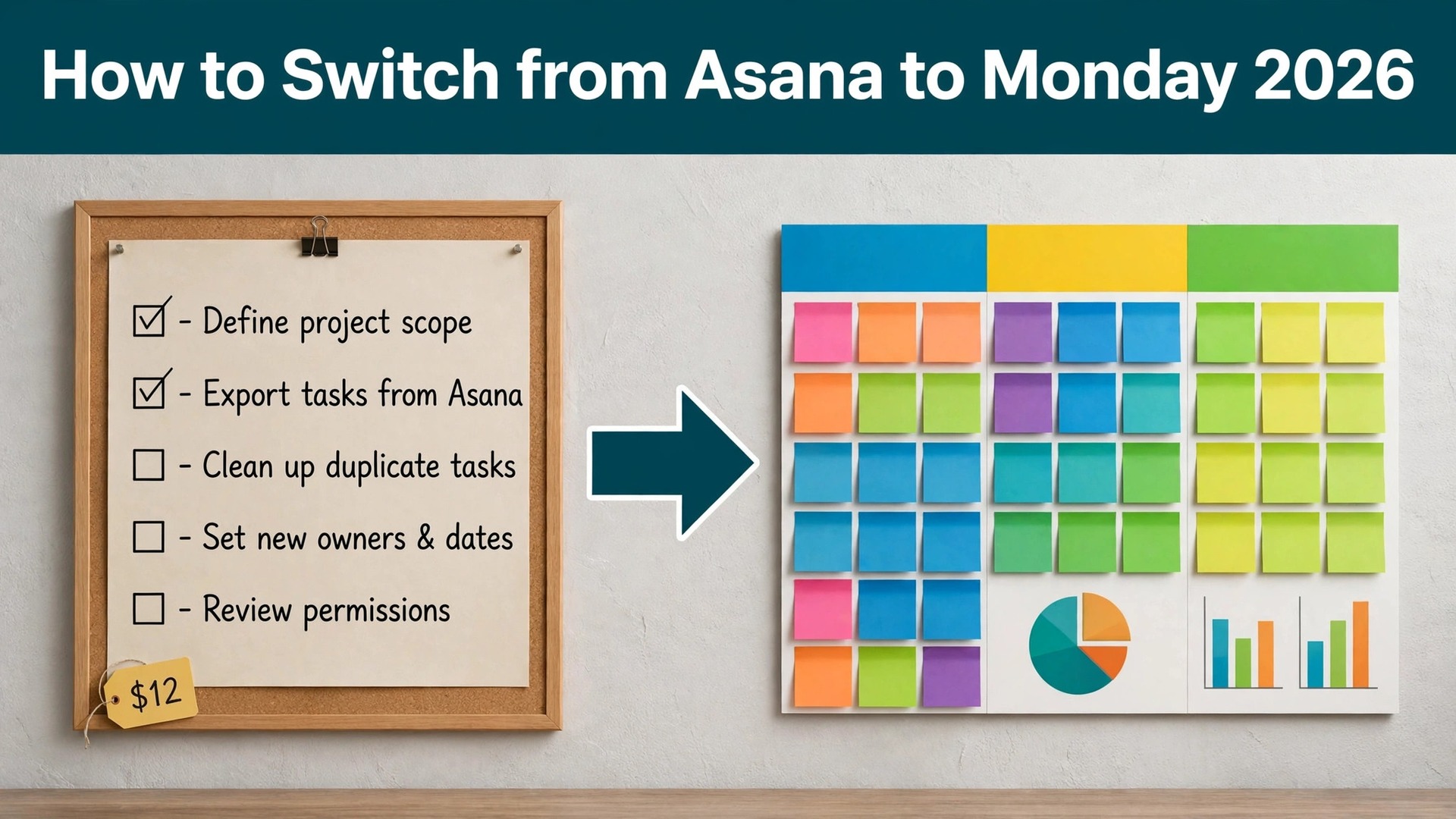
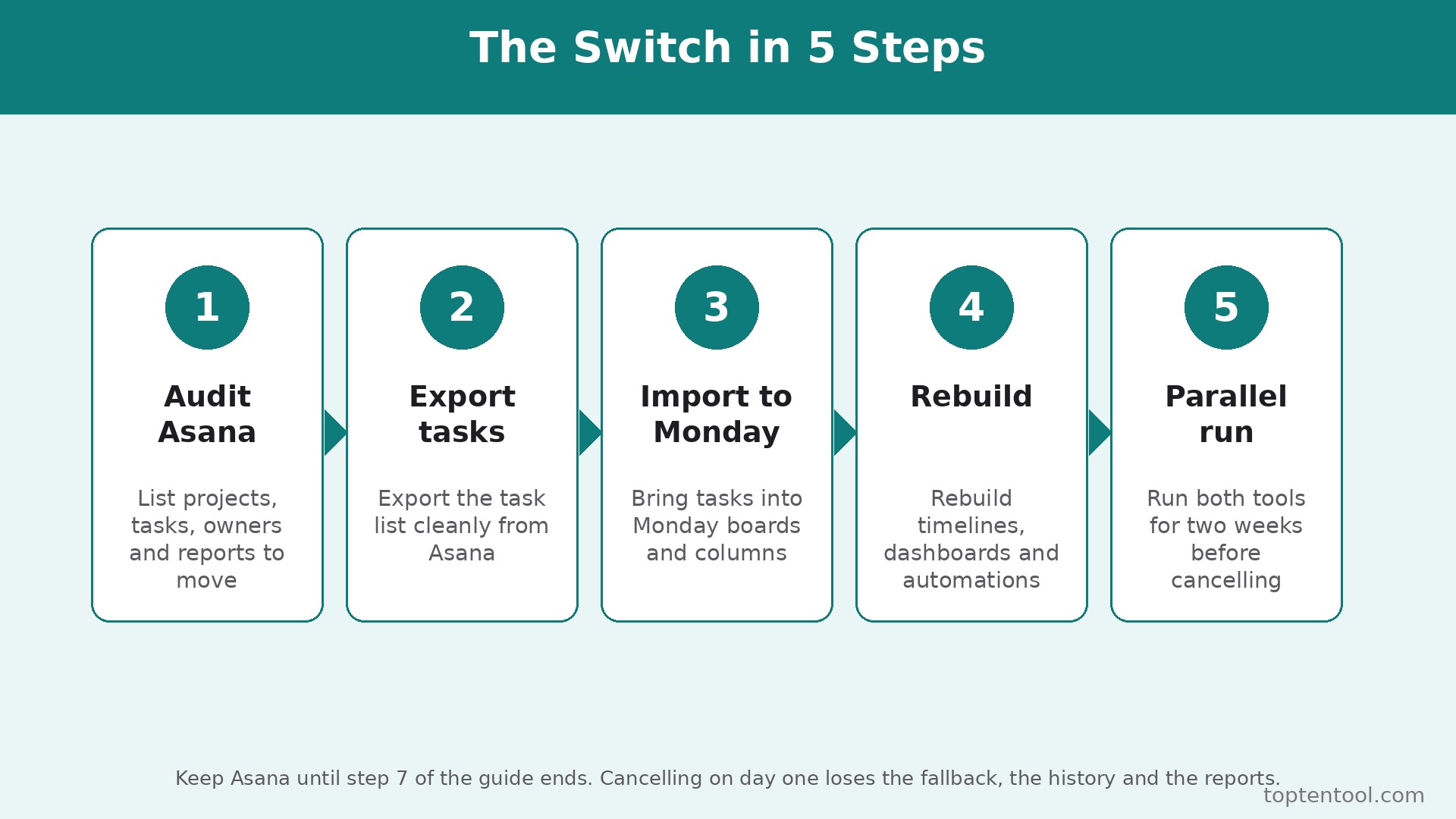
This guide walks through how to switch from Asana to Monday in seven steps, with a checklist, a cost comparison, and a clear account of what transfers, what does not, and what to test before cancelling Asana. Follow the steps in order, run both tools side by side for two weeks, and the move will be boring in the best way. Skip the steps, cancel early, and tasks, comments, and project history can vanish without a trace.
Why Teams Switch from Asana to Monday
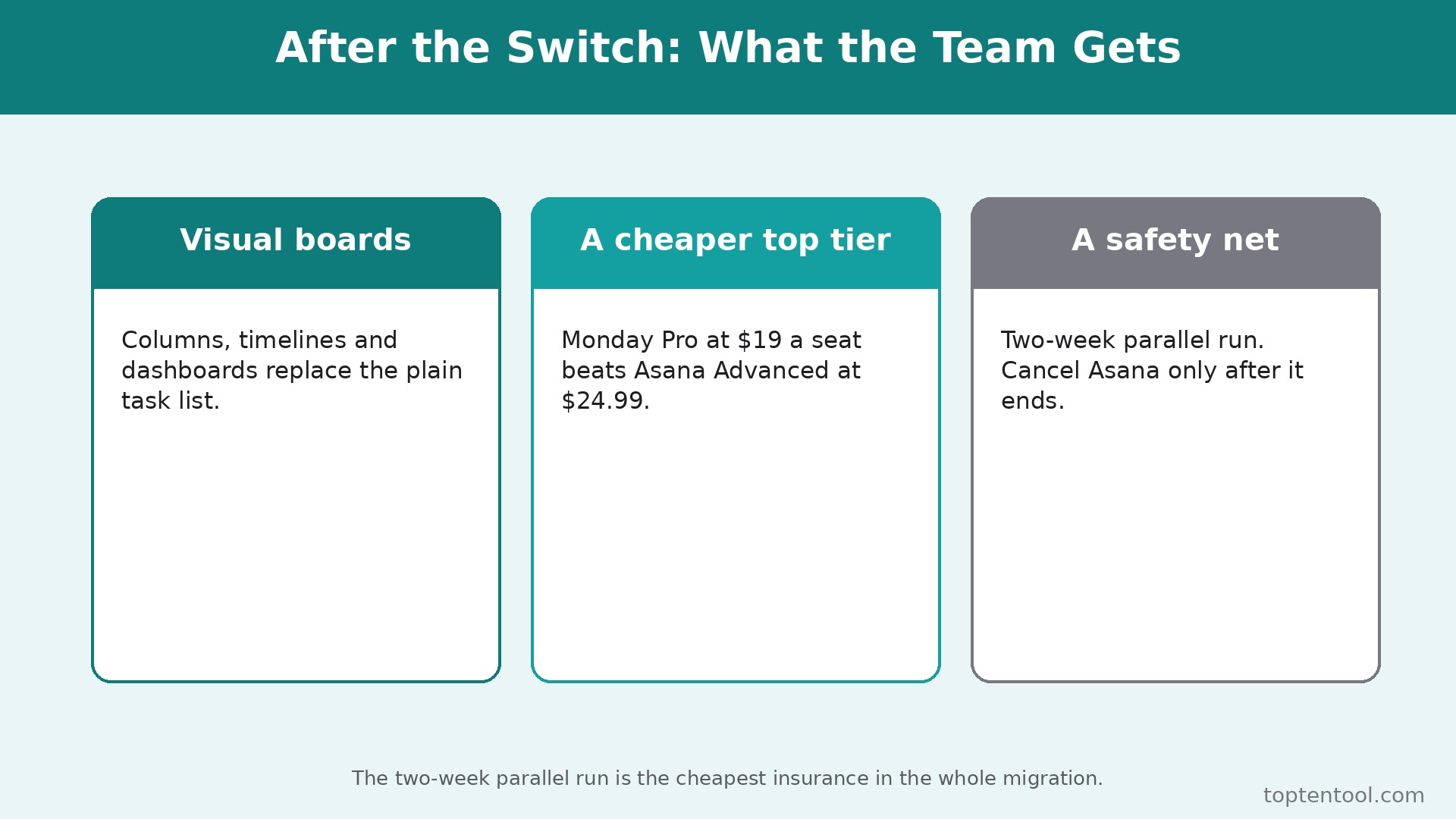
Visual boards are the reason most teams switch. Monday.com boards show status, owner, deadline, and progress in color, so a manager can read a whole project in seconds without opening a single task. Asana lists and timelines show the same information, but the visual impact is quieter, and a cross functional team that includes non technical members often finds Monday easier to read. That readability matters when the whole company, not just the project team, needs to follow the work.
Automations are the second reason. Monday.com Standard includes 250 automation and integration actions a month, and Pro lifts that to 25,000 actions a month with time tracking, private boards, and advanced dashboards. Asana Starter includes unlimited automations from 10.99 dollars a month, which is actually more generous than Monday Standard, so the automation case for switching is not about the cap. It is about the builder. Monday automations are visual and easy for a non technical user to build, while Asana rules are powerful but more structured. A team that wants the whole company to build its own automations will find Monday easier to adopt.
The third reason is flexibility. Monday boards can be reshaped into a CRM, a content calendar, a hiring pipeline, or an inventory tracker without leaving the tool, and that flexibility suits operations teams that run many kinds of work in one place. Asana is a purpose built project management platform, and it does project work deeply, but it is less flexible as a general work operating system. A team that wants one tool for projects, sales, and operations will feel the pull toward Monday, even when Asana still wins on pure task management.
Price also plays a part, though the gap is smaller than the marketing suggests. Asana Starter costs 10.99 dollars per user per month on annual billing, or 13.49 dollars monthly, and Advanced costs 24.99 dollars. Monday.com Basic costs 9 dollars per seat per month on annual billing, Standard costs 12 dollars, and Pro costs 19 dollars. At the mid tier, Asana Starter at 10.99 dollars is slightly cheaper than Monday Standard at 12 dollars, and at the advanced tier Monday Pro at 19 dollars is nearly 6 dollars a user cheaper than Asana Advanced at 24.99 dollars. The saving depends on the tier, and the guide compares the real totals below.
Asana vs Monday Side by Side
| Feature | Asana | Monday.com |
|---|---|---|
| Free plan | Personal, up to 2 users | Free, up to 2 seats, 3 boards |
| Entry paid plan | Starter 10.99 dollars a month annual | Basic 9 dollars a seat a month annual |
| Mid paid plan | Starter 10.99 dollars a month annual | Standard 12 dollars a seat a month annual |
| Advanced plan | Advanced 24.99 dollars a month annual | Pro 19 dollars a seat a month annual |
| Minimum seats on paid plans | No visible minimum | 3 seats minimum |
| Timeline and Gantt | Starter | Standard |
| Time tracking | Advanced | Pro |
| Automations | Unlimited from Starter | 250 actions Standard, 25,000 Pro |
| Portfolios and goals | Advanced | Enterprise |
| Guest access | Free guests | Standard |
| Integrations | Over 400, including Slack and Teams | Wide, including Slack and Teams |
Monday.com requires a minimum of 3 seats on paid plans, so a 2 person team upgrading from Free will pay for 3 seats regardless. Asana has no visible seat minimum on Starter. That minimum changes the real cost for a very small team, and the guide flags it in the cost comparison below.
Before You Switch. The Honest Comparison
A switch guide that only lists the benefits is not honest, so this section states the trade plainly. Asana is a purpose built project management platform, Monday is a flexible work operating system, and the difference shows in the daily work. A software team that lives on dependencies, subtasks, and portfolios will feel the loss of Asana depth on Monday from the first week. A marketing or operations team that needs to see the whole project in color, reshape boards for different kinds of work, and let non technical colleagues build automations will not miss Asana at all.
The question is not which tool is better. The question is which work the team actually does, and learning how to switch from Asana to Monday starts with answering that question honestly.
The automation cap is the number that decides the switch more than price. Asana Starter includes unlimited automations, while Monday Standard caps them at 250 actions a month, so a team that automates heavily will hit the Monday cap fast and need Pro at 19 dollars a seat. That is still cheaper than Asana Advanced at 24.99 dollars, but it is not the saving the headline suggests. Count the automation actions the team runs every month before deciding, and the right tier will be clear. A team that runs few automations will be happy on Monday Standard. A team that runs thousands will need Pro, and the comparison should be made at that tier.
The 3 seat minimum also deserves a second look. Monday requires a minimum of 3 seats on paid plans, so a two person team pays for a seat nobody uses. Asana has no visible minimum on Starter, so the same pair pays only for two. That difference is small in dollars but large in principle, because it shows how each vendor treats tiny teams. Run the free plans for two weeks with real projects, and the team will know whether the visual boards fit before any money moves. That test is the cheapest way to learn how to switch from Asana to Monday without committing to the move.
What You Lose and What You Gain
The switch trades task depth for visual flexibility, and the team should name that trade before starting. What you gain is colorful visual boards that the whole company can read, a flexible system that covers CRM, content, and operations as well as projects, an automation builder that non technical users can learn fast, and a lower advanced tier price at 19 dollars a seat against 24.99 dollars for Asana Advanced. The dashboards are stronger for a visual team, and the guest access on Standard makes client collaboration easy.
What you lose is real, and it matters for some teams. Asana includes unlimited automations from Starter, while Monday Standard caps them at 250 actions a month, so a team that relies on heavy automation will hit the Monday cap fast and need Pro. Asana has deeper task management, with dependencies, subtasks, and portfolios that suit task dense work, while Monday is broader but shallower on pure project structure. Asana Advanced includes goals, portfolios, resource management, approvals, and proofing, which Monday gates behind Pro or Enterprise. A software team that lives on dependencies and portfolios will miss those tools on Monday.
The free plan also differs in a way that matters. Asana Personal covers up to 2 users with unlimited tasks and projects, while Monday Free covers up to 2 seats with only 3 boards. A small team that runs many projects will outgrow Monday Free faster than Asana Personal. Name the loss before the move, and the team can plan around it instead of discovering it in week two. The switch is worth it when the visual boards and the flexibility matter more than the task depth. It is not worth it when the team lives on dependencies and unlimited automations.
A pilot project also settles the question honestly. Run one real project on Monday for two weeks while Asana still runs the rest, and the team will see whether the boards help or hinder the daily work. That pilot is the fairest test of how to switch from Asana to Monday, because it measures the new workflow against real deadlines rather than a demo.
How to Switch from Asana to Monday in 7 Steps
Step 1. Audit the Asana account before touching anything
Open Asana and list every workspace, every team, every project, every task, every custom field, every template, and every automation rule. Export the project list and the task lists as CSV files, and note the renewal date and the contract terms. This audit takes an hour and prevents the most common switch failure, which is discovering a hidden project or a critical automation only after it was deleted. Pay special attention to portfolios, goals, and saved reports, because those do not transfer cleanly.
Step 2. Set up Monday and map the structure
Create the Monday.com account, choose the plan that matches the team size, and map the Asana structure onto Monday boards. Asana projects become Monday boards, Asana sections become Monday groups, and Asana custom fields become Monday columns. Basic costs 9 dollars a seat a month on annual billing, Standard costs 12 dollars, and Pro costs 19 dollars, all with a 3 seat minimum on paid plans. Start with one board and one project, and confirm the mapping feels right before migrating the rest. Do not cancel Asana yet.
Step 3. Migrate the projects with the importer
Use the Monday importer to bring Asana projects across, or import the CSV exports from step 1. The importer moves tasks, assignees, due dates, and statuses, but it does not move every detail. Comments, attachments, and subtask hierarchies need checking after the import, and some will need manual rebuilding. Migrate one project first, check it line by line against Asana, and only then migrate the rest. A project that looks complete but lost its comments is worse than a project that is honestly incomplete.
Step 4. Rebuild the automations and the views
Recreate the automation rules in Monday, starting with the rules the team actually uses every week. Monday Standard includes 250 automation actions a month, and Pro lifts that to 25,000, so check the volume before choosing the plan. Rebuild the timeline, Gantt, calendar, and dashboard views, and confirm each view shows the right data. Asana Starter includes unlimited automations, so a team with heavy automation may need Monday Pro to match the volume. Test each rule with a real task before relying on it.
Step 5. Move the team and set permissions
Invite the team to Monday and set board permissions, column permissions, and guest access. Standard includes guest access, which suits client collaboration, while Basic does not. Assign each person the boards they own, and run a practice session where the team updates tasks, moves items, and uses the automations. A teammate who cannot find their board or cannot update a status will fall back to Asana, and the switch will stall. Train the team on the board view before the migration goes live.
Step 6. Run both tools side by side for two weeks
Use Monday for all new work for two weeks while Asana stays available for reference and for any project that has not migrated yet. Watch for problems daily, including missing tasks, broken automations, and views that show the wrong data. Compare the Monday boards with the Asana exports from step 1 to spot any gap. Fix the problems while Asana is still available as a fallback, not after it is cancelled. Two quiet weeks of parallel running cost nothing and catch every problem early.
Step 7. Cancel Asana and confirm the data is safe
Once two weeks of Monday work look clean, export any final Asana data, including the projects that were not migrated, the comments that matter, and the reports the team relies on. Then cancel the Asana subscription before the renewal date. Confirm the cancellation email arrives, and check that no auto renewal is set. Keep the Asana export files for six months, because project history does not transfer fully and the old exports are the only record of past work. The switch is done when Monday has run cleanly for two weeks and Asana is cancelled without a surprise charge.
Pre Switch Checklist
Use this checklist before starting step 1, and do not skip a line.
– List every Asana workspace, project, task, custom field, and automation. – Export the project and task lists as CSV files. – Note the Asana renewal date and any contract term. – Map Asana projects to Monday boards and Asana sections to groups. – Choose the Monday plan by automation volume, not just by seat price. – Confirm the 3 seat minimum cost for a small team. – List the Asana features the team actually uses, including portfolios and goals. – Plan a replacement for any Asana feature Monday lacks. – Set a switch date in a quiet week, not during a launch. – Tell the team the switch date and the new workflow before step 1.
Data Migration. What Transfers and What Does Not
Tasks transfer through the importer or a CSV import, including the task name, the assignee, the due date, and the status. That covers the core of the work, and a careful import will move most projects cleanly. What does not transfer cleanly is the detail around the tasks. Comments, attachments, subtask hierarchies, and activity history often need manual checking, and some will not come across at all. Portfolios, goals, and saved reports do not transfer as structures, so rebuild them as Monday dashboards and boards after the tasks arrive.
Custom fields transfer as Monday columns, but the field types need mapping. A dropdown in Asana becomes a status column in Monday, a number becomes a numbers column, and a date becomes a date column. Check each mapping after the import, because a wrong column type will break the views and the automations that depend on it. Templates do not transfer either, so rebuild the most used templates as Monday board templates or as duplicated boards. Leave the rarely used templates behind, because the switch is a good time to clean them up.
What does transfer fully is the work itself. The tasks, the owners, and the deadlines are the core, and they arrive intact when the import is checked line by line. The team also keeps its files, because attachments can be downloaded and reattached, and its project names, because they become board names. The only things lost are the Asana specific records, which are the comments, the activity history, and the saved reports. Export them all before cancelling, and the switch loses nothing that matters for the future work.
Cost Comparison. What the Switch Actually Saves
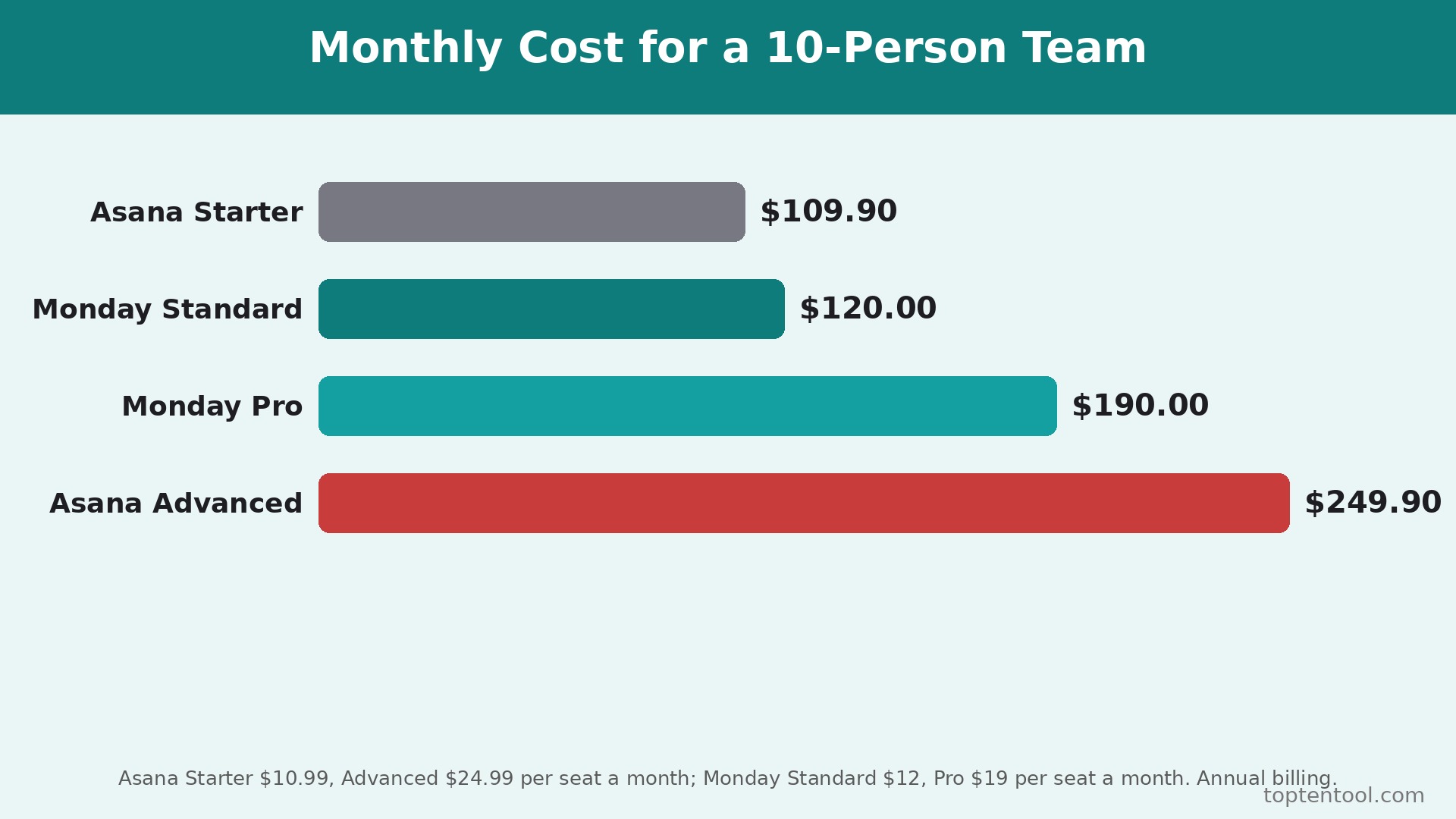
The saving depends on the tier and the team size, because the two tools price differently. A five person team on Asana Starter pays 54.95 dollars a month on annual billing, at 10.99 dollars per user. The same team on Monday Standard pays 60 dollars a month, at 12 dollars per seat, so Asana is slightly cheaper at the mid tier. A ten person team on Asana Starter pays 109.90 dollars a month, against 120 dollars on Monday Standard, so Asana still wins by about 10 dollars. The switch does not save money at the mid tier, and a team that moves for price alone at that tier will be disappointed.
The saving appears at the advanced tier. A five person team on Asana Advanced pays 124.95 dollars a month, at 24.99 dollars per user, against 95 dollars on Monday Pro at 19 dollars per seat, a saving of about 30 dollars a month. A ten person team on Asana Advanced pays 249.90 dollars a month, against 190 dollars on Monday Pro, a saving of about 60 dollars a month or 720 dollars a year. That gap widens as the team grows, because the per seat difference of nearly 6 dollars multiplies with every person.
The 3 seat minimum also changes the math for a tiny team. A two person team upgrading from Free on Monday pays for 3 seats, so the minimum monthly cost is 27 dollars on Basic, 36 dollars on Standard, or 57 dollars on Pro, even though only two people use it. The same two person team on Asana Starter pays 21.98 dollars a month with no minimum. A solo user or a pair should check that minimum before switching, because it can erase the saving entirely. Count the seats, count the tier, and run the two totals before deciding. For most teams, the switch is about the boards and the flexibility, not about the bill.
Common Switch Mistakes and How to Avoid Them
The first mistake is migrating every project at once without testing the importer. A team that imports twenty projects in one afternoon discovers the mapping errors when the whole workspace is already wrong, and fixing twenty boards takes longer than migrating them one by one. Migrate one project, check it line by line, fix the mapping, and only then migrate the rest.
The second mistake is forgetting the automation cap. Asana Starter includes unlimited automations, while Monday Standard caps them at 250 actions a month, so a team that moves to Standard and keeps its old automation volume will hit the cap in the first week. Check the volume before choosing the plan, and budget for Pro if the team automates heavily.
The third mistake is skipping the comment and attachment check. The importer moves tasks and dates, but comments and attachments often need manual work, and a team that assumes they transferred will lose the context behind the tasks. Check a sample of tasks after the import, and manually move the comments that matter. The fourth mistake is training too late. A team that gets Monday access on the day Asana is cancelled will fall back to spreadsheets and chat, because nobody knows the new workflow. Train the team on one board before the migration, and let them practice with real tasks.
The fifth mistake is cancelling Asana before the parallel run ends. A team that cancels on day one loses the fallback, the history, and the reports in one move, and the rebuild takes days instead of hours. Keep Asana until step 7, and the switch stays boring. The two week parallel run is the cheapest insurance in the whole migration, and skipping it is the most expensive mistake a team can make.
The sixth mistake is forgetting the guests and the clients. Asana guest access is free, while Monday guest access starts on Standard, so a team that shares boards with clients can lose access for external collaborators after the switch. List every guest and client before migrating, and confirm the Monday plan covers them. A team that treats how to switch from Asana to Monday as an internal move only will discover the locked out client during a deadline week, and that is the worst moment to find it.
Frequently Asked Questions
How long does it take to switch from Asana to Monday?
Most small teams finish the switch in two to three weeks. The audit takes an afternoon, the first project migration takes a day, the remaining projects take a few days, and the two week parallel run catches the problems while Asana is still available. A team with many projects, custom fields, or automations should budget a month. Do not promise a one week switch, because the manual checks and the parallel run are what make the migration safe.
Will I lose my tasks when I switch from Asana to Monday?
Tasks transfer through the Monday importer or a CSV import, including the name, assignee, due date, and status. Comments, attachments, subtask hierarchies, and activity history often need manual checking, and some will not come across. Migrate one project first, check it line by line against Asana, and only then migrate the rest. Keep Asana until the migration is verified, and no task will be lost.
Is Monday really cheaper than Asana?
It depends on the tier. At the mid tier, Asana Starter at 10.99 dollars is slightly cheaper than Monday Standard at 12 dollars, so the switch does not save money there. At the advanced tier, Monday Pro at 19 dollars is nearly 6 dollars a seat cheaper than Asana Advanced at 24.99 dollars, which saves about 60 dollars a month for a ten person team. A two person team should also check the Monday 3 seat minimum, which can erase the saving entirely.
Does Monday have the same automation as Asana?
No, the automation models differ. Asana Starter includes unlimited automations, while Monday Standard caps them at 250 actions a month and Pro lifts that to 25,000. Monday automations are visual and easier for non technical users to build, while Asana rules are more structured. A team that automates heavily should budget for Monday Pro, and test the volume before choosing the plan.
Can I keep my Asana project history after switching to Monday?
Project history does not transfer fully. Tasks, owners, and deadlines arrive intact, but comments, activity history, and saved reports often need a manual export. Export the project and task lists as CSV files before cancelling, and keep them for at least six months. That export is the only record of past work after the switch, so do not cancel Asana until the export is saved and checked.
Verdict. Who Should Switch and Who Should Stay
Switch to Monday if the team is visual, cross functional, and wants one flexible tool for projects, sales, and operations. A marketing, operations, or agency team that reads boards at a glance, builds its own automations, and collaborates with guests will find Monday easier to adopt and easier to scale. The advanced tier saving at 19 dollars against 24.99 dollars is real, and the flexibility to reshape boards for different kinds of work is the strongest argument for the move. For those teams, learning how to switch from Asana to Monday is worth a few weeks, and the new workflow pays back every month.
Stay on Asana if the team is task dense, lives on dependencies and portfolios, and relies on unlimited automations from Starter. A software team, a task heavy operations team, or a team that runs many projects with strict dependencies will miss Asana depth on Monday, and the mid tier price is actually lower on Asana. Stay also if the team is two people, because the Monday 3 seat minimum erases the saving, and stay if the team is mid launch. A switch during a busy period costs more in chaos than it saves in subscription fees.
The decision rule is simple. List the features the team opens every week, count the automations it runs every month, and run the two totals at the right tier. If Monday covers the weekly workflow, fits the automation volume, and costs the same or less, switch in a quiet month and follow the seven steps. If Asana covers a weekly workflow that Monday cannot, stay and use Monday for the visual side projects instead. The right tool is the one that matches the work the team actually does, not the one with the brighter boards.