
A small therapy practice runs on its notes. The note is the clinical record, the billing record and the legal record, all in one document, and a practice that writes notes badly will bill badly and will struggle when a record is requested. The software that holds the notes decides how fast they are written, how complete they are, and how much they cost per session. Learning how to choose therapy notes software for a small practice is the decision that shapes the working day for years.
The risk is not the price, it is the fit. A tool built for a large clinic will bury a solo therapist in features they never use, and a tool built for notes alone will force the practice to buy a second tool for billing and a third for telehealth. A practice that chooses on price alone will usually choose twice, once now and once again in a year, when the first tool cannot do the job. The choice has to match the way the practice actually works.
This guide shows how to choose therapy notes software for a small practice, step by step, from the HIPAA check to the per session cost maths. It compares the main tools, the note formats, the billing workflow and the AI note writers, with real prices and a decision checklist. A practice that follows the steps will pick once, and will still be happy with the pick in two years.
What a Small Practice Actually Needs
Start with the note itself, because the note is the job. A therapist writes between four and eight notes a day, and each note takes ten to twenty minutes when the template fits, or thirty minutes when it does not. The software must have the note format the practice uses, whether that is SOAP, DAP or BIRP, and it must let the therapist customise the template without calling support. A tool that forces a fixed template will slow every session down.
Next, count the jobs the software must do besides notes. Scheduling, billing, claims, telehealth, the client portal, reminders and document storage are all part of the working day, and each one is either in the software or bought separately. A solo practice needs scheduling, billing and notes in one tool. A practice with two or three clinicians also needs a shared calendar and a way to see who is doing what. List the jobs before looking at any tool, because the list is the test every tool must pass.
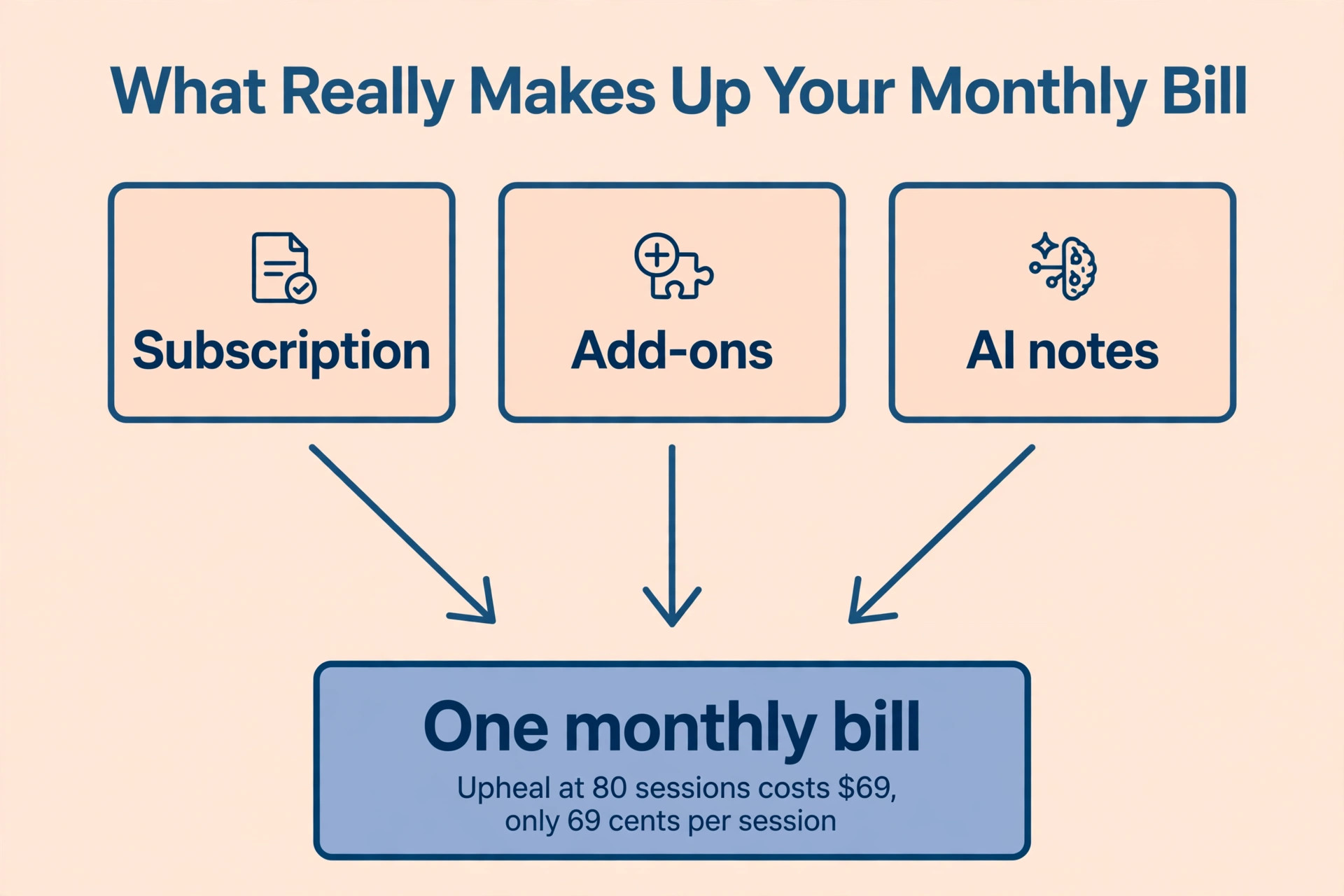
Then set the budget per session, not per month. A practice that sees eighty sessions a month and pays 69 dollars a month for software pays less than a dollar per session, which is cheap. A practice that sees twenty sessions a month and pays the same 69 dollars pays more than three dollars per session, which is not. The per session cost is the honest number, and it decides whether the tool is affordable at the size the practice actually is.
Finally, check the compliance that the practice cannot skip. The software must sign a Business Associate Agreement, it must store data in a way that meets HIPAA, and it must let the practice export the notes at any time. A tool that will not sign a BAA is not an option for a therapy practice, no matter how good the notes look. The compliance check comes first, because a tool that fails it is not a tool at all.
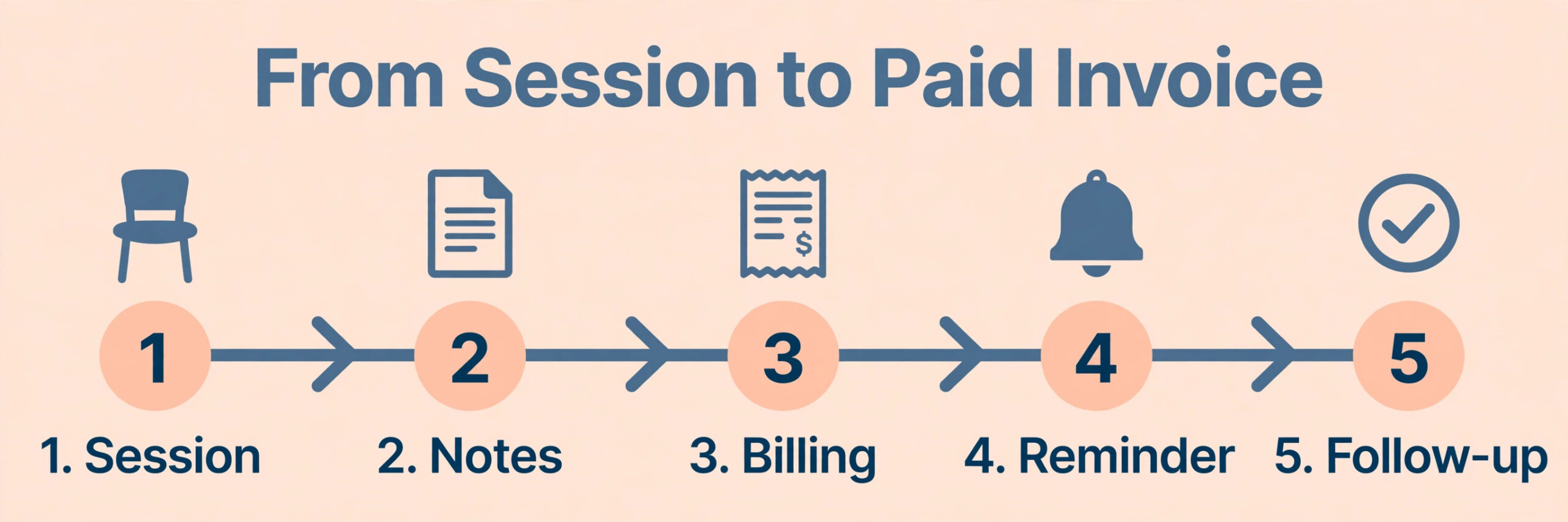
How to Choose Therapy Notes Software for a Small Practice, Step by Step
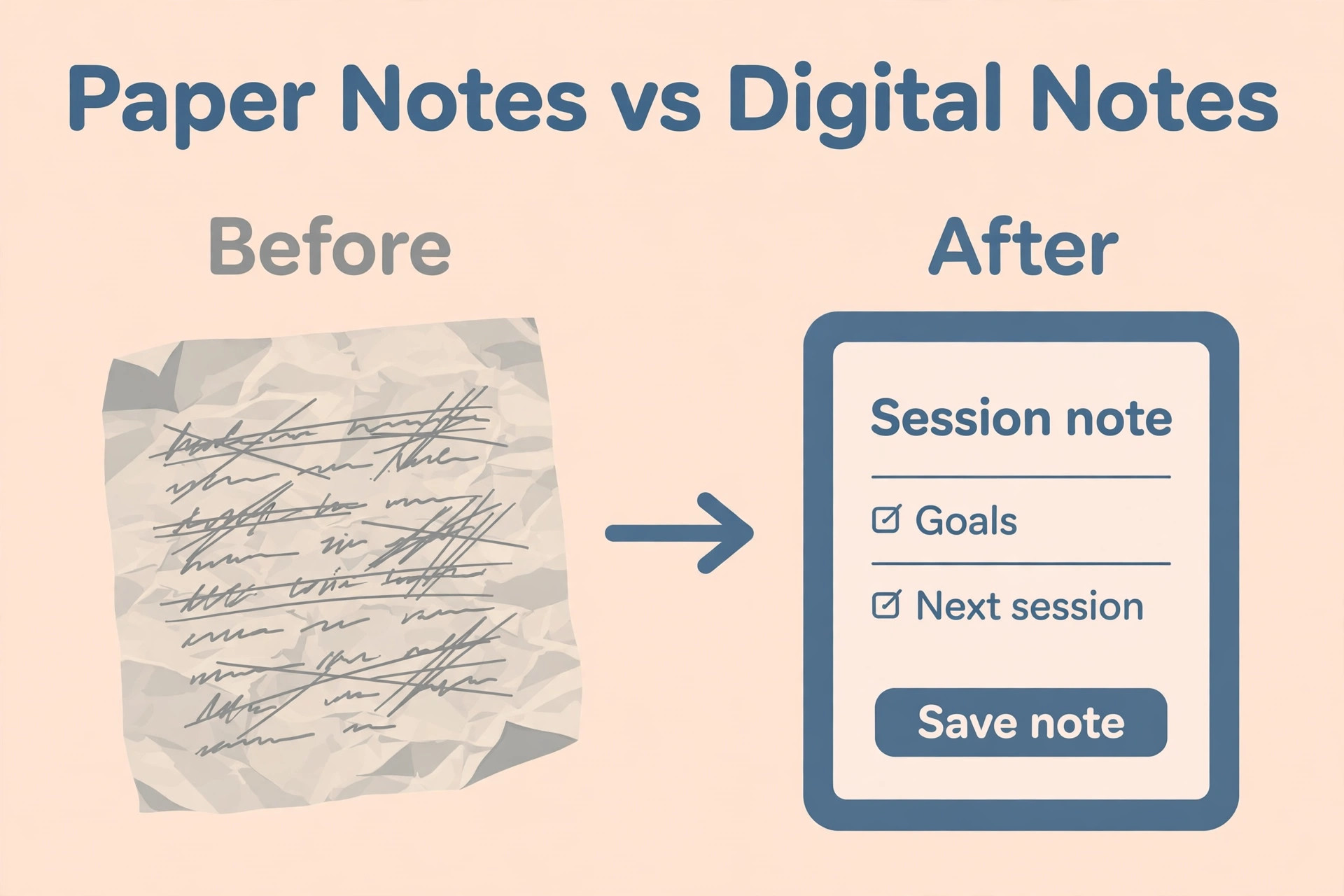
1. Confirm HIPAA and the BAA First
Ask the vendor for a Business Associate Agreement before the trial, not after it. The BAA is the document that makes the vendor responsible for protecting the client data, and a vendor that will not sign one is telling the practice that the data is not protected. The agreement should cover where the data is stored, who can access it, and what happens if there is a breach. A practice that trials a tool without a BAA has already put client data at risk.
Check the security features that the BAA depends on. The software must encrypt the data in transit and at rest, it must offer two factor authentication, and it must log who accessed which record and when. The audit log is the feature that matters most when a record is requested, because it proves who saw what. A tool without an audit log is a tool that cannot prove its own security, and that is a problem the practice will only discover when it is too late.
Check the data export before the trial ends, because the export is the exit. The tool must let the practice export every note, every client and every document in a readable format, and the export must be tested with real data, not promised in a sales call. A practice that can export its notes can leave a tool that stops working for it, and a practice that cannot export is locked in. The export test takes an hour, and it is the most important hour in the whole decision.
2. Pick Your Note Format
Decide which note format the practice uses, and check that the tool supports it properly. SOAP notes separate the subjective report, the objective findings, the assessment and the plan. DAP notes use data, assessment and plan. BIRP notes use behaviour, intervention, response and plan. The tool must have a template for the format the practice uses, and the template must be editable, because every practice writes notes slightly differently.
Test the template with a real note, not with the demo. Write a note from a real session, or from a remembered one, and time how long it takes. A template that fits will take ten minutes. A template that fights the therapist will take twenty, and the extra ten minutes, eight times a day, is more than an hour of unpaid work. The trial note is the cheapest test in this whole decision, and it answers the only question that matters, which is whether the therapist can write fast in this tool.
3. Test the Billing Workflow
Run a billing cycle in the trial, from the note to the claim to the payment. Write the note, generate the claim, submit it, and check that the payment arrives against the right client and the right session. The billing workflow is where most tools fail, because the note and the claim are often built by different teams, and the handover between them is where the errors hide. A tool that bills cleanly will save the practice more time than a tool that writes notes quickly.
Check the claim denial rate the tool reports, and check the clearinghouse it uses. A tool that submits claims to a clearinghouse with a high first pass rate will get the practice paid faster, and a tool that flags errors before submission will stop the denials before they happen. Ask the vendor for the first pass rate, and ask which clearinghouse they use. A vendor that cannot answer either question is a vendor that does not know its own billing.
Check the superbills and the patient statements, because they are the documents the client actually sees. A superbill must list the session, the diagnosis code, the procedure code and the amount paid, and a patient statement must show what is owed and what was paid. A tool that produces a clean superbill will save the practice the phone calls from clients who cannot read their bill, and a tool that produces a confusing one will generate those calls every week.
4. Check Telehealth and the Client Portal
Check whether telehealth is built in or bought separately. A practice that does half its sessions by video needs telehealth inside the same tool, because switching between a video app and the notes app wastes time and breaks the record. The built in video must be HIPAA compliant, and it must let the therapist share the screen and send documents during the session. A tool that charges extra for telehealth is a tool whose price is higher than the headline.
Check the client portal, because it is where the client fills in the intake forms, signs the consent, and sees the appointment. The portal must be easy for a client to use on a phone, because most clients will open it on a phone. A portal that is hard to use will generate phone calls, and a phone call to explain a portal is a phone call the practice did not need. Test the portal as a client would, from a phone, and see how long it takes to complete an intake form.
Price the add ons together, because the headline price rarely includes everything. Telehealth, the client portal, reminders and document storage are often separate charges, and a tool that costs 49 dollars a month on the headline can cost 99 dollars a month once the add ons are counted. Ask the vendor for the total price for the practice as it is today, with every feature the practice needs switched on, and get it in writing before the trial ends.
5. Price the AI Notes
Price the AI note writer separately, because it is a new cost and it is priced per session. Upheal charges 1 dollar per session, capped at 69 dollars a month. Mentalyc starts at 14.99 dollars a month, and Freed starts at 39 dollars a month. A practice that sees eighty sessions a month will pay 69 dollars a month for Upheal at the cap, which is less than a dollar per session, while a practice that sees twenty sessions will pay 20 dollars a month, which is a dollar per session. The maths changes with the volume, so work it out for the practice as it is.
Test the AI notes with a real session, and check the accuracy yourself. The AI listens to the session, or reads the transcript, and drafts the note in the format the practice uses. The draft must be checked and edited by the therapist, because the AI can miss a detail or phrase a finding badly, and the therapist is responsible for the note that is signed. A practice that signs an AI note without reading it is a practice that has given away its clinical judgment. The AI saves time, and the time it saves is the editing time, not the thinking time.
6. Run a Two Week Trial
Run the trial for two full weeks, with real clients and real notes. One week is not enough, because the first week is learning and the second week is the real test. Enter every session, write every note, submit every claim, and run every telehealth session through the trial tool. The paper or the old tool stays as the backup, and the trial is judged at the end of the second week, not the first.
Measure the trial in numbers. Time the notes, count the claim denials, count the phone calls about the portal, and ask every clinician whether they would keep the tool. A tool that saves ten minutes per note, eight times a day, saves more than an hour a day, and that is the number that decides the choice. A tool that is liked but slow is a tool that will be hated in three months, when the novelty wears off and the minutes add up.
Compare the two weeks against each other, because the second week is the honest one. The first week is learning, and every tool looks slow in the first week. The second week shows the real speed, the real denial rate and the real portal calls. A tool that is faster in week two than in week one is a tool the team is learning, and a tool that is still slow in week two is a tool that is wrong. Judge the trial on the second week, and ignore the first.
7. Decide on the Per Session Cost
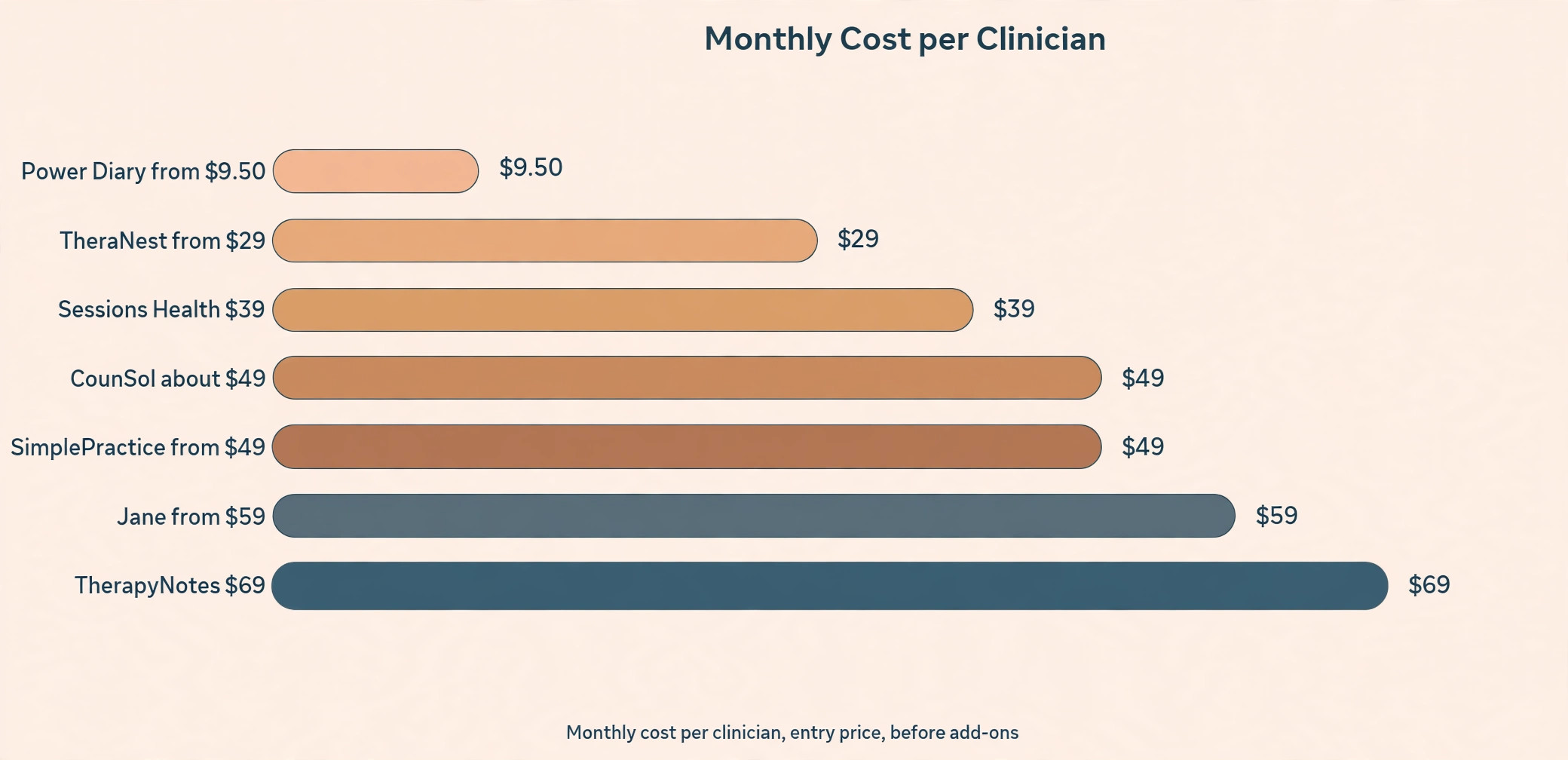
Work out the per session cost for each tool, and decide on that number. Take the monthly price, add the telehealth and the AI notes, and divide by the sessions per month. SimplePractice costs 49 to 99 dollars a month, TherapyNotes costs 69 dollars a month for a solo practice, TheraNest costs 29 to 89 dollars a month, Jane costs 59 to 99 dollars a month, and Power Diary starts at 9.50 dollars a month. Sessions Health is free for one clinician and 39 dollars a month for more, TherapyAppointment costs 10 to 59 dollars a month, and CounSol costs about 49 dollars a month.
Pick the tool whose per session cost the practice can afford at its quietest month, not its busiest. A practice that sees forty sessions in a quiet month and eighty in a busy month should price the tool at forty sessions, because the quiet month is when the bill hurts. A tool that costs two dollars per session in a busy month and four dollars in a quiet month is a tool that the practice can afford all year. The per session cost is the decision, and the monthly price is only the way it is billed.
Therapy Notes Software Compared
The table below shows the main tools, their starting prices, and what each one is best at. The prices are the starting prices for a solo practice, and most tools charge more for more clinicians, for telehealth, and for AI notes. The right pick is the one whose per session cost fits the practice, and whose note template fits the therapist.
| Tool | Starting price | Best for |
|---|---|---|
| SimplePractice | 49 to 99 dollars a month | All in one practice management |
| TherapyNotes | 69 dollars a month solo | Notes and billing together |
| TheraNest | 29 to 89 dollars a month | Small practices on a budget |
| Jane | 59 to 99 dollars a month | Practices that want a clean interface |
| Power Diary | From 9.50 dollars a month | Lowest entry price |
| Sessions Health | Free solo, 39 dollars a month | Solo clinicians starting out |
| TherapyAppointment | 10 to 59 dollars a month | Practices that want simple billing |
| CounSol | About 49 dollars a month | Practices that want an all in one |
Per Session Cost Worked Example
The per session cost is the number that decides the choice, and the table below works it out for a practice that sees sixty sessions a month. The cost includes the software and the AI notes, because a practice that uses AI notes must count them in the price. A tool that looks cheap on the monthly price can be the most expensive per session, and a tool that looks expensive can be the cheapest.
The example below is for a practice that sees sixty sessions a month and uses Upheal for AI notes at 1 dollar per session, capped at 69 dollars a month. At sixty sessions, Upheal costs 60 dollars a month, so the AI notes add a dollar to every session. A practice that sees twenty sessions a month pays 20 dollars a month for Upheal, which is still a dollar per session, while a practice that sees a hundred sessions pays the 69 dollar cap, which is 69 cents per session. The cap is the reason high volume practices pay less per session.
| Tool | Monthly price | Plus AI notes | Cost per session |
|---|---|---|---|
| Power Diary | 9.50 dollars | 69.50 dollars | 1.16 dollars |
| TheraNest | 29 dollars | 89 dollars | 1.48 dollars |
| Sessions Health | 39 dollars | 99 dollars | 1.65 dollars |
| SimplePractice | 49 dollars | 109 dollars | 1.82 dollars |
| CounSol | 49 dollars | 109 dollars | 1.82 dollars |
| Jane | 59 dollars | 119 dollars | 1.98 dollars |
| TherapyNotes | 69 dollars | 129 dollars | 2.15 dollars |
| SimplePractice top tier | 99 dollars | 159 dollars | 2.65 dollars |
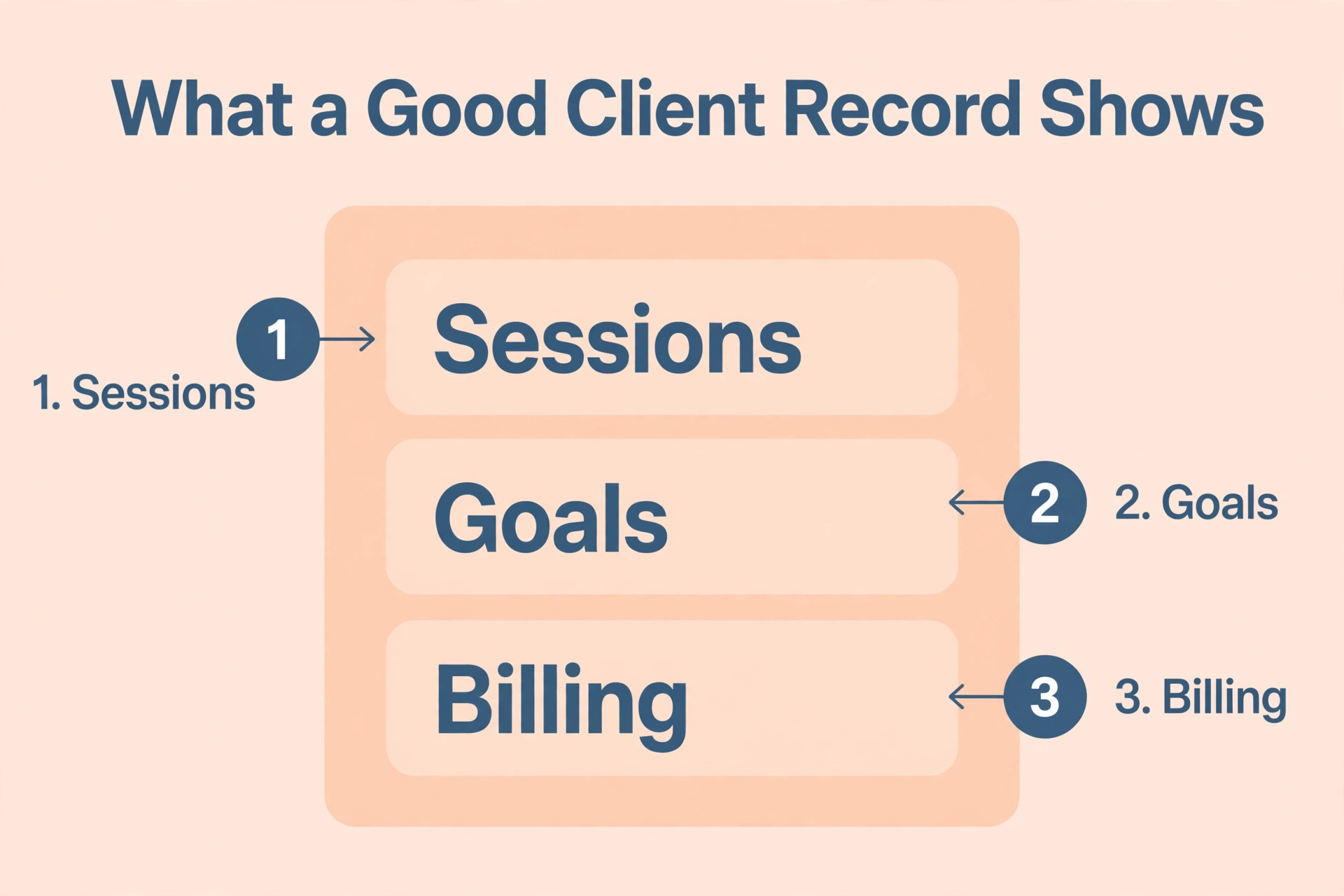
The Decision Checklist
Print this checklist and work through it for each tool in the trial. Every item has a finish line, and the practice ticks it off when the finish line is met. The checklist is the whole decision on one page, and a practice that works through it in order will not pick a tool that fails in month three.
| Item | Done when |
|---|---|
| BAA signed | Vendor sends the agreement in writing |
| Note format fits | A real note takes ten minutes or less |
| Billing tested | A claim goes from note to payment |
| Telehealth tested | A video session runs inside the tool |
| Client portal tested | An intake form is done from a phone |
| AI notes tested | A draft note is checked and edited |
| Trial run for two weeks | Real clients and real notes only |
| Per session cost worked out | Priced at the quietest month |
| Export tested | Notes export in a readable format |
| Team agrees | Every clinician would keep the tool |
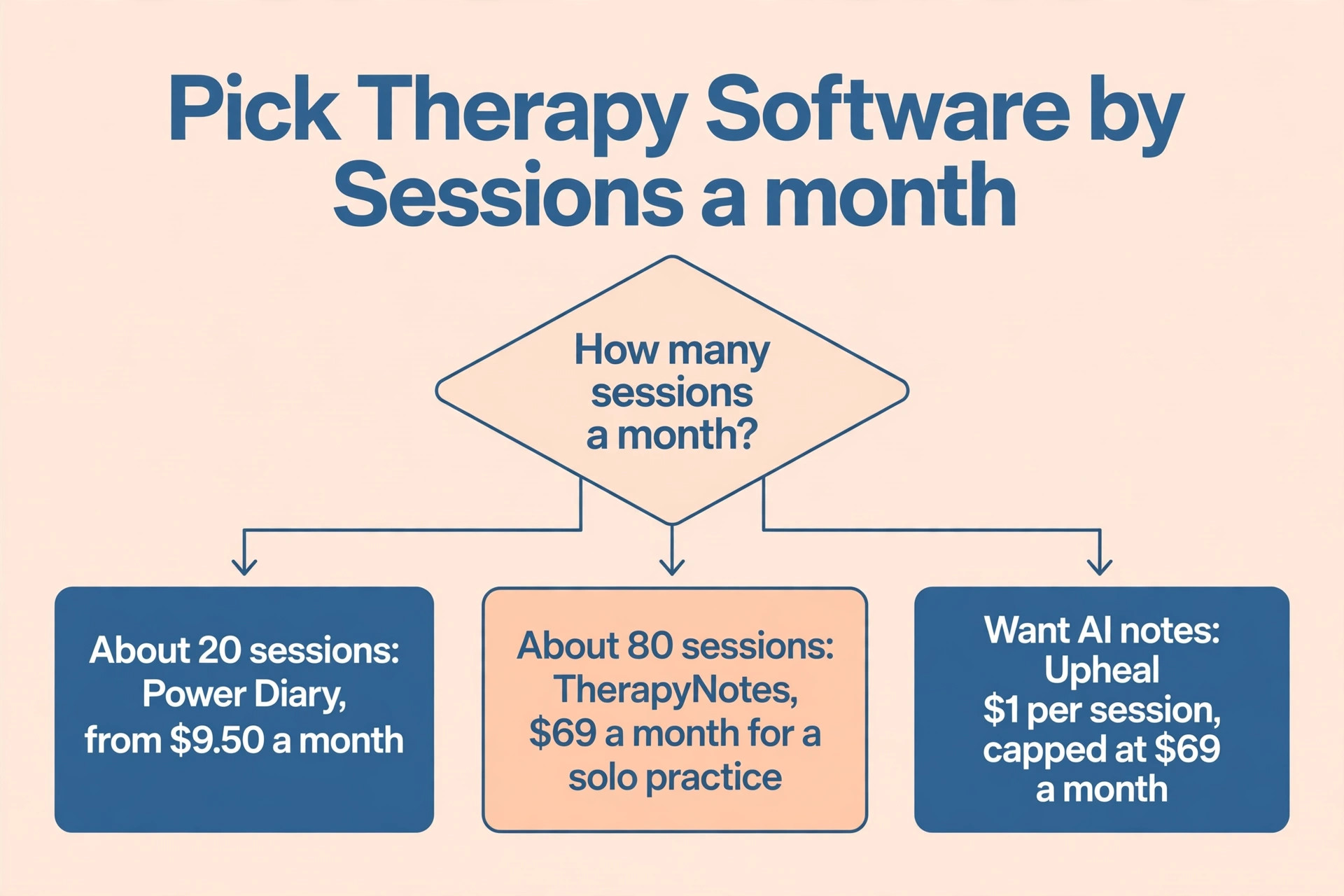
What AI Notes Really Cost
AI notes are priced per session, and the cost depends on the volume. Upheal charges 1 dollar per session, capped at 69 dollars a month, so a practice that sees eighty sessions pays 69 dollars, not 80. Mentalyc starts at 14.99 dollars a month, and Freed starts at 39 dollars a month, and both charge more for more sessions or more clinicians. The AI note is a draft, and the therapist must check and edit it, so the saving is the typing time, not the thinking time.
The value of the AI note is the time it returns. A therapist who saves ten minutes per note, six times a day, saves an hour a day, and an hour a day is five hours a week. At the price of the AI tool, that hour costs a few dollars, which is the cheapest hour the practice will ever buy. The risk is a therapist who signs the draft without reading it, and the fix is a rule that every AI note is read and edited before it is signed.
The other cost is the review time, and it must be counted honestly. An AI draft that takes five minutes to check and edit saves five minutes against a note written from scratch, while a draft that takes fifteen minutes to fix saves nothing. The trial must measure the review time, not just the writing time, because a draft that is fast to write and slow to fix is a draft that costs more than it saves. A practice that measures both will know whether the AI tool is worth the price.
Mistakes That Waste a Year
The first mistake in how to choose therapy notes software for a small practice is choosing on price alone. A tool that costs 9.50 dollars a month and takes twenty minutes per note is more expensive than a tool that costs 69 dollars a month and takes ten minutes, because the time is worth more than the subscription. Price the tool per session, and price the time it saves, before looking at the monthly number.
The second mistake is trialling with demo data. A tool that feels fast with three demo clients will feel slow with three hundred real ones, and a template that looks good empty will look different when it holds a real session. Trial with real clients, real notes and real claims, for two full weeks, and judge the tool on the second week, not the first. A trial that uses demo data is a trial that proves nothing.
The third mistake is forgetting the export. A practice that cannot export its notes is a practice that is locked into a tool, and a tool that will not let the notes out is a tool that owns the practice. Test the export before signing, and check that the notes come out in a readable format with the client name, the date and the full text. A practice that can leave can negotiate, and a practice that cannot leave will pay whatever the vendor asks.
Our Verdict
How to choose therapy notes software for a small practice comes down to three numbers, the minutes per note, the claim denial rate, and the cost per session. The tool that writes notes fastest, bills cleanest and costs least per session is the tool to pick, and the trial is the only way to measure all three. The two week trial with real clients is the decision, and everything before it is preparation.
Start this week with the compliance check, because it is free and it removes the tools that cannot be used. Ask for the BAA, check the audit log, and list the jobs the software must do. Then trial two tools for two weeks each, with real notes and real claims, and pick the one whose per session cost fits the quietest month. A practice that follows this order will pick once, and will still be happy with the pick in two years.
Frequently Asked Questions
How do I choose therapy notes software for a small practice?
Start with the compliance check, then trial two tools for two weeks each with real clients, real notes and real claims. Measure the minutes per note, the claim denial rate and the cost per session, and pick the tool that is fastest, cleanest and cheapest per session. Price the tool at the quietest month, not the busiest.
What is the best therapy notes software for a solo practice?
SimplePractice suits a solo practice that wants an all in one tool, TherapyNotes suits a solo practice that wants notes and billing together, and Sessions Health is free for one clinician. Power Diary starts at 9.50 dollars a month, which is the lowest entry price. Trial two of them with real notes before deciding.
Does the software need to be HIPAA compliant?
Yes. The software must sign a Business Associate Agreement, encrypt the data, offer two factor authentication, and log who accessed which record. A tool that will not sign a BAA is not an option for a therapy practice, no matter how good the notes look.
What note formats should the software support?
The software should support the format the practice uses, whether that is SOAP, DAP or BIRP, and the template must be editable. Test the template with a real note, and time how long it takes. A template that fits takes ten minutes, and a template that fights the therapist takes twenty.
How much do AI notes cost?
Upheal charges 1 dollar per session, capped at 69 dollars a month. Mentalyc starts at 14.99 dollars a month, and Freed starts at 39 dollars a month. The AI note is a draft that the therapist must check and edit, so the saving is the typing time, not the thinking time.
How do I work out the per session cost?
Take the monthly price, add the telehealth and the AI notes, and divide by the sessions per month. A practice that sees sixty sessions a month and pays 49 dollars a month for SimplePractice plus 60 dollars for AI notes pays 1.82 dollars per session. Price the tool at the quietest month, not the busiest.
Can I export my notes if I leave?
That depends on the tool, and it must be tested before signing. Check that the notes export in a readable format with the client name, the date and the full text. A tool that will not let the notes out is a tool that owns the practice, and a practice that can leave can negotiate.
Ask for the BAA this week, trial two tools with real notes and real claims, and the right pick will show itself in the numbers in the second week of the trial for your practice.
That is the short answer on how to choose therapy notes software for a small practice for most small businesses.
If you only remember one thing about how to choose therapy notes software for a small practice, make it the total yearly cost, not the monthly sticker price.