A tattoo studio lives or dies on its booking book. A phone that rings during a session, a direct message that gets answered three days late, and a client who books and never shows, each one costs money, and each one is a problem that online booking solves. Learning how to set up online booking for a tattoo studio is the fastest way to fix all three at once. The studio that takes bookings online fills the quiet hours, collects deposits before the session, and sends reminders that clients actually read.
The risk is not the software, it is the setup. A booking page with the wrong durations, no deposit, and no consent form will create more work than the phone ever did. A client who books a full sleeve in a one hour slot, or a client who books with the wrong artist, or a client who arrives without the consent form, each one is a booking that has to be fixed by hand. The setup has to match the way the studio actually works.
This guide shows how to set up online booking for a tattoo studio, step by step, from the choice between request booking and direct booking to the day the first client books without calling. It covers the tools, the deposits, the consent forms, the artist calendars and the reminders, with real prices and a launch checklist. A studio can be live in a week, and the phone can finally stay quiet during a session.
Before You Pick a Tool, Decide How Booking Works
Decide whether clients book directly or request a time. Direct booking lets the client pick a slot and pay the deposit in one go, which suits flash days, walk in style work and small pieces. Request booking lets the client ask for a time and the artist confirms it, which suits large custom pieces, cover ups and work that needs a consultation first. Most studios use both, direct booking for flash and small work, request booking for custom and large work.
List the services, the durations and the prices before touching any software. A small tattoo takes an hour, a medium piece takes two to three hours, a large piece takes a full day, and a consultation takes thirty minutes. Each service needs a duration that includes the setup and the clean up, not just the needle time, because a one hour booking that needs thirty minutes of setup is really a ninety minute booking. Write the list on paper first, because the software will ask for it, and a wrong duration is the most common booking mistake.
Set the deposit policy before the first booking goes live. A deposit of 50 dollars or 25 percent of the session price is the standard, and it is collected at booking, not at the session. The deposit is non refundable when the client cancels late or does not show, and it is deducted from the session price when the client arrives. The policy must be written on the booking page, because a deposit that is not explained is a deposit that causes an argument.
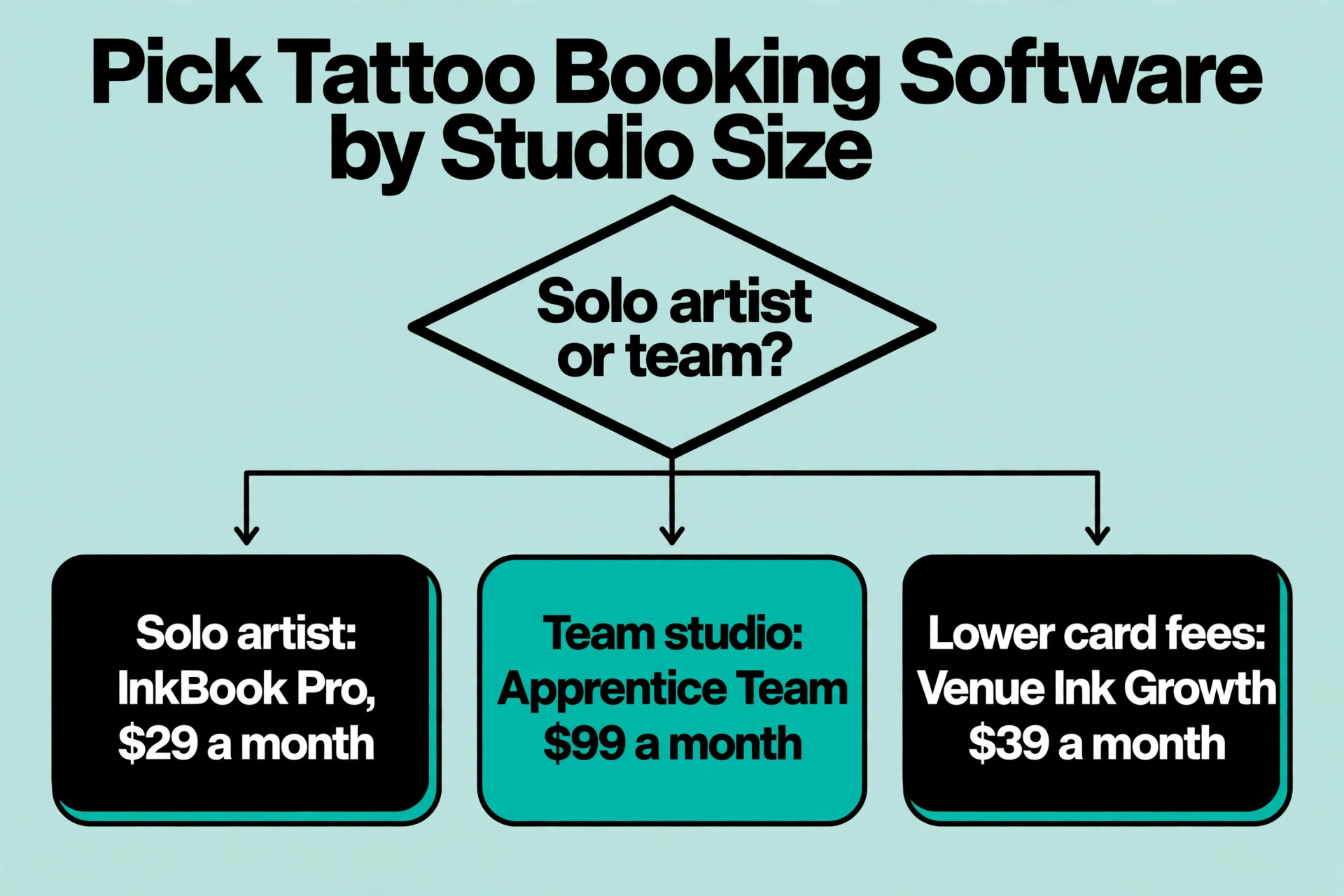
Check what the studio already uses, because the cheapest setup is usually the one that adds booking to a tool the studio already pays for. A studio on Square can add Square Appointments for free, a studio on Booksy already has booking built in, and a studio on InkBook or Apprentice has booking as part of the studio software. Buying a new tool for booking alone costs more than adding booking to the tool that is already there.
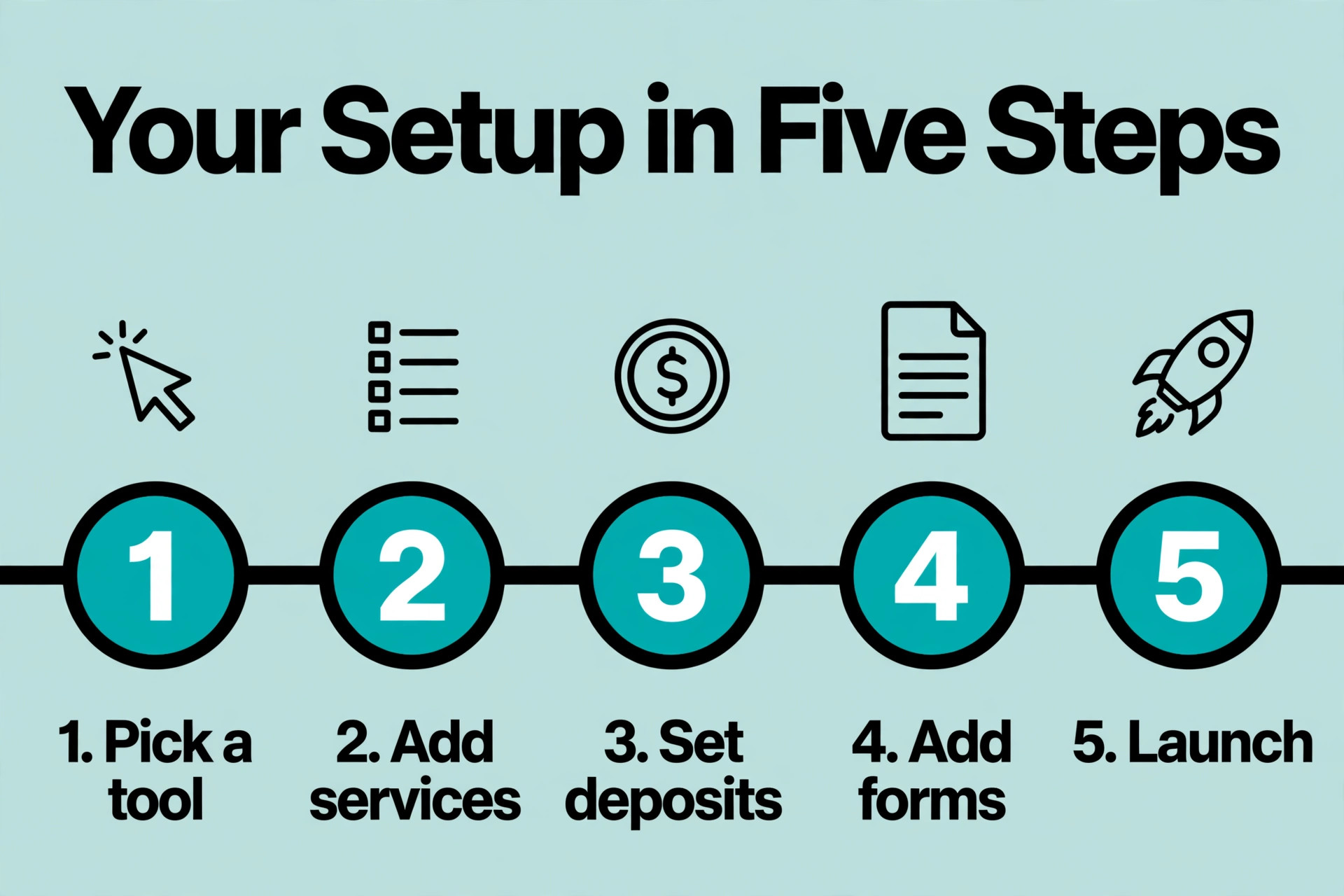
How to Set Up Online Booking for a Tattoo Studio, Step by Step
1. Choose Request Booking or Direct Booking
Choose direct booking for the work that needs no consultation. Flash designs, small tattoos, and repeat clients who know what they want can book a slot, pay the deposit, and arrive. The artist sees the booking in the calendar, the client gets a confirmation, and nobody spends time on the phone. Direct booking fills the quiet hours, because a client who sees an open slot on Tuesday afternoon can take it without waiting for a reply.
Choose request booking for the work that needs a conversation. A full sleeve, a cover up, a large custom piece, and any work on a sensitive area needs a consultation first, and the artist needs to see the reference images before confirming the time. The client sends the request with the images, the artist replies with a price and a time, and the booking is confirmed only when both sides agree. Request booking is slower, but it prevents the bookings that have to be cancelled later.
2. Pick the Booking Tool
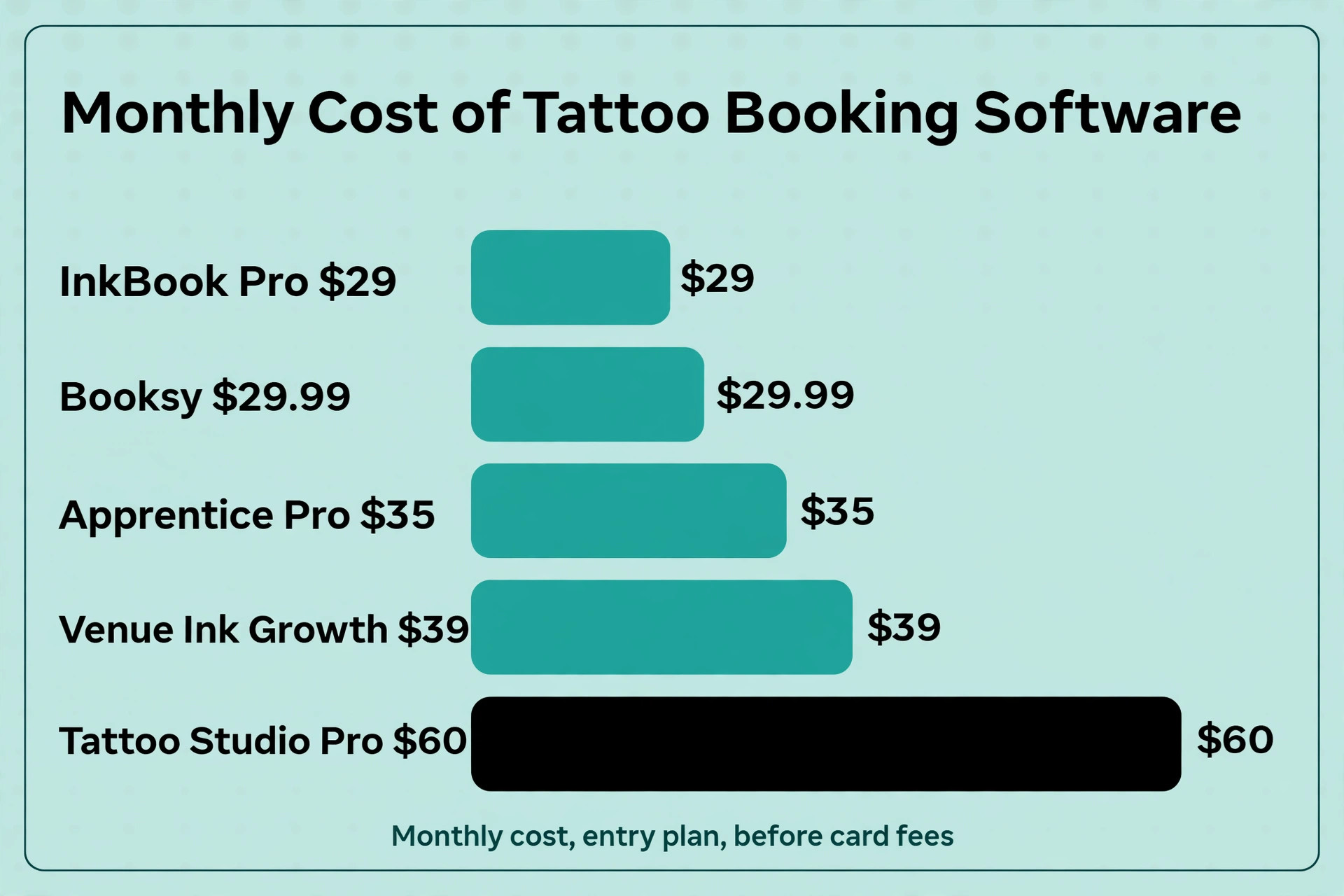
Pick the tool by the studio size and the price. Apprentice Pro costs 35 dollars a month when paid annually, and the Team plan costs 99 dollars a month. Venue Ink is free with a 10 percent card fee, Growth costs 39 dollars a month, and Pro costs 99 dollars a month. Booksy starts at 29.99 dollars a month, Tattoo Studio Pro starts at 60 dollars a month, and InkBook Pro costs 29 dollars a month, Growth costs 79 dollars a month, and Deluxe Growth costs 149 dollars a month. Square Appointments is free for a single location.
Trial the tool with a real booking before paying. Create a test client, book a one hour slot, pay the deposit, send the reminder, and cancel the booking, all in the trial. If any of those five jobs is awkward, the tool is wrong for the studio. The trial takes an afternoon, and it answers the only question that matters, which is whether the tool fits the way the studio works. A tool that is cheap but awkward will cost more in lost bookings than the expensive tool that works.
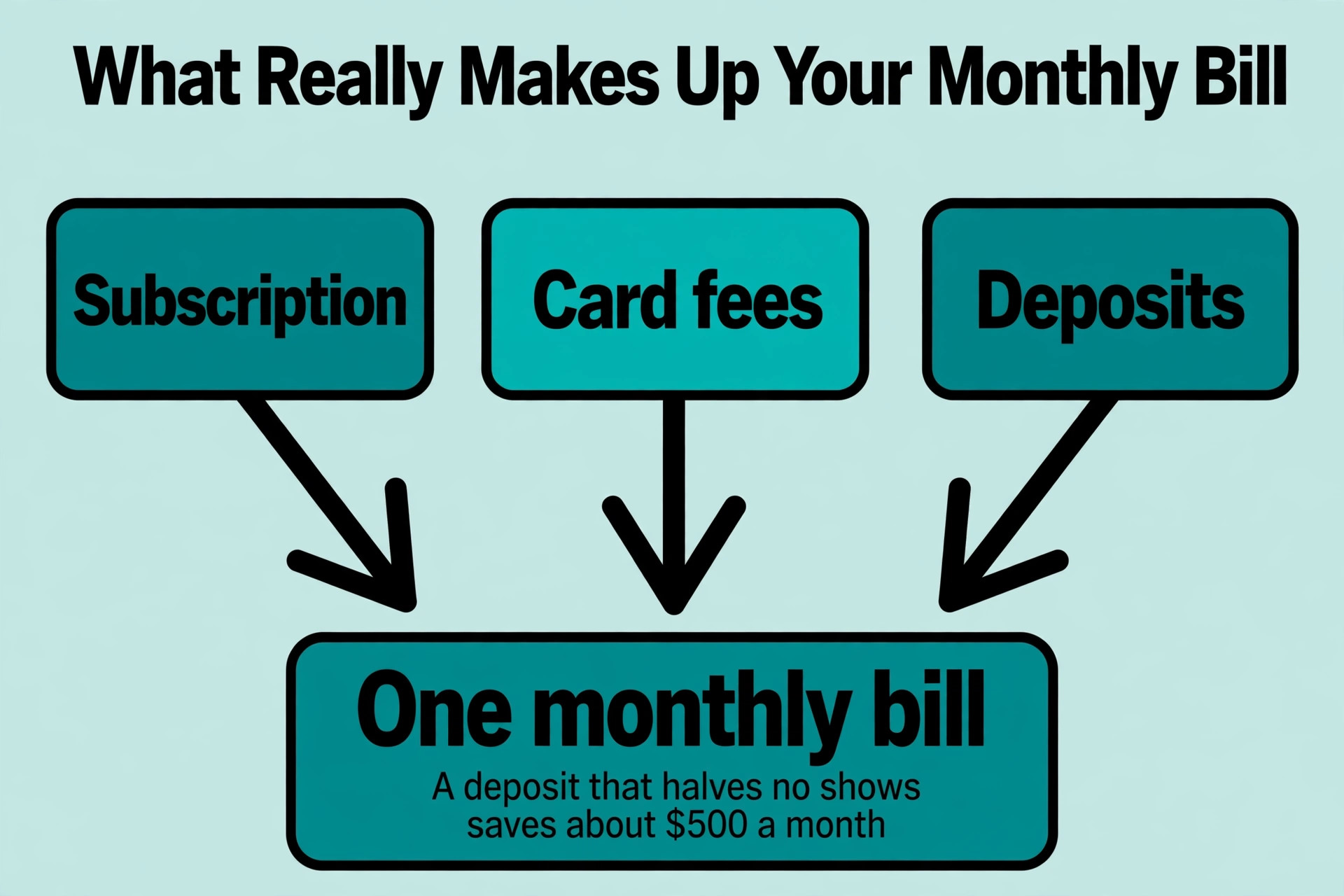
Check how the tool handles the deposit money, because the answer differs by tool. Some tools hold the deposit and pay it out with the session, some tools send it straight to the studio account, and some tools charge their own fee on top of the card fee. Venue Ink free takes 10 percent of card payments, which is the deposit and the session payment together, so the studio should work out what a 100 dollar deposit really costs before choosing the free plan. The deposit flow is in the trial, so test it with a real card.
3. Set Services, Durations and Prices
Enter every service with a name the client understands, a duration that includes setup and clean up, and a price that is either fixed or a starting price. A small tattoo is one hour and 100 dollars, a medium piece is two to three hours and 250 dollars, a large piece is a full day and 800 dollars, and a consultation is thirty minutes and free. A service with a vague name, such as tattoo session, will confuse the client, and a service with the wrong duration will break the calendar.
Add a buffer between bookings, because the studio needs time to clean, to set up, and to eat. A fifteen minute buffer after every session is the standard, and a thirty minute buffer after a long session is better. The buffer is set in the software, and it stops the calendar from booking two clients back to back with no time between them. A studio that skips the buffer will run late by noon, and the rest of the day will be a rush.
4. Set Deposits and Cancellation Rules
Set the deposit at 50 dollars or 25 percent of the session price, whichever is higher, and collect it at booking. The deposit is taken by card through the software, and it is held until the session. A client who arrives has the deposit deducted from the price. A client who cancels more than 48 hours before the session gets the deposit back, or can move it to a new date. A client who cancels later or does not show loses the deposit, and the policy says so on the booking page.
Write the cancellation policy in plain words on the booking page, not in the terms and conditions that nobody reads. The policy says the deposit amount, the cancellation window, and what happens to the deposit in each case. A client who reads the policy before booking will not argue about it later. A studio that hides the policy will spend more time arguing about deposits than it spends tattooing.
Test the deposit flow with a real card before launch. Book a test session, pay the deposit, cancel it inside the window, and confirm the refund arrives. Then book again, pay the deposit, cancel it outside the window, and confirm the deposit stays. The two tests prove the policy works the way it is written, and they take an hour. A studio that launches without testing the deposit flow discovers the problem when the first angry client calls about a refund that never arrived.
5. Build Consent and Aftercare Forms
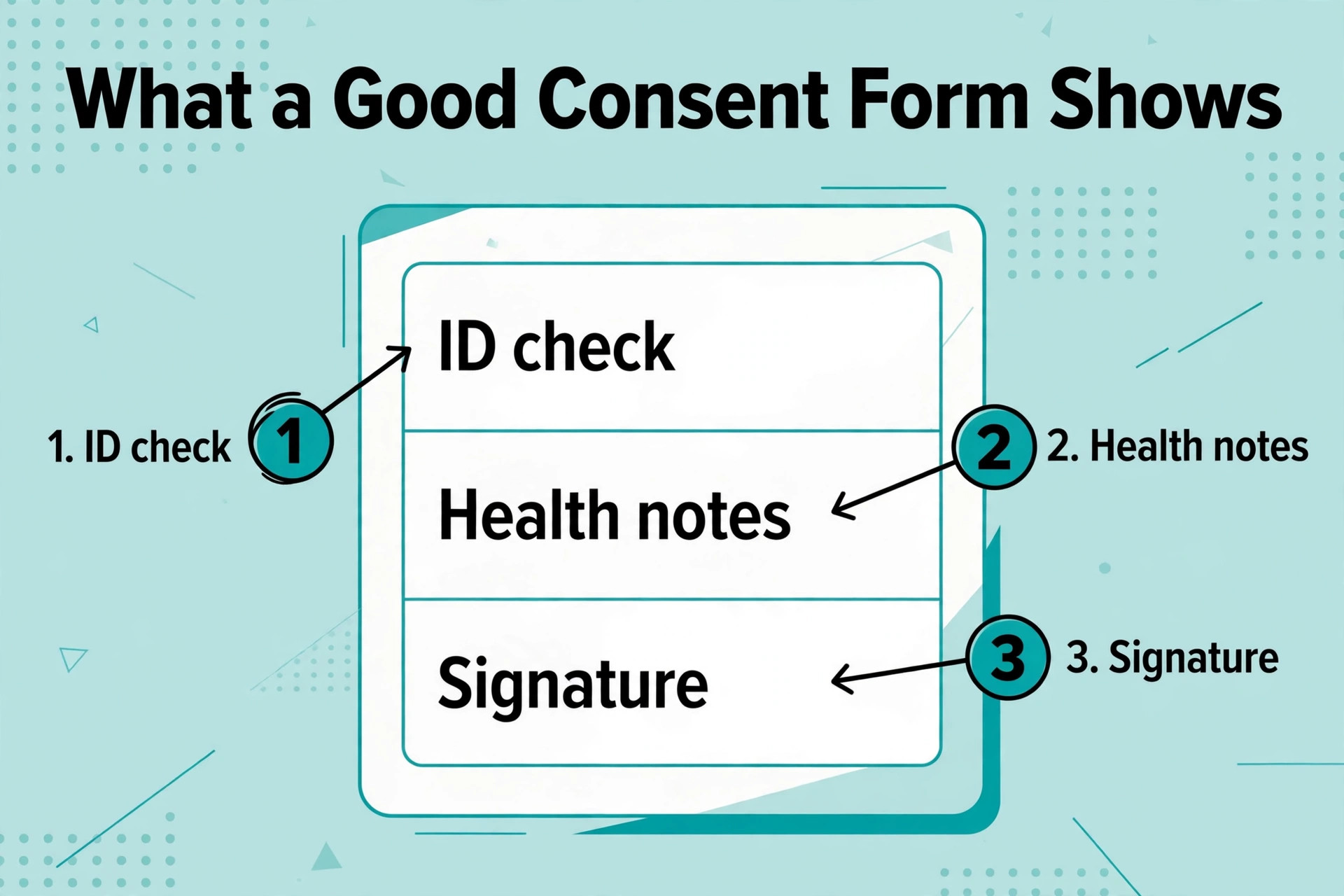
Build the consent form in the software, so the client signs it before the session, not in the chair. The form asks about allergies, medication, skin conditions, pregnancy, and previous tattoos, and it asks the client to confirm they are over eighteen and that they understand the risks. The signed form is stored with the booking, and the artist reads it before the session starts. A consent form signed in the chair wastes twenty minutes of needle time.
Build the aftercare instructions as an automatic message that goes to the client after the session. The message says how to clean the tattoo, what to avoid for two weeks, and when to come back for a touch up. The aftercare message is sent by the software, so the artist does not have to repeat the same instructions ten times a day. A client who gets the aftercare in writing is less likely to call the studio with a question that is already answered.
6. Set Up Artist Calendars and Buffers
Give each artist their own calendar, with their own working hours, their own days off, and their own services. An artist who works Tuesday to Saturday should not show open slots on a Monday, and an artist who does not do colour should not show colour services. The calendar is set per artist, and the client picks the artist first, then the service, then the time. A calendar that shows every artist for every service will create bookings that have to be moved.
Set the buffers per artist, because each artist works at a different speed. A fast artist needs fifteen minutes between sessions, a slow artist needs thirty, and an artist who does large pieces needs an hour after a full day session. The buffer is set in the calendar, and it is the difference between a day that runs on time and a day that runs two hours late. Check the buffers after the first week, and adjust them to match the real working speed.
7. Set Reminders and Follow Ups
Set three reminders for every booking. The first goes out a week before the session, and it asks the client to confirm. The second goes out a day before, and it reminds the client of the time, the deposit, and the consent form. The third goes out two hours before, and it is a short text with the time and the address. A client who gets three reminders is far less likely to forget, and the no show rate falls within a month.
Set a follow up message for the day after the session. The message asks how the tattoo is healing, reminds the client of the aftercare, and offers a touch up booking if needed. The follow up is sent by the software, and it is the cheapest marketing the studio has, because a client who feels looked after will book again and will tell a friend. A studio that never follows up loses the repeat booking to the studio that does.
Measure the no show rate every week after launch, because the number tells the studio whether the reminders and the deposit are working. Count the bookings, count the no shows, and divide the second by the first. A rate above ten percent means the deposit is too low or the reminders are too few, and a rate below three percent means the system is working. Adjust the deposit or add a reminder, wait a month, and measure again. The number is the only honest report the booking system gives.
8. Test a Real Booking and Launch
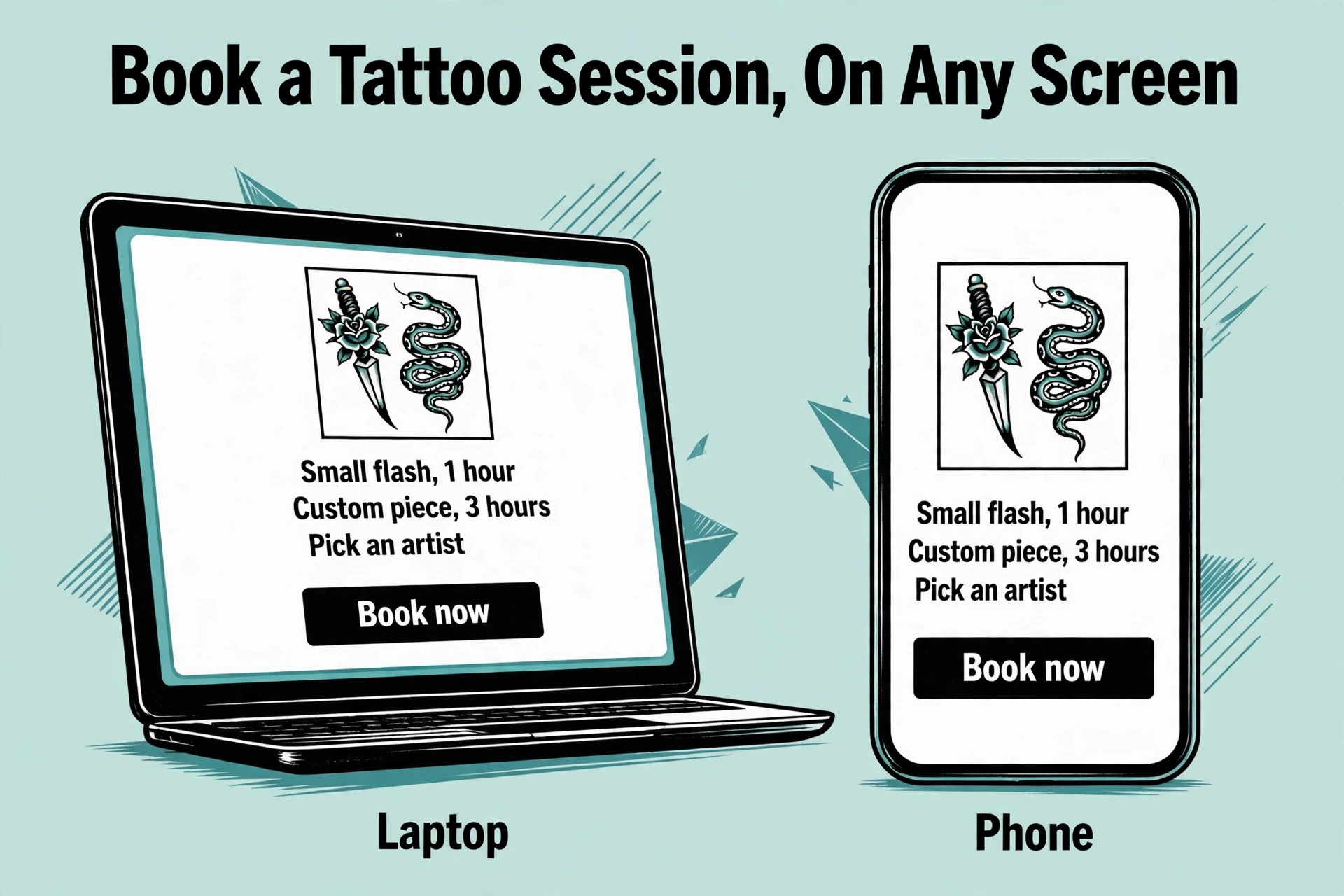
Test a real booking from a phone, not from a computer. A client books from a phone, so the test must be on a phone. Book a one hour slot, pay the deposit, sign the consent form, and cancel the booking, all from the phone. If any step is hard to find, or the text is too small, or the payment fails, fix it before launch. A booking page that is hard to use on a phone will lose half the bookings, because half the clients are on a phone.
Launch on a Monday, and tell every client about the booking page. Put the link on the studio website, on the social media profiles, and on the door. Send a message to the existing clients with the link, and offer a small incentive for the first online booking, such as a free aftercare product. The first week will have a few problems, and the studio fixes them as they appear. By the second week, the phone will be quiet during sessions, and the calendar will fill itself.
Request Booking vs Direct Booking
The choice between request and direct booking decides how the studio spends its time, and the table below shows the difference. Direct booking is faster for the client and for the studio, but it only works for the work that needs no consultation. Request booking is slower, but it prevents the bookings that have to be cancelled. Most studios use both, and the table shows which work belongs in each column.
| Work type | Booking type | Why |
|---|---|---|
| Flash designs | Direct | No consultation needed |
| Small tattoos | Direct | Fixed price and duration |
| Repeat clients | Direct | Client knows what they want |
| Large custom pieces | Request | Needs a consultation |
| Cover ups | Request | Artist must see the old tattoo |
| Sensitive areas | Request | Needs a discussion first |
| Full day sessions | Request | Needs a price agreed in advance |
| Consultations | Direct | Thirty minutes and free |
What the Setup Costs in the First Month
The first month costs the subscription plus the card fees on the deposits, and the table below shows the numbers for a studio with three artists. The subscription is the fixed cost, and the card fee is the variable cost, because every deposit paid by card costs a percentage. A studio that collects deposits on every booking will pay more in card fees, and will also have fewer no shows, so the fees pay for themselves.
| Tool | Monthly cost | Best for |
|---|---|---|
| Square Appointments | Free | Single location studios |
| Apprentice Pro | 35 dollars a month annual | Studios that want client records |
| Venue Ink free | Free plus 10 percent card fee | Studios starting out |
| Venue Ink Growth | 39 dollars a month | Studios that want lower card fees |
| Booksy | 29.99 dollars a month | Studios that want a marketplace |
| InkBook Pro | 29 dollars a month | Studios that want deposits and forms |
| Tattoo Studio Pro | 60 dollars a month | Studios that want a full studio system |
The One Page Launch Checklist
Print this checklist and work through it before the first client books. Every item has a finish line, and the studio ticks it off when the finish line is met. The checklist is the whole setup on one page, and a studio that works through it in order will not launch with a broken booking page.
| Item | Done when |
|---|---|
| Booking type chosen | Direct and request both set |
| Tool chosen | Trial done with a real booking |
| Services entered | Every service has a duration and a price |
| Deposits set | 50 dollars or 25 percent, collected at booking |
| Cancellation policy written | Policy is on the booking page |
| Consent form built | Client can sign before the session |
| Aftercare message built | Message sends after the session |
| Artist calendars set | Each artist has their own hours |
| Buffers set | Fifteen minutes after every session |
| Reminders set | Three reminders per booking |
| Test booking done | Booking tested from a phone |
| Launch announced | Link is on the website and the door |
The First Month After Launch
The launch is not the end of the setup, it is the start of the tuning. The first month shows which services are booked, which artists are full, which reminders are ignored, and which deposits are disputed. The table below shows what to check each week, and what to fix when the check fails. A studio that checks weekly will have a smooth booking book by week four, and a studio that never checks will still be fixing the same problems in month three.
| Week | Check | Fix if it fails |
|---|---|---|
| 1 | Bookings come in from the page | Fix the link on the website and the door |
| 1 | Deposits arrive by card | Test the payment flow again |
| 2 | No shows fall below ten percent | Raise the deposit or add a reminder |
| 2 | Consent forms arrive signed | Move the form earlier in the flow |
| 3 | Artists run on time | Lengthen the durations or the buffers |
| 3 | Clients book the right artist | Simplify the artist choice on the page |
| 4 | Repeat bookings appear | Send the follow up message sooner |
| 4 | Phone calls fall | Put the link on every profile |
Deposits and No Shows
A deposit is the single best tool against no shows, and it is the first thing to set up in how to set up online booking for a tattoo studio, because a client who has paid 50 dollars is far more likely to arrive. Businesses that use deposits see a 32 percent increase in successful appointments, according to GlossGenius, and the same logic applies to tattoo studios, where a deposit turns a maybe into a commitment. The deposit is not a punishment, it is a filter, and it filters out the clients who were never going to arrive.
The no show rate falls within a month of launching deposits, and the studio can measure it. Count the no shows in the month before launch, then count them in the month after, and the difference is the value of the deposit. A studio with ten no shows a month at 100 dollars a session loses 1,000 dollars a month, and a deposit that cuts that in half saves 500 dollars a month, which is more than the cost of any tool on this page.
Mistakes That Break the Booking Book
The first mistake in how to set up online booking for a tattoo studio is setting the wrong durations. A one hour booking that needs thirty minutes of setup and clean up is really a ninety minute booking, and the calendar that books it as one hour will run late by noon. Set the duration to include the setup, the clean up and the buffer, and the day will run on time.
The second mistake is launching without a deposit. A booking with no deposit is a booking that can be forgotten, and a client who books three studios and shows up at one is a client who costs the studio a slot. The deposit is set before launch, it is collected at booking, and it is written on the booking page. A studio that launches without a deposit will add one within a month, after the first week of no shows.
The third mistake is never testing the booking page on a phone. A client books from a phone, and a booking page that is hard to use on a phone will lose half the bookings. Test every step from a phone, from the service list to the deposit payment to the consent form, and fix what is hard to find. A studio that tests on a computer and launches on a phone will wonder why the bookings never come.
Our Verdict
How to set up online booking for a tattoo studio is a one week project, not a one month project, and the studios that succeed treat it that way. They decide the booking type first, they list the services and the durations on paper, they set the deposit before launch, and they test the whole flow from a phone. The phone stays quiet during sessions, the calendar fills itself, and the no show rate falls within a month.
Start this week with the service list, because it is free and it decides everything else. Write down the services, the durations and the prices, then pick the tool that fits the list. The booking page goes live on Monday, and the first client who books without calling is the proof the setup worked.
Frequently Asked Questions
How long does it take to set up online booking for a tattoo studio?
A studio can be live in a week when it follows the steps in this guide on how to set up online booking for a tattoo studio. The service list takes an afternoon, the tool trial takes an afternoon, the deposits and forms take a day, and the test booking takes an hour. The launch is on a Monday, and the first week will have a few problems that the studio fixes as they appear.
Should clients book directly or request a time?
Direct booking suits flash designs, small tattoos and repeat clients, because the work needs no consultation. Request booking suits large custom pieces, cover ups and sensitive areas, because the artist needs to see the reference images first. Most studios use both.
How much deposit should a tattoo studio charge?
The standard is 50 dollars or 25 percent of the session price, whichever is higher, collected at booking by card. The deposit is deducted from the session price when the client arrives, and it is lost when the client cancels late or does not show. The policy must be written on the booking page.
What is the cheapest booking tool for a tattoo studio?
Square Appointments is free for a single location, and Venue Ink is free with a 10 percent card fee. Apprentice Pro costs 35 dollars a month when paid annually, InkBook Pro costs 29 dollars a month, and Booksy starts at 29.99 dollars a month. The cheapest setup is usually the tool the studio already pays for.
Do I need consent forms in the booking flow?
Yes. The client should sign the consent form before the session, not in the chair, because a form signed in the chair wastes twenty minutes of needle time. The form asks about allergies, medication, skin conditions and previous tattoos, and it is stored with the booking.
How do I stop no shows?
Collect a deposit at booking and send three reminders, one a week before, one a day before, and one two hours before the session. A client who has paid a deposit and received three reminders is far less likely to forget. Businesses that use deposits see a 32 percent increase in successful appointments, according to GlossGenius.
Can each artist have their own calendar?
Yes. Every tool on this page lets each artist have their own calendar, with their own working hours, days off and services. The client picks the artist first, then the service, then the time. Set the buffers per artist, because each artist works at a different speed.
Write the service list this week, pick the tool, and the first client will book without calling, and the phone will stay quiet during the next session.