A spa without a booking website is a spa that loses clients to the spa down the road. A client who searches for a massage at nine in the evening will book with the spa that lets them book at nine in the evening, not with the spa that asks them to call in the morning. The website is the front desk that never closes, and learning how to build a booking website for a spa is the fastest way to fill the quiet hours.
The risk is not the technology, it is the setup. A website with a confusing service menu, no deposit, and no intake form will create more work than the phone ever did. A client who books the wrong treatment, or books with the wrong therapist, or arrives without the intake form, each one is a booking that has to be fixed by hand. The website has to match the way the spa actually works.
This guide shows how to build a booking website for a spa, step by step, from the choice between an all in one tool and a builder plus booking tool to the day the first client books without calling. It covers the service menu, the prices, the deposits, the intake forms, the staff pages and the launch checks, with real prices and a launch checklist. A spa can be live in four weeks, and the phone can finally stay quiet during a treatment.
Before You Build, Decide What the Website Must Do
Decide what the website must do before choosing any tool. The website must show the services, take the booking, collect the deposit, send the intake form, and remind the client, all without a phone call. A website that only shows the services and asks the client to call is not a booking website, it is a brochure, and a brochure does not fill the quiet hours. Write the five jobs down, because every tool must do all five.
List the services, the durations and the prices before touching any builder. A massage takes sixty or ninety minutes, a facial takes sixty minutes, a manicure takes forty five minutes, and a consultation takes thirty minutes. Each service needs a duration that includes the setup and the clean up, not just the treatment time, because a sixty minute booking that needs fifteen minutes of setup is really a seventy five minute booking. Write the list on paper first, because the builder will ask for it.
Set the deposit policy before the first booking goes live. A deposit of 50 dollars or 25 percent of the treatment price is the standard, and it is collected at booking, not at the treatment. Businesses that use deposits see a 32 percent increase in successful appointments, according to GlossGenius, and the same logic applies to a spa, where a deposit turns a maybe into a commitment. The policy must be written on the booking page, because a deposit that is not explained is a deposit that causes an argument.
Check what the spa already uses. A spa on GlossGenius or Vagaro already has a booking website built in, and a spa on Square can add Square Appointments for free. A spa that already pays for a booking tool should build the website around that tool, rather than buying a new tool for the website alone. The cheapest website is usually the one that adds a website to a booking tool the spa already pays for.
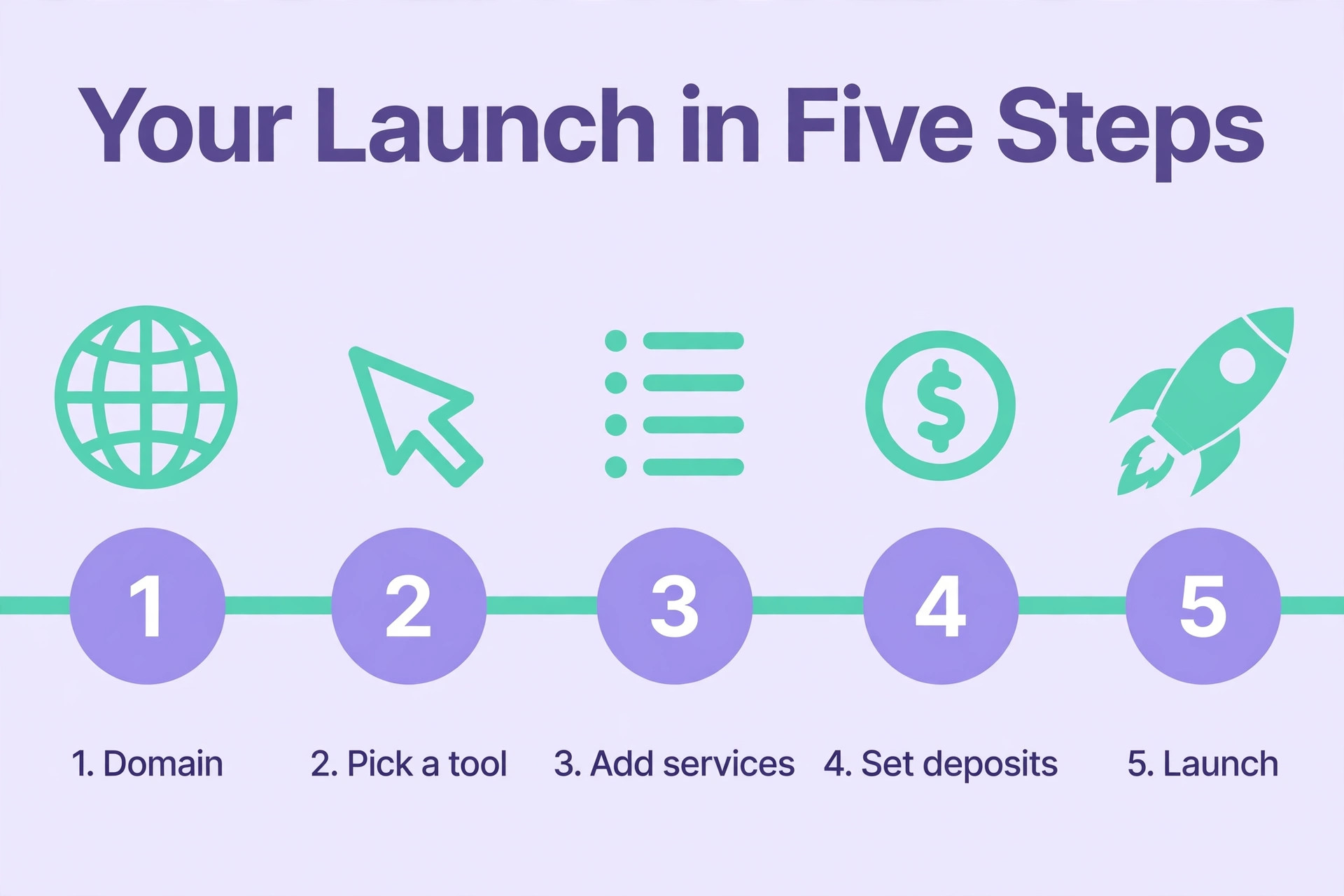
How to Build a Booking Website for a Spa, Step by Step
1. Pick the Route, All in One or Builder Plus Booking
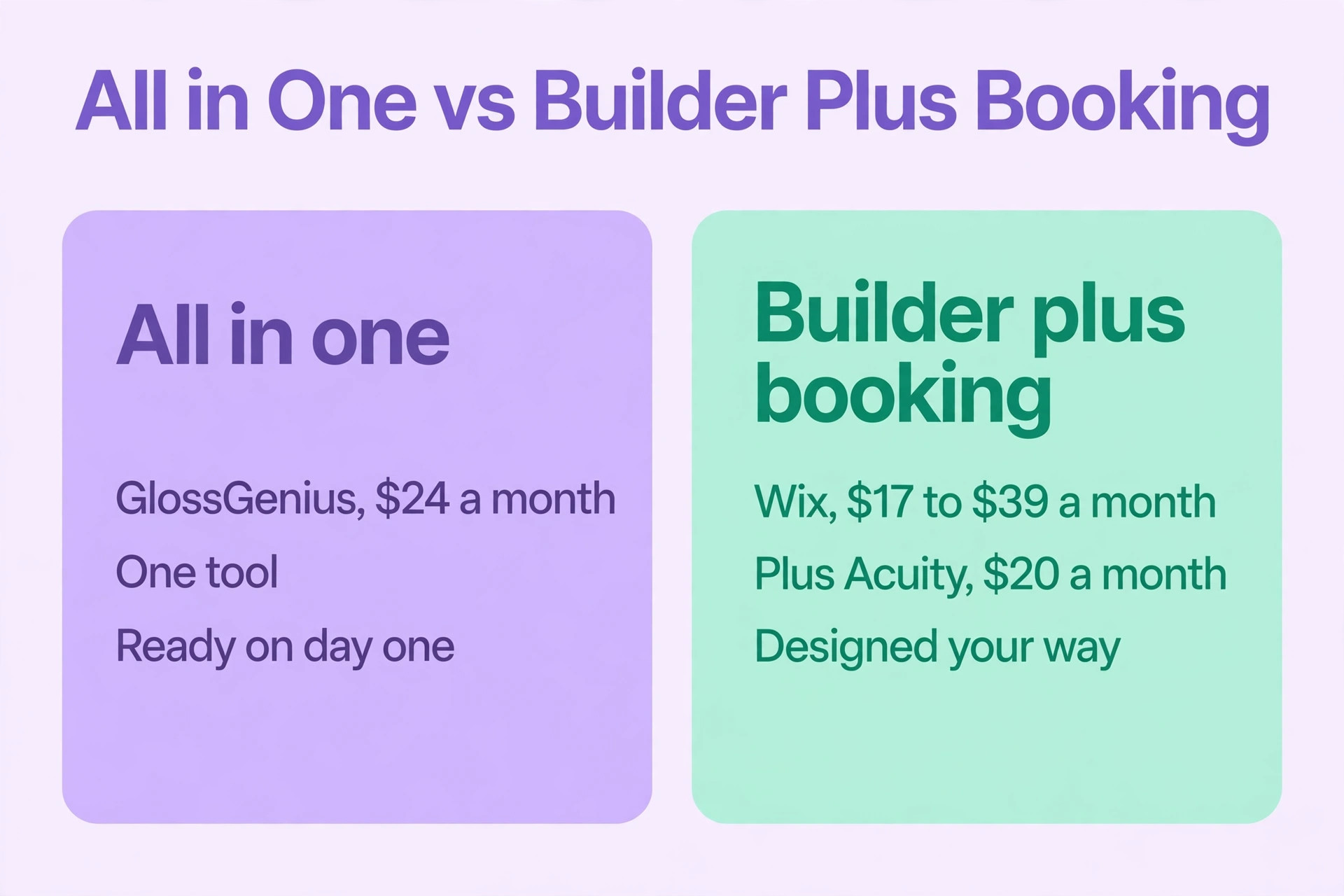
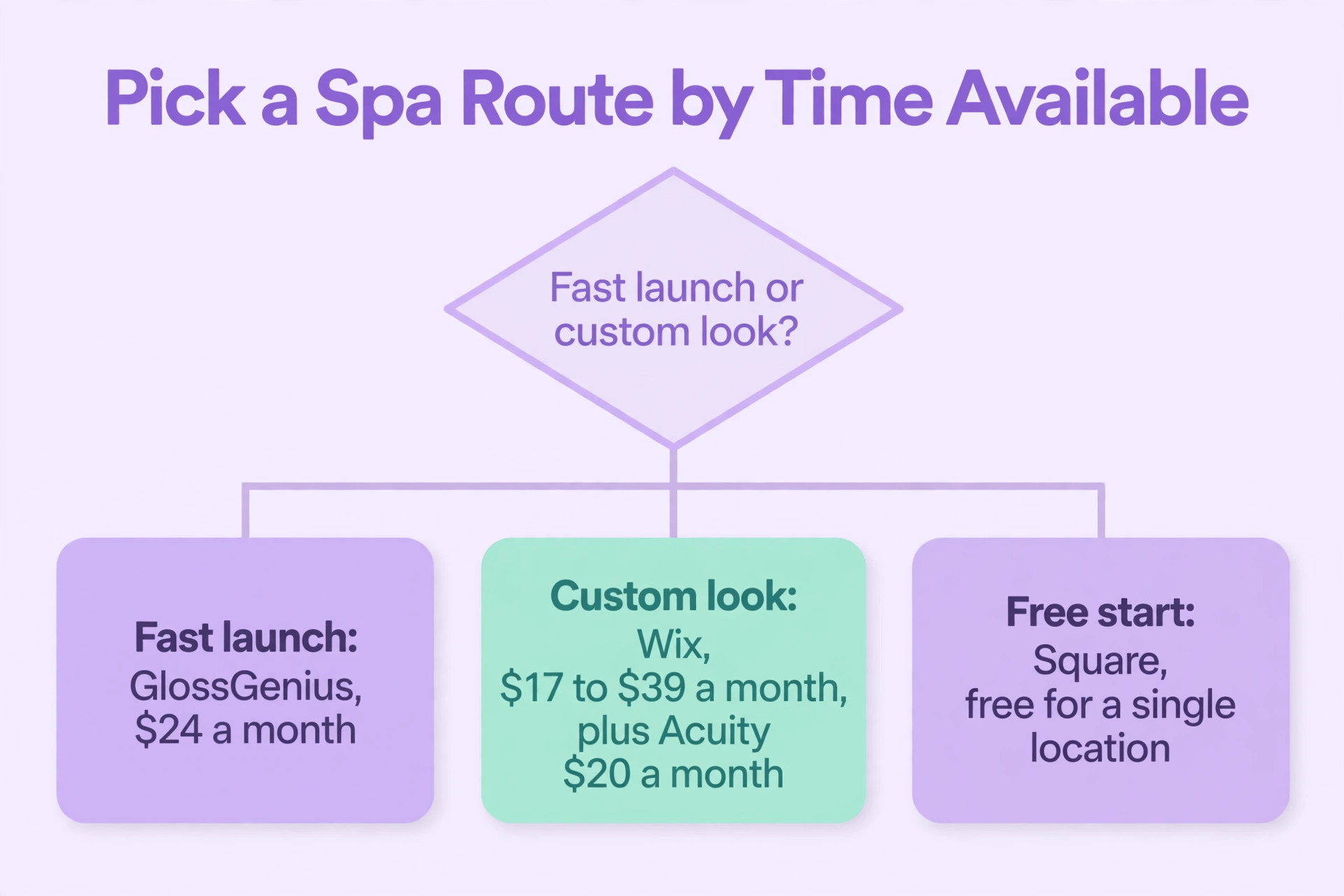
Pick the all in one route when the spa wants one tool that does everything. GlossGenius costs 24 dollars a month when paid annually, Vagaro costs 30 dollars a month, Square is free for a single location, and Mangomint costs 130 dollars a month. Each one gives the spa a booking page, a service menu, deposits, reminders and a client list, all in one place. The all in one route is faster to launch, because there is only one tool to learn, and the booking page is ready on day one.
Pick the builder plus booking route when the spa wants a website that looks different from every other spa. Wix costs 17 to 39 dollars a month, Squarespace plus Acuity costs 20 dollars a month for the booking add on, and Fresha is free with a marketplace commission. The builder gives the spa a website that can be designed freely, and the booking tool adds the calendar, the deposits and the reminders. The builder route takes longer, because two tools must be connected, but the website can look exactly the way the spa wants it to look.
Decide by the time available, not by the price. The all in one route is live in a week, and the builder route is live in four weeks, because the design takes time. A spa that needs bookings this month should pick the all in one route, and a spa that has a month to design should pick the builder route. The price difference is small, and the time difference is the number that matters.
2. Register the Domain and Pick a Template
Register a domain that matches the spa name, and keep it short. A domain that is hard to spell or hard to remember will lose clients, because a client who cannot find the website will book with the spa they can find. The domain costs about 15 dollars a year, and it should be bought from the same place that hosts the website, so there is only one bill and one support team. A domain with the spa name and the city is the best choice, because it helps the client and it helps the search ranking.
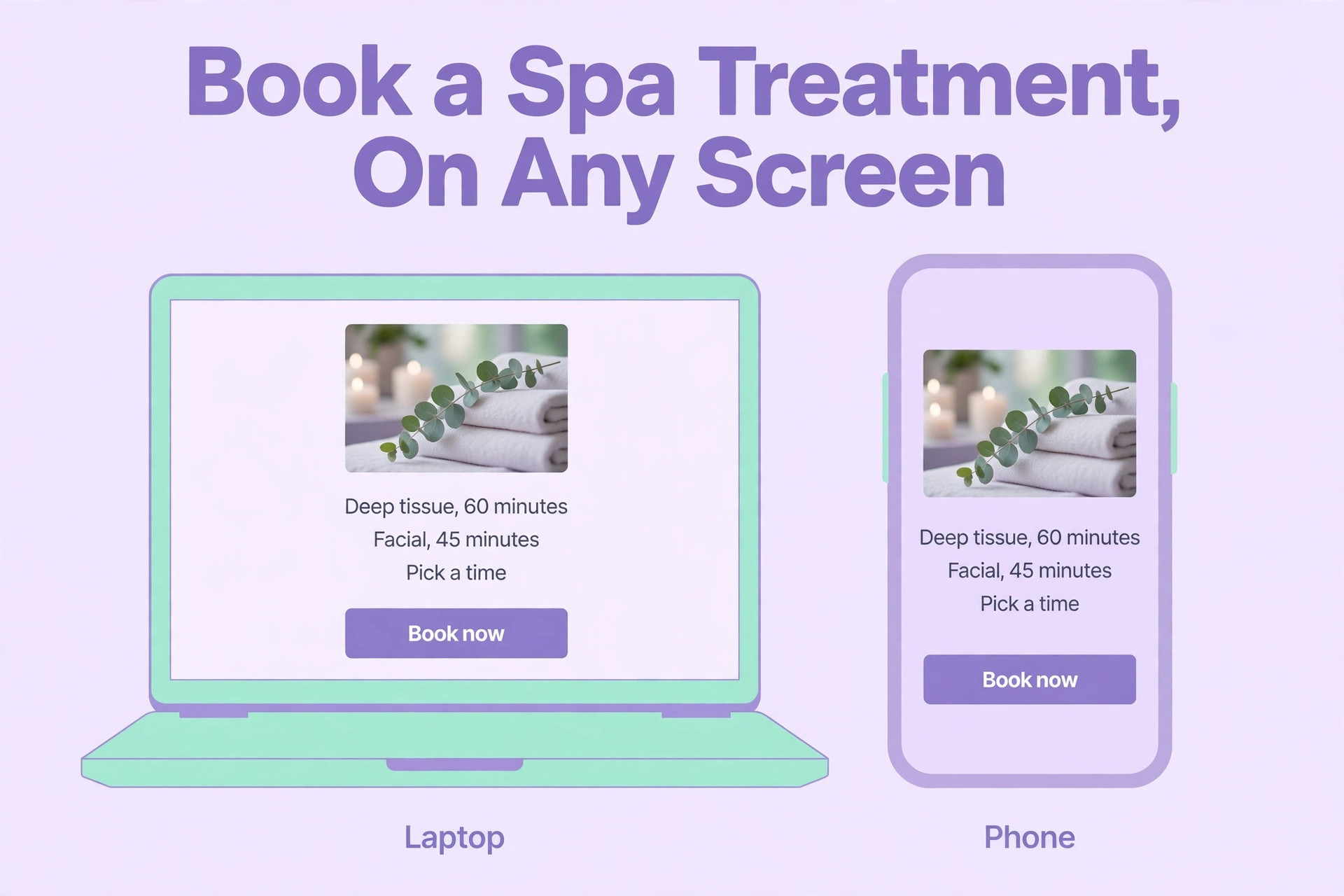
Pick a template that shows the services first, not the spa story. A client who lands on the website wants to see the treatments, the prices and the booking button, and a template that hides them behind three clicks will lose the booking. The template must look good on a phone, because most clients will open it on a phone, and it must load fast, because a slow website loses clients before they see the services. Test the template on a phone before committing to it.
3. Build the Service Menu
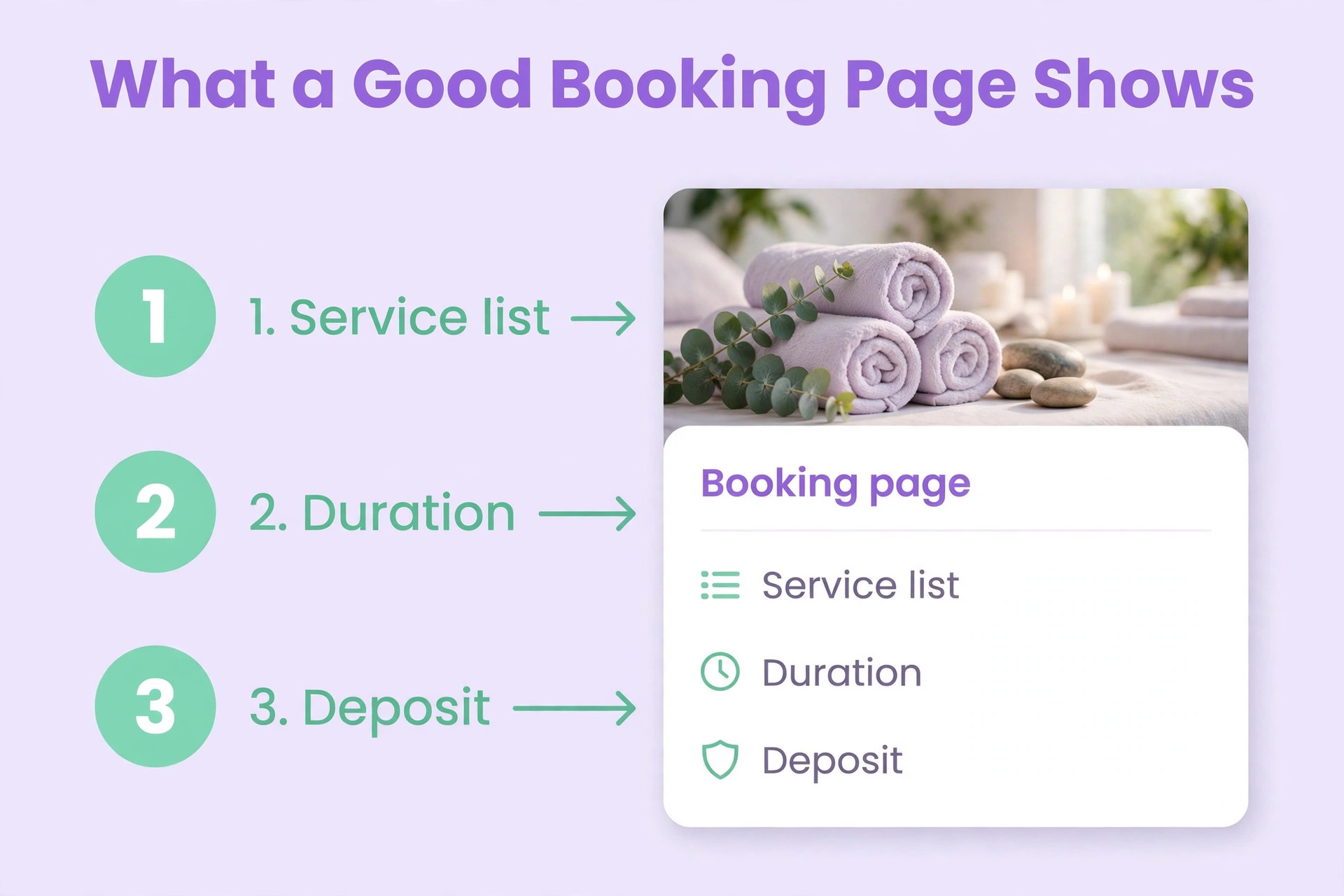
Build the service menu with a name the client understands, a duration that includes setup and clean up, and a price that is either fixed or a starting price. A Swedish massage is sixty minutes and 80 dollars, a deep tissue massage is ninety minutes and 120 dollars, a facial is sixty minutes and 90 dollars, and a manicure is forty five minutes and 45 dollars. A service with a vague name, such as spa treatment, will confuse the client, and a service with the wrong duration will break the calendar.
Group the services by category, so the client can find what they want in seconds. Massages in one group, facials in another, nails in a third, and packages in a fourth. A menu with twenty services in one long list is a menu that nobody reads, and a menu with four clear groups is a menu that gets booked. Add a photo to each group, because a client who sees the treatment is more likely to book it than a client who only reads the name.
Add a package or a membership to the menu, because a package is the easiest way to raise the average booking. A package of three massages at a small discount, or a monthly membership with one treatment included, gives the client a reason to book again, and gives the spa a reason to remind them. The package is entered as a service like any other, with a price and a duration, and the booking tool tracks how many visits are left. A spa without a package is a spa that starts from zero with every client.
4. Set Prices and Deposit Rules
Set the price for every service, and set the deposit at 50 dollars or 25 percent of the treatment price, whichever is higher. The deposit is collected at booking by card, and it is deducted from the price when the client arrives. A client who cancels more than 48 hours before the treatment gets the deposit back, or can move it to a new date. A client who cancels later or does not show loses the deposit, and the policy says so on the booking page.
Write the cancellation policy in plain words on the booking page, not in the terms and conditions that nobody reads. The policy says the deposit amount, the cancellation window, and what happens to the deposit in each case. A client who reads the policy before booking will not argue about it later. A spa that hides the policy will spend more time arguing about deposits than it spends on treatments.
5. Add Intake and Consent Forms
Add the intake form to the booking flow, so the client fills it in before the treatment, not in the treatment room. The form asks about allergies, medication, skin conditions, pregnancy, and previous treatments, and it asks the client to confirm they understand the risks. The signed form is stored with the booking, and the therapist reads it before the treatment starts. A form filled in the treatment room wastes twenty minutes of treatment time.
Add the consent form for the treatments that need one, such as chemical peels, waxing and any treatment that breaks the skin. The consent form is separate from the intake form, because it asks about the specific treatment, not about the client in general. The client signs it when they book the treatment, and the therapist checks it before starting. A treatment that starts without a signed consent form is a treatment that should not have started.
Test the forms on a phone, because the client will fill them in on a phone. A form with small text, or a signature box that does not work on a touch screen, or a question that is cut off on a small screen, will be abandoned, and the client will arrive without a form. Fill in every form from a phone before launch, and fix what is hard to read or hard to tap. A form that works on a phone is a form that gets completed, and a form that does not is a form that wastes the treatment time.
6. Build Staff Pages
Build a page for each therapist, with a photo, a short biography, and the treatments they offer. A client who can see the therapist and read about their experience is more likely to book with them, and a client who books with a named therapist is more likely to return. The page must show the treatments that therapist offers, because a therapist who does not do nails should not show nail services. The staff page is the most visited page after the service menu, and it deserves the same care.
Link each staff page to that therapist calendar, so the client can book with the therapist they chose. A client who reads a staff page and then has to search for the therapist again will give up and book with the first available therapist, or with no one. The booking button on the staff page should open the calendar for that therapist only, with their services and their hours. A staff page that does not lead to a booking is a page that wastes the visit.
Update the staff pages when a therapist leaves or joins, because a page that shows a therapist who no longer works at the spa will create bookings that have to be moved. The update takes ten minutes, and it should be done on the day the change happens, not at the end of the month. A staff page that is current is a page the client can trust, and a page that is out of date is a page that costs the spa a booking.
7. Connect Google Business and Reviews
Connect the website to the Google Business profile, so the booking button appears on the search result. A client who searches for a spa in the city will see the profile, the reviews and the booking button, all in one place, and a client who can book from the search result will not visit the website at all. The profile must have the same name, address and phone number as the website, because a mismatch confuses the search ranking and the client.
Ask every happy client for a review, and put the best reviews on the website. A spa with fifty reviews and a high rating will get more bookings than a spa with five reviews, because the reviews are the proof that the spa is good. The review request is sent by the software after the treatment, and it takes the client thirty seconds to leave a review. A spa that never asks for reviews will have the reviews of the spa that does ask.
8. Test on a Phone and Launch
Test the whole website from a phone, not from a computer. A client books from a phone, so the test must be on a phone. Find a service, book a slot, pay the deposit, fill in the intake form, and cancel the booking, all from the phone. If any step is hard to find, or the text is too small, or the payment fails, fix it before launch. A website that is hard to use on a phone will lose half the bookings, because half the clients are on a phone.
Launch on a Monday, and tell every client about the website. Put the link on the spa door, on the social media profiles, and on the Google Business profile. Send a message to the existing clients with the link, and offer a small incentive for the first online booking, such as a free upgrade on the next visit. The first week will have a few problems, and the spa fixes them as they appear. By the second week, the phone will be quiet during treatments, and the calendar will fill itself.
All in One vs Builder Plus Booking Tool
The choice between the all in one route and the builder route decides how long the launch takes and how the website looks, and the table below shows the difference. The all in one route is faster and cheaper, because there is only one tool to learn and one bill to pay. The builder route is slower and more flexible, because the website can be designed freely and the booking tool can be changed later.
| Route | Monthly cost | Launch time | Best for |
|---|---|---|---|
| GlossGenius | 24 dollars annual | One week | Spas that want one tool |
| Vagaro | 30 dollars | One week | Spas that want a marketplace |
| Square | Free | One week | Single location spas |
| Mangomint | 130 dollars | One week | Spas that want depth |
| Wix plus booking | 17 to 39 dollars | Four weeks | Spas that want design freedom |
| Squarespace plus Acuity | 20 dollars for Acuity | Four weeks | Spas that want a designed site |
| Fresha | Free plus commission | One week | Spas that want a marketplace |
What the Website Costs in Year One
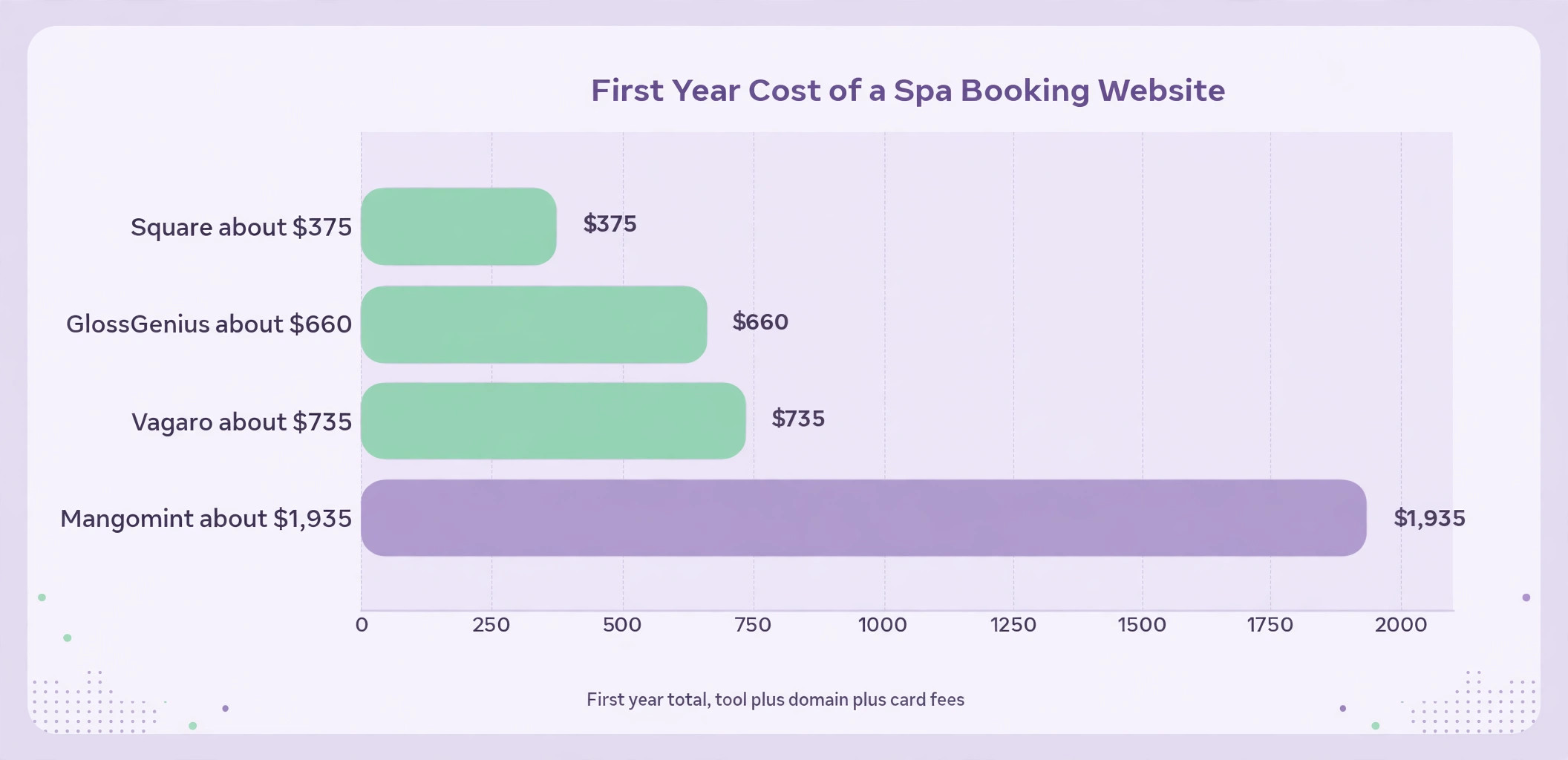
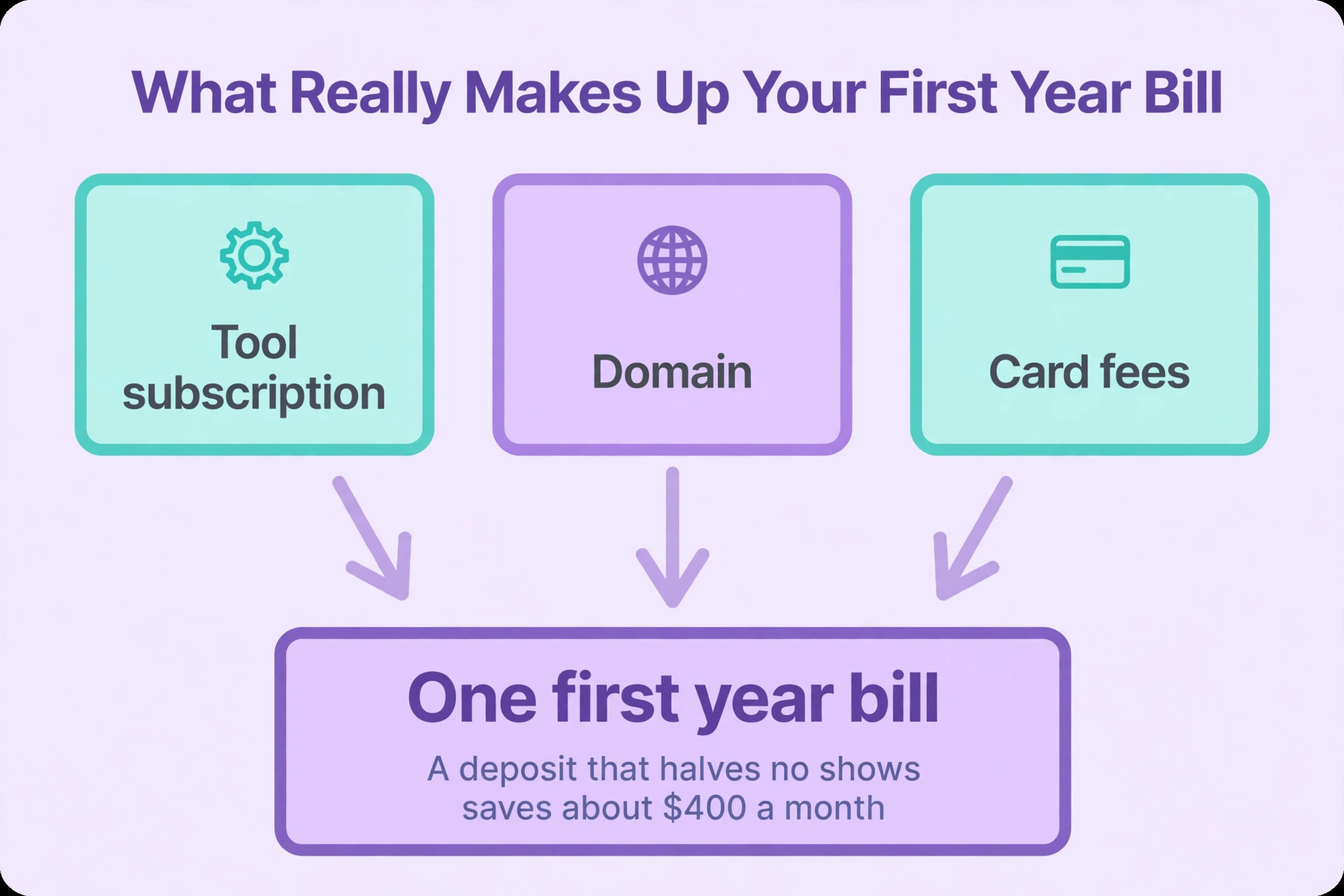
The first year costs the subscription, the domain and the card fees on the deposits, and the table below shows the numbers for a spa with three therapists. The subscription is the fixed cost, the domain is a once a year cost, and the card fee is the variable cost, because every deposit paid by card costs a percentage. A spa that collects deposits on every booking will pay more in card fees, and will also have fewer no shows, so the fees pay for themselves.
| Item | Cost | How often |
|---|---|---|
| GlossGenius | 24 dollars a month | Monthly |
| Domain | 15 dollars a year | Yearly |
| Card fees on deposits | About 30 dollars a month | Monthly |
| Photos for the service menu | Free to 200 dollars | Once |
| Total year one | About 660 dollars | Yearly |
The Launch Checklist
Print this checklist and work through it before the first client books. Every item has a finish line, and the spa ticks it off when the finish line is met. The checklist is the whole website on one page, and a spa that works through it in order will not launch with a broken booking page.
| Item | Done when |
|---|---|
| Route chosen | All in one or builder decided |
| Domain registered | Domain matches the spa name |
| Template chosen | Services are visible on a phone |
| Service menu built | Every service has a duration and a price |
| Deposits set | 50 dollars or 25 percent, collected at booking |
| Cancellation policy written | Policy is on the booking page |
| Intake form built | Client can fill it in before the treatment |
| Consent forms built | Forms are linked to the right treatments |
| Staff pages built | Each therapist has a photo and a bio |
| Google Business connected | Booking button shows on search |
| Test booking done | Booking tested from a phone |
| Launch announced | Link is on the door and the profiles |
Deposits and No Shows
A deposit is the single best tool against no shows, and it is the first thing to set up in how to build a booking website for a spa, because a client who has paid 50 dollars is far more likely to arrive. Businesses that use deposits see a 32 percent increase in successful appointments, according to GlossGenius, and the same logic applies to a spa, where a deposit turns a maybe into a commitment. The deposit is not a punishment, it is a filter, and it filters out the clients who were never going to arrive.
The no show rate falls within a month of launching deposits, and the spa can measure it. Count the no shows in the month before launch, then count them in the month after, and the difference is the value of the deposit. A spa with ten no shows a month at 80 dollars a treatment loses 800 dollars a month, and a deposit that cuts that in half saves 400 dollars a month, which is more than the cost of any tool on this page.
Mistakes That Break the Booking Website
The first mistake in how to build a booking website for a spa is hiding the booking button. A website that shows the spa story on the first screen and the booking button on the third page will lose the client, because the client who cannot find the button will book with the spa that shows it first. The booking button must be on the first screen, on every page, and on the phone version. A website without a visible booking button is a brochure, not a booking website.
The second mistake is launching without a deposit. A booking with no deposit is a booking that can be forgotten, and a client who books three spas and shows up at one is a client who costs the spa a slot. The deposit is set before launch, it is collected at booking, and it is written on the booking page. A spa that launches without a deposit will add one within a month, after the first week of no shows.
The third mistake is never testing the website on a phone. A client books from a phone, and a website that is hard to use on a phone will lose half the bookings. Test every step from a phone, from the service menu to the deposit payment to the intake form, and fix what is hard to find. A spa that tests on a computer and launches on a phone will wonder why the bookings never come.
Our Verdict
How to build a booking website for a spa is a four week project, not a four month project, and the spas that succeed treat it that way. They decide the route first, they list the services and the prices on paper, they set the deposit before launch, and they test the whole flow from a phone. The phone stays quiet during treatments, the calendar fills itself, and the no show rate falls within a month.
Start this week with the service list, because it is free and it decides everything else. Write down the services, the durations and the prices, then pick the route that fits the list. The website goes live on a Monday, and the first client who books without calling is the proof the setup worked.
Frequently Asked Questions
How long does it take to build a booking website for a spa?
A spa can be live in four weeks on the builder route, or one week on the all in one route. The service list takes an afternoon, the template takes a week, the deposits and forms take a few days, and the test booking takes an hour. The launch is on a Monday, and the first week will have a few problems that the spa fixes as they appear.
Should I use an all in one tool or a builder plus booking tool?
The all in one route suits a spa that wants one tool and a fast launch, and GlossGenius at 24 dollars a month or Vagaro at 30 dollars a month are the usual picks. The builder route suits a spa that wants a website that looks different, and Wix at 17 to 39 dollars a month or Squarespace plus Acuity at 20 dollars a month are the usual picks. Decide by the time available, not by the price.
How much does a spa booking website cost?
GlossGenius costs 24 dollars a month when paid annually, Vagaro costs 30 dollars a month, Square is free for a single location, and Mangomint costs 130 dollars a month. Add about 15 dollars a year for the domain and about 30 dollars a month in card fees on the deposits, and the first year total is about 660 dollars on GlossGenius.
How much deposit should a spa charge?
The standard is 50 dollars or 25 percent of the treatment price, whichever is higher, collected at booking by card. The deposit is deducted from the treatment price when the client arrives, and it is lost when the client cancels late or does not show. The policy must be written on the booking page.
Do I need intake forms on the website?
Yes. The client should fill in the intake form before the treatment, not in the treatment room, because a form filled in the treatment room wastes twenty minutes of treatment time. The form asks about allergies, medication, skin conditions and previous treatments, and it is stored with the booking.
How do I stop no shows at a spa?
Collect a deposit at booking and send three reminders, one a week before, one a day before, and one two hours before the treatment. A client who has paid a deposit and received three reminders is far less likely to forget. Businesses that use deposits see a 32 percent increase in successful appointments, according to GlossGenius.
Can each therapist have their own page and calendar?
Yes. Every tool on this page lets each therapist have their own page, with a photo and a biography, and their own calendar, with their own working hours and services. The client picks the therapist first, then the service, then the time. Link each staff page to that therapist calendar, so the client can book with the therapist they chose.
Write the service list this week, pick the route that fits the list, set the deposit before launch, and the first client will book without calling on Monday, and the phone will stay quiet during the next treatment.
That is the short answer on how to build a booking website for a spa for most small businesses.