The fastest way to fill empty chairs is to let clients book while you are busy cutting hair, not only when they can reach you by phone. When you learn how to set up online booking for a salon properly, you get a booking page that works at midnight, deposits that cut no shows, and reminders that fill the gaps in your day. This guide takes you from a phone only salon to a working online booking system in one week, with the tool picks, the costs and the exact steps in order.
Online booking is not only a convenience for clients. It is a record of who booked, what they booked, how they paid and whether they came back. A salon that runs on a paper diary or on text messages cannot see which services earn money, which stylists are busy and which clients have not returned in three months. A booking system shows all three on one screen, and that view is what turns a busy salon into a profitable one.
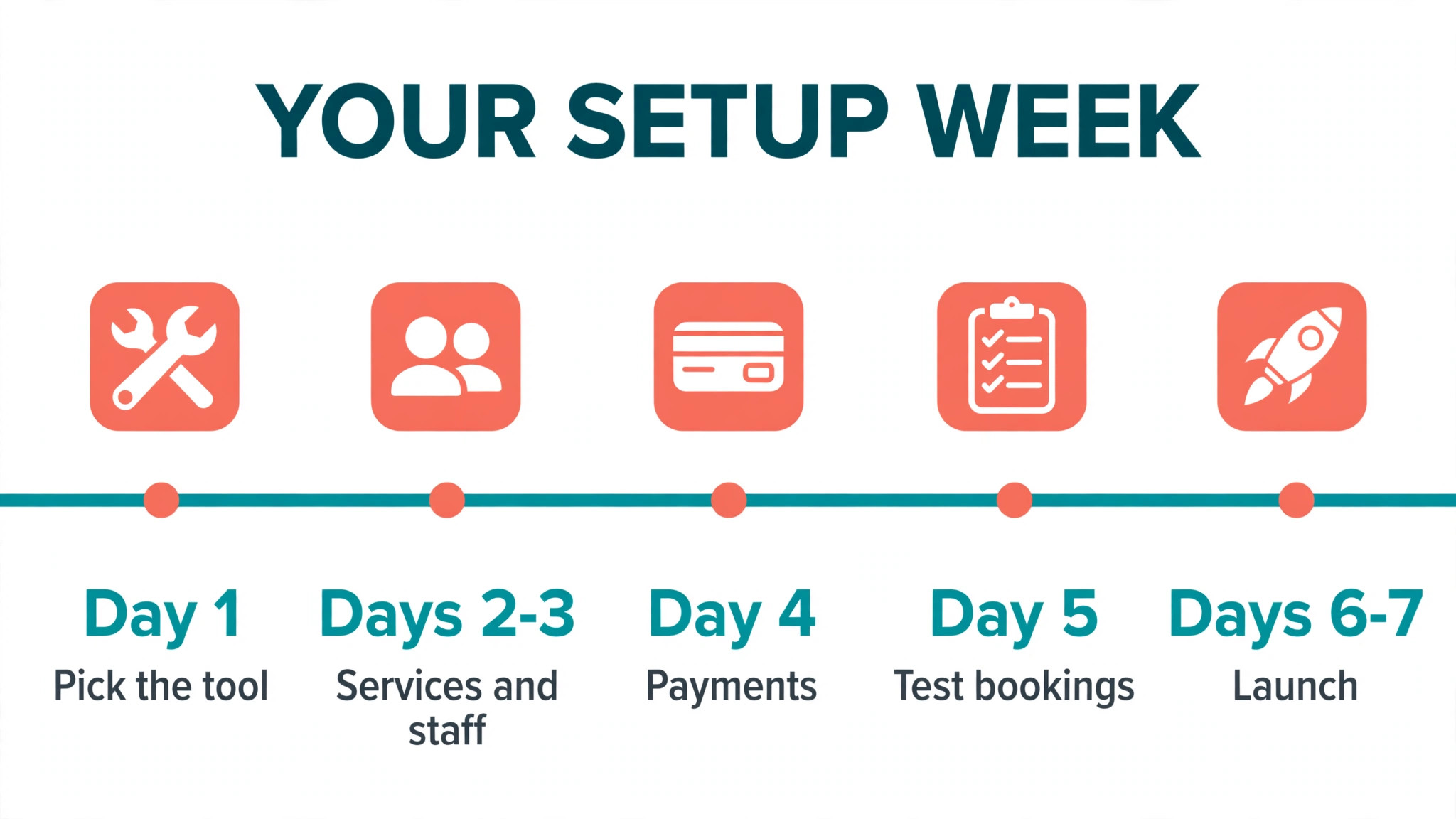
The week in this guide is realistic for a small salon with one to six chairs. Day one is for choosing the tool and setting up services. Days two and three are for staff, prices and the booking page. Day four is for payments, deposits and reminders. Day five is for a test with real clients. Days six and seven are for launch, with your old phone booking still running beside the new system until the new one proves itself.
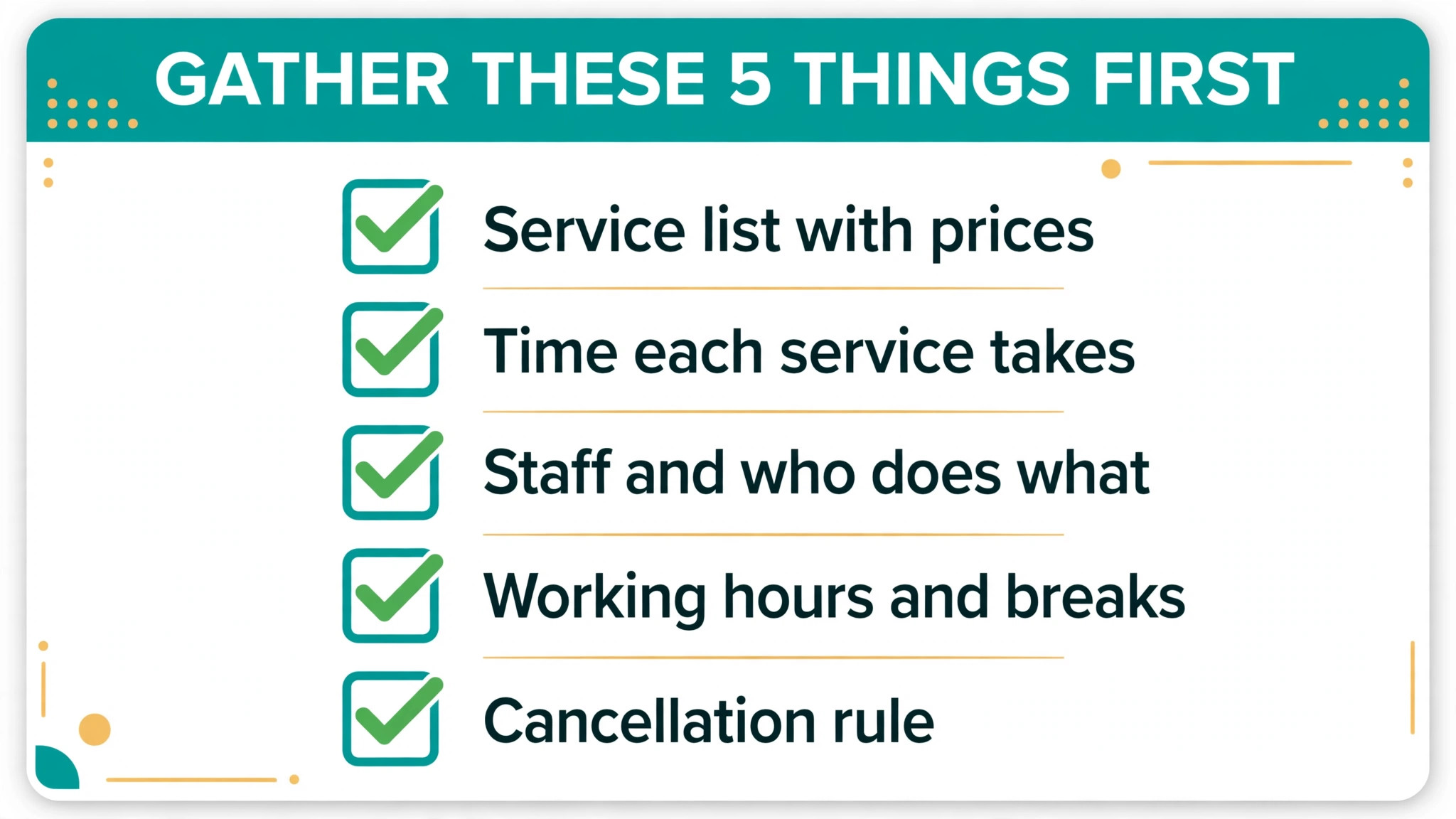
Before You Start, Gather These Five Things
Before you open any booking tool, gather the facts the setup will ask for. You need a list of every service you offer, with the price, the time it takes and the staff who can do it. A colour service that takes two hours and a cut that takes 45 minutes cannot share the same time slot, and a stylist who does not do colour should not appear as an option for it. Write the list on paper first, because fixing it inside the tool takes longer.
Next, write down your working hours for each stylist, including lunch breaks, days off and the last appointment time. A booking system that does not know a stylist finishes at 5 pm will offer a 5 pm colour that runs until 7 pm. Set the last booking time, not only the closing time, and check it for each person. The how to set up online booking for a salon starts with honest hours, because every later step depends on them.
Finally, decide your cancellation rule before you publish it. Most salons ask for a card on file and charge a fee for a late cancellation or a no show, and the tool you pick should support that rule. Decide the fee, the notice period and whether regular clients are treated the same as new clients. A rule you set now is easy to explain to clients later, while a rule you invent after a no show feels unfair.
How to Set Up Online Booking for a Salon in One Week
The seven steps below are the whole job, in order. Do not skip ahead to the booking page before services and staff are set up, because a pretty page with wrong times will create double bookings on day one. Work through the steps in order, test each one with a real booking, and launch only when the test bookings are correct.
Step 1. Pick the booking tool that fits your chairs
Start with the tool, because moving later is painful. Booksy costs 29.99 dollars a month plus 20 dollars per extra team member, and it pairs booking with a marketplace of 40 million users who can discover your salon. Fresha costs 19.95 dollars a month for a solo operator or 14.95 dollars per team member, with card processing at 2.29 percent plus 0.20 dollars, and a 20 percent fee on a new client first visit through its marketplace. Square Appointments is free for one location, with Plus at 49 dollars a month, and it suits a salon that already uses Square for payments.
Vagaro costs 23.99 dollars a month on promotion, or 30 dollars standard, for one bookable calendar, plus 10 dollars per extra staff calendar, and it caps the monthly bill at 83.99 dollars. GlossGenius costs 24 dollars a month billed annually, or 28 dollars billed monthly, with processing at 2.4 percent plus 0.15 dollars. Mangomint starts at 130 dollars a month for one location and one user, and it suits a growing salon with two to 20 staff. Pick the tool whose per staff price fits your chair count, not only the headline price.
Step 2. Add services, prices and times
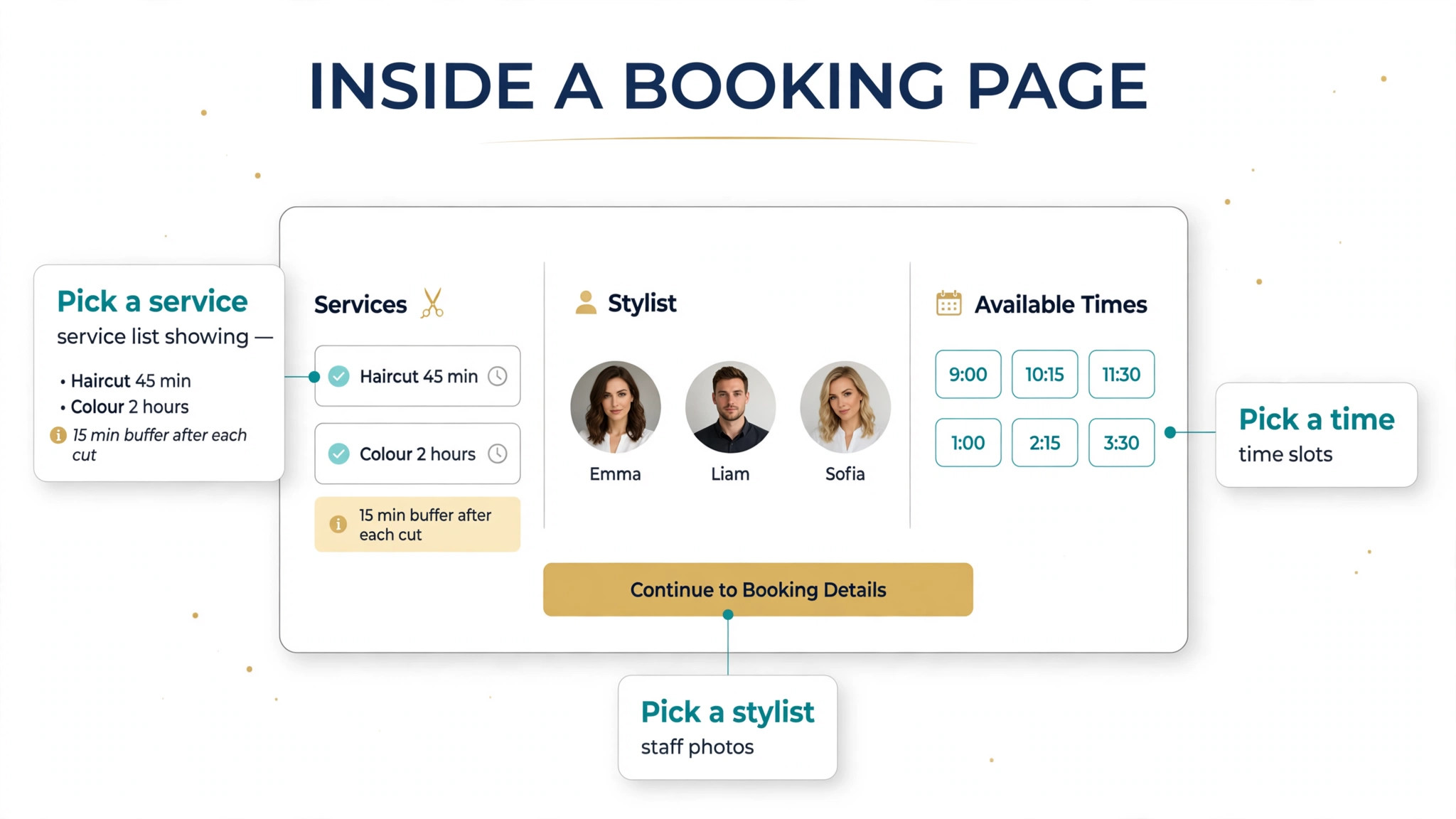
Add every service with its real price and its real time, including the buffer between clients. A cut that takes 45 minutes needs a 15 minute buffer for cleaning and notes, so the booking slot should be 60 minutes, not 45. A colour service needs the full processing time in the slot, or the next client will wait. Add the buffer now, because a diary with no buffer runs late by midday every day.
Group services into categories clients understand, such as cuts, colour, styling and treatments, and keep the names short. A client who cannot find a service in ten seconds will call you instead, which defeats the purpose of online booking. Add a short description to each service that states what is included, so a client does not book a cut and expect a colour as well.
Step 3. Set up staff, hours and the booking page
Add each stylist with the services they offer, their working hours and their days off. A junior stylist who does not do balayage should not appear for balayage bookings, and a stylist who works Tuesday to Saturday should not show Monday slots. Set the last booking time for each person, and set holidays in advance so clients cannot book a day the salon is closed.
Then build the booking page itself. Add your salon name, address, phone number and a photo of the salon and the team, because a page with no photos looks unfinished and clients will not trust it. Choose a booking link you can share, add it to your Instagram bio, your Google profile and your website, and test it on a phone. Most clients will book on a phone, so a page that works on a desktop but fails on a phone is not ready.
Step 4. Turn on payments, deposits and no show protection
Turn on card payments before you launch, because a booking without payment is only a request. Ask for a card on file at booking, and set a deposit for high value services such as colour and bridal work. A deposit of 20 to 50 percent, or a fixed amount such as 20 dollars, cuts no shows sharply, because a client who has paid is far more likely to arrive.
Set the cancellation rule you decided earlier, with the notice period and the fee, and write it in plain words on the booking page. Tell clients when the deposit is refunded, when it is kept, and how they can reschedule without losing it. A clear rule that clients read before they book prevents arguments later, while a hidden rule creates them.
Step 5. Set up reminders and client messages
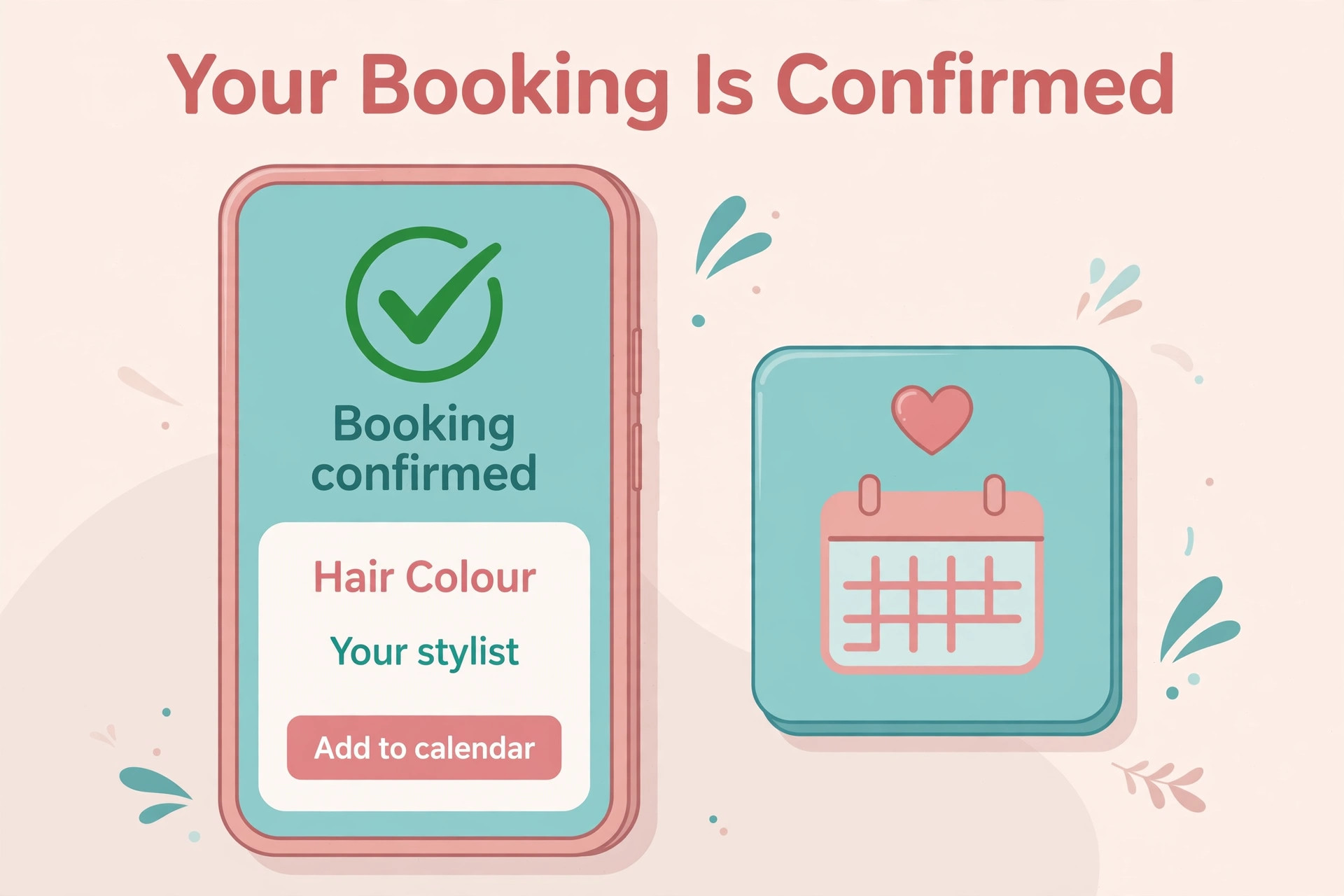
Set up three messages for every booking. The first is a confirmation sent at once, with the service, the stylist, the time and the address. The second is a reminder sent 24 hours before, with a link to reschedule. The third is a reminder sent two hours before, for clients who forget the morning appointment. Most tools send these by text and email automatically, and you should turn both on.
Check the cost of text messages, because some tools include a number of free texts and charge after that, while others include unlimited reminders. Booksy includes free unlimited SMS reminders on its plan, which is a real saving for a busy salon. Test the messages on your own phone before launch, and read them as a client would, because a message with the wrong time or the wrong stylist name will create a missed appointment.
Step 6. Test with real clients before you launch
Test the whole flow with three real clients before you tell anyone the booking page is live. Ask a regular client, a new client and a staff member to book from their own phones, with different services and different stylists. Watch whether they find the service, pick the right time and receive the confirmation, and ask them what confused them.
Fix every confusion before launch, even if it feels small. A service name that confused one test client will confuse a hundred real clients. Check the calendar after each test booking, confirm the time, the stylist and the price are correct, and cancel the test bookings cleanly so the diary is empty for launch day.
Step 7. Launch, tell clients and keep the phone on
Launch by telling every client, not only by publishing a link. Put the booking link in your Instagram bio, on your Google profile, on your website and on a card at the front desk. Tell clients at the till that they can book their next visit online before they leave, and offer to book it with them on their phone the first time. A client who books once online will book online again.
Keep the phone booking running for the first month, beside the online system, so older clients are not forced to change in one day. Watch the diary each morning for the first two weeks, check for double bookings and gaps, and fix the hours or buffers that cause them. After a month, most clients will have moved online, and the phone will ring far less often.
Pick the Right Tool for Your Salon Size
| Tool | Starting price | Best for |
|---|---|---|
| Square Appointments | 0 dollars a month, Plus 49 dollars | Solo operator starting at zero cost |
| Fresha | 19.95 dollars a month solo | Lowest card processing rate |
| Vagaro | 23.99 dollars a month promo | Small team with a cost ceiling |
| GlossGenius | 24 dollars a month billed annually | Solo stylist with one predictable bill |
| Booksy | 29.99 dollars a month plus 20 dollars per member | New client discovery |
| Mangomint | 130 dollars a month | Growing salon with 2 to 20 staff |
Use the table as a shortcut, and model the cost at your chair count before you choose. A tool that is cheap for a solo stylist can be expensive for six chairs, because per staff pricing adds up fast. Booksy at six chairs costs 129.99 dollars a month before processing, while Vagaro caps at 83.99 dollars. Count your chairs, not only the headline price.
Setup Checklist, Tick Each Item Before Launch
- Services, prices, times and buffers are entered and checked against the real diary.
- Staff, hours, days off and last booking times are set for every person.
- Booking page has photos, address, phone number and a link that works on a phone.
- Card on file, deposits and the cancellation rule are turned on and written in plain words.
- Confirmation, 24 hour reminder and 2 hour reminder messages are tested on a real phone.
- Three test clients have booked from their own phones and the calendar is correct.
- Booking link is on Instagram, Google, the website and a card at the front desk.
- Phone booking stays on for the first month while clients move online.
What Online Booking Costs Each Month
The monthly bill has three parts, and the subscription is the smallest of them. The first part is the subscription itself, from zero on Square Appointments free tier to 130 dollars a month on Mangomint, with most small salons paying 24 to 30 dollars a month. The second part is card processing, from 2.29 percent plus 0.20 dollars on Fresha to 2.6 percent plus 0.15 dollars on Square, and that fee applies to every card payment you take.
The third part is the marketplace fee, and it is the one that surprises new owners. Fresha charges a one time 20 percent fee, with a 6 dollar minimum, on a new client first visit through its marketplace, and Booksy Boost charges 30 percent of a new client first visit, with a 10 dollar minimum and a 100 dollar maximum, when the add on is turned on. A salon that gains 30 new marketplace clients a month at an 80 dollar ticket can pay hundreds of dollars in marketplace fees on top of the subscription. The how to set up online booking for a salon includes checking those fees before you choose, because they often cost more than the software.
Work out the total for your salon with a simple sum. Take the subscription, add the processing on your monthly card takings, and add the marketplace fee on the new clients you expect from that marketplace. A salon with its own regular clients and few marketplace bookings will pay less on Fresha, while a salon that needs new clients may earn more from Booksy discovery than the subscription costs. The right tool is the one whose total cost fits the new business it brings.

What Clients See When They Book
A client who opens your booking page should see three things in ten seconds. The first is the service list, with clear names and prices, so they can find what they want without scrolling through a long menu. The second is the next available time with their preferred stylist, so they do not have to guess when you are free. The third is the total price, including any deposit, so there is no surprise at the till.
The page should also answer the two questions every new client asks. The first is where the salon is and how to find it, so the address and a map link should sit near the top. The second is what happens if they need to cancel, so the cancellation rule should be one tap away, not hidden in a terms page. A page that answers both questions earns the booking, while a page that hides them earns a phone call.
Finally, the confirmation message should repeat the service, the stylist, the time, the address and the deposit in one short message. A client who can check the confirmation on the way to the salon will arrive on time, while a client who must search for the details will arrive late or not at all. Keep the confirmation short, put the time first, and make the address a link that opens a map. Test the confirmation on your own phone, and read it as a stranger would.
Mistakes That Create Double Bookings
The most common mistake is setting the service time without a buffer. A cut that takes 45 minutes with no buffer will run late by midday, and the next client will wait. Add 10 to 15 minutes after every service for cleaning and notes, and set the booking slot to the full time including the buffer. A diary with buffers looks emptier and runs on time, which is better than a full diary that runs an hour late. Clients notice a salon that runs on time, and they tell friends about it, while a salon that always runs late loses regulars quietly, one missed lunch break at a time.
The second mistake is letting every stylist offer every service. A junior stylist who cannot do a service will either refuse the client or do it badly, and both outcomes cost you a regular. Set the service list per stylist, and check it when a new stylist joins or learns a new skill. The how to set up online booking for a salon includes that check, because a wrong service list creates the double bookings and the disappointed clients that online booking is meant to prevent.
The third mistake is turning off deposits to be friendly. A booking with no deposit and no card on file is easy to forget, and no shows will rise. A small deposit, clearly explained, protects your diary and rarely loses a genuine client. Clients who object to a deposit are often the clients who would not have arrived anyway.
After Launch, Check These Numbers Each Week
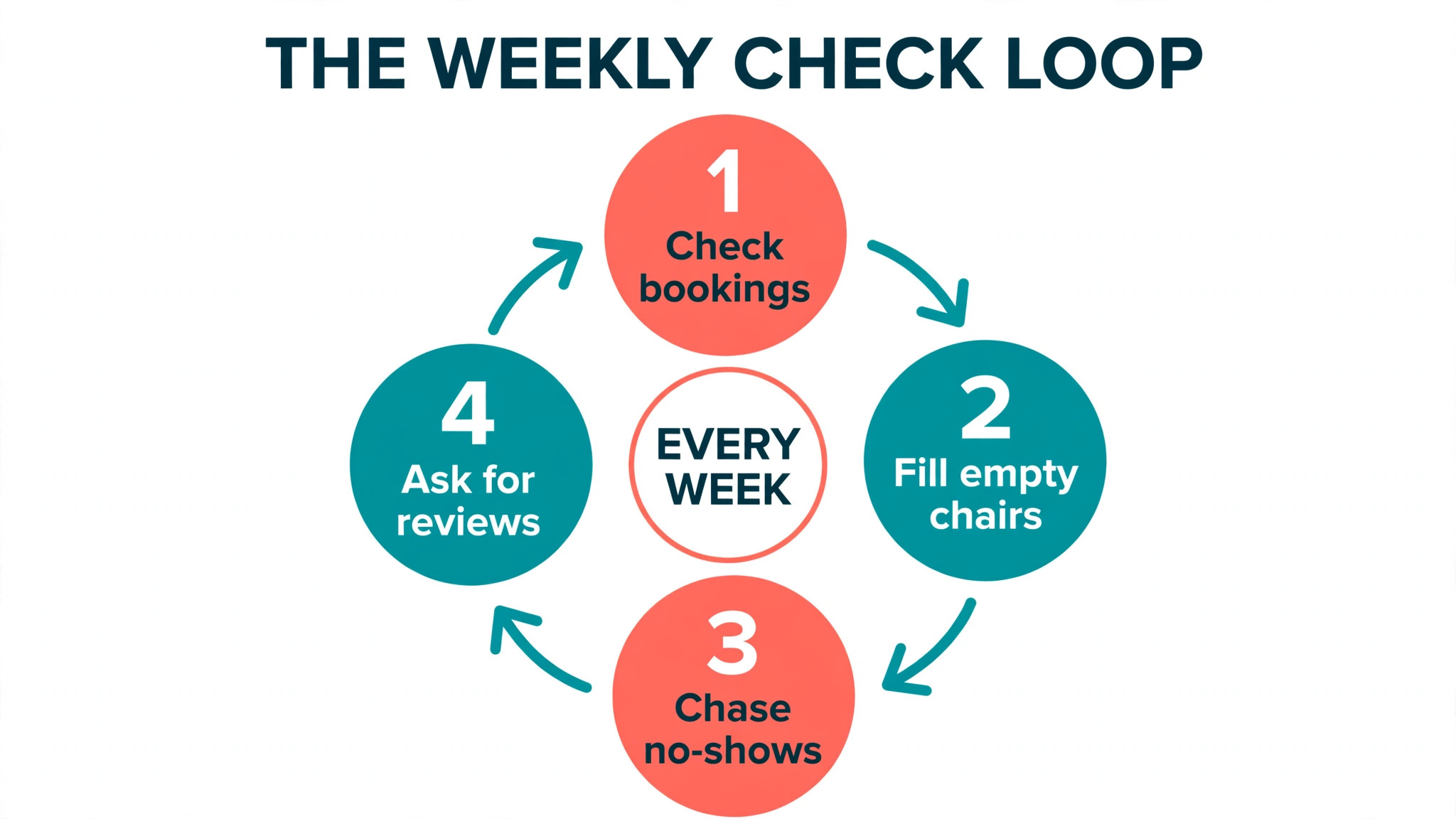
Check three numbers each week for the first month. The first is the no show rate, which should fall once deposits and reminders are on. If it does not fall, check whether reminders are actually sending and whether the deposit is set on the services with the most no shows. The second is the share of bookings made online, which should rise each week as clients learn the new system. If it stays flat, the link is not visible enough, so add it to more places.
The third number is the gap rate, meaning the empty slots between bookings that could have been filled. Gaps usually come from buffers that are too long or from hours that do not match demand. Shorten the buffer on fast services, open an extra slot at the busiest time, and watch whether the gaps close. A booking system that shows you the gaps is only useful if you act on them each week.
After a month, ask your team what is working and what is not. The how to set up online booking for a salon does not end on launch day, because the diary, the hours and the service times all need a monthly check. A salon that reviews the numbers each month will keep the system accurate, while a salon that sets it once and forgets it will find the diary drifting out of step with real working hours within a few months.
Stylists will tell you which services take longer than the slot allows, and the front desk will tell you which messages confuse clients. Fix those two things first, because they affect every booking. The system is not finished on launch day, it is finished when the team trusts it.
How to Move Regular Clients Online Without Losing Them
Regular clients are the hardest group to move online, because they have booked by phone for years and they see no reason to change. Do not force them. Instead, book their next visit online with them at the till, on their own phone, while you stand beside them. Show them the service, the stylist and the time, let them tap the confirm button, and hand the phone back with the confirmation on screen. A client who has booked once online will book online again, because the second time takes less than a minute.
The second group to move is the client who books by text message. Reply to the text with the booking link and a short note that the time they asked for is held for 24 hours, and they can confirm it with one tap. Most will tap the link rather than wait for a reply, and the diary entry is created by the client, not by you. The how to set up online booking for a salon works best when the link is offered at the moment the client is already thinking about a booking, not in a separate message days later.
The third group is the client who never books ahead at all. For them, add a rebooking prompt to the reminder message, with a link to book the same service in four or six weeks. A client who receives that link at the right time will often book before the reminder is forgotten. Track how many clients book from that link each week, and adjust the timing until the rebooking rate rises. A salon that rebooks clients before they leave, or soon after, fills the diary weeks ahead.
Your First Month on Online Booking
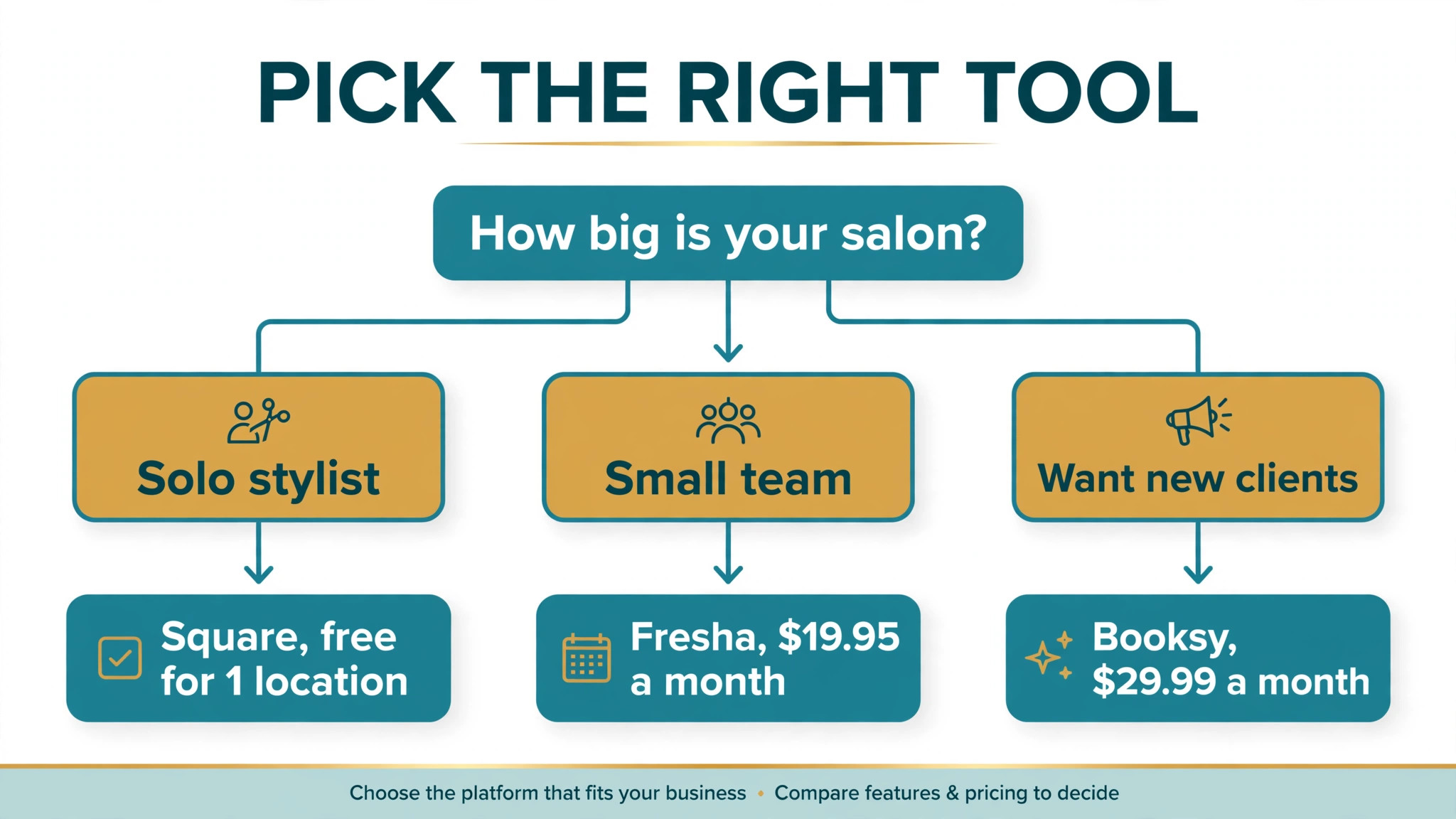
A small salon should start with Square Appointments if the budget is zero, or with GlossGenius at 24 dollars a month billed annually if one predictable bill matters most. A salon that wants new clients should choose Booksy, and a salon that wants the lowest card rate should choose Fresha, after modelling the marketplace fee on the new clients it expects.
Whatever you choose, the order matters more than the tool. Set services and hours first, turn on payments and deposits second, test with real clients third, and launch with the phone still on. The how to set up online booking for a salon is a one week job when you work in that order, and a month of fixes when you do not.
Frequently Asked Questions
How long does it take to set up online booking for a salon?
A small salon can set up online booking in one week, with services and staff on day one, the booking page on days two and three, payments and reminders on day four, and a test with real clients on day five. A larger salon with six or more staff should allow two weeks, because each stylist hours and service list takes time to check. Keep phone booking on for the first month while clients move online.
How much does salon booking software cost?
Most small salons pay 24 to 30 dollars a month for the subscription, plus card processing of about 2.3 to 2.6 percent per payment, plus any marketplace fee on new clients. Square Appointments is free for one location, Fresha starts at 19.95 dollars a month for a solo operator, and Mangomint starts at 130 dollars a month for a growing salon. Model the total at your chair count before you choose.
Do I need deposits for online booking?
Deposits are not required, but they cut no shows sharply, especially for high value services such as colour and bridal work. A deposit of 20 to 50 percent, or a fixed amount such as 20 dollars, makes a client far more likely to arrive. Set the deposit and the cancellation rule clearly on the booking page, and explain when the deposit is refunded and when it is kept.
Can clients book online without calling the salon?
Yes, once the booking page is live, clients can pick a service, a stylist and a time, pay a deposit and receive a confirmation without calling. The system should also send a reminder 24 hours before and two hours before the appointment. Keep the phone on for the first month for older clients, and most will move online once they have booked that way once.
What is the best salon booking software for a small salon?
Square Appointments is the best free starting point for a solo operator, GlossGenius is the best predictable bill at 24 dollars a month billed annually, and Booksy is the best pick when you want new clients to discover your salon. Fresha is the best pick when the lowest card processing rate matters most. Pick the tool whose per staff price fits your chair count.
How do I reduce no shows with online booking?
Ask for a card on file, set a deposit on high value services, send a confirmation at once, a reminder 24 hours before and a reminder two hours before, and make rescheduling easy with a link in the reminder. A client who can reschedule in one tap will move the appointment instead of missing it. Check the no show rate each week and adjust the deposit or the reminder timing if it does not fall.
Online booking will not fix a salon with wrong hours, wrong service times or no deposits, but it will make a well run salon far easier to book. Set the services and hours honestly, turn on payments and reminders, test with real clients, and launch with the phone still on. In a month, the diary will fill itself while you are busy cutting hair.