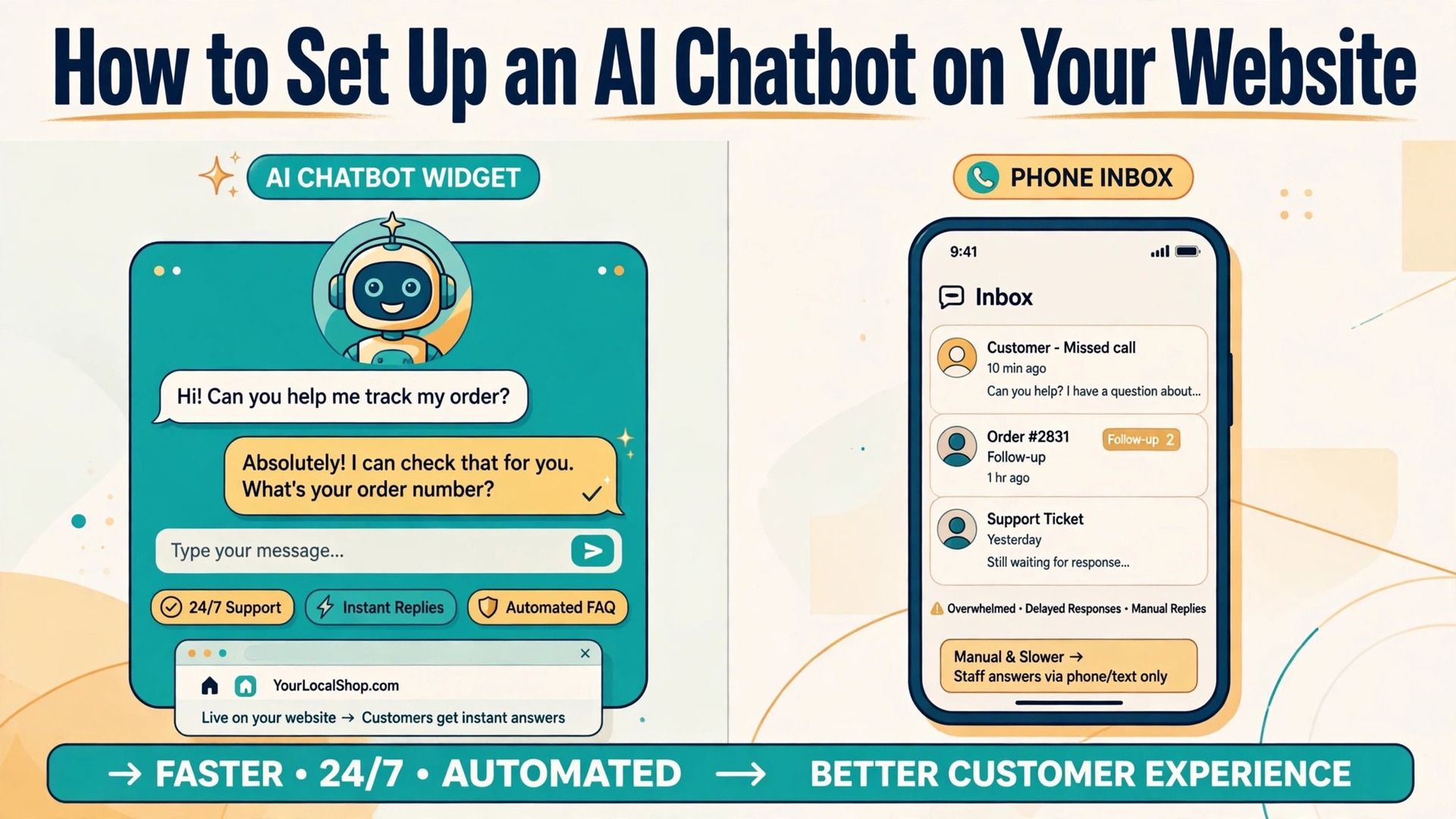
Nearly two thirds of website visitors who start a chat expect an answer within minutes, and most small businesses cannot staff a live inbox around the clock. That gap is exactly why learning how to set up ai chatbot on small business website pages has become a practical skill rather than a technical project. A well trained chatbot answers the same ten questions your visitors ask every day, captures leads while you sleep, and hands the tricky conversations to a human before a sale is lost. This guide walks through the whole setup in eight steps, from choosing a tool to going live, with real prices, real tools and the mistakes that waste the most time.
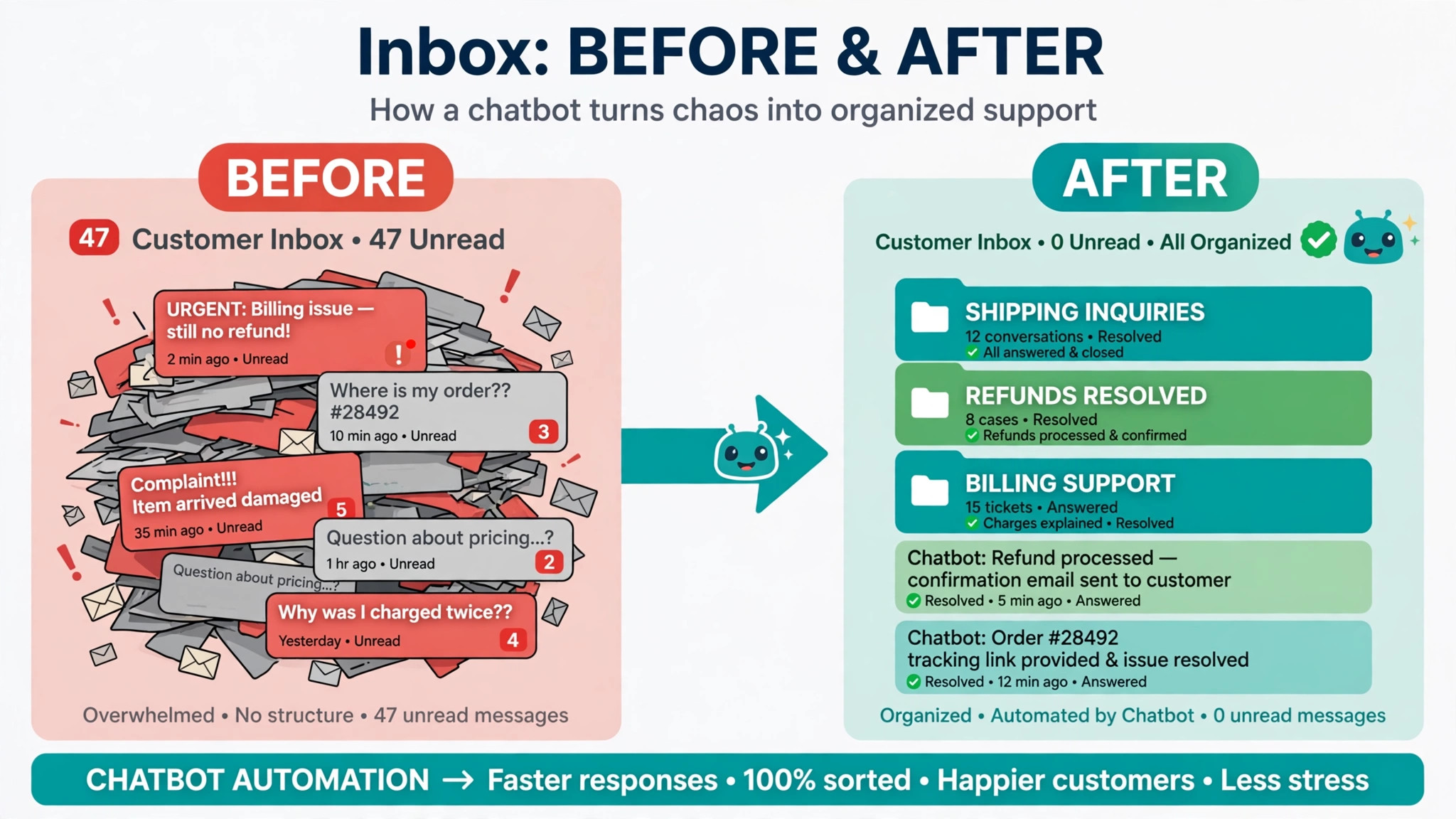
A chatbot is not a replacement for your team. It is a first responder. It handles opening hours, prices, delivery times, booking links and order status, which are the questions that eat most of a small inbox. The conversations that need judgment, an angry customer, a custom quote, a complaint about a damaged delivery, still go to a person. Businesses that get this balance right see faster replies and fewer missed leads. Businesses that get it wrong build a bot that argues with customers and blocks the phone number. The difference is almost always in the setup, not the software.
Before you buy anything, decide what the bot should do in its first month. Most small business bots need only three jobs. Answer the questions already on your FAQ page. Capture a name, an email and a short message from visitors who want a quote or a callback. Route the rest to the right person or the right page. If you can write those three jobs down in one sentence each, you are ready to pick a tool. If you cannot, spend an hour reading your last month of emails and messages first, because the bot will only be as clear as the brief you give it.
What a Chatbot Costs in 2026
Chatbot pricing changed fast in the last two years, and the headline price is rarely the real price. Most vendors now charge separately for seats and for AI usage, so a plan that looks like 29 dollars a month can cost several hundred once the bot starts answering. The table below shows the entry point for the tools small businesses actually buy, with the AI billing model spelled out so you can compare honestly.
| Tool | Entry price | AI billing | Free plan |
|---|---|---|---|
| Tidio | 24 dollars a month billed yearly | Lyro add-on from 32 dollars a month | Yes, 50 conversations a month |
| Chatbase | 40 dollars a month | 700 message credits included | Trial only |
| tawk.to | Free | AI Assist from 29 dollars a month | Yes, full live chat free |
| Crisp | 45 dollars a month | AI credits, 5 dollars included | Yes, 2 seats, no AI |
| HubSpot | Free | Customer Agent 0.50 dollars per resolved chat | Yes, chatbot builder |
| Botpress | Free | Plus plan 150 dollars a month billed yearly | Yes, 100 conversations |
| Intercom | 29 dollars a seat a month | Fin 0.99 dollars per resolution | Trial only |
| Zoho SalesIQ | 7 dollars per operator a month | Zia agents on paid plans | Trial only |
The cheapest honest starting point for most shops is Tidio or tawk.to. Tidio gives you live chat plus its Lyro AI agent from about 24 dollars a month on annual billing, with 50 free Lyro conversations to test with. Tawk.to keeps its core live chat free forever and charges from 29 dollars a month only for the AI Assist add-on.
Chatbase is the simplest pure AI option at 40 dollars a month for 700 message credits, which covers roughly 230 chats. Intercom and Zendesk are stronger products, but Intercom Fin at 0.99 dollars per resolution plus 29 dollars a seat, and Zendesk at similar seat prices, only make sense once chat volume is high and every resolution is worth real money.
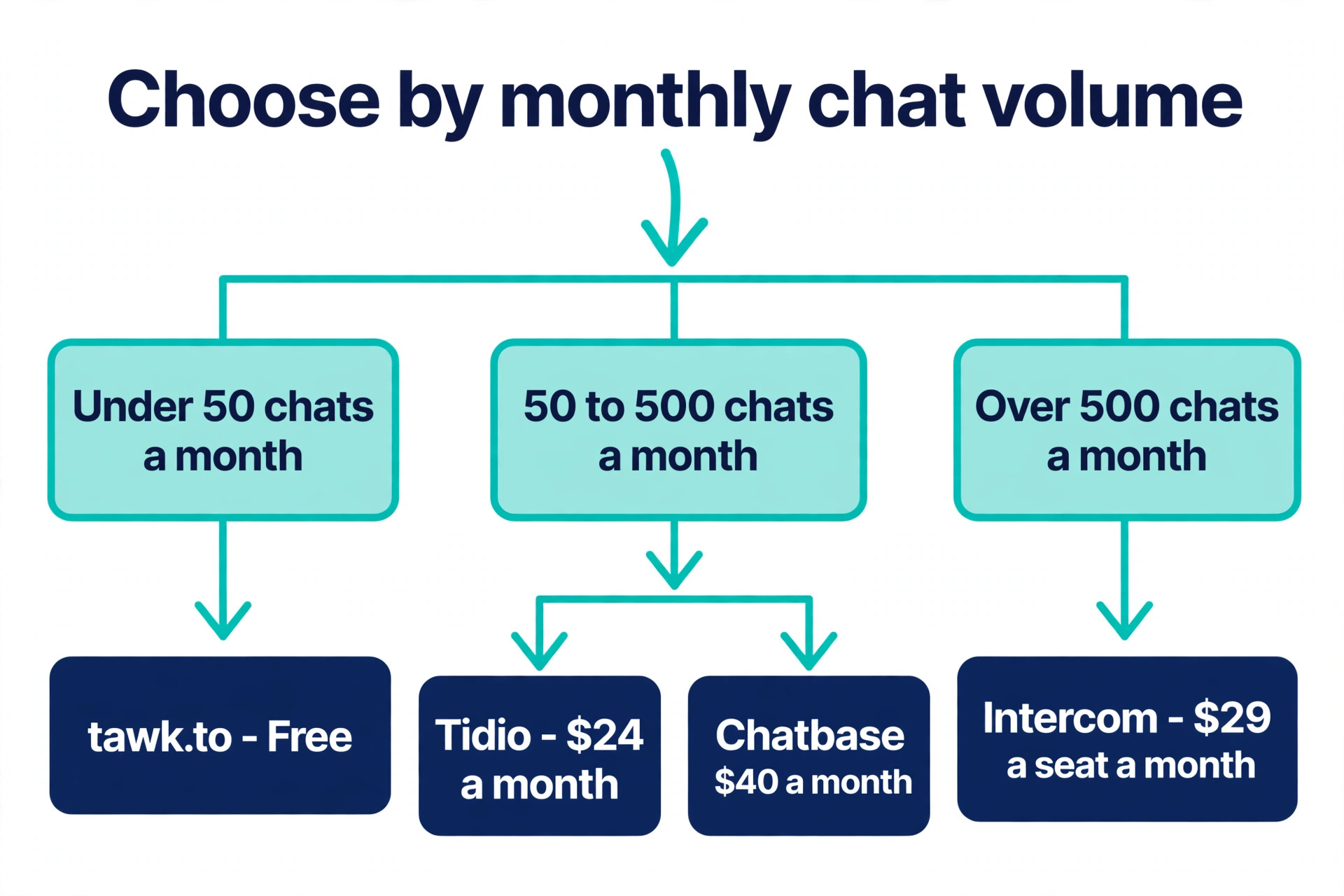
Model your own volume before you choose. Count the chats, emails and messages your business received last month, then divide by 30 to get a daily number. A shop getting 10 chats a day will fit inside most entry plans. A shop getting 100 a day needs to price the AI usage, not the seat. Flat rate plans such as Tidio Growth or Chatbase look boring next to per resolution pricing, but a flat bill is easier to budget, and a busy month cannot surprise you.
That billing question is the first real decision in how to set up ai chatbot on small business website work, because the tool you pick shapes every step that follows. A per resolution tool rewards a narrow bot that answers only the questions it is sure about and hands the rest to a human quickly. A flat rate tool rewards a broader bot that tries to resolve more chats on its own. Neither model is wrong. The wrong move is choosing on the headline price and discovering the usage bill in month two, when the bot is already live and visitors expect it to answer.
Pick the Right Chatbot Tool for Your Business
The eight tools below cover the real choices a small business faces. Three are all round chat platforms with AI added, two are pure AI agents, one is free, one is built for teams already inside a CRM, and one is a builder for owners who want full control. Read the shortlist with your volume number in mind, then test two tools on a free plan before you commit to either.
1. Tidio
Tidio is the best all round pick for a small business that wants live chat and AI in one place. Its Lyro agent answers from your help pages and product descriptions, and the same inbox handles live chat, email and social messages. The free plan covers 50 conversations a month, which is enough to test the widget on a real site. Starter costs 24 dollars a month on annual billing, and the Lyro add-on starts at 32 dollars a month for 50 conversations. Setup takes an hour or two, and the WordPress, Shopify and Wix apps install without code. Choose Tidio when you run a shop or a service business and you want one inbox for everything.
2. Chatbase
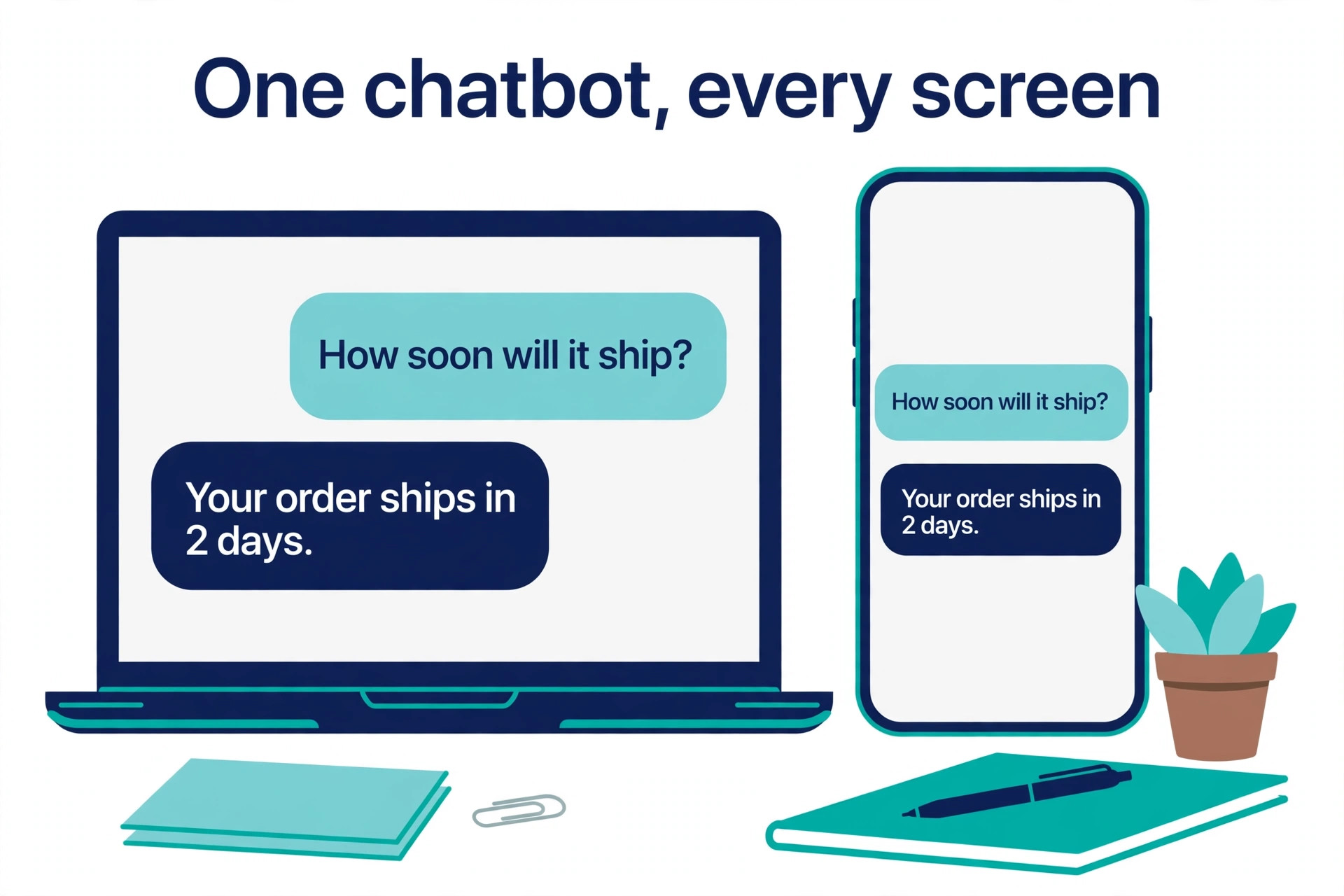
Chatbase is the simplest way to put an AI agent on a website. You train it on your site pages, PDFs and FAQs, paste one line of code or install the plugin, and it starts answering. The Hobby plan costs 40 dollars a month and includes 700 message credits for one agent. There is no live chat inbox, so Chatbase suits businesses that want answers, not conversations. It is also the fastest to train, because it reads your existing content instead of asking you to build flows. Choose Chatbase when your site already answers most questions and you want those answers delivered in chat.
3. tawk.to
Tawk.to is the best free starting point, because the core live chat, help center and ticketing cost nothing, forever. The AI Assist add-on starts at 29 dollars a month and gives the bot a limited number of message credits on the free tier, about 33 replies a month on the default model. The trade off is a small branded badge on the widget, which costs 29 dollars a month to remove. Choose tawk.to when the budget is zero and a person will answer most chats, with AI covering nights and weekends.
4. Crisp
Crisp is a clean shared inbox with chat, email and a small CRM, priced per workspace rather than per seat, so adding team members does not multiply the bill. The free plan covers two seats with no AI credits. The Mini plan costs 45 dollars a month for four seats and includes 5 dollars of AI credits, roughly 90 automated conversations. Choose Crisp when two or three people share the inbox and you want a flat price that does not grow with headcount.
5. HubSpot
HubSpot is the right pick when your business already runs on its CRM, because every chat lands directly on the contact record with no integration work. The chatbot builder is free, with templates and if then branches, and the newer Customer Agent costs 0.50 dollars per resolved chat on paid Service Hub plans. The catch is the onboarding fee on Professional plans, reported at 1,500 dollars, which makes HubSpot the most expensive option here for a business that only needs chat. Choose HubSpot when the CRM is already the center of your sales process.
6. Botpress
Botpress is the most powerful free option for a business willing to build. The free plan includes 100 conversations a month, three seats and three AI agents, and the builder supports flows, tables and integrations that simpler tools cannot match. The Plus plan costs 150 dollars a month on annual billing. The cost is time, because Botpress expects you to design the conversation rather than just point it at a website. Choose Botpress when you have a developer or a technically confident owner and you need a bot that does more than answer FAQs.
7. Intercom
Intercom Fin is the strongest AI agent on this list for pure answer quality, and it is also the most expensive to run at volume. Essential costs 29 dollars a seat a month, and Fin adds 0.99 dollars per resolution, so 500 resolutions a month costs about 524 dollars including one seat. Setup takes two to three hours, and the platform assumes you have a support team with workflows. Choose Intercom when every resolved chat is worth real money and answer quality matters more than the monthly bill.
8. Zoho SalesIQ
Zoho SalesIQ is the cheapest paid entry point, at 7 dollars per operator a month on the Basic plan billed yearly, with one chatbot, chat routing and 25,000 bot sessions. It fits naturally inside a Zoho business, where the CRM, email and chat share one login. The AI agents run on an AI provider you connect yourself, which adds a setup step other tools hide. Choose Zoho SalesIQ when your business already pays for Zoho and you want chat at the lowest possible per seat price.
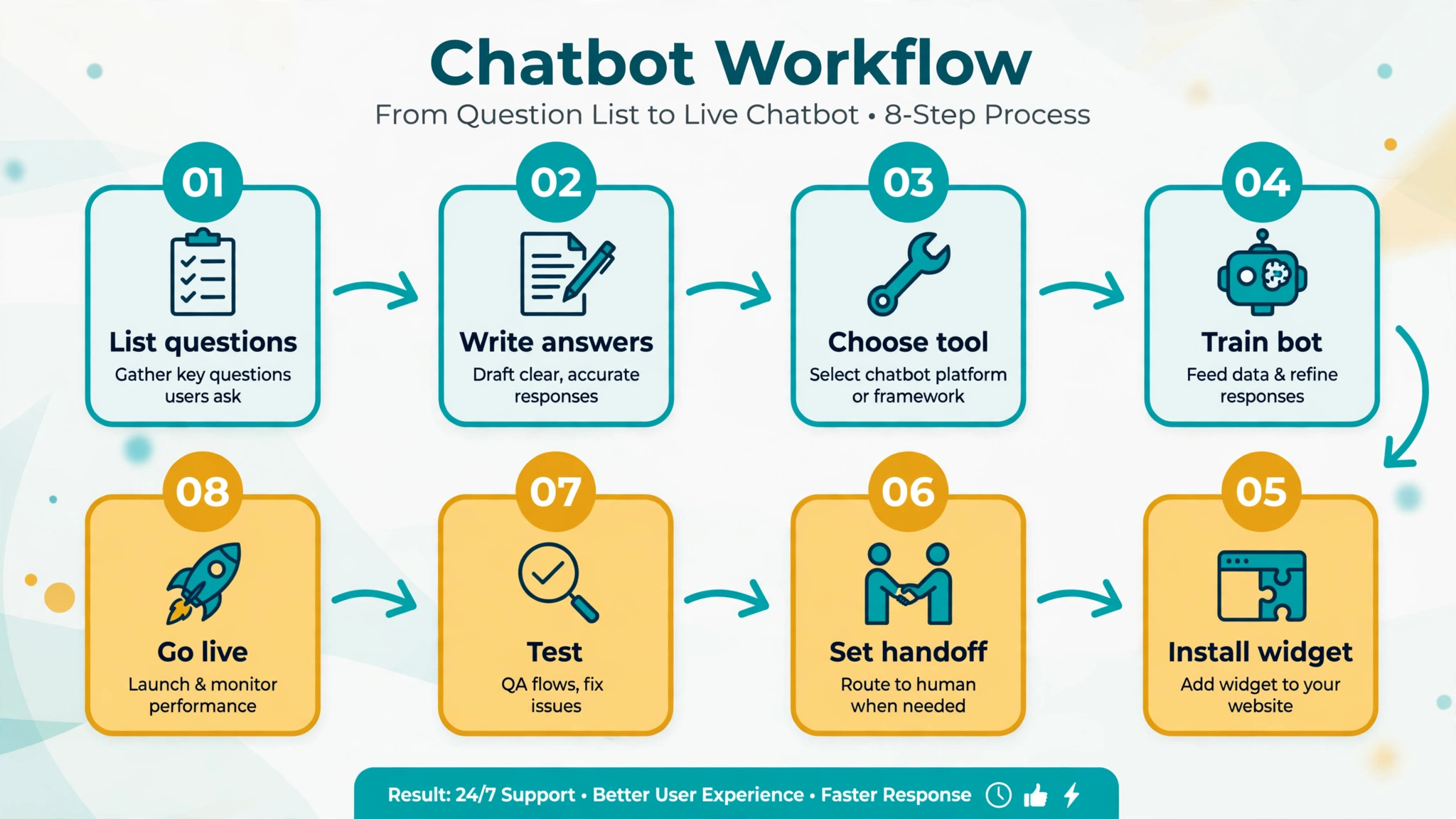
How to Set Up AI Chatbot on Small Business Website in 8 Steps
The steps below work on WordPress, Shopify, Wix and Squarespace, and on a custom site. The tool names change, the order does not. Follow the steps in sequence, because training the bot before you install it saves a rebuild later, and testing before launch saves an embarrassing first week.
Step 1. List the Questions Your Visitors Actually Ask
Open your inbox and your sent mail for the last 30 days. Write down every question that appears more than twice, with the exact words the customer used. Opening hours, delivery times, prices, refunds, booking changes and order tracking will cover most of the list. Add the questions your phone staff answer daily, because the website hides those from your inbox. Aim for 20 to 40 questions.
Fewer than 20 means the bot will have little to do, and more than 40 means you are guessing instead of reading real messages. Group the questions into five or six topics, such as pricing, delivery, bookings, returns and contact. These groups become the bot knowledge base, and they also show you which pages of your site are failing to answer clearly.
Step 2. Write Short Answers in Your Own Voice
Write one answer per question, in two or three sentences, the way you would reply in an email. Put the direct answer first, then the detail. A visitor asking about delivery wants the number of days before the exceptions. A visitor asking about refunds wants the window before the conditions. Link each answer to the matching page on your site when one exists, so the bot can offer a next step instead of a dead end.
Do not write answers longer than 60 words. Long answers get skimmed, and a bot that pastes a wall of text reads like a broken page. If an answer needs more detail, the bot should offer it as a follow up, not dump it in the first reply. This answer file is the most valuable thing you will build in this project, and it is worth an afternoon of careful writing.
Step 3. Choose Your Tool and Create the Account
Pick from the shortlist above using your volume math and your existing software. A shop on Shopify should lean toward Tidio, because the app installs in minutes and the order data flows into the chat. A business on HubSpot should stay inside HubSpot. A business with no budget should start on tawk.to.
Sign up with the business email, not a personal one, because the account will outlive any one employee. Connect the channels you already use, such as email and Instagram, only if the team can actually staff them. An unanswered channel is worse than no channel. Set the business hours inside the tool so the bot knows when a human is available and when it must take a message instead.
Step 4. Train the Bot on Your Content
Training is the step most owners rush, and it is the step that decides whether the bot helps or annoys. This is where most attempts at how to set up ai chatbot on small business website pages succeed or fail, because the bot can only answer from the content it was given. Point the tool at your website and let it read your pages, then upload your FAQ document and your answer file from Step 2. Most tools accept PDFs, Word documents and plain text.
After the import, read the bot answers to your top ten questions and fix the ones that are wrong, vague or out of date. Delete the pages that should never train the bot, such as old blog posts with discontinued prices or a careers page that confuses visitors. Set a rule that the bot must say it does not know rather than guess, because a guessed price or a guessed delivery date creates a complaint that a human must then fix. Retrain after every price change, and treat the knowledge base as a living document, not a one time upload.
Step 5. Install the Widget on Your Website
Installation is a copy and paste job on every major platform. On WordPress, install the official plugin for your tool and paste the account key. On Shopify and Wix, install the app from the app store and connect the account. On a custom site, paste the small code snippet before the closing body tag. Put the widget on every page, not just the homepage, because visitors ask questions from product pages and checkout pages more than from the homepage.
Set the widget to appear after 10 to 15 seconds rather than instantly, so it does not cover the content a visitor came to read. On mobile, check that the widget does not cover the buy button or the phone number, because a chat bubble over the checkout button costs sales. Test the install in a private browser window, since your own logged in session can hide problems.
Step 6. Set the Handoff Rules
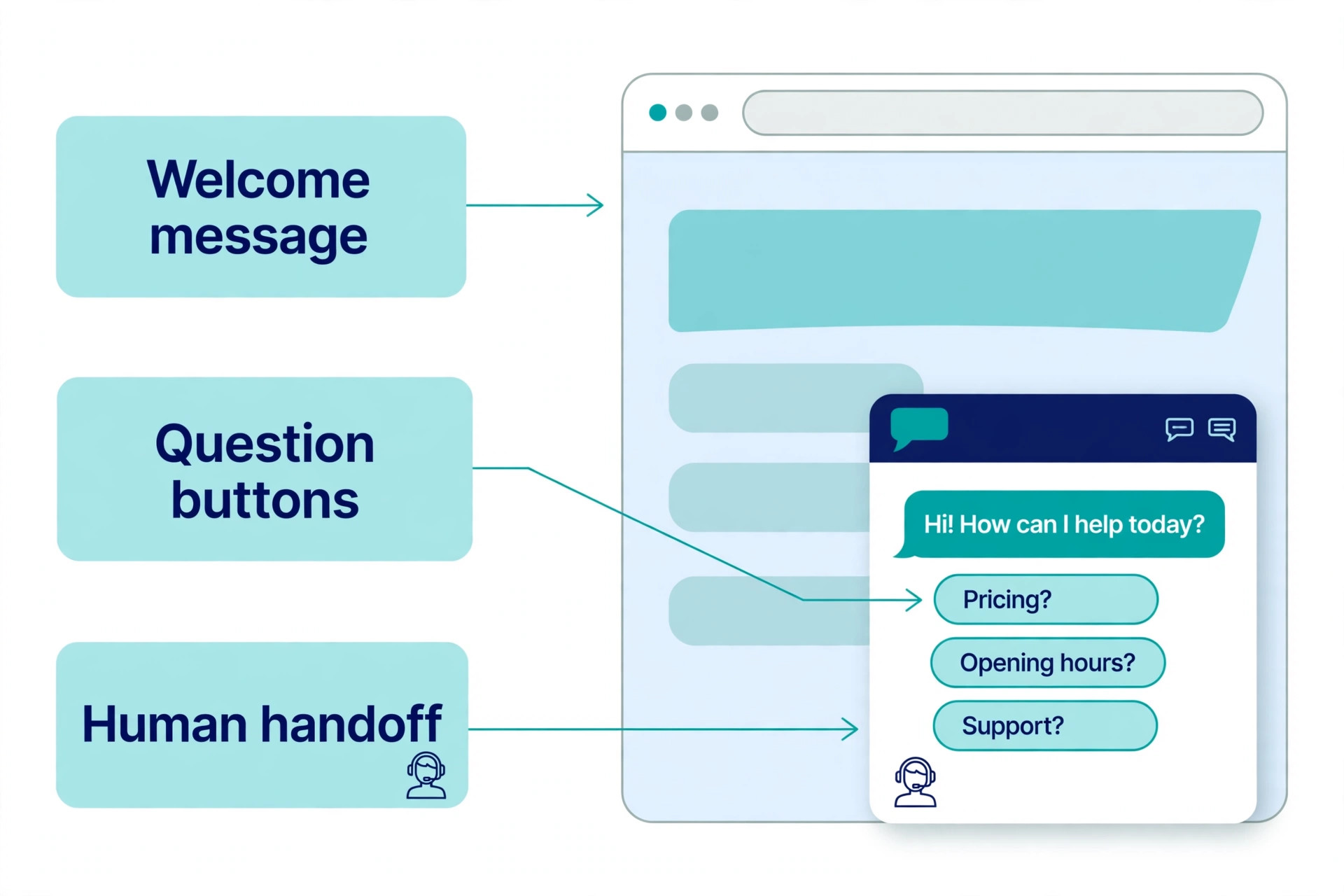
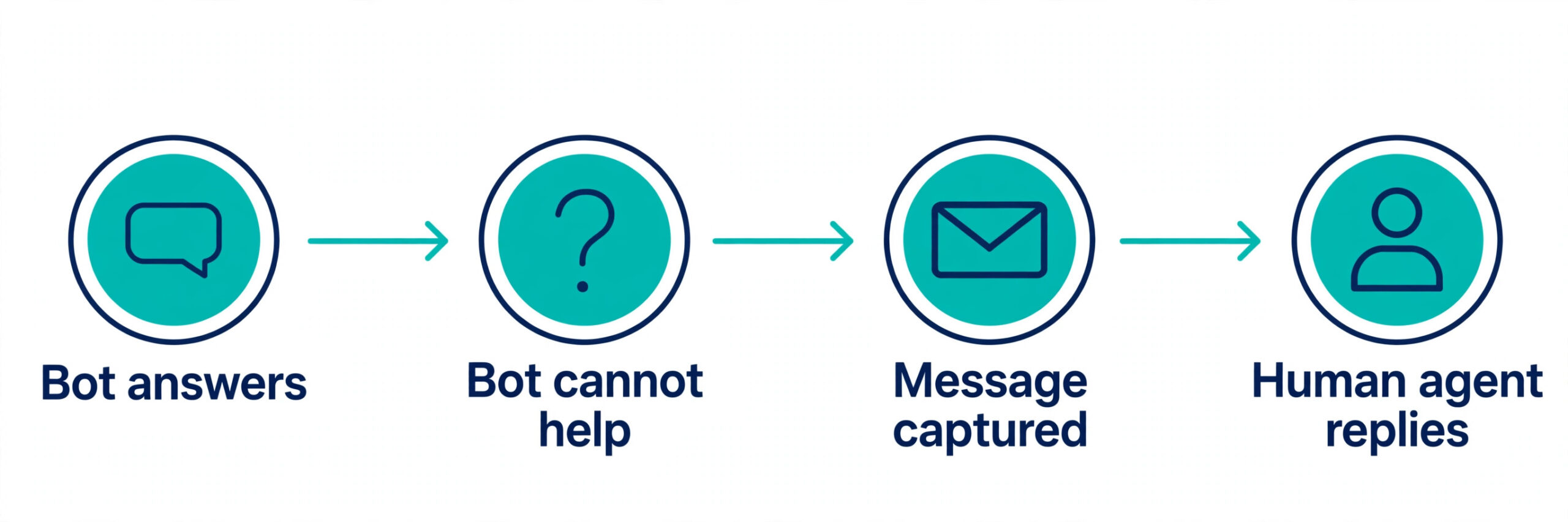
A bot that cannot hand over to a human is a dead end. Write the handoff rules before launch. The bot should offer a human the moment a visitor types words such as refund, complaint, cancel, manager or speak to someone. It should also hand over when it fails to answer the same question twice, when the visitor asks for a custom quote, and when the conversation involves money above a threshold you set.
Decide who answers handed off chats and in what order, and set a response time promise the team can keep, such as within one business hour. Outside business hours, the bot should take a name, an email and a message, and promise a reply by a specific time the next working day. Test the handoff with a colleague pretending to be an angry customer, because the first real test should not be a real customer.
Step 7. Test With Real Questions Before Launch
Test for a full day with people who did not build the bot. Give five colleagues or friends a list of 20 real customer questions and ask them to chat with the bot, including typos, short questions and rude phrasing. Log every wrong answer, every loop where the bot repeats itself, and every question that ends without a useful reply. Fix the top ten failures before launch and retest them. Testing is the most skipped step in how to set up ai chatbot on small business website projects, and it is the step that protects your reputation, because a visitor who meets a broken bot tells friends about it.
Check the bot on a phone, because most visitors will meet it there, and check it on a slow connection, because a widget that loads slowly will be closed before it is read. Read the whole conversation log, not just the answers, because the log shows where visitors give up. A bot that passes this test with 80 percent of questions answered correctly is ready. A bot that answers half the questions correctly needs another week of training, not a launch date.
Step 8. Go Live, Then Improve Weekly
Launch on a Tuesday or Wednesday morning, when your team is available to watch the first chats. Announce the chat on your site, but do not promise instant human replies if the bot is answering. For the first two weeks, read every conversation log at the end of each day and fix the three most common failures. Add the new questions visitors ask to the knowledge base, and remove the answers that are no longer true.
After a month, the log will show a stable set of questions, and weekly checks are enough. Track four numbers. How many chats the bot resolved without a human, how many it handed over, how many leads it captured, and how many visitors rated the chat poorly. When the resolution rate stops improving, the bot is not broken, it has simply learned everything your current content can teach it, and the next improvement comes from better pages, not better bot settings.
Launch Checklist for Your First Chatbot
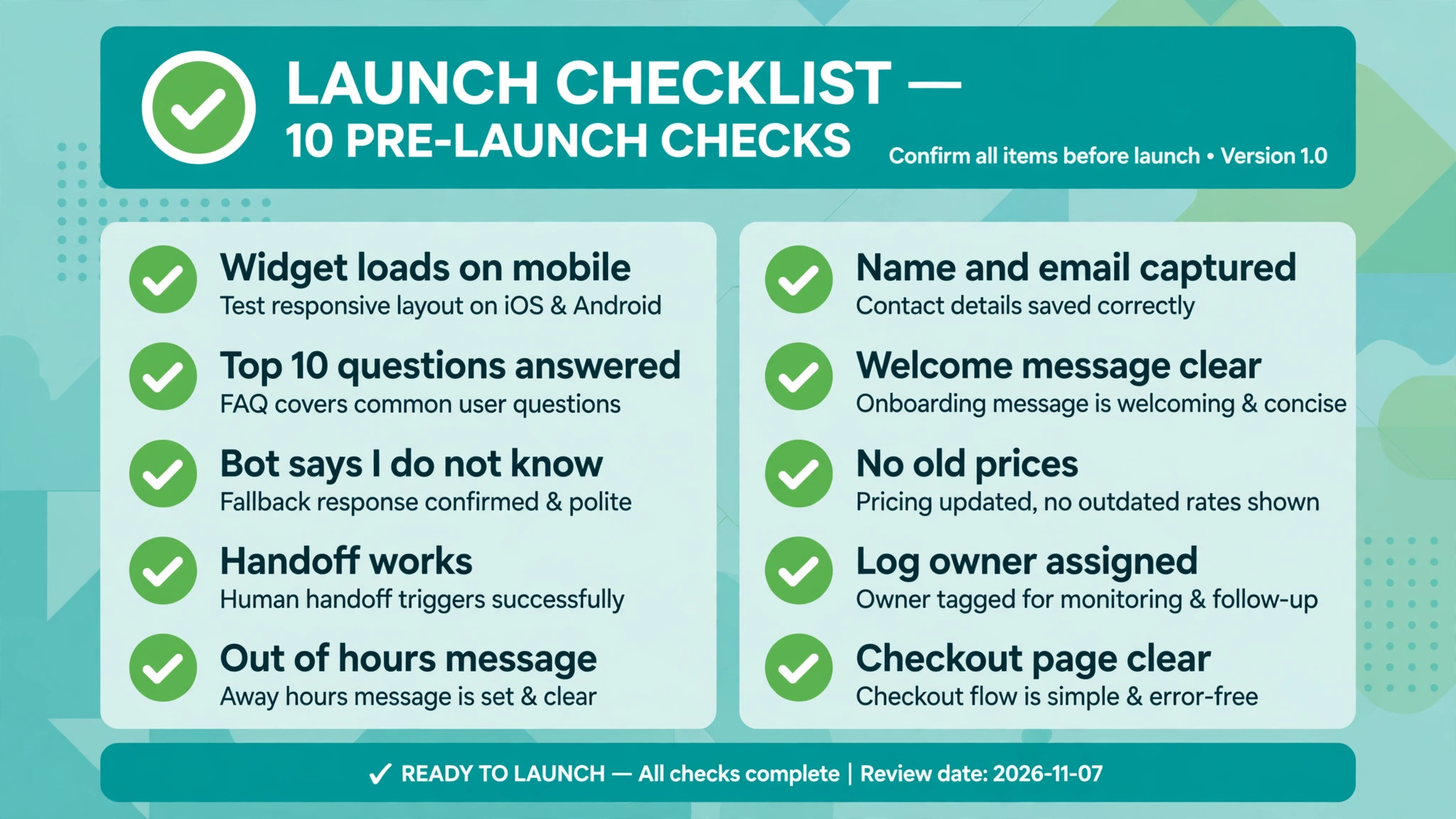
Use this checklist on launch day. Each item is a check you can verify in five minutes, and a single failed item is a reason to delay launch by a day rather than explain it to a customer.
- The widget loads on desktop and on mobile without covering the buy button.
- The bot answers the top ten customer questions correctly, word for word.
- The bot says it does not know instead of guessing a price or a date.
- The handoff to a human works, and the right person gets the notification.
- Outside hours, the bot takes a message and promises a reply time.
- The bot captures a name and an email before offering a callback.
- The welcome message states what the bot can do in one sentence.
- The knowledge base has no discontinued prices or old policies.
- Someone on the team owns the conversation log and checks it daily.
- The bot is removed from the checkout confirmation page if it distracts buyers.
Mistakes That Break a New Chatbot
The most common mistake is letting the bot guess. A bot that invents a delivery date or a discount creates a promise the business must keep or a customer it must disappoint. The fix is a strict rule in the training settings, so the bot says it does not know and offers a human, and a weekly log review that catches the guesses that slip through.
The second mistake is hiding the human. A bot that loops through menus with no way to reach a person will drive visitors to the phone or to a competitor. Every conversation should show a way to contact a person within two taps, and the words refund, complaint and cancel should trigger a handoff immediately.
The third mistake is launching with stale content. Prices, opening hours and delivery times change, and a bot trained on last year pages will answer with last year facts. Put a monthly calendar reminder to review the knowledge base, and retrain the bot on the same day you update the website.
The fourth mistake is measuring the wrong number. A bot that answers 1,000 chats a month is not a success if 400 of those visitors left angry. Track the resolution rate and the poor ratings alongside the volume, and judge the bot on the conversations it finished well, not the conversations it started.
Our Verdict
Tidio is the pick for most small businesses learning how to set up ai chatbot on small business website pages, because the free plan is genuinely usable, the Lyro agent trains on your own content, and the paid step is a flat monthly price you can budget. Chatbase is the pick when you want the fastest pure AI setup and you do not need a live chat inbox.
Tawk.to is the pick when the budget is zero and a person will answer most chats. Whichever tool you choose, the setup that matters is the same, which is a short list of real questions, honest answers, a clear handoff and a weekly log review. Get those four right and the bot will pay for itself in the first month. Get them wrong and no tool will save it.
Frequently Asked Questions
How long does it take to set up an AI chatbot on a small business website?
Most small businesses finish the setup in one working day, with the training and testing taking most of the time. Installing the widget takes under an hour on WordPress, Shopify or Wix. Writing the answers and testing with real questions takes four to six hours, and that is the work that decides whether the bot helps. Plan a second day for fixes after the first round of testing, because the test always finds answers that need rewriting.
How much does an AI chatbot cost a small business each month?
A small business typically pays between zero and 60 dollars a month at the entry level, depending on volume and the AI billing model. Tawk.to live chat is free, with AI from 29 dollars a month. Tidio starts at 24 dollars a month on annual billing, and Chatbase costs 40 dollars a month. Per resolution tools such as Intercom Fin can cost several hundred dollars a month at volume, so model your monthly chat count before you choose, not after the first bill arrives. That budgeting step is part of how to set up ai chatbot on small business website projects that stay affordable, because the cheapest headline price is rarely the cheapest month once the bot starts working.
Can a chatbot replace live chat staff?
No, a chatbot replaces the repetitive first replies, not the staff. It answers opening hours, prices and delivery questions, captures leads outside hours, and routes the rest to a person. Conversations about refunds, complaints, custom quotes and anything involving judgment still need a human. Businesses that treat the bot as a first responder, with a clear handoff, keep customers happier than businesses that try to automate everything.
Do I need a developer to install a chatbot?
No, most small business chatbot tools install through an official plugin or app with no code. WordPress, Shopify and Wix all have one click installs for Tidio, tawk.to, HubSpot and others. A custom website needs one small code snippet pasted before the closing body tag, which any web developer can do in ten minutes. The technical work is the easy part. Writing good answers is the work that takes time.
Will an AI chatbot give wrong answers about my prices?
It will if you let it, which is why the training rules matter. Point the bot only at current pages and documents, delete old prices from the knowledge base, and set the bot to say it does not know rather than guess. Review the conversation log weekly and fix the answers that are wrong. A bot with a strict do not guess rule and a current knowledge base gives wrong prices far less often than a tired staff member answering the same question for the fiftieth time.
What should a small business chatbot do first?
Start with three jobs and nothing else. Answer the ten most common questions, capture a name and an email from visitors who want a quote or a callback, and hand the rest to a human. Once those three jobs work reliably for a month, add the next job, such as booking appointments or tracking orders. A bot that does three jobs well earns trust. A bot that tries to do everything on day one earns complaints.
A chatbot is a small project with an outsized return when the setup is honest. Pick the tool that fits your volume and your existing software, train it on real questions with short answers, set a handoff a customer can actually reach, and read the logs every week. The businesses that win with chatbots are not the ones with the cleverest software. They are the ones that keep the answers current and the human close by, and that is the real lesson of how to set up ai chatbot on small business website work done properly.