Payhip is the pick for most creators starting out among the best digital product stores for creators. The free plan takes only 5 percent per sale, handles tax, and costs nothing in a slow month. Lemon Squeezy is the pick for software and licence sellers, because merchant of record tax handling and included processing beat a slightly lower fee elsewhere. Etsy is the pick for printables and templates with no audience, because its search traffic is an asset no storefront can replace.
We compared 10 stores on the numbers that decide what you keep. We checked the published fee on each vendor pricing page in late 2026, worked out what a seller keeps on a 20 dollar sale and on 500 and 2,000 dollars of monthly sales, and noted who handles sales tax, who brings buyers, and who leaves you to find your own audience. The result is a shortlist that covers marketplaces, flat fee storefronts, link in bio checkouts and full shops, so you can match the store to the way you actually sell.
The first decision is not which store is best in general. It is whether you need buyers or only a checkout. A marketplace such as Etsy brings shoppers who search for printables and templates every day, and it charges for that traffic. A storefront such as Payhip or Stan Store brings no buyers at all, and it charges far less per sale. Creators who already have an audience on social media or email usually earn more on a cheap storefront, while creators starting from zero usually earn more on a marketplace, even after the higher fee.
How We Compared 10 Stores
We started with the fee, because it is the only feature that touches every sale. For each store we recorded the monthly price, the platform fee per sale, the card processing cost, and whether the platform acts as merchant of record and handles sales tax and VAT. A platform that handles tax saves real admin time for sellers with buyers in Europe and in many United States states, and that saving is worth money even though it never appears in a fee table.
We then looked at what each of the best digital product stores for creators sells well. Some stores handle ebooks, templates and presets with ease and struggle with courses and memberships. Others are built for courses and coaching and treat a simple download as an afterthought. We matched each store to the product types it handles best, so a template seller and a course seller do not end up with the same recommendation.
We also weighed the audience question, the payout terms, and the cost of leaving. A store that locks your customer email list behind an export wall is a risk, because your buyers are your business. A store with a monthly fee and a yearly sales cap can force an upgrade at the worst moment, right when sales take off. Prices in this guide were checked against vendor pricing pages and current 2026 fee roundups, and you should confirm the price on the checkout page before you commit, because fees in this category change often.
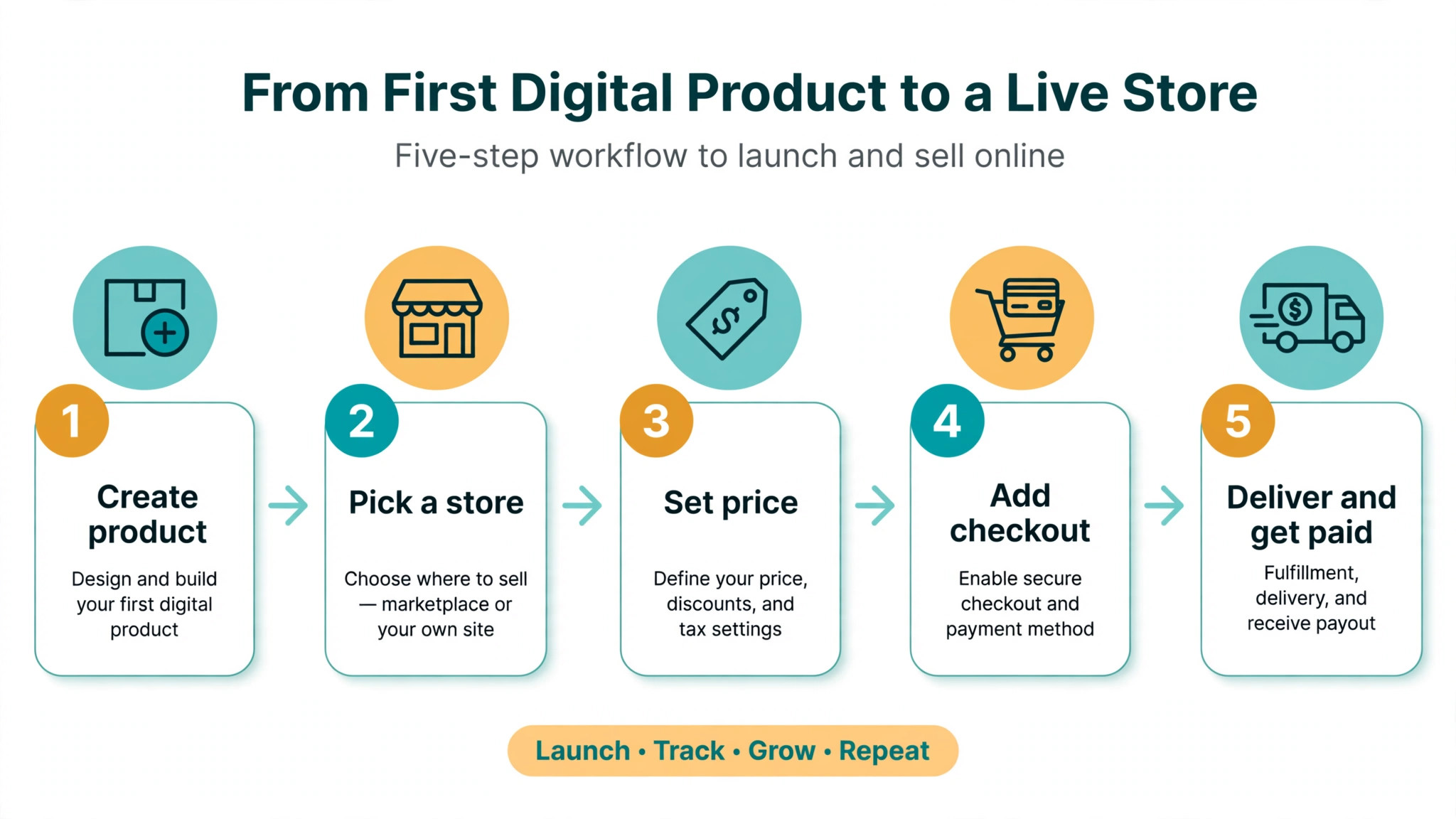
The Best Pick for Each Job
| Job | Pick | Why it wins |
|---|---|---|
| First product with no audience | Etsy | Built in search traffic for printables and templates |
| Lowest fee with no monthly cost | Payhip | Free plan takes 5 percent per sale |
| Software and licences with tax handled | Lemon Squeezy | Merchant of record, 5 percent plus 50 cents |
| Flat fee once sales pass 220 dollars a month | Sellfy | 29 dollars a month, 0 percent platform fee |
| Selling from Instagram or TikTok | Stan Store | 29 dollars a month, 0 percent, two tap checkout |
| Courses plus downloads plus community | Podia | One plan covers all three |
| A full shop with room to grow | Shopify | Full catalogue, apps and checkout control |
Use this table as a shortcut, then read the section for the store you are leaning toward. The cheapest store at 200 dollars a month is rarely the cheapest at 2,000 dollars a month, and the fee worked examples in each section show exactly where the crossover sits.
The Best Digital Product Stores for Creators in 2026, Ranked
The 10 stores below fall into three groups. The first group charges a percentage of every sale and no monthly fee, which suits a first product and a slow month. The second group charges a flat monthly fee and takes nothing per sale, which suits steady sales above a few hundred dollars a month. The third group is the marketplace and full shop end of the market, where you pay for traffic or for control. Read the group that matches your monthly sales, then compare the two or three stores inside it.

1. Gumroad
Gumroad is the fastest way to put a digital product on sale, and for many creators it is the first store they ever use. You can list an ebook, a template, a preset pack, a course or a membership in minutes, with no monthly fee and no website to build. The checkout is clean, the delivery is automatic, and Gumroad acts as merchant of record, so it collects and remits sales tax and VAT for you. That tax handling is the feature sellers miss most when they leave, because it removes a whole category of admin work.
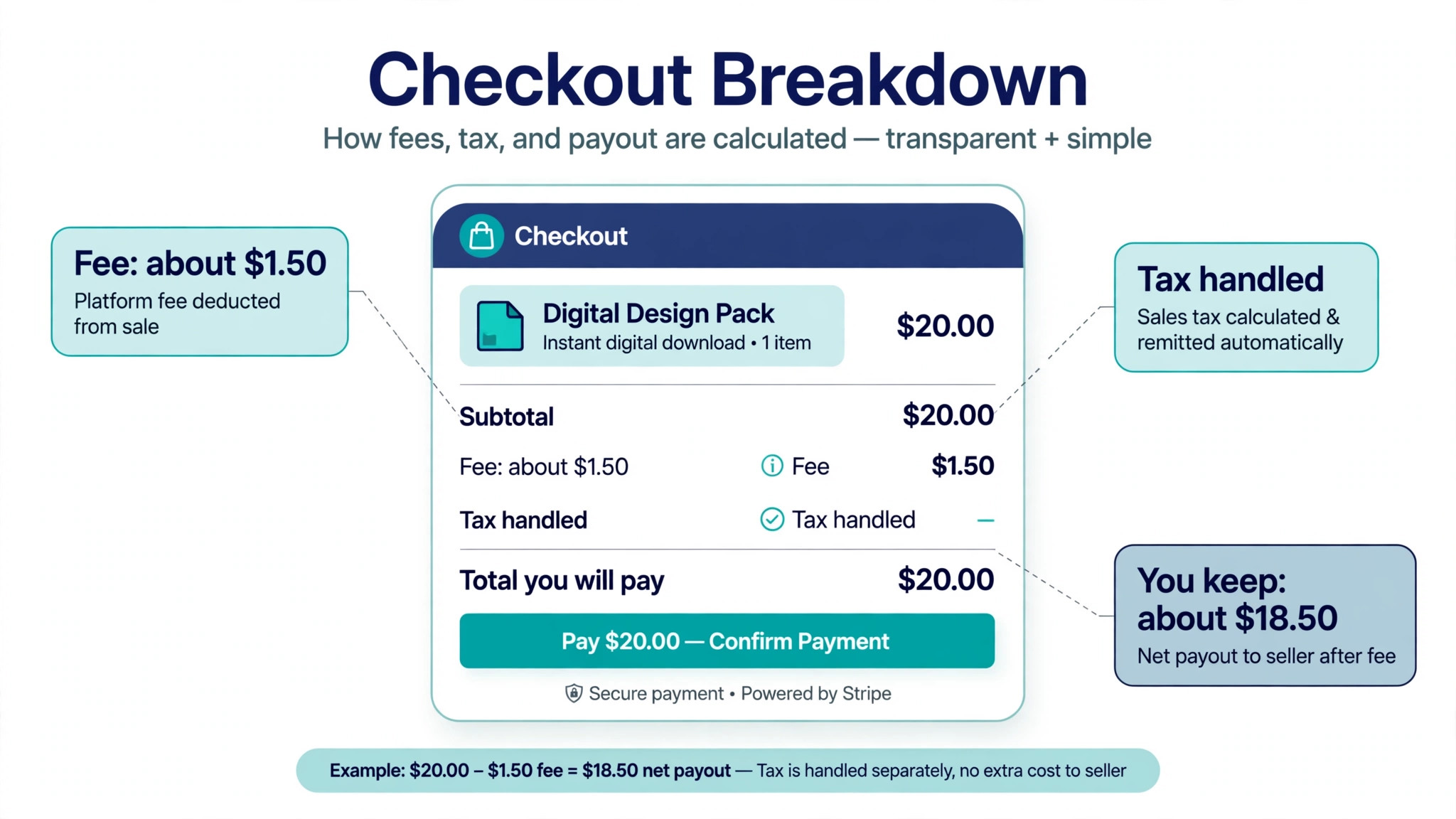
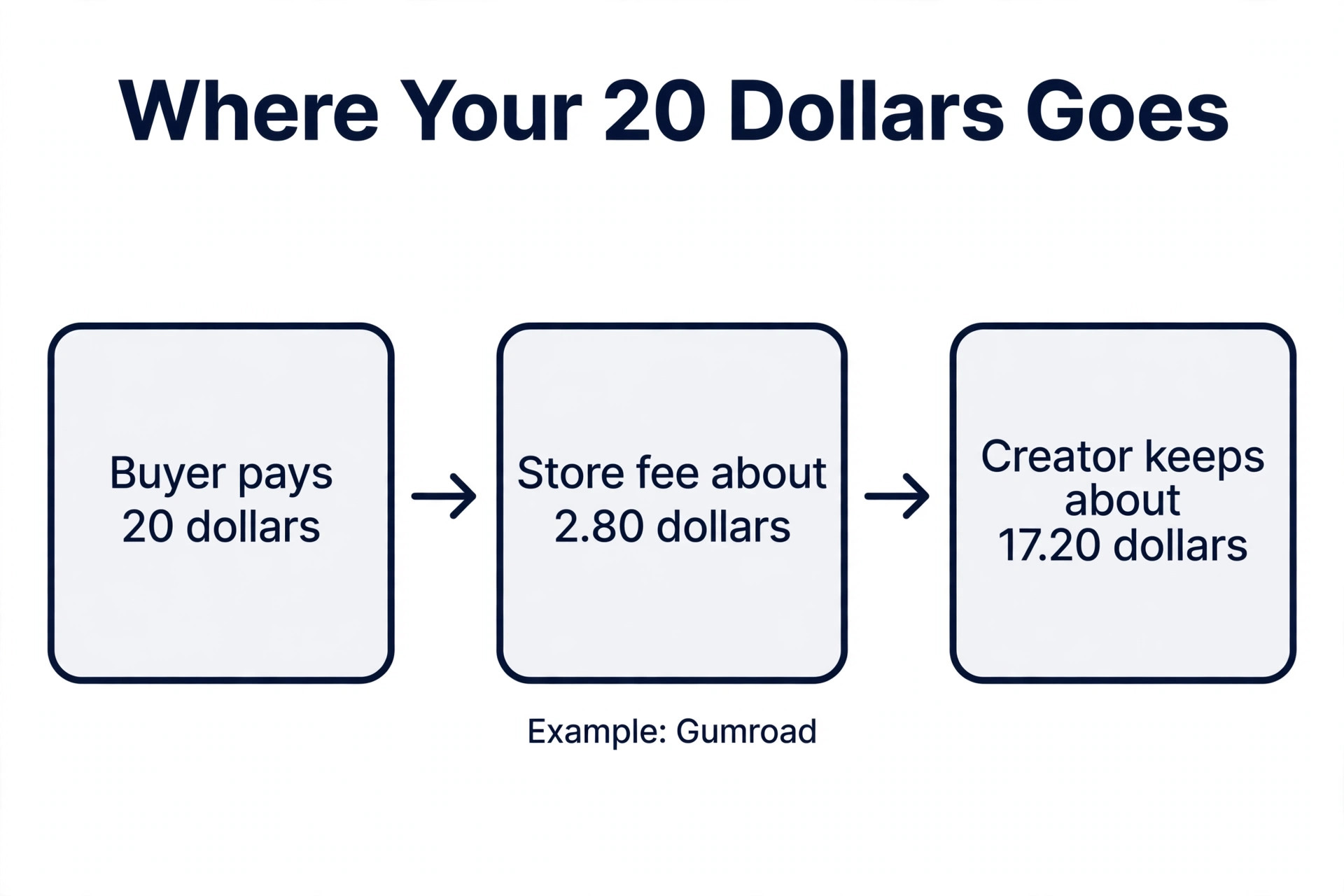
The price of that ease is the fee. Gumroad takes 10 percent plus 50 cents on a direct sale, plus card processing of about 2.9 percent plus 30 cents. On a 20 dollar sale you keep roughly 17 dollars, and on 2,000 dollars of monthly sales Gumroad keeps about 240 dollars before processing. Sales that come through the Gumroad Discover marketplace cost far more, at 30 percent, so treat Discover as a traffic channel you pay for, not as free exposure. Gumroad suits a first product, a test, or a seller who values zero setup over the lowest fee. Once monthly sales pass about 400 dollars, a flat fee store usually keeps more money in your pocket.
2. Payhip
Payhip is the closest like for like replacement for Gumroad, and the numbers favour it at almost every volume. The free plan takes 5 percent per sale, half of Gumroad, with Stripe or PayPal processing on top. The Plus plan costs 29 dollars a month and drops the fee to 2 percent, and the Pro plan costs 99 dollars a month and removes the platform fee entirely. Payhip also handles EU and UK VAT, and since July 2026 it handles United States sales tax too, which closes the gap with Gumroad on admin.
The store itself covers ebooks, templates, presets, courses and memberships, with PDF stamping, coupons, affiliates and a simple storefront. The storefront is plain, but the checkout works and delivery is reliable. For a creator selling templates or ebooks with a small audience, Payhip free is the cheapest honest starting point among the best digital product stores for creators. The crossover is simple. If monthly sales stay under about 600 dollars, stay on the free plan. Above that, Plus at 29 dollars a month usually beats the free plan fee.
3. Etsy
Etsy is the only store on this list that brings buyers to you, and for printables, planners, Canva templates, Lightroom presets and Notion dashboards that traffic is worth paying for. Millions of shoppers visit Etsy looking for exactly those products, and a new seller with no audience can make sales in the first week. Etsy reports around 96 million active buyers, and its search engine rewards good titles, good photos and good reviews in a way a standalone storefront never will.
The fee reflects that traffic. A listing costs 20 cents, Etsy takes 6.5 percent of the sale price including shipping, and payment processing adds about 3 percent plus 25 cents. On a 20 dollar digital sale the total cost lands near 2 dollars, or about 10 percent, before any optional advertising. Offsite Ads can add a further fee when Etsy brings the buyer from an outside ad, so check your advertising settings before you scale. Etsy suits sellers whose products fit what Etsy shoppers already search for. If your product is a course, software or a coaching call, the Etsy audience will not help you, and a storefront will keep more of each sale.
4. Lemon Squeezy
Lemon Squeezy is the pick for software, licences and subscriptions, and it is the simplest tax story in this guide. It charges 5 percent plus 50 cents per sale with card processing included, and it acts as merchant of record, so it collects and remits VAT, GST and sales tax worldwide. For a seller with buyers in many countries, that single fact can be worth more than a lower headline fee elsewhere, because the alternative is registering for tax in places you have never visited.
The platform handles licence keys, subscriptions, usage based billing and digital delivery, which makes it a natural fit for indie software, plugins, presets with licences and small SaaS products. It is less suited to a creator whose main product is a course with a community, because the course and community tools are thinner than Podia. One change to watch is that Stripe acquired Lemon Squeezy in 2024, and in January 2026 the team said it is moving users toward Stripe Managed Payments, so confirm the current status on the pricing page before you build a store there. For software sellers who want tax handled and a fair fee, it remains a strong choice.
5. Sellfy
Sellfy is the flat fee store for creators whose sales are steady enough that a percentage fee hurts. The Starter plan costs 29 dollars a month, or 22 dollars a month billed yearly, and takes 0 percent of each sale, with card processing on top. The Business plan costs 79 dollars a month, or 59 dollars billed yearly, and adds more products and features. Sellfy prices by yearly sales volume rather than by features, so the tier you need changes as you grow, and the Starter plan caps yearly sales at 10,000 dollars before an upgrade is required.
The store covers digital downloads, subscriptions, courses and print on demand merchandise in one place, which suits creators who sell a template and a mug with the same design. The storefront is simple to set up and the checkout is fast, and the 0 percent fee means the maths flips in your favour once monthly sales pass about 220 dollars, when 29 dollars a month costs less than the percentage a free plan would take. Sellfy suits established creators with consistent revenue between 500 and 5,000 dollars a month who want a predictable bill. If sales are irregular or under 200 dollars a month, a free plan elsewhere costs less in slow months.
6. Stan Store
Stan Store turns a social media bio link into a store, and it is built for the way Instagram and TikTok audiences actually buy. A follower taps the link, sees a short mobile page, and checks out in two taps, without ever visiting a website. The Creator plan costs 29 dollars a month and takes 0 percent of each sale, with Stripe processing on top, and the Creator Pro plan costs 99 dollars a month and adds more features. There is no free plan, only a 14 day trial, so Stan Store is a commitment from day one.
The product range covers digital downloads, courses, coaching calls, memberships and webinars, and the average sale on Stan across digital products was about 67 dollars in 2025, which shows the audience buys higher priced items, not only cheap templates. The trade off is customisation. The store is a single mobile page, not a full website, so a creator who wants a blog, a catalogue and search engine traffic needs a second home for the brand. Stan Store suits creators whose audience lives on social media and who sell from a link in bio every day. If your buyers come from Google search or email, a fuller storefront will serve you better.
7. Podia
Podia is the all in one option for creators who sell courses and want downloads and a community in the same plan. The Mover plan costs 42 dollars a month billed yearly, or 49 dollars month to month, and takes a 5 percent fee. The Shaker plan costs 84 dollars a month billed yearly, or 99 dollars month to month, and takes 0 percent. The Earthquaker plan costs 150 dollars a month billed yearly and adds more seats and features. Every paid plan includes courses, downloads, webinars, coaching and a community, plus email marketing and affiliates.
That breadth is the reason to choose Podia. A creator can sell a 15 dollar template, a 200 dollar course and a monthly membership without adding a second tool or stitching tools together with extra subscriptions. The store builder and the analytics are more basic than a dedicated shop platform, and the design options are limited, but the workflow is clean and a first time seller can launch in a day. Podia suits course creators and coaches who want one bill and one login. A seller who only sells downloads will find a cheaper home on Payhip or Sellfy, because Podia charges for course and community features that a download seller never uses.
8. Shopify
Shopify is the full shop at the end of this list, and it is the pick when a creator outgrows a simple storefront. The Basic plan costs 39 dollars a month, and Shopify takes 0 percent platform fee on top of card processing, which runs about 2.9 percent plus 30 cents on a United States card. You get a full catalogue, a blog, discount codes, abandoned cart recovery, an app store with thousands of add ons, and a checkout that buyers already trust. Digital delivery needs an app, because Shopify was built for physical goods first, but the apps for digital products are mature and cheap.
The cost is not only the monthly fee. Apps, a theme and payment processing add up, and a small seller with 200 dollars a month in sales will pay more here than on a free plan elsewhere. The value arrives with scale. At 2,000 dollars a month, the flat 39 dollars is a small share of revenue, and the control over branding, email capture, upsells and search engine optimisation is worth more than the fee saving a simpler store offers. Shopify suits creators who already sell steadily and want a real shop with room to grow into physical products, bundles and wholesale. It is too much tool for a first product test.
9. Ko-fi
Ko-fi starts as a tip jar and grows into a store, and that gentle on ramp is its appeal. Supporters can leave a one off tip, join a monthly membership, or buy a digital product from the same page, with no monthly fee on the free plan. Ko-fi takes a 5 percent fee on sales, or 0 percent with the Gold plan at 12 dollars a month, and the Gold plan also unlocks a custom domain, extra shop features and no Ko-fi branding. The setup takes minutes and the page feels personal, more like a supporter page than a shop.
The limits are clear. Ko-fi is not a full storefront, and it has no built in marketplace traffic, no course platform to match Podia, and no tax handling to match Lemon Squeezy. A creator with a loyal following who wants a simple place to take tips and sell a few downloads will love it, and the 0 percent Gold fee at 12 dollars a month is one of the cheapest flat fees in this guide. A creator who needs a catalogue, a blog and search traffic should look elsewhere. Ko-fi suits artists, writers and streamers whose audience already supports them and who want selling to feel like an extension of that support, not a separate business.
10. Fourthwall
Fourthwall is the newest name on this list, and it earns its place with a fee structure that favours digital sellers. Digital products carry a 0 percent platform fee on the Pro plan at 15 dollars a month, which makes it one of the cheapest flat fee routes to selling downloads. The platform also covers memberships, print on demand merchandise and a simple storefront, so a creator can sell a preset pack and a printed poster from the same page without a second tool.
The audience for Fourthwall is creators who already have a following on video and social platforms and want a home for their products that is not a marketplace. The store builder is modern and the checkout is fast, but the platform is younger than Gumroad or Shopify, so the app ecosystem and the help documentation are thinner, and long term pricing is less proven. That is a fair trade for the fee. A creator selling downloads to an existing audience who wants the lowest flat monthly cost should try the Pro plan, and a creator who needs deep integrations or a decade of track record should pick a more established store instead.
How to Choose the Right Store
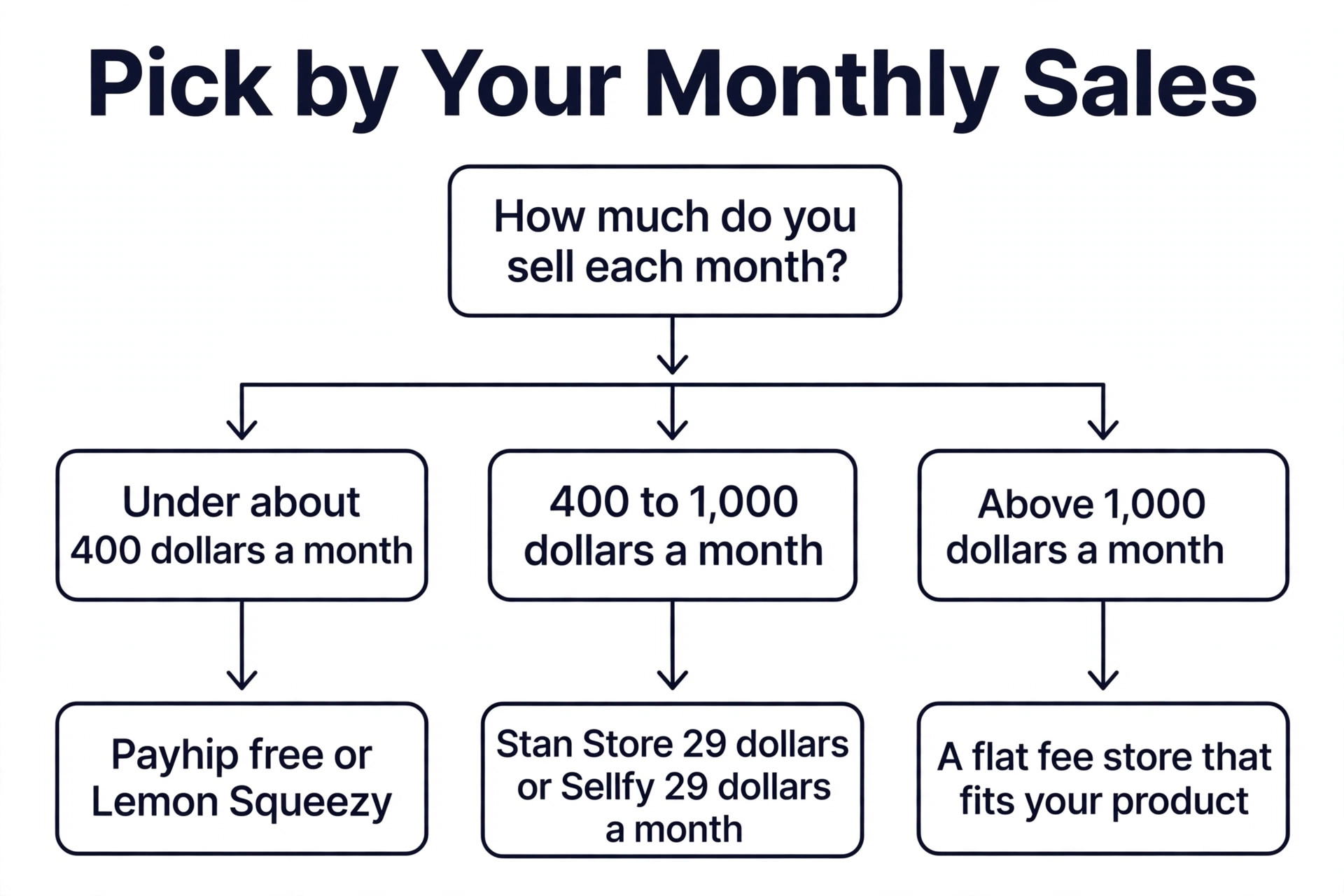
Start with your monthly sales, because the fee maths decides the shortlist among the best digital product stores for creators before any feature does. Under about 400 dollars a month, a percentage fee store with no monthly cost wins, and Payhip free at 5 percent or Lemon Squeezy at 5 percent plus 50 cents will cost less than any flat fee plan. Between 400 and 1,000 dollars a month, compare the flat fee plans, because 29 dollars a month on Stan Store or Sellfy stops growing while a percentage fee keeps climbing. Above 1,000 dollars a month, a flat fee plan wins clearly, and the choice becomes which flat fee store fits your product type, not which is cheapest.
Next, ask who brings the buyer. If you have no audience, Etsy is the only store here that solves the traffic problem, and its fee is the price of that traffic. If your audience is on Instagram or TikTok, Stan Store converts that audience better than a website store. If your audience is on email or YouTube, a storefront with good email capture and search optimisation, such as Shopify or Podia, will compound over time. A store that fits your traffic source will outsell a cheaper store that fights it.
Then check the tax question. Sellers with buyers in Europe or in many United States states should favour a merchant of record such as Gumroad, Lemon Squeezy or Payhip, which collects and remits tax for you. Sellers who only sell inside one country can safely choose a store that leaves tax to them, but they should still keep records, because tax rules for digital goods change often. Finally, test before you commit. Every store here offers a free plan or a trial, so list the same product on two stores, drive the same traffic to each, and compare the real keep per sale after a month.
What a 20 Dollar Sale Keeps on Each Store
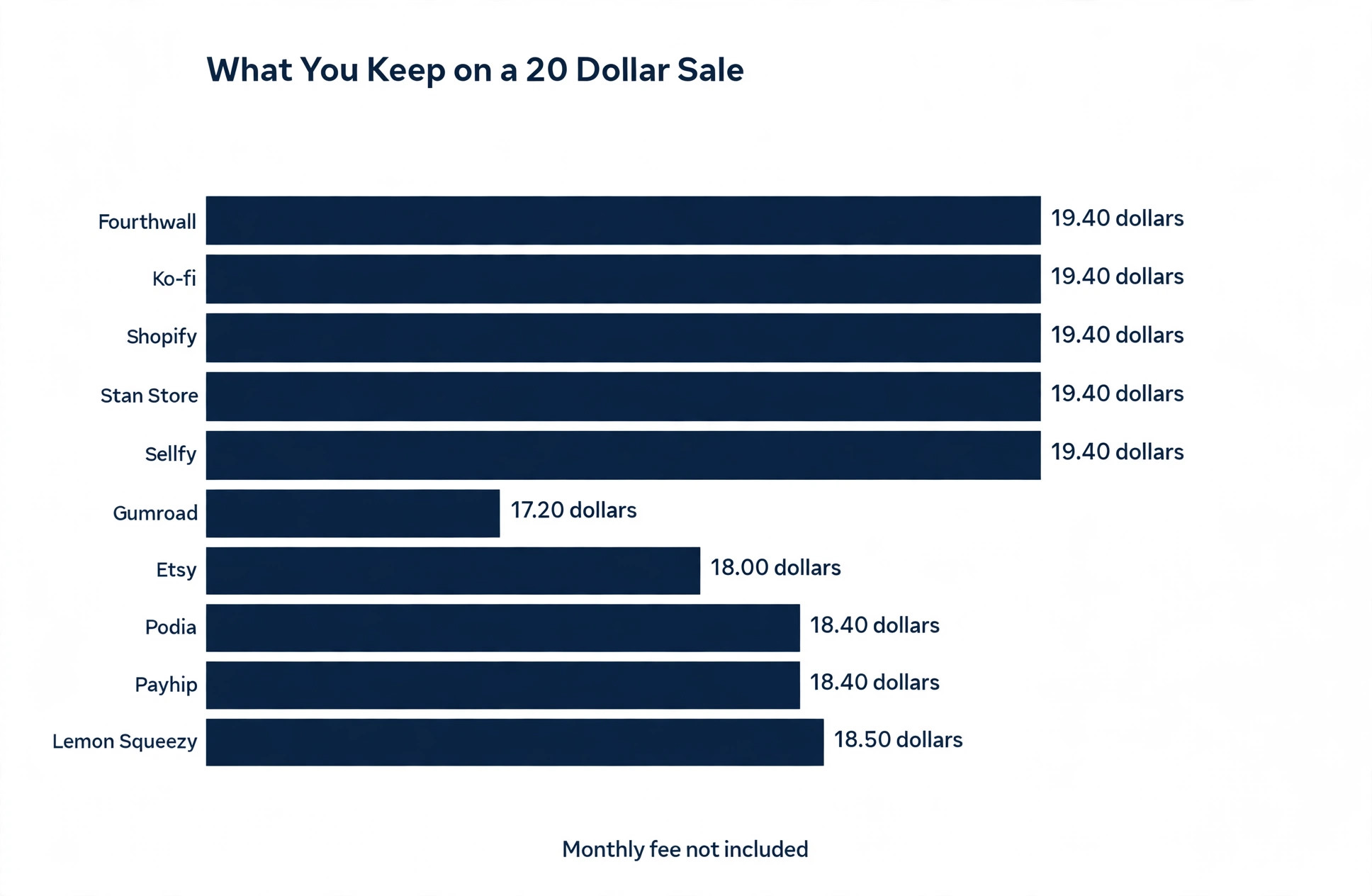
The table below works out a single 20 dollar sale on each store, using the published fees checked in late 2026. Card processing is included where the vendor includes it, and shown separately where it is charged on top. The numbers are rounded, and the monthly fee is not included, so add it when you compare a flat fee plan with a free plan.
| Store | Monthly fee | Fee on a 20 dollar sale | You keep |
|---|---|---|---|
| Gumroad | 0 dollars | About 2.80 dollars | About 17.20 dollars |
| Payhip free | 0 dollars | About 1.60 dollars | About 18.40 dollars |
| Etsy | 0 dollars | About 2.00 dollars | About 18.00 dollars |
| Lemon Squeezy | 0 dollars | About 1.50 dollars | About 18.50 dollars |
| Sellfy Starter | 29 dollars | Processing only | About 19.40 dollars |
| Stan Store Creator | 29 dollars | Processing only | About 19.40 dollars |
| Podia Mover | 42 dollars | About 1.60 dollars | About 18.40 dollars |
| Shopify Basic | 39 dollars | Processing only | About 19.40 dollars |
| Ko-fi Gold | 12 dollars | Processing only | About 19.40 dollars |
| Fourthwall Pro | 15 dollars | Processing only | About 19.40 dollars |
The pattern is plain. The free percentage stores keep 17 to 18.50 dollars on a single sale, while the flat fee stores keep about 19.40 dollars before their monthly fee. The flat fee store only wins once monthly sales are high enough that the monthly fee is smaller than the percentage you would have paid, which is why the crossover sits near 400 dollars a month for most sellers.
Mistakes That Cost Creators Money
The most common mistake is picking a store for its design and ignoring its fee. A beautiful storefront that takes 10 percent of every sale will cost a seller thousands of dollars a year once sales grow, while a plain storefront at 0 percent will fund the next product. Choose the fee first, then make the store look good inside that choice, not the other way round.
The second mistake is paying a monthly fee before sales exist. A creator who signs up for a 39 dollar shop and a 29 dollar email tool before selling a single copy has a 68 dollar monthly bill and no revenue to cover it. Start on a free plan, prove the product sells, then move to a flat fee plan when the maths says the move saves money. The move takes an afternoon, and the saving starts the same month.
The third mistake is ignoring where the customer list lives. Some stores make it easy to export buyer emails and some make it hard, and a seller who cannot email past buyers cannot launch a second product to them. Before you choose, check that you can export your customer list and that you own the email relationship. A store that owns your buyers owns your business, whatever its fee says.
- Work out your monthly sales before you compare fees.
- Check who handles sales tax and VAT for your buyers.
- Confirm you can export your customer email list at any time.
- Test two stores with the same product for one month.
- Move to a flat fee plan only when the maths says it saves money.
Our Verdict
Payhip is the pick for most creators starting out, because the free plan takes only 5 percent, handles tax, and costs nothing in a slow month. Lemon Squeezy is the pick for software and licence sellers, because the merchant of record tax handling and the included processing are worth more than a slightly lower fee elsewhere. Etsy is the pick for printables and templates when you have no audience, because its search traffic is a real asset that no storefront can replace.
For creators already selling steadily, Stan Store is the pick among the best digital product stores for creators when the audience is on social media, and Sellfy is the pick when the audience is on email or search and the product range includes merchandise. Shopify is the pick when the shop itself is the business and needs a catalogue, a blog and room to grow. Start on the cheapest plan that fits your sales today, and move when the fee maths tells you to, not when a new feature tempts you.
Frequently Asked Questions
Which of the best digital product stores for creators is the cheapest?
Payhip free is the cheapest starting point, because it takes 5 percent per sale with no monthly fee and handles tax. Lemon Squeezy is close at 5 percent plus 50 cents with processing included. Once monthly sales pass about 400 dollars, a flat fee store such as Stan Store at 29 dollars a month or Fourthwall Pro at 15 dollars a month becomes cheaper, because the monthly fee stops growing while a percentage fee keeps climbing with every sale.
Do I need an audience before I open a store?
No, but the store you choose depends on the answer. Etsy brings buyers through search, so it suits creators with no audience who sell printables and templates. Every other store on this list brings no buyers, so it suits creators who already have an audience on social media, email or YouTube. If you have no audience and your product is a course or software, build the audience first with free content, then open a storefront.
Who handles sales tax on digital products?
Gumroad, Lemon Squeezy and Payhip act as merchant of record or handle VAT and sales tax for you, which means they collect and remit the tax. Stan Store, Sellfy, Podia and Shopify leave tax to you, so you must check the rules for each buyer location. Tax rules for digital goods differ by country and by United States state, and they change often, so a merchant of record is a real advantage for sellers with international buyers.
Can I sell on more than one store at the same time?
Yes, and many creators do. A common pattern is to list printables on Etsy for discovery and sell the same products from a Payhip or Stan Store link to an existing audience, keeping more of each direct sale. The risk is confusion over where the latest version lives and which store holds the customer list, so keep one store as the main home for buyers and use the others as extra channels.
Is Shopify too much for a single digital product?
For a first product, yes. Shopify Basic costs 39 dollars a month plus apps, and a seller with 200 dollars a month in sales pays a large share of revenue for features they do not use. Shopify makes sense once monthly sales are steady and the shop needs a catalogue, a blog, discount codes and search traffic. Until then, a free or low flat fee storefront keeps more money and moves faster.
What happens to my customers if I switch stores?
That depends on the store you leave. Most stores let you export your customer email list, but some make it harder than others, and a marketplace such as Etsy never gives you the buyer email address in the first place. Before you choose a store, check its export tools and its terms on customer data. Keep your own email list from day one, so a switch never means starting from zero.
A store is a fee decision before it is a design decision. Work out your monthly sales, check who brings the buyer and who handles the tax, and pick the cheapest store that fits those three facts. Start free, prove the product, and move to a flat fee plan when the maths says the move pays for itself. The best digital product stores for creators reward that order, and the wrong order costs money every single month.