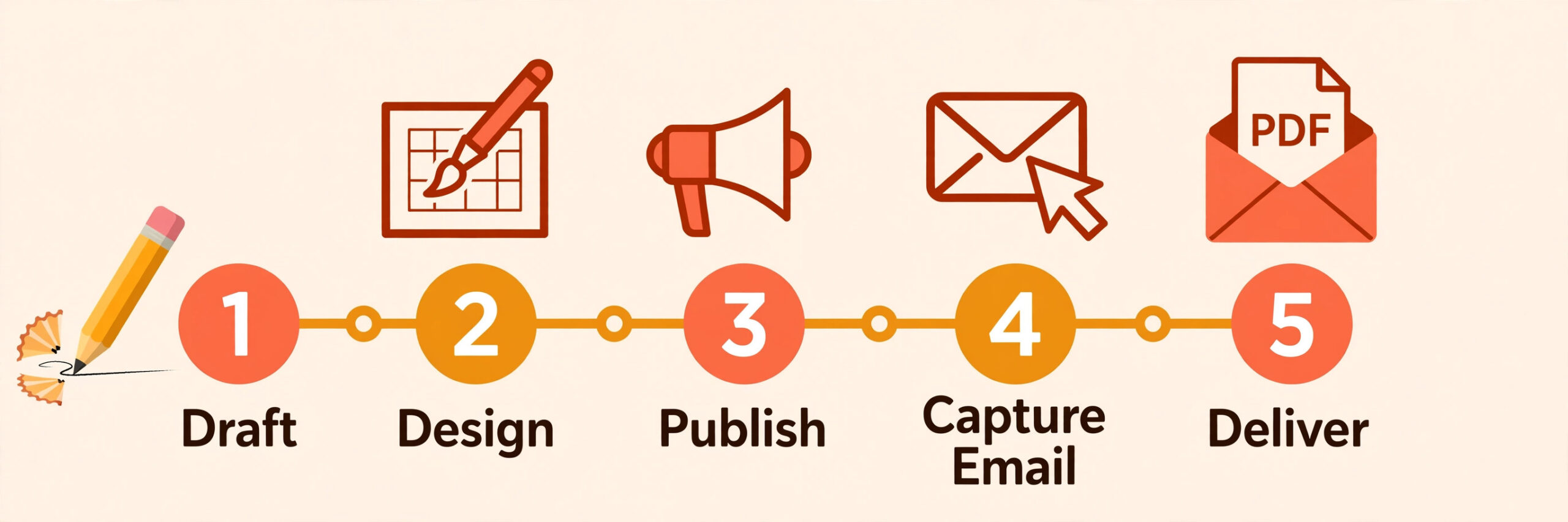
The tool that makes a beautiful PDF is rarely the tool that captures the email, and that gap is where most lead magnets fail. A creator can spend a week designing a gorgeous guide in Canva, publish it, and then discover there is no form attached, no delivery email and no way to know who downloaded it. The best ebook and lead magnet tools for creators solve both halves of the job at once, the design and the capture, so a download becomes a subscriber rather than a dead end. We compared 9 tools on design quality, export formats, email capture and price, and this guide shows which one fits each kind of creator.
A lead magnet earns its keep in one number, the conversion rate from visitor to subscriber, and every part of the tool either helps that number or hurts it. A PDF that looks amateur hurts it, because a visitor judges the quality of the freebie as a preview of the paid work. A delivery flow that asks for an email and then never sends the file hurts it worse, because the subscriber is lost before the relationship starts. And a tool that exports only a format your readers cannot open, such as a print only PDF with no EPUB option for ebook stores, limits where the work can go.
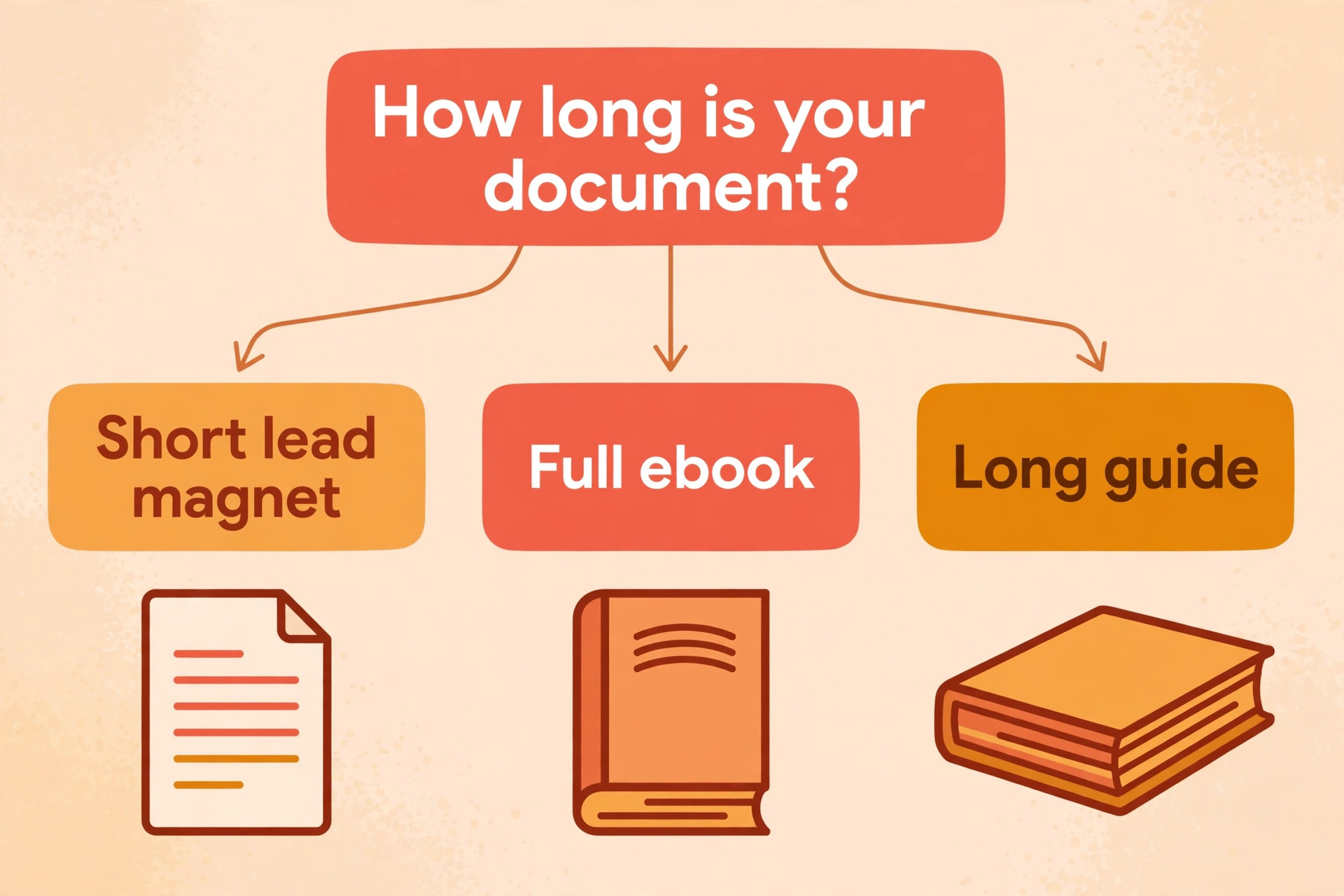
The other split that matters is length. A lead magnet is usually 5 to 20 pages, designed to be read in one sitting and to solve one problem. A full ebook is 50 pages or more, with chapters, a table of contents and a format that works on a Kindle. Some tools on this list are built for the short form and some for the long form, and a few try to do both. Buying the wrong shape is the most expensive mistake in this category, because the tool that formats a novel beautifully will feel painfully slow for a ten page checklist, and the tool that builds a checklist in an afternoon cannot produce a valid EPUB.
How We Compared 9 Ebook and Lead Magnet Tools
We checked each vendor pricing page and current 2026 roundups in November 2026, and we scored every tool on five points that decide whether a creator actually finishes and ships the work. Design quality covered whether the output looks like a professional publication or a dressed up Word document. Export formats covered PDF, EPUB and Kindle files, plus flipbooks and print ready files where they matter. Email capture covered built in opt in forms, landing pages and delivery automation. Speed covered how fast a creator can go from a draft to a finished file. Price covered the true cost of a usable download, not the free preview.
One fact shaped the whole comparison. Free plans in this category are often real and useful, but they hide their limits in the export step, where a watermark, a locked PDF download or a missing EPUB file turns a free tool into a paid one at the worst moment. The best ebook and lead magnet tools for creators are the ones whose free plan lets you finish and ship the work, not only start it. Prices change often and some vendors show different prices by region, so confirm the price on the checkout page before you commit.
The Best Pick for Each Job
| Job | Pick | Why it wins |
|---|---|---|
| The best all round lead magnet | Canva | Fastest designed PDF with the biggest template library |
| Turning blog posts into a lead magnet | Designrr | One click import from a URL, Word file or Google Doc |
| A lead magnet with built in email capture | Beacon | Opt in forms embedded inside the PDF itself |
| A data heavy guide or workbook | Visme | Charts, data widgets and built in lead capture forms |
| A full length ebook for Kindle | Atticus | One time price, clean EPUB and direct KDP upload |
Use this table as a shortcut, then read the full section for the tool you are leaning toward. The best ebook and lead magnet tools for creators are the ones that match the length of the work you actually make, and the cheapest option is not the best value when it cannot export the format your readers need.
The Best Ebook and Lead Magnet Tools for Creators in 2026, Ranked
The 9 tools below fall into three groups. The first group is the design led tools, which build beautiful short PDFs fast and suit lead magnets and workbooks. The second group is the capture led tools, which pair the document with the email form and the delivery flow. The third group is the book tools, which format long manuscripts into proper EPUB and print files. Start with the group that matches the length and the purpose of your work, then compare inside it.

1. Canva
Canva is the best all round starting point for a lead magnet, because it turns a blank page into a polished PDF faster than any other tool on this list. More than 300 ebook specific templates sit inside a library of over 250,000 templates, and the Brand Kit applies your fonts and colours across the whole document in one click. A creator can pick a template, drop in text and images, and export a standard or print PDF in an afternoon. The editor is the easiest on this list for a complete beginner, and the free plan covers the basics well.
Canva Pro costs 12.99 dollars a month and unlocks the full template library, unlimited Brand Kits, premium stock and transparent PNG exports. The limit is format. Canva exports PDF but not EPUB, so it cannot put a book into the Kindle or Apple Books stores on its own, and it has no built in email capture, so the delivery flow needs a separate form tool. Use Canva when the work is a short designed PDF under 20 pages and the audience reads on a computer or prints it. Use a book tool when the work needs to live in an ebook store.
2. Designrr
Designrr is the only tool on this list built specifically for the lead magnet use case rather than adapted to it, and it shows in the workflow. It turns existing material, such as blog posts from a URL, Word files or Google Docs, into a formatted ebook in minutes, which suits marketers who already have the content and need the document. Every plan exports PDF and a flipbook, and the template set is built around guides, checklists and workbooks rather than novels.
Pricing starts at 29 dollars a month for Standard, with EPUB and Kindle export starting at the Pro plan at 39 dollars a month. The trade off is that Designrr is a repurposing tool first and a writing tool second, so a creator starting from a blank page will find Canva faster for design and Atticus stronger for a long manuscript. Choose Designrr when you have a library of blog posts and you want a lead magnet from each one without rewriting. Choose something else when you are writing from scratch.
3. Beacon
Beacon focuses specifically on lead magnets rather than full length ebooks, and its strength is combining ebook creation with email capture in one place. You design a resource and embed opt in forms directly inside the PDF, so a reader who opens the file can join your list without visiting a separate page. That single feature is why marketers who measure conversion pick Beacon over prettier tools, because the capture happens where the reader already is.
Pricing is free for basic use, with paid plans starting at 19 dollars a month for gated content and custom branding. The free tier covers one lead magnet project, which is enough to test the conversion idea before paying. The limit is length and depth. Beacon is built for short form resources, and a creator who wants a 100 page book or a novel should look at Atticus or Vellum instead. Choose Beacon when the goal is subscribers and the resource is short. Choose a design tool when the goal is a beautiful long document.
4. Adobe Express
Adobe Express is the best ebook creation tool for authors and content marketers who want customizable templates with effortless layout control, offering more than 3,000 ebook templates and automatic style syncing that updates every page when a font or colour changes. The logo maker, the stock library and the Adobe fonts sit in the same account, so a creator who already works with Adobe assets can build a lead magnet and the social posts that promote it without switching tools.
The free plan includes ebook templates and PDF export, but it limits brand kit storage to one brand kit and restricts access to premium templates. Premium costs 9.99 dollars a month and removes both limits. The limit is the same as Canva, because Adobe Express is a design tool rather than a book tool, and it exports PDF without EPUB. Choose it when you already live in the Adobe world or you want the deepest template library at the lowest paid price. Choose Canva when you want the simpler editor and the bigger community of templates.
5. Visme
Visme is the pick when the lead magnet is data heavy, because it is built for documents with charts and data visualisation rather than for plain text. A pricing guide, a research report, a workbook with scored exercises or a training document all look better in Visme than in any other tool on this list, because the charts, data widgets and interactive exports are native rather than pasted in as images. Visme also bundles forms, with 1,000 responses a month on Starter and 5,000 on Pro, which makes it a better fit for lead capture inside a published design.
Pricing starts with a free Basic plan, but free users can only share projects on the web and cannot download files. Starter costs 12.25 dollars a month on annual billing, or 29 dollars month to month, and unlocks JPG, PNG and PDF downloads. Pro costs 24.75 dollars a month on annual billing and adds PPTX and HTML5 downloads, a Brand Kit and analytics. The price is the highest among the design tools here, and it only earns its keep when the document is data heavy. A simple checklist does not need Visme.
6. Atticus
Atticus is the best tool on this list for formatting a full length ebook and getting it into the Kindle store, and it is the pick for authors who have finished a manuscript and need a professional file. It handles chapters, a table of contents, print PDFs and EPUB exports in one workflow, and it uploads directly to KDP, which removes the conversion step that trips up so many first time authors. The output is clean and validated, which matters because a rejected EPUB file costs days.
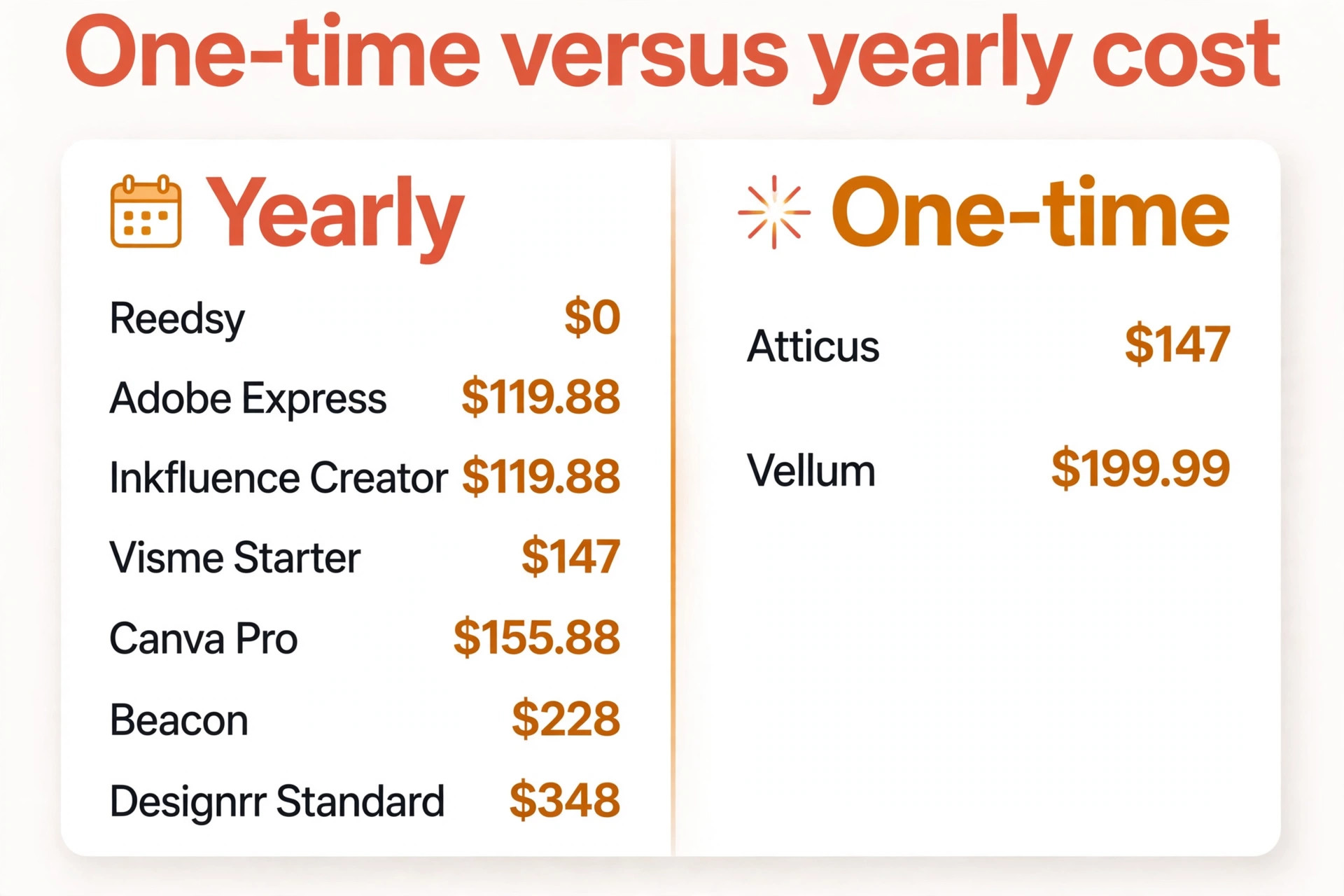
Pricing is a one time payment of 147 dollars, with no subscription, which makes it the cheapest long term option for an author who publishes more than one book. There is no free tier, so the purchase is a commitment, and there is no AI generation, so Atticus does not write the book for you. It formats the book you already wrote. Choose Atticus when the manuscript exists and the goal is a store ready EPUB and a print PDF. Choose Inkfluence AI when the book still needs to be written.
7. Vellum
Vellum is the tool many self published novelists use, and the reason is that it makes good looking books with very little effort. You import a Word file, pick a style, and Vellum produces validated EPUB files for Kindle, Kobo, Apple and the rest, with accessibility checks passed. It also exports advance copies for beta readers, which is a small feature that saves a real headache during launch week. The typography and the chapter styling are the best on this list for fiction, and the books it produces look like they came from a traditional publisher.
Vellum Ebooks costs 199.99 dollars once, and Vellum Press at 249.99 dollars adds print PDFs for paperbacks and hardcovers in 24 trim sizes. The catch is platform. Vellum runs only on Mac, so a Windows or Linux author needs Atticus instead. The price is also the highest one time fee on this list, which only makes sense when you publish fiction regularly. Choose Vellum when you write novels on a Mac and you want the best looking book with the least effort. Choose Atticus when you write on Windows or you want the lower one time price.
8. Reedsy Book Editor
Reedsy Book Editor is the best free route to a proper ebook, and it is the pick for an author who wants professional typesetting without paying for it. It provides free automatic typesetting with built in control over widows, orphans and chapter breaks, and it exports both a print ready PDF and an EPUB file from the same manuscript. The editor is built for long form writing, so chapters, front matter and back matter are handled properly rather than faked with page breaks.
The tool is free, with no paid tier to unlock, and it sits beside the Reedsy marketplace, where authors can hire editors, cover designers and formatters when the book needs professional help. The limit is design freedom. Reedsy gives you clean, correct typesetting rather than the visual control of Canva or Vellum, so a highly designed workbook or a picture heavy book will feel constrained. Choose Reedsy when the budget is zero and the book is mostly text. Choose Vellum or Atticus when the design of the book is part of the product.
9. Inkfluence AI
Inkfluence AI is the best all in one AI ebook tool on this list, because it covers the whole pipeline from outline to PDF and EPUB in one workflow. It generates outlines, drafts chapters with continuity between them, designs AI covers and exports PDF, EPUB and DOCX, which is a combination no other AI tool here matches. Most AI ebook tools write chapters in isolation and produce disjointed books, and Inkfluence is built specifically to avoid that failure. It is particularly strong for non fiction, such as how to guides, lead magnets, workbooks and business books.
Pricing starts with a free tier that includes 5 chapters plus 5 more every month, with outline generation, chapter drafting and PDF export. The Creator plan costs 9.99 dollars a month and adds EPUB and DOCX export, AI covers and audiobook narration for 35 chapters a month. Premium at 19.99 dollars a month adds unlimited chapters and higher audiobook allowance. The trade off is that AI drafted text still needs a human edit, and a creator who publishes under their own name should read every chapter before shipping. Choose Inkfluence when the book needs to be written as well as formatted. Choose Atticus when the manuscript is already done.
How to Choose the Right Ebook or Lead Magnet Tool
Start with the length of the work, because it removes half the list in one move. A lead magnet under 20 pages belongs in Canva, Designrr, Beacon or Visme, and a full length book belongs in Atticus, Vellum, Reedsy or Inkfluence AI. A tool that tries to do both usually does one of them badly, so buy for the length you actually make most often rather than for the length you might make one day.
Next, decide whether email capture matters. If the document exists to grow a list, Beacon is the only tool that puts the form inside the PDF, and Visme is the only design tool with built in forms and response tracking. Canva and Adobe Express make beautiful files and then leave the capture to a separate form tool, which is fine when you already have one and wasteful when you do not.
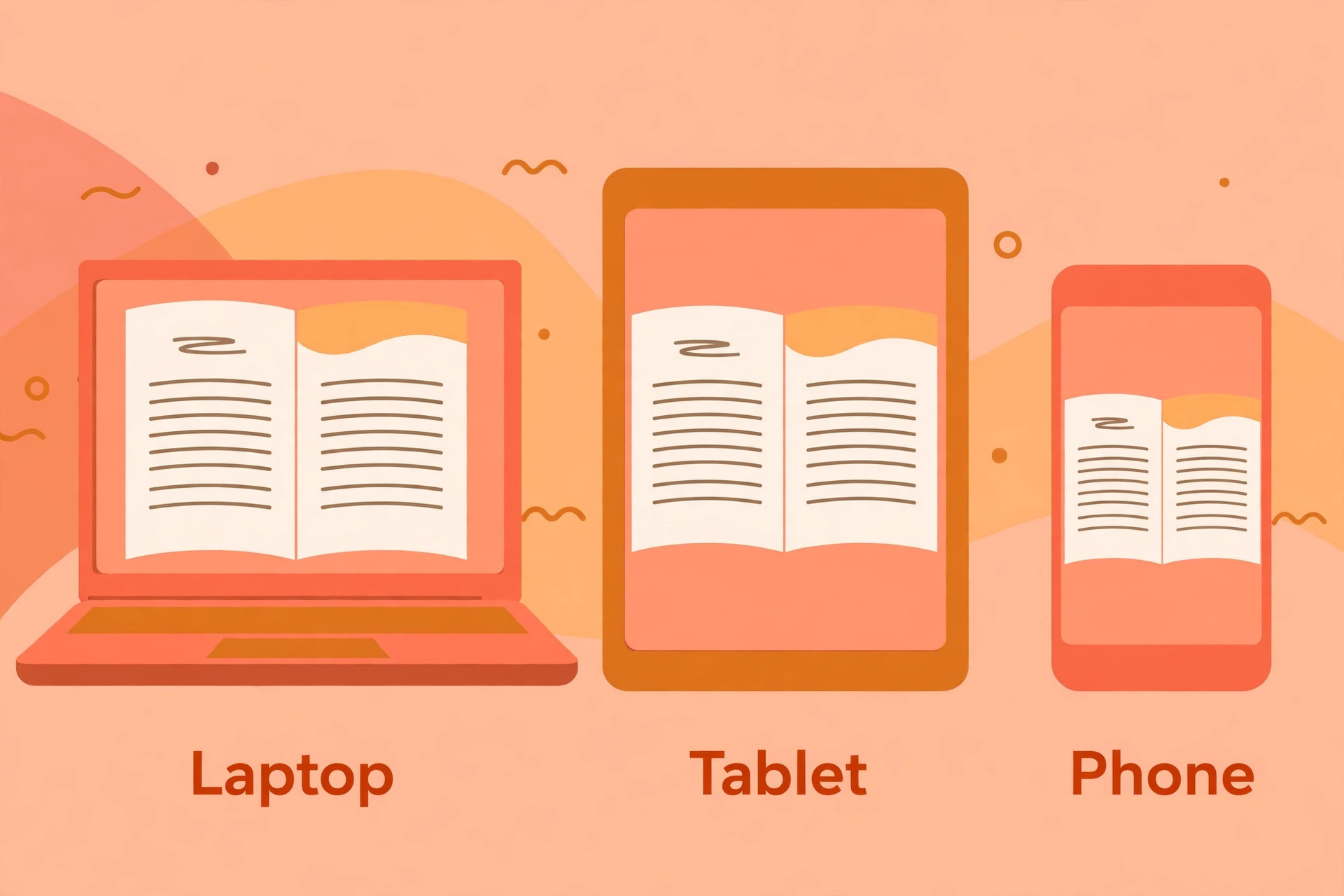
Then check the export format before you fall in love with any template. A PDF is enough for a lead magnet that readers open on a computer, but an ebook store needs a valid EPUB, and a print run needs a print ready PDF. Run a test export early, open the file on the device your readers actually use, and confirm the layout holds. That one test tells you more than any feature list.
Finally, add up the true cost over a year. A one time payment of 147 dollars for Atticus is cheaper than a year of a 29 dollar monthly plan, and a free plan that locks PDF downloads is not free at all. The best ebook and lead magnet tools for creators are the ones whose price matches how often you publish, not the ones with the lowest headline.
One last check is the template library, because templates decide how fast the second lead magnet goes. A tool with 300 ebook templates and a Brand Kit that applies your style in one click will produce the tenth guide far faster than the first, while a tool with twenty templates will start to feel repetitive after the third. The best ebook and lead magnet tools for creators earn their price across a whole year of publishing, not on a single document, so weigh the library as heavily as the export formats.
What to Check Before You Pay
A subscription is easy to start and easy to forget, so run these five checks before you enter card details. Each one takes a few minutes and each one has saved creators from a year of the wrong tool.
- Confirm the export formats included in the plan you are buying, because PDF, EPUB and Kindle export often sit on different tiers.
- Confirm whether the free plan lets you download the finished file, or whether downloads start on a paid plan.
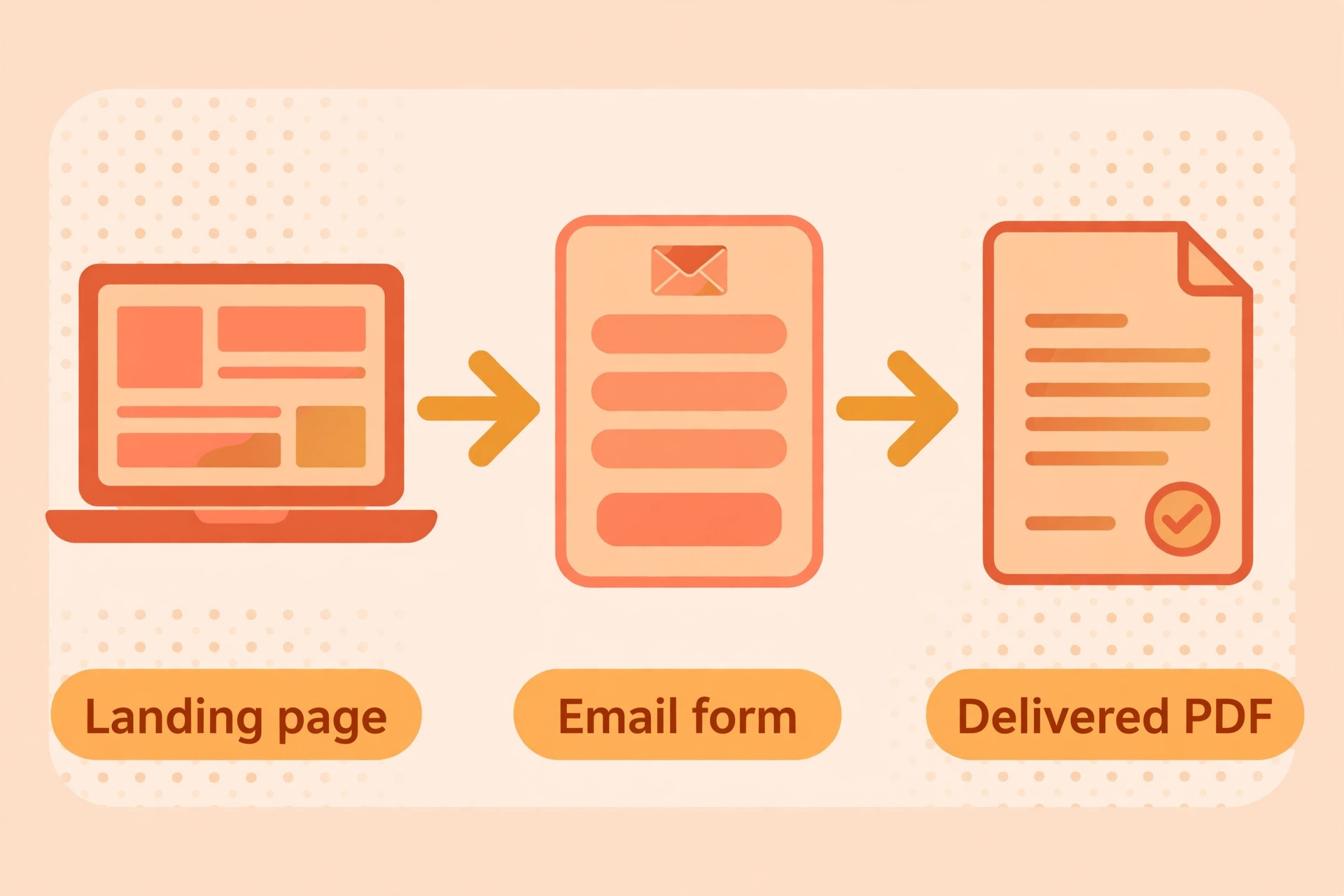
- Confirm the email capture flow works end to end, from the form to the delivery email, before you promote the magnet.
- Confirm the refund terms, because digital file tools often carry no refund once you download.
- Confirm you can edit the document after publishing without paying again, because a lead magnet that cannot be updated becomes stale fast.
Mistakes That Cost Creators Money
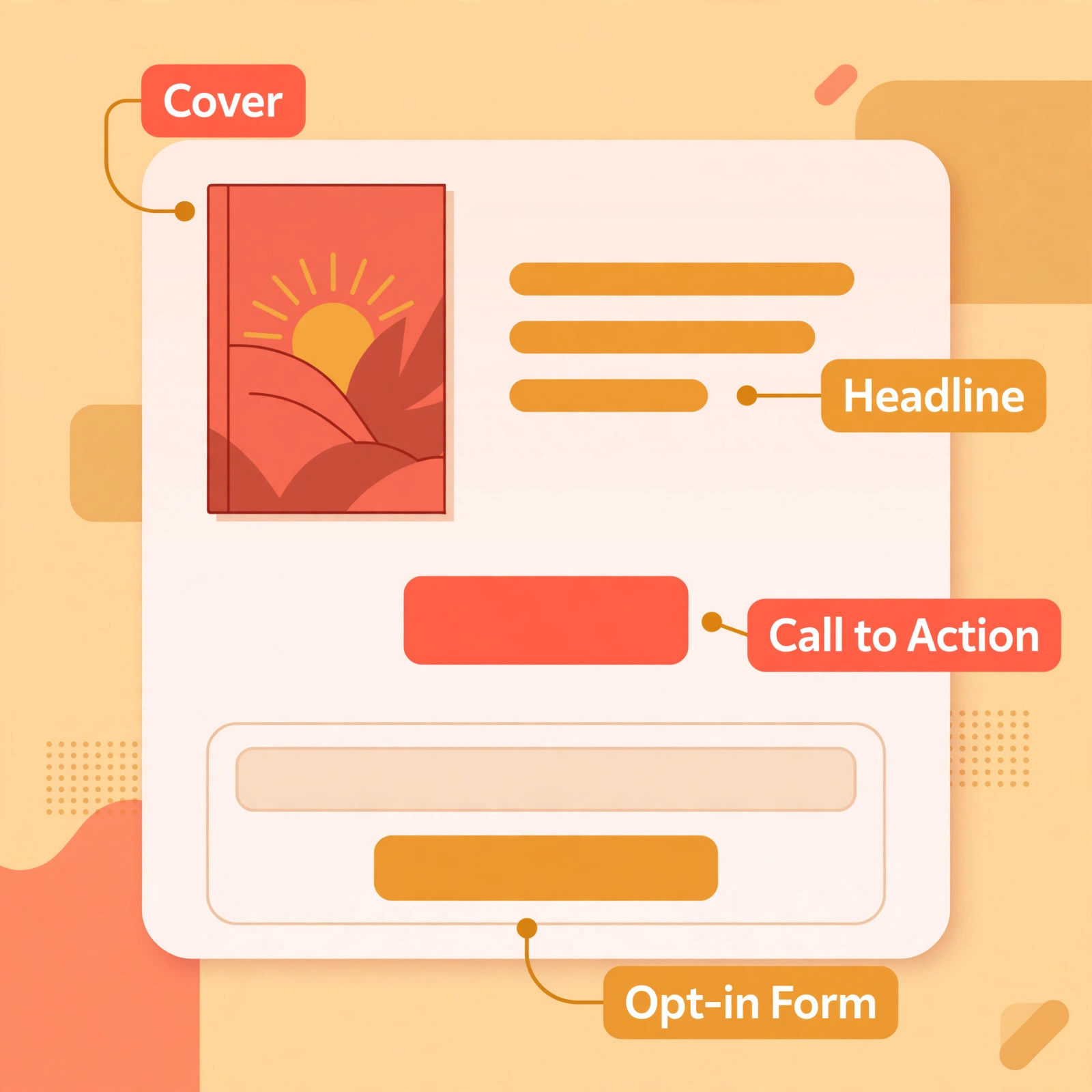
The most common mistake is designing a beautiful PDF with no capture attached. A creator spends a week on the design, publishes it, and then discovers there is no form, no delivery email and no way to know who downloaded it. The file is a dead end. Decide the capture flow before you design a single page, because the form is the product and the PDF is only the bait.
The second mistake is buying a book tool for a checklist. A creator pays 199.99 dollars for Vellum, then uses it to make a ten page guide that Canva would have finished in an afternoon for free. Match the tool to the length, and buy the book tool only when the manuscript is long enough to need it.
The third mistake is trusting AI drafted text without reading it. AI ebook tools can produce a full draft in an hour, and the draft will read smoothly while containing wrong facts, repeated points and a voice that is not yours. A reader who finds one wrong fact stops trusting the whole book, and a lead magnet that erodes trust is worse than no lead magnet at all. Read every chapter, fix the facts, and put your own voice back in before you ship.
Our Verdict
Canva is the pick for most creators, because it builds a polished lead magnet PDF faster than anything else and the Pro plan at 12.99 dollars a month unlocks the full library and the Brand Kit. It only works when the document is short and PDF is enough, so treat the length decision as the first step rather than a detail.
Beacon is the pick when the goal is subscribers, because the opt in form lives inside the PDF and the free tier lets you test the idea before paying. Designrr is the pick when you already have blog content to repurpose, and Atticus is the pick when the manuscript is finished and the goal is a store ready ebook for a one time price of 147 dollars. Pick the length first, then the capture, then the tool, and the rest of the decision gets easy.
Frequently Asked Questions
What is the best ebook and lead magnet tool for creators?
Canva is the best all round pick for most creators, because it builds a polished lead magnet PDF faster than any other tool and Pro costs 12.99 dollars a month. Beacon is the best choice when email capture is the goal, because the opt in form lives inside the PDF. Atticus is the best choice for a full length ebook, because it produces a store ready EPUB and a print PDF for a one time price of 147 dollars. The right answer depends on the length of the work and whether the goal is subscribers or sales.
Can I make a lead magnet for free?
Yes. Canva, Adobe Express, Reedsy Book Editor and Beacon all offer free plans that let you build a real lead magnet. The catch is usually in the export step, where a free plan may lock PDF downloads, limit brand kits or hide premium templates. Reedsy is the most generous free option for a full book, because it exports both a print ready PDF and an EPUB at no cost. Test the download before you invest hours in the design.
What format should a lead magnet use?
Use a PDF for a lead magnet, because it opens on every device, holds its layout exactly, and prints cleanly. A short guide, checklist or workbook is a PDF job. Use EPUB when the work needs to live in an ebook store such as Kindle or Apple Books, because those stores need a reflowable format that adapts to the reader screen. A flipbook is a useful extra for sharing on a landing page, but it should never be the only format.
Do I need a separate email tool with Canva?
Yes, Canva has no built in email capture, so you need a form tool and an email platform to collect addresses and deliver the file. Beacon and Visme are the exceptions on this list, because Beacon embeds the opt in form inside the PDF and Visme bundles forms with response tracking. If you already run an email platform, Canva plus your existing form is the fastest path. If you do not, Beacon removes a whole tool from the stack.
Is Atticus or Vellum better for a full ebook?
Atticus is better for most authors, because it costs 147 dollars once, runs on Windows and Mac, and uploads directly to KDP. Vellum is better for novelists on a Mac who want the best looking book with the least effort, because its typography and chapter styling are the strongest in the category. Vellum costs 199.99 dollars for ebooks and 249.99 dollars for print, and it does not run on Windows. A Windows author should buy Atticus, and a Mac novelist who publishes often should buy Vellum.
Can AI write my whole ebook?
AI can draft a whole ebook, and Inkfluence AI is the strongest tool for it, because it keeps continuity between chapters and exports PDF, EPUB and DOCX. The draft still needs a human edit, because AI text can contain wrong facts, repeated points and a voice that is not yours. A reader who finds one wrong fact stops trusting the whole book. Use AI to get the first draft fast, then read every chapter, fix the facts and put your own voice back in before you ship.
A good lead magnet is a short promise kept well, and the tool that makes it should disappear into the work. Pick the length first, check the export, test the capture flow with a real email address, and ship the smallest version that helps a reader. The best ebook and lead magnet tools for creators are the ones that get a finished file into a subscriber inbox this week, not the ones with the longest feature list.