More than half of childcare directors still spend their evenings on billing, attendance sheets and parent messages, and the right software can return those hours to the classroom. Among the best daycare management software we compared, Brightwheel is the best overall pick for most centres, Procare is the best choice for large and finance heavy centres, and myKidzDay is the best budget pick for small and in home programs. This guide compares 10 tools on real prices, free plans, billing depth and parent communication, so you can pick the one that fits your size and your week.
A daycare tool has to serve three people at once. Teachers need a fast daily log they can complete while watching children. Parents need a clear feed, photos and a simple way to pay. Directors need billing, attendance, ratios and compliance reports without an evening of paperwork. A tool that is loved by parents but slow for teachers will fail in the classroom, and a tool that is strong on billing but weak on messaging will leave parents calling the front desk.
Price is the hardest part of this category to compare, because most vendors hide pricing behind a sales call. Only a few publish a price, and the same tool can be listed at different prices in different roundups. This guide states the published price where one exists, flags the conflicts where sources disagree, and tells you to get a written quote before you sign. Never compare a headline price without asking what processing fees, add ons and per child charges sit behind it.
How We Tested
We compared each tool on the same five points, because the best daycare management software wins on the daily classroom record, the billing run and the parent app, not on the longest feature list. Classroom ease covered how fast a teacher can log a meal, a nap or a photo while watching children. Parent communication covered the feed, messaging, translation and how parents pay. Billing covered tuition plans, autopay, late fees, subsidies and split billing. Compliance covered attendance, ratios, food program reports and state reporting. Price transparency covered whether the vendor publishes a price or hides it behind a demo.
Prices in this guide were checked against vendor pricing pages and current 2026 roundups in November 2026. Six vendors in this category do not publish prices, and Procare is listed at 69 dollars a month in some sources and 79 dollars in others, while Brightwheel Premium is estimated at 15 dollars per child per month in one source and 20 dollars in another. Treat every figure here as a starting point, and get a written quote that includes card and ACH processing fees before you sign.
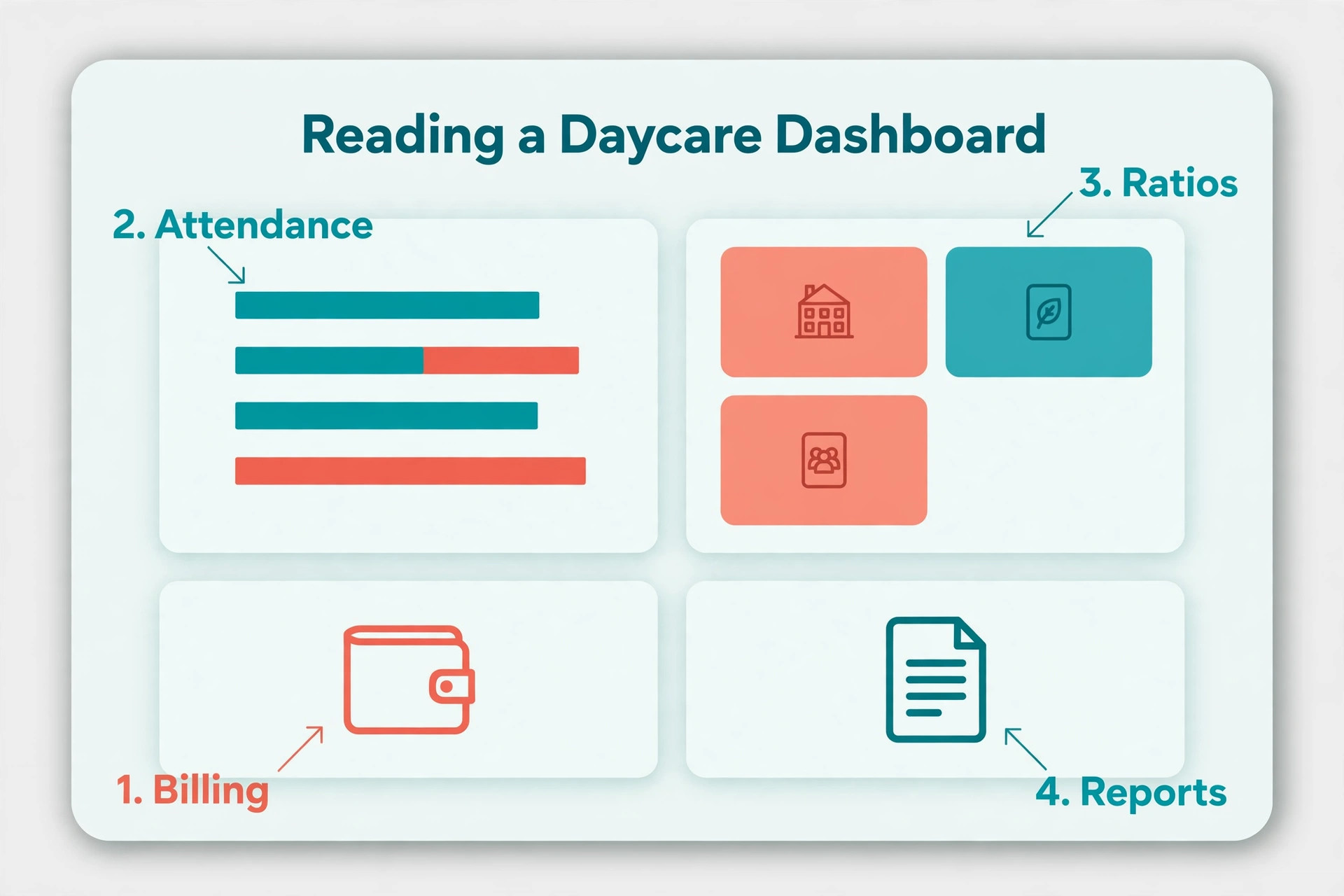
We also checked staff scheduling and ratio tracking, because a centre that cannot see ratios at a glance risks a compliance problem on a busy morning. Tools that show classroom ratios live, flag a room that is near its limit and help a director move staff between rooms save real stress. That feature matters most for centres with several classrooms and part time staff, and it is easy to miss in a demo that focuses on billing.
We also weighed review depth. Lillio holds the largest Capterra review base here at more than 3,600 reviews with a 4.6 rating, Procare holds more than 2,800 reviews at 4.6, and Playground holds one of the highest ratings at 4.8. A large review base does not prove a tool fits your centre, but it does show which tools survive daily use across many programs.
The best daycare management software for Each Job
| Job | Pick | Why it wins |
|---|---|---|
| Most centres | Brightwheel | Easiest for teachers and parents |
| Large or finance heavy centres | Procare | Deepest billing, payroll and multi site tools |
| Curriculum first programs | Lillio | Best learning documentation |
| Small and in home programs | myKidzDay | Lowest published price |
| Multilingual families | Famly | Translation into 130 plus languages |
Use this table as a shortcut, then read the full section for the tool you are leaning toward. The cheapest option is not the best value when it misses the feature your centre uses every day, and the most expensive option is not the best choice when you only need the basics.
The Ranked List
The tools below fall into three groups. The first group is all in one platforms that cover billing, attendance and parent messaging in one place. The second group is specialists that win on one job, such as curriculum or billing. The third group is budget and small program tools that keep the monthly bill low.
1. Brightwheel
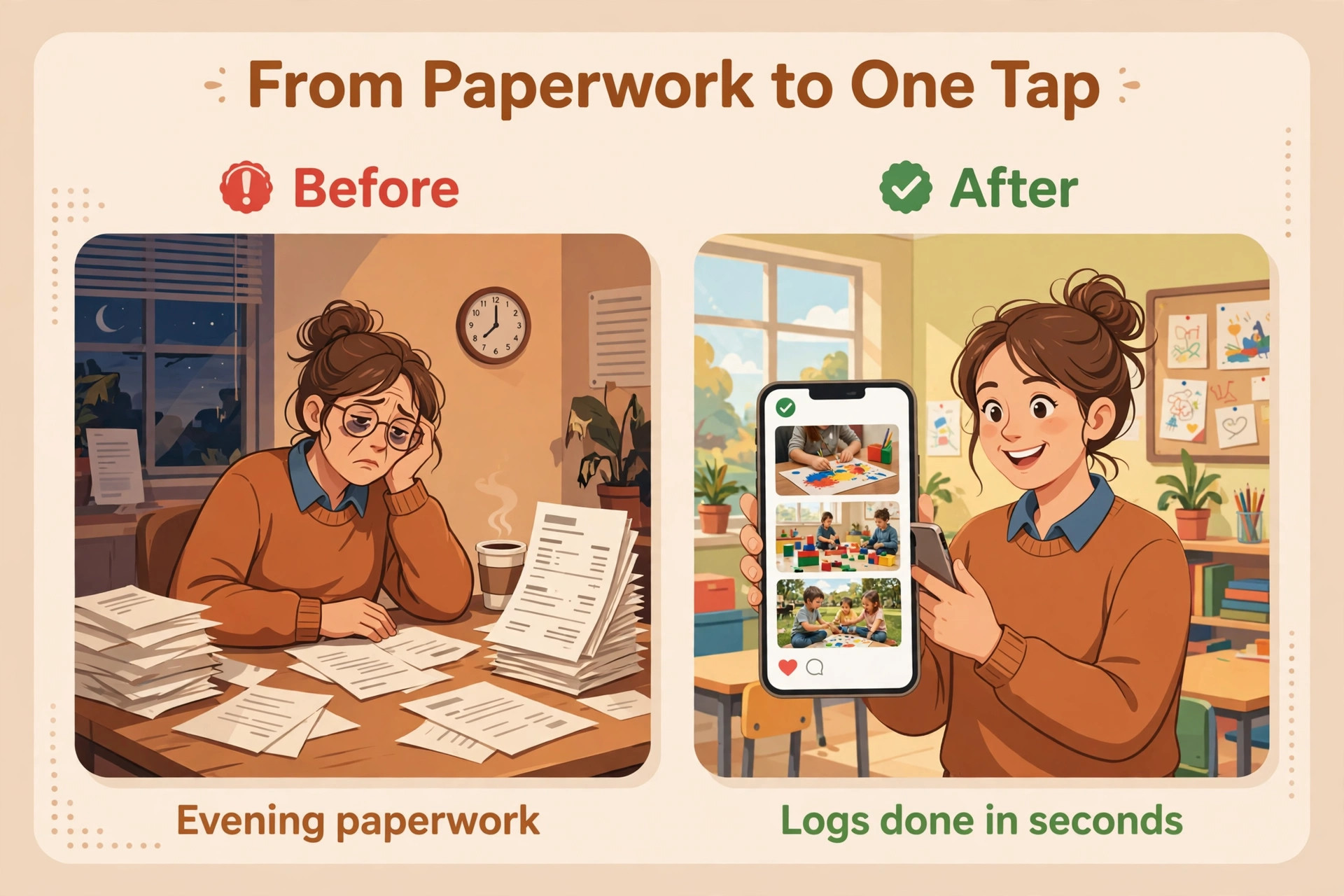
Brightwheel is the most familiar name in this category, and it wins on ease of use. The parent app is clean, teachers can log check in, photos, meals and naps in a few taps, and directors get billing, messaging and daily logs in one place. The free Basic plan covers check in and check out, messaging, daily logs, photo sharing, staff clock ins and tuition invoicing for programs under 20 students with one staff member, which is a real free start rather than a short trial.
Paid pricing is not published, so you talk to a specialist for a quote. Review sites estimate Premium near 15 dollars per child per month, while other sources list 20 dollars per child per month, so treat both figures as estimates and get a written quote. Premium adds billing automation, lesson planning, milestones and integrations. Pick Brightwheel when parent communication is your biggest daily problem and you want the tool teachers learn fastest.
2. Procare
Procare has served childcare centres since 1992, and it remains the deepest all in one platform for centres that need billing, payroll and multi location management. It covers family registration, enrolment, attendance, subsidy accounting, split billing for separated parents, lead and waitlist tools, and detailed reporting aligned to state standards. No other tool on this list goes as deep on finance.
Pricing is listed near 69 dollars a month for the Essential tier, with Business at 89 dollars and Growth at 109 dollars in some sources, while other sources list 79 dollars as the starting price. The range shows why you must get a written quote for your size and modules. In September 2026 Procare announced it had acquired Playground, and both are now Roper Technologies businesses. Pick Procare when your centre is large, multi site or finance heavy.
3. Lillio
Lillio, formerly HiMama, is the documentation specialist. Daily reports read like journals tied to developmental frameworks, with lesson plans aligned to state standards and pre loaded themes. Family engagement includes real time photo sharing, video updates and messaging in a private secure portal, and billing covers tuition plans, autopay, subsidy tracking and split invoices.
Pricing is quote based in the United States, with third party estimates starting near 25 dollars a month. In Canada, plans are listed from about CAD 19 dollars a month for up to 10 children, rising to near CAD 199 dollars for 150 children or more, with about 10 percent off for annual billing. Pick Lillio when curriculum and child development records matter more than payroll depth.
4. Playground
Playground is the modern all in one, covering billing, family engagement, digital paperwork, attendance tracking, food program management, reporting, staffing and payroll in one platform. It holds one of the highest Capterra ratings in this category, and it includes Camber, an AI assistant and voice agent that answers inquiry calls, creates CRM leads and books tours.
Pricing is listed near 50 dollars a month in some roundups and as a custom quote in others, so confirm the current figure for your program size. Playground is free for providers in several United States states, including Arizona, Iowa, Idaho, Kansas, New York and Texas. Pick Playground when you want modern automation and an AI helper that handles inquiries after hours.
5. Famly
Famly started in Europe and now serves United States centres with billing, enrolment, parent engagement, staff scheduling and instant translation into more than 130 languages. Its pitch is simple, remove administrative overload so staff spend time with children. Digital enrolment, automated billing and parent messaging run in one platform, and the learning journal tools track observations and development.
Pricing is listed at 49 dollars a month in several sources, while Capterra lists 49 dollars per user per month, so the per user wording matters and you should confirm whether the quote is flat or per user. United Kingdom pricing starts near 79 pounds a month. Pick Famly when your families speak several languages or your program is pedagogy led.
6. Kangarootime
Kangarootime targets growing childcare businesses that have outgrown single centre tools. Cloud based enrolment, automated billing with payment drafts, real time messaging between parents and staff, and record keeping scale across locations. Reviewers rate its customer support highly, with customer service and value for money both scoring 4.8 on Capterra against an overall 4.5 rating.
Pricing is quote based, with a free trial. That makes it hard to compare on price alone, so ask for a quote that includes card and ACH processing fees before you sign. The billing automation is the strongest reason to choose it, because invoices, payments and late fees run without a director chasing anyone. Pick Kangarootime when you run more than one location and support quality matters.
7. illumine
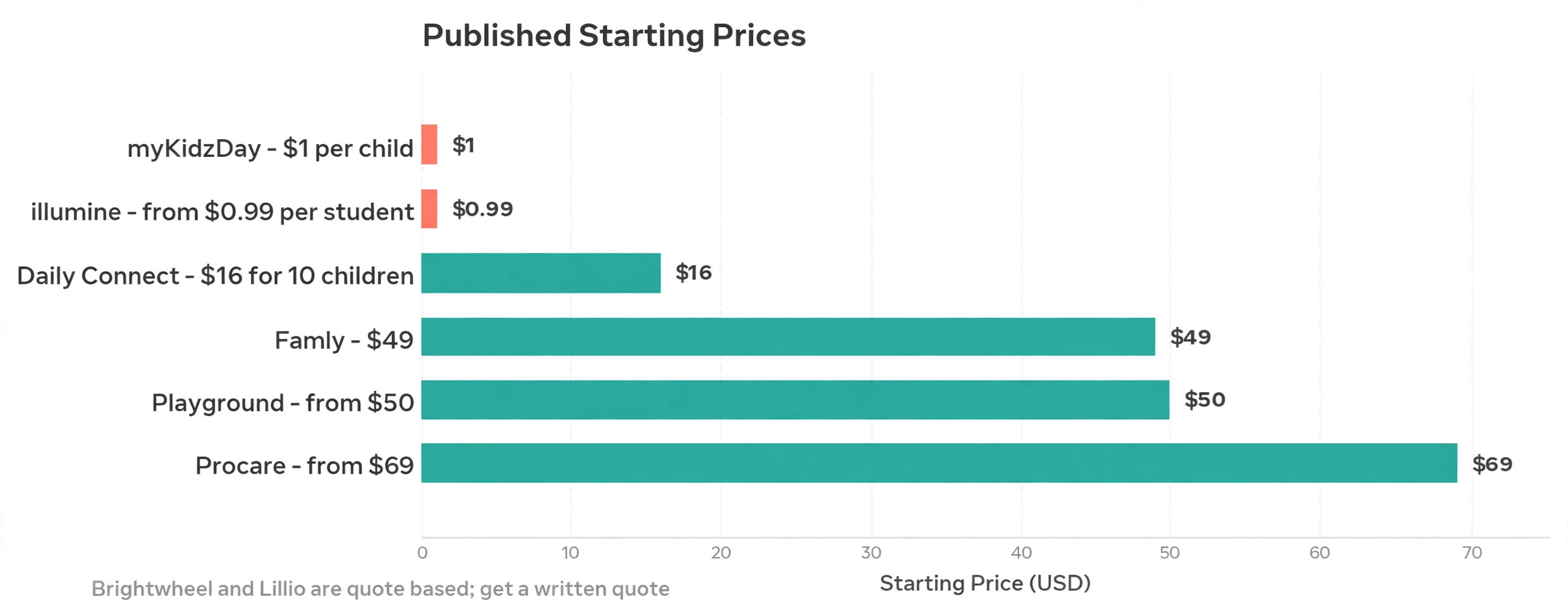
illumine is a childcare platform trusted by more than 3,000 centres across 50 countries, and it publishes the clearest per student price on this list. It covers admissions, billing, attendance, parent communication, daily reports and learning documentation, with zero processing fees to the centre on its published plans. The platform suits centres that want transparent pricing without a sales call.
Pricing starts at 0.99 dollars per student, with plans sold by number of centres. That per student model makes the monthly bill easy to predict as enrolment changes, and it stays cheap for small programs. Pick illumine when you want published pricing, international experience and a bill that grows only when enrolment grows.
8. myKidzDay
myKidzDay is built for in home and small providers, and it publishes the lowest price on this list. It covers daily reports, parent messaging, attendance, billing and CACFP food reporting, plus a free inquiry and waitlist CRM. The tool is simple on purpose, because a small program does not need payroll or multi site reporting.
Pricing is 1 dollar per child per month, or 10 dollars per room per month. That is the cheapest published price among the tools here, and it makes myKidzDay the best budget pick for a home based program. Pick myKidzDay when you run a small or in home program and you want a low fixed bill without a sales conversation.
9. Daily Connect
Daily Connect is a simple tool for single centres and in home providers, with more than 30 activity types, AI note cleanup and automatic message translation. Teachers log meals, naps, diapers and activities fast, and parents see a clear daily feed. The focus is on the daily classroom record, not on finance depth.
Pricing is 16 dollars a month billed annually for 10 children, then 1.60 dollars per child after that. That published price makes it easy to budget, and it sits between myKidzDay and the larger platforms on cost. Pick Daily Connect when you want a strong daily log with AI help and a small predictable bill.
10. ChildPilot
ChildPilot is a newer all in one platform that covers billing, attendance, parent messaging and enrolment for small and mid size centres. Its strongest point in reviews is hands on onboarding, with staff who help you move records, set up billing and train teachers rather than leaving you with a help centre link.
Pricing is quote based, so you will need a demo and a written quote. That is a drawback for comparison shopping, but the onboarding help can save weeks for a centre that has never used software before. Pick ChildPilot when you want a guided move from paper or spreadsheets and you value a person who answers the phone during setup.
What a Strong Daily Record Looks Like
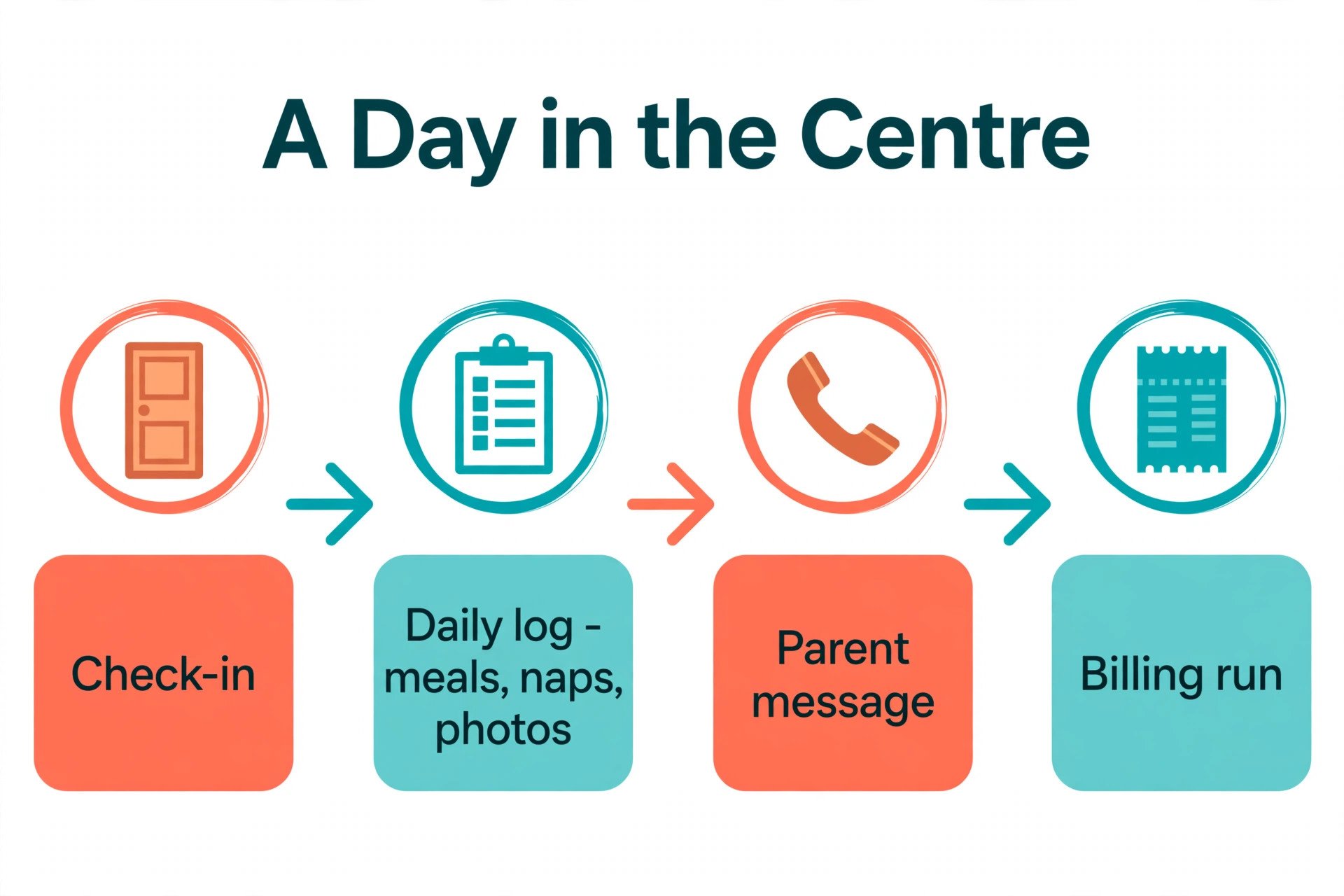
A strong daily record has four parts, and you can check all four in a trial. The best daycare management software makes each part fast, because a record that takes a minute to log will be skipped when the classroom is busy. Speed, photos, billing and reports are the four tests, and a tool that fails any one of them will cost you time every day. The first part is speed. A teacher should log a meal, a nap or a diaper change in under ten seconds, with one hand, without leaving the classroom. If logging takes a minute, teachers will batch it at the end of the day and the record will lose accuracy.
The second part is photos and notes that parents actually read. A photo with a short note tells a parent more than a checklist, and it builds trust faster than any billing feature. Look for a tool that makes photo sharing fast and private, with clear controls over who sees each image. Parents should see their own child, not the whole classroom feed.
The third part is a billing run that needs no evening work. Invoices should generate automatically, payments should draft on the due date, and late fees should apply by rule rather than by a director remembering to chase them. Ask how many clicks a monthly billing run takes, and time it in the trial. A billing run that takes an hour a month is a cost, not a feature.
The fourth part is a report you can hand to a regulator without rebuilding it. Attendance, ratios, food program records and subsidy reports should export in the format your state asks for. Ask for a sample report before you buy, and check that it matches what your licensing visit requires. A tool that cannot produce that report will cost you hours at inspection time.
How to Choose
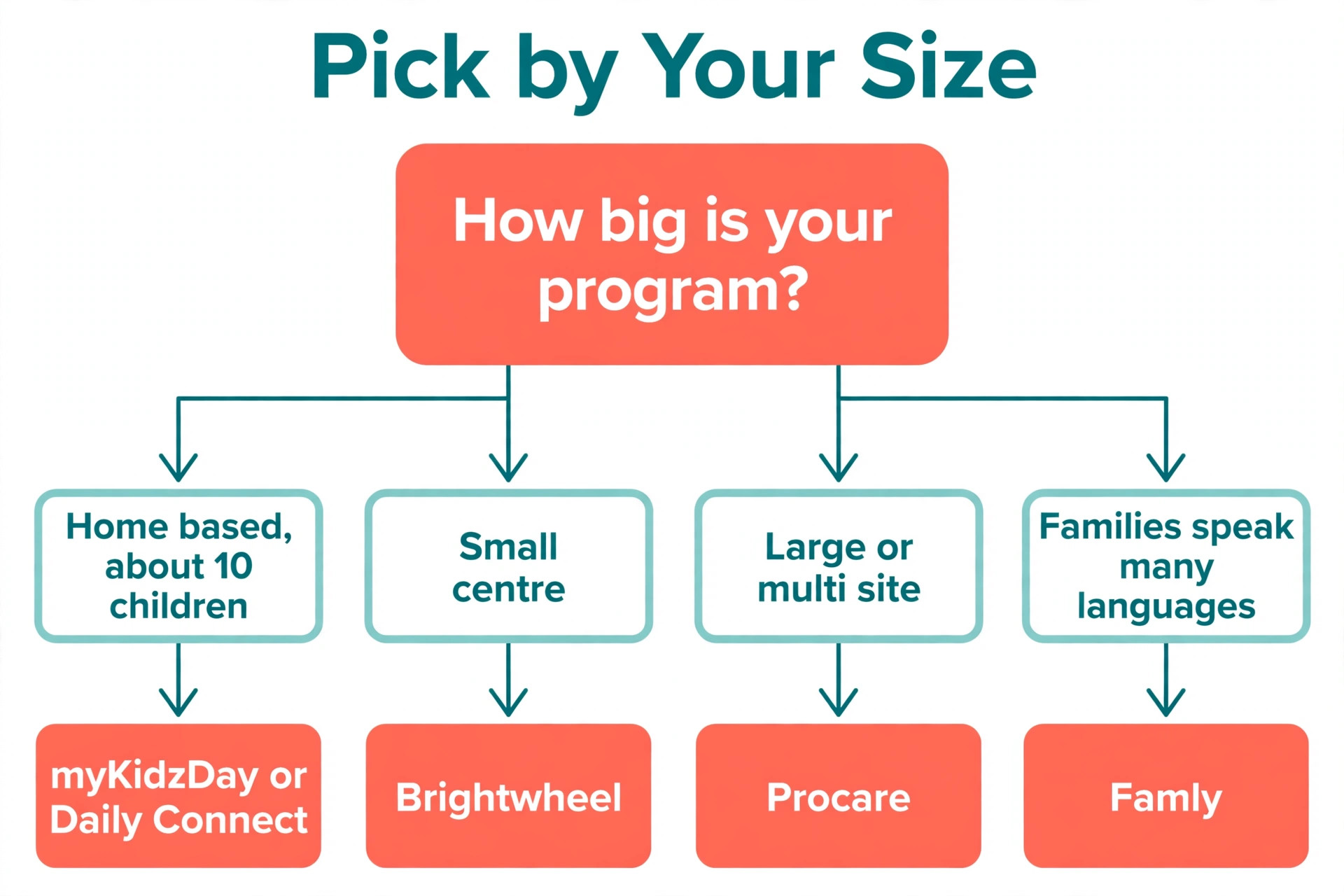
Start with your size, because it decides which tools even fit. A home based program with 10 children does not need payroll or multi site reporting, and a centre with 150 children cannot run on a tool built for 10. Count your enrolled children, your classrooms and your locations before you compare features, and remove every tool that is built for a different size.
Next, test the teacher workflow in a real classroom. The best daycare management software is the one teachers actually use, and teachers use the tool that takes the fewest taps. Ask for a trial, give it to one classroom for a week, and watch whether logs are complete at pickup time. A tool that looks strong in a demo and slow in a classroom will cost you more in missing records than it saves in features, and those missing records are the ones a parent or a regulator asks about first.
Then check billing in detail. Ask how autopay works, how late fees are applied, how subsidies are tracked, and whether split billing for separated parents is included or an add on. Ask for the card and ACH processing fees in writing, because those fees often cost more than the subscription. A tool with a low monthly price and high processing fees is not cheap.
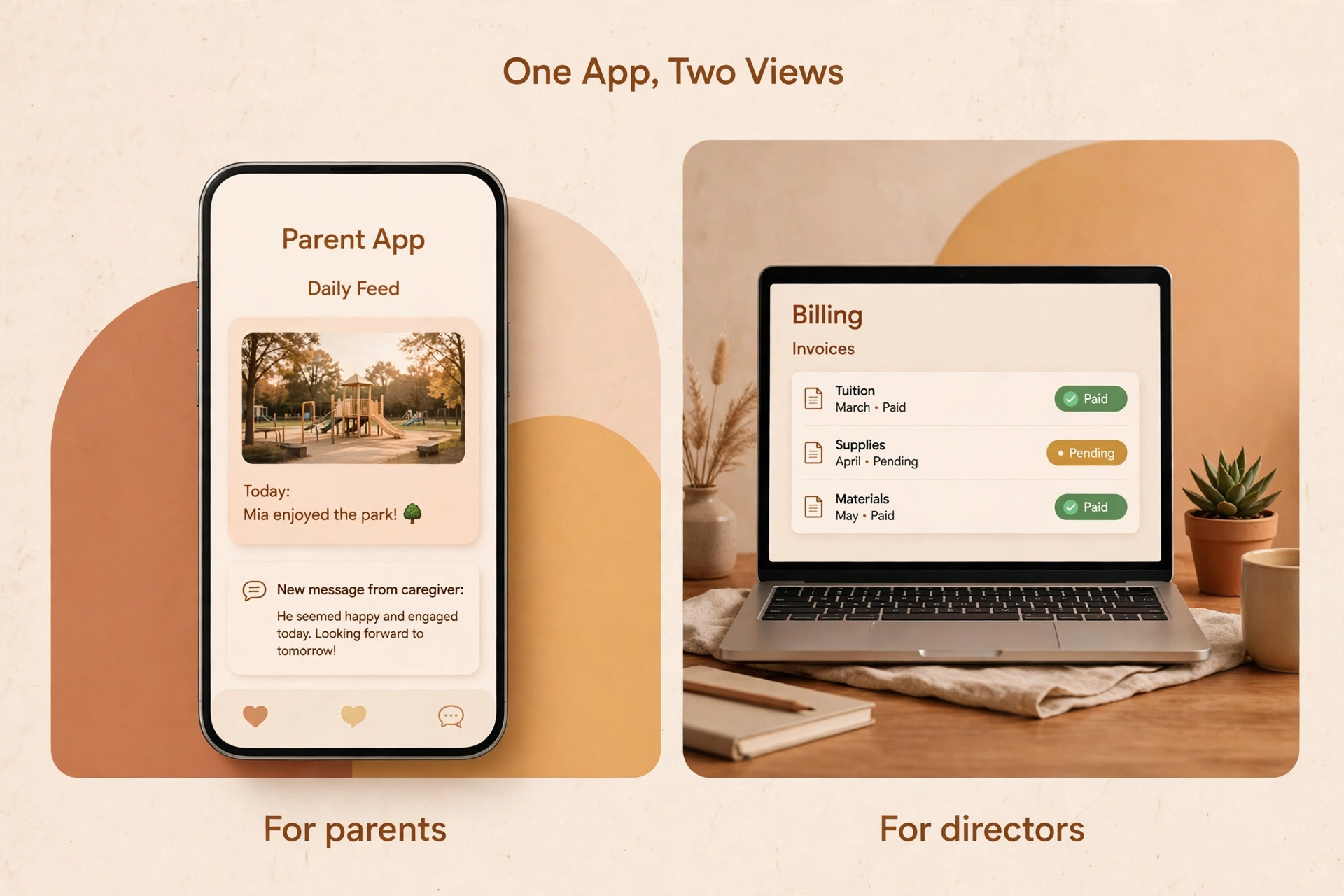
Finally, check the parent app as a parent would. Download it, read a daily feed, pay a test invoice and send a message. Parents judge your centre partly through this app, so a confusing app creates calls to the front desk. The tool that parents open without thinking is the one that saves your staff the most time.
What to Verify Before You Commit
A purchase in this category is a long term decision, because moving billing, attendance and parent records to a new tool takes weeks. Read the contract, the export terms and the processing fees before you enter card details, and ask for a written quote that includes every fee.
- Confirm whether the price is flat, per child or per user, and what the bill is at your enrolment.
- Confirm card and ACH processing fees in writing, including any per transaction charge.
- Confirm whether billing, payroll and subsidy tracking are included or paid add ons.
- Confirm how you export family, billing and attendance records if you leave.
- Confirm the trial length, the onboarding help and the support hours.
Mistakes That Cost Centres Time
The most common mistake is buying for the demo, not for the classroom. A sales demo shows a clean screen with perfect data, while a real classroom has wet hands, crying children and a teacher with one free hand. Trial the tool in one classroom for a week before you sign, and ask the teacher, not the director, whether it is fast enough.
The second mistake is ignoring processing fees. A centre that collects 20,000 dollars a month in tuition can pay hundreds of dollars in card fees, and those fees often exceed the software subscription. Ask for the processing rate in writing, compare ACH against card, and model the total monthly cost before you compare headline prices.
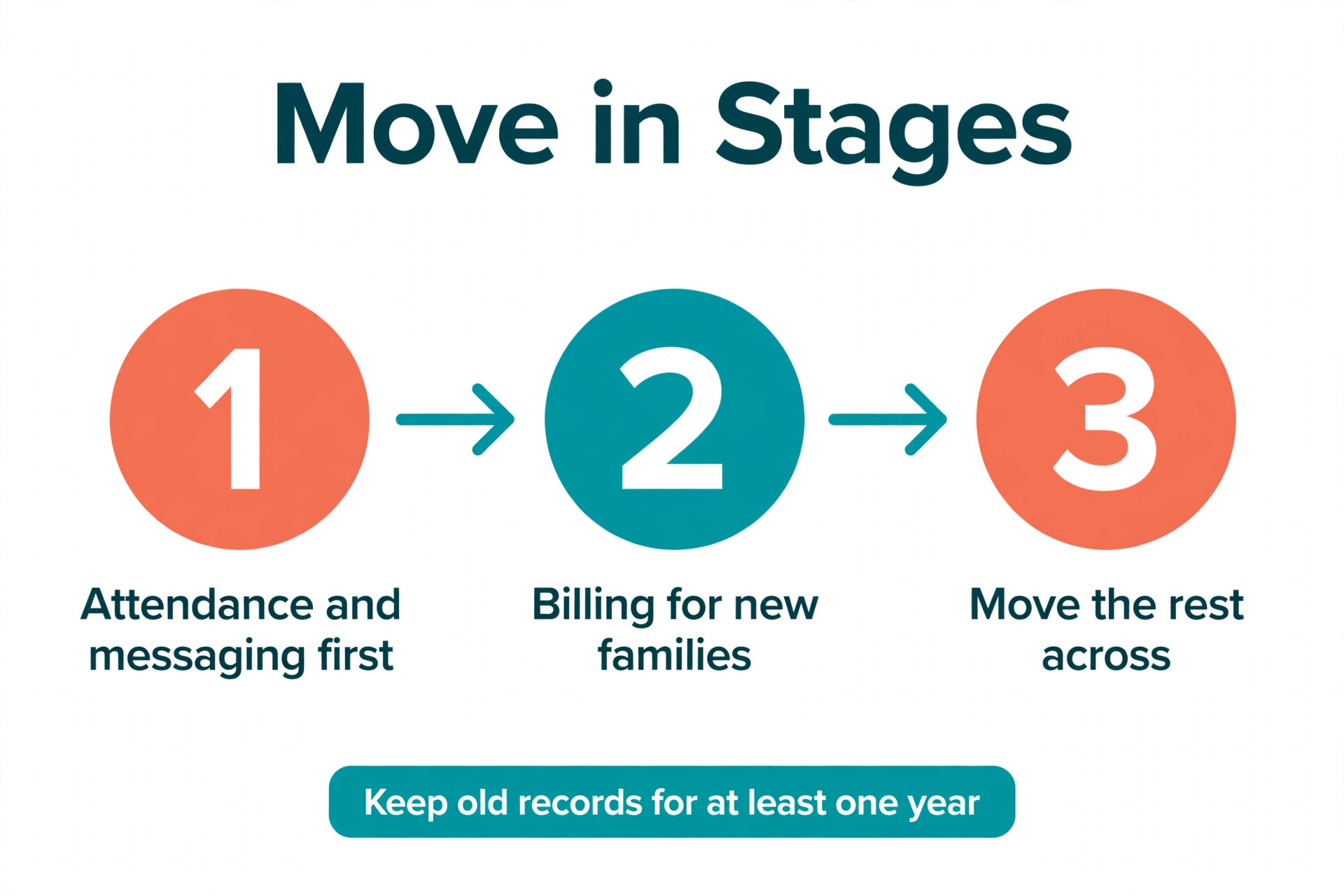
The third mistake is moving everything at once. A centre that switches billing, attendance and messaging in the same week will confuse parents and overload teachers. Move one area first, usually attendance and messaging, then billing once staff are confident. A staged move takes longer and fails far less often.
How to Move to a New Tool Without Chaos
A staged move protects parents, teachers and your billing run. The best daycare management software vendors offer onboarding help for this move, and you should use it, because a guided move with a named contact beats a help centre link when billing is involved. Ask who your contact is before you sign, and how long they stay with you after launch. Start with a single classroom and a single feature, usually attendance and parent messaging, and run it for two weeks. Teachers learn the tool, parents learn the app, and you learn where the gaps are while the old system still runs beside it.
Next, move billing for new families only, while existing families stay on the old system for one billing cycle. That limits the risk if an invoice is wrong, and it gives you a clean comparison between the two systems. Once the new billing run is correct for a full month, move the remaining families across.
Finally, keep the old records accessible for at least a year, even after the old account is closed. Export family records, billing history and attendance before you cancel, and store the export where your director can find it. A regulator, a parent dispute or a tax question can need an old record long after the software is gone.
Trial First, Then Decide
Brightwheel is the pick for most readers among the best daycare management software, because teachers learn it fast, parents like the app, and the free Basic plan lets a small program start without paying. Get a written quote for Premium before you commit, because the per child price is the real cost.
Procare is the pick when your centre is large, multi site or finance heavy. The billing depth, payroll and subsidy tools justify the higher price and the longer setup. myKidzDay is the pick when the budget is tight and the program is small, because 1 dollar per child per month is the lowest published price here and the tool covers the daily record well.
Whatever you choose, trial it in one classroom, model the full monthly cost including processing fees, and move in stages. The best tool is the one your teachers use every day, not the one with the longest feature list.
Frequently Asked Questions
What is the cheapest daycare management software?
myKidzDay is the cheapest published price here at 1 dollar per child per month, or 10 dollars per room per month. Daily Connect is next at 16 dollars a month for 10 children, and illumine starts at 0.99 dollars per student. Brightwheel also offers a free Basic plan for programs under 20 students with one staff member.
Does Brightwheel have a free plan?
Yes, Brightwheel offers a free Basic plan that covers check in and check out, messaging, daily logs, photo sharing, staff clock ins, tuition invoicing and subsidy tracking for programs under 20 students with one staff member. Paid Premium adds billing automation, lesson planning, milestones and integrations, and pricing is by quote.
How much does Procare cost?
Procare is listed near 69 dollars a month for the Essential tier in several sources, with Business at 89 dollars and Growth at 109 dollars, while other sources list 79 dollars as the starting price. The price depends on your size, locations and modules, so get a written quote. Procare also acquired Playground in September 2026.
Which daycare software is best for small centres?
Brightwheel is the best all round pick for small centres because of the free Basic plan and the easy parent app. myKidzDay is the best budget pick at 1 dollar per child per month, and Daily Connect is a strong simple choice at 16 dollars a month for 10 children. Lillio is the best pick when curriculum records matter most.
Do these tools handle billing and subsidies?
Most of the tools here handle tuition billing and autopay, but subsidy tracking and split billing vary. Procare is the strongest on complex billing, subsidies and split billing for separated parents. Brightwheel, Lillio and Playground cover the essentials, while myKidzDay and Daily Connect cover basic billing. Check subsidy support before you buy if your centre serves subsidised families, and ask for a sample subsidy report so you can see whether the figures match what your state expects at audit time.
Can I switch daycare software without losing records?
Yes, but plan the move carefully. Export family records, billing history, attendance and daily logs before you cancel, and confirm the new tool can import them. Most vendors offer onboarding help, and ChildPilot is noted for hands on onboarding. Move attendance and messaging first, then billing, and keep the old records accessible for at least a year.
A good daycare tool gives teachers their evenings back, gives parents a clear view of the day, and gives directors a billing run that needs no chasing. The best daycare management software is the one your teachers open without being asked, your parents read without calling the front desk, and your director trusts at billing time. That trust is built in the trial, not in the demo, so give the tool a real classroom week before you decide.
Trial the tool in one classroom, model the full monthly cost including processing fees, and move in stages. Ask the teacher who used it every day whether the daily log felt fast, ask the parent who paid through the app whether the payment felt simple, and ask the director who ran billing whether the run needed any evening work. Those three answers tell you more than any feature list, and they are the reason a trial in a real classroom beats a polished demo every time. The tool your teachers use every day is the right one.
Run the trial like a real week, not a demo. On Monday, take attendance in the app and send the daily log to two parents, then ask whether the photos and notes arrived on time. On Wednesday, run a billing pass with one family on a subsidy plan and one family paying by card, and check that the figures match the invoices you already sent.
On Friday, ask the teacher who logged the week whether the daily log took less time than the old paper sheet, and ask the front desk whether any parent called to ask where a message went. If the week runs without a workaround, the tool fits your centre. If the teacher kept a paper list beside the app, or the billing run needed a spreadsheet to finish, the fit is wrong and the trial told you so before any money changed hands.